Compare commits
6 Commits
python-v0.
...
v0.1.2-dev
| Author | SHA1 | Date | |
|---|---|---|---|

|
d600e4fff8 | ||
|
|
47f5163768 | ||
|
|
7ea809d8a0 | ||
|
|
8d7726b1ea | ||
|
|
f5bb2a2096 | ||
|
|
89aee07fa9 |
@@ -1,12 +0,0 @@
|
|||||||
[bumpversion]
|
|
||||||
current_version = 0.3.3
|
|
||||||
commit = True
|
|
||||||
message = Bump version: {current_version} → {new_version}
|
|
||||||
tag = True
|
|
||||||
tag_name = v{new_version}
|
|
||||||
|
|
||||||
[bumpversion:file:node/package.json]
|
|
||||||
|
|
||||||
[bumpversion:file:rust/ffi/node/Cargo.toml]
|
|
||||||
|
|
||||||
[bumpversion:file:rust/vectordb/Cargo.toml]
|
|
||||||
29
.github/workflows/cargo-publish.yml
vendored
@@ -1,29 +0,0 @@
|
|||||||
name: Cargo Publish
|
|
||||||
|
|
||||||
on:
|
|
||||||
release:
|
|
||||||
types: [ published ]
|
|
||||||
|
|
||||||
env:
|
|
||||||
# This env var is used by Swatinem/rust-cache@v2 for the cache
|
|
||||||
# key, so we set it to make sure it is always consistent.
|
|
||||||
CARGO_TERM_COLOR: always
|
|
||||||
|
|
||||||
jobs:
|
|
||||||
build:
|
|
||||||
runs-on: ubuntu-22.04
|
|
||||||
timeout-minutes: 30
|
|
||||||
# Only runs on tags that matches the make-release action
|
|
||||||
if: startsWith(github.ref, 'refs/tags/v')
|
|
||||||
steps:
|
|
||||||
- uses: actions/checkout@v3
|
|
||||||
- uses: Swatinem/rust-cache@v2
|
|
||||||
with:
|
|
||||||
workspaces: rust
|
|
||||||
- name: Install dependencies
|
|
||||||
run: |
|
|
||||||
sudo apt update
|
|
||||||
sudo apt install -y protobuf-compiler libssl-dev
|
|
||||||
- name: Publish the package
|
|
||||||
run: |
|
|
||||||
cargo publish -p vectordb --all-features --token ${{ secrets.CARGO_REGISTRY_TOKEN }}
|
|
||||||
22
.github/workflows/docs.yml
vendored
@@ -39,28 +39,6 @@ jobs:
|
|||||||
run: |
|
run: |
|
||||||
python -m pip install -e .
|
python -m pip install -e .
|
||||||
python -m pip install -r ../docs/requirements.txt
|
python -m pip install -r ../docs/requirements.txt
|
||||||
- name: Set up node
|
|
||||||
uses: actions/setup-node@v3
|
|
||||||
with:
|
|
||||||
node-version: ${{ matrix.node-version }}
|
|
||||||
cache: 'npm'
|
|
||||||
cache-dependency-path: node/package-lock.json
|
|
||||||
- uses: Swatinem/rust-cache@v2
|
|
||||||
- name: Install node dependencies
|
|
||||||
working-directory: node
|
|
||||||
run: |
|
|
||||||
sudo apt update
|
|
||||||
sudo apt install -y protobuf-compiler libssl-dev
|
|
||||||
- name: Build node
|
|
||||||
working-directory: node
|
|
||||||
run: |
|
|
||||||
npm ci
|
|
||||||
npm run build
|
|
||||||
npm run tsc
|
|
||||||
- name: Create markdown files
|
|
||||||
working-directory: node
|
|
||||||
run: |
|
|
||||||
npx typedoc --plugin typedoc-plugin-markdown --out ../docs/src/javascript src/index.ts
|
|
||||||
- name: Build docs
|
- name: Build docs
|
||||||
run: |
|
run: |
|
||||||
PYTHONPATH=. mkdocs build -f docs/mkdocs.yml
|
PYTHONPATH=. mkdocs build -f docs/mkdocs.yml
|
||||||
|
|||||||
93
.github/workflows/docs_test.yml
vendored
@@ -1,93 +0,0 @@
|
|||||||
name: Documentation Code Testing
|
|
||||||
|
|
||||||
on:
|
|
||||||
push:
|
|
||||||
branches:
|
|
||||||
- main
|
|
||||||
paths:
|
|
||||||
- docs/**
|
|
||||||
- .github/workflows/docs_test.yml
|
|
||||||
pull_request:
|
|
||||||
paths:
|
|
||||||
- docs/**
|
|
||||||
- .github/workflows/docs_test.yml
|
|
||||||
|
|
||||||
# Allows you to run this workflow manually from the Actions tab
|
|
||||||
workflow_dispatch:
|
|
||||||
|
|
||||||
env:
|
|
||||||
# Disable full debug symbol generation to speed up CI build and keep memory down
|
|
||||||
# "1" means line tables only, which is useful for panic tracebacks.
|
|
||||||
RUSTFLAGS: "-C debuginfo=1"
|
|
||||||
RUST_BACKTRACE: "1"
|
|
||||||
|
|
||||||
jobs:
|
|
||||||
test-python:
|
|
||||||
name: Test doc python code
|
|
||||||
runs-on: ${{ matrix.os }}
|
|
||||||
strategy:
|
|
||||||
matrix:
|
|
||||||
python-minor-version: [ "11" ]
|
|
||||||
os: ["ubuntu-22.04"]
|
|
||||||
steps:
|
|
||||||
- name: Checkout
|
|
||||||
uses: actions/checkout@v3
|
|
||||||
- name: Set up Python
|
|
||||||
uses: actions/setup-python@v4
|
|
||||||
with:
|
|
||||||
python-version: 3.${{ matrix.python-minor-version }}
|
|
||||||
cache: "pip"
|
|
||||||
cache-dependency-path: "docs/test/requirements.txt"
|
|
||||||
- name: Build Python
|
|
||||||
working-directory: docs/test
|
|
||||||
run:
|
|
||||||
python -m pip install -r requirements.txt
|
|
||||||
- name: Create test files
|
|
||||||
run: |
|
|
||||||
cd docs/test
|
|
||||||
python md_testing.py
|
|
||||||
- name: Test
|
|
||||||
run: |
|
|
||||||
cd docs/test/python
|
|
||||||
for d in *; do cd "$d"; echo "$d".py; python "$d".py; cd ..; done
|
|
||||||
test-node:
|
|
||||||
name: Test doc nodejs code
|
|
||||||
runs-on: ${{ matrix.os }}
|
|
||||||
strategy:
|
|
||||||
matrix:
|
|
||||||
node-version: [ "18" ]
|
|
||||||
os: ["ubuntu-22.04"]
|
|
||||||
steps:
|
|
||||||
- name: Checkout
|
|
||||||
uses: actions/checkout@v3
|
|
||||||
with:
|
|
||||||
fetch-depth: 0
|
|
||||||
lfs: true
|
|
||||||
- name: Set up Node
|
|
||||||
uses: actions/setup-node@v3
|
|
||||||
with:
|
|
||||||
node-version: ${{ matrix.node-version }}
|
|
||||||
- name: Install dependecies needed for ubuntu
|
|
||||||
if: ${{ matrix.os == 'ubuntu-22.04' }}
|
|
||||||
run: |
|
|
||||||
sudo apt install -y protobuf-compiler libssl-dev
|
|
||||||
- name: Install node dependencies
|
|
||||||
run: |
|
|
||||||
cd docs/test
|
|
||||||
npm install
|
|
||||||
- name: Rust cache
|
|
||||||
uses: swatinem/rust-cache@v2
|
|
||||||
- name: Install LanceDB
|
|
||||||
run: |
|
|
||||||
cd docs/test/node_modules/vectordb
|
|
||||||
npm ci
|
|
||||||
npm run build-release
|
|
||||||
npm run tsc
|
|
||||||
- name: Create test files
|
|
||||||
run: |
|
|
||||||
cd docs/test
|
|
||||||
node md_testing.js
|
|
||||||
- name: Test
|
|
||||||
run: |
|
|
||||||
cd docs/test/node
|
|
||||||
for d in *; do cd "$d"; echo "$d".js; node "$d".js; cd ..; done
|
|
||||||
59
.github/workflows/make-release-commit.yml
vendored
@@ -1,59 +0,0 @@
|
|||||||
name: Create release commit
|
|
||||||
|
|
||||||
on:
|
|
||||||
workflow_dispatch:
|
|
||||||
inputs:
|
|
||||||
dry_run:
|
|
||||||
description: 'Dry run (create the local commit/tags but do not push it)'
|
|
||||||
required: true
|
|
||||||
default: "false"
|
|
||||||
type: choice
|
|
||||||
options:
|
|
||||||
- "true"
|
|
||||||
- "false"
|
|
||||||
part:
|
|
||||||
description: 'What kind of release is this?'
|
|
||||||
required: true
|
|
||||||
default: 'patch'
|
|
||||||
type: choice
|
|
||||||
options:
|
|
||||||
- patch
|
|
||||||
- minor
|
|
||||||
- major
|
|
||||||
|
|
||||||
jobs:
|
|
||||||
bump-version:
|
|
||||||
runs-on: ubuntu-latest
|
|
||||||
steps:
|
|
||||||
- name: Check out main
|
|
||||||
uses: actions/checkout@v3
|
|
||||||
with:
|
|
||||||
ref: main
|
|
||||||
persist-credentials: false
|
|
||||||
fetch-depth: 0
|
|
||||||
lfs: true
|
|
||||||
- name: Set git configs for bumpversion
|
|
||||||
shell: bash
|
|
||||||
run: |
|
|
||||||
git config user.name 'Lance Release'
|
|
||||||
git config user.email 'lance-dev@lancedb.com'
|
|
||||||
- name: Set up Python 3.10
|
|
||||||
uses: actions/setup-python@v4
|
|
||||||
with:
|
|
||||||
python-version: "3.10"
|
|
||||||
- name: Bump version, create tag and commit
|
|
||||||
run: |
|
|
||||||
pip install bump2version
|
|
||||||
bumpversion --verbose ${{ inputs.part }}
|
|
||||||
- name: Push new version and tag
|
|
||||||
if: ${{ inputs.dry_run }} == "false"
|
|
||||||
uses: ad-m/github-push-action@master
|
|
||||||
with:
|
|
||||||
github_token: ${{ secrets.LANCEDB_RELEASE_TOKEN }}
|
|
||||||
branch: main
|
|
||||||
tags: true
|
|
||||||
- uses: ./.github/workflows/update_package_lock
|
|
||||||
if: ${{ inputs.dry_run }} == "false"
|
|
||||||
with:
|
|
||||||
github_token: ${{ secrets.LANCEDB_RELEASE_TOKEN }}
|
|
||||||
|
|
||||||
62
.github/workflows/node.yml
vendored
@@ -9,7 +9,6 @@ on:
|
|||||||
- node/**
|
- node/**
|
||||||
- rust/ffi/node/**
|
- rust/ffi/node/**
|
||||||
- .github/workflows/node.yml
|
- .github/workflows/node.yml
|
||||||
- docker-compose.yml
|
|
||||||
|
|
||||||
env:
|
env:
|
||||||
# Disable full debug symbol generation to speed up CI build and keep memory down
|
# Disable full debug symbol generation to speed up CI build and keep memory down
|
||||||
@@ -71,9 +70,7 @@ jobs:
|
|||||||
npm run tsc
|
npm run tsc
|
||||||
npm run build
|
npm run build
|
||||||
npm run pack-build
|
npm run pack-build
|
||||||
npm install --no-save ./dist/lancedb-vectordb-*.tgz
|
npm install --no-save ./dist/vectordb-*.tgz
|
||||||
# Remove index.node to test with dependency installed
|
|
||||||
rm index.node
|
|
||||||
- name: Test
|
- name: Test
|
||||||
run: npm run test
|
run: npm run test
|
||||||
macos:
|
macos:
|
||||||
@@ -102,62 +99,7 @@ jobs:
|
|||||||
npm run tsc
|
npm run tsc
|
||||||
npm run build
|
npm run build
|
||||||
npm run pack-build
|
npm run pack-build
|
||||||
npm install --no-save ./dist/lancedb-vectordb-*.tgz
|
npm install --no-save ./dist/vectordb-*.tgz
|
||||||
# Remove index.node to test with dependency installed
|
|
||||||
rm index.node
|
|
||||||
- name: Test
|
- name: Test
|
||||||
run: |
|
run: |
|
||||||
npm run test
|
npm run test
|
||||||
aws-integtest:
|
|
||||||
timeout-minutes: 45
|
|
||||||
runs-on: "ubuntu-22.04"
|
|
||||||
defaults:
|
|
||||||
run:
|
|
||||||
shell: bash
|
|
||||||
working-directory: node
|
|
||||||
env:
|
|
||||||
AWS_ACCESS_KEY_ID: ACCESSKEY
|
|
||||||
AWS_SECRET_ACCESS_KEY: SECRETKEY
|
|
||||||
AWS_DEFAULT_REGION: us-west-2
|
|
||||||
# this one is for s3
|
|
||||||
AWS_ENDPOINT: http://localhost:4566
|
|
||||||
# this one is for dynamodb
|
|
||||||
DYNAMODB_ENDPOINT: http://localhost:4566
|
|
||||||
steps:
|
|
||||||
- uses: actions/checkout@v3
|
|
||||||
with:
|
|
||||||
fetch-depth: 0
|
|
||||||
lfs: true
|
|
||||||
- uses: actions/setup-node@v3
|
|
||||||
with:
|
|
||||||
node-version: 18
|
|
||||||
cache: 'npm'
|
|
||||||
cache-dependency-path: node/package-lock.json
|
|
||||||
- name: start local stack
|
|
||||||
run: docker compose -f ../docker-compose.yml up -d --wait
|
|
||||||
- name: create s3
|
|
||||||
run: aws s3 mb s3://lancedb-integtest --endpoint $AWS_ENDPOINT
|
|
||||||
- name: create ddb
|
|
||||||
run: |
|
|
||||||
aws dynamodb create-table \
|
|
||||||
--table-name lancedb-integtest \
|
|
||||||
--attribute-definitions '[{"AttributeName": "base_uri", "AttributeType": "S"}, {"AttributeName": "version", "AttributeType": "N"}]' \
|
|
||||||
--key-schema '[{"AttributeName": "base_uri", "KeyType": "HASH"}, {"AttributeName": "version", "KeyType": "RANGE"}]' \
|
|
||||||
--provisioned-throughput '{"ReadCapacityUnits": 10, "WriteCapacityUnits": 10}' \
|
|
||||||
--endpoint-url $DYNAMODB_ENDPOINT
|
|
||||||
- uses: Swatinem/rust-cache@v2
|
|
||||||
- name: Install dependencies
|
|
||||||
run: |
|
|
||||||
sudo apt update
|
|
||||||
sudo apt install -y protobuf-compiler libssl-dev
|
|
||||||
- name: Build
|
|
||||||
run: |
|
|
||||||
npm ci
|
|
||||||
npm run tsc
|
|
||||||
npm run build
|
|
||||||
npm run pack-build
|
|
||||||
npm install --no-save ./dist/lancedb-vectordb-*.tgz
|
|
||||||
# Remove index.node to test with dependency installed
|
|
||||||
rm index.node
|
|
||||||
- name: Test
|
|
||||||
run: npm run integration-test
|
|
||||||
|
|||||||
163
.github/workflows/npm-publish.yml
vendored
@@ -1,163 +0,0 @@
|
|||||||
name: NPM Publish
|
|
||||||
|
|
||||||
on:
|
|
||||||
release:
|
|
||||||
types: [ published ]
|
|
||||||
|
|
||||||
jobs:
|
|
||||||
node:
|
|
||||||
runs-on: ubuntu-latest
|
|
||||||
# Only runs on tags that matches the make-release action
|
|
||||||
if: startsWith(github.ref, 'refs/tags/v')
|
|
||||||
defaults:
|
|
||||||
run:
|
|
||||||
shell: bash
|
|
||||||
working-directory: node
|
|
||||||
steps:
|
|
||||||
- name: Checkout
|
|
||||||
uses: actions/checkout@v3
|
|
||||||
- uses: actions/setup-node@v3
|
|
||||||
with:
|
|
||||||
node-version: 20
|
|
||||||
cache: 'npm'
|
|
||||||
cache-dependency-path: node/package-lock.json
|
|
||||||
- name: Install dependencies
|
|
||||||
run: |
|
|
||||||
sudo apt update
|
|
||||||
sudo apt install -y protobuf-compiler libssl-dev
|
|
||||||
- name: Build
|
|
||||||
run: |
|
|
||||||
npm ci
|
|
||||||
npm run tsc
|
|
||||||
npm pack
|
|
||||||
- name: Upload Linux Artifacts
|
|
||||||
uses: actions/upload-artifact@v3
|
|
||||||
with:
|
|
||||||
name: node-package
|
|
||||||
path: |
|
|
||||||
node/vectordb-*.tgz
|
|
||||||
|
|
||||||
node-macos:
|
|
||||||
runs-on: macos-12
|
|
||||||
# Only runs on tags that matches the make-release action
|
|
||||||
if: startsWith(github.ref, 'refs/tags/v')
|
|
||||||
strategy:
|
|
||||||
fail-fast: false
|
|
||||||
matrix:
|
|
||||||
target: [x86_64-apple-darwin, aarch64-apple-darwin]
|
|
||||||
steps:
|
|
||||||
- name: Checkout
|
|
||||||
uses: actions/checkout@v3
|
|
||||||
- name: Install system dependencies
|
|
||||||
run: brew install protobuf
|
|
||||||
- name: Install npm dependencies
|
|
||||||
run: |
|
|
||||||
cd node
|
|
||||||
npm ci
|
|
||||||
- name: Install rustup target
|
|
||||||
if: ${{ matrix.target == 'aarch64-apple-darwin' }}
|
|
||||||
run: rustup target add aarch64-apple-darwin
|
|
||||||
- name: Build MacOS native node modules
|
|
||||||
run: bash ci/build_macos_artifacts.sh ${{ matrix.target }}
|
|
||||||
- name: Upload Darwin Artifacts
|
|
||||||
uses: actions/upload-artifact@v3
|
|
||||||
with:
|
|
||||||
name: native-darwin
|
|
||||||
path: |
|
|
||||||
node/dist/lancedb-vectordb-darwin*.tgz
|
|
||||||
|
|
||||||
node-linux:
|
|
||||||
name: node-linux (${{ matrix.config.arch}}-unknown-linux-gnu
|
|
||||||
runs-on: ${{ matrix.config.runner }}
|
|
||||||
# Only runs on tags that matches the make-release action
|
|
||||||
if: startsWith(github.ref, 'refs/tags/v')
|
|
||||||
strategy:
|
|
||||||
fail-fast: false
|
|
||||||
matrix:
|
|
||||||
config:
|
|
||||||
- arch: x86_64
|
|
||||||
runner: ubuntu-latest
|
|
||||||
- arch: aarch64
|
|
||||||
runner: buildjet-4vcpu-ubuntu-2204-arm
|
|
||||||
steps:
|
|
||||||
- name: Checkout
|
|
||||||
uses: actions/checkout@v3
|
|
||||||
- name: Build Linux Artifacts
|
|
||||||
run: |
|
|
||||||
bash ci/build_linux_artifacts.sh ${{ matrix.config.arch }}
|
|
||||||
- name: Upload Linux Artifacts
|
|
||||||
uses: actions/upload-artifact@v3
|
|
||||||
with:
|
|
||||||
name: native-linux
|
|
||||||
path: |
|
|
||||||
node/dist/lancedb-vectordb-linux*.tgz
|
|
||||||
|
|
||||||
node-windows:
|
|
||||||
runs-on: windows-2022
|
|
||||||
# Only runs on tags that matches the make-release action
|
|
||||||
if: startsWith(github.ref, 'refs/tags/v')
|
|
||||||
strategy:
|
|
||||||
fail-fast: false
|
|
||||||
matrix:
|
|
||||||
target: [x86_64-pc-windows-msvc]
|
|
||||||
steps:
|
|
||||||
- name: Checkout
|
|
||||||
uses: actions/checkout@v3
|
|
||||||
- name: Install Protoc v21.12
|
|
||||||
working-directory: C:\
|
|
||||||
run: |
|
|
||||||
New-Item -Path 'C:\protoc' -ItemType Directory
|
|
||||||
Set-Location C:\protoc
|
|
||||||
Invoke-WebRequest https://github.com/protocolbuffers/protobuf/releases/download/v21.12/protoc-21.12-win64.zip -OutFile C:\protoc\protoc.zip
|
|
||||||
7z x protoc.zip
|
|
||||||
Add-Content $env:GITHUB_PATH "C:\protoc\bin"
|
|
||||||
shell: powershell
|
|
||||||
- name: Install npm dependencies
|
|
||||||
run: |
|
|
||||||
cd node
|
|
||||||
npm ci
|
|
||||||
- name: Build Windows native node modules
|
|
||||||
run: .\ci\build_windows_artifacts.ps1 ${{ matrix.target }}
|
|
||||||
- name: Upload Windows Artifacts
|
|
||||||
uses: actions/upload-artifact@v3
|
|
||||||
with:
|
|
||||||
name: native-windows
|
|
||||||
path: |
|
|
||||||
node/dist/lancedb-vectordb-win32*.tgz
|
|
||||||
|
|
||||||
release:
|
|
||||||
needs: [node, node-macos, node-linux, node-windows]
|
|
||||||
runs-on: ubuntu-latest
|
|
||||||
# Only runs on tags that matches the make-release action
|
|
||||||
if: startsWith(github.ref, 'refs/tags/v')
|
|
||||||
steps:
|
|
||||||
- uses: actions/download-artifact@v3
|
|
||||||
- name: Display structure of downloaded files
|
|
||||||
run: ls -R
|
|
||||||
- uses: actions/setup-node@v3
|
|
||||||
with:
|
|
||||||
node-version: 20
|
|
||||||
registry-url: 'https://registry.npmjs.org'
|
|
||||||
- name: Publish to NPM
|
|
||||||
env:
|
|
||||||
NODE_AUTH_TOKEN: ${{ secrets.LANCEDB_NPM_REGISTRY_TOKEN }}
|
|
||||||
run: |
|
|
||||||
mv */*.tgz .
|
|
||||||
for filename in *.tgz; do
|
|
||||||
npm publish $filename
|
|
||||||
done
|
|
||||||
|
|
||||||
update-package-lock:
|
|
||||||
needs: [release]
|
|
||||||
runs-on: ubuntu-latest
|
|
||||||
steps:
|
|
||||||
- name: Checkout
|
|
||||||
uses: actions/checkout@v3
|
|
||||||
with:
|
|
||||||
ref: main
|
|
||||||
persist-credentials: false
|
|
||||||
fetch-depth: 0
|
|
||||||
lfs: true
|
|
||||||
- uses: ./.github/workflows/update_package_lock
|
|
||||||
with:
|
|
||||||
github_token: ${{ secrets.LANCEDB_RELEASE_TOKEN }}
|
|
||||||
31
.github/workflows/pypi-publish.yml
vendored
@@ -1,31 +0,0 @@
|
|||||||
name: PyPI Publish
|
|
||||||
|
|
||||||
on:
|
|
||||||
release:
|
|
||||||
types: [ published ]
|
|
||||||
|
|
||||||
jobs:
|
|
||||||
publish:
|
|
||||||
runs-on: ubuntu-latest
|
|
||||||
# Only runs on tags that matches the python-make-release action
|
|
||||||
if: startsWith(github.ref, 'refs/tags/python-v')
|
|
||||||
defaults:
|
|
||||||
run:
|
|
||||||
shell: bash
|
|
||||||
working-directory: python
|
|
||||||
steps:
|
|
||||||
- uses: actions/checkout@v3
|
|
||||||
- name: Set up Python
|
|
||||||
uses: actions/setup-python@v4
|
|
||||||
with:
|
|
||||||
python-version: "3.8"
|
|
||||||
- name: Build distribution
|
|
||||||
run: |
|
|
||||||
ls -la
|
|
||||||
pip install wheel setuptools --upgrade
|
|
||||||
python setup.py sdist bdist_wheel
|
|
||||||
- name: Publish
|
|
||||||
uses: pypa/gh-action-pypi-publish@v1.8.5
|
|
||||||
with:
|
|
||||||
password: ${{ secrets.LANCEDB_PYPI_API_TOKEN }}
|
|
||||||
packages-dir: python/dist
|
|
||||||
56
.github/workflows/python-make-release-commit.yml
vendored
@@ -1,56 +0,0 @@
|
|||||||
name: Python - Create release commit
|
|
||||||
|
|
||||||
on:
|
|
||||||
workflow_dispatch:
|
|
||||||
inputs:
|
|
||||||
dry_run:
|
|
||||||
description: 'Dry run (create the local commit/tags but do not push it)'
|
|
||||||
required: true
|
|
||||||
default: "false"
|
|
||||||
type: choice
|
|
||||||
options:
|
|
||||||
- "true"
|
|
||||||
- "false"
|
|
||||||
part:
|
|
||||||
description: 'What kind of release is this?'
|
|
||||||
required: true
|
|
||||||
default: 'patch'
|
|
||||||
type: choice
|
|
||||||
options:
|
|
||||||
- patch
|
|
||||||
- minor
|
|
||||||
- major
|
|
||||||
|
|
||||||
jobs:
|
|
||||||
bump-version:
|
|
||||||
runs-on: ubuntu-latest
|
|
||||||
steps:
|
|
||||||
- name: Check out main
|
|
||||||
uses: actions/checkout@v3
|
|
||||||
with:
|
|
||||||
ref: main
|
|
||||||
persist-credentials: false
|
|
||||||
fetch-depth: 0
|
|
||||||
lfs: true
|
|
||||||
- name: Set git configs for bumpversion
|
|
||||||
shell: bash
|
|
||||||
run: |
|
|
||||||
git config user.name 'Lance Release'
|
|
||||||
git config user.email 'lance-dev@lancedb.com'
|
|
||||||
- name: Set up Python 3.10
|
|
||||||
uses: actions/setup-python@v4
|
|
||||||
with:
|
|
||||||
python-version: "3.10"
|
|
||||||
- name: Bump version, create tag and commit
|
|
||||||
working-directory: python
|
|
||||||
run: |
|
|
||||||
pip install bump2version
|
|
||||||
bumpversion --verbose ${{ inputs.part }}
|
|
||||||
- name: Push new version and tag
|
|
||||||
if: ${{ inputs.dry_run }} == "false"
|
|
||||||
uses: ad-m/github-push-action@master
|
|
||||||
with:
|
|
||||||
github_token: ${{ secrets.LANCEDB_RELEASE_TOKEN }}
|
|
||||||
branch: main
|
|
||||||
tags: true
|
|
||||||
|
|
||||||
54
.github/workflows/python.yml
vendored
@@ -30,17 +30,10 @@ jobs:
|
|||||||
python-version: 3.${{ matrix.python-minor-version }}
|
python-version: 3.${{ matrix.python-minor-version }}
|
||||||
- name: Install lancedb
|
- name: Install lancedb
|
||||||
run: |
|
run: |
|
||||||
pip install -e .[tests]
|
pip install -e .
|
||||||
pip install tantivy@git+https://github.com/quickwit-oss/tantivy-py#164adc87e1a033117001cf70e38c82a53014d985
|
pip install pytest
|
||||||
pip install pytest pytest-mock black isort
|
|
||||||
- name: Black
|
|
||||||
run: black --check --diff --no-color --quiet .
|
|
||||||
- name: isort
|
|
||||||
run: isort --check --diff --quiet .
|
|
||||||
- name: Run tests
|
- name: Run tests
|
||||||
run: pytest -m "not slow" -x -v --durations=30 tests
|
run: pytest -x -v --durations=30 tests
|
||||||
- name: doctest
|
|
||||||
run: pytest --doctest-modules lancedb
|
|
||||||
mac:
|
mac:
|
||||||
timeout-minutes: 30
|
timeout-minutes: 30
|
||||||
runs-on: "macos-12"
|
runs-on: "macos-12"
|
||||||
@@ -56,43 +49,10 @@ jobs:
|
|||||||
- name: Set up Python
|
- name: Set up Python
|
||||||
uses: actions/setup-python@v4
|
uses: actions/setup-python@v4
|
||||||
with:
|
with:
|
||||||
python-version: "3.11"
|
python-version: "3.10"
|
||||||
- name: Install lancedb
|
- name: Install lancedb
|
||||||
run: |
|
run: |
|
||||||
pip install -e .[tests]
|
pip install -e .
|
||||||
pip install tantivy@git+https://github.com/quickwit-oss/tantivy-py#164adc87e1a033117001cf70e38c82a53014d985
|
pip install pytest
|
||||||
pip install pytest pytest-mock black
|
|
||||||
- name: Black
|
|
||||||
run: black --check --diff --no-color --quiet .
|
|
||||||
- name: Run tests
|
- name: Run tests
|
||||||
run: pytest -m "not slow" -x -v --durations=30 tests
|
run: pytest -x -v --durations=30 tests
|
||||||
pydantic1x:
|
|
||||||
timeout-minutes: 30
|
|
||||||
runs-on: "ubuntu-22.04"
|
|
||||||
defaults:
|
|
||||||
run:
|
|
||||||
shell: bash
|
|
||||||
working-directory: python
|
|
||||||
steps:
|
|
||||||
- uses: actions/checkout@v3
|
|
||||||
with:
|
|
||||||
fetch-depth: 0
|
|
||||||
lfs: true
|
|
||||||
- name: Set up Python
|
|
||||||
uses: actions/setup-python@v4
|
|
||||||
with:
|
|
||||||
python-version: 3.9
|
|
||||||
- name: Install lancedb
|
|
||||||
run: |
|
|
||||||
pip install "pydantic<2"
|
|
||||||
pip install -e .[tests]
|
|
||||||
pip install tantivy@git+https://github.com/quickwit-oss/tantivy-py#164adc87e1a033117001cf70e38c82a53014d985
|
|
||||||
pip install pytest pytest-mock black isort
|
|
||||||
- name: Black
|
|
||||||
run: black --check --diff --no-color --quiet .
|
|
||||||
- name: isort
|
|
||||||
run: isort --check --diff --quiet .
|
|
||||||
- name: Run tests
|
|
||||||
run: pytest -m "not slow" -x -v --durations=30 tests
|
|
||||||
- name: doctest
|
|
||||||
run: pytest --doctest-modules lancedb
|
|
||||||
181
.github/workflows/release.yml
vendored
Normal file
@@ -0,0 +1,181 @@
|
|||||||
|
name: Prepare Release
|
||||||
|
|
||||||
|
# Based on https://github.com/dherman/neon-prebuild-example/blob/eaa4d33d682e5eb7abbc3da7aed153a1b1acb1b3/.github/workflows/publish.yml
|
||||||
|
|
||||||
|
on:
|
||||||
|
push:
|
||||||
|
tags:
|
||||||
|
- v*
|
||||||
|
|
||||||
|
jobs:
|
||||||
|
draft-release:
|
||||||
|
runs-on: ubuntu-latest
|
||||||
|
steps:
|
||||||
|
- uses: softprops/action-gh-release@v1
|
||||||
|
with:
|
||||||
|
draft: true
|
||||||
|
prerelease: true # hardcoded on for now
|
||||||
|
generate_release_notes: true
|
||||||
|
|
||||||
|
rust:
|
||||||
|
runs-on: ubuntu-latest
|
||||||
|
needs: draft-release
|
||||||
|
defaults:
|
||||||
|
run:
|
||||||
|
shell: bash
|
||||||
|
working-directory: rust/vectordb
|
||||||
|
steps:
|
||||||
|
- uses: actions/checkout@v3
|
||||||
|
with:
|
||||||
|
fetch-depth: 0
|
||||||
|
lfs: true
|
||||||
|
- name: Install dependencies
|
||||||
|
run: |
|
||||||
|
sudo apt update
|
||||||
|
sudo apt install -y protobuf-compiler libssl-dev
|
||||||
|
- name: Package Rust
|
||||||
|
run: cargo package --all-features
|
||||||
|
- uses: softprops/action-gh-release@v1
|
||||||
|
with:
|
||||||
|
draft: true
|
||||||
|
files: target/vectordb-*.crate
|
||||||
|
|
||||||
|
python:
|
||||||
|
runs-on: ubuntu-latest
|
||||||
|
needs: draft-release
|
||||||
|
defaults:
|
||||||
|
run:
|
||||||
|
shell: bash
|
||||||
|
working-directory: python
|
||||||
|
steps:
|
||||||
|
- uses: actions/checkout@v3
|
||||||
|
with:
|
||||||
|
fetch-depth: 0
|
||||||
|
lfs: true
|
||||||
|
- name: Set up Python
|
||||||
|
uses: actions/setup-python@v4
|
||||||
|
with:
|
||||||
|
python-version: "3.10"
|
||||||
|
- name: Build wheel
|
||||||
|
run: |
|
||||||
|
pip install wheel
|
||||||
|
python setup.py sdist bdist_wheel
|
||||||
|
- uses: softprops/action-gh-release@v1
|
||||||
|
with:
|
||||||
|
draft: true
|
||||||
|
files: |
|
||||||
|
python/dist/lancedb-*.tar.gz
|
||||||
|
python/dist/lancedb-*.whl
|
||||||
|
|
||||||
|
node:
|
||||||
|
runs-on: ubuntu-latest
|
||||||
|
needs: draft-release
|
||||||
|
defaults:
|
||||||
|
run:
|
||||||
|
shell: bash
|
||||||
|
working-directory: node
|
||||||
|
steps:
|
||||||
|
- name: Checkout
|
||||||
|
uses: actions/checkout@v2
|
||||||
|
- uses: actions/setup-node@v3
|
||||||
|
with:
|
||||||
|
node-version: 20
|
||||||
|
cache: 'npm'
|
||||||
|
cache-dependency-path: node/package-lock.json
|
||||||
|
- name: Install dependencies
|
||||||
|
run: |
|
||||||
|
sudo apt update
|
||||||
|
sudo apt install -y protobuf-compiler libssl-dev
|
||||||
|
- name: Build
|
||||||
|
run: |
|
||||||
|
npm ci
|
||||||
|
npm run tsc
|
||||||
|
npm pack
|
||||||
|
- uses: softprops/action-gh-release@v1
|
||||||
|
with:
|
||||||
|
draft: true
|
||||||
|
files: node/vectordb-*.tgz
|
||||||
|
|
||||||
|
node-macos:
|
||||||
|
runs-on: macos-12
|
||||||
|
needs: draft-release
|
||||||
|
strategy:
|
||||||
|
fail-fast: false
|
||||||
|
matrix:
|
||||||
|
target: [x86_64-apple-darwin, aarch64-apple-darwin]
|
||||||
|
steps:
|
||||||
|
- name: Checkout
|
||||||
|
uses: actions/checkout@v2
|
||||||
|
- name: Install system dependencies
|
||||||
|
run: brew install protobuf
|
||||||
|
- name: Install npm dependencies
|
||||||
|
run: |
|
||||||
|
cd node
|
||||||
|
npm ci
|
||||||
|
- name: Build MacOS native node modules
|
||||||
|
run: bash ci/build_macos_artifacts.sh ${{ matrix.target }}
|
||||||
|
- uses: softprops/action-gh-release@v1
|
||||||
|
with:
|
||||||
|
draft: true
|
||||||
|
files: node/dist/vectordb-darwin*.tgz
|
||||||
|
|
||||||
|
node-linux:
|
||||||
|
runs-on: ubuntu-latest
|
||||||
|
needs: draft-release
|
||||||
|
strategy:
|
||||||
|
fail-fast: false
|
||||||
|
matrix:
|
||||||
|
target:
|
||||||
|
- x86_64-unknown-linux-gnu
|
||||||
|
- aarch64-unknown-linux-gnu
|
||||||
|
- aarch64-unknown-linux-musl
|
||||||
|
- x86_64-unknown-linux-musl
|
||||||
|
steps:
|
||||||
|
- name: Checkout
|
||||||
|
uses: actions/checkout@v2
|
||||||
|
- name: Setup Rust
|
||||||
|
uses: ATiltedTree/setup-rust@v1
|
||||||
|
with:
|
||||||
|
rust-version: stable
|
||||||
|
- name: Install system dependencies
|
||||||
|
run: |
|
||||||
|
sudo apt update
|
||||||
|
sudo apt install -y protobuf-compiler libssl-dev
|
||||||
|
cargo install cross
|
||||||
|
- name: Install npm dependencies
|
||||||
|
run: |
|
||||||
|
cd node
|
||||||
|
npm ci
|
||||||
|
- name: Build Linux native node modules
|
||||||
|
run: bash ci/build_linux_artifacts.sh ${{ matrix.target }}
|
||||||
|
- uses: softprops/action-gh-release@v1
|
||||||
|
with:
|
||||||
|
draft: true
|
||||||
|
files: node/dist/vectordb-linux*.tgz
|
||||||
|
|
||||||
|
release:
|
||||||
|
needs: [python, node, node-macos, node-linux, rust]
|
||||||
|
runs-on: ubuntu-latest
|
||||||
|
steps:
|
||||||
|
- uses: actions/download-artifact@v3
|
||||||
|
- name: Publish to PyPI
|
||||||
|
env:
|
||||||
|
TWINE_USERNAME: __token__
|
||||||
|
TWINE_PASSWORD: ${{ secrets.PYPI_TOKEN }}
|
||||||
|
run: |
|
||||||
|
python -m twine upload --non-interactive \
|
||||||
|
--skip-existing \
|
||||||
|
--repository testpypi python/dist/*
|
||||||
|
- name: Publish to NPM
|
||||||
|
run: |
|
||||||
|
for filename in node/dist/*.tgz; do
|
||||||
|
npm publish --dry-run $filename
|
||||||
|
done
|
||||||
|
- name: Publish to crates.io
|
||||||
|
env:
|
||||||
|
CARGO_REGISTRY_TOKEN: ${{ secrets.CARGO_REGISTRY_TOKEN }}
|
||||||
|
run: |
|
||||||
|
cargo publish --dry-run --no-verify rust/target/vectordb-*.crate
|
||||||
|
# - uses: softprops/action-gh-release@v1
|
||||||
|
# with:
|
||||||
|
# draft: false
|
||||||
89
.github/workflows/rust.yml
vendored
@@ -1,89 +0,0 @@
|
|||||||
name: Rust
|
|
||||||
|
|
||||||
on:
|
|
||||||
push:
|
|
||||||
branches:
|
|
||||||
- main
|
|
||||||
pull_request:
|
|
||||||
paths:
|
|
||||||
- Cargo.toml
|
|
||||||
- rust/**
|
|
||||||
- .github/workflows/rust.yml
|
|
||||||
|
|
||||||
env:
|
|
||||||
# This env var is used by Swatinem/rust-cache@v2 for the cache
|
|
||||||
# key, so we set it to make sure it is always consistent.
|
|
||||||
CARGO_TERM_COLOR: always
|
|
||||||
# Disable full debug symbol generation to speed up CI build and keep memory down
|
|
||||||
# "1" means line tables only, which is useful for panic tracebacks.
|
|
||||||
RUSTFLAGS: "-C debuginfo=1"
|
|
||||||
RUST_BACKTRACE: "1"
|
|
||||||
|
|
||||||
jobs:
|
|
||||||
linux:
|
|
||||||
timeout-minutes: 30
|
|
||||||
runs-on: ubuntu-22.04
|
|
||||||
defaults:
|
|
||||||
run:
|
|
||||||
shell: bash
|
|
||||||
working-directory: rust
|
|
||||||
steps:
|
|
||||||
- uses: actions/checkout@v3
|
|
||||||
with:
|
|
||||||
fetch-depth: 0
|
|
||||||
lfs: true
|
|
||||||
- uses: Swatinem/rust-cache@v2
|
|
||||||
with:
|
|
||||||
workspaces: rust
|
|
||||||
- name: Install dependencies
|
|
||||||
run: |
|
|
||||||
sudo apt update
|
|
||||||
sudo apt install -y protobuf-compiler libssl-dev
|
|
||||||
- name: Build
|
|
||||||
run: cargo build --all-features
|
|
||||||
- name: Run tests
|
|
||||||
run: cargo test --all-features
|
|
||||||
macos:
|
|
||||||
runs-on: macos-12
|
|
||||||
timeout-minutes: 30
|
|
||||||
defaults:
|
|
||||||
run:
|
|
||||||
shell: bash
|
|
||||||
working-directory: rust
|
|
||||||
steps:
|
|
||||||
- uses: actions/checkout@v3
|
|
||||||
with:
|
|
||||||
fetch-depth: 0
|
|
||||||
lfs: true
|
|
||||||
- name: CPU features
|
|
||||||
run: sysctl -a | grep cpu
|
|
||||||
- uses: Swatinem/rust-cache@v2
|
|
||||||
with:
|
|
||||||
workspaces: rust
|
|
||||||
- name: Install dependencies
|
|
||||||
run: brew install protobuf
|
|
||||||
- name: Build
|
|
||||||
run: cargo build --all-features
|
|
||||||
- name: Run tests
|
|
||||||
run: cargo test --all-features
|
|
||||||
windows:
|
|
||||||
runs-on: windows-2022
|
|
||||||
steps:
|
|
||||||
- uses: actions/checkout@v3
|
|
||||||
- uses: Swatinem/rust-cache@v2
|
|
||||||
with:
|
|
||||||
workspaces: rust
|
|
||||||
- name: Install Protoc v21.12
|
|
||||||
working-directory: C:\
|
|
||||||
run: |
|
|
||||||
New-Item -Path 'C:\protoc' -ItemType Directory
|
|
||||||
Set-Location C:\protoc
|
|
||||||
Invoke-WebRequest https://github.com/protocolbuffers/protobuf/releases/download/v21.12/protoc-21.12-win64.zip -OutFile C:\protoc\protoc.zip
|
|
||||||
7z x protoc.zip
|
|
||||||
Add-Content $env:GITHUB_PATH "C:\protoc\bin"
|
|
||||||
shell: powershell
|
|
||||||
- name: Run tests
|
|
||||||
run: |
|
|
||||||
$env:VCPKG_ROOT = $env:VCPKG_INSTALLATION_ROOT
|
|
||||||
cargo build
|
|
||||||
cargo test
|
|
||||||
26
.github/workflows/trigger-vectordb-recipes.yml
vendored
@@ -1,26 +0,0 @@
|
|||||||
name: Trigger vectordb-recipers workflow
|
|
||||||
on:
|
|
||||||
push:
|
|
||||||
branches: [ main ]
|
|
||||||
pull_request:
|
|
||||||
paths:
|
|
||||||
- .github/workflows/trigger-vectordb-recipes.yml
|
|
||||||
workflow_dispatch:
|
|
||||||
|
|
||||||
jobs:
|
|
||||||
build:
|
|
||||||
runs-on: ubuntu-latest
|
|
||||||
|
|
||||||
steps:
|
|
||||||
- name: Trigger vectordb-recipes workflow
|
|
||||||
uses: actions/github-script@v6
|
|
||||||
with:
|
|
||||||
github-token: ${{ secrets.VECTORDB_RECIPES_ACTION_TOKEN }}
|
|
||||||
script: |
|
|
||||||
const result = await github.rest.actions.createWorkflowDispatch({
|
|
||||||
owner: 'lancedb',
|
|
||||||
repo: 'vectordb-recipes',
|
|
||||||
workflow_id: 'examples-test.yml',
|
|
||||||
ref: 'main'
|
|
||||||
});
|
|
||||||
console.log(result);
|
|
||||||
33
.github/workflows/update_package_lock/action.yml
vendored
@@ -1,33 +0,0 @@
|
|||||||
name: update_package_lock
|
|
||||||
description: "Update node's package.lock"
|
|
||||||
|
|
||||||
inputs:
|
|
||||||
github_token:
|
|
||||||
required: true
|
|
||||||
description: "github token for the repo"
|
|
||||||
|
|
||||||
runs:
|
|
||||||
using: "composite"
|
|
||||||
steps:
|
|
||||||
- uses: actions/setup-node@v3
|
|
||||||
with:
|
|
||||||
node-version: 20
|
|
||||||
- name: Set git configs
|
|
||||||
shell: bash
|
|
||||||
run: |
|
|
||||||
git config user.name 'Lance Release'
|
|
||||||
git config user.email 'lance-dev@lancedb.com'
|
|
||||||
- name: Update package-lock.json file
|
|
||||||
working-directory: ./node
|
|
||||||
run: |
|
|
||||||
npm install
|
|
||||||
git add package-lock.json
|
|
||||||
git commit -m "Updating package-lock.json"
|
|
||||||
shell: bash
|
|
||||||
- name: Push changes
|
|
||||||
if: ${{ inputs.dry_run }} == "false"
|
|
||||||
uses: ad-m/github-push-action@master
|
|
||||||
with:
|
|
||||||
github_token: ${{ inputs.github_token }}
|
|
||||||
branch: main
|
|
||||||
tags: true
|
|
||||||
19
.github/workflows/update_package_lock_run.yml
vendored
@@ -1,19 +0,0 @@
|
|||||||
name: Update package-lock.json
|
|
||||||
|
|
||||||
on:
|
|
||||||
workflow_dispatch:
|
|
||||||
|
|
||||||
jobs:
|
|
||||||
publish:
|
|
||||||
runs-on: ubuntu-latest
|
|
||||||
steps:
|
|
||||||
- name: Checkout
|
|
||||||
uses: actions/checkout@v3
|
|
||||||
with:
|
|
||||||
ref: main
|
|
||||||
persist-credentials: false
|
|
||||||
fetch-depth: 0
|
|
||||||
lfs: true
|
|
||||||
- uses: ./.github/workflows/update_package_lock
|
|
||||||
with:
|
|
||||||
github_token: ${{ secrets.LANCEDB_RELEASE_TOKEN }}
|
|
||||||
4
.gitignore
vendored
@@ -3,7 +3,6 @@
|
|||||||
*.egg-info
|
*.egg-info
|
||||||
**/__pycache__
|
**/__pycache__
|
||||||
.DS_Store
|
.DS_Store
|
||||||
venv
|
|
||||||
|
|
||||||
.vscode
|
.vscode
|
||||||
|
|
||||||
@@ -18,7 +17,7 @@ site
|
|||||||
python/build
|
python/build
|
||||||
python/dist
|
python/dist
|
||||||
|
|
||||||
**/.ipynb_checkpoints
|
notebooks/.ipynb_checkpoints
|
||||||
|
|
||||||
**/.hypothesis
|
**/.hypothesis
|
||||||
|
|
||||||
@@ -33,4 +32,3 @@ node/examples/**/dist
|
|||||||
## Rust
|
## Rust
|
||||||
target
|
target
|
||||||
|
|
||||||
Cargo.lock
|
|
||||||
@@ -9,13 +9,3 @@ repos:
|
|||||||
rev: 22.12.0
|
rev: 22.12.0
|
||||||
hooks:
|
hooks:
|
||||||
- id: black
|
- id: black
|
||||||
- repo: https://github.com/astral-sh/ruff-pre-commit
|
|
||||||
# Ruff version.
|
|
||||||
rev: v0.0.277
|
|
||||||
hooks:
|
|
||||||
- id: ruff
|
|
||||||
- repo: https://github.com/pycqa/isort
|
|
||||||
rev: 5.12.0
|
|
||||||
hooks:
|
|
||||||
- id: isort
|
|
||||||
name: isort (python)
|
|
||||||
3791
Cargo.lock
generated
Normal file
29
Cargo.toml
@@ -1,27 +1,6 @@
|
|||||||
[workspace]
|
[workspace]
|
||||||
members = ["rust/ffi/node", "rust/vectordb"]
|
members = [
|
||||||
# Python package needs to be built by maturin.
|
"rust/vectordb",
|
||||||
exclude = ["python"]
|
"rust/ffi/node"
|
||||||
|
]
|
||||||
resolver = "2"
|
resolver = "2"
|
||||||
|
|
||||||
[workspace.dependencies]
|
|
||||||
lance = { "version" = "=0.8.7", "features" = ["dynamodb"] }
|
|
||||||
lance-linalg = { "version" = "=0.8.7" }
|
|
||||||
lance-testing = { "version" = "=0.8.7" }
|
|
||||||
# Note that this one does not include pyarrow
|
|
||||||
arrow = { version = "47.0.0", optional = false }
|
|
||||||
arrow-array = "47.0"
|
|
||||||
arrow-data = "47.0"
|
|
||||||
arrow-ipc = "47.0"
|
|
||||||
arrow-ord = "47.0"
|
|
||||||
arrow-schema = "47.0"
|
|
||||||
arrow-arith = "47.0"
|
|
||||||
arrow-cast = "47.0"
|
|
||||||
chrono = "0.4.23"
|
|
||||||
half = { "version" = "=2.3.1", default-features = false, features = [
|
|
||||||
"num-traits"
|
|
||||||
] }
|
|
||||||
log = "0.4"
|
|
||||||
object_store = "0.7.1"
|
|
||||||
snafu = "0.7.4"
|
|
||||||
url = "2"
|
|
||||||
|
|||||||
36
Cross.toml
Normal file
@@ -0,0 +1,36 @@
|
|||||||
|
# These make sure our builds are compatible with old glibc versions.
|
||||||
|
[target.x86_64-unknown-linux-gnu]
|
||||||
|
pre-build = [
|
||||||
|
# Install newer gfortran
|
||||||
|
"yum install -y centos-release-scl",
|
||||||
|
"yum install -y openssl-devel unzip devtoolset-11-gcc-gfortran",
|
||||||
|
# protobuf is too old, so we directly download binaries
|
||||||
|
"PB_REL=https://github.com/protocolbuffers/protobuf/releases",
|
||||||
|
"PB_VERSION=23.1",
|
||||||
|
"curl -LO $PB_REL/download/v$PB_VERSION/protoc-$PB_VERSION-linux-x86_64.zip",
|
||||||
|
"unzip protoc-$PB_VERSION-linux-x86_64.zip -d /usr/local",
|
||||||
|
]
|
||||||
|
image = "ghcr.io/cross-rs/x86_64-unknown-linux-gnu:main-centos"
|
||||||
|
|
||||||
|
[target.aarch64-unknown-linux-gnu]
|
||||||
|
pre-build = [
|
||||||
|
"yum install -y openssl-devel unzip",
|
||||||
|
# protobuf is too old, so we directly download binaries
|
||||||
|
"PB_REL=https://github.com/protocolbuffers/protobuf/releases",
|
||||||
|
"PB_VERSION=23.1",
|
||||||
|
"curl -LO $PB_REL/download/v$PB_VERSION/protoc-$PB_VERSION-linux-x86_64.zip",
|
||||||
|
"unzip protoc-$PB_VERSION-linux-x86_64.zip -d /usr/local",
|
||||||
|
]
|
||||||
|
image = "ghcr.io/cross-rs/aarch64-unknown-linux-gnu:main-centos"
|
||||||
|
|
||||||
|
[target.x86_64-unknown-linux-musl]
|
||||||
|
pre-build = [
|
||||||
|
"dpkg --add-architecture $CROSS_DEB_ARCH",
|
||||||
|
"apt-get update && apt-get install --assume-yes libssl-dev:$CROSS_DEB_ARCH",
|
||||||
|
]
|
||||||
|
|
||||||
|
[target.aarch64-unknown-linux-musl]
|
||||||
|
pre-build = [
|
||||||
|
"dpkg --add-architecture $CROSS_DEB_ARCH",
|
||||||
|
"apt-get update && apt-get install --assume-yes libssl-dev:$CROSS_DEB_ARCH",
|
||||||
|
]
|
||||||
19
README.md
@@ -10,10 +10,6 @@
|
|||||||
<a href="https://discord.gg/zMM32dvNtd">Discord</a> •
|
<a href="https://discord.gg/zMM32dvNtd">Discord</a> •
|
||||||
<a href="https://twitter.com/lancedb">Twitter</a>
|
<a href="https://twitter.com/lancedb">Twitter</a>
|
||||||
|
|
||||||
</p>
|
|
||||||
|
|
||||||
<img max-width="750px" alt="LanceDB Multimodal Search" src="https://github.com/lancedb/lancedb/assets/917119/09c5afc5-7816-4687-bae4-f2ca194426ec">
|
|
||||||
|
|
||||||
</p>
|
</p>
|
||||||
</div>
|
</div>
|
||||||
|
|
||||||
@@ -27,17 +23,13 @@ The key features of LanceDB include:
|
|||||||
|
|
||||||
* Store, query and filter vectors, metadata and multi-modal data (text, images, videos, point clouds, and more).
|
* Store, query and filter vectors, metadata and multi-modal data (text, images, videos, point clouds, and more).
|
||||||
|
|
||||||
* Support for vector similarity search, full-text search and SQL.
|
|
||||||
|
|
||||||
* Native Python and Javascript/Typescript support.
|
* Native Python and Javascript/Typescript support.
|
||||||
|
|
||||||
* Zero-copy, automatic versioning, manage versions of your data without needing extra infrastructure.
|
* Zero-copy, automatic versioning, manage versions of your data without needing extra infrastructure.
|
||||||
|
|
||||||
* GPU support in building vector index(*).
|
|
||||||
|
|
||||||
* Ecosystem integrations with [LangChain 🦜️🔗](https://python.langchain.com/en/latest/modules/indexes/vectorstores/examples/lanecdb.html), [LlamaIndex 🦙](https://gpt-index.readthedocs.io/en/latest/examples/vector_stores/LanceDBIndexDemo.html), Apache-Arrow, Pandas, Polars, DuckDB and more on the way.
|
* Ecosystem integrations with [LangChain 🦜️🔗](https://python.langchain.com/en/latest/modules/indexes/vectorstores/examples/lanecdb.html), [LlamaIndex 🦙](https://gpt-index.readthedocs.io/en/latest/examples/vector_stores/LanceDBIndexDemo.html), Apache-Arrow, Pandas, Polars, DuckDB and more on the way.
|
||||||
|
|
||||||
LanceDB's core is written in Rust 🦀 and is built using <a href="https://github.com/lancedb/lance">Lance</a>, an open-source columnar format designed for performant ML workloads.
|
LanceDB's core is written in Rust 🦀 and is built using <a href="https://github.com/eto-ai/lance">Lance</a>, an open-source columnar format designed for performant ML workloads.
|
||||||
|
|
||||||
## Quick Start
|
## Quick Start
|
||||||
|
|
||||||
@@ -54,7 +46,8 @@ const table = await db.createTable('vectors',
|
|||||||
[{ id: 1, vector: [0.1, 0.2], item: "foo", price: 10 },
|
[{ id: 1, vector: [0.1, 0.2], item: "foo", price: 10 },
|
||||||
{ id: 2, vector: [1.1, 1.2], item: "bar", price: 50 }])
|
{ id: 2, vector: [1.1, 1.2], item: "bar", price: 50 }])
|
||||||
|
|
||||||
const query = table.search([0.1, 0.3]).limit(2);
|
const query = table.search([0.1, 0.3]);
|
||||||
|
query.limit = 20;
|
||||||
const results = await query.execute();
|
const results = await query.execute();
|
||||||
```
|
```
|
||||||
|
|
||||||
@@ -66,14 +59,14 @@ pip install lancedb
|
|||||||
```python
|
```python
|
||||||
import lancedb
|
import lancedb
|
||||||
|
|
||||||
uri = "data/sample-lancedb"
|
uri = "/tmp/lancedb"
|
||||||
db = lancedb.connect(uri)
|
db = lancedb.connect(uri)
|
||||||
table = db.create_table("my_table",
|
table = db.create_table("my_table",
|
||||||
data=[{"vector": [3.1, 4.1], "item": "foo", "price": 10.0},
|
data=[{"vector": [3.1, 4.1], "item": "foo", "price": 10.0},
|
||||||
{"vector": [5.9, 26.5], "item": "bar", "price": 20.0}])
|
{"vector": [5.9, 26.5], "item": "bar", "price": 20.0}])
|
||||||
result = table.search([100, 100]).limit(2).to_pandas()
|
result = table.search([100, 100]).limit(2).to_df()
|
||||||
```
|
```
|
||||||
|
|
||||||
## Blogs, Tutorials & Videos
|
## Blogs, Tutorials & Videos
|
||||||
* 📈 <a href="https://blog.eto.ai/benchmarking-random-access-in-lance-ed690757a826">2000x better performance with Lance over Parquet</a>
|
* 📈 <a href="https://blog.eto.ai/benchmarking-random-access-in-lance-ed690757a826">2000x better performance with Lance over Parquet</a>
|
||||||
* 🤖 <a href="https://github.com/lancedb/lancedb/blob/main/docs/src/notebooks/youtube_transcript_search.ipynb">Build a question and answer bot with LanceDB</a>
|
* 🤖 <a href="https://github.com/lancedb/lancedb/blob/main/notebooks/youtube_transcript_search.ipynb">Build a question and answer bot with LanceDB</a>
|
||||||
|
|||||||
53
ci/build_linux_artifacts.sh
Executable file → Normal file
@@ -1,19 +1,40 @@
|
|||||||
#!/bin/bash
|
# Builds the Linux artifacts (node binaries).
|
||||||
|
# Usage: ./build_linux_artifacts.sh [target]
|
||||||
|
# Targets supported:
|
||||||
|
# - x86_64-unknown-linux-gnu:centos
|
||||||
|
# - aarch64-unknown-linux-gnu:centos
|
||||||
|
# - aarch64-unknown-linux-musl
|
||||||
|
# - x86_64-unknown-linux-musl
|
||||||
|
|
||||||
|
# On MacOS, need to run in a linux container:
|
||||||
|
# docker run -v $(pwd):/io -w /io
|
||||||
|
|
||||||
|
# Must run rustup toolchain install stable-x86_64-unknown-linux-gnu --force-non-host
|
||||||
|
|
||||||
set -e
|
set -e
|
||||||
ARCH=${1:-x86_64}
|
|
||||||
|
|
||||||
# We pass down the current user so that when we later mount the local files
|
build_node_binaries() {
|
||||||
# into the container, the files are accessible by the current user.
|
pushd node
|
||||||
pushd ci/manylinux_node
|
|
||||||
docker build \
|
|
||||||
-t lancedb-node-manylinux \
|
|
||||||
--build-arg="ARCH=$ARCH" \
|
|
||||||
--build-arg="DOCKER_USER=$(id -u)" \
|
|
||||||
--progress=plain \
|
|
||||||
.
|
|
||||||
popd
|
|
||||||
|
|
||||||
docker run \
|
for target in $1
|
||||||
-v $(pwd):/io -w /io \
|
do
|
||||||
lancedb-node-manylinux \
|
echo "Building node library for $target"
|
||||||
bash ci/manylinux_node/build.sh $ARCH
|
# cross doesn't yet pass this down to Docker, so we do it ourselves.
|
||||||
|
export CROSS_CONTAINER_OPTS="--platform linux/amd64"
|
||||||
|
if [[ $target == *musl ]]; then
|
||||||
|
# This is needed for cargo to allow build cdylibs with musl
|
||||||
|
RUSTFLAGS="-C target-feature=-crt-static"
|
||||||
|
fi
|
||||||
|
npm run cross-release -- --target $target
|
||||||
|
npm run pack-build -- --target $target
|
||||||
|
done
|
||||||
|
popd
|
||||||
|
}
|
||||||
|
|
||||||
|
if [ -n "$1" ]; then
|
||||||
|
targets=$1
|
||||||
|
else
|
||||||
|
# targets="x86_64-unknown-linux-gnu aarch64-unknown-linux-gnu aarch64-unknown-linux-musl x86_64-unknown-linux-musl"
|
||||||
|
targets="aarch64-unknown-linux-gnu"
|
||||||
|
fi
|
||||||
|
build_node_binaries $targets
|
||||||
@@ -1,21 +1,16 @@
|
|||||||
# Builds the macOS artifacts (node binaries).
|
# Builds the macOS artifacts (node binaries).
|
||||||
# Usage: ./ci/build_macos_artifacts.sh [target]
|
# Usage: ./build_macos_artifacts.sh [target]
|
||||||
# Targets supported: x86_64-apple-darwin aarch64-apple-darwin
|
# Targets supported: x86_64-apple-darwin aarch64-apple-darwin
|
||||||
|
|
||||||
prebuild_rust() {
|
|
||||||
# Building here for the sake of easier debugging.
|
|
||||||
pushd rust/ffi/node
|
|
||||||
echo "Building rust library for $1"
|
|
||||||
export RUST_BACKTRACE=1
|
|
||||||
cargo build --release --target $1
|
|
||||||
popd
|
|
||||||
}
|
|
||||||
|
|
||||||
build_node_binaries() {
|
build_node_binaries() {
|
||||||
pushd node
|
pushd node
|
||||||
echo "Building node library for $1"
|
|
||||||
npm run build-release -- --target $1
|
for target in $1
|
||||||
npm run pack-build -- --target $1
|
do
|
||||||
|
echo "Building node library for $target"
|
||||||
|
npm run build-release -- --target $target
|
||||||
|
npm run pack-build -- --target $target
|
||||||
|
done
|
||||||
popd
|
popd
|
||||||
}
|
}
|
||||||
|
|
||||||
@@ -24,10 +19,4 @@ if [ -n "$1" ]; then
|
|||||||
else
|
else
|
||||||
targets="x86_64-apple-darwin aarch64-apple-darwin"
|
targets="x86_64-apple-darwin aarch64-apple-darwin"
|
||||||
fi
|
fi
|
||||||
|
build_node_binaries $targets
|
||||||
echo "Building artifacts for targets: $targets"
|
|
||||||
for target in $targets
|
|
||||||
do
|
|
||||||
prebuild_rust $target
|
|
||||||
build_node_binaries $target
|
|
||||||
done
|
|
||||||
@@ -1,41 +0,0 @@
|
|||||||
# Builds the Windows artifacts (node binaries).
|
|
||||||
# Usage: .\ci\build_windows_artifacts.ps1 [target]
|
|
||||||
# Targets supported:
|
|
||||||
# - x86_64-pc-windows-msvc
|
|
||||||
# - i686-pc-windows-msvc
|
|
||||||
|
|
||||||
function Prebuild-Rust {
|
|
||||||
param (
|
|
||||||
[string]$target
|
|
||||||
)
|
|
||||||
|
|
||||||
# Building here for the sake of easier debugging.
|
|
||||||
Push-Location -Path "rust/ffi/node"
|
|
||||||
Write-Host "Building rust library for $target"
|
|
||||||
$env:RUST_BACKTRACE=1
|
|
||||||
cargo build --release --target $target
|
|
||||||
Pop-Location
|
|
||||||
}
|
|
||||||
|
|
||||||
function Build-NodeBinaries {
|
|
||||||
param (
|
|
||||||
[string]$target
|
|
||||||
)
|
|
||||||
|
|
||||||
Push-Location -Path "node"
|
|
||||||
Write-Host "Building node library for $target"
|
|
||||||
npm run build-release -- --target $target
|
|
||||||
npm run pack-build -- --target $target
|
|
||||||
Pop-Location
|
|
||||||
}
|
|
||||||
|
|
||||||
$targets = $args[0]
|
|
||||||
if (-not $targets) {
|
|
||||||
$targets = "x86_64-pc-windows-msvc"
|
|
||||||
}
|
|
||||||
|
|
||||||
Write-Host "Building artifacts for targets: $targets"
|
|
||||||
foreach ($target in $targets) {
|
|
||||||
Prebuild-Rust $target
|
|
||||||
Build-NodeBinaries $target
|
|
||||||
}
|
|
||||||
@@ -1,31 +0,0 @@
|
|||||||
# Many linux dockerfile with Rust, Node, and Lance dependencies installed.
|
|
||||||
# This container allows building the node modules native libraries in an
|
|
||||||
# environment with a very old glibc, so that we are compatible with a wide
|
|
||||||
# range of linux distributions.
|
|
||||||
ARG ARCH=x86_64
|
|
||||||
|
|
||||||
FROM quay.io/pypa/manylinux2014_${ARCH}
|
|
||||||
|
|
||||||
ARG ARCH=x86_64
|
|
||||||
ARG DOCKER_USER=default_user
|
|
||||||
|
|
||||||
# Install static openssl
|
|
||||||
COPY install_openssl.sh install_openssl.sh
|
|
||||||
RUN ./install_openssl.sh ${ARCH} > /dev/null
|
|
||||||
|
|
||||||
# Protobuf is also installed as root.
|
|
||||||
COPY install_protobuf.sh install_protobuf.sh
|
|
||||||
RUN ./install_protobuf.sh ${ARCH}
|
|
||||||
|
|
||||||
ENV DOCKER_USER=${DOCKER_USER}
|
|
||||||
# Create a group and user
|
|
||||||
RUN echo ${ARCH} && adduser --user-group --create-home --uid ${DOCKER_USER} build_user
|
|
||||||
|
|
||||||
# We switch to the user to install Rust and Node, since those like to be
|
|
||||||
# installed at the user level.
|
|
||||||
USER ${DOCKER_USER}
|
|
||||||
|
|
||||||
COPY prepare_manylinux_node.sh prepare_manylinux_node.sh
|
|
||||||
RUN cp /prepare_manylinux_node.sh $HOME/ && \
|
|
||||||
cd $HOME && \
|
|
||||||
./prepare_manylinux_node.sh ${ARCH}
|
|
||||||
@@ -1,19 +0,0 @@
|
|||||||
#!/bin/bash
|
|
||||||
# Builds the node module for manylinux. Invoked by ci/build_linux_artifacts.sh.
|
|
||||||
set -e
|
|
||||||
ARCH=${1:-x86_64}
|
|
||||||
|
|
||||||
if [ "$ARCH" = "x86_64" ]; then
|
|
||||||
export OPENSSL_LIB_DIR=/usr/local/lib64/
|
|
||||||
else
|
|
||||||
export OPENSSL_LIB_DIR=/usr/local/lib/
|
|
||||||
fi
|
|
||||||
export OPENSSL_STATIC=1
|
|
||||||
export OPENSSL_INCLUDE_DIR=/usr/local/include/openssl
|
|
||||||
|
|
||||||
source $HOME/.bashrc
|
|
||||||
|
|
||||||
cd node
|
|
||||||
npm ci
|
|
||||||
npm run build-release
|
|
||||||
npm run pack-build
|
|
||||||
@@ -1,26 +0,0 @@
|
|||||||
#!/bin/bash
|
|
||||||
# Builds openssl from source so we can statically link to it
|
|
||||||
|
|
||||||
# this is to avoid the error we get with the system installation:
|
|
||||||
# /usr/bin/ld: <library>: version node not found for symbol SSLeay@@OPENSSL_1.0.1
|
|
||||||
# /usr/bin/ld: failed to set dynamic section sizes: Bad value
|
|
||||||
set -e
|
|
||||||
|
|
||||||
git clone -b OpenSSL_1_1_1u \
|
|
||||||
--single-branch \
|
|
||||||
https://github.com/openssl/openssl.git
|
|
||||||
|
|
||||||
pushd openssl
|
|
||||||
|
|
||||||
if [[ $1 == x86_64* ]]; then
|
|
||||||
ARCH=linux-x86_64
|
|
||||||
else
|
|
||||||
# gnu target
|
|
||||||
ARCH=linux-aarch64
|
|
||||||
fi
|
|
||||||
|
|
||||||
./Configure no-shared $ARCH
|
|
||||||
|
|
||||||
make
|
|
||||||
|
|
||||||
make install
|
|
||||||
@@ -1,15 +0,0 @@
|
|||||||
#!/bin/bash
|
|
||||||
# Installs protobuf compiler. Should be run as root.
|
|
||||||
set -e
|
|
||||||
|
|
||||||
if [[ $1 == x86_64* ]]; then
|
|
||||||
ARCH=x86_64
|
|
||||||
else
|
|
||||||
# gnu target
|
|
||||||
ARCH=aarch_64
|
|
||||||
fi
|
|
||||||
|
|
||||||
PB_REL=https://github.com/protocolbuffers/protobuf/releases
|
|
||||||
PB_VERSION=23.1
|
|
||||||
curl -LO $PB_REL/download/v$PB_VERSION/protoc-$PB_VERSION-linux-$ARCH.zip
|
|
||||||
unzip protoc-$PB_VERSION-linux-$ARCH.zip -d /usr/local
|
|
||||||
@@ -1,21 +0,0 @@
|
|||||||
#!/bin/bash
|
|
||||||
set -e
|
|
||||||
|
|
||||||
install_node() {
|
|
||||||
echo "Installing node..."
|
|
||||||
|
|
||||||
curl -o- https://raw.githubusercontent.com/nvm-sh/nvm/v0.34.0/install.sh | bash
|
|
||||||
|
|
||||||
source "$HOME"/.bashrc
|
|
||||||
|
|
||||||
nvm install --no-progress 16
|
|
||||||
}
|
|
||||||
|
|
||||||
install_rust() {
|
|
||||||
echo "Installing rust..."
|
|
||||||
curl https://sh.rustup.rs -sSf | bash -s -- -y
|
|
||||||
export PATH="$PATH:/root/.cargo/bin"
|
|
||||||
}
|
|
||||||
|
|
||||||
install_node
|
|
||||||
install_rust
|
|
||||||
31
ci/ubuntu_build.dockerfile
Normal file
@@ -0,0 +1,31 @@
|
|||||||
|
# On MacOS, need to run in a linux container:
|
||||||
|
# cat ci/ubuntu_build.dockerfile | docker build -t lancedb-node-build -
|
||||||
|
# docker run -v /var/run/docker.sock:/var/run/docker.sock -v $(pwd):/io -w /io lancedb-node-build bash ci/build_linux_artifacts.sh
|
||||||
|
FROM ubuntu:20.04
|
||||||
|
|
||||||
|
ARG DEBIAN_FRONTEND=noninteractive
|
||||||
|
ENV TZ=Europe/Moscow
|
||||||
|
|
||||||
|
RUN apt update && apt install -y protobuf-compiler libssl-dev build-essential curl \
|
||||||
|
software-properties-common npm docker.io
|
||||||
|
|
||||||
|
# Install rust
|
||||||
|
RUN curl https://sh.rustup.rs -sSf | bash -s -- -y
|
||||||
|
|
||||||
|
ENV PATH="/root/.cargo/bin:${PATH}"
|
||||||
|
|
||||||
|
# Install cross
|
||||||
|
# https://github.com/cross-rs/cross/issues/1257#issuecomment-1544553706
|
||||||
|
RUN cargo install cross --git https://github.com/cross-rs/cross
|
||||||
|
|
||||||
|
# Install additional build targets
|
||||||
|
RUN rustup target add x86_64-unknown-linux-gnu aarch64-unknown-linux-gnu aarch64-unknown-linux-musl x86_64-unknown-linux-musl
|
||||||
|
|
||||||
|
# Install node
|
||||||
|
RUN npm install npm@latest -g && \
|
||||||
|
npm install n -g && \
|
||||||
|
n latest
|
||||||
|
|
||||||
|
# set CROSS_CONTAINER_IN_CONTAINER to inform `cross` that it is executed from within a container
|
||||||
|
ENV CROSS_CONTAINER_IN_CONTAINER=true
|
||||||
|
ENV CROSS_CONTAINER_ENGINE_NO_BUILDKIT=1
|
||||||
@@ -1,18 +0,0 @@
|
|||||||
version: "3.9"
|
|
||||||
services:
|
|
||||||
localstack:
|
|
||||||
image: localstack/localstack:0.14
|
|
||||||
ports:
|
|
||||||
- 4566:4566
|
|
||||||
environment:
|
|
||||||
- SERVICES=s3,dynamodb
|
|
||||||
- DEBUG=1
|
|
||||||
- LS_LOG=trace
|
|
||||||
- DOCKER_HOST=unix:///var/run/docker.sock
|
|
||||||
- AWS_ACCESS_KEY_ID=ACCESSKEY
|
|
||||||
- AWS_SECRET_ACCESS_KEY=SECRETKEY
|
|
||||||
healthcheck:
|
|
||||||
test: [ "CMD", "curl", "-f", "http://localhost:4566/health" ]
|
|
||||||
interval: 5s
|
|
||||||
retries: 3
|
|
||||||
start_period: 10s
|
|
||||||
@@ -1,26 +0,0 @@
|
|||||||
# LanceDB Documentation
|
|
||||||
|
|
||||||
LanceDB docs are deployed to https://lancedb.github.io/lancedb/.
|
|
||||||
|
|
||||||
Docs is built and deployed automatically by [Github Actions](.github/workflows/docs.yml)
|
|
||||||
whenever a commit is pushed to the `main` branch. So it is possible for the docs to show
|
|
||||||
unreleased features.
|
|
||||||
|
|
||||||
## Building the docs
|
|
||||||
|
|
||||||
### Setup
|
|
||||||
1. Install LanceDB. From LanceDB repo root: `pip install -e python`
|
|
||||||
2. Install dependencies. From LanceDB repo root: `pip install -r docs/requirements.txt`
|
|
||||||
3. Make sure you have node and npm setup
|
|
||||||
4. Make sure protobuf and libssl are installed
|
|
||||||
|
|
||||||
### Building node module and create markdown files
|
|
||||||
|
|
||||||
See [Javascript docs README](docs/src/javascript/README.md)
|
|
||||||
|
|
||||||
### Build docs
|
|
||||||
From LanceDB repo root:
|
|
||||||
|
|
||||||
Run: `PYTHONPATH=. mkdocs build -f docs/mkdocs.yml`
|
|
||||||
|
|
||||||
If successful, you should see a `docs/site` directory that you can verify locally.
|
|
||||||
145
docs/mkdocs.yml
@@ -1,58 +1,28 @@
|
|||||||
site_name: LanceDB Docs
|
site_name: LanceDB Documentation
|
||||||
repo_url: https://github.com/lancedb/lancedb
|
|
||||||
edit_uri: https://github.com/lancedb/lancedb/tree/main/docs/src
|
|
||||||
repo_name: lancedb/lancedb
|
|
||||||
docs_dir: src
|
docs_dir: src
|
||||||
|
|
||||||
theme:
|
theme:
|
||||||
name: "material"
|
name: "material"
|
||||||
logo: assets/logo.png
|
|
||||||
favicon: assets/logo.png
|
|
||||||
features:
|
features:
|
||||||
- content.code.copy
|
- content.code.copy
|
||||||
- content.tabs.link
|
|
||||||
- content.action.edit
|
|
||||||
- toc.follow
|
|
||||||
- toc.integrate
|
|
||||||
- navigation.top
|
|
||||||
- navigation.tabs
|
|
||||||
- navigation.tabs.sticky
|
|
||||||
- navigation.footer
|
|
||||||
- navigation.tracking
|
|
||||||
- navigation.instant
|
|
||||||
- navigation.indexes
|
|
||||||
- navigation.expand
|
|
||||||
icon:
|
|
||||||
repo: fontawesome/brands/github
|
|
||||||
custom_dir: overrides
|
|
||||||
|
|
||||||
plugins:
|
plugins:
|
||||||
- search
|
- search
|
||||||
- autorefs
|
|
||||||
- mkdocstrings:
|
- mkdocstrings:
|
||||||
handlers:
|
handlers:
|
||||||
python:
|
python:
|
||||||
paths: [../python]
|
paths: [../python]
|
||||||
selection:
|
|
||||||
docstring_style: numpy
|
|
||||||
rendering:
|
|
||||||
heading_level: 4
|
|
||||||
show_source: true
|
|
||||||
show_symbol_type_in_heading: true
|
|
||||||
show_signature_annotations: true
|
|
||||||
show_root_heading: true
|
|
||||||
members_order: source
|
|
||||||
import:
|
|
||||||
# for cross references
|
|
||||||
- https://arrow.apache.org/docs/objects.inv
|
|
||||||
- https://pandas.pydata.org/docs/objects.inv
|
|
||||||
- mkdocs-jupyter
|
- mkdocs-jupyter
|
||||||
|
|
||||||
|
nav:
|
||||||
|
- Home: index.md
|
||||||
|
- Basics: basic.md
|
||||||
|
- Embeddings: embedding.md
|
||||||
|
- Indexing: ann_indexes.md
|
||||||
|
- Integrations: integrations.md
|
||||||
|
- Python API: python.md
|
||||||
|
|
||||||
markdown_extensions:
|
markdown_extensions:
|
||||||
- admonition
|
|
||||||
- footnotes
|
|
||||||
- pymdownx.superfences
|
|
||||||
- pymdownx.details
|
|
||||||
- pymdownx.highlight:
|
- pymdownx.highlight:
|
||||||
anchor_linenums: true
|
anchor_linenums: true
|
||||||
line_spans: __span
|
line_spans: __span
|
||||||
@@ -60,100 +30,3 @@ markdown_extensions:
|
|||||||
- pymdownx.inlinehilite
|
- pymdownx.inlinehilite
|
||||||
- pymdownx.snippets
|
- pymdownx.snippets
|
||||||
- pymdownx.superfences
|
- pymdownx.superfences
|
||||||
- pymdownx.tabbed:
|
|
||||||
alternate_style: true
|
|
||||||
- md_in_html
|
|
||||||
|
|
||||||
nav:
|
|
||||||
- Home:
|
|
||||||
- 🏢 Home: index.md
|
|
||||||
- 💡 Basics: basic.md
|
|
||||||
- 📚 Guides:
|
|
||||||
- Create Ingest Update Delete: guides/tables.md
|
|
||||||
- Vector Search: search.md
|
|
||||||
- SQL filters: sql.md
|
|
||||||
- Indexing: ann_indexes.md
|
|
||||||
- Versioning & Reproducibility: notebooks/reproducibility.ipynb
|
|
||||||
- 🧬 Embeddings:
|
|
||||||
- embeddings/index.md
|
|
||||||
- Ingest Embedding Functions: embeddings/embedding_functions.md
|
|
||||||
- Available Functions: embeddings/default_embedding_functions.md
|
|
||||||
- Create Custom Embedding Functions: embeddings/api.md
|
|
||||||
- Example - Multi-lingual semantic search: notebooks/multi_lingual_example.ipynb
|
|
||||||
- Example - MultiModal CLIP Embeddings: notebooks/DisappearingEmbeddingFunction.ipynb
|
|
||||||
- 🔍 Python full-text search: fts.md
|
|
||||||
- 🔌 Integrations:
|
|
||||||
- integrations/index.md
|
|
||||||
- Pandas and PyArrow: python/arrow.md
|
|
||||||
- DuckDB: python/duckdb.md
|
|
||||||
- LangChain 🔗: https://python.langchain.com/en/latest/modules/indexes/vectorstores/examples/lancedb.html
|
|
||||||
- LangChain JS/TS 🔗: https://js.langchain.com/docs/modules/data_connection/vectorstores/integrations/lancedb
|
|
||||||
- LlamaIndex 🦙: https://gpt-index.readthedocs.io/en/latest/examples/vector_stores/LanceDBIndexDemo.html
|
|
||||||
- Pydantic: python/pydantic.md
|
|
||||||
- Voxel51: integrations/voxel51.md
|
|
||||||
- PromptTools: integrations/prompttools.md
|
|
||||||
- 🐍 Python examples:
|
|
||||||
- examples/index.md
|
|
||||||
- YouTube Transcript Search: notebooks/youtube_transcript_search.ipynb
|
|
||||||
- Documentation QA Bot using LangChain: notebooks/code_qa_bot.ipynb
|
|
||||||
- Multimodal search using CLIP: notebooks/multimodal_search.ipynb
|
|
||||||
- Serverless QA Bot with S3 and Lambda: examples/serverless_lancedb_with_s3_and_lambda.md
|
|
||||||
- Serverless QA Bot with Modal: examples/serverless_qa_bot_with_modal_and_langchain.md
|
|
||||||
- 🌐 Javascript examples:
|
|
||||||
- Examples: examples/index_js.md
|
|
||||||
- Serverless Website Chatbot: examples/serverless_website_chatbot.md
|
|
||||||
- YouTube Transcript Search: examples/youtube_transcript_bot_with_nodejs.md
|
|
||||||
- TransformersJS Embedding Search: examples/transformerjs_embedding_search_nodejs.md
|
|
||||||
- ⚙️ CLI & Config: cli_config.md
|
|
||||||
|
|
||||||
- Basics: basic.md
|
|
||||||
- Guides:
|
|
||||||
- Create Ingest Update Delete: guides/tables.md
|
|
||||||
- Vector Search: search.md
|
|
||||||
- SQL filters: sql.md
|
|
||||||
- Indexing: ann_indexes.md
|
|
||||||
- Versioning & Reproducibility: notebooks/reproducibility.ipynb
|
|
||||||
- Embeddings:
|
|
||||||
- embeddings/index.md
|
|
||||||
- Ingest Embedding Functions: embeddings/embedding_functions.md
|
|
||||||
- Available Functions: embeddings/default_embedding_functions.md
|
|
||||||
- Create Custom Embedding Functions: embeddings/api.md
|
|
||||||
- Example - Multi-lingual semantic search: notebooks/multi_lingual_example.ipynb
|
|
||||||
- Example - MultiModal CLIP Embeddings: notebooks/DisappearingEmbeddingFunction.ipynb
|
|
||||||
- Python full-text search: fts.md
|
|
||||||
- Integrations:
|
|
||||||
- integrations/index.md
|
|
||||||
- Pandas and PyArrow: python/arrow.md
|
|
||||||
- DuckDB: python/duckdb.md
|
|
||||||
- LangChain 🦜️🔗: https://python.langchain.com/en/latest/modules/indexes/vectorstores/examples/lancedb.html
|
|
||||||
- LangChain JS/TS 🦜️🔗: https://js.langchain.com/docs/modules/data_connection/vectorstores/integrations/lancedb
|
|
||||||
- LlamaIndex 🦙: https://gpt-index.readthedocs.io/en/latest/examples/vector_stores/LanceDBIndexDemo.html
|
|
||||||
- Pydantic: python/pydantic.md
|
|
||||||
- Voxel51: integrations/voxel51.md
|
|
||||||
- PromptTools: integrations/prompttools.md
|
|
||||||
- Python examples:
|
|
||||||
- examples/index.md
|
|
||||||
- YouTube Transcript Search: notebooks/youtube_transcript_search.ipynb
|
|
||||||
- Documentation QA Bot using LangChain: notebooks/code_qa_bot.ipynb
|
|
||||||
- Multimodal search using CLIP: notebooks/multimodal_search.ipynb
|
|
||||||
- Serverless QA Bot with S3 and Lambda: examples/serverless_lancedb_with_s3_and_lambda.md
|
|
||||||
- Serverless QA Bot with Modal: examples/serverless_qa_bot_with_modal_and_langchain.md
|
|
||||||
- Javascript examples:
|
|
||||||
- examples/index_js.md
|
|
||||||
- YouTube Transcript Search: examples/youtube_transcript_bot_with_nodejs.md
|
|
||||||
- Serverless Chatbot from any website: examples/serverless_website_chatbot.md
|
|
||||||
- TransformersJS Embedding Search: examples/transformerjs_embedding_search_nodejs.md
|
|
||||||
- API references:
|
|
||||||
- Python API: python/python.md
|
|
||||||
- Javascript API: javascript/modules.md
|
|
||||||
- LanceDB Cloud↗: https://noteforms.com/forms/lancedb-mailing-list-cloud-kty1o5?notionforms=1&utm_source=notionforms
|
|
||||||
|
|
||||||
extra_css:
|
|
||||||
- styles/global.css
|
|
||||||
extra_javascript:
|
|
||||||
- scripts/posthog.js
|
|
||||||
|
|
||||||
extra:
|
|
||||||
analytics:
|
|
||||||
provider: google
|
|
||||||
property: G-B7NFM40W74
|
|
||||||
|
|||||||
@@ -1,176 +0,0 @@
|
|||||||
<!--
|
|
||||||
Copyright (c) 2016-2023 Martin Donath <martin.donath@squidfunk.com>
|
|
||||||
|
|
||||||
Permission is hereby granted, free of charge, to any person obtaining a copy
|
|
||||||
of this software and associated documentation files (the "Software"), to
|
|
||||||
deal in the Software without restriction, including without limitation the
|
|
||||||
rights to use, copy, modify, merge, publish, distribute, sublicense, and/or
|
|
||||||
sell copies of the Software, and to permit persons to whom the Software is
|
|
||||||
furnished to do so, subject to the following conditions:
|
|
||||||
|
|
||||||
The above copyright notice and this permission notice shall be included in
|
|
||||||
all copies or substantial portions of the Software.
|
|
||||||
|
|
||||||
THE SOFTWARE IS PROVIDED "AS IS", WITHOUT WARRANTY OF ANY KIND, EXPRESS OR
|
|
||||||
IMPLIED, INCLUDING BUT NOT LIMITED TO THE WARRANTIES OF MERCHANTABILITY,
|
|
||||||
FITNESS FOR A PARTICULAR PURPOSE AND NON-INFRINGEMENT. IN NO EVENT SHALL THE
|
|
||||||
AUTHORS OR COPYRIGHT HOLDERS BE LIABLE FOR ANY CLAIM, DAMAGES OR OTHER
|
|
||||||
LIABILITY, WHETHER IN AN ACTION OF CONTRACT, TORT OR OTHERWISE, ARISING
|
|
||||||
FROM, OUT OF OR IN CONNECTION WITH THE SOFTWARE OR THE USE OR OTHER DEALINGS
|
|
||||||
IN THE SOFTWARE.
|
|
||||||
-->
|
|
||||||
|
|
||||||
{% set class = "md-header" %}
|
|
||||||
{% if "navigation.tabs.sticky" in features %}
|
|
||||||
{% set class = class ~ " md-header--shadow md-header--lifted" %}
|
|
||||||
{% elif "navigation.tabs" not in features %}
|
|
||||||
{% set class = class ~ " md-header--shadow" %}
|
|
||||||
{% endif %}
|
|
||||||
|
|
||||||
<!-- Header -->
|
|
||||||
<header class="{{ class }}" data-md-component="header">
|
|
||||||
<nav
|
|
||||||
class="md-header__inner md-grid"
|
|
||||||
aria-label="{{ lang.t('header') }}"
|
|
||||||
>
|
|
||||||
|
|
||||||
<!-- Link to home -->
|
|
||||||
<a
|
|
||||||
href="{{ config.extra.homepage | d(nav.homepage.url, true) | url }}"
|
|
||||||
title="{{ config.site_name | e }}"
|
|
||||||
class="md-header__button md-logo"
|
|
||||||
aria-label="{{ config.site_name }}"
|
|
||||||
data-md-component="logo"
|
|
||||||
>
|
|
||||||
{% include "partials/logo.html" %}
|
|
||||||
</a>
|
|
||||||
|
|
||||||
<!-- Button to open drawer -->
|
|
||||||
<label class="md-header__button md-icon" for="__drawer">
|
|
||||||
{% include ".icons/material/menu" ~ ".svg" %}
|
|
||||||
</label>
|
|
||||||
|
|
||||||
<!-- Header title -->
|
|
||||||
<div class="md-header__title" style="width: auto !important;" data-md-component="header-title">
|
|
||||||
<div class="md-header__ellipsis">
|
|
||||||
<div class="md-header__topic">
|
|
||||||
<span class="md-ellipsis">
|
|
||||||
{{ config.site_name }}
|
|
||||||
</span>
|
|
||||||
</div>
|
|
||||||
<div class="md-header__topic" data-md-component="header-topic">
|
|
||||||
<span class="md-ellipsis">
|
|
||||||
{% if page.meta and page.meta.title %}
|
|
||||||
{{ page.meta.title }}
|
|
||||||
{% else %}
|
|
||||||
{{ page.title }}
|
|
||||||
{% endif %}
|
|
||||||
</span>
|
|
||||||
</div>
|
|
||||||
</div>
|
|
||||||
</div>
|
|
||||||
|
|
||||||
<!-- Color palette -->
|
|
||||||
{% if config.theme.palette %}
|
|
||||||
{% if not config.theme.palette is mapping %}
|
|
||||||
<form class="md-header__option" data-md-component="palette">
|
|
||||||
{% for option in config.theme.palette %}
|
|
||||||
{% set scheme = option.scheme | d("default", true) %}
|
|
||||||
{% set primary = option.primary | d("indigo", true) %}
|
|
||||||
{% set accent = option.accent | d("indigo", true) %}
|
|
||||||
<input
|
|
||||||
class="md-option"
|
|
||||||
data-md-color-media="{{ option.media }}"
|
|
||||||
data-md-color-scheme="{{ scheme | replace(' ', '-') }}"
|
|
||||||
data-md-color-primary="{{ primary | replace(' ', '-') }}"
|
|
||||||
data-md-color-accent="{{ accent | replace(' ', '-') }}"
|
|
||||||
{% if option.toggle %}
|
|
||||||
aria-label="{{ option.toggle.name }}"
|
|
||||||
{% else %}
|
|
||||||
aria-hidden="true"
|
|
||||||
{% endif %}
|
|
||||||
type="radio"
|
|
||||||
name="__palette"
|
|
||||||
id="__palette_{{ loop.index }}"
|
|
||||||
/>
|
|
||||||
{% if option.toggle %}
|
|
||||||
<label
|
|
||||||
class="md-header__button md-icon"
|
|
||||||
title="{{ option.toggle.name }}"
|
|
||||||
for="__palette_{{ loop.index0 or loop.length }}"
|
|
||||||
hidden
|
|
||||||
>
|
|
||||||
{% include ".icons/" ~ option.toggle.icon ~ ".svg" %}
|
|
||||||
</label>
|
|
||||||
{% endif %}
|
|
||||||
{% endfor %}
|
|
||||||
</form>
|
|
||||||
{% endif %}
|
|
||||||
{% endif %}
|
|
||||||
|
|
||||||
<!-- Site language selector -->
|
|
||||||
{% if config.extra.alternate %}
|
|
||||||
<div class="md-header__option">
|
|
||||||
<div class="md-select">
|
|
||||||
{% set icon = config.theme.icon.alternate or "material/translate" %}
|
|
||||||
<button
|
|
||||||
class="md-header__button md-icon"
|
|
||||||
aria-label="{{ lang.t('select.language') }}"
|
|
||||||
>
|
|
||||||
{% include ".icons/" ~ icon ~ ".svg" %}
|
|
||||||
</button>
|
|
||||||
<div class="md-select__inner">
|
|
||||||
<ul class="md-select__list">
|
|
||||||
{% for alt in config.extra.alternate %}
|
|
||||||
<li class="md-select__item">
|
|
||||||
<a
|
|
||||||
href="{{ alt.link | url }}"
|
|
||||||
hreflang="{{ alt.lang }}"
|
|
||||||
class="md-select__link"
|
|
||||||
>
|
|
||||||
{{ alt.name }}
|
|
||||||
</a>
|
|
||||||
</li>
|
|
||||||
{% endfor %}
|
|
||||||
</ul>
|
|
||||||
</div>
|
|
||||||
</div>
|
|
||||||
</div>
|
|
||||||
{% endif %}
|
|
||||||
|
|
||||||
<!-- Button to open search modal -->
|
|
||||||
{% if "material/search" in config.plugins %}
|
|
||||||
<label class="md-header__button md-icon" for="__search">
|
|
||||||
{% include ".icons/material/magnify.svg" %}
|
|
||||||
</label>
|
|
||||||
|
|
||||||
<!-- Search interface -->
|
|
||||||
{% include "partials/search.html" %}
|
|
||||||
{% endif %}
|
|
||||||
|
|
||||||
<div style="margin-left: 10px; margin-right: 5px;">
|
|
||||||
<a href="https://discord.com/invite/zMM32dvNtd" target="_blank" rel="noopener noreferrer">
|
|
||||||
<svg fill="#FFFFFF" xmlns="http://www.w3.org/2000/svg" viewBox="0 0 50 50" width="25px" height="25px"><path d="M 41.625 10.769531 C 37.644531 7.566406 31.347656 7.023438 31.078125 7.003906 C 30.660156 6.96875 30.261719 7.203125 30.089844 7.589844 C 30.074219 7.613281 29.9375 7.929688 29.785156 8.421875 C 32.417969 8.867188 35.652344 9.761719 38.578125 11.578125 C 39.046875 11.867188 39.191406 12.484375 38.902344 12.953125 C 38.710938 13.261719 38.386719 13.429688 38.050781 13.429688 C 37.871094 13.429688 37.6875 13.378906 37.523438 13.277344 C 32.492188 10.15625 26.210938 10 25 10 C 23.789063 10 17.503906 10.15625 12.476563 13.277344 C 12.007813 13.570313 11.390625 13.425781 11.101563 12.957031 C 10.808594 12.484375 10.953125 11.871094 11.421875 11.578125 C 14.347656 9.765625 17.582031 8.867188 20.214844 8.425781 C 20.0625 7.929688 19.925781 7.617188 19.914063 7.589844 C 19.738281 7.203125 19.34375 6.960938 18.921875 7.003906 C 18.652344 7.023438 12.355469 7.566406 8.320313 10.8125 C 6.214844 12.761719 2 24.152344 2 34 C 2 34.175781 2.046875 34.34375 2.132813 34.496094 C 5.039063 39.605469 12.972656 40.941406 14.78125 41 C 14.789063 41 14.800781 41 14.8125 41 C 15.132813 41 15.433594 40.847656 15.621094 40.589844 L 17.449219 38.074219 C 12.515625 36.800781 9.996094 34.636719 9.851563 34.507813 C 9.4375 34.144531 9.398438 33.511719 9.765625 33.097656 C 10.128906 32.683594 10.761719 32.644531 11.175781 33.007813 C 11.234375 33.0625 15.875 37 25 37 C 34.140625 37 38.78125 33.046875 38.828125 33.007813 C 39.242188 32.648438 39.871094 32.683594 40.238281 33.101563 C 40.601563 33.515625 40.5625 34.144531 40.148438 34.507813 C 40.003906 34.636719 37.484375 36.800781 32.550781 38.074219 L 34.378906 40.589844 C 34.566406 40.847656 34.867188 41 35.1875 41 C 35.199219 41 35.210938 41 35.21875 41 C 37.027344 40.941406 44.960938 39.605469 47.867188 34.496094 C 47.953125 34.34375 48 34.175781 48 34 C 48 24.152344 43.785156 12.761719 41.625 10.769531 Z M 18.5 30 C 16.566406 30 15 28.210938 15 26 C 15 23.789063 16.566406 22 18.5 22 C 20.433594 22 22 23.789063 22 26 C 22 28.210938 20.433594 30 18.5 30 Z M 31.5 30 C 29.566406 30 28 28.210938 28 26 C 28 23.789063 29.566406 22 31.5 22 C 33.433594 22 35 23.789063 35 26 C 35 28.210938 33.433594 30 31.5 30 Z"/></svg>
|
|
||||||
</a>
|
|
||||||
</div>
|
|
||||||
<div style="margin-left: 5px; margin-right: 5px;">
|
|
||||||
<a href="https://twitter.com/lancedb" target="_blank" rel="noopener noreferrer">
|
|
||||||
<svg xmlns="http://www.w3.org/2000/svg" xmlns:xlink="http://www.w3.org/1999/xlink" viewBox="0,0,256,256" width="25px" height="25px" fill-rule="nonzero"><g fill-opacity="0" fill="#ffffff" fill-rule="nonzero" stroke="none" stroke-width="1" stroke-linecap="butt" stroke-linejoin="miter" stroke-miterlimit="10" stroke-dasharray="" stroke-dashoffset="0" font-family="none" font-weight="none" font-size="none" text-anchor="none" style="mix-blend-mode: normal"><path d="M0,256v-256h256v256z" id="bgRectangle"></path></g><g fill="#ffffff" fill-rule="nonzero" stroke="none" stroke-width="1" stroke-linecap="butt" stroke-linejoin="miter" stroke-miterlimit="10" stroke-dasharray="" stroke-dashoffset="0" font-family="none" font-weight="none" font-size="none" text-anchor="none" style="mix-blend-mode: normal"><g transform="scale(4,4)"><path d="M57,17.114c-1.32,1.973 -2.991,3.707 -4.916,5.097c0.018,0.423 0.028,0.847 0.028,1.274c0,13.013 -9.902,28.018 -28.016,28.018c-5.562,0 -12.81,-1.948 -15.095,-4.423c0.772,0.092 1.556,0.138 2.35,0.138c4.615,0 8.861,-1.575 12.23,-4.216c-4.309,-0.079 -7.946,-2.928 -9.199,-6.84c1.96,0.308 4.447,-0.17 4.447,-0.17c0,0 -7.7,-1.322 -7.899,-9.779c2.226,1.291 4.46,1.231 4.46,1.231c0,0 -4.441,-2.734 -4.379,-8.195c0.037,-3.221 1.331,-4.953 1.331,-4.953c8.414,10.361 20.298,10.29 20.298,10.29c0,0 -0.255,-1.471 -0.255,-2.243c0,-5.437 4.408,-9.847 9.847,-9.847c2.832,0 5.391,1.196 7.187,3.111c2.245,-0.443 4.353,-1.263 6.255,-2.391c-0.859,3.44 -4.329,5.448 -4.329,5.448c0,0 2.969,-0.329 5.655,-1.55z"></path></g></g></svg>
|
|
||||||
</a>
|
|
||||||
</div>
|
|
||||||
|
|
||||||
<!-- Repository information -->
|
|
||||||
{% if config.repo_url %}
|
|
||||||
<div class="md-header__source" style="margin-left: -5px !important;">
|
|
||||||
{% include "partials/source.html" %}
|
|
||||||
</div>
|
|
||||||
{% endif %}
|
|
||||||
</nav>
|
|
||||||
|
|
||||||
<!-- Navigation tabs (sticky) -->
|
|
||||||
{% if "navigation.tabs.sticky" in features %}
|
|
||||||
{% if "navigation.tabs" in features %}
|
|
||||||
{% include "partials/tabs.html" %}
|
|
||||||
{% endif %}
|
|
||||||
{% endif %}
|
|
||||||
</header>
|
|
||||||
@@ -1,79 +1,45 @@
|
|||||||
# ANN (Approximate Nearest Neighbor) Indexes
|
# ANN (Approximate Nearest Neighbor) Indexes
|
||||||
|
|
||||||
You can create an index over your vector data to make search faster.
|
You can create an index over your vector data to make search faster.
|
||||||
Vector indexes are faster but less accurate than exhaustive search (KNN or Flat Search).
|
Vector indexes are faster but less accurate than exhaustive search.
|
||||||
LanceDB provides many parameters to fine-tune the index's size, the speed of queries, and the accuracy of results.
|
LanceDB provides many parameters to fine-tune the index's size, the speed of queries, and the accuracy of results.
|
||||||
|
|
||||||
Currently, LanceDB does *not* automatically create the ANN index.
|
Currently, LanceDB does *not* automatically create the ANN index.
|
||||||
LanceDB has optimized code for KNN as well. For many use-cases, datasets under 100K vectors won't require index creation at all.
|
LanceDB has optimized code for KNN as well. For many use-cases, datasets under 100K vectors won't require index creation at all.
|
||||||
If you can live with < 100ms latency, skipping index creation is a simpler workflow while guaranteeing 100% recall.
|
If you can live with <100ms latency, skipping index creation is a simpler workflow while guaranteeing 100% recall.
|
||||||
|
|
||||||
In the future we will look to automatically create and configure the ANN index.
|
In the future we will look to automatically create and configure the ANN index.
|
||||||
|
|
||||||
## Types of Index
|
## Creating an ANN Index
|
||||||
|
|
||||||
Lance can support multiple index types, the most widely used one is `IVF_PQ`.
|
Creating indexes is done via the [create_index](https://lancedb.github.io/lancedb/python/#lancedb.table.LanceTable.create_index) method.
|
||||||
|
|
||||||
* `IVF_PQ`: use **Inverted File Index (IVF)** to first divide the dataset into `N` partitions,
|
```python
|
||||||
and then use **Product Quantization** to compress vectors in each partition.
|
import lancedb
|
||||||
* `DISKANN` (**Experimental**): organize the vector as a on-disk graph, where the vertices approximately
|
import numpy as np
|
||||||
represent the nearest neighbors of each vector.
|
uri = "~/.lancedb"
|
||||||
|
db = lancedb.connect(uri)
|
||||||
|
|
||||||
## Creating an IVF_PQ Index
|
# Create 10,000 sample vectors
|
||||||
|
data = [{"vector": row, "item": f"item {i}"}
|
||||||
|
for i, row in enumerate(np.random.random((10_000, 768)).astype('float32'))]
|
||||||
|
|
||||||
Lance supports `IVF_PQ` index type by default.
|
# Add the vectors to a table
|
||||||
|
tbl = db.create_table("my_vectors", data=data)
|
||||||
|
|
||||||
=== "Python"
|
# Create and train the index - you need to have enough data in the table for an effective training step
|
||||||
Creating indexes is done via the [create_index](https://lancedb.github.io/lancedb/python/#lancedb.table.LanceTable.create_index) method.
|
tbl.create_index(num_partitions=256, num_sub_vectors=96)
|
||||||
|
```
|
||||||
|
|
||||||
```python
|
Since `create_index` has a training step, it can take a few minutes to finish for large tables. You can control the index
|
||||||
import lancedb
|
creation by providing the following parameters:
|
||||||
import numpy as np
|
|
||||||
uri = "data/sample-lancedb"
|
|
||||||
db = lancedb.connect(uri)
|
|
||||||
|
|
||||||
# Create 10,000 sample vectors
|
- **metric** (default: "L2"): The distance metric to use. By default we use euclidean distance. We also support cosine distance.
|
||||||
data = [{"vector": row, "item": f"item {i}"}
|
- **num_partitions** (default: 256): The number of partitions of the index. The number of partitions should be configured so each partition has 3-5K vectors. For example, a table
|
||||||
for i, row in enumerate(np.random.random((10_000, 1536)).astype('float32'))]
|
with ~1M vectors should use 256 partitions. You can specify arbitrary number of partitions but powers of 2 is most conventional.
|
||||||
|
A higher number leads to faster queries, but it makes index generation slower.
|
||||||
# Add the vectors to a table
|
- **num_sub_vectors** (default: 96): The number of subvectors (M) that will be created during Product Quantization (PQ). A larger number makes
|
||||||
tbl = db.create_table("my_vectors", data=data)
|
search more accurate, but also makes the index larger and slower to build.
|
||||||
|
|
||||||
# Create and train the index - you need to have enough data in the table for an effective training step
|
|
||||||
tbl.create_index(num_partitions=256, num_sub_vectors=96)
|
|
||||||
```
|
|
||||||
|
|
||||||
=== "Javascript"
|
|
||||||
```javascript
|
|
||||||
const vectordb = require('vectordb')
|
|
||||||
const db = await vectordb.connect('data/sample-lancedb')
|
|
||||||
|
|
||||||
let data = []
|
|
||||||
for (let i = 0; i < 10_000; i++) {
|
|
||||||
data.push({vector: Array(1536).fill(i), id: `${i}`, content: "", longId: `${i}`},)
|
|
||||||
}
|
|
||||||
const table = await db.createTable('my_vectors', data)
|
|
||||||
await table.createIndex({ type: 'ivf_pq', column: 'vector', num_partitions: 256, num_sub_vectors: 96 })
|
|
||||||
```
|
|
||||||
|
|
||||||
- **metric** (default: "L2"): The distance metric to use. By default it uses euclidean distance "`L2`".
|
|
||||||
We also support "cosine" and "dot" distance as well.
|
|
||||||
- **num_partitions** (default: 256): The number of partitions of the index.
|
|
||||||
- **num_sub_vectors** (default: 96): The number of sub-vectors (M) that will be created during Product Quantization (PQ).
|
|
||||||
For D dimensional vector, it will be divided into `M` of `D/M` sub-vectors, each of which is presented by
|
|
||||||
a single PQ code.
|
|
||||||
|
|
||||||
<figure markdown>
|
|
||||||

|
|
||||||
<figcaption>IVF_PQ index with <code>num_partitions=2, num_sub_vectors=4</code></figcaption>
|
|
||||||
</figure>
|
|
||||||
|
|
||||||
### Use GPU to build vector index
|
|
||||||
|
|
||||||
Lance Python SDK has experimental GPU support for creating IVF index.
|
|
||||||
You can specify the GPU device to train IVF partitions via
|
|
||||||
|
|
||||||
- **accelerator**: Specify to `"cuda"`` to enable GPU training.
|
|
||||||
|
|
||||||
## Querying an ANN Index
|
## Querying an ANN Index
|
||||||
|
|
||||||
@@ -87,101 +53,43 @@ There are a couple of parameters that can be used to fine-tune the search:
|
|||||||
e.g., for 1M vectors divided up into 256 partitions, nprobes should be set to ~20-40.<br/>
|
e.g., for 1M vectors divided up into 256 partitions, nprobes should be set to ~20-40.<br/>
|
||||||
Note: nprobes is only applicable if an ANN index is present. If specified on a table without an ANN index, it is ignored.
|
Note: nprobes is only applicable if an ANN index is present. If specified on a table without an ANN index, it is ignored.
|
||||||
- **refine_factor** (default: None): Refine the results by reading extra elements and re-ranking them in memory.<br/>
|
- **refine_factor** (default: None): Refine the results by reading extra elements and re-ranking them in memory.<br/>
|
||||||
A higher number makes search more accurate but also slower. If you find the recall is less than ideal, try refine_factor=10 to start.<br/>
|
A higher number makes search more accurate but also slower. If you find the recall is less than idea, try refine_factor=10 to start.<br/>
|
||||||
e.g., for 1M vectors divided into 256 partitions, if you're looking for top 20, then refine_factor=200 reranks the whole partition.<br/>
|
e.g., for 1M vectors divided into 256 partitions, if you're looking for top 20, then refine_factor=200 reranks the whole partition.<br/>
|
||||||
Note: refine_factor is only applicable if an ANN index is present. If specified on a table without an ANN index, it is ignored.
|
Note: refine_factor is only applicable if an ANN index is present. If specified on a table without an ANN index, it is ignored.
|
||||||
|
|
||||||
=== "Python"
|
|
||||||
```python
|
```python
|
||||||
tbl.search(np.random.random((1536))) \
|
tbl.search(np.random.random((768))) \
|
||||||
.limit(2) \
|
.limit(2) \
|
||||||
.nprobes(20) \
|
.nprobes(20) \
|
||||||
.refine_factor(10) \
|
.refine_factor(10) \
|
||||||
.to_pandas()
|
.to_df()
|
||||||
```
|
|
||||||
```
|
|
||||||
vector item _distance
|
|
||||||
0 [0.44949695, 0.8444449, 0.06281311, 0.23338133... item 1141 103.575333
|
|
||||||
1 [0.48587373, 0.269207, 0.15095535, 0.65531915,... item 3953 108.393867
|
|
||||||
```
|
|
||||||
|
|
||||||
=== "Javascript"
|
vector item score
|
||||||
```javascript
|
0 [0.44949695, 0.8444449, 0.06281311, 0.23338133... item 1141 103.575333
|
||||||
const results_1 = await table
|
1 [0.48587373, 0.269207, 0.15095535, 0.65531915,... item 3953 108.393867
|
||||||
.search(Array(1536).fill(1.2))
|
```
|
||||||
.limit(2)
|
|
||||||
.nprobes(20)
|
|
||||||
.refineFactor(10)
|
|
||||||
.execute()
|
|
||||||
```
|
|
||||||
|
|
||||||
The search will return the data requested in addition to the distance of each item.
|
The search will return the data requested in addition to the score of each item.
|
||||||
|
|
||||||
|
**Note:** The score is the distance between the query vector and the element. A lower number means that the result is more relevant.
|
||||||
|
|
||||||
### Filtering (where clause)
|
### Filtering (where clause)
|
||||||
|
|
||||||
You can further filter the elements returned by a search using a where clause.
|
You can further filter the elements returned by a search using a where clause.
|
||||||
|
|
||||||
=== "Python"
|
```python
|
||||||
```python
|
tbl.search(np.random.random((768))).where("item != 'item 1141'").to_df()
|
||||||
tbl.search(np.random.random((1536))).where("item != 'item 1141'").to_pandas()
|
```
|
||||||
```
|
|
||||||
|
|
||||||
=== "Javascript"
|
|
||||||
```javascript
|
|
||||||
const results_2 = await table
|
|
||||||
.search(Array(1536).fill(1.2))
|
|
||||||
.where("id != '1141'")
|
|
||||||
.execute()
|
|
||||||
```
|
|
||||||
|
|
||||||
### Projections (select clause)
|
### Projections (select clause)
|
||||||
|
|
||||||
You can select the columns returned by the query using a select clause.
|
You can select the columns returned by the query using a select clause.
|
||||||
|
|
||||||
=== "Python"
|
```python
|
||||||
```python
|
tbl.search(np.random.random((768))).select(["vector"]).to_df()
|
||||||
tbl.search(np.random.random((1536))).select(["vector"]).to_pandas()
|
vector score
|
||||||
```
|
0 [0.30928212, 0.022668175, 0.1756372, 0.4911822... 93.971092
|
||||||
```
|
1 [0.2525465, 0.01723831, 0.261568, 0.002007689,... 95.173485
|
||||||
vector _distance
|
...
|
||||||
0 [0.30928212, 0.022668175, 0.1756372, 0.4911822... 93.971092
|
```
|
||||||
1 [0.2525465, 0.01723831, 0.261568, 0.002007689,... 95.173485
|
|
||||||
...
|
|
||||||
```
|
|
||||||
|
|
||||||
=== "Javascript"
|
|
||||||
```javascript
|
|
||||||
const results_3 = await table
|
|
||||||
.search(Array(1536).fill(1.2))
|
|
||||||
.select(["id"])
|
|
||||||
.execute()
|
|
||||||
```
|
|
||||||
|
|
||||||
## FAQ
|
|
||||||
|
|
||||||
### When is it necessary to create an ANN vector index?
|
|
||||||
|
|
||||||
`LanceDB` has manually-tuned SIMD code for computing vector distances.
|
|
||||||
In our benchmarks, computing 100K pairs of 1K dimension vectors takes **less than 20ms**.
|
|
||||||
For small datasets (< 100K rows) or applications that can accept 100ms latency, vector indices are usually not necessary.
|
|
||||||
|
|
||||||
For large-scale or higher dimension vectors, it is beneficial to create vector index.
|
|
||||||
|
|
||||||
### How big is my index, and how many memory will it take?
|
|
||||||
|
|
||||||
In LanceDB, all vector indices are **disk-based**, meaning that when responding to a vector query, only the relevant pages from the index file are loaded from disk and cached in memory. Additionally, each sub-vector is usually encoded into 1 byte PQ code.
|
|
||||||
|
|
||||||
For example, with a 1024-dimension dataset, if we choose `num_sub_vectors=64`, each sub-vector has `1024 / 64 = 16` float32 numbers.
|
|
||||||
Product quantization can lead to approximately `16 * sizeof(float32) / 1 = 64` times of space reduction.
|
|
||||||
|
|
||||||
### How to choose `num_partitions` and `num_sub_vectors` for `IVF_PQ` index?
|
|
||||||
|
|
||||||
`num_partitions` is used to decide how many partitions the first level `IVF` index uses.
|
|
||||||
Higher number of partitions could lead to more efficient I/O during queries and better accuracy, but it takes much more time to train.
|
|
||||||
On `SIFT-1M` dataset, our benchmark shows that keeping each partition 1K-4K rows lead to a good latency / recall.
|
|
||||||
|
|
||||||
`num_sub_vectors` specifies how many Product Quantization (PQ) short codes to generate on each vector. Because
|
|
||||||
PQ is a lossy compression of the original vector, a higher `num_sub_vectors` usually results in
|
|
||||||
less space distortion, and thus yields better accuracy. However, a higher `num_sub_vectors` also causes heavier I/O and
|
|
||||||
more PQ computation, and thus, higher latency. `dimension / num_sub_vectors` should be a multiple of 8 for optimum SIMD efficiency.
|
|
||||||
|
|||||||

|
Before Width: | Height: | Size: 342 KiB |

|
Before Width: | Height: | Size: 104 KiB |

|
Before Width: | Height: | Size: 245 KiB |

|
Before Width: | Height: | Size: 83 KiB |

|
Before Width: | Height: | Size: 266 KiB |

|
Before Width: | Height: | Size: 190 KiB |

|
Before Width: | Height: | Size: 101 KiB |

|
Before Width: | Height: | Size: 170 KiB |

|
Before Width: | Height: | Size: 4.9 KiB |

|
Before Width: | Height: | Size: 6.7 KiB |

|
Before Width: | Height: | Size: 1.7 MiB |

|
Before Width: | Height: | Size: 205 KiB |

|
Before Width: | Height: | Size: 953 KiB |
@@ -1,218 +1,77 @@
|
|||||||
# Basic LanceDB Functionality
|
# Basic LanceDB Functionality
|
||||||
|
|
||||||
We'll cover the basics of using LanceDB on your local machine in this section.
|
|
||||||
|
|
||||||
??? info "LanceDB runs embedded on your backend application, so there is no need to run a separate server."
|
|
||||||
|
|
||||||
<img src="../assets/lancedb_embedded_explanation.png" width="650px" />
|
|
||||||
|
|
||||||
## Installation
|
|
||||||
|
|
||||||
=== "Python"
|
|
||||||
```shell
|
|
||||||
pip install lancedb
|
|
||||||
```
|
|
||||||
|
|
||||||
=== "Javascript"
|
|
||||||
```shell
|
|
||||||
npm install vectordb
|
|
||||||
```
|
|
||||||
|
|
||||||
## How to connect to a database
|
## How to connect to a database
|
||||||
|
|
||||||
=== "Python"
|
In local mode, LanceDB stores data in a directory on your local machine. To connect to a local database, you can use the following code:
|
||||||
```python
|
```python
|
||||||
import lancedb
|
import lancedb
|
||||||
uri = "data/sample-lancedb"
|
uri = "~/.lancedb"
|
||||||
db = lancedb.connect(uri)
|
db = lancedb.connect(uri)
|
||||||
```
|
```
|
||||||
|
|
||||||
LanceDB will create the directory if it doesn't exist (including parent directories).
|
LanceDB will create the directory if it doesn't exist (including parent directories).
|
||||||
|
|
||||||
If you need a reminder of the uri, use the `db.uri` property.
|
If you need a reminder of the uri, use the `db.uri` property.
|
||||||
|
|
||||||
=== "Javascript"
|
|
||||||
```javascript
|
|
||||||
const lancedb = require("vectordb");
|
|
||||||
|
|
||||||
const uri = "data/sample-lancedb";
|
|
||||||
const db = await lancedb.connect(uri);
|
|
||||||
```
|
|
||||||
|
|
||||||
LanceDB will create the directory if it doesn't exist (including parent directories).
|
|
||||||
|
|
||||||
If you need a reminder of the uri, you can call `db.uri()`.
|
|
||||||
|
|
||||||
## How to create a table
|
## How to create a table
|
||||||
|
|
||||||
=== "Python"
|
To create a table, you can use the following code:
|
||||||
```python
|
```python
|
||||||
tbl = db.create_table("my_table",
|
tbl = db.create_table("my_table",
|
||||||
data=[{"vector": [3.1, 4.1], "item": "foo", "price": 10.0},
|
data=[{"vector": [3.1, 4.1], "item": "foo", "price": 10.0},
|
||||||
{"vector": [5.9, 26.5], "item": "bar", "price": 20.0}])
|
{"vector": [5.9, 26.5], "item": "bar", "price": 20.0}])
|
||||||
```
|
```
|
||||||
|
|
||||||
If the table already exists, LanceDB will raise an error by default.
|
Under the hood, LanceDB is converting the input data into an Apache Arrow table
|
||||||
If you want to overwrite the table, you can pass in `mode="overwrite"`
|
and persisting it to disk in [Lance format](github.com/eto-ai/lance).
|
||||||
to the `create_table` method.
|
|
||||||
|
|
||||||
You can also pass in a pandas DataFrame directly:
|
If the table already exists, LanceDB will raise an error by default.
|
||||||
```python
|
If you want to overwrite the table, you can pass in `mode="overwrite"`
|
||||||
import pandas as pd
|
to the `create_table` method.
|
||||||
df = pd.DataFrame([{"vector": [3.1, 4.1], "item": "foo", "price": 10.0},
|
|
||||||
|
You can also pass in a pandas DataFrame directly:
|
||||||
|
```python
|
||||||
|
import pandas as pd
|
||||||
|
df = pd.DataFrame([{"vector": [3.1, 4.1], "item": "foo", "price": 10.0},
|
||||||
{"vector": [5.9, 26.5], "item": "bar", "price": 20.0}])
|
{"vector": [5.9, 26.5], "item": "bar", "price": 20.0}])
|
||||||
tbl = db.create_table("table_from_df", data=df)
|
tbl = db.create_table("table_from_df", data=df)
|
||||||
```
|
```
|
||||||
|
|
||||||
=== "Javascript"
|
|
||||||
```javascript
|
|
||||||
const tb = await db.createTable("my_table",
|
|
||||||
data=[{"vector": [3.1, 4.1], "item": "foo", "price": 10.0},
|
|
||||||
{"vector": [5.9, 26.5], "item": "bar", "price": 20.0}])
|
|
||||||
```
|
|
||||||
|
|
||||||
!!! warning
|
|
||||||
|
|
||||||
If the table already exists, LanceDB will raise an error by default.
|
|
||||||
If you want to overwrite the table, you can pass in `mode="overwrite"`
|
|
||||||
to the `createTable` function.
|
|
||||||
|
|
||||||
??? info "Under the hood, LanceDB is converting the input data into an Apache Arrow table and persisting it to disk in [Lance format](https://www.github.com/lancedb/lance)."
|
|
||||||
|
|
||||||
### Creating an empty table
|
|
||||||
|
|
||||||
Sometimes you may not have the data to insert into the table at creation time.
|
|
||||||
In this case, you can create an empty table and specify the schema.
|
|
||||||
|
|
||||||
=== "Python"
|
|
||||||
```python
|
|
||||||
import pyarrow as pa
|
|
||||||
schema = pa.schema([pa.field("vector", pa.list_(pa.float32(), list_size=2))])
|
|
||||||
tbl = db.create_table("empty_table", schema=schema)
|
|
||||||
```
|
|
||||||
|
|
||||||
## How to open an existing table
|
## How to open an existing table
|
||||||
|
|
||||||
Once created, you can open a table using the following code:
|
Once created, you can open a table using the following code:
|
||||||
|
```python
|
||||||
|
tbl = db.open_table("my_table")
|
||||||
|
```
|
||||||
|
|
||||||
=== "Python"
|
If you forget the name of your table, you can always get a listing of all table names:
|
||||||
```python
|
|
||||||
tbl = db.open_table("my_table")
|
|
||||||
```
|
|
||||||
|
|
||||||
If you forget the name of your table, you can always get a listing of all table names:
|
```python
|
||||||
|
db.table_names()
|
||||||
```python
|
```
|
||||||
print(db.table_names())
|
|
||||||
```
|
|
||||||
|
|
||||||
=== "Javascript"
|
|
||||||
```javascript
|
|
||||||
const tbl = await db.openTable("my_table");
|
|
||||||
```
|
|
||||||
|
|
||||||
If you forget the name of your table, you can always get a listing of all table names:
|
|
||||||
|
|
||||||
```javascript
|
|
||||||
console.log(await db.tableNames());
|
|
||||||
```
|
|
||||||
|
|
||||||
## How to add data to a table
|
## How to add data to a table
|
||||||
|
|
||||||
After a table has been created, you can always add more data to it using
|
After a table has been created, you can always add more data to it using
|
||||||
|
|
||||||
=== "Python"
|
```python
|
||||||
```python
|
df = pd.DataFrame([{"vector": [1.3, 1.4], "item": "fizz", "price": 100.0},
|
||||||
|
{"vector": [9.5, 56.2], "item": "buzz", "price": 200.0}])
|
||||||
# Option 1: Add a list of dicts to a table
|
tbl.add(df)
|
||||||
data = [{"vector": [1.3, 1.4], "item": "fizz", "price": 100.0},
|
```
|
||||||
{"vector": [9.5, 56.2], "item": "buzz", "price": 200.0}]
|
|
||||||
tbl.add(data)
|
|
||||||
|
|
||||||
# Option 2: Add a pandas DataFrame to a table
|
|
||||||
df = pd.DataFrame(data)
|
|
||||||
tbl.add(data)
|
|
||||||
```
|
|
||||||
|
|
||||||
=== "Javascript"
|
|
||||||
```javascript
|
|
||||||
await tbl.add([{vector: [1.3, 1.4], item: "fizz", price: 100.0},
|
|
||||||
{vector: [9.5, 56.2], item: "buzz", price: 200.0}])
|
|
||||||
```
|
|
||||||
|
|
||||||
## How to search for (approximate) nearest neighbors
|
## How to search for (approximate) nearest neighbors
|
||||||
|
|
||||||
Once you've embedded the query, you can find its nearest neighbors using the following code:
|
Once you've embedded the query, you can find its nearest neighbors using the following code:
|
||||||
|
|
||||||
=== "Python"
|
```python
|
||||||
```python
|
tbl.search([100, 100]).limit(2).to_df()
|
||||||
tbl.search([100, 100]).limit(2).to_pandas()
|
```
|
||||||
```
|
|
||||||
|
|
||||||
This returns a pandas DataFrame with the results.
|
|
||||||
|
|
||||||
=== "Javascript"
|
|
||||||
```javascript
|
|
||||||
const query = await tbl.search([100, 100]).limit(2).execute();
|
|
||||||
```
|
|
||||||
|
|
||||||
## How to delete rows from a table
|
|
||||||
|
|
||||||
Use the `delete()` method on tables to delete rows from a table. To choose
|
|
||||||
which rows to delete, provide a filter that matches on the metadata columns.
|
|
||||||
This can delete any number of rows that match the filter.
|
|
||||||
|
|
||||||
=== "Python"
|
|
||||||
```python
|
|
||||||
tbl.delete('item = "fizz"')
|
|
||||||
```
|
|
||||||
|
|
||||||
=== "Javascript"
|
|
||||||
```javascript
|
|
||||||
await tbl.delete('item = "fizz"')
|
|
||||||
```
|
|
||||||
|
|
||||||
The deletion predicate is a SQL expression that supports the same expressions
|
|
||||||
as the `where()` clause on a search. They can be as simple or complex as needed.
|
|
||||||
To see what expressions are supported, see the [SQL filters](sql.md) section.
|
|
||||||
|
|
||||||
|
|
||||||
=== "Python"
|
|
||||||
|
|
||||||
Read more: [lancedb.table.Table.delete][]
|
|
||||||
|
|
||||||
=== "Javascript"
|
|
||||||
|
|
||||||
Read more: [vectordb.Table.delete](javascript/interfaces/Table.md#delete)
|
|
||||||
|
|
||||||
## How to remove a table
|
|
||||||
|
|
||||||
Use the `drop_table()` method on the database to remove a table.
|
|
||||||
|
|
||||||
=== "Python"
|
|
||||||
```python
|
|
||||||
db.drop_table("my_table")
|
|
||||||
```
|
|
||||||
|
|
||||||
This permanently removes the table and is not recoverable, unlike deleting rows.
|
|
||||||
By default, if the table does not exist an exception is raised. To suppress this,
|
|
||||||
you can pass in `ignore_missing=True`.
|
|
||||||
|
|
||||||
|
This returns a pandas DataFrame with the results.
|
||||||
|
|
||||||
## What's next
|
## What's next
|
||||||
|
|
||||||
This section covered the very basics of the LanceDB API.
|
This section covered the very basics of the LanceDB API.
|
||||||
LanceDB supports many additional features when creating indices to speed up search and options for search.
|
LanceDB supports many additional features when creating indices to speed up search and options for search.
|
||||||
These are contained in the next section of the documentation.
|
These are contained in the next section of the documentation.
|
||||||
|
|
||||||
## Note: Bundling vectorDB apps with webpack
|
|
||||||
Since LanceDB contains a prebuilt Node binary, you must configure `next.config.js` to exclude it from webpack. This is required for both using Next.js and deploying on Vercel.
|
|
||||||
```javascript
|
|
||||||
/** @type {import('next').NextConfig} */
|
|
||||||
module.exports = ({
|
|
||||||
webpack(config) {
|
|
||||||
config.externals.push({ vectordb: 'vectordb' })
|
|
||||||
return config;
|
|
||||||
}
|
|
||||||
})
|
|
||||||
```
|
|
||||||
@@ -1,37 +0,0 @@
|
|||||||
|
|
||||||
## LanceDB CLI
|
|
||||||
Once lanceDB is installed, you can access the CLI using `lancedb` command on the console
|
|
||||||
```
|
|
||||||
lancedb
|
|
||||||
```
|
|
||||||
This lists out all the various command-line options available. You can get the usage or help for a particular command
|
|
||||||
```
|
|
||||||
lancedb {command} --help
|
|
||||||
```
|
|
||||||
|
|
||||||
## LanceDB config
|
|
||||||
LanceDB uses a global config file to store certain settings. These settings are configurable using the lanceDB cli.
|
|
||||||
To view your config settings, you can use:
|
|
||||||
```
|
|
||||||
lancedb config
|
|
||||||
```
|
|
||||||
These config parameters can be tuned using the cli.
|
|
||||||
```
|
|
||||||
lancedb {config_name} --{argument}
|
|
||||||
```
|
|
||||||
|
|
||||||
## LanceDB Opt-in Diagnostics
|
|
||||||
When enabled, LanceDB will send anonymous events to help us improve LanceDB. These diagnostics are used only for error reporting and no data is collected. Error & stats allow us to automate certain aspects of bug reporting, prioritization of fixes and feature requests.
|
|
||||||
These diagnostics are opt-in and can be enabled or disabled using the `lancedb diagnostics` command. These are enabled by default.
|
|
||||||
Get usage help.
|
|
||||||
```
|
|
||||||
lancedb diagnostics --help
|
|
||||||
```
|
|
||||||
Disable diagnostics
|
|
||||||
```
|
|
||||||
lancedb diagnostics --disabled
|
|
||||||
```
|
|
||||||
Enable diagnostics
|
|
||||||
```
|
|
||||||
lancedb diagnostics --enabled
|
|
||||||
```
|
|
||||||
97
docs/src/embedding.md
Normal file
@@ -0,0 +1,97 @@
|
|||||||
|
# Embedding Functions
|
||||||
|
|
||||||
|
Embeddings are high dimensional floating-point vector representations of your data or query.
|
||||||
|
Anything can be embedded using some embedding model or function.
|
||||||
|
For a given embedding function, the output will always have the same number of dimensions.
|
||||||
|
|
||||||
|
## Creating an embedding function
|
||||||
|
|
||||||
|
Any function that takes as input a batch (list) of data and outputs a batch (list) of embeddings
|
||||||
|
can be used by LanceDB as an embedding function. The input and output batch sizes should be the same.
|
||||||
|
|
||||||
|
### HuggingFace example
|
||||||
|
|
||||||
|
One popular free option would be to use the [sentence-transformers](https://www.sbert.net/) library from HuggingFace.
|
||||||
|
You can install this using pip: `pip install sentence-transformers`.
|
||||||
|
|
||||||
|
```python
|
||||||
|
from sentence_transformers import SentenceTransformer
|
||||||
|
|
||||||
|
name="paraphrase-albert-small-v2"
|
||||||
|
model = SentenceTransformer(name)
|
||||||
|
|
||||||
|
# used for both training and querying
|
||||||
|
def embed_func(batch):
|
||||||
|
return [model.encode(sentence) for sentence in batch]
|
||||||
|
```
|
||||||
|
|
||||||
|
### OpenAI example
|
||||||
|
|
||||||
|
You can also use an external API like OpenAI to generate embeddings
|
||||||
|
|
||||||
|
```python
|
||||||
|
import openai
|
||||||
|
import os
|
||||||
|
|
||||||
|
# Configuring the environment variable OPENAI_API_KEY
|
||||||
|
if "OPENAI_API_KEY" not in os.environ:
|
||||||
|
# OR set the key here as a variable
|
||||||
|
openai.api_key = "sk-..."
|
||||||
|
|
||||||
|
# verify that the API key is working
|
||||||
|
assert len(openai.Model.list()["data"]) > 0
|
||||||
|
|
||||||
|
def embed_func(c):
|
||||||
|
rs = openai.Embedding.create(input=c, engine="text-embedding-ada-002")
|
||||||
|
return [record["embedding"] for record in rs["data"]]
|
||||||
|
```
|
||||||
|
|
||||||
|
## Applying an embedding function
|
||||||
|
|
||||||
|
Using an embedding function, you can apply it to raw data
|
||||||
|
to generate embeddings for each row.
|
||||||
|
|
||||||
|
Say if you have a pandas DataFrame with a `text` column that you want to be embedded,
|
||||||
|
you can use the [with_embeddings](https://lancedb.github.io/lancedb/python/#lancedb.embeddings.with_embeddings)
|
||||||
|
function to generate embeddings and add create a combined pyarrow table:
|
||||||
|
|
||||||
|
```python
|
||||||
|
import pandas as pd
|
||||||
|
from lancedb.embeddings import with_embeddings
|
||||||
|
|
||||||
|
df = pd.DataFrame([{"text": "pepperoni"},
|
||||||
|
{"text": "pineapple"}])
|
||||||
|
data = with_embeddings(embed_func, df)
|
||||||
|
|
||||||
|
# The output is used to create / append to a table
|
||||||
|
# db.create_table("my_table", data=data)
|
||||||
|
```
|
||||||
|
|
||||||
|
If your data is in a different column, you can specify the `column` kwarg to `with_embeddings`.
|
||||||
|
|
||||||
|
By default, LanceDB calls the function with batches of 1000 rows. This can be configured
|
||||||
|
using the `batch_size` parameter to `with_embeddings`.
|
||||||
|
|
||||||
|
LanceDB automatically wraps the function with retry and rate-limit logic to ensure the OpenAI
|
||||||
|
API call is reliable.
|
||||||
|
|
||||||
|
## Searching with an embedding function
|
||||||
|
|
||||||
|
At inference time, you also need the same embedding function to embed your query text.
|
||||||
|
It's important that you use the same model / function otherwise the embedding vectors don't
|
||||||
|
belong in the same latent space and your results will be nonsensical.
|
||||||
|
|
||||||
|
```python
|
||||||
|
query = "What's the best pizza topping?"
|
||||||
|
query_vector = embed_func([query])[0]
|
||||||
|
tbl.search(query_vector).limit(10).to_df()
|
||||||
|
```
|
||||||
|
|
||||||
|
The above snippet returns a pandas DataFrame with the 10 closest vectors to the query.
|
||||||
|
|
||||||
|
## Roadmap
|
||||||
|
|
||||||
|
In the near future, we'll be integrating the embedding functions deeper into LanceDB<br/>.
|
||||||
|
The goal is that you just have to configure the function once when you create the table,
|
||||||
|
and then you'll never have to deal with embeddings / vectors after that unless you want to.
|
||||||
|
We'll also integrate more popular models and APIs.
|
||||||
@@ -1,213 +0,0 @@
|
|||||||
To use your own custom embedding function, you need to follow these 2 simple steps.
|
|
||||||
1. Create your embedding function by implementing the `EmbeddingFunction` interface
|
|
||||||
2. Register your embedding function in the global `EmbeddingFunctionRegistry`.
|
|
||||||
|
|
||||||
Let us see how this looks like in action.
|
|
||||||
|
|
||||||

|
|
||||||
|
|
||||||
|
|
||||||
`EmbeddingFunction` & `EmbeddingFunctionRegistry` handle low-level details for serializing schema and model information as metadata. To build a custom embdding function, you don't need to worry about those details and simply focus on setting up the model.
|
|
||||||
|
|
||||||
## `TextEmbeddingFunction` Interface
|
|
||||||
|
|
||||||
There is another optional layer of abstraction provided in form of `TextEmbeddingFunction`. You can use this if your model isn't multi-modal in nature and only operates on text. In such case both source and vector fields will have the same pathway for vectorization, so you simply just need to setup the model and rest is handled by `TextEmbeddingFunction`. You can read more about the class and its attributes in the class reference.
|
|
||||||
|
|
||||||
|
|
||||||
Let's implement `SentenceTransformerEmbeddings` class. All you need to do is implement the `generate_embeddings()` and `ndims` function to handle the input types you expect and register the class in the global `EmbeddingFunctionRegistry`
|
|
||||||
|
|
||||||
```python
|
|
||||||
from lancedb.embeddings import register
|
|
||||||
|
|
||||||
@register("sentence-transformers")
|
|
||||||
class SentenceTransformerEmbeddings(TextEmbeddingFunction):
|
|
||||||
name: str = "all-MiniLM-L6-v2"
|
|
||||||
# set more default instance vars like device, etc.
|
|
||||||
|
|
||||||
def __init__(self, **kwargs):
|
|
||||||
super().__init__(**kwargs)
|
|
||||||
self._ndims = None
|
|
||||||
|
|
||||||
def generate_embeddings(self, texts):
|
|
||||||
return self._embedding_model().encode(list(texts), ...).tolist()
|
|
||||||
|
|
||||||
def ndims(self):
|
|
||||||
if self._ndims is None:
|
|
||||||
self._ndims = len(self.generate_embeddings("foo")[0])
|
|
||||||
return self._ndims
|
|
||||||
|
|
||||||
@cached(cache={})
|
|
||||||
def _embedding_model(self):
|
|
||||||
return sentence_transformers.SentenceTransformer(name)
|
|
||||||
|
|
||||||
```
|
|
||||||
|
|
||||||
This is a stripped down version of our implementation of `SentenceTransformerEmbeddings` that removes certain optimizations and defaul settings.
|
|
||||||
|
|
||||||
Now you can use this embedding function to create your table schema and that's it! you can then ingest data and run queries without manually vectorizing the inputs.
|
|
||||||
|
|
||||||
```python
|
|
||||||
from lancedb.pydantic import LanceModel, Vector
|
|
||||||
|
|
||||||
registry = EmbeddingFunctionRegistry.get_instance()
|
|
||||||
stransformer = registry.get("sentence-transformers").create()
|
|
||||||
|
|
||||||
class TextModelSchema(LanceModel):
|
|
||||||
vector: Vector(stransformer.ndims) = stransformer.VectorField()
|
|
||||||
text: str = stransformer.SourceField()
|
|
||||||
|
|
||||||
tbl = db.create_table("table", schema=TextModelSchema)
|
|
||||||
|
|
||||||
tbl.add(pd.DataFrame({"text": ["halo", "world"]}))
|
|
||||||
result = tbl.search("world").limit(5)
|
|
||||||
```
|
|
||||||
|
|
||||||
NOTE:
|
|
||||||
|
|
||||||
You can always implement the `EmbeddingFunction` interface directly if you want or need to, `TextEmbeddingFunction` just makes it much simpler and faster for you to do so, by setting up the boiler plat for text-specific use case
|
|
||||||
|
|
||||||
## Multi-modal embedding function example
|
|
||||||
You can also use the `EmbeddingFunction` interface to implement more complex workflows such as multi-modal embedding function support. LanceDB implements `OpenClipEmeddingFunction` class that suppports multi-modal seach. Here's the implementation that you can use as a reference to build your own multi-modal embedding functions.
|
|
||||||
|
|
||||||
```python
|
|
||||||
@register("open-clip")
|
|
||||||
class OpenClipEmbeddings(EmbeddingFunction):
|
|
||||||
name: str = "ViT-B-32"
|
|
||||||
pretrained: str = "laion2b_s34b_b79k"
|
|
||||||
device: str = "cpu"
|
|
||||||
batch_size: int = 64
|
|
||||||
normalize: bool = True
|
|
||||||
_model = PrivateAttr()
|
|
||||||
_preprocess = PrivateAttr()
|
|
||||||
_tokenizer = PrivateAttr()
|
|
||||||
|
|
||||||
def __init__(self, *args, **kwargs):
|
|
||||||
super().__init__(*args, **kwargs)
|
|
||||||
open_clip = self.safe_import("open_clip", "open-clip") # EmbeddingFunction util to import external libs and raise if not found
|
|
||||||
model, _, preprocess = open_clip.create_model_and_transforms(
|
|
||||||
self.name, pretrained=self.pretrained
|
|
||||||
)
|
|
||||||
model.to(self.device)
|
|
||||||
self._model, self._preprocess = model, preprocess
|
|
||||||
self._tokenizer = open_clip.get_tokenizer(self.name)
|
|
||||||
self._ndims = None
|
|
||||||
|
|
||||||
def ndims(self):
|
|
||||||
if self._ndims is None:
|
|
||||||
self._ndims = self.generate_text_embeddings("foo").shape[0]
|
|
||||||
return self._ndims
|
|
||||||
|
|
||||||
def compute_query_embeddings(
|
|
||||||
self, query: Union[str, "PIL.Image.Image"], *args, **kwargs
|
|
||||||
) -> List[np.ndarray]:
|
|
||||||
"""
|
|
||||||
Compute the embeddings for a given user query
|
|
||||||
|
|
||||||
Parameters
|
|
||||||
----------
|
|
||||||
query : Union[str, PIL.Image.Image]
|
|
||||||
The query to embed. A query can be either text or an image.
|
|
||||||
"""
|
|
||||||
if isinstance(query, str):
|
|
||||||
return [self.generate_text_embeddings(query)]
|
|
||||||
else:
|
|
||||||
PIL = self.safe_import("PIL", "pillow")
|
|
||||||
if isinstance(query, PIL.Image.Image):
|
|
||||||
return [self.generate_image_embedding(query)]
|
|
||||||
else:
|
|
||||||
raise TypeError("OpenClip supports str or PIL Image as query")
|
|
||||||
|
|
||||||
def generate_text_embeddings(self, text: str) -> np.ndarray:
|
|
||||||
torch = self.safe_import("torch")
|
|
||||||
text = self.sanitize_input(text)
|
|
||||||
text = self._tokenizer(text)
|
|
||||||
text.to(self.device)
|
|
||||||
with torch.no_grad():
|
|
||||||
text_features = self._model.encode_text(text.to(self.device))
|
|
||||||
if self.normalize:
|
|
||||||
text_features /= text_features.norm(dim=-1, keepdim=True)
|
|
||||||
return text_features.cpu().numpy().squeeze()
|
|
||||||
|
|
||||||
def sanitize_input(self, images: IMAGES) -> Union[List[bytes], np.ndarray]:
|
|
||||||
"""
|
|
||||||
Sanitize the input to the embedding function.
|
|
||||||
"""
|
|
||||||
if isinstance(images, (str, bytes)):
|
|
||||||
images = [images]
|
|
||||||
elif isinstance(images, pa.Array):
|
|
||||||
images = images.to_pylist()
|
|
||||||
elif isinstance(images, pa.ChunkedArray):
|
|
||||||
images = images.combine_chunks().to_pylist()
|
|
||||||
return images
|
|
||||||
|
|
||||||
def compute_source_embeddings(
|
|
||||||
self, images: IMAGES, *args, **kwargs
|
|
||||||
) -> List[np.array]:
|
|
||||||
"""
|
|
||||||
Get the embeddings for the given images
|
|
||||||
"""
|
|
||||||
images = self.sanitize_input(images)
|
|
||||||
embeddings = []
|
|
||||||
for i in range(0, len(images), self.batch_size):
|
|
||||||
j = min(i + self.batch_size, len(images))
|
|
||||||
batch = images[i:j]
|
|
||||||
embeddings.extend(self._parallel_get(batch))
|
|
||||||
return embeddings
|
|
||||||
|
|
||||||
def _parallel_get(self, images: Union[List[str], List[bytes]]) -> List[np.ndarray]:
|
|
||||||
"""
|
|
||||||
Issue concurrent requests to retrieve the image data
|
|
||||||
"""
|
|
||||||
with concurrent.futures.ThreadPoolExecutor() as executor:
|
|
||||||
futures = [
|
|
||||||
executor.submit(self.generate_image_embedding, image)
|
|
||||||
for image in images
|
|
||||||
]
|
|
||||||
return [future.result() for future in futures]
|
|
||||||
|
|
||||||
def generate_image_embedding(
|
|
||||||
self, image: Union[str, bytes, "PIL.Image.Image"]
|
|
||||||
) -> np.ndarray:
|
|
||||||
"""
|
|
||||||
Generate the embedding for a single image
|
|
||||||
|
|
||||||
Parameters
|
|
||||||
----------
|
|
||||||
image : Union[str, bytes, PIL.Image.Image]
|
|
||||||
The image to embed. If the image is a str, it is treated as a uri.
|
|
||||||
If the image is bytes, it is treated as the raw image bytes.
|
|
||||||
"""
|
|
||||||
torch = self.safe_import("torch")
|
|
||||||
# TODO handle retry and errors for https
|
|
||||||
image = self._to_pil(image)
|
|
||||||
image = self._preprocess(image).unsqueeze(0)
|
|
||||||
with torch.no_grad():
|
|
||||||
return self._encode_and_normalize_image(image)
|
|
||||||
|
|
||||||
def _to_pil(self, image: Union[str, bytes]):
|
|
||||||
PIL = self.safe_import("PIL", "pillow")
|
|
||||||
if isinstance(image, bytes):
|
|
||||||
return PIL.Image.open(io.BytesIO(image))
|
|
||||||
if isinstance(image, PIL.Image.Image):
|
|
||||||
return image
|
|
||||||
elif isinstance(image, str):
|
|
||||||
parsed = urlparse.urlparse(image)
|
|
||||||
# TODO handle drive letter on windows.
|
|
||||||
if parsed.scheme == "file":
|
|
||||||
return PIL.Image.open(parsed.path)
|
|
||||||
elif parsed.scheme == "":
|
|
||||||
return PIL.Image.open(image if os.name == "nt" else parsed.path)
|
|
||||||
elif parsed.scheme.startswith("http"):
|
|
||||||
return PIL.Image.open(io.BytesIO(url_retrieve(image)))
|
|
||||||
else:
|
|
||||||
raise NotImplementedError("Only local and http(s) urls are supported")
|
|
||||||
|
|
||||||
def _encode_and_normalize_image(self, image_tensor: "torch.Tensor"):
|
|
||||||
"""
|
|
||||||
encode a single image tensor and optionally normalize the output
|
|
||||||
"""
|
|
||||||
image_features = self._model.encode_image(image_tensor)
|
|
||||||
if self.normalize:
|
|
||||||
image_features /= image_features.norm(dim=-1, keepdim=True)
|
|
||||||
return image_features.cpu().numpy().squeeze()
|
|
||||||
```
|
|
||||||
@@ -1,156 +0,0 @@
|
|||||||
There are various Embedding functions available out of the box with lancedb. We're working on supporting other popular embedding APIs.
|
|
||||||
|
|
||||||
## Text Embedding Functions
|
|
||||||
Here are the text embedding functions registered by default
|
|
||||||
|
|
||||||
### Sentence Transformers
|
|
||||||
Here are the parameters that you can set when registering a `sentence-transformers` object, and their default values:
|
|
||||||
|
|
||||||
| Parameter | Type | Default Value | Description |
|
|
||||||
|---|---|---|---|
|
|
||||||
| `name` | `str` | `"all-MiniLM-L6-v2"` | The name of the model. |
|
|
||||||
| `device` | `str` | `"cpu"` | The device to run the model on. Can be `"cpu"` or `"gpu"`. |
|
|
||||||
| `normalize` | `bool` | `True` | Whether to normalize the input text before feeding it to the model. |
|
|
||||||
|
|
||||||
|
|
||||||
```python
|
|
||||||
db = lancedb.connect("/tmp/db")
|
|
||||||
registry = EmbeddingFunctionRegistry.get_instance()
|
|
||||||
func = registry.get("sentence-transformers").create(device="cpu")
|
|
||||||
|
|
||||||
class Words(LanceModel):
|
|
||||||
text: str = func.SourceField()
|
|
||||||
vector: Vector(func.ndims()) = func.VectorField()
|
|
||||||
|
|
||||||
table = db.create_table("words", schema=Words)
|
|
||||||
table.add(
|
|
||||||
[
|
|
||||||
{"text": "hello world"}
|
|
||||||
{"text": "goodbye world"}
|
|
||||||
]
|
|
||||||
)
|
|
||||||
|
|
||||||
query = "greetings"
|
|
||||||
actual = table.search(query).limit(1).to_pydantic(Words)[0]
|
|
||||||
print(actual.text)
|
|
||||||
```
|
|
||||||
|
|
||||||
### OpenAIEmbeddings
|
|
||||||
LanceDB has OpenAI embeddings function in the registry by default. It is registered as `openai` and here are the parameters that you can customize when creating the instances
|
|
||||||
|
|
||||||
| Parameter | Type | Default Value | Description |
|
|
||||||
|---|---|---|---|
|
|
||||||
| `name` | `str` | `"text-embedding-ada-002"` | The name of the model. |
|
|
||||||
|
|
||||||
|
|
||||||
|
|
||||||
```python
|
|
||||||
db = lancedb.connect("/tmp/db")
|
|
||||||
registry = EmbeddingFunctionRegistry.get_instance()
|
|
||||||
func = registry.get("openai").create()
|
|
||||||
|
|
||||||
class Words(LanceModel):
|
|
||||||
text: str = func.SourceField()
|
|
||||||
vector: Vector(func.ndims()) = func.VectorField()
|
|
||||||
|
|
||||||
table = db.create_table("words", schema=Words)
|
|
||||||
table.add(
|
|
||||||
[
|
|
||||||
{"text": "hello world"}
|
|
||||||
{"text": "goodbye world"}
|
|
||||||
]
|
|
||||||
)
|
|
||||||
|
|
||||||
query = "greetings"
|
|
||||||
actual = table.search(query).limit(1).to_pydantic(Words)[0]
|
|
||||||
print(actual.text)
|
|
||||||
```
|
|
||||||
|
|
||||||
## Multi-modal embedding functions
|
|
||||||
Multi-modal embedding functions allow you query your table using both images and text.
|
|
||||||
|
|
||||||
### OpenClipEmbeddings
|
|
||||||
We support CLIP model embeddings using the open souce alternbative, open-clip which support various customizations. It is registered as `open-clip` and supports following customizations.
|
|
||||||
|
|
||||||
|
|
||||||
| Parameter | Type | Default Value | Description |
|
|
||||||
|---|---|---|---|
|
|
||||||
| `name` | `str` | `"ViT-B-32"` | The name of the model. |
|
|
||||||
| `pretrained` | `str` | `"laion2b_s34b_b79k"` | The name of the pretrained model to load. |
|
|
||||||
| `device` | `str` | `"cpu"` | The device to run the model on. Can be `"cpu"` or `"gpu"`. |
|
|
||||||
| `batch_size` | `int` | `64` | The number of images to process in a batch. |
|
|
||||||
| `normalize` | `bool` | `True` | Whether to normalize the input images before feeding them to the model. |
|
|
||||||
|
|
||||||
|
|
||||||
This embedding function supports ingesting images as both bytes and urls. You can query them using both test and other images.
|
|
||||||
|
|
||||||
NOTE:
|
|
||||||
LanceDB supports ingesting images directly from accessible links.
|
|
||||||
|
|
||||||
|
|
||||||
```python
|
|
||||||
|
|
||||||
db = lancedb.connect(tmp_path)
|
|
||||||
registry = EmbeddingFunctionRegistry.get_instance()
|
|
||||||
func = registry.get("open-clip").create()
|
|
||||||
|
|
||||||
class Images(LanceModel):
|
|
||||||
label: str
|
|
||||||
image_uri: str = func.SourceField() # image uri as the source
|
|
||||||
image_bytes: bytes = func.SourceField() # image bytes as the source
|
|
||||||
vector: Vector(func.ndims()) = func.VectorField() # vector column
|
|
||||||
vec_from_bytes: Vector(func.ndims()) = func.VectorField() # Another vector column
|
|
||||||
|
|
||||||
table = db.create_table("images", schema=Images)
|
|
||||||
labels = ["cat", "cat", "dog", "dog", "horse", "horse"]
|
|
||||||
uris = [
|
|
||||||
"http://farm1.staticflickr.com/53/167798175_7c7845bbbd_z.jpg",
|
|
||||||
"http://farm1.staticflickr.com/134/332220238_da527d8140_z.jpg",
|
|
||||||
"http://farm9.staticflickr.com/8387/8602747737_2e5c2a45d4_z.jpg",
|
|
||||||
"http://farm5.staticflickr.com/4092/5017326486_1f46057f5f_z.jpg",
|
|
||||||
"http://farm9.staticflickr.com/8216/8434969557_d37882c42d_z.jpg",
|
|
||||||
"http://farm6.staticflickr.com/5142/5835678453_4f3a4edb45_z.jpg",
|
|
||||||
]
|
|
||||||
# get each uri as bytes
|
|
||||||
image_bytes = [requests.get(uri).content for uri in uris]
|
|
||||||
table.add(
|
|
||||||
[{"label": labels, "image_uri": uris, "image_bytes": image_bytes}]
|
|
||||||
)
|
|
||||||
```
|
|
||||||
Now we can search using text from both the default vector column and the custom vector column
|
|
||||||
```python
|
|
||||||
|
|
||||||
# text search
|
|
||||||
actual = table.search("man's best friend").limit(1).to_pydantic(Images)[0]
|
|
||||||
print(actual.label) # prints "dog"
|
|
||||||
|
|
||||||
frombytes = (
|
|
||||||
table.search("man's best friend", vector_column_name="vec_from_bytes")
|
|
||||||
.limit(1)
|
|
||||||
.to_pydantic(Images)[0]
|
|
||||||
)
|
|
||||||
print(frombytes.label)
|
|
||||||
|
|
||||||
```
|
|
||||||
|
|
||||||
Because we're using a multi-modal embedding function, we can also search using images
|
|
||||||
|
|
||||||
```python
|
|
||||||
# image search
|
|
||||||
query_image_uri = "http://farm1.staticflickr.com/200/467715466_ed4a31801f_z.jpg"
|
|
||||||
image_bytes = requests.get(query_image_uri).content
|
|
||||||
query_image = Image.open(io.BytesIO(image_bytes))
|
|
||||||
actual = table.search(query_image).limit(1).to_pydantic(Images)[0]
|
|
||||||
print(actual.label == "dog")
|
|
||||||
|
|
||||||
# image search using a custom vector column
|
|
||||||
other = (
|
|
||||||
table.search(query_image, vector_column_name="vec_from_bytes")
|
|
||||||
.limit(1)
|
|
||||||
.to_pydantic(Images)[0]
|
|
||||||
)
|
|
||||||
print(actual.label)
|
|
||||||
|
|
||||||
```
|
|
||||||
|
|
||||||
If you have any questions about the embeddings API, supported models, or see a relevant model missing, please raise an issue.
|
|
||||||
@@ -1,82 +0,0 @@
|
|||||||
Representing multi-modal data as vector embeddings is becoming a standard practice. Embedding functions themselves be thought of as a part of the processing pipeline that each request(input) has to be passed through. After initial setup these components are not expected to change for a particular project.
|
|
||||||
|
|
||||||
This is main motivation behind our new embedding functions API, that allow you simply set it up once and the table remembers it, effectively making the **embedding functions disappear in the background** so you don't have to worry about modelling and simply focus on the DB aspects of VectorDB.
|
|
||||||
|
|
||||||
|
|
||||||
You can simply follow these steps and forget about the details of your embedding functions as long as you don't intend to change it.
|
|
||||||
|
|
||||||
### Step 1 - Define the embedding function
|
|
||||||
We have some pre-defined embedding functions in the global registry with more coming soon. Here's let's an implementation of CLIP as example.
|
|
||||||
```
|
|
||||||
registry = EmbeddingFunctionRegistry.get_instance()
|
|
||||||
clip = registry.get("open-clip").create()
|
|
||||||
|
|
||||||
```
|
|
||||||
You can also define your own embedding function by implementing the `EmbeddingFunction` abstract base interface. It subclasses PyDantic Model which can be utilized to write complex schemas simply as we'll see next!
|
|
||||||
|
|
||||||
### Step 2 - Define the Data Model or Schema
|
|
||||||
Our embedding function from the previous section abstracts away all the details about the models and dimensions required to define the schema. You can simply set a feild as **source** or **vector** column. Here's how
|
|
||||||
|
|
||||||
```python
|
|
||||||
class Pets(LanceModel):
|
|
||||||
vector: Vector(clip.ndims) = clip.VectorField()
|
|
||||||
image_uri: str = clip.SourceField()
|
|
||||||
|
|
||||||
```
|
|
||||||
`VectorField` tells LanceDB to use the clip embedding function to generate query embeddings for `vector` column & `SourceField` tells that when adding data, automatically use the embedding function to encode `image_uri`.
|
|
||||||
|
|
||||||
|
|
||||||
### Step 3 - Create LanceDB Table
|
|
||||||
Now that we have chosen/defined our embedding function and the schema, we can create the table
|
|
||||||
|
|
||||||
```python
|
|
||||||
db = lancedb.connect("~/lancedb")
|
|
||||||
table = db.create_table("pets", schema=Pets)
|
|
||||||
|
|
||||||
```
|
|
||||||
That's it! We have ingested all the information needed to embed source and query inputs. We can now forget about the model and dimension details and start to build or VectorDB
|
|
||||||
|
|
||||||
### Step 4 - Ingest lots of data and run vector search!
|
|
||||||
Now you can just add the data and it'll be vectorized automatically
|
|
||||||
|
|
||||||
```python
|
|
||||||
table.add([{"image_uri": u} for u in uris])
|
|
||||||
```
|
|
||||||
|
|
||||||
Our OpenCLIP query embedding function support querying via both text and images.
|
|
||||||
|
|
||||||
```python
|
|
||||||
result = table.search("dog")
|
|
||||||
```
|
|
||||||
|
|
||||||
Let's query an image
|
|
||||||
|
|
||||||
```python
|
|
||||||
p = Path("path/to/images/samoyed_100.jpg")
|
|
||||||
query_image = Image.open(p)
|
|
||||||
table.search(query_image)
|
|
||||||
|
|
||||||
```
|
|
||||||
|
|
||||||
### A little fun with PyDantic
|
|
||||||
LanceDB is integrated with PyDantic. Infact we've used the integration in the above example to define the schema. It is also being used behing the scene by the embdding function API to ingest useful information as table metadata.
|
|
||||||
You can also use it for adding utility operations in the schema. For example, in our multi-modal example, you can search images using text or another image. Let us define a utility function to plot the image.
|
|
||||||
```python
|
|
||||||
class Pets(LanceModel):
|
|
||||||
vector: Vector(clip.ndims) = clip.VectorField()
|
|
||||||
image_uri: str = clip.SourceField()
|
|
||||||
|
|
||||||
@property
|
|
||||||
def image(self):
|
|
||||||
return Image.open(self.image_uri)
|
|
||||||
```
|
|
||||||
Now, you can covert your search results to pydantic model and use this property.
|
|
||||||
|
|
||||||
```python
|
|
||||||
rs = table.search(query_image).limit(3).to_pydantic(Pets)
|
|
||||||
rs[2].image
|
|
||||||
```
|
|
||||||
|
|
||||||

|
|
||||||
|
|
||||||
Now that you've the basic idea about LanceDB embedding function, let us now dive deeper into the API that you can use to implement your own embedding functions!
|
|
||||||
@@ -1,149 +0,0 @@
|
|||||||
# Embedding
|
|
||||||
|
|
||||||
Embeddings are high dimensional floating-point vector representations of your data or query. Anything can be embedded using some embedding model or function. Position of embedding in a high dimensional vector space has semantic significance to a degree that depends on the type of modal and training. These embeddings when projected in a 2-D space generally group similar entities close-by forming groups.
|
|
||||||
|
|
||||||

|
|
||||||
|
|
||||||
# Creating an embedding function
|
|
||||||
|
|
||||||
LanceDB supports 2 major ways of vectorizing your data, explicit and implicit.
|
|
||||||
|
|
||||||
1. By manually embedding the data before ingesting in the table
|
|
||||||
2. By automatically embedding the data and query as they come, by ingesting embedding function information in the table itself! Covered in [Next Section](embedding_functions.md)
|
|
||||||
|
|
||||||
Whatever workflow you prefer, we have the tools to support you.
|
|
||||||
## Explicit Vectorization
|
|
||||||
|
|
||||||
In this workflow, you can create your embedding function and vectorize your data using lancedb's `with_embedding` function. Let's look at some examples.
|
|
||||||
|
|
||||||
### HuggingFace example
|
|
||||||
|
|
||||||
One popular free option would be to use the [sentence-transformers](https://www.sbert.net/) library from HuggingFace.
|
|
||||||
You can install this using pip: `pip install sentence-transformers`.
|
|
||||||
|
|
||||||
```python
|
|
||||||
from sentence_transformers import SentenceTransformer
|
|
||||||
|
|
||||||
name="paraphrase-albert-small-v2"
|
|
||||||
model = SentenceTransformer(name)
|
|
||||||
|
|
||||||
# used for both training and querying
|
|
||||||
def embed_func(batch):
|
|
||||||
return [model.encode(sentence) for sentence in batch]
|
|
||||||
```
|
|
||||||
|
|
||||||
Please note that currently HuggingFace is only supported in the Python SDK.
|
|
||||||
|
|
||||||
### OpenAI example
|
|
||||||
|
|
||||||
You can also use an external API like OpenAI to generate embeddings
|
|
||||||
|
|
||||||
=== "Python"
|
|
||||||
```python
|
|
||||||
import openai
|
|
||||||
import os
|
|
||||||
|
|
||||||
# Configuring the environment variable OPENAI_API_KEY
|
|
||||||
if "OPENAI_API_KEY" not in os.environ:
|
|
||||||
# OR set the key here as a variable
|
|
||||||
openai.api_key = "sk-..."
|
|
||||||
|
|
||||||
# verify that the API key is working
|
|
||||||
assert len(openai.Model.list()["data"]) > 0
|
|
||||||
|
|
||||||
def embed_func(c):
|
|
||||||
rs = openai.Embedding.create(input=c, engine="text-embedding-ada-002")
|
|
||||||
return [record["embedding"] for record in rs["data"]]
|
|
||||||
```
|
|
||||||
|
|
||||||
=== "Javascript"
|
|
||||||
```javascript
|
|
||||||
const lancedb = require("vectordb");
|
|
||||||
|
|
||||||
// You need to provide an OpenAI API key
|
|
||||||
const apiKey = "sk-..."
|
|
||||||
// The embedding function will create embeddings for the 'text' column
|
|
||||||
const embedding = new lancedb.OpenAIEmbeddingFunction('text', apiKey)
|
|
||||||
```
|
|
||||||
|
|
||||||
## Applying an embedding function
|
|
||||||
|
|
||||||
=== "Python"
|
|
||||||
Using an embedding function, you can apply it to raw data
|
|
||||||
to generate embeddings for each row.
|
|
||||||
|
|
||||||
Say if you have a pandas DataFrame with a `text` column that you want to be embedded,
|
|
||||||
you can use the [with_embeddings](https://lancedb.github.io/lancedb/python/python/#lancedb.embeddings.with_embeddings)
|
|
||||||
function to generate embeddings and add create a combined pyarrow table:
|
|
||||||
|
|
||||||
|
|
||||||
```python
|
|
||||||
import pandas as pd
|
|
||||||
from lancedb.embeddings import with_embeddings
|
|
||||||
|
|
||||||
df = pd.DataFrame([{"text": "pepperoni"},
|
|
||||||
{"text": "pineapple"}])
|
|
||||||
data = with_embeddings(embed_func, df)
|
|
||||||
|
|
||||||
# The output is used to create / append to a table
|
|
||||||
# db.create_table("my_table", data=data)
|
|
||||||
```
|
|
||||||
|
|
||||||
If your data is in a different column, you can specify the `column` kwarg to `with_embeddings`.
|
|
||||||
|
|
||||||
By default, LanceDB calls the function with batches of 1000 rows. This can be configured
|
|
||||||
using the `batch_size` parameter to `with_embeddings`.
|
|
||||||
|
|
||||||
LanceDB automatically wraps the function with retry and rate-limit logic to ensure the OpenAI
|
|
||||||
API call is reliable.
|
|
||||||
|
|
||||||
=== "Javascript"
|
|
||||||
Using an embedding function, you can apply it to raw data
|
|
||||||
to generate embeddings for each row.
|
|
||||||
|
|
||||||
You can just pass the embedding function created previously and LanceDB will automatically generate
|
|
||||||
embededings for your data.
|
|
||||||
|
|
||||||
```javascript
|
|
||||||
const db = await lancedb.connect("data/sample-lancedb");
|
|
||||||
const data = [
|
|
||||||
{ text: 'pepperoni' },
|
|
||||||
{ text: 'pineapple' }
|
|
||||||
]
|
|
||||||
|
|
||||||
const table = await db.createTable('vectors', data, embedding)
|
|
||||||
```
|
|
||||||
|
|
||||||
|
|
||||||
## Searching with an embedding function
|
|
||||||
|
|
||||||
At inference time, you also need the same embedding function to embed your query text.
|
|
||||||
It's important that you use the same model / function otherwise the embedding vectors don't
|
|
||||||
belong in the same latent space and your results will be nonsensical.
|
|
||||||
|
|
||||||
=== "Python"
|
|
||||||
```python
|
|
||||||
query = "What's the best pizza topping?"
|
|
||||||
query_vector = embed_func([query])[0]
|
|
||||||
tbl.search(query_vector).limit(10).to_pandas()
|
|
||||||
```
|
|
||||||
|
|
||||||
The above snippet returns a pandas DataFrame with the 10 closest vectors to the query.
|
|
||||||
|
|
||||||
=== "Javascript"
|
|
||||||
```javascript
|
|
||||||
const results = await table
|
|
||||||
.search("What's the best pizza topping?")
|
|
||||||
.limit(10)
|
|
||||||
.execute()
|
|
||||||
```
|
|
||||||
|
|
||||||
The above snippet returns an array of records with the 10 closest vectors to the query.
|
|
||||||
|
|
||||||
|
|
||||||
## Implicit vectorization / Ingesting embedding functions
|
|
||||||
Representing multi-modal data as vector embeddings is becoming a standard practice. Embedding functions themselves be thought of as a part of the processing pipeline that each request(input) has to be passed through. After initial setup these components are not expected to change for a particular project.
|
|
||||||
|
|
||||||
This is main motivation behind our new embedding functions API, that allow you simply set it up once and the table remembers it, effectively making the **embedding functions disappear in the background** so you don't have to worry about modelling and simply focus on the DB aspects of VectorDB.
|
|
||||||
|
|
||||||
Learn more in the Next Section
|
|
||||||
@@ -1,23 +0,0 @@
|
|||||||
# Examples
|
|
||||||
|
|
||||||
Here are some of the examples, projects and applications using LanceDB python library. Some examples are covered in detail in the next sections. You can find more on [VectorDB Recipes](https://github.com/lancedb/vectordb-recipes)
|
|
||||||
|
|
||||||
| Example | Interactive Envs | Scripts |
|
|
||||||
|-------- | ---------------- | ------ |
|
|
||||||
| | | |
|
|
||||||
| [Youtube transcript search bot](https://github.com/lancedb/vectordb-recipes/tree/main/examples/youtube_bot/) | <a href="https://colab.research.google.com/github/lancedb/vectordb-recipes/blob/main/examples/youtube_bot/main.ipynb"><img src="https://colab.research.google.com/assets/colab-badge.svg" alt="Open In Colab"></a>| [](https://github.com/lancedb/vectordb-recipes/tree/main/examples/youtube_bot/main.py)|
|
|
||||||
| [Langchain: Code Docs QA bot](https://github.com/lancedb/vectordb-recipes/tree/main/examples/Code-Documentation-QA-Bot/) | <a href="https://colab.research.google.com/github/lancedb/vectordb-recipes/blob/main/examples/Code-Documentation-QA-Bot/main.ipynb"><img src="https://colab.research.google.com/assets/colab-badge.svg" alt="Open In Colab"></a>| [](https://github.com/lancedb/vectordb-recipes/tree/main/examples/Code-Documentation-QA-Bot/main.py) |
|
|
||||||
| [AI Agents: Reducing Hallucination](https://github.com/lancedb/vectordb-recipes/tree/main/examples/reducing_hallucinations_ai_agents/) | <a href="https://colab.research.google.com/github/lancedb/vectordb-recipes/blob/main/examples/reducing_hallucinations_ai_agents/main.ipynb"><img src="https://colab.research.google.com/assets/colab-badge.svg" alt="Open In Colab"></a>| [](https://github.com/lancedb/vectordb-recipes/tree/main/examples/reducing_hallucinations_ai_agents/main.py)|
|
|
||||||
| [Multimodal CLIP: DiffusionDB](https://github.com/lancedb/vectordb-recipes/tree/main/examples/multimodal_clip/) | <a href="https://colab.research.google.com/github/lancedb/vectordb-recipes/blob/main/examples/multimodal_clip/main.ipynb"><img src="https://colab.research.google.com/assets/colab-badge.svg" alt="Open In Colab"></a>| [](https://github.com/lancedb/vectordb-recipes/tree/main/examples/multimodal_clip/main.py) |
|
|
||||||
| [Multimodal CLIP: Youtube videos](https://github.com/lancedb/vectordb-recipes/tree/main/examples/multimodal_video_search/) | <a href="https://colab.research.google.com/github/lancedb/vectordb-recipes/blob/main/examples/multimodal_video_search/main.ipynb"><img src="https://colab.research.google.com/assets/colab-badge.svg" alt="Open In Colab"></a>| [](https://github.com/lancedb/vectordb-recipes/tree/main/examples/multimodal_video_search/main.py) |
|
|
||||||
| [Movie Recommender](https://github.com/lancedb/vectordb-recipes/tree/main/examples/movie-recommender/) | <a href="https://colab.research.google.com/github/lancedb/vectordb-recipes/blob/main/examples/movie-recommender/main.ipynb"><img src="https://colab.research.google.com/assets/colab-badge.svg" alt="Open In Colab"></a> | [](https://github.com/lancedb/vectordb-recipes/tree/main/examples/movie-recommender/main.py) |
|
|
||||||
| [Audio Search](https://github.com/lancedb/vectordb-recipes/tree/main/examples/audio_search/) | <a href="https://colab.research.google.com/github/lancedb/vectordb-recipes/blob/main/examples/audio_search/main.ipynb"><img src="https://colab.research.google.com/assets/colab-badge.svg" alt="Open In Colab"></a> | [](https://github.com/lancedb/vectordb-recipes/tree/main/examples/audio_search/main.py) |
|
|
||||||
| [Multimodal Image + Text Search](https://github.com/lancedb/vectordb-recipes/tree/main/examples/multimodal_search/) | <a href="https://colab.research.google.com/github/lancedb/vectordb-recipes/blob/main/examples/multimodal_search/main.ipynb"><img src="https://colab.research.google.com/assets/colab-badge.svg" alt="Open In Colab"></a> | [](https://github.com/lancedb/vectordb-recipes/tree/main/examples/multimodal_search/main.py) |
|
|
||||||
| [Evaluating Prompts with Prompttools](https://github.com/lancedb/vectordb-recipes/tree/main/examples/prompttools-eval-prompts/) | <a href="https://colab.research.google.com/github/lancedb/vectordb-recipes/blob/main/examples/prompttools-eval-prompts/main.ipynb"><img src="https://colab.research.google.com/assets/colab-badge.svg" alt="Open In Colab"></a> | |
|
|
||||||
|
|
||||||
## Projects & Applications powered by LanceDB
|
|
||||||
|
|
||||||
| Project Name | Description | Screenshot |
|
|
||||||
|-----------------------------------------------------|----------------------------------------------------------------------------------------------------------------------|-------------------------------------------|
|
|
||||||
| [YOLOExplorer](https://github.com/lancedb/yoloexplorer) | Iterate on your YOLO / CV datasets using SQL, Vector semantic search, and more within seconds | 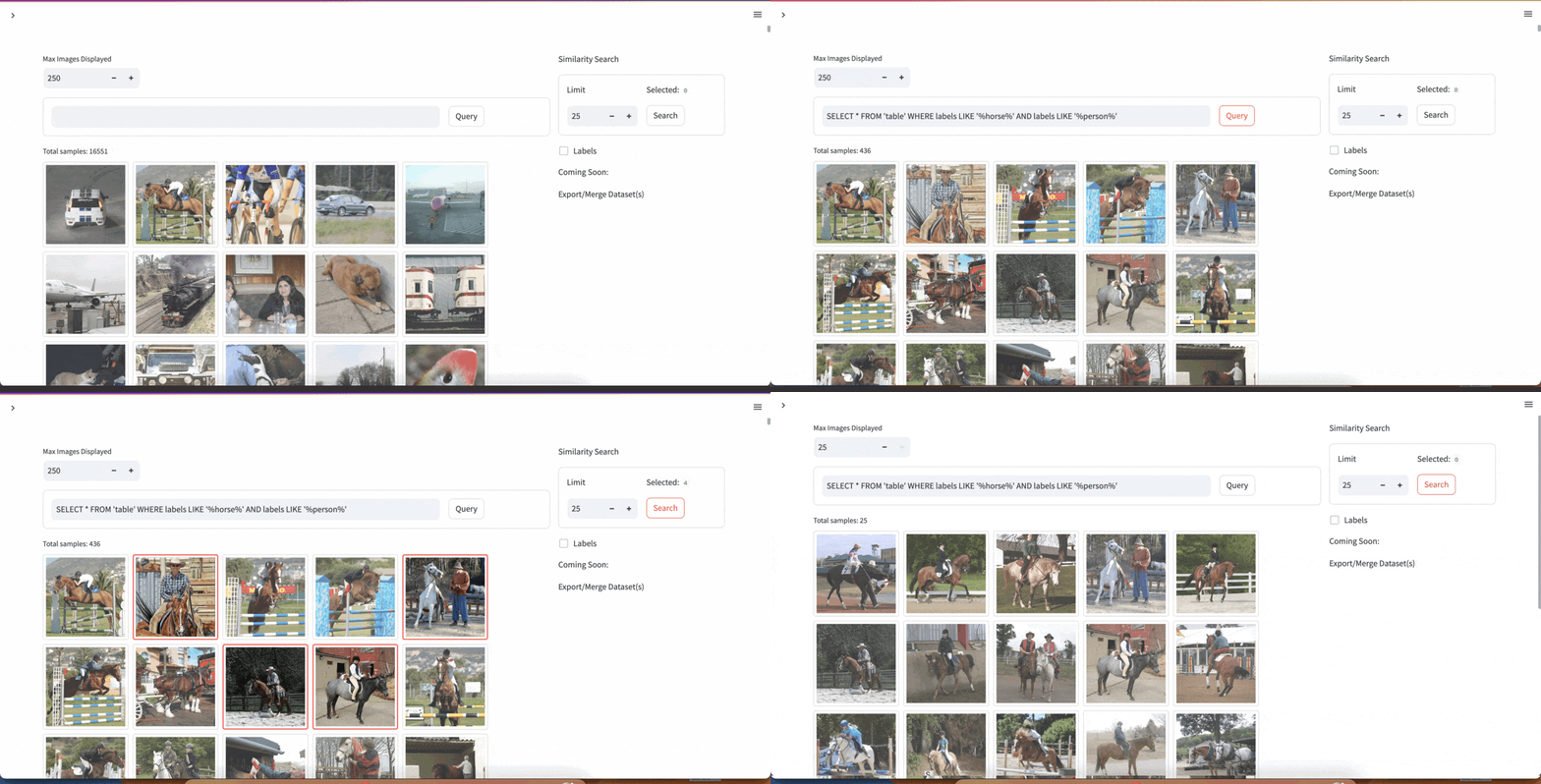 |
|
|
||||||
| [Website Chatbot (Deployable Vercel Template)](https://github.com/lancedb/lancedb-vercel-chatbot) | Create a chatbot from the sitemap of any website/docs of your choice. Built using vectorDB serverless native javascript package. |  |
|
|
||||||
@@ -1,19 +0,0 @@
|
|||||||
# Examples
|
|
||||||
|
|
||||||
Here are some of the examples, projects and applications using vectordb native javascript library.
|
|
||||||
Some examples are covered in detail in the next sections. You can find more on [VectorDB Recipes](https://github.com/lancedb/vectordb-recipes)
|
|
||||||
|
|
||||||
| Example | Scripts |
|
|
||||||
|-------- | ------ |
|
|
||||||
| | |
|
|
||||||
| [Youtube transcript search bot](https://github.com/lancedb/vectordb-recipes/tree/main/examples/youtube_bot/) | [](https://github.com/lancedb/vectordb-recipes/tree/main/examples/youtube_bot/index.js)|
|
|
||||||
| [Langchain: Code Docs QA bot](https://github.com/lancedb/vectordb-recipes/tree/main/examples/Code-Documentation-QA-Bot/) | [](https://github.com/lancedb/vectordb-recipes/tree/main/examples/Code-Documentation-QA-Bot/index.js)|
|
|
||||||
| [AI Agents: Reducing Hallucination](https://github.com/lancedb/vectordb-recipes/tree/main/examples/reducing_hallucinations_ai_agents/) | [](https://github.com/lancedb/vectordb-recipes/tree/main/examples/reducing_hallucinations_ai_agents/index.js)|
|
|
||||||
| [TransformersJS Embedding example](https://github.com/lancedb/vectordb-recipes/tree/main/examples/js-transformers/) | [](https://github.com/lancedb/vectordb-recipes/tree/main/examples/js-transformers/index.js) |
|
|
||||||
|
|
||||||
## Projects & Applications
|
|
||||||
|
|
||||||
| Project Name | Description | Screenshot |
|
|
||||||
|-----------------------------------------------------|----------------------------------------------------------------------------------------------------------------------|-------------------------------------------|
|
|
||||||
| [YOLOExplorer](https://github.com/lancedb/yoloexplorer) | Iterate on your YOLO / CV datasets using SQL, Vector semantic search, and more within seconds |  |
|
|
||||||
| [Website Chatbot (Deployable Vercel Template)](https://github.com/lancedb/lancedb-vercel-chatbot) | Create a chatbot from the sitemap of any website/docs of your choice. Built using vectorDB serverless native javascript package. |  |
|
|
||||||
@@ -4,4 +4,4 @@
|
|||||||
|
|
||||||
<img id="splash" width="400" alt="langchain" src="https://user-images.githubusercontent.com/917119/236580868-61a246a9-e587-4c2b-8ae5-6fe5f7b7e81e.png">
|
<img id="splash" width="400" alt="langchain" src="https://user-images.githubusercontent.com/917119/236580868-61a246a9-e587-4c2b-8ae5-6fe5f7b7e81e.png">
|
||||||
|
|
||||||
This example is in a [notebook](https://github.com/lancedb/lancedb/blob/main/docs/src/notebooks/code_qa_bot.ipynb)
|
This example is in a [notebook](https://github.com/lancedb/lancedb/blob/main/notebooks/code_qa_bot.ipynb)
|
||||||
@@ -1,117 +0,0 @@
|
|||||||
import pickle
|
|
||||||
import re
|
|
||||||
import sys
|
|
||||||
import zipfile
|
|
||||||
from pathlib import Path
|
|
||||||
|
|
||||||
import requests
|
|
||||||
from langchain.chains import RetrievalQA
|
|
||||||
from langchain.document_loaders import UnstructuredHTMLLoader
|
|
||||||
from langchain.embeddings import OpenAIEmbeddings
|
|
||||||
from langchain.llms import OpenAI
|
|
||||||
from langchain.text_splitter import RecursiveCharacterTextSplitter
|
|
||||||
from langchain.vectorstores import LanceDB
|
|
||||||
from modal import Image, Secret, Stub, web_endpoint
|
|
||||||
|
|
||||||
import lancedb
|
|
||||||
|
|
||||||
lancedb_image = Image.debian_slim().pip_install(
|
|
||||||
"lancedb", "langchain", "openai", "pandas", "tiktoken", "unstructured", "tabulate"
|
|
||||||
)
|
|
||||||
|
|
||||||
stub = Stub(
|
|
||||||
name="example-langchain-lancedb",
|
|
||||||
image=lancedb_image,
|
|
||||||
secrets=[Secret.from_name("my-openai-secret")],
|
|
||||||
)
|
|
||||||
|
|
||||||
docsearch = None
|
|
||||||
docs_path = Path("docs.pkl")
|
|
||||||
db_path = Path("lancedb")
|
|
||||||
|
|
||||||
|
|
||||||
def get_document_title(document):
|
|
||||||
m = str(document.metadata["source"])
|
|
||||||
title = re.findall("pandas.documentation(.*).html", m)
|
|
||||||
if title[0] is not None:
|
|
||||||
return title[0]
|
|
||||||
return ""
|
|
||||||
|
|
||||||
|
|
||||||
def download_docs():
|
|
||||||
pandas_docs = requests.get(
|
|
||||||
"https://eto-public.s3.us-west-2.amazonaws.com/datasets/pandas_docs/pandas.documentation.zip"
|
|
||||||
)
|
|
||||||
with open(Path("pandas.documentation.zip"), "wb") as f:
|
|
||||||
f.write(pandas_docs.content)
|
|
||||||
|
|
||||||
file = zipfile.ZipFile(Path("pandas.documentation.zip"))
|
|
||||||
file.extractall(path=Path("pandas_docs"))
|
|
||||||
|
|
||||||
|
|
||||||
def store_docs():
|
|
||||||
docs = []
|
|
||||||
|
|
||||||
if not docs_path.exists():
|
|
||||||
for p in Path("pandas_docs/pandas.documentation").rglob("*.html"):
|
|
||||||
if p.is_dir():
|
|
||||||
continue
|
|
||||||
loader = UnstructuredHTMLLoader(p)
|
|
||||||
raw_document = loader.load()
|
|
||||||
|
|
||||||
m = {}
|
|
||||||
m["title"] = get_document_title(raw_document[0])
|
|
||||||
m["version"] = "2.0rc0"
|
|
||||||
raw_document[0].metadata = raw_document[0].metadata | m
|
|
||||||
raw_document[0].metadata["source"] = str(raw_document[0].metadata["source"])
|
|
||||||
docs = docs + raw_document
|
|
||||||
|
|
||||||
with docs_path.open("wb") as fh:
|
|
||||||
pickle.dump(docs, fh)
|
|
||||||
else:
|
|
||||||
with docs_path.open("rb") as fh:
|
|
||||||
docs = pickle.load(fh)
|
|
||||||
|
|
||||||
return docs
|
|
||||||
|
|
||||||
|
|
||||||
def qanda_langchain(query):
|
|
||||||
download_docs()
|
|
||||||
docs = store_docs()
|
|
||||||
|
|
||||||
text_splitter = RecursiveCharacterTextSplitter(chunk_size=1000, chunk_overlap=200,)
|
|
||||||
documents = text_splitter.split_documents(docs)
|
|
||||||
embeddings = OpenAIEmbeddings()
|
|
||||||
|
|
||||||
db = lancedb.connect(db_path)
|
|
||||||
table = db.create_table(
|
|
||||||
"pandas_docs",
|
|
||||||
data=[
|
|
||||||
{
|
|
||||||
"vector": embeddings.embed_query("Hello World"),
|
|
||||||
"text": "Hello World",
|
|
||||||
"id": "1",
|
|
||||||
}
|
|
||||||
],
|
|
||||||
mode="overwrite",
|
|
||||||
)
|
|
||||||
docsearch = LanceDB.from_documents(documents, embeddings, connection=table)
|
|
||||||
qa = RetrievalQA.from_chain_type(
|
|
||||||
llm=OpenAI(), chain_type="stuff", retriever=docsearch.as_retriever()
|
|
||||||
)
|
|
||||||
return qa.run(query)
|
|
||||||
|
|
||||||
|
|
||||||
@stub.function()
|
|
||||||
@web_endpoint(method="GET")
|
|
||||||
def web(query: str):
|
|
||||||
answer = qanda_langchain(query)
|
|
||||||
return {
|
|
||||||
"answer": answer,
|
|
||||||
}
|
|
||||||
|
|
||||||
|
|
||||||
@stub.function()
|
|
||||||
def cli(query: str):
|
|
||||||
answer = qanda_langchain(query)
|
|
||||||
print(answer)
|
|
||||||
@@ -1,7 +0,0 @@
|
|||||||
# Image multimodal search
|
|
||||||
|
|
||||||
## Search through an image dataset using natural language, full text and SQL
|
|
||||||
|
|
||||||
<img id="splash" width="400" alt="multimodal search" src="https://github.com/lancedb/lancedb/assets/917119/993a7c9f-be01-449d-942e-1ce1d4ed63af">
|
|
||||||
|
|
||||||
This example is in a [notebook](https://github.com/lancedb/lancedb/blob/main/docs/src/notebooks/multimodal_search.ipynb)
|
|
||||||
99
docs/src/examples/nodejs.md
Normal file
@@ -0,0 +1,99 @@
|
|||||||
|
# YouTube transcript QA bot with NodeJS
|
||||||
|
|
||||||
|
## use LanceDB's Javascript API and OpenAI to build a QA bot for YouTube transcripts
|
||||||
|
|
||||||
|
<img id="splash" width="400" alt="nodejs" src="https://github.com/lancedb/lancedb/assets/917119/3a140e75-bf8e-438a-a1e4-af14a72bcf98">
|
||||||
|
|
||||||
|
This Q&A bot will allow you to search through youtube transcripts using natural language! We'll introduce how you can use LanceDB's Javascript API to store and manage your data easily.
|
||||||
|
|
||||||
|
For this example we're using a HuggingFace dataset that contains YouTube transcriptions: `jamescalam/youtube-transcriptions`, to make it easier, we've converted it to a LanceDB `db` already, which you can download and put in a working directory:
|
||||||
|
|
||||||
|
```wget -c https://eto-public.s3.us-west-2.amazonaws.com/lancedb_demo.tar.gz -O - | tar -xz -C .```
|
||||||
|
|
||||||
|
Now, we'll create a simple app that can:
|
||||||
|
1. Take a text based query and search for contexts in our corpus, using embeddings generated from the OpenAI Embedding API.
|
||||||
|
2. Create a prompt with the contexts, and call the OpenAI Completion API to answer the text based query.
|
||||||
|
|
||||||
|
Dependencies and setup of OpenAI API:
|
||||||
|
|
||||||
|
```javascript
|
||||||
|
const lancedb = require("vectordb");
|
||||||
|
const { Configuration, OpenAIApi } = require("openai");
|
||||||
|
|
||||||
|
const configuration = new Configuration({
|
||||||
|
apiKey: process.env.OPENAI_API_KEY,
|
||||||
|
});
|
||||||
|
const openai = new OpenAIApi(configuration);
|
||||||
|
```
|
||||||
|
|
||||||
|
First, let's set our question and the context amount. The context amount will be used to query similar documents in our corpus.
|
||||||
|
|
||||||
|
```javascript
|
||||||
|
const QUESTION = "who was the 12th person on the moon and when did they land?";
|
||||||
|
const CONTEXT_AMOUNT = 3;
|
||||||
|
```
|
||||||
|
|
||||||
|
Now, let's generate an embedding from this question:
|
||||||
|
|
||||||
|
```javascript
|
||||||
|
const embeddingResponse = await openai.createEmbedding({
|
||||||
|
model: "text-embedding-ada-002",
|
||||||
|
input: QUESTION,
|
||||||
|
});
|
||||||
|
|
||||||
|
const embedding = embeddingResponse.data["data"][0]["embedding"];
|
||||||
|
```
|
||||||
|
|
||||||
|
Once we have the embedding, we can connect to LanceDB (using the database we downloaded earlier), and search through the chatbot table.
|
||||||
|
We'll extract 3 similar documents found.
|
||||||
|
|
||||||
|
```javascript
|
||||||
|
const db = await lancedb.connect('./lancedb');
|
||||||
|
const tbl = await db.openTable('chatbot');
|
||||||
|
const query = tbl.search(embedding);
|
||||||
|
query.limit = CONTEXT_AMOUNT;
|
||||||
|
const context = await query.execute();
|
||||||
|
```
|
||||||
|
|
||||||
|
Let's combine the context together so we can pass it into our prompt:
|
||||||
|
|
||||||
|
```javascript
|
||||||
|
for (let i = 1; i < context.length; i++) {
|
||||||
|
context[0]["text"] += " " + context[i]["text"];
|
||||||
|
}
|
||||||
|
```
|
||||||
|
|
||||||
|
Lastly, let's construct the prompt. You could play around with this to create more accurate/better prompts to yield results.
|
||||||
|
|
||||||
|
```javascript
|
||||||
|
const prompt = "Answer the question based on the context below.\n\n" +
|
||||||
|
"Context:\n" +
|
||||||
|
`${context[0]["text"]}\n` +
|
||||||
|
`\n\nQuestion: ${QUESTION}\nAnswer:`;
|
||||||
|
```
|
||||||
|
|
||||||
|
We pass the prompt, along with the context, to the completion API.
|
||||||
|
|
||||||
|
```javascript
|
||||||
|
const completion = await openai.createCompletion({
|
||||||
|
model: "text-davinci-003",
|
||||||
|
prompt,
|
||||||
|
temperature: 0,
|
||||||
|
max_tokens: 400,
|
||||||
|
top_p: 1,
|
||||||
|
frequency_penalty: 0,
|
||||||
|
presence_penalty: 0,
|
||||||
|
});
|
||||||
|
```
|
||||||
|
|
||||||
|
And that's it!
|
||||||
|
|
||||||
|
```javascript
|
||||||
|
console.log(completion.data.choices[0].text);
|
||||||
|
```
|
||||||
|
|
||||||
|
The response is (which is non deterministic):
|
||||||
|
|
||||||
|
```
|
||||||
|
The 12th person on the moon was Harrison Schmitt and he landed on December 11, 1972.
|
||||||
|
```
|
||||||
@@ -80,14 +80,14 @@ def handler(event, context):
|
|||||||
# Shape of SIFT is (128,1M), d=float32
|
# Shape of SIFT is (128,1M), d=float32
|
||||||
query_vector = np.array(event['query_vector'], dtype=np.float32)
|
query_vector = np.array(event['query_vector'], dtype=np.float32)
|
||||||
|
|
||||||
rs = table.search(query_vector).limit(2).to_list()
|
rs = table.search(query_vector).limit(2).to_df()
|
||||||
|
|
||||||
return {
|
return {
|
||||||
"statusCode": status_code,
|
"statusCode": status_code,
|
||||||
"headers": {
|
"headers": {
|
||||||
"Content-Type": "application/json"
|
"Content-Type": "application/json"
|
||||||
},
|
},
|
||||||
"body": json.dumps(rs)
|
"body": rs.to_json()
|
||||||
}
|
}
|
||||||
```
|
```
|
||||||
|
|
||||||
@@ -1,166 +0,0 @@
|
|||||||
# Serverless QA Bot with Modal and LangChain
|
|
||||||
|
|
||||||
## use LanceDB's LangChain integration with Modal to run a serverless app
|
|
||||||
|
|
||||||
<img id="splash" width="400" alt="modal" src="https://github.com/lancedb/lancedb/assets/917119/7d80a40f-60d7-48a6-972f-dab05000eccf">
|
|
||||||
|
|
||||||
We're going to build a QA bot for your documentation using LanceDB's LangChain integration and use Modal for deployment.
|
|
||||||
|
|
||||||
Modal is an end-to-end compute platform for model inference, batch jobs, task queues, web apps and more. It's a great way to deploy your LanceDB models and apps.
|
|
||||||
|
|
||||||
To get started, ensure that you have created an account and logged into [Modal](https://modal.com/). To follow along, the full source code is available on Github [here](https://github.com/lancedb/lancedb/blob/main/docs/src/examples/modal_langchain.py).
|
|
||||||
|
|
||||||
### Setting up Modal
|
|
||||||
|
|
||||||
We'll start by specifying our dependencies and creating a new Modal `Stub`:
|
|
||||||
|
|
||||||
```python
|
|
||||||
lancedb_image = Image.debian_slim().pip_install(
|
|
||||||
"lancedb",
|
|
||||||
"langchain",
|
|
||||||
"openai",
|
|
||||||
"pandas",
|
|
||||||
"tiktoken",
|
|
||||||
"unstructured",
|
|
||||||
"tabulate"
|
|
||||||
)
|
|
||||||
|
|
||||||
stub = Stub(
|
|
||||||
name="example-langchain-lancedb",
|
|
||||||
image=lancedb_image,
|
|
||||||
secrets=[Secret.from_name("my-openai-secret")],
|
|
||||||
)
|
|
||||||
```
|
|
||||||
|
|
||||||
We're using Modal's Secrets injection to secure our OpenAI key. To set your own, you can access the Modal UI and enter your key.
|
|
||||||
|
|
||||||
### Setting up caches for LanceDB and LangChain
|
|
||||||
|
|
||||||
Next, we can setup some globals to cache our LanceDB database, as well as our LangChain docsource:
|
|
||||||
|
|
||||||
```python
|
|
||||||
docsearch = None
|
|
||||||
docs_path = Path("docs.pkl")
|
|
||||||
db_path = Path("lancedb")
|
|
||||||
```
|
|
||||||
|
|
||||||
### Downloading our dataset
|
|
||||||
|
|
||||||
We're going use a pregenerated dataset, which stores HTML files of the Pandas 2.0 documentation.
|
|
||||||
You could switch this out for your own dataset.
|
|
||||||
|
|
||||||
```python
|
|
||||||
def download_docs():
|
|
||||||
pandas_docs = requests.get("https://eto-public.s3.us-west-2.amazonaws.com/datasets/pandas_docs/pandas.documentation.zip")
|
|
||||||
with open(Path("pandas.documentation.zip"), "wb") as f:
|
|
||||||
f.write(pandas_docs.content)
|
|
||||||
|
|
||||||
file = zipfile.ZipFile(Path("pandas.documentation.zip"))
|
|
||||||
file.extractall(path=Path("pandas_docs"))
|
|
||||||
```
|
|
||||||
|
|
||||||
### Pre-processing the dataset and generating metadata
|
|
||||||
|
|
||||||
Once we've downloaded it, we want to parse and pre-process them using LangChain, and then vectorize them and store it in LanceDB.
|
|
||||||
Let's first create a function that uses LangChains `UnstructuredHTMLLoader` to parse them.
|
|
||||||
We can then add our own metadata to it and store it alongside the data, we'll later be able to use this for filtering metadata.
|
|
||||||
|
|
||||||
```python
|
|
||||||
def store_docs():
|
|
||||||
docs = []
|
|
||||||
|
|
||||||
if not docs_path.exists():
|
|
||||||
for p in Path("pandas_docs/pandas.documentation").rglob("*.html"):
|
|
||||||
if p.is_dir():
|
|
||||||
continue
|
|
||||||
loader = UnstructuredHTMLLoader(p)
|
|
||||||
raw_document = loader.load()
|
|
||||||
|
|
||||||
m = {}
|
|
||||||
m["title"] = get_document_title(raw_document[0])
|
|
||||||
m["version"] = "2.0rc0"
|
|
||||||
raw_document[0].metadata = raw_document[0].metadata | m
|
|
||||||
raw_document[0].metadata["source"] = str(raw_document[0].metadata["source"])
|
|
||||||
docs = docs + raw_document
|
|
||||||
|
|
||||||
with docs_path.open("wb") as fh:
|
|
||||||
pickle.dump(docs, fh)
|
|
||||||
else:
|
|
||||||
with docs_path.open("rb") as fh:
|
|
||||||
docs = pickle.load(fh)
|
|
||||||
|
|
||||||
return docs
|
|
||||||
```
|
|
||||||
|
|
||||||
### Simple LangChain chain for a QA bot
|
|
||||||
|
|
||||||
Now we can create a simple LangChain chain for our QA bot. We'll use the `RecursiveCharacterTextSplitter` to split our documents into chunks, and then use the `OpenAIEmbeddings` to vectorize them.
|
|
||||||
|
|
||||||
Lastly, we'll create a LanceDB table and store the vectorized documents in it, then create a `RetrievalQA` model from the chain and return it.
|
|
||||||
|
|
||||||
```python
|
|
||||||
def qanda_langchain(query):
|
|
||||||
download_docs()
|
|
||||||
docs = store_docs()
|
|
||||||
|
|
||||||
text_splitter = RecursiveCharacterTextSplitter(
|
|
||||||
chunk_size=1000,
|
|
||||||
chunk_overlap=200,
|
|
||||||
)
|
|
||||||
documents = text_splitter.split_documents(docs)
|
|
||||||
embeddings = OpenAIEmbeddings()
|
|
||||||
|
|
||||||
db = lancedb.connect(db_path)
|
|
||||||
table = db.create_table("pandas_docs", data=[
|
|
||||||
{"vector": embeddings.embed_query("Hello World"), "text": "Hello World", "id": "1"}
|
|
||||||
], mode="overwrite")
|
|
||||||
docsearch = LanceDB.from_documents(documents, embeddings, connection=table)
|
|
||||||
qa = RetrievalQA.from_chain_type(llm=OpenAI(), chain_type="stuff", retriever=docsearch.as_retriever())
|
|
||||||
return qa.run(query)
|
|
||||||
```
|
|
||||||
|
|
||||||
### Creating our Modal entry points
|
|
||||||
|
|
||||||
Now we can create our Modal entry points for our CLI and web endpoint:
|
|
||||||
|
|
||||||
```python
|
|
||||||
@stub.function()
|
|
||||||
@web_endpoint(method="GET")
|
|
||||||
def web(query: str):
|
|
||||||
answer = qanda_langchain(query)
|
|
||||||
return {
|
|
||||||
"answer": answer,
|
|
||||||
}
|
|
||||||
|
|
||||||
@stub.function()
|
|
||||||
def cli(query: str):
|
|
||||||
answer = qanda_langchain(query)
|
|
||||||
print(answer)
|
|
||||||
```
|
|
||||||
|
|
||||||
# Testing it out!
|
|
||||||
|
|
||||||
Testing the CLI:
|
|
||||||
|
|
||||||
```bash
|
|
||||||
modal run modal_langchain.py --query "What are the major differences in pandas 2.0?"
|
|
||||||
```
|
|
||||||
|
|
||||||
Testing the web endpoint:
|
|
||||||
|
|
||||||
```bash
|
|
||||||
modal serve modal_langchain.py
|
|
||||||
```
|
|
||||||
|
|
||||||
In the CLI, Modal will provide you a web endpoint. Copy this endpoint URI for the next step.
|
|
||||||
Once this is served, then we can hit it with `curl`.
|
|
||||||
|
|
||||||
Note, the first time this runs, it will take a few minutes to download the dataset and vectorize it.
|
|
||||||
An actual production example would pre-cache/load the dataset and vectorized documents prior
|
|
||||||
|
|
||||||
```bash
|
|
||||||
curl --get --data-urlencode "query=What are the major differences in pandas 2.0?" https://your-modal-endpoint-app.modal.run
|
|
||||||
|
|
||||||
{"answer":" The major differences in pandas 2.0 include the ability to use any numpy numeric dtype in a Index, installing optional dependencies with pip extras, and enhancements, bug fixes, and performance improvements."}
|
|
||||||
```
|
|
||||||
|
|
||||||
@@ -1,61 +0,0 @@
|
|||||||
# LanceDB Chatbot - Vercel Next.js Template
|
|
||||||
Use an AI chatbot with website context retrieved from a vector store like LanceDB. LanceDB is lightweight and can be embedded directly into Next.js, with data stored on-prem.
|
|
||||||
|
|
||||||
## One click deploy on Vercel
|
|
||||||
[](https://vercel.com/new/clone?repository-url=https%3A%2F%2Fgithub.com%2Flancedb%2Flancedb-vercel-chatbot&env=OPENAI_API_KEY&envDescription=OpenAI%20API%20Key%20for%20chat%20completion.&project-name=lancedb-vercel-chatbot&repository-name=lancedb-vercel-chatbot&demo-title=LanceDB%20Chatbot%20Demo&demo-description=Demo%20website%20chatbot%20with%20LanceDB.&demo-url=https%3A%2F%2Flancedb.vercel.app&demo-image=https%3A%2F%2Fi.imgur.com%2FazVJtvr.png)
|
|
||||||
|
|
||||||

|
|
||||||
|
|
||||||
## Development
|
|
||||||
|
|
||||||
First, rename `.env.example` to `.env.local`, and fill out `OPENAI_API_KEY` with your OpenAI API key. You can get one [here](https://openai.com/blog/openai-api).
|
|
||||||
|
|
||||||
Run the development server:
|
|
||||||
|
|
||||||
```bash
|
|
||||||
npm run dev
|
|
||||||
# or
|
|
||||||
yarn dev
|
|
||||||
# or
|
|
||||||
pnpm dev
|
|
||||||
```
|
|
||||||
|
|
||||||
Open [http://localhost:3000](http://localhost:3000) with your browser to see the result.
|
|
||||||
|
|
||||||
This project uses [`next/font`](https://nextjs.org/docs/basic-features/font-optimization) to automatically optimize and load Inter, a custom Google Font.
|
|
||||||
|
|
||||||
## Learn More
|
|
||||||
|
|
||||||
To learn more about LanceDB or Next.js, take a look at the following resources:
|
|
||||||
|
|
||||||
- [LanceDB Documentation](https://lancedb.github.io/lancedb/) - learn about LanceDB, the developer-friendly serverless vector database.
|
|
||||||
- [Next.js Documentation](https://nextjs.org/docs) - learn about Next.js features and API.
|
|
||||||
- [Learn Next.js](https://nextjs.org/learn) - an interactive Next.js tutorial.
|
|
||||||
|
|
||||||
## LanceDB on Next.js and Vercel
|
|
||||||
|
|
||||||
FYI: these configurations have been pre-implemented in this template.
|
|
||||||
|
|
||||||
Since LanceDB contains a prebuilt Node binary, you must configure `next.config.js` to exclude it from webpack. This is required for both using Next.js and deploying on Vercel.
|
|
||||||
```js
|
|
||||||
/** @type {import('next').NextConfig} */
|
|
||||||
module.exports = ({
|
|
||||||
webpack(config) {
|
|
||||||
config.externals.push({ vectordb: 'vectordb' })
|
|
||||||
return config;
|
|
||||||
}
|
|
||||||
})
|
|
||||||
```
|
|
||||||
|
|
||||||
To deploy on Vercel, we need to make sure that the NodeJS runtime static file analysis for Vercel can find the binary, since LanceDB uses dynamic imports by default. We can do this by modifying `package.json` in the `scripts` section.
|
|
||||||
```json
|
|
||||||
{
|
|
||||||
...
|
|
||||||
"scripts": {
|
|
||||||
...
|
|
||||||
"vercel-build": "sed -i 's/nativeLib = require(`@lancedb\\/vectordb-\\${currentTarget()}`);/nativeLib = require(`@lancedb\\/vectordb-linux-x64-gnu`);/' node_modules/vectordb/native.js && next build",
|
|
||||||
...
|
|
||||||
},
|
|
||||||
...
|
|
||||||
}
|
|
||||||
```
|
|
||||||
@@ -1,121 +0,0 @@
|
|||||||
# Vector embedding search using TransformersJS
|
|
||||||
|
|
||||||
## Embed and query data from LanceDB using TransformersJS
|
|
||||||
|
|
||||||
<img id="splash" width="400" alt="transformersjs" src="https://github.com/lancedb/lancedb/assets/43097991/88a31e30-3d6f-4eef-9216-4b7c688f1b4f">
|
|
||||||
|
|
||||||
This example shows how to use the [transformers.js](https://github.com/xenova/transformers.js) library to perform vector embedding search using LanceDB's Javascript API.
|
|
||||||
|
|
||||||
|
|
||||||
### Setting up
|
|
||||||
First, install the dependencies:
|
|
||||||
```bash
|
|
||||||
npm install vectordb
|
|
||||||
npm i @xenova/transformers
|
|
||||||
```
|
|
||||||
|
|
||||||
We will also be using the [all-MiniLM-L6-v2](https://huggingface.co/Xenova/all-MiniLM-L6-v2) model to make it compatible with Transformers.js
|
|
||||||
|
|
||||||
Within our `index.js` file we will import the necessary libraries and define our model and database:
|
|
||||||
|
|
||||||
```javascript
|
|
||||||
const lancedb = require('vectordb')
|
|
||||||
const { pipeline } = await import('@xenova/transformers')
|
|
||||||
const pipe = await pipeline('feature-extraction', 'Xenova/all-MiniLM-L6-v2');
|
|
||||||
```
|
|
||||||
|
|
||||||
### Creating the embedding function
|
|
||||||
|
|
||||||
Next, we will create a function that will take in a string and return the vector embedding of that string. We will use the `pipe` function we defined earlier to get the vector embedding of the string.
|
|
||||||
|
|
||||||
```javascript
|
|
||||||
// Define the function. `sourceColumn` is required for LanceDB to know
|
|
||||||
// which column to use as input.
|
|
||||||
const embed_fun = {}
|
|
||||||
embed_fun.sourceColumn = 'text'
|
|
||||||
embed_fun.embed = async function (batch) {
|
|
||||||
let result = []
|
|
||||||
// Given a batch of strings, we will use the `pipe` function to get
|
|
||||||
// the vector embedding of each string.
|
|
||||||
for (let text of batch) {
|
|
||||||
// 'mean' pooling and normalizing allows the embeddings to share the
|
|
||||||
// same length.
|
|
||||||
const res = await pipe(text, { pooling: 'mean', normalize: true })
|
|
||||||
result.push(Array.from(res['data']))
|
|
||||||
}
|
|
||||||
return (result)
|
|
||||||
}
|
|
||||||
```
|
|
||||||
|
|
||||||
### Creating the database
|
|
||||||
|
|
||||||
Now, we will create the LanceDB database and add the embedding function we defined earlier.
|
|
||||||
|
|
||||||
```javascript
|
|
||||||
// Link a folder and create a table with data
|
|
||||||
const db = await lancedb.connect('data/sample-lancedb')
|
|
||||||
|
|
||||||
// You can also import any other data, but make sure that you have a column
|
|
||||||
// for the embedding function to use.
|
|
||||||
const data = [
|
|
||||||
{ id: 1, text: 'Cherry', type: 'fruit' },
|
|
||||||
{ id: 2, text: 'Carrot', type: 'vegetable' },
|
|
||||||
{ id: 3, text: 'Potato', type: 'vegetable' },
|
|
||||||
{ id: 4, text: 'Apple', type: 'fruit' },
|
|
||||||
{ id: 5, text: 'Banana', type: 'fruit' }
|
|
||||||
]
|
|
||||||
|
|
||||||
// Create the table with the embedding function
|
|
||||||
const table = await db.createTable('food_table', data, "create", embed_fun)
|
|
||||||
```
|
|
||||||
|
|
||||||
### Performing the search
|
|
||||||
|
|
||||||
Now, we can perform the search using the `search` function. LanceDB automatically uses the embedding function we defined earlier to get the vector embedding of the query string.
|
|
||||||
|
|
||||||
```javascript
|
|
||||||
// Query the table
|
|
||||||
const results = await table
|
|
||||||
.search("a sweet fruit to eat")
|
|
||||||
.metricType("cosine")
|
|
||||||
.limit(2)
|
|
||||||
.execute()
|
|
||||||
console.log(results.map(r => r.text))
|
|
||||||
```
|
|
||||||
```bash
|
|
||||||
[ 'Banana', 'Cherry' ]
|
|
||||||
```
|
|
||||||
|
|
||||||
Output of `results`:
|
|
||||||
```bash
|
|
||||||
[
|
|
||||||
{
|
|
||||||
vector: Float32Array(384) [
|
|
||||||
-0.057455405592918396,
|
|
||||||
0.03617725893855095,
|
|
||||||
-0.0367760956287384,
|
|
||||||
... 381 more items
|
|
||||||
],
|
|
||||||
id: 5,
|
|
||||||
text: 'Banana',
|
|
||||||
type: 'fruit',
|
|
||||||
_distance: 0.4919965863227844
|
|
||||||
},
|
|
||||||
{
|
|
||||||
vector: Float32Array(384) [
|
|
||||||
0.0009714411571621895,
|
|
||||||
0.008223623037338257,
|
|
||||||
0.009571489877998829,
|
|
||||||
... 381 more items
|
|
||||||
],
|
|
||||||
id: 1,
|
|
||||||
text: 'Cherry',
|
|
||||||
type: 'fruit',
|
|
||||||
_distance: 0.5540297031402588
|
|
||||||
}
|
|
||||||
]
|
|
||||||
```
|
|
||||||
|
|
||||||
### Wrapping it up
|
|
||||||
|
|
||||||
In this example, we showed how to use the `transformers.js` library to perform vector embedding search using LanceDB's Javascript API. You can find the full code for this example on [Github](https://github.com/lancedb/lancedb/blob/main/node/examples/js-transformers/index.js)!
|
|
||||||
@@ -1,13 +0,0 @@
|
|||||||
# YouTube transcript search
|
|
||||||
|
|
||||||
## Search through youtube transcripts using natural language with LanceDB
|
|
||||||
|
|
||||||
<img id="splash" width="400" alt="youtube transcript search" src="https://user-images.githubusercontent.com/917119/236965568-def7394d-171c-45f2-939d-8edfeaadd88c.png">
|
|
||||||
|
|
||||||
|
|
||||||
<a href="https://colab.research.google.com/github/lancedb/vectordb-recipes/blob/main/examples/youtube_bot/main.ipynb"><img src="https://colab.research.google.com/assets/colab-badge.svg" alt="Open In Colab">
|
|
||||||
|
|
||||||
Scripts - [](https://github.com/lancedb/vectordb-recipesexamples/youtube_bot/main.py) [](https://github.com/lancedb/vectordb-recipes/examples/youtube_bot/index.js)
|
|
||||||
|
|
||||||
|
|
||||||
This example is in a [notebook](https://github.com/lancedb/lancedb/blob/main/docs/src/notebooks/youtube_transcript_search.ipynb)
|
|
||||||
@@ -1,139 +0,0 @@
|
|||||||
# YouTube transcript QA bot with NodeJS
|
|
||||||
|
|
||||||
## use LanceDB's Javascript API and OpenAI to build a QA bot for YouTube transcripts
|
|
||||||
|
|
||||||
<img id="splash" width="400" alt="nodejs" src="https://github.com/lancedb/lancedb/assets/917119/3a140e75-bf8e-438a-a1e4-af14a72bcf98">
|
|
||||||
|
|
||||||
This Q&A bot will allow you to search through youtube transcripts using natural language! We'll introduce how to use LanceDB's Javascript API to store and manage your data easily.
|
|
||||||
|
|
||||||
```bash
|
|
||||||
npm install vectordb
|
|
||||||
```
|
|
||||||
|
|
||||||
## Download the data
|
|
||||||
|
|
||||||
For this example, we're using a sample of a HuggingFace dataset that contains YouTube transcriptions: `jamescalam/youtube-transcriptions`. Download and extract this file under the `data` folder:
|
|
||||||
|
|
||||||
```bash
|
|
||||||
wget -c https://eto-public.s3.us-west-2.amazonaws.com/datasets/youtube_transcript/youtube-transcriptions_sample.jsonl
|
|
||||||
```
|
|
||||||
|
|
||||||
## Prepare Context
|
|
||||||
|
|
||||||
Each item in the dataset contains just a short chunk of text. We'll need to merge a bunch of these chunks together on a rolling basis. For this demo, we'll look back 20 records to create a more complete context for each sentence.
|
|
||||||
|
|
||||||
First, we need to read and parse the input file.
|
|
||||||
|
|
||||||
```javascript
|
|
||||||
const lines = (await fs.readFile(INPUT_FILE_NAME, 'utf-8'))
|
|
||||||
.toString()
|
|
||||||
.split('\n')
|
|
||||||
.filter(line => line.length > 0)
|
|
||||||
.map(line => JSON.parse(line))
|
|
||||||
|
|
||||||
const data = contextualize(lines, 20, 'video_id')
|
|
||||||
```
|
|
||||||
|
|
||||||
The contextualize function groups the transcripts by video_id and then creates the expanded context for each item.
|
|
||||||
|
|
||||||
```javascript
|
|
||||||
function contextualize (rows, contextSize, groupColumn) {
|
|
||||||
const grouped = []
|
|
||||||
rows.forEach(row => {
|
|
||||||
if (!grouped[row[groupColumn]]) {
|
|
||||||
grouped[row[groupColumn]] = []
|
|
||||||
}
|
|
||||||
grouped[row[groupColumn]].push(row)
|
|
||||||
})
|
|
||||||
|
|
||||||
const data = []
|
|
||||||
Object.keys(grouped).forEach(key => {
|
|
||||||
for (let i = 0; i < grouped[key].length; i++) {
|
|
||||||
const start = i - contextSize > 0 ? i - contextSize : 0
|
|
||||||
grouped[key][i].context = grouped[key].slice(start, i + 1).map(r => r.text).join(' ')
|
|
||||||
}
|
|
||||||
data.push(...grouped[key])
|
|
||||||
})
|
|
||||||
return data
|
|
||||||
}
|
|
||||||
```
|
|
||||||
|
|
||||||
## Create the LanceDB Table
|
|
||||||
|
|
||||||
To load our data into LanceDB, we need to create embedding (vectors) for each item. For this example, we will use the OpenAI embedding functions, which have a native integration with LanceDB.
|
|
||||||
|
|
||||||
```javascript
|
|
||||||
// You need to provide an OpenAI API key, here we read it from the OPENAI_API_KEY environment variable
|
|
||||||
const apiKey = process.env.OPENAI_API_KEY
|
|
||||||
// The embedding function will create embeddings for the 'context' column
|
|
||||||
const embedFunction = new lancedb.OpenAIEmbeddingFunction('context', apiKey)
|
|
||||||
// Connects to LanceDB
|
|
||||||
const db = await lancedb.connect('data/youtube-lancedb')
|
|
||||||
const tbl = await db.createTable('vectors', data, embedFunction)
|
|
||||||
```
|
|
||||||
|
|
||||||
## Create and answer the prompt
|
|
||||||
|
|
||||||
We will accept questions in natural language and use our corpus stored in LanceDB to answer them. First, we need to set up the OpenAI client:
|
|
||||||
|
|
||||||
```javascript
|
|
||||||
const configuration = new Configuration({ apiKey })
|
|
||||||
const openai = new OpenAIApi(configuration)
|
|
||||||
```
|
|
||||||
|
|
||||||
Then we can prompt questions and use LanceDB to retrieve the three most relevant transcripts for this prompt.
|
|
||||||
|
|
||||||
```javascript
|
|
||||||
const query = await rl.question('Prompt: ')
|
|
||||||
const results = await tbl
|
|
||||||
.search(query)
|
|
||||||
.select(['title', 'text', 'context'])
|
|
||||||
.limit(3)
|
|
||||||
.execute()
|
|
||||||
```
|
|
||||||
|
|
||||||
The query and the transcripts' context are appended together in a single prompt:
|
|
||||||
|
|
||||||
```javascript
|
|
||||||
function createPrompt (query, context) {
|
|
||||||
let prompt =
|
|
||||||
'Answer the question based on the context below.\n\n' +
|
|
||||||
'Context:\n'
|
|
||||||
|
|
||||||
// need to make sure our prompt is not larger than max size
|
|
||||||
prompt = prompt + context.map(c => c.context).join('\n\n---\n\n').substring(0, 3750)
|
|
||||||
prompt = prompt + `\n\nQuestion: ${query}\nAnswer:`
|
|
||||||
return prompt
|
|
||||||
}
|
|
||||||
```
|
|
||||||
|
|
||||||
We can now use the OpenAI Completion API to process our custom prompt and give us an answer.
|
|
||||||
|
|
||||||
```javascript
|
|
||||||
const response = await openai.createCompletion({
|
|
||||||
model: 'text-davinci-003',
|
|
||||||
prompt: createPrompt(query, results),
|
|
||||||
max_tokens: 400,
|
|
||||||
temperature: 0,
|
|
||||||
top_p: 1,
|
|
||||||
frequency_penalty: 0,
|
|
||||||
presence_penalty: 0
|
|
||||||
})
|
|
||||||
console.log(response.data.choices[0].text)
|
|
||||||
```
|
|
||||||
|
|
||||||
## Let's put it all together now
|
|
||||||
|
|
||||||
Now we can provide queries and have them answered based on your local LanceDB data.
|
|
||||||
|
|
||||||
```bash
|
|
||||||
Prompt: who was the 12th person on the moon and when did they land?
|
|
||||||
The 12th person on the moon was Harrison Schmitt and he landed on December 11, 1972.
|
|
||||||
Prompt: Which training method should I use for sentence transformers when I only have pairs of related sentences?
|
|
||||||
NLI with multiple negative ranking loss.
|
|
||||||
```
|
|
||||||
|
|
||||||
## That's a wrap
|
|
||||||
|
|
||||||
In this example, you learned how to use LanceDB to store and query embedding representations of your local data. The complete example code is on [GitHub](https://github.com/lancedb/lancedb/tree/main/node/examples), and you can also download the LanceDB dataset using [this link](https://eto-public.s3.us-west-2.amazonaws.com/datasets/youtube_transcript/youtube-lancedb.zip).
|
|
||||||
|
|
||||||
7
docs/src/examples/youtube_transcript_search.md
Normal file
@@ -0,0 +1,7 @@
|
|||||||
|
# YouTube transcript search
|
||||||
|
|
||||||
|
## Search through youtube transcripts using natural language with LanceDB
|
||||||
|
|
||||||
|
<img id="splash" width="400" alt="youtube transcript search" src="https://user-images.githubusercontent.com/917119/236965568-def7394d-171c-45f2-939d-8edfeaadd88c.png">
|
||||||
|
|
||||||
|
This example is in a [notebook](https://github.com/lancedb/lancedb/blob/main/notebooks/youtube_transcript_search.ipynb)
|
||||||
@@ -1,73 +0,0 @@
|
|||||||
# [EXPERIMENTAL] Full text search
|
|
||||||
|
|
||||||
LanceDB now provides experimental support for full text search.
|
|
||||||
This is currently Python only. We plan to push the integration down to Rust in the future
|
|
||||||
to make this available for JS as well.
|
|
||||||
|
|
||||||
## Installation
|
|
||||||
|
|
||||||
To use full text search, you must install the dependency `tantivy-py`:
|
|
||||||
|
|
||||||
# tantivy 0.20.1
|
|
||||||
```sh
|
|
||||||
pip install tantivy==0.20.1
|
|
||||||
```
|
|
||||||
|
|
||||||
|
|
||||||
## Quickstart
|
|
||||||
|
|
||||||
Assume:
|
|
||||||
1. `table` is a LanceDB Table
|
|
||||||
2. `text` is the name of the `Table` column that we want to index
|
|
||||||
|
|
||||||
For example,
|
|
||||||
|
|
||||||
```python
|
|
||||||
import lancedb
|
|
||||||
|
|
||||||
uri = "data/sample-lancedb"
|
|
||||||
db = lancedb.connect(uri)
|
|
||||||
|
|
||||||
table = db.create_table("my_table",
|
|
||||||
data=[{"vector": [3.1, 4.1], "text": "Frodo was a happy puppy"},
|
|
||||||
{"vector": [5.9, 26.5], "text": "There are several kittens playing"}])
|
|
||||||
|
|
||||||
```
|
|
||||||
|
|
||||||
To create the index:
|
|
||||||
|
|
||||||
```python
|
|
||||||
table.create_fts_index("text")
|
|
||||||
```
|
|
||||||
|
|
||||||
To search:
|
|
||||||
|
|
||||||
```python
|
|
||||||
table.search("puppy").limit(10).select(["text"]).to_list()
|
|
||||||
```
|
|
||||||
|
|
||||||
Which returns a list of dictionaries:
|
|
||||||
|
|
||||||
```python
|
|
||||||
[{'text': 'Frodo was a happy puppy', 'score': 0.6931471824645996}]
|
|
||||||
```
|
|
||||||
|
|
||||||
LanceDB automatically looks for an FTS index if the input is str.
|
|
||||||
|
|
||||||
## Multiple text columns
|
|
||||||
|
|
||||||
If you have multiple columns to index, pass them all as a list to `create_fts_index`:
|
|
||||||
|
|
||||||
```python
|
|
||||||
table.create_fts_index(["text1", "text2"])
|
|
||||||
```
|
|
||||||
|
|
||||||
Note that the search API call does not change - you can search over all indexed columns at once.
|
|
||||||
|
|
||||||
## Current limitations
|
|
||||||
|
|
||||||
1. Currently we do not yet support incremental writes.
|
|
||||||
If you add data after fts index creation, it won't be reflected
|
|
||||||
in search results until you do a full reindex.
|
|
||||||
|
|
||||||
2. We currently only support local filesystem paths for the fts index.
|
|
||||||
@@ -1,408 +0,0 @@
|
|||||||
<a href="https://colab.research.google.com/github/lancedb/lancedb/blob/main/docs/src/notebooks/tables_guide.ipynb"><img src="https://colab.research.google.com/assets/colab-badge.svg" alt="Open In Colab"></a><br/>
|
|
||||||
A Table is a collection of Records in a LanceDB Database. You can follow along on colab!
|
|
||||||
|
|
||||||
## Creating a LanceDB Table
|
|
||||||
|
|
||||||
=== "Python"
|
|
||||||
### LanceDB Connection
|
|
||||||
|
|
||||||
```python
|
|
||||||
import lancedb
|
|
||||||
db = lancedb.connect("./.lancedb")
|
|
||||||
```
|
|
||||||
|
|
||||||
LanceDB allows ingesting data from various sources - `dict`, `list[dict]`, `pd.DataFrame`, `pa.Table` or a `Iterator[pa.RecordBatch]`. Let's take a look at some of the these.
|
|
||||||
|
|
||||||
### From list of tuples or dictionaries
|
|
||||||
|
|
||||||
```python
|
|
||||||
import lancedb
|
|
||||||
|
|
||||||
db = lancedb.connect("./.lancedb")
|
|
||||||
|
|
||||||
data = [{"vector": [1.1, 1.2], "lat": 45.5, "long": -122.7},
|
|
||||||
{"vector": [0.2, 1.8], "lat": 40.1, "long": -74.1}]
|
|
||||||
|
|
||||||
db.create_table("my_table", data)
|
|
||||||
|
|
||||||
db["my_table"].head()
|
|
||||||
```
|
|
||||||
|
|
||||||
!!! info "Note"
|
|
||||||
If the table already exists, LanceDB will raise an error by default. If you want to overwrite the table, you can pass in mode="overwrite" to the createTable function.
|
|
||||||
|
|
||||||
```python
|
|
||||||
db.create_table("name", data, mode="overwrite")
|
|
||||||
```
|
|
||||||
|
|
||||||
|
|
||||||
### From pandas DataFrame
|
|
||||||
|
|
||||||
```python
|
|
||||||
import pandas as pd
|
|
||||||
|
|
||||||
data = pd.DataFrame({
|
|
||||||
"vector": [[1.1, 1.2, 1.3, 1.4], [0.2, 1.8, 0.4, 3.6]],
|
|
||||||
"lat": [45.5, 40.1],
|
|
||||||
"long": [-122.7, -74.1]
|
|
||||||
})
|
|
||||||
|
|
||||||
db.create_table("table2", data)
|
|
||||||
|
|
||||||
db["table2"].head()
|
|
||||||
```
|
|
||||||
!!! info "Note"
|
|
||||||
Data is converted to Arrow before being written to disk. For maximum control over how data is saved, either provide the PyArrow schema to convert to or else provide a PyArrow Table directly.
|
|
||||||
|
|
||||||
```python
|
|
||||||
custom_schema = pa.schema([
|
|
||||||
pa.field("vector", pa.list_(pa.float32(), 4)),
|
|
||||||
pa.field("lat", pa.float32()),
|
|
||||||
pa.field("long", pa.float32())
|
|
||||||
])
|
|
||||||
|
|
||||||
table = db.create_table("table3", data, schema=custom_schema)
|
|
||||||
```
|
|
||||||
|
|
||||||
### From PyArrow Tables
|
|
||||||
You can also create LanceDB tables directly from pyarrow tables
|
|
||||||
|
|
||||||
```python
|
|
||||||
table = pa.Table.from_arrays(
|
|
||||||
[
|
|
||||||
pa.array([[3.1, 4.1, 5.1, 6.1], [5.9, 26.5, 4.7, 32.8]],
|
|
||||||
pa.list_(pa.float32(), 4)),
|
|
||||||
pa.array(["foo", "bar"]),
|
|
||||||
pa.array([10.0, 20.0]),
|
|
||||||
],
|
|
||||||
["vector", "item", "price"],
|
|
||||||
)
|
|
||||||
|
|
||||||
db = lancedb.connect("db")
|
|
||||||
|
|
||||||
tbl = db.create_table("test1", table)
|
|
||||||
```
|
|
||||||
|
|
||||||
### From Pydantic Models
|
|
||||||
When you create an empty table without data, you must specify the table schema.
|
|
||||||
LanceDB supports creating tables by specifying a pyarrow schema or a specialized
|
|
||||||
pydantic model called `LanceModel`.
|
|
||||||
|
|
||||||
For example, the following Content model specifies a table with 5 columns:
|
|
||||||
movie_id, vector, genres, title, and imdb_id. When you create a table, you can
|
|
||||||
pass the class as the value of the `schema` parameter to `create_table`.
|
|
||||||
The `vector` column is a `Vector` type, which is a specialized pydantic type that
|
|
||||||
can be configured with the vector dimensions. It is also important to note that
|
|
||||||
LanceDB only understands subclasses of `lancedb.pydantic.LanceModel`
|
|
||||||
(which itself derives from `pydantic.BaseModel`).
|
|
||||||
|
|
||||||
```python
|
|
||||||
from lancedb.pydantic import Vector, LanceModel
|
|
||||||
|
|
||||||
class Content(LanceModel):
|
|
||||||
movie_id: int
|
|
||||||
vector: Vector(128)
|
|
||||||
genres: str
|
|
||||||
title: str
|
|
||||||
imdb_id: int
|
|
||||||
|
|
||||||
@property
|
|
||||||
def imdb_url(self) -> str:
|
|
||||||
return f"https://www.imdb.com/title/tt{self.imdb_id}"
|
|
||||||
|
|
||||||
import pyarrow as pa
|
|
||||||
db = lancedb.connect("~/.lancedb")
|
|
||||||
table_name = "movielens_small"
|
|
||||||
table = db.create_table(table_name, schema=Content)
|
|
||||||
```
|
|
||||||
|
|
||||||
### Using Iterators / Writing Large Datasets
|
|
||||||
|
|
||||||
It is recommended to use itertators to add large datasets in batches when creating your table in one go. This does not create multiple versions of your dataset unlike manually adding batches using `table.add()`
|
|
||||||
|
|
||||||
LanceDB additionally supports pyarrow's `RecordBatch` Iterators or other generators producing supported data types.
|
|
||||||
|
|
||||||
Here's an example using using `RecordBatch` iterator for creating tables.
|
|
||||||
|
|
||||||
```python
|
|
||||||
import pyarrow as pa
|
|
||||||
|
|
||||||
def make_batches():
|
|
||||||
for i in range(5):
|
|
||||||
yield pa.RecordBatch.from_arrays(
|
|
||||||
[
|
|
||||||
pa.array([[3.1, 4.1, 5.1, 6.1], [5.9, 26.5, 4.7, 32.8]],
|
|
||||||
pa.list_(pa.float32(), 4)),
|
|
||||||
pa.array(["foo", "bar"]),
|
|
||||||
pa.array([10.0, 20.0]),
|
|
||||||
],
|
|
||||||
["vector", "item", "price"],
|
|
||||||
)
|
|
||||||
|
|
||||||
schema = pa.schema([
|
|
||||||
pa.field("vector", pa.list_(pa.float32(), 4)),
|
|
||||||
pa.field("item", pa.utf8()),
|
|
||||||
pa.field("price", pa.float32()),
|
|
||||||
])
|
|
||||||
|
|
||||||
db.create_table("table4", make_batches(), schema=schema)
|
|
||||||
```
|
|
||||||
|
|
||||||
You can also use iterators of other types like Pandas dataframe or Pylists directly in the above example.
|
|
||||||
|
|
||||||
## Creating Empty Table
|
|
||||||
You can also create empty tables in python. Initialize it with schema and later ingest data into it.
|
|
||||||
|
|
||||||
```python
|
|
||||||
import lancedb
|
|
||||||
import pyarrow as pa
|
|
||||||
|
|
||||||
schema = pa.schema(
|
|
||||||
[
|
|
||||||
pa.field("vector", pa.list_(pa.float32(), 2)),
|
|
||||||
pa.field("item", pa.string()),
|
|
||||||
pa.field("price", pa.float32()),
|
|
||||||
])
|
|
||||||
tbl = db.create_table("table5", schema=schema)
|
|
||||||
data = [
|
|
||||||
{"vector": [3.1, 4.1], "item": "foo", "price": 10.0},
|
|
||||||
{"vector": [5.9, 26.5], "item": "bar", "price": 20.0},
|
|
||||||
]
|
|
||||||
tbl.add(data=data)
|
|
||||||
```
|
|
||||||
|
|
||||||
You can also use Pydantic to specify the schema
|
|
||||||
|
|
||||||
```python
|
|
||||||
import lancedb
|
|
||||||
from lancedb.pydantic import LanceModel, vector
|
|
||||||
|
|
||||||
class Model(LanceModel):
|
|
||||||
vector: Vector(2)
|
|
||||||
|
|
||||||
tbl = db.create_table("table5", schema=Model.to_arrow_schema())
|
|
||||||
```
|
|
||||||
|
|
||||||
=== "Javascript/Typescript"
|
|
||||||
|
|
||||||
### VectorDB Connection
|
|
||||||
|
|
||||||
```javascript
|
|
||||||
const lancedb = require("vectordb");
|
|
||||||
|
|
||||||
const uri = "data/sample-lancedb";
|
|
||||||
const db = await lancedb.connect(uri);
|
|
||||||
```
|
|
||||||
|
|
||||||
### Creating a Table
|
|
||||||
|
|
||||||
You can create a LanceDB table in javascript using an array of records.
|
|
||||||
|
|
||||||
```javascript
|
|
||||||
data
|
|
||||||
const tb = await db.createTable("my_table",
|
|
||||||
data=[{"vector": [3.1, 4.1], "item": "foo", "price": 10.0},
|
|
||||||
{"vector": [5.9, 26.5], "item": "bar", "price": 20.0}])
|
|
||||||
```
|
|
||||||
|
|
||||||
!!! info "Note"
|
|
||||||
If the table already exists, LanceDB will raise an error by default. If you want to overwrite the table, you need to specify the `WriteMode` in the createTable function.
|
|
||||||
|
|
||||||
```javascript
|
|
||||||
const table = await con.createTable(tableName, data, { writeMode: WriteMode.Overwrite })
|
|
||||||
```
|
|
||||||
|
|
||||||
## Open existing tables
|
|
||||||
|
|
||||||
If you forget the name of your table, you can always get a listing of all table names:
|
|
||||||
|
|
||||||
|
|
||||||
=== "Python"
|
|
||||||
### Get a list of existing Tables
|
|
||||||
|
|
||||||
```python
|
|
||||||
print(db.table_names())
|
|
||||||
```
|
|
||||||
=== "Javascript/Typescript"
|
|
||||||
|
|
||||||
```javascript
|
|
||||||
console.log(await db.tableNames());
|
|
||||||
```
|
|
||||||
|
|
||||||
Then, you can open any existing tables
|
|
||||||
|
|
||||||
=== "Python"
|
|
||||||
|
|
||||||
```python
|
|
||||||
tbl = db.open_table("my_table")
|
|
||||||
```
|
|
||||||
=== "Javascript/Typescript"
|
|
||||||
|
|
||||||
```javascript
|
|
||||||
const tbl = await db.openTable("my_table");
|
|
||||||
```
|
|
||||||
|
|
||||||
## Adding to a Table
|
|
||||||
After a table has been created, you can always add more data to it using
|
|
||||||
|
|
||||||
=== "Python"
|
|
||||||
You can add any of the valid data structures accepted by LanceDB table, i.e, `dict`, `list[dict]`, `pd.DataFrame`, or a `Iterator[pa.RecordBatch]`. Here are some examples.
|
|
||||||
|
|
||||||
### Adding Pandas DataFrame
|
|
||||||
|
|
||||||
```python
|
|
||||||
df = pd.DataFrame({
|
|
||||||
"vector": [[1.3, 1.4], [9.5, 56.2]], "item": ["fizz", "buzz"], "price": [100.0, 200.0]
|
|
||||||
})
|
|
||||||
tbl.add(df)
|
|
||||||
```
|
|
||||||
|
|
||||||
You can also add a large dataset batch in one go using Iterator of any supported data types.
|
|
||||||
|
|
||||||
### Adding to table using Iterator
|
|
||||||
|
|
||||||
```python
|
|
||||||
def make_batches():
|
|
||||||
for i in range(5):
|
|
||||||
yield [
|
|
||||||
{"vector": [3.1, 4.1], "item": "foo", "price": 10.0},
|
|
||||||
{"vector": [5.9, 26.5], "item": "bar", "price": 20.0}
|
|
||||||
]
|
|
||||||
tbl.add(make_batches())
|
|
||||||
```
|
|
||||||
|
|
||||||
The other arguments accepted:
|
|
||||||
|
|
||||||
| Name | Type | Description | Default |
|
|
||||||
|---|---|---|---|
|
|
||||||
| data | DATA | The data to insert into the table. | required |
|
|
||||||
| mode | str | The mode to use when writing the data. Valid values are "append" and "overwrite". | append |
|
|
||||||
| on_bad_vectors | str | What to do if any of the vectors are not the same size or contains NaNs. One of "error", "drop", "fill". | drop |
|
|
||||||
| fill value | float | The value to use when filling vectors: Only used if on_bad_vectors="fill". | 0.0 |
|
|
||||||
|
|
||||||
|
|
||||||
=== "Javascript/Typescript"
|
|
||||||
|
|
||||||
```javascript
|
|
||||||
await tbl.add([{vector: [1.3, 1.4], item: "fizz", price: 100.0},
|
|
||||||
{vector: [9.5, 56.2], item: "buzz", price: 200.0}])
|
|
||||||
```
|
|
||||||
|
|
||||||
## Deleting from a Table
|
|
||||||
|
|
||||||
Use the `delete()` method on tables to delete rows from a table. To choose which rows to delete, provide a filter that matches on the metadata columns. This can delete any number of rows that match the filter.
|
|
||||||
|
|
||||||
=== "Python"
|
|
||||||
|
|
||||||
```python
|
|
||||||
tbl.delete('item = "fizz"')
|
|
||||||
```
|
|
||||||
|
|
||||||
### Deleting row with specific column value
|
|
||||||
|
|
||||||
```python
|
|
||||||
import lancedb
|
|
||||||
|
|
||||||
data = [{"x": 1, "vector": [1, 2]},
|
|
||||||
{"x": 2, "vector": [3, 4]},
|
|
||||||
{"x": 3, "vector": [5, 6]}]
|
|
||||||
db = lancedb.connect("./.lancedb")
|
|
||||||
table = db.create_table("my_table", data)
|
|
||||||
table.to_pandas()
|
|
||||||
# x vector
|
|
||||||
# 0 1 [1.0, 2.0]
|
|
||||||
# 1 2 [3.0, 4.0]
|
|
||||||
# 2 3 [5.0, 6.0]
|
|
||||||
|
|
||||||
table.delete("x = 2")
|
|
||||||
table.to_pandas()
|
|
||||||
# x vector
|
|
||||||
# 0 1 [1.0, 2.0]
|
|
||||||
# 1 3 [5.0, 6.0]
|
|
||||||
```
|
|
||||||
|
|
||||||
### Delete from a list of values
|
|
||||||
|
|
||||||
```python
|
|
||||||
to_remove = [1, 5]
|
|
||||||
to_remove = ", ".join(str(v) for v in to_remove)
|
|
||||||
|
|
||||||
table.delete(f"x IN ({to_remove})")
|
|
||||||
table.to_pandas()
|
|
||||||
# x vector
|
|
||||||
# 0 3 [5.0, 6.0]
|
|
||||||
```
|
|
||||||
|
|
||||||
=== "Javascript/Typescript"
|
|
||||||
|
|
||||||
```javascript
|
|
||||||
await tbl.delete('item = "fizz"')
|
|
||||||
```
|
|
||||||
|
|
||||||
### Deleting row with specific column value
|
|
||||||
|
|
||||||
```javascript
|
|
||||||
const con = await lancedb.connect("./.lancedb")
|
|
||||||
const data = [
|
|
||||||
{id: 1, vector: [1, 2]},
|
|
||||||
{id: 2, vector: [3, 4]},
|
|
||||||
{id: 3, vector: [5, 6]},
|
|
||||||
];
|
|
||||||
const tbl = await con.createTable("my_table", data)
|
|
||||||
await tbl.delete("id = 2")
|
|
||||||
await tbl.countRows() // Returns 2
|
|
||||||
```
|
|
||||||
|
|
||||||
### Delete from a list of values
|
|
||||||
|
|
||||||
```javascript
|
|
||||||
const to_remove = [1, 5];
|
|
||||||
await tbl.delete(`id IN (${to_remove.join(",")})`)
|
|
||||||
await tbl.countRows() // Returns 1
|
|
||||||
```
|
|
||||||
|
|
||||||
### Updating a Table [Experimental]
|
|
||||||
EXPERIMENTAL: Update rows in the table (not threadsafe).
|
|
||||||
|
|
||||||
This can be used to update zero to all rows depending on how many rows match the where clause.
|
|
||||||
|
|
||||||
| Parameter | Type | Description |
|
|
||||||
|---|---|---|
|
|
||||||
| `where` | `str` | The SQL where clause to use when updating rows. For example, `'x = 2'` or `'x IN (1, 2, 3)'`. The filter must not be empty, or it will error. |
|
|
||||||
| `values` | `dict` | The values to update. The keys are the column names and the values are the values to set. |
|
|
||||||
|
|
||||||
|
|
||||||
=== "Python"
|
|
||||||
|
|
||||||
```python
|
|
||||||
import lancedb
|
|
||||||
import pandas as pd
|
|
||||||
|
|
||||||
# Create a lancedb connection
|
|
||||||
db = lancedb.connect("./.lancedb")
|
|
||||||
|
|
||||||
# Create a table from a pandas DataFrame
|
|
||||||
data = pd.DataFrame({"x": [1, 2, 3], "vector": [[1, 2], [3, 4], [5, 6]]})
|
|
||||||
table = db.create_table("my_table", data)
|
|
||||||
|
|
||||||
# Update the table where x = 2
|
|
||||||
table.update(where="x = 2", values={"vector": [10, 10]})
|
|
||||||
|
|
||||||
# Get the updated table as a pandas DataFrame
|
|
||||||
df = table.to_pandas()
|
|
||||||
|
|
||||||
# Print the DataFrame
|
|
||||||
print(df)
|
|
||||||
```
|
|
||||||
|
|
||||||
Output
|
|
||||||
```shell
|
|
||||||
x vector
|
|
||||||
0 1 [1.0, 2.0]
|
|
||||||
1 3 [5.0, 6.0]
|
|
||||||
2 2 [10.0, 10.0]
|
|
||||||
```
|
|
||||||
|
|
||||||
## What's Next?
|
|
||||||
|
|
||||||
Learn how to Query your tables and create indices
|
|
||||||
@@ -1,75 +1,49 @@
|
|||||||
# LanceDB
|
# Welcome to LanceDB's Documentation
|
||||||
|
|
||||||
LanceDB is an open-source database for vector-search built with persistent storage, which greatly simplifies retrieval, filtering and management of embeddings.
|
LanceDB is an open-source database for vector-search built with persistent storage, which greatly simplifies retrivial, filtering and management of embeddings.
|
||||||
|
|
||||||

|
|
||||||
|
|
||||||
The key features of LanceDB include:
|
The key features of LanceDB include:
|
||||||
|
|
||||||
|
* Production-scale vector search with no servers to manage.
|
||||||
|
|
||||||
* Store, query and filter vectors, metadata and multi-modal data (text, images, videos, point clouds, and more).
|
* Store, query and filter vectors, metadata and multi-modal data (text, images, videos, point clouds, and more).
|
||||||
|
|
||||||
* Support for production-scale vector similarity search, full-text search and SQL, with no servers to manage.
|
* Native Python and Javascript/Typescript support (coming soon).
|
||||||
|
|
||||||
* Native Python and Javascript/Typescript support.
|
|
||||||
|
|
||||||
* Zero-copy, automatic versioning, manage versions of your data without needing extra infrastructure.
|
* Zero-copy, automatic versioning, manage versions of your data without needing extra infrastructure.
|
||||||
|
|
||||||
* Persisted on HDD, allowing scalability without breaking the bank.
|
* Ecosystem integrations with [LangChain 🦜️🔗](https://python.langchain.com/en/latest/modules/indexes/vectorstores/examples/lanecdb.html), [LlamaIndex 🦙](https://gpt-index.readthedocs.io/en/latest/examples/vector_stores/LanceDBIndexDemo.html), Apache-Arrow, Pandas, Polars, DuckDB and more on the way.
|
||||||
|
|
||||||
* Ingest your favorite data formats directly, like pandas DataFrames, Pydantic objects and more.
|
LanceDB's core is written in Rust 🦀 and is built using Lance, an open-source columnar format designed for performant ML workloads.
|
||||||
|
|
||||||
|
|
||||||
LanceDB's core is written in Rust 🦀 and is built using <a href="https://github.com/lancedb/lance">Lance</a>, an open-source columnar format designed for performant ML workloads.
|
## Installation
|
||||||
|
|
||||||
## Quick Start
|
```shell
|
||||||
|
pip install lancedb
|
||||||
|
```
|
||||||
|
|
||||||
=== "Python"
|
## Quickstart
|
||||||
```shell
|
|
||||||
pip install lancedb
|
|
||||||
```
|
|
||||||
|
|
||||||
```python
|
```python
|
||||||
import lancedb
|
import lancedb
|
||||||
|
|
||||||
uri = "data/sample-lancedb"
|
db = lancedb.connect(".")
|
||||||
db = lancedb.connect(uri)
|
table = db.create_table("my_table",
|
||||||
table = db.create_table("my_table",
|
|
||||||
data=[{"vector": [3.1, 4.1], "item": "foo", "price": 10.0},
|
data=[{"vector": [3.1, 4.1], "item": "foo", "price": 10.0},
|
||||||
{"vector": [5.9, 26.5], "item": "bar", "price": 20.0}])
|
{"vector": [5.9, 26.5], "item": "bar", "price": 20.0}])
|
||||||
result = table.search([100, 100]).limit(2).to_list()
|
result = table.search([100, 100]).limit(2).to_df()
|
||||||
```
|
```
|
||||||
|
|
||||||
=== "Javascript"
|
## Complete Demos
|
||||||
```shell
|
|
||||||
npm install vectordb
|
|
||||||
```
|
|
||||||
|
|
||||||
```javascript
|
We will be adding completed demo apps built using LanceDB.
|
||||||
const lancedb = require("vectordb");
|
- [YouTube Transcript Search](../notebooks/youtube_transcript_search.ipynb)
|
||||||
|
|
||||||
const uri = "data/sample-lancedb";
|
|
||||||
const db = await lancedb.connect(uri);
|
|
||||||
const table = await db.createTable("my_table",
|
|
||||||
[{ id: 1, vector: [3.1, 4.1], item: "foo", price: 10.0 },
|
|
||||||
{ id: 2, vector: [5.9, 26.5], item: "bar", price: 20.0 }])
|
|
||||||
const results = await table.search([100, 100]).limit(2).execute();
|
|
||||||
```
|
|
||||||
|
|
||||||
## Complete Demos (Python)
|
|
||||||
- [YouTube Transcript Search](notebooks/youtube_transcript_search.ipynb)
|
|
||||||
- [Documentation QA Bot using LangChain](notebooks/code_qa_bot.ipynb)
|
|
||||||
- [Multimodal search using CLIP](notebooks/multimodal_search.ipynb)
|
|
||||||
- [Serverless QA Bot with S3 and Lambda](examples/serverless_lancedb_with_s3_and_lambda.md)
|
|
||||||
- [Serverless QA Bot with Modal](examples/serverless_qa_bot_with_modal_and_langchain.md)
|
|
||||||
|
|
||||||
## Complete Demos (JavaScript)
|
|
||||||
- [YouTube Transcript Search](examples/youtube_transcript_bot_with_nodejs.md)
|
|
||||||
|
|
||||||
## Documentation Quick Links
|
## Documentation Quick Links
|
||||||
* [`Basic Operations`](basic.md) - basic functionality of LanceDB.
|
* [`Basic Operations`](basic.md) - basic functionality of LanceDB.
|
||||||
* [`Embedding Functions`](embeddings/index.md) - functions for working with embeddings.
|
* [`Embedding Functions`](embedding.md) - functions for working with embeddings.
|
||||||
* [`Indexing`](ann_indexes.md) - create vector indexes to speed up queries.
|
* [`Indexing`](ann_indexes.md) - create vector indexes to speed up queries.
|
||||||
* [`Full text search`](fts.md) - [EXPERIMENTAL] full-text search API
|
* [`Ecosystem Integrations`](integrations.md) - integrating LanceDB with python data tooling ecosystem.
|
||||||
* [`Ecosystem Integrations`](python/integration.md) - integrating LanceDB with python data tooling ecosystem.
|
* [`API Reference`](python.md) - detailed documentation for the LanceDB Python SDK.
|
||||||
* [`Python API Reference`](python/python.md) - detailed documentation for the LanceDB Python SDK.
|
|
||||||
* [`Node API Reference`](javascript/modules.md) - detailed documentation for the LanceDB Node SDK.
|
|
||||||
|
|||||||
111
docs/src/integrations.md
Normal file
@@ -0,0 +1,111 @@
|
|||||||
|
# Integrations
|
||||||
|
|
||||||
|
Built on top of Apache Arrow, `LanceDB` is easy to integrate with the Python ecosystem, including Pandas, PyArrow and DuckDB.
|
||||||
|
|
||||||
|
## Pandas and PyArrow
|
||||||
|
|
||||||
|
First, we need to connect to a `LanceDB` database.
|
||||||
|
|
||||||
|
``` py
|
||||||
|
|
||||||
|
import lancedb
|
||||||
|
|
||||||
|
db = lancedb.connect("/tmp/lancedb")
|
||||||
|
```
|
||||||
|
|
||||||
|
And write a `Pandas DataFrame` to LanceDB directly.
|
||||||
|
|
||||||
|
```py
|
||||||
|
import pandas as pd
|
||||||
|
|
||||||
|
data = pd.DataFrame({
|
||||||
|
"vector": [[3.1, 4.1], [5.9, 26.5]],
|
||||||
|
"item": ["foo", "bar"],
|
||||||
|
"price": [10.0, 20.0]
|
||||||
|
})
|
||||||
|
table = db.create_table("pd_table", data=data)
|
||||||
|
|
||||||
|
# Optionally, create a IVF_PQ index
|
||||||
|
table.create_index(num_partitions=256, num_sub_vectors=96)
|
||||||
|
```
|
||||||
|
|
||||||
|
You will find detailed instructions of creating dataset and index in [Basic Operations](basic.md) and [Indexing](indexing.md)
|
||||||
|
sections.
|
||||||
|
|
||||||
|
|
||||||
|
We can now perform similarity searches via `LanceDB`.
|
||||||
|
|
||||||
|
```py
|
||||||
|
# Open the table previously created.
|
||||||
|
table = db.open_table("pd_table")
|
||||||
|
|
||||||
|
query_vector = [100, 100]
|
||||||
|
# Pandas DataFrame
|
||||||
|
df = table.search(query_vector).limit(1).to_df()
|
||||||
|
print(df)
|
||||||
|
```
|
||||||
|
|
||||||
|
```
|
||||||
|
vector item price score
|
||||||
|
0 [5.9, 26.5] bar 20.0 14257.05957
|
||||||
|
```
|
||||||
|
|
||||||
|
If you have a simple filter, it's faster to provide a where clause to `LanceDB`'s search query.
|
||||||
|
If you have more complex criteria, you can always apply the filter to the resulting pandas `DataFrame` from the search query.
|
||||||
|
|
||||||
|
```python
|
||||||
|
|
||||||
|
# Apply the filter via LanceDB
|
||||||
|
results = table.search([100, 100]).where("price < 15").to_df()
|
||||||
|
assert len(results) == 1
|
||||||
|
assert results["item"].iloc[0] == "foo"
|
||||||
|
|
||||||
|
# Apply the filter via Pandas
|
||||||
|
df = results = table.search([100, 100]).to_df()
|
||||||
|
results = df[df.price < 15]
|
||||||
|
assert len(results) == 1
|
||||||
|
assert results["item"].iloc[0] == "foo"
|
||||||
|
```
|
||||||
|
|
||||||
|
## DuckDB
|
||||||
|
|
||||||
|
`LanceDB` works with `DuckDB` via [PyArrow integration](https://duckdb.org/docs/guides/python/sql_on_arrow).
|
||||||
|
|
||||||
|
Let us start with installing `duckdb` and `lancedb`.
|
||||||
|
|
||||||
|
```shell
|
||||||
|
pip install duckdb lancedb
|
||||||
|
```
|
||||||
|
|
||||||
|
We will re-use the dataset created previously
|
||||||
|
|
||||||
|
```python
|
||||||
|
import lancedb
|
||||||
|
|
||||||
|
db = lancedb.connect("/tmp/lancedb")
|
||||||
|
table = db.open_table("pd_table")
|
||||||
|
arrow_table = table.to_arrow()
|
||||||
|
```
|
||||||
|
|
||||||
|
`DuckDB` can directly query the `arrow_table`:
|
||||||
|
|
||||||
|
```python
|
||||||
|
In [15]: duckdb.query("SELECT * FROM t")
|
||||||
|
Out[15]:
|
||||||
|
┌─────────────┬─────────┬────────┐
|
||||||
|
│ vector │ item │ price │
|
||||||
|
│ float[] │ varchar │ double │
|
||||||
|
├─────────────┼─────────┼────────┤
|
||||||
|
│ [3.1, 4.1] │ foo │ 10.0 │
|
||||||
|
│ [5.9, 26.5] │ bar │ 20.0 │
|
||||||
|
└─────────────┴─────────┴────────┘
|
||||||
|
|
||||||
|
In [16]: duckdb.query("SELECT mean(price) FROM t")
|
||||||
|
Out[16]:
|
||||||
|
┌─────────────┐
|
||||||
|
│ mean(price) │
|
||||||
|
│ double │
|
||||||
|
├─────────────┤
|
||||||
|
│ 15.0 │
|
||||||
|
└─────────────┘
|
||||||
|
```
|
||||||
@@ -1,21 +0,0 @@
|
|||||||
# Integrations
|
|
||||||
|
|
||||||
## Data Formats
|
|
||||||
|
|
||||||
LanceDB supports ingesting from your favorite data tools.
|
|
||||||
|
|
||||||

|
|
||||||
|
|
||||||
|
|
||||||
## Tools
|
|
||||||
|
|
||||||
LanceDB is integrated with most of the popular AI tools, with more coming soon.
|
|
||||||
Get started using these examples and quick links.
|
|
||||||
|
|
||||||
| Integrations | |
|
|
||||||
|---|---:|
|
|
||||||
| <h3> LlamaIndex </h3>LlamaIndex is a simple, flexible data framework for connecting custom data sources to large language models. Llama index integrates with LanceDB as the serverless VectorDB. <h3>[Lean More](https://gpt-index.readthedocs.io/en/latest/examples/vector_stores/LanceDBIndexDemo.html) </h3> |<img src="../assets/llama-index.jpg" alt="image" width="150" height="auto">|
|
|
||||||
| <h3>Langchain</h3>Langchain allows building applications with LLMs through composability <h3>[Lean More](https://python.langchain.com/en/latest/modules/indexes/vectorstores/examples/lancedb.html) | <img src="../assets/langchain.png" alt="image" width="150" height="auto">|
|
|
||||||
| <h3>Langchain TS</h3> Javascript bindings for Langchain. It integrates with LanceDB's serverless vectordb allowing you to build powerful AI applications through composibility using only serverless functions. <h3>[Learn More]( https://js.langchain.com/docs/modules/data_connection/vectorstores/integrations/lancedb) | <img src="../assets/langchain.png" alt="image" width="150" height="auto">|
|
|
||||||
| <h3>Voxel51</h3> It is an open source toolkit that enables you to build better computer vision workflows by improving the quality of your datasets and delivering insights about your models.<h3>[Learn More](./voxel51.md) | <img src="../assets/voxel.gif" alt="image" width="150" height="auto">|
|
|
||||||
| <h3>PromptTools</h3> Offers a set of free, open-source tools for testing and experimenting with models, prompts, and configurations. The core idea is to enable developers to evaluate prompts using familiar interfaces like code and notebooks. You can use it to experiment with different configurations of LanceDB, and test how LanceDB integrates with the LLM of your choice.<h3>[Learn More](./prompttools.md) | <img src="../assets/prompttools.jpeg" alt="image" width="150" height="auto">|
|
|
||||||
@@ -1,7 +0,0 @@
|
|||||||
|
|
||||||
[PromptTools](https://github.com/hegelai/prompttools) offers a set of free, open-source tools for testing and experimenting with models, prompts, and configurations. The core idea is to enable developers to evaluate prompts using familiar interfaces like code and notebooks. You can use it to experiment with different configurations of LanceDB, and test how LanceDB integrates with the LLM of your choice.
|
|
||||||
|
|
||||||
[Evaluating Prompts with PromptTools](./examples/prompttools-eval-prompts/) | <a href="https://colab.research.google.com/github/lancedb/vectordb-recipes/blob/main/examples/prompttools-eval-prompts/main.ipynb"><img src="https://colab.research.google.com/assets/colab-badge.svg" alt="Open In Colab"></a>
|
|
||||||
|
|
||||||
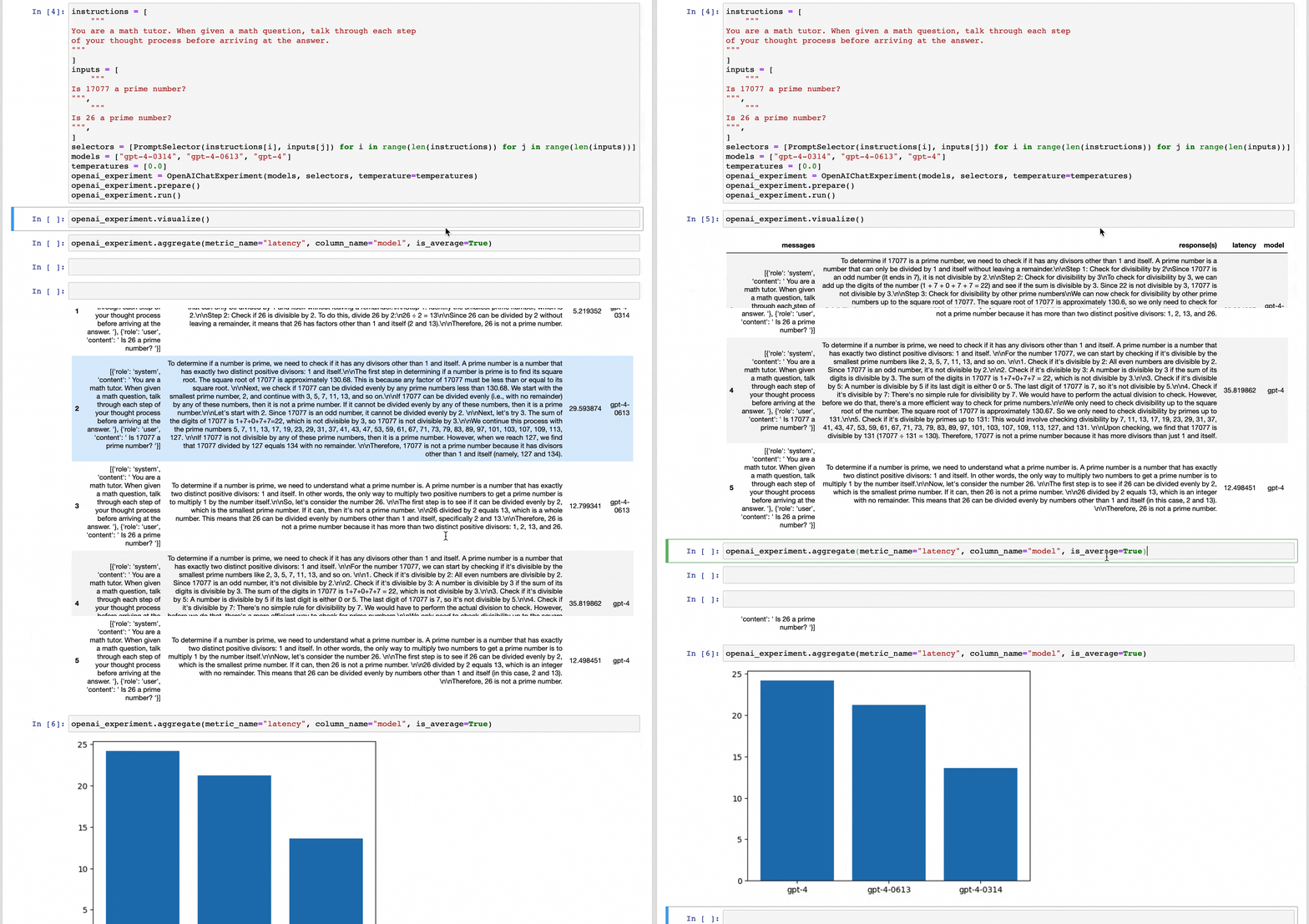
|
|
||||||
|
|
||||||
@@ -1,71 +0,0 @@
|
|||||||

|
|
||||||
|
|
||||||
Basic recipe
|
|
||||||
____________
|
|
||||||
|
|
||||||
The basic workflow to use LanceDB to create a similarity index on your FiftyOne
|
|
||||||
datasets and use this to query your data is as follows:
|
|
||||||
|
|
||||||
1) Load a dataset into FiftyOne
|
|
||||||
|
|
||||||
2) Compute embedding vectors for samples or patches in your dataset, or select
|
|
||||||
a model to use to generate embeddings
|
|
||||||
|
|
||||||
3) Use the `compute_similarity()`
|
|
||||||
method to generate a LanceDB table for the samples or object
|
|
||||||
patches embeddings in a dataset by setting the parameter `backend="lancedb"` and
|
|
||||||
specifying a `brain_key` of your choice
|
|
||||||
|
|
||||||
4) Use this LanceDB table to query your data with
|
|
||||||
`sort_by_similarity()`
|
|
||||||
|
|
||||||
5) If desired, delete the table
|
|
||||||
|
|
||||||
The example below demonstrates this workflow.
|
|
||||||
|
|
||||||
!!! Note
|
|
||||||
|
|
||||||
You must install the LanceDB Python client to run this
|
|
||||||
```
|
|
||||||
pip install lancedb
|
|
||||||
```
|
|
||||||
|
|
||||||
```python
|
|
||||||
|
|
||||||
import fiftyone as fo
|
|
||||||
import fiftyone.brain as fob
|
|
||||||
import fiftyone.zoo as foz
|
|
||||||
|
|
||||||
# Step 1: Load your data into FiftyOne
|
|
||||||
dataset = foz.load_zoo_dataset("quickstart")
|
|
||||||
|
|
||||||
# Steps 2 and 3: Compute embeddings and create a similarity index
|
|
||||||
lancedb_index = fob.compute_similarity(
|
|
||||||
dataset,
|
|
||||||
model="clip-vit-base32-torch",
|
|
||||||
brain_key="lancedb_index",
|
|
||||||
backend="lancedb",
|
|
||||||
)
|
|
||||||
```
|
|
||||||
Once the similarity index has been generated, we can query our data in FiftyOne
|
|
||||||
by specifying the `brain_key`:
|
|
||||||
|
|
||||||
```python
|
|
||||||
# Step 4: Query your data
|
|
||||||
query = dataset.first().id # query by sample ID
|
|
||||||
view = dataset.sort_by_similarity(
|
|
||||||
query,
|
|
||||||
brain_key="lancedb_index",
|
|
||||||
k=10, # limit to 10 most similar samples
|
|
||||||
)
|
|
||||||
|
|
||||||
# Step 5 (optional): Cleanup
|
|
||||||
|
|
||||||
# Delete the LanceDB table
|
|
||||||
lancedb_index.cleanup()
|
|
||||||
|
|
||||||
# Delete run record from FiftyOne
|
|
||||||
dataset.delete_brain_run("lancedb_index")
|
|
||||||
```
|
|
||||||
|
|
||||||
More in depth walkthrough of the integration, visit the LanceDB guide on Voxel51 - [LaceDB x Voxel51](https://docs.voxel51.com/integrations/lancedb.html)
|
|
||||||
@@ -1 +0,0 @@
|
|||||||
TypeDoc added this file to prevent GitHub Pages from using Jekyll. You can turn off this behavior by setting the `githubPages` option to false.
|
|
||||||
@@ -1,73 +0,0 @@
|
|||||||
vectordb / [Exports](modules.md)
|
|
||||||
|
|
||||||
# LanceDB
|
|
||||||
|
|
||||||
A JavaScript / Node.js library for [LanceDB](https://github.com/lancedb/lancedb).
|
|
||||||
|
|
||||||
## Installation
|
|
||||||
|
|
||||||
```bash
|
|
||||||
npm install vectordb
|
|
||||||
```
|
|
||||||
|
|
||||||
This will download the appropriate native library for your platform. We currently
|
|
||||||
support x86_64 Linux, aarch64 Linux, Intel MacOS, and ARM (M1/M2) MacOS. We do not
|
|
||||||
yet support Windows or musl-based Linux (such as Alpine Linux).
|
|
||||||
|
|
||||||
## Usage
|
|
||||||
|
|
||||||
### Basic Example
|
|
||||||
|
|
||||||
```javascript
|
|
||||||
const lancedb = require('vectordb');
|
|
||||||
const db = await lancedb.connect('data/sample-lancedb');
|
|
||||||
const table = await db.createTable("my_table",
|
|
||||||
[{ id: 1, vector: [0.1, 1.0], item: "foo", price: 10.0 },
|
|
||||||
{ id: 2, vector: [3.9, 0.5], item: "bar", price: 20.0 }])
|
|
||||||
const results = await table.search([0.1, 0.3]).limit(20).execute();
|
|
||||||
console.log(results);
|
|
||||||
```
|
|
||||||
|
|
||||||
The [examples](./examples) folder contains complete examples.
|
|
||||||
|
|
||||||
## Development
|
|
||||||
|
|
||||||
To build everything fresh:
|
|
||||||
|
|
||||||
```bash
|
|
||||||
npm install
|
|
||||||
npm run tsc
|
|
||||||
npm run build
|
|
||||||
```
|
|
||||||
|
|
||||||
Then you should be able to run the tests with:
|
|
||||||
|
|
||||||
```bash
|
|
||||||
npm test
|
|
||||||
```
|
|
||||||
|
|
||||||
### Rebuilding Rust library
|
|
||||||
|
|
||||||
```bash
|
|
||||||
npm run build
|
|
||||||
```
|
|
||||||
|
|
||||||
### Rebuilding Typescript
|
|
||||||
|
|
||||||
```bash
|
|
||||||
npm run tsc
|
|
||||||
```
|
|
||||||
|
|
||||||
### Fix lints
|
|
||||||
|
|
||||||
To run the linter and have it automatically fix all errors
|
|
||||||
|
|
||||||
```bash
|
|
||||||
npm run lint -- --fix
|
|
||||||
```
|
|
||||||
|
|
||||||
To build documentation
|
|
||||||
|
|
||||||
```bash
|
|
||||||
npx typedoc --plugin typedoc-plugin-markdown --out ../docs/src/javascript src/index.ts
|
|
||||||
```
|
|
||||||
@@ -1,350 +0,0 @@
|
|||||||
[vectordb](../README.md) / [Exports](../modules.md) / LocalConnection
|
|
||||||
|
|
||||||
# Class: LocalConnection
|
|
||||||
|
|
||||||
A connection to a LanceDB database.
|
|
||||||
|
|
||||||
## Implements
|
|
||||||
|
|
||||||
- [`Connection`](../interfaces/Connection.md)
|
|
||||||
|
|
||||||
## Table of contents
|
|
||||||
|
|
||||||
### Constructors
|
|
||||||
|
|
||||||
- [constructor](LocalConnection.md#constructor)
|
|
||||||
|
|
||||||
### Properties
|
|
||||||
|
|
||||||
- [\_db](LocalConnection.md#_db)
|
|
||||||
- [\_options](LocalConnection.md#_options)
|
|
||||||
|
|
||||||
### Accessors
|
|
||||||
|
|
||||||
- [uri](LocalConnection.md#uri)
|
|
||||||
|
|
||||||
### Methods
|
|
||||||
|
|
||||||
- [createTable](LocalConnection.md#createtable)
|
|
||||||
- [createTableArrow](LocalConnection.md#createtablearrow)
|
|
||||||
- [dropTable](LocalConnection.md#droptable)
|
|
||||||
- [openTable](LocalConnection.md#opentable)
|
|
||||||
- [tableNames](LocalConnection.md#tablenames)
|
|
||||||
|
|
||||||
## Constructors
|
|
||||||
|
|
||||||
### constructor
|
|
||||||
|
|
||||||
• **new LocalConnection**(`db`, `options`)
|
|
||||||
|
|
||||||
#### Parameters
|
|
||||||
|
|
||||||
| Name | Type |
|
|
||||||
| :------ | :------ |
|
|
||||||
| `db` | `any` |
|
|
||||||
| `options` | [`ConnectionOptions`](../interfaces/ConnectionOptions.md) |
|
|
||||||
|
|
||||||
#### Defined in
|
|
||||||
|
|
||||||
[index.ts:184](https://github.com/lancedb/lancedb/blob/b1eeb90/node/src/index.ts#L184)
|
|
||||||
|
|
||||||
## Properties
|
|
||||||
|
|
||||||
### \_db
|
|
||||||
|
|
||||||
• `Private` `Readonly` **\_db**: `any`
|
|
||||||
|
|
||||||
#### Defined in
|
|
||||||
|
|
||||||
[index.ts:182](https://github.com/lancedb/lancedb/blob/b1eeb90/node/src/index.ts#L182)
|
|
||||||
|
|
||||||
___
|
|
||||||
|
|
||||||
### \_options
|
|
||||||
|
|
||||||
• `Private` `Readonly` **\_options**: [`ConnectionOptions`](../interfaces/ConnectionOptions.md)
|
|
||||||
|
|
||||||
#### Defined in
|
|
||||||
|
|
||||||
[index.ts:181](https://github.com/lancedb/lancedb/blob/b1eeb90/node/src/index.ts#L181)
|
|
||||||
|
|
||||||
## Accessors
|
|
||||||
|
|
||||||
### uri
|
|
||||||
|
|
||||||
• `get` **uri**(): `string`
|
|
||||||
|
|
||||||
#### Returns
|
|
||||||
|
|
||||||
`string`
|
|
||||||
|
|
||||||
#### Implementation of
|
|
||||||
|
|
||||||
[Connection](../interfaces/Connection.md).[uri](../interfaces/Connection.md#uri)
|
|
||||||
|
|
||||||
#### Defined in
|
|
||||||
|
|
||||||
[index.ts:189](https://github.com/lancedb/lancedb/blob/b1eeb90/node/src/index.ts#L189)
|
|
||||||
|
|
||||||
## Methods
|
|
||||||
|
|
||||||
### createTable
|
|
||||||
|
|
||||||
▸ **createTable**(`name`, `data`, `mode?`): `Promise`<[`Table`](../interfaces/Table.md)<`number`[]\>\>
|
|
||||||
|
|
||||||
Creates a new Table and initialize it with new data.
|
|
||||||
|
|
||||||
#### Parameters
|
|
||||||
|
|
||||||
| Name | Type | Description |
|
|
||||||
| :------ | :------ | :------ |
|
|
||||||
| `name` | `string` | The name of the table. |
|
|
||||||
| `data` | `Record`<`string`, `unknown`\>[] | Non-empty Array of Records to be inserted into the Table |
|
|
||||||
| `mode?` | [`WriteMode`](../enums/WriteMode.md) | The write mode to use when creating the table. |
|
|
||||||
|
|
||||||
#### Returns
|
|
||||||
|
|
||||||
`Promise`<[`Table`](../interfaces/Table.md)<`number`[]\>\>
|
|
||||||
|
|
||||||
#### Implementation of
|
|
||||||
|
|
||||||
[Connection](../interfaces/Connection.md).[createTable](../interfaces/Connection.md#createtable)
|
|
||||||
|
|
||||||
#### Defined in
|
|
||||||
|
|
||||||
[index.ts:230](https://github.com/lancedb/lancedb/blob/b1eeb90/node/src/index.ts#L230)
|
|
||||||
|
|
||||||
▸ **createTable**(`name`, `data`, `mode`): `Promise`<[`Table`](../interfaces/Table.md)<`number`[]\>\>
|
|
||||||
|
|
||||||
#### Parameters
|
|
||||||
|
|
||||||
| Name | Type |
|
|
||||||
| :------ | :------ |
|
|
||||||
| `name` | `string` |
|
|
||||||
| `data` | `Record`<`string`, `unknown`\>[] |
|
|
||||||
| `mode` | [`WriteMode`](../enums/WriteMode.md) |
|
|
||||||
|
|
||||||
#### Returns
|
|
||||||
|
|
||||||
`Promise`<[`Table`](../interfaces/Table.md)<`number`[]\>\>
|
|
||||||
|
|
||||||
#### Implementation of
|
|
||||||
|
|
||||||
Connection.createTable
|
|
||||||
|
|
||||||
#### Defined in
|
|
||||||
|
|
||||||
[index.ts:231](https://github.com/lancedb/lancedb/blob/b1eeb90/node/src/index.ts#L231)
|
|
||||||
|
|
||||||
▸ **createTable**<`T`\>(`name`, `data`, `mode`, `embeddings`): `Promise`<[`Table`](../interfaces/Table.md)<`T`\>\>
|
|
||||||
|
|
||||||
Creates a new Table and initialize it with new data.
|
|
||||||
|
|
||||||
#### Type parameters
|
|
||||||
|
|
||||||
| Name |
|
|
||||||
| :------ |
|
|
||||||
| `T` |
|
|
||||||
|
|
||||||
#### Parameters
|
|
||||||
|
|
||||||
| Name | Type | Description |
|
|
||||||
| :------ | :------ | :------ |
|
|
||||||
| `name` | `string` | The name of the table. |
|
|
||||||
| `data` | `Record`<`string`, `unknown`\>[] | Non-empty Array of Records to be inserted into the Table |
|
|
||||||
| `mode` | [`WriteMode`](../enums/WriteMode.md) | The write mode to use when creating the table. |
|
|
||||||
| `embeddings` | [`EmbeddingFunction`](../interfaces/EmbeddingFunction.md)<`T`\> | An embedding function to use on this Table |
|
|
||||||
|
|
||||||
#### Returns
|
|
||||||
|
|
||||||
`Promise`<[`Table`](../interfaces/Table.md)<`T`\>\>
|
|
||||||
|
|
||||||
#### Implementation of
|
|
||||||
|
|
||||||
Connection.createTable
|
|
||||||
|
|
||||||
#### Defined in
|
|
||||||
|
|
||||||
[index.ts:241](https://github.com/lancedb/lancedb/blob/b1eeb90/node/src/index.ts#L241)
|
|
||||||
|
|
||||||
▸ **createTable**<`T`\>(`name`, `data`, `mode`, `embeddings?`): `Promise`<[`Table`](../interfaces/Table.md)<`T`\>\>
|
|
||||||
|
|
||||||
#### Type parameters
|
|
||||||
|
|
||||||
| Name |
|
|
||||||
| :------ |
|
|
||||||
| `T` |
|
|
||||||
|
|
||||||
#### Parameters
|
|
||||||
|
|
||||||
| Name | Type |
|
|
||||||
| :------ | :------ |
|
|
||||||
| `name` | `string` |
|
|
||||||
| `data` | `Record`<`string`, `unknown`\>[] |
|
|
||||||
| `mode` | [`WriteMode`](../enums/WriteMode.md) |
|
|
||||||
| `embeddings?` | [`EmbeddingFunction`](../interfaces/EmbeddingFunction.md)<`T`\> |
|
|
||||||
|
|
||||||
#### Returns
|
|
||||||
|
|
||||||
`Promise`<[`Table`](../interfaces/Table.md)<`T`\>\>
|
|
||||||
|
|
||||||
#### Implementation of
|
|
||||||
|
|
||||||
Connection.createTable
|
|
||||||
|
|
||||||
#### Defined in
|
|
||||||
|
|
||||||
[index.ts:242](https://github.com/lancedb/lancedb/blob/b1eeb90/node/src/index.ts#L242)
|
|
||||||
|
|
||||||
___
|
|
||||||
|
|
||||||
### createTableArrow
|
|
||||||
|
|
||||||
▸ **createTableArrow**(`name`, `table`): `Promise`<[`Table`](../interfaces/Table.md)<`number`[]\>\>
|
|
||||||
|
|
||||||
#### Parameters
|
|
||||||
|
|
||||||
| Name | Type |
|
|
||||||
| :------ | :------ |
|
|
||||||
| `name` | `string` |
|
|
||||||
| `table` | `Table`<`any`\> |
|
|
||||||
|
|
||||||
#### Returns
|
|
||||||
|
|
||||||
`Promise`<[`Table`](../interfaces/Table.md)<`number`[]\>\>
|
|
||||||
|
|
||||||
#### Implementation of
|
|
||||||
|
|
||||||
[Connection](../interfaces/Connection.md).[createTableArrow](../interfaces/Connection.md#createtablearrow)
|
|
||||||
|
|
||||||
#### Defined in
|
|
||||||
|
|
||||||
[index.ts:266](https://github.com/lancedb/lancedb/blob/b1eeb90/node/src/index.ts#L266)
|
|
||||||
|
|
||||||
___
|
|
||||||
|
|
||||||
### dropTable
|
|
||||||
|
|
||||||
▸ **dropTable**(`name`): `Promise`<`void`\>
|
|
||||||
|
|
||||||
Drop an existing table.
|
|
||||||
|
|
||||||
#### Parameters
|
|
||||||
|
|
||||||
| Name | Type | Description |
|
|
||||||
| :------ | :------ | :------ |
|
|
||||||
| `name` | `string` | The name of the table to drop. |
|
|
||||||
|
|
||||||
#### Returns
|
|
||||||
|
|
||||||
`Promise`<`void`\>
|
|
||||||
|
|
||||||
#### Implementation of
|
|
||||||
|
|
||||||
[Connection](../interfaces/Connection.md).[dropTable](../interfaces/Connection.md#droptable)
|
|
||||||
|
|
||||||
#### Defined in
|
|
||||||
|
|
||||||
[index.ts:276](https://github.com/lancedb/lancedb/blob/b1eeb90/node/src/index.ts#L276)
|
|
||||||
|
|
||||||
___
|
|
||||||
|
|
||||||
### openTable
|
|
||||||
|
|
||||||
▸ **openTable**(`name`): `Promise`<[`Table`](../interfaces/Table.md)<`number`[]\>\>
|
|
||||||
|
|
||||||
Open a table in the database.
|
|
||||||
|
|
||||||
#### Parameters
|
|
||||||
|
|
||||||
| Name | Type | Description |
|
|
||||||
| :------ | :------ | :------ |
|
|
||||||
| `name` | `string` | The name of the table. |
|
|
||||||
|
|
||||||
#### Returns
|
|
||||||
|
|
||||||
`Promise`<[`Table`](../interfaces/Table.md)<`number`[]\>\>
|
|
||||||
|
|
||||||
#### Implementation of
|
|
||||||
|
|
||||||
[Connection](../interfaces/Connection.md).[openTable](../interfaces/Connection.md#opentable)
|
|
||||||
|
|
||||||
#### Defined in
|
|
||||||
|
|
||||||
[index.ts:205](https://github.com/lancedb/lancedb/blob/b1eeb90/node/src/index.ts#L205)
|
|
||||||
|
|
||||||
▸ **openTable**<`T`\>(`name`, `embeddings`): `Promise`<[`Table`](../interfaces/Table.md)<`T`\>\>
|
|
||||||
|
|
||||||
Open a table in the database.
|
|
||||||
|
|
||||||
#### Type parameters
|
|
||||||
|
|
||||||
| Name |
|
|
||||||
| :------ |
|
|
||||||
| `T` |
|
|
||||||
|
|
||||||
#### Parameters
|
|
||||||
|
|
||||||
| Name | Type | Description |
|
|
||||||
| :------ | :------ | :------ |
|
|
||||||
| `name` | `string` | The name of the table. |
|
|
||||||
| `embeddings` | [`EmbeddingFunction`](../interfaces/EmbeddingFunction.md)<`T`\> | An embedding function to use on this Table |
|
|
||||||
|
|
||||||
#### Returns
|
|
||||||
|
|
||||||
`Promise`<[`Table`](../interfaces/Table.md)<`T`\>\>
|
|
||||||
|
|
||||||
#### Implementation of
|
|
||||||
|
|
||||||
Connection.openTable
|
|
||||||
|
|
||||||
#### Defined in
|
|
||||||
|
|
||||||
[index.ts:212](https://github.com/lancedb/lancedb/blob/b1eeb90/node/src/index.ts#L212)
|
|
||||||
|
|
||||||
▸ **openTable**<`T`\>(`name`, `embeddings?`): `Promise`<[`Table`](../interfaces/Table.md)<`T`\>\>
|
|
||||||
|
|
||||||
#### Type parameters
|
|
||||||
|
|
||||||
| Name |
|
|
||||||
| :------ |
|
|
||||||
| `T` |
|
|
||||||
|
|
||||||
#### Parameters
|
|
||||||
|
|
||||||
| Name | Type |
|
|
||||||
| :------ | :------ |
|
|
||||||
| `name` | `string` |
|
|
||||||
| `embeddings?` | [`EmbeddingFunction`](../interfaces/EmbeddingFunction.md)<`T`\> |
|
|
||||||
|
|
||||||
#### Returns
|
|
||||||
|
|
||||||
`Promise`<[`Table`](../interfaces/Table.md)<`T`\>\>
|
|
||||||
|
|
||||||
#### Implementation of
|
|
||||||
|
|
||||||
Connection.openTable
|
|
||||||
|
|
||||||
#### Defined in
|
|
||||||
|
|
||||||
[index.ts:213](https://github.com/lancedb/lancedb/blob/b1eeb90/node/src/index.ts#L213)
|
|
||||||
|
|
||||||
___
|
|
||||||
|
|
||||||
### tableNames
|
|
||||||
|
|
||||||
▸ **tableNames**(): `Promise`<`string`[]\>
|
|
||||||
|
|
||||||
Get the names of all tables in the database.
|
|
||||||
|
|
||||||
#### Returns
|
|
||||||
|
|
||||||
`Promise`<`string`[]\>
|
|
||||||
|
|
||||||
#### Implementation of
|
|
||||||
|
|
||||||
[Connection](../interfaces/Connection.md).[tableNames](../interfaces/Connection.md#tablenames)
|
|
||||||
|
|
||||||
#### Defined in
|
|
||||||
|
|
||||||
[index.ts:196](https://github.com/lancedb/lancedb/blob/b1eeb90/node/src/index.ts#L196)
|
|
||||||
@@ -1,302 +0,0 @@
|
|||||||
[vectordb](../README.md) / [Exports](../modules.md) / LocalTable
|
|
||||||
|
|
||||||
# Class: LocalTable<T\>
|
|
||||||
|
|
||||||
A LanceDB Table is the collection of Records. Each Record has one or more vector fields.
|
|
||||||
|
|
||||||
## Type parameters
|
|
||||||
|
|
||||||
| Name | Type |
|
|
||||||
| :------ | :------ |
|
|
||||||
| `T` | `number`[] |
|
|
||||||
|
|
||||||
## Implements
|
|
||||||
|
|
||||||
- [`Table`](../interfaces/Table.md)<`T`\>
|
|
||||||
|
|
||||||
## Table of contents
|
|
||||||
|
|
||||||
### Constructors
|
|
||||||
|
|
||||||
- [constructor](LocalTable.md#constructor)
|
|
||||||
|
|
||||||
### Properties
|
|
||||||
|
|
||||||
- [\_embeddings](LocalTable.md#_embeddings)
|
|
||||||
- [\_name](LocalTable.md#_name)
|
|
||||||
- [\_options](LocalTable.md#_options)
|
|
||||||
- [\_tbl](LocalTable.md#_tbl)
|
|
||||||
|
|
||||||
### Accessors
|
|
||||||
|
|
||||||
- [name](LocalTable.md#name)
|
|
||||||
|
|
||||||
### Methods
|
|
||||||
|
|
||||||
- [add](LocalTable.md#add)
|
|
||||||
- [countRows](LocalTable.md#countrows)
|
|
||||||
- [createIndex](LocalTable.md#createindex)
|
|
||||||
- [delete](LocalTable.md#delete)
|
|
||||||
- [overwrite](LocalTable.md#overwrite)
|
|
||||||
- [search](LocalTable.md#search)
|
|
||||||
|
|
||||||
## Constructors
|
|
||||||
|
|
||||||
### constructor
|
|
||||||
|
|
||||||
• **new LocalTable**<`T`\>(`tbl`, `name`, `options`)
|
|
||||||
|
|
||||||
#### Type parameters
|
|
||||||
|
|
||||||
| Name | Type |
|
|
||||||
| :------ | :------ |
|
|
||||||
| `T` | `number`[] |
|
|
||||||
|
|
||||||
#### Parameters
|
|
||||||
|
|
||||||
| Name | Type |
|
|
||||||
| :------ | :------ |
|
|
||||||
| `tbl` | `any` |
|
|
||||||
| `name` | `string` |
|
|
||||||
| `options` | [`ConnectionOptions`](../interfaces/ConnectionOptions.md) |
|
|
||||||
|
|
||||||
#### Defined in
|
|
||||||
|
|
||||||
[index.ts:287](https://github.com/lancedb/lancedb/blob/b1eeb90/node/src/index.ts#L287)
|
|
||||||
|
|
||||||
• **new LocalTable**<`T`\>(`tbl`, `name`, `options`, `embeddings`)
|
|
||||||
|
|
||||||
#### Type parameters
|
|
||||||
|
|
||||||
| Name | Type |
|
|
||||||
| :------ | :------ |
|
|
||||||
| `T` | `number`[] |
|
|
||||||
|
|
||||||
#### Parameters
|
|
||||||
|
|
||||||
| Name | Type | Description |
|
|
||||||
| :------ | :------ | :------ |
|
|
||||||
| `tbl` | `any` | |
|
|
||||||
| `name` | `string` | |
|
|
||||||
| `options` | [`ConnectionOptions`](../interfaces/ConnectionOptions.md) | |
|
|
||||||
| `embeddings` | [`EmbeddingFunction`](../interfaces/EmbeddingFunction.md)<`T`\> | An embedding function to use when interacting with this table |
|
|
||||||
|
|
||||||
#### Defined in
|
|
||||||
|
|
||||||
[index.ts:294](https://github.com/lancedb/lancedb/blob/b1eeb90/node/src/index.ts#L294)
|
|
||||||
|
|
||||||
## Properties
|
|
||||||
|
|
||||||
### \_embeddings
|
|
||||||
|
|
||||||
• `Private` `Optional` `Readonly` **\_embeddings**: [`EmbeddingFunction`](../interfaces/EmbeddingFunction.md)<`T`\>
|
|
||||||
|
|
||||||
#### Defined in
|
|
||||||
|
|
||||||
[index.ts:284](https://github.com/lancedb/lancedb/blob/b1eeb90/node/src/index.ts#L284)
|
|
||||||
|
|
||||||
___
|
|
||||||
|
|
||||||
### \_name
|
|
||||||
|
|
||||||
• `Private` `Readonly` **\_name**: `string`
|
|
||||||
|
|
||||||
#### Defined in
|
|
||||||
|
|
||||||
[index.ts:283](https://github.com/lancedb/lancedb/blob/b1eeb90/node/src/index.ts#L283)
|
|
||||||
|
|
||||||
___
|
|
||||||
|
|
||||||
### \_options
|
|
||||||
|
|
||||||
• `Private` `Readonly` **\_options**: [`ConnectionOptions`](../interfaces/ConnectionOptions.md)
|
|
||||||
|
|
||||||
#### Defined in
|
|
||||||
|
|
||||||
[index.ts:285](https://github.com/lancedb/lancedb/blob/b1eeb90/node/src/index.ts#L285)
|
|
||||||
|
|
||||||
___
|
|
||||||
|
|
||||||
### \_tbl
|
|
||||||
|
|
||||||
• `Private` `Readonly` **\_tbl**: `any`
|
|
||||||
|
|
||||||
#### Defined in
|
|
||||||
|
|
||||||
[index.ts:282](https://github.com/lancedb/lancedb/blob/b1eeb90/node/src/index.ts#L282)
|
|
||||||
|
|
||||||
## Accessors
|
|
||||||
|
|
||||||
### name
|
|
||||||
|
|
||||||
• `get` **name**(): `string`
|
|
||||||
|
|
||||||
#### Returns
|
|
||||||
|
|
||||||
`string`
|
|
||||||
|
|
||||||
#### Implementation of
|
|
||||||
|
|
||||||
[Table](../interfaces/Table.md).[name](../interfaces/Table.md#name)
|
|
||||||
|
|
||||||
#### Defined in
|
|
||||||
|
|
||||||
[index.ts:302](https://github.com/lancedb/lancedb/blob/b1eeb90/node/src/index.ts#L302)
|
|
||||||
|
|
||||||
## Methods
|
|
||||||
|
|
||||||
### add
|
|
||||||
|
|
||||||
▸ **add**(`data`): `Promise`<`number`\>
|
|
||||||
|
|
||||||
Insert records into this Table.
|
|
||||||
|
|
||||||
#### Parameters
|
|
||||||
|
|
||||||
| Name | Type | Description |
|
|
||||||
| :------ | :------ | :------ |
|
|
||||||
| `data` | `Record`<`string`, `unknown`\>[] | Records to be inserted into the Table |
|
|
||||||
|
|
||||||
#### Returns
|
|
||||||
|
|
||||||
`Promise`<`number`\>
|
|
||||||
|
|
||||||
The number of rows added to the table
|
|
||||||
|
|
||||||
#### Implementation of
|
|
||||||
|
|
||||||
[Table](../interfaces/Table.md).[add](../interfaces/Table.md#add)
|
|
||||||
|
|
||||||
#### Defined in
|
|
||||||
|
|
||||||
[index.ts:320](https://github.com/lancedb/lancedb/blob/b1eeb90/node/src/index.ts#L320)
|
|
||||||
|
|
||||||
___
|
|
||||||
|
|
||||||
### countRows
|
|
||||||
|
|
||||||
▸ **countRows**(): `Promise`<`number`\>
|
|
||||||
|
|
||||||
Returns the number of rows in this table.
|
|
||||||
|
|
||||||
#### Returns
|
|
||||||
|
|
||||||
`Promise`<`number`\>
|
|
||||||
|
|
||||||
#### Implementation of
|
|
||||||
|
|
||||||
[Table](../interfaces/Table.md).[countRows](../interfaces/Table.md#countrows)
|
|
||||||
|
|
||||||
#### Defined in
|
|
||||||
|
|
||||||
[index.ts:362](https://github.com/lancedb/lancedb/blob/b1eeb90/node/src/index.ts#L362)
|
|
||||||
|
|
||||||
___
|
|
||||||
|
|
||||||
### createIndex
|
|
||||||
|
|
||||||
▸ **createIndex**(`indexParams`): `Promise`<`any`\>
|
|
||||||
|
|
||||||
Create an ANN index on this Table vector index.
|
|
||||||
|
|
||||||
**`See`**
|
|
||||||
|
|
||||||
VectorIndexParams.
|
|
||||||
|
|
||||||
#### Parameters
|
|
||||||
|
|
||||||
| Name | Type | Description |
|
|
||||||
| :------ | :------ | :------ |
|
|
||||||
| `indexParams` | [`IvfPQIndexConfig`](../interfaces/IvfPQIndexConfig.md) | The parameters of this Index, |
|
|
||||||
|
|
||||||
#### Returns
|
|
||||||
|
|
||||||
`Promise`<`any`\>
|
|
||||||
|
|
||||||
#### Implementation of
|
|
||||||
|
|
||||||
[Table](../interfaces/Table.md).[createIndex](../interfaces/Table.md#createindex)
|
|
||||||
|
|
||||||
#### Defined in
|
|
||||||
|
|
||||||
[index.ts:355](https://github.com/lancedb/lancedb/blob/b1eeb90/node/src/index.ts#L355)
|
|
||||||
|
|
||||||
___
|
|
||||||
|
|
||||||
### delete
|
|
||||||
|
|
||||||
▸ **delete**(`filter`): `Promise`<`void`\>
|
|
||||||
|
|
||||||
Delete rows from this table.
|
|
||||||
|
|
||||||
#### Parameters
|
|
||||||
|
|
||||||
| Name | Type | Description |
|
|
||||||
| :------ | :------ | :------ |
|
|
||||||
| `filter` | `string` | A filter in the same format used by a sql WHERE clause. |
|
|
||||||
|
|
||||||
#### Returns
|
|
||||||
|
|
||||||
`Promise`<`void`\>
|
|
||||||
|
|
||||||
#### Implementation of
|
|
||||||
|
|
||||||
[Table](../interfaces/Table.md).[delete](../interfaces/Table.md#delete)
|
|
||||||
|
|
||||||
#### Defined in
|
|
||||||
|
|
||||||
[index.ts:371](https://github.com/lancedb/lancedb/blob/b1eeb90/node/src/index.ts#L371)
|
|
||||||
|
|
||||||
___
|
|
||||||
|
|
||||||
### overwrite
|
|
||||||
|
|
||||||
▸ **overwrite**(`data`): `Promise`<`number`\>
|
|
||||||
|
|
||||||
Insert records into this Table, replacing its contents.
|
|
||||||
|
|
||||||
#### Parameters
|
|
||||||
|
|
||||||
| Name | Type | Description |
|
|
||||||
| :------ | :------ | :------ |
|
|
||||||
| `data` | `Record`<`string`, `unknown`\>[] | Records to be inserted into the Table |
|
|
||||||
|
|
||||||
#### Returns
|
|
||||||
|
|
||||||
`Promise`<`number`\>
|
|
||||||
|
|
||||||
The number of rows added to the table
|
|
||||||
|
|
||||||
#### Implementation of
|
|
||||||
|
|
||||||
[Table](../interfaces/Table.md).[overwrite](../interfaces/Table.md#overwrite)
|
|
||||||
|
|
||||||
#### Defined in
|
|
||||||
|
|
||||||
[index.ts:338](https://github.com/lancedb/lancedb/blob/b1eeb90/node/src/index.ts#L338)
|
|
||||||
|
|
||||||
___
|
|
||||||
|
|
||||||
### search
|
|
||||||
|
|
||||||
▸ **search**(`query`): [`Query`](Query.md)<`T`\>
|
|
||||||
|
|
||||||
Creates a search query to find the nearest neighbors of the given search term
|
|
||||||
|
|
||||||
#### Parameters
|
|
||||||
|
|
||||||
| Name | Type | Description |
|
|
||||||
| :------ | :------ | :------ |
|
|
||||||
| `query` | `T` | The query search term |
|
|
||||||
|
|
||||||
#### Returns
|
|
||||||
|
|
||||||
[`Query`](Query.md)<`T`\>
|
|
||||||
|
|
||||||
#### Implementation of
|
|
||||||
|
|
||||||
[Table](../interfaces/Table.md).[search](../interfaces/Table.md#search)
|
|
||||||
|
|
||||||
#### Defined in
|
|
||||||
|
|
||||||
[index.ts:310](https://github.com/lancedb/lancedb/blob/b1eeb90/node/src/index.ts#L310)
|
|
||||||
@@ -1,105 +0,0 @@
|
|||||||
[vectordb](../README.md) / [Exports](../modules.md) / OpenAIEmbeddingFunction
|
|
||||||
|
|
||||||
# Class: OpenAIEmbeddingFunction
|
|
||||||
|
|
||||||
An embedding function that automatically creates vector representation for a given column.
|
|
||||||
|
|
||||||
## Implements
|
|
||||||
|
|
||||||
- [`EmbeddingFunction`](../interfaces/EmbeddingFunction.md)<`string`\>
|
|
||||||
|
|
||||||
## Table of contents
|
|
||||||
|
|
||||||
### Constructors
|
|
||||||
|
|
||||||
- [constructor](OpenAIEmbeddingFunction.md#constructor)
|
|
||||||
|
|
||||||
### Properties
|
|
||||||
|
|
||||||
- [\_modelName](OpenAIEmbeddingFunction.md#_modelname)
|
|
||||||
- [\_openai](OpenAIEmbeddingFunction.md#_openai)
|
|
||||||
- [sourceColumn](OpenAIEmbeddingFunction.md#sourcecolumn)
|
|
||||||
|
|
||||||
### Methods
|
|
||||||
|
|
||||||
- [embed](OpenAIEmbeddingFunction.md#embed)
|
|
||||||
|
|
||||||
## Constructors
|
|
||||||
|
|
||||||
### constructor
|
|
||||||
|
|
||||||
• **new OpenAIEmbeddingFunction**(`sourceColumn`, `openAIKey`, `modelName?`)
|
|
||||||
|
|
||||||
#### Parameters
|
|
||||||
|
|
||||||
| Name | Type | Default value |
|
|
||||||
| :------ | :------ | :------ |
|
|
||||||
| `sourceColumn` | `string` | `undefined` |
|
|
||||||
| `openAIKey` | `string` | `undefined` |
|
|
||||||
| `modelName` | `string` | `'text-embedding-ada-002'` |
|
|
||||||
|
|
||||||
#### Defined in
|
|
||||||
|
|
||||||
[embedding/openai.ts:21](https://github.com/lancedb/lancedb/blob/b1eeb90/node/src/embedding/openai.ts#L21)
|
|
||||||
|
|
||||||
## Properties
|
|
||||||
|
|
||||||
### \_modelName
|
|
||||||
|
|
||||||
• `Private` `Readonly` **\_modelName**: `string`
|
|
||||||
|
|
||||||
#### Defined in
|
|
||||||
|
|
||||||
[embedding/openai.ts:19](https://github.com/lancedb/lancedb/blob/b1eeb90/node/src/embedding/openai.ts#L19)
|
|
||||||
|
|
||||||
___
|
|
||||||
|
|
||||||
### \_openai
|
|
||||||
|
|
||||||
• `Private` `Readonly` **\_openai**: `any`
|
|
||||||
|
|
||||||
#### Defined in
|
|
||||||
|
|
||||||
[embedding/openai.ts:18](https://github.com/lancedb/lancedb/blob/b1eeb90/node/src/embedding/openai.ts#L18)
|
|
||||||
|
|
||||||
___
|
|
||||||
|
|
||||||
### sourceColumn
|
|
||||||
|
|
||||||
• **sourceColumn**: `string`
|
|
||||||
|
|
||||||
The name of the column that will be used as input for the Embedding Function.
|
|
||||||
|
|
||||||
#### Implementation of
|
|
||||||
|
|
||||||
[EmbeddingFunction](../interfaces/EmbeddingFunction.md).[sourceColumn](../interfaces/EmbeddingFunction.md#sourcecolumn)
|
|
||||||
|
|
||||||
#### Defined in
|
|
||||||
|
|
||||||
[embedding/openai.ts:50](https://github.com/lancedb/lancedb/blob/b1eeb90/node/src/embedding/openai.ts#L50)
|
|
||||||
|
|
||||||
## Methods
|
|
||||||
|
|
||||||
### embed
|
|
||||||
|
|
||||||
▸ **embed**(`data`): `Promise`<`number`[][]\>
|
|
||||||
|
|
||||||
Creates a vector representation for the given values.
|
|
||||||
|
|
||||||
#### Parameters
|
|
||||||
|
|
||||||
| Name | Type |
|
|
||||||
| :------ | :------ |
|
|
||||||
| `data` | `string`[] |
|
|
||||||
|
|
||||||
#### Returns
|
|
||||||
|
|
||||||
`Promise`<`number`[][]\>
|
|
||||||
|
|
||||||
#### Implementation of
|
|
||||||
|
|
||||||
[EmbeddingFunction](../interfaces/EmbeddingFunction.md).[embed](../interfaces/EmbeddingFunction.md#embed)
|
|
||||||
|
|
||||||
#### Defined in
|
|
||||||
|
|
||||||
[embedding/openai.ts:38](https://github.com/lancedb/lancedb/blob/b1eeb90/node/src/embedding/openai.ts#L38)
|
|
||||||
@@ -1,349 +0,0 @@
|
|||||||
[vectordb](../README.md) / [Exports](../modules.md) / Query
|
|
||||||
|
|
||||||
# Class: Query<T\>
|
|
||||||
|
|
||||||
A builder for nearest neighbor queries for LanceDB.
|
|
||||||
|
|
||||||
## Type parameters
|
|
||||||
|
|
||||||
| Name | Type |
|
|
||||||
| :------ | :------ |
|
|
||||||
| `T` | `number`[] |
|
|
||||||
|
|
||||||
## Table of contents
|
|
||||||
|
|
||||||
### Constructors
|
|
||||||
|
|
||||||
- [constructor](Query.md#constructor)
|
|
||||||
|
|
||||||
### Properties
|
|
||||||
|
|
||||||
- [\_embeddings](Query.md#_embeddings)
|
|
||||||
- [\_filter](Query.md#_filter)
|
|
||||||
- [\_limit](Query.md#_limit)
|
|
||||||
- [\_metricType](Query.md#_metrictype)
|
|
||||||
- [\_nprobes](Query.md#_nprobes)
|
|
||||||
- [\_query](Query.md#_query)
|
|
||||||
- [\_queryVector](Query.md#_queryvector)
|
|
||||||
- [\_refineFactor](Query.md#_refinefactor)
|
|
||||||
- [\_select](Query.md#_select)
|
|
||||||
- [\_tbl](Query.md#_tbl)
|
|
||||||
- [where](Query.md#where)
|
|
||||||
|
|
||||||
### Methods
|
|
||||||
|
|
||||||
- [execute](Query.md#execute)
|
|
||||||
- [filter](Query.md#filter)
|
|
||||||
- [limit](Query.md#limit)
|
|
||||||
- [metricType](Query.md#metrictype)
|
|
||||||
- [nprobes](Query.md#nprobes)
|
|
||||||
- [refineFactor](Query.md#refinefactor)
|
|
||||||
- [select](Query.md#select)
|
|
||||||
|
|
||||||
## Constructors
|
|
||||||
|
|
||||||
### constructor
|
|
||||||
|
|
||||||
• **new Query**<`T`\>(`tbl`, `query`, `embeddings?`)
|
|
||||||
|
|
||||||
#### Type parameters
|
|
||||||
|
|
||||||
| Name | Type |
|
|
||||||
| :------ | :------ |
|
|
||||||
| `T` | `number`[] |
|
|
||||||
|
|
||||||
#### Parameters
|
|
||||||
|
|
||||||
| Name | Type |
|
|
||||||
| :------ | :------ |
|
|
||||||
| `tbl` | `any` |
|
|
||||||
| `query` | `T` |
|
|
||||||
| `embeddings?` | [`EmbeddingFunction`](../interfaces/EmbeddingFunction.md)<`T`\> |
|
|
||||||
|
|
||||||
#### Defined in
|
|
||||||
|
|
||||||
[index.ts:448](https://github.com/lancedb/lancedb/blob/b1eeb90/node/src/index.ts#L448)
|
|
||||||
|
|
||||||
## Properties
|
|
||||||
|
|
||||||
### \_embeddings
|
|
||||||
|
|
||||||
• `Private` `Optional` `Readonly` **\_embeddings**: [`EmbeddingFunction`](../interfaces/EmbeddingFunction.md)<`T`\>
|
|
||||||
|
|
||||||
#### Defined in
|
|
||||||
|
|
||||||
[index.ts:446](https://github.com/lancedb/lancedb/blob/b1eeb90/node/src/index.ts#L446)
|
|
||||||
|
|
||||||
___
|
|
||||||
|
|
||||||
### \_filter
|
|
||||||
|
|
||||||
• `Private` `Optional` **\_filter**: `string`
|
|
||||||
|
|
||||||
#### Defined in
|
|
||||||
|
|
||||||
[index.ts:444](https://github.com/lancedb/lancedb/blob/b1eeb90/node/src/index.ts#L444)
|
|
||||||
|
|
||||||
___
|
|
||||||
|
|
||||||
### \_limit
|
|
||||||
|
|
||||||
• `Private` **\_limit**: `number`
|
|
||||||
|
|
||||||
#### Defined in
|
|
||||||
|
|
||||||
[index.ts:440](https://github.com/lancedb/lancedb/blob/b1eeb90/node/src/index.ts#L440)
|
|
||||||
|
|
||||||
___
|
|
||||||
|
|
||||||
### \_metricType
|
|
||||||
|
|
||||||
• `Private` `Optional` **\_metricType**: [`MetricType`](../enums/MetricType.md)
|
|
||||||
|
|
||||||
#### Defined in
|
|
||||||
|
|
||||||
[index.ts:445](https://github.com/lancedb/lancedb/blob/b1eeb90/node/src/index.ts#L445)
|
|
||||||
|
|
||||||
___
|
|
||||||
|
|
||||||
### \_nprobes
|
|
||||||
|
|
||||||
• `Private` **\_nprobes**: `number`
|
|
||||||
|
|
||||||
#### Defined in
|
|
||||||
|
|
||||||
[index.ts:442](https://github.com/lancedb/lancedb/blob/b1eeb90/node/src/index.ts#L442)
|
|
||||||
|
|
||||||
___
|
|
||||||
|
|
||||||
### \_query
|
|
||||||
|
|
||||||
• `Private` `Readonly` **\_query**: `T`
|
|
||||||
|
|
||||||
#### Defined in
|
|
||||||
|
|
||||||
[index.ts:438](https://github.com/lancedb/lancedb/blob/b1eeb90/node/src/index.ts#L438)
|
|
||||||
|
|
||||||
___
|
|
||||||
|
|
||||||
### \_queryVector
|
|
||||||
|
|
||||||
• `Private` `Optional` **\_queryVector**: `number`[]
|
|
||||||
|
|
||||||
#### Defined in
|
|
||||||
|
|
||||||
[index.ts:439](https://github.com/lancedb/lancedb/blob/b1eeb90/node/src/index.ts#L439)
|
|
||||||
|
|
||||||
___
|
|
||||||
|
|
||||||
### \_refineFactor
|
|
||||||
|
|
||||||
• `Private` `Optional` **\_refineFactor**: `number`
|
|
||||||
|
|
||||||
#### Defined in
|
|
||||||
|
|
||||||
[index.ts:441](https://github.com/lancedb/lancedb/blob/b1eeb90/node/src/index.ts#L441)
|
|
||||||
|
|
||||||
___
|
|
||||||
|
|
||||||
### \_select
|
|
||||||
|
|
||||||
• `Private` `Optional` **\_select**: `string`[]
|
|
||||||
|
|
||||||
#### Defined in
|
|
||||||
|
|
||||||
[index.ts:443](https://github.com/lancedb/lancedb/blob/b1eeb90/node/src/index.ts#L443)
|
|
||||||
|
|
||||||
___
|
|
||||||
|
|
||||||
### \_tbl
|
|
||||||
|
|
||||||
• `Private` `Readonly` **\_tbl**: `any`
|
|
||||||
|
|
||||||
#### Defined in
|
|
||||||
|
|
||||||
[index.ts:437](https://github.com/lancedb/lancedb/blob/b1eeb90/node/src/index.ts#L437)
|
|
||||||
|
|
||||||
___
|
|
||||||
|
|
||||||
### where
|
|
||||||
|
|
||||||
• **where**: (`value`: `string`) => [`Query`](Query.md)<`T`\>
|
|
||||||
|
|
||||||
#### Type declaration
|
|
||||||
|
|
||||||
▸ (`value`): [`Query`](Query.md)<`T`\>
|
|
||||||
|
|
||||||
A filter statement to be applied to this query.
|
|
||||||
|
|
||||||
##### Parameters
|
|
||||||
|
|
||||||
| Name | Type | Description |
|
|
||||||
| :------ | :------ | :------ |
|
|
||||||
| `value` | `string` | A filter in the same format used by a sql WHERE clause. |
|
|
||||||
|
|
||||||
##### Returns
|
|
||||||
|
|
||||||
[`Query`](Query.md)<`T`\>
|
|
||||||
|
|
||||||
#### Defined in
|
|
||||||
|
|
||||||
[index.ts:496](https://github.com/lancedb/lancedb/blob/b1eeb90/node/src/index.ts#L496)
|
|
||||||
|
|
||||||
## Methods
|
|
||||||
|
|
||||||
### execute
|
|
||||||
|
|
||||||
▸ **execute**<`T`\>(): `Promise`<`T`[]\>
|
|
||||||
|
|
||||||
Execute the query and return the results as an Array of Objects
|
|
||||||
|
|
||||||
#### Type parameters
|
|
||||||
|
|
||||||
| Name | Type |
|
|
||||||
| :------ | :------ |
|
|
||||||
| `T` | `Record`<`string`, `unknown`\> |
|
|
||||||
|
|
||||||
#### Returns
|
|
||||||
|
|
||||||
`Promise`<`T`[]\>
|
|
||||||
|
|
||||||
#### Defined in
|
|
||||||
|
|
||||||
[index.ts:519](https://github.com/lancedb/lancedb/blob/b1eeb90/node/src/index.ts#L519)
|
|
||||||
|
|
||||||
___
|
|
||||||
|
|
||||||
### filter
|
|
||||||
|
|
||||||
▸ **filter**(`value`): [`Query`](Query.md)<`T`\>
|
|
||||||
|
|
||||||
A filter statement to be applied to this query.
|
|
||||||
|
|
||||||
#### Parameters
|
|
||||||
|
|
||||||
| Name | Type | Description |
|
|
||||||
| :------ | :------ | :------ |
|
|
||||||
| `value` | `string` | A filter in the same format used by a sql WHERE clause. |
|
|
||||||
|
|
||||||
#### Returns
|
|
||||||
|
|
||||||
[`Query`](Query.md)<`T`\>
|
|
||||||
|
|
||||||
#### Defined in
|
|
||||||
|
|
||||||
[index.ts:491](https://github.com/lancedb/lancedb/blob/b1eeb90/node/src/index.ts#L491)
|
|
||||||
|
|
||||||
___
|
|
||||||
|
|
||||||
### limit
|
|
||||||
|
|
||||||
▸ **limit**(`value`): [`Query`](Query.md)<`T`\>
|
|
||||||
|
|
||||||
Sets the number of results that will be returned
|
|
||||||
|
|
||||||
#### Parameters
|
|
||||||
|
|
||||||
| Name | Type | Description |
|
|
||||||
| :------ | :------ | :------ |
|
|
||||||
| `value` | `number` | number of results |
|
|
||||||
|
|
||||||
#### Returns
|
|
||||||
|
|
||||||
[`Query`](Query.md)<`T`\>
|
|
||||||
|
|
||||||
#### Defined in
|
|
||||||
|
|
||||||
[index.ts:464](https://github.com/lancedb/lancedb/blob/b1eeb90/node/src/index.ts#L464)
|
|
||||||
|
|
||||||
___
|
|
||||||
|
|
||||||
### metricType
|
|
||||||
|
|
||||||
▸ **metricType**(`value`): [`Query`](Query.md)<`T`\>
|
|
||||||
|
|
||||||
The MetricType used for this Query.
|
|
||||||
|
|
||||||
**`See`**
|
|
||||||
|
|
||||||
MetricType for the different options
|
|
||||||
|
|
||||||
#### Parameters
|
|
||||||
|
|
||||||
| Name | Type | Description |
|
|
||||||
| :------ | :------ | :------ |
|
|
||||||
| `value` | [`MetricType`](../enums/MetricType.md) | The metric to the. |
|
|
||||||
|
|
||||||
#### Returns
|
|
||||||
|
|
||||||
[`Query`](Query.md)<`T`\>
|
|
||||||
|
|
||||||
#### Defined in
|
|
||||||
|
|
||||||
[index.ts:511](https://github.com/lancedb/lancedb/blob/b1eeb90/node/src/index.ts#L511)
|
|
||||||
|
|
||||||
___
|
|
||||||
|
|
||||||
### nprobes
|
|
||||||
|
|
||||||
▸ **nprobes**(`value`): [`Query`](Query.md)<`T`\>
|
|
||||||
|
|
||||||
The number of probes used. A higher number makes search more accurate but also slower.
|
|
||||||
|
|
||||||
#### Parameters
|
|
||||||
|
|
||||||
| Name | Type | Description |
|
|
||||||
| :------ | :------ | :------ |
|
|
||||||
| `value` | `number` | The number of probes used. |
|
|
||||||
|
|
||||||
#### Returns
|
|
||||||
|
|
||||||
[`Query`](Query.md)<`T`\>
|
|
||||||
|
|
||||||
#### Defined in
|
|
||||||
|
|
||||||
[index.ts:482](https://github.com/lancedb/lancedb/blob/b1eeb90/node/src/index.ts#L482)
|
|
||||||
|
|
||||||
___
|
|
||||||
|
|
||||||
### refineFactor
|
|
||||||
|
|
||||||
▸ **refineFactor**(`value`): [`Query`](Query.md)<`T`\>
|
|
||||||
|
|
||||||
Refine the results by reading extra elements and re-ranking them in memory.
|
|
||||||
|
|
||||||
#### Parameters
|
|
||||||
|
|
||||||
| Name | Type | Description |
|
|
||||||
| :------ | :------ | :------ |
|
|
||||||
| `value` | `number` | refine factor to use in this query. |
|
|
||||||
|
|
||||||
#### Returns
|
|
||||||
|
|
||||||
[`Query`](Query.md)<`T`\>
|
|
||||||
|
|
||||||
#### Defined in
|
|
||||||
|
|
||||||
[index.ts:473](https://github.com/lancedb/lancedb/blob/b1eeb90/node/src/index.ts#L473)
|
|
||||||
|
|
||||||
___
|
|
||||||
|
|
||||||
### select
|
|
||||||
|
|
||||||
▸ **select**(`value`): [`Query`](Query.md)<`T`\>
|
|
||||||
|
|
||||||
Return only the specified columns.
|
|
||||||
|
|
||||||
#### Parameters
|
|
||||||
|
|
||||||
| Name | Type | Description |
|
|
||||||
| :------ | :------ | :------ |
|
|
||||||
| `value` | `string`[] | Only select the specified columns. If not specified, all columns will be returned. |
|
|
||||||
|
|
||||||
#### Returns
|
|
||||||
|
|
||||||
[`Query`](Query.md)<`T`\>
|
|
||||||
|
|
||||||
#### Defined in
|
|
||||||
|
|
||||||
[index.ts:502](https://github.com/lancedb/lancedb/blob/b1eeb90/node/src/index.ts#L502)
|
|
||||||
@@ -1,49 +0,0 @@
|
|||||||
[vectordb](../README.md) / [Exports](../modules.md) / MetricType
|
|
||||||
|
|
||||||
# Enumeration: MetricType
|
|
||||||
|
|
||||||
Distance metrics type.
|
|
||||||
|
|
||||||
## Table of contents
|
|
||||||
|
|
||||||
### Enumeration Members
|
|
||||||
|
|
||||||
- [Cosine](MetricType.md#cosine)
|
|
||||||
- [Dot](MetricType.md#dot)
|
|
||||||
- [L2](MetricType.md#l2)
|
|
||||||
|
|
||||||
## Enumeration Members
|
|
||||||
|
|
||||||
### Cosine
|
|
||||||
|
|
||||||
• **Cosine** = ``"cosine"``
|
|
||||||
|
|
||||||
Cosine distance
|
|
||||||
|
|
||||||
#### Defined in
|
|
||||||
|
|
||||||
[index.ts:567](https://github.com/lancedb/lancedb/blob/b1eeb90/node/src/index.ts#L567)
|
|
||||||
|
|
||||||
___
|
|
||||||
|
|
||||||
### Dot
|
|
||||||
|
|
||||||
• **Dot** = ``"dot"``
|
|
||||||
|
|
||||||
Dot product
|
|
||||||
|
|
||||||
#### Defined in
|
|
||||||
|
|
||||||
[index.ts:572](https://github.com/lancedb/lancedb/blob/b1eeb90/node/src/index.ts#L572)
|
|
||||||
|
|
||||||
___
|
|
||||||
|
|
||||||
### L2
|
|
||||||
|
|
||||||
• **L2** = ``"l2"``
|
|
||||||
|
|
||||||
Euclidean distance
|
|
||||||
|
|
||||||
#### Defined in
|
|
||||||
|
|
||||||
[index.ts:562](https://github.com/lancedb/lancedb/blob/b1eeb90/node/src/index.ts#L562)
|
|
||||||
@@ -1,49 +0,0 @@
|
|||||||
[vectordb](../README.md) / [Exports](../modules.md) / WriteMode
|
|
||||||
|
|
||||||
# Enumeration: WriteMode
|
|
||||||
|
|
||||||
Write mode for writing a table.
|
|
||||||
|
|
||||||
## Table of contents
|
|
||||||
|
|
||||||
### Enumeration Members
|
|
||||||
|
|
||||||
- [Append](WriteMode.md#append)
|
|
||||||
- [Create](WriteMode.md#create)
|
|
||||||
- [Overwrite](WriteMode.md#overwrite)
|
|
||||||
|
|
||||||
## Enumeration Members
|
|
||||||
|
|
||||||
### Append
|
|
||||||
|
|
||||||
• **Append** = ``"append"``
|
|
||||||
|
|
||||||
Append new data to the table.
|
|
||||||
|
|
||||||
#### Defined in
|
|
||||||
|
|
||||||
[index.ts:552](https://github.com/lancedb/lancedb/blob/b1eeb90/node/src/index.ts#L552)
|
|
||||||
|
|
||||||
___
|
|
||||||
|
|
||||||
### Create
|
|
||||||
|
|
||||||
• **Create** = ``"create"``
|
|
||||||
|
|
||||||
Create a new [Table](../interfaces/Table.md).
|
|
||||||
|
|
||||||
#### Defined in
|
|
||||||
|
|
||||||
[index.ts:548](https://github.com/lancedb/lancedb/blob/b1eeb90/node/src/index.ts#L548)
|
|
||||||
|
|
||||||
___
|
|
||||||
|
|
||||||
### Overwrite
|
|
||||||
|
|
||||||
• **Overwrite** = ``"overwrite"``
|
|
||||||
|
|
||||||
Overwrite the existing [Table](../interfaces/Table.md) if presented.
|
|
||||||
|
|
||||||
#### Defined in
|
|
||||||
|
|
||||||
[index.ts:550](https://github.com/lancedb/lancedb/blob/b1eeb90/node/src/index.ts#L550)
|
|
||||||
@@ -1,41 +0,0 @@
|
|||||||
[vectordb](../README.md) / [Exports](../modules.md) / AwsCredentials
|
|
||||||
|
|
||||||
# Interface: AwsCredentials
|
|
||||||
|
|
||||||
## Table of contents
|
|
||||||
|
|
||||||
### Properties
|
|
||||||
|
|
||||||
- [accessKeyId](AwsCredentials.md#accesskeyid)
|
|
||||||
- [secretKey](AwsCredentials.md#secretkey)
|
|
||||||
- [sessionToken](AwsCredentials.md#sessiontoken)
|
|
||||||
|
|
||||||
## Properties
|
|
||||||
|
|
||||||
### accessKeyId
|
|
||||||
|
|
||||||
• **accessKeyId**: `string`
|
|
||||||
|
|
||||||
#### Defined in
|
|
||||||
|
|
||||||
[index.ts:31](https://github.com/lancedb/lancedb/blob/b1eeb90/node/src/index.ts#L31)
|
|
||||||
|
|
||||||
___
|
|
||||||
|
|
||||||
### secretKey
|
|
||||||
|
|
||||||
• **secretKey**: `string`
|
|
||||||
|
|
||||||
#### Defined in
|
|
||||||
|
|
||||||
[index.ts:33](https://github.com/lancedb/lancedb/blob/b1eeb90/node/src/index.ts#L33)
|
|
||||||
|
|
||||||
___
|
|
||||||
|
|
||||||
### sessionToken
|
|
||||||
|
|
||||||
• `Optional` **sessionToken**: `string`
|
|
||||||
|
|
||||||
#### Defined in
|
|
||||||
|
|
||||||
[index.ts:35](https://github.com/lancedb/lancedb/blob/b1eeb90/node/src/index.ts#L35)
|
|
||||||
@@ -1,152 +0,0 @@
|
|||||||
[vectordb](../README.md) / [Exports](../modules.md) / Connection
|
|
||||||
|
|
||||||
# Interface: Connection
|
|
||||||
|
|
||||||
A LanceDB Connection that allows you to open tables and create new ones.
|
|
||||||
|
|
||||||
Connection could be local against filesystem or remote against a server.
|
|
||||||
|
|
||||||
## Implemented by
|
|
||||||
|
|
||||||
- [`LocalConnection`](../classes/LocalConnection.md)
|
|
||||||
|
|
||||||
## Table of contents
|
|
||||||
|
|
||||||
### Properties
|
|
||||||
|
|
||||||
- [uri](Connection.md#uri)
|
|
||||||
|
|
||||||
### Methods
|
|
||||||
|
|
||||||
- [createTable](Connection.md#createtable)
|
|
||||||
- [createTableArrow](Connection.md#createtablearrow)
|
|
||||||
- [dropTable](Connection.md#droptable)
|
|
||||||
- [openTable](Connection.md#opentable)
|
|
||||||
- [tableNames](Connection.md#tablenames)
|
|
||||||
|
|
||||||
## Properties
|
|
||||||
|
|
||||||
### uri
|
|
||||||
|
|
||||||
• **uri**: `string`
|
|
||||||
|
|
||||||
#### Defined in
|
|
||||||
|
|
||||||
[index.ts:70](https://github.com/lancedb/lancedb/blob/b1eeb90/node/src/index.ts#L70)
|
|
||||||
|
|
||||||
## Methods
|
|
||||||
|
|
||||||
### createTable
|
|
||||||
|
|
||||||
▸ **createTable**<`T`\>(`name`, `data`, `mode?`, `embeddings?`): `Promise`<[`Table`](Table.md)<`T`\>\>
|
|
||||||
|
|
||||||
Creates a new Table and initialize it with new data.
|
|
||||||
|
|
||||||
#### Type parameters
|
|
||||||
|
|
||||||
| Name |
|
|
||||||
| :------ |
|
|
||||||
| `T` |
|
|
||||||
|
|
||||||
#### Parameters
|
|
||||||
|
|
||||||
| Name | Type | Description |
|
|
||||||
| :------ | :------ | :------ |
|
|
||||||
| `name` | `string` | The name of the table. |
|
|
||||||
| `data` | `Record`<`string`, `unknown`\>[] | Non-empty Array of Records to be inserted into the table |
|
|
||||||
| `mode?` | [`WriteMode`](../enums/WriteMode.md) | The write mode to use when creating the table. |
|
|
||||||
| `embeddings?` | [`EmbeddingFunction`](EmbeddingFunction.md)<`T`\> | An embedding function to use on this table |
|
|
||||||
|
|
||||||
#### Returns
|
|
||||||
|
|
||||||
`Promise`<[`Table`](Table.md)<`T`\>\>
|
|
||||||
|
|
||||||
#### Defined in
|
|
||||||
|
|
||||||
[index.ts:90](https://github.com/lancedb/lancedb/blob/b1eeb90/node/src/index.ts#L90)
|
|
||||||
|
|
||||||
___
|
|
||||||
|
|
||||||
### createTableArrow
|
|
||||||
|
|
||||||
▸ **createTableArrow**(`name`, `table`): `Promise`<[`Table`](Table.md)<`number`[]\>\>
|
|
||||||
|
|
||||||
#### Parameters
|
|
||||||
|
|
||||||
| Name | Type |
|
|
||||||
| :------ | :------ |
|
|
||||||
| `name` | `string` |
|
|
||||||
| `table` | `Table`<`any`\> |
|
|
||||||
|
|
||||||
#### Returns
|
|
||||||
|
|
||||||
`Promise`<[`Table`](Table.md)<`number`[]\>\>
|
|
||||||
|
|
||||||
#### Defined in
|
|
||||||
|
|
||||||
[index.ts:92](https://github.com/lancedb/lancedb/blob/b1eeb90/node/src/index.ts#L92)
|
|
||||||
|
|
||||||
___
|
|
||||||
|
|
||||||
### dropTable
|
|
||||||
|
|
||||||
▸ **dropTable**(`name`): `Promise`<`void`\>
|
|
||||||
|
|
||||||
Drop an existing table.
|
|
||||||
|
|
||||||
#### Parameters
|
|
||||||
|
|
||||||
| Name | Type | Description |
|
|
||||||
| :------ | :------ | :------ |
|
|
||||||
| `name` | `string` | The name of the table to drop. |
|
|
||||||
|
|
||||||
#### Returns
|
|
||||||
|
|
||||||
`Promise`<`void`\>
|
|
||||||
|
|
||||||
#### Defined in
|
|
||||||
|
|
||||||
[index.ts:98](https://github.com/lancedb/lancedb/blob/b1eeb90/node/src/index.ts#L98)
|
|
||||||
|
|
||||||
___
|
|
||||||
|
|
||||||
### openTable
|
|
||||||
|
|
||||||
▸ **openTable**<`T`\>(`name`, `embeddings?`): `Promise`<[`Table`](Table.md)<`T`\>\>
|
|
||||||
|
|
||||||
Open a table in the database.
|
|
||||||
|
|
||||||
#### Type parameters
|
|
||||||
|
|
||||||
| Name |
|
|
||||||
| :------ |
|
|
||||||
| `T` |
|
|
||||||
|
|
||||||
#### Parameters
|
|
||||||
|
|
||||||
| Name | Type | Description |
|
|
||||||
| :------ | :------ | :------ |
|
|
||||||
| `name` | `string` | The name of the table. |
|
|
||||||
| `embeddings?` | [`EmbeddingFunction`](EmbeddingFunction.md)<`T`\> | An embedding function to use on this table |
|
|
||||||
|
|
||||||
#### Returns
|
|
||||||
|
|
||||||
`Promise`<[`Table`](Table.md)<`T`\>\>
|
|
||||||
|
|
||||||
#### Defined in
|
|
||||||
|
|
||||||
[index.ts:80](https://github.com/lancedb/lancedb/blob/b1eeb90/node/src/index.ts#L80)
|
|
||||||
|
|
||||||
___
|
|
||||||
|
|
||||||
### tableNames
|
|
||||||
|
|
||||||
▸ **tableNames**(): `Promise`<`string`[]\>
|
|
||||||
|
|
||||||
#### Returns
|
|
||||||
|
|
||||||
`Promise`<`string`[]\>
|
|
||||||
|
|
||||||
#### Defined in
|
|
||||||
|
|
||||||
[index.ts:72](https://github.com/lancedb/lancedb/blob/b1eeb90/node/src/index.ts#L72)
|
|
||||||
@@ -1,30 +0,0 @@
|
|||||||
[vectordb](../README.md) / [Exports](../modules.md) / ConnectionOptions
|
|
||||||
|
|
||||||
# Interface: ConnectionOptions
|
|
||||||
|
|
||||||
## Table of contents
|
|
||||||
|
|
||||||
### Properties
|
|
||||||
|
|
||||||
- [awsCredentials](ConnectionOptions.md#awscredentials)
|
|
||||||
- [uri](ConnectionOptions.md#uri)
|
|
||||||
|
|
||||||
## Properties
|
|
||||||
|
|
||||||
### awsCredentials
|
|
||||||
|
|
||||||
• `Optional` **awsCredentials**: [`AwsCredentials`](AwsCredentials.md)
|
|
||||||
|
|
||||||
#### Defined in
|
|
||||||
|
|
||||||
[index.ts:40](https://github.com/lancedb/lancedb/blob/b1eeb90/node/src/index.ts#L40)
|
|
||||||
|
|
||||||
___
|
|
||||||
|
|
||||||
### uri
|
|
||||||
|
|
||||||
• **uri**: `string`
|
|
||||||
|
|
||||||
#### Defined in
|
|
||||||
|
|
||||||
[index.ts:39](https://github.com/lancedb/lancedb/blob/b1eeb90/node/src/index.ts#L39)
|
|
||||||
@@ -1,60 +0,0 @@
|
|||||||
[vectordb](../README.md) / [Exports](../modules.md) / EmbeddingFunction
|
|
||||||
|
|
||||||
# Interface: EmbeddingFunction<T\>
|
|
||||||
|
|
||||||
An embedding function that automatically creates vector representation for a given column.
|
|
||||||
|
|
||||||
## Type parameters
|
|
||||||
|
|
||||||
| Name |
|
|
||||||
| :------ |
|
|
||||||
| `T` |
|
|
||||||
|
|
||||||
## Implemented by
|
|
||||||
|
|
||||||
- [`OpenAIEmbeddingFunction`](../classes/OpenAIEmbeddingFunction.md)
|
|
||||||
|
|
||||||
## Table of contents
|
|
||||||
|
|
||||||
### Properties
|
|
||||||
|
|
||||||
- [embed](EmbeddingFunction.md#embed)
|
|
||||||
- [sourceColumn](EmbeddingFunction.md#sourcecolumn)
|
|
||||||
|
|
||||||
## Properties
|
|
||||||
|
|
||||||
### embed
|
|
||||||
|
|
||||||
• **embed**: (`data`: `T`[]) => `Promise`<`number`[][]\>
|
|
||||||
|
|
||||||
#### Type declaration
|
|
||||||
|
|
||||||
▸ (`data`): `Promise`<`number`[][]\>
|
|
||||||
|
|
||||||
Creates a vector representation for the given values.
|
|
||||||
|
|
||||||
##### Parameters
|
|
||||||
|
|
||||||
| Name | Type |
|
|
||||||
| :------ | :------ |
|
|
||||||
| `data` | `T`[] |
|
|
||||||
|
|
||||||
##### Returns
|
|
||||||
|
|
||||||
`Promise`<`number`[][]\>
|
|
||||||
|
|
||||||
#### Defined in
|
|
||||||
|
|
||||||
[embedding/embedding_function.ts:27](https://github.com/lancedb/lancedb/blob/b1eeb90/node/src/embedding/embedding_function.ts#L27)
|
|
||||||
|
|
||||||
___
|
|
||||||
|
|
||||||
### sourceColumn
|
|
||||||
|
|
||||||
• **sourceColumn**: `string`
|
|
||||||
|
|
||||||
The name of the column that will be used as input for the Embedding Function.
|
|
||||||
|
|
||||||
#### Defined in
|
|
||||||
|
|
||||||
[embedding/embedding_function.ts:22](https://github.com/lancedb/lancedb/blob/b1eeb90/node/src/embedding/embedding_function.ts#L22)
|
|
||||||
@@ -1,149 +0,0 @@
|
|||||||
[vectordb](../README.md) / [Exports](../modules.md) / IvfPQIndexConfig
|
|
||||||
|
|
||||||
# Interface: IvfPQIndexConfig
|
|
||||||
|
|
||||||
## Table of contents
|
|
||||||
|
|
||||||
### Properties
|
|
||||||
|
|
||||||
- [column](IvfPQIndexConfig.md#column)
|
|
||||||
- [index\_name](IvfPQIndexConfig.md#index_name)
|
|
||||||
- [max\_iters](IvfPQIndexConfig.md#max_iters)
|
|
||||||
- [max\_opq\_iters](IvfPQIndexConfig.md#max_opq_iters)
|
|
||||||
- [metric\_type](IvfPQIndexConfig.md#metric_type)
|
|
||||||
- [num\_bits](IvfPQIndexConfig.md#num_bits)
|
|
||||||
- [num\_partitions](IvfPQIndexConfig.md#num_partitions)
|
|
||||||
- [num\_sub\_vectors](IvfPQIndexConfig.md#num_sub_vectors)
|
|
||||||
- [replace](IvfPQIndexConfig.md#replace)
|
|
||||||
- [type](IvfPQIndexConfig.md#type)
|
|
||||||
- [use\_opq](IvfPQIndexConfig.md#use_opq)
|
|
||||||
|
|
||||||
## Properties
|
|
||||||
|
|
||||||
### column
|
|
||||||
|
|
||||||
• `Optional` **column**: `string`
|
|
||||||
|
|
||||||
The column to be indexed
|
|
||||||
|
|
||||||
#### Defined in
|
|
||||||
|
|
||||||
[index.ts:382](https://github.com/lancedb/lancedb/blob/b1eeb90/node/src/index.ts#L382)
|
|
||||||
|
|
||||||
___
|
|
||||||
|
|
||||||
### index\_name
|
|
||||||
|
|
||||||
• `Optional` **index\_name**: `string`
|
|
||||||
|
|
||||||
A unique name for the index
|
|
||||||
|
|
||||||
#### Defined in
|
|
||||||
|
|
||||||
[index.ts:387](https://github.com/lancedb/lancedb/blob/b1eeb90/node/src/index.ts#L387)
|
|
||||||
|
|
||||||
___
|
|
||||||
|
|
||||||
### max\_iters
|
|
||||||
|
|
||||||
• `Optional` **max\_iters**: `number`
|
|
||||||
|
|
||||||
The max number of iterations for kmeans training.
|
|
||||||
|
|
||||||
#### Defined in
|
|
||||||
|
|
||||||
[index.ts:402](https://github.com/lancedb/lancedb/blob/b1eeb90/node/src/index.ts#L402)
|
|
||||||
|
|
||||||
___
|
|
||||||
|
|
||||||
### max\_opq\_iters
|
|
||||||
|
|
||||||
• `Optional` **max\_opq\_iters**: `number`
|
|
||||||
|
|
||||||
Max number of iterations to train OPQ, if `use_opq` is true.
|
|
||||||
|
|
||||||
#### Defined in
|
|
||||||
|
|
||||||
[index.ts:421](https://github.com/lancedb/lancedb/blob/b1eeb90/node/src/index.ts#L421)
|
|
||||||
|
|
||||||
___
|
|
||||||
|
|
||||||
### metric\_type
|
|
||||||
|
|
||||||
• `Optional` **metric\_type**: [`MetricType`](../enums/MetricType.md)
|
|
||||||
|
|
||||||
Metric type, L2 or Cosine
|
|
||||||
|
|
||||||
#### Defined in
|
|
||||||
|
|
||||||
[index.ts:392](https://github.com/lancedb/lancedb/blob/b1eeb90/node/src/index.ts#L392)
|
|
||||||
|
|
||||||
___
|
|
||||||
|
|
||||||
### num\_bits
|
|
||||||
|
|
||||||
• `Optional` **num\_bits**: `number`
|
|
||||||
|
|
||||||
The number of bits to present one PQ centroid.
|
|
||||||
|
|
||||||
#### Defined in
|
|
||||||
|
|
||||||
[index.ts:416](https://github.com/lancedb/lancedb/blob/b1eeb90/node/src/index.ts#L416)
|
|
||||||
|
|
||||||
___
|
|
||||||
|
|
||||||
### num\_partitions
|
|
||||||
|
|
||||||
• `Optional` **num\_partitions**: `number`
|
|
||||||
|
|
||||||
The number of partitions this index
|
|
||||||
|
|
||||||
#### Defined in
|
|
||||||
|
|
||||||
[index.ts:397](https://github.com/lancedb/lancedb/blob/b1eeb90/node/src/index.ts#L397)
|
|
||||||
|
|
||||||
___
|
|
||||||
|
|
||||||
### num\_sub\_vectors
|
|
||||||
|
|
||||||
• `Optional` **num\_sub\_vectors**: `number`
|
|
||||||
|
|
||||||
Number of subvectors to build PQ code
|
|
||||||
|
|
||||||
#### Defined in
|
|
||||||
|
|
||||||
[index.ts:412](https://github.com/lancedb/lancedb/blob/b1eeb90/node/src/index.ts#L412)
|
|
||||||
|
|
||||||
___
|
|
||||||
|
|
||||||
### replace
|
|
||||||
|
|
||||||
• `Optional` **replace**: `boolean`
|
|
||||||
|
|
||||||
Replace an existing index with the same name if it exists.
|
|
||||||
|
|
||||||
#### Defined in
|
|
||||||
|
|
||||||
[index.ts:426](https://github.com/lancedb/lancedb/blob/b1eeb90/node/src/index.ts#L426)
|
|
||||||
|
|
||||||
___
|
|
||||||
|
|
||||||
### type
|
|
||||||
|
|
||||||
• **type**: ``"ivf_pq"``
|
|
||||||
|
|
||||||
#### Defined in
|
|
||||||
|
|
||||||
[index.ts:428](https://github.com/lancedb/lancedb/blob/b1eeb90/node/src/index.ts#L428)
|
|
||||||
|
|
||||||
___
|
|
||||||
|
|
||||||
### use\_opq
|
|
||||||
|
|
||||||
• `Optional` **use\_opq**: `boolean`
|
|
||||||
|
|
||||||
Train as optimized product quantization.
|
|
||||||
|
|
||||||
#### Defined in
|
|
||||||
|
|
||||||
[index.ts:407](https://github.com/lancedb/lancedb/blob/b1eeb90/node/src/index.ts#L407)
|
|
||||||
@@ -1,221 +0,0 @@
|
|||||||
[vectordb](../README.md) / [Exports](../modules.md) / Table
|
|
||||||
|
|
||||||
# Interface: Table<T\>
|
|
||||||
|
|
||||||
A LanceDB Table is the collection of Records. Each Record has one or more vector fields.
|
|
||||||
|
|
||||||
## Type parameters
|
|
||||||
|
|
||||||
| Name | Type |
|
|
||||||
| :------ | :------ |
|
|
||||||
| `T` | `number`[] |
|
|
||||||
|
|
||||||
## Implemented by
|
|
||||||
|
|
||||||
- [`LocalTable`](../classes/LocalTable.md)
|
|
||||||
|
|
||||||
## Table of contents
|
|
||||||
|
|
||||||
### Properties
|
|
||||||
|
|
||||||
- [add](Table.md#add)
|
|
||||||
- [countRows](Table.md#countrows)
|
|
||||||
- [createIndex](Table.md#createindex)
|
|
||||||
- [delete](Table.md#delete)
|
|
||||||
- [name](Table.md#name)
|
|
||||||
- [overwrite](Table.md#overwrite)
|
|
||||||
- [search](Table.md#search)
|
|
||||||
|
|
||||||
## Properties
|
|
||||||
|
|
||||||
### add
|
|
||||||
|
|
||||||
• **add**: (`data`: `Record`<`string`, `unknown`\>[]) => `Promise`<`number`\>
|
|
||||||
|
|
||||||
#### Type declaration
|
|
||||||
|
|
||||||
▸ (`data`): `Promise`<`number`\>
|
|
||||||
|
|
||||||
Insert records into this Table.
|
|
||||||
|
|
||||||
##### Parameters
|
|
||||||
|
|
||||||
| Name | Type | Description |
|
|
||||||
| :------ | :------ | :------ |
|
|
||||||
| `data` | `Record`<`string`, `unknown`\>[] | Records to be inserted into the Table |
|
|
||||||
|
|
||||||
##### Returns
|
|
||||||
|
|
||||||
`Promise`<`number`\>
|
|
||||||
|
|
||||||
The number of rows added to the table
|
|
||||||
|
|
||||||
#### Defined in
|
|
||||||
|
|
||||||
[index.ts:120](https://github.com/lancedb/lancedb/blob/b1eeb90/node/src/index.ts#L120)
|
|
||||||
|
|
||||||
___
|
|
||||||
|
|
||||||
### countRows
|
|
||||||
|
|
||||||
• **countRows**: () => `Promise`<`number`\>
|
|
||||||
|
|
||||||
#### Type declaration
|
|
||||||
|
|
||||||
▸ (): `Promise`<`number`\>
|
|
||||||
|
|
||||||
Returns the number of rows in this table.
|
|
||||||
|
|
||||||
##### Returns
|
|
||||||
|
|
||||||
`Promise`<`number`\>
|
|
||||||
|
|
||||||
#### Defined in
|
|
||||||
|
|
||||||
[index.ts:140](https://github.com/lancedb/lancedb/blob/b1eeb90/node/src/index.ts#L140)
|
|
||||||
|
|
||||||
___
|
|
||||||
|
|
||||||
### createIndex
|
|
||||||
|
|
||||||
• **createIndex**: (`indexParams`: [`IvfPQIndexConfig`](IvfPQIndexConfig.md)) => `Promise`<`any`\>
|
|
||||||
|
|
||||||
#### Type declaration
|
|
||||||
|
|
||||||
▸ (`indexParams`): `Promise`<`any`\>
|
|
||||||
|
|
||||||
Create an ANN index on this Table vector index.
|
|
||||||
|
|
||||||
**`See`**
|
|
||||||
|
|
||||||
VectorIndexParams.
|
|
||||||
|
|
||||||
##### Parameters
|
|
||||||
|
|
||||||
| Name | Type | Description |
|
|
||||||
| :------ | :------ | :------ |
|
|
||||||
| `indexParams` | [`IvfPQIndexConfig`](IvfPQIndexConfig.md) | The parameters of this Index, |
|
|
||||||
|
|
||||||
##### Returns
|
|
||||||
|
|
||||||
`Promise`<`any`\>
|
|
||||||
|
|
||||||
#### Defined in
|
|
||||||
|
|
||||||
[index.ts:135](https://github.com/lancedb/lancedb/blob/b1eeb90/node/src/index.ts#L135)
|
|
||||||
|
|
||||||
___
|
|
||||||
|
|
||||||
### delete
|
|
||||||
|
|
||||||
• **delete**: (`filter`: `string`) => `Promise`<`void`\>
|
|
||||||
|
|
||||||
#### Type declaration
|
|
||||||
|
|
||||||
▸ (`filter`): `Promise`<`void`\>
|
|
||||||
|
|
||||||
Delete rows from this table.
|
|
||||||
|
|
||||||
This can be used to delete a single row, many rows, all rows, or
|
|
||||||
sometimes no rows (if your predicate matches nothing).
|
|
||||||
|
|
||||||
**`Examples`**
|
|
||||||
|
|
||||||
```ts
|
|
||||||
const con = await lancedb.connect("./.lancedb")
|
|
||||||
const data = [
|
|
||||||
{id: 1, vector: [1, 2]},
|
|
||||||
{id: 2, vector: [3, 4]},
|
|
||||||
{id: 3, vector: [5, 6]},
|
|
||||||
];
|
|
||||||
const tbl = await con.createTable("my_table", data)
|
|
||||||
await tbl.delete("id = 2")
|
|
||||||
await tbl.countRows() // Returns 2
|
|
||||||
```
|
|
||||||
|
|
||||||
If you have a list of values to delete, you can combine them into a
|
|
||||||
stringified list and use the `IN` operator:
|
|
||||||
|
|
||||||
```ts
|
|
||||||
const to_remove = [1, 5];
|
|
||||||
await tbl.delete(`id IN (${to_remove.join(",")})`)
|
|
||||||
await tbl.countRows() // Returns 1
|
|
||||||
```
|
|
||||||
|
|
||||||
##### Parameters
|
|
||||||
|
|
||||||
| Name | Type | Description |
|
|
||||||
| :------ | :------ | :------ |
|
|
||||||
| `filter` | `string` | A filter in the same format used by a sql WHERE clause. The filter must not be empty. |
|
|
||||||
|
|
||||||
##### Returns
|
|
||||||
|
|
||||||
`Promise`<`void`\>
|
|
||||||
|
|
||||||
#### Defined in
|
|
||||||
|
|
||||||
[index.ts:174](https://github.com/lancedb/lancedb/blob/b1eeb90/node/src/index.ts#L174)
|
|
||||||
|
|
||||||
___
|
|
||||||
|
|
||||||
### name
|
|
||||||
|
|
||||||
• **name**: `string`
|
|
||||||
|
|
||||||
#### Defined in
|
|
||||||
|
|
||||||
[index.ts:106](https://github.com/lancedb/lancedb/blob/b1eeb90/node/src/index.ts#L106)
|
|
||||||
|
|
||||||
___
|
|
||||||
|
|
||||||
### overwrite
|
|
||||||
|
|
||||||
• **overwrite**: (`data`: `Record`<`string`, `unknown`\>[]) => `Promise`<`number`\>
|
|
||||||
|
|
||||||
#### Type declaration
|
|
||||||
|
|
||||||
▸ (`data`): `Promise`<`number`\>
|
|
||||||
|
|
||||||
Insert records into this Table, replacing its contents.
|
|
||||||
|
|
||||||
##### Parameters
|
|
||||||
|
|
||||||
| Name | Type | Description |
|
|
||||||
| :------ | :------ | :------ |
|
|
||||||
| `data` | `Record`<`string`, `unknown`\>[] | Records to be inserted into the Table |
|
|
||||||
|
|
||||||
##### Returns
|
|
||||||
|
|
||||||
`Promise`<`number`\>
|
|
||||||
|
|
||||||
The number of rows added to the table
|
|
||||||
|
|
||||||
#### Defined in
|
|
||||||
|
|
||||||
[index.ts:128](https://github.com/lancedb/lancedb/blob/b1eeb90/node/src/index.ts#L128)
|
|
||||||
|
|
||||||
___
|
|
||||||
|
|
||||||
### search
|
|
||||||
|
|
||||||
• **search**: (`query`: `T`) => [`Query`](../classes/Query.md)<`T`\>
|
|
||||||
|
|
||||||
#### Type declaration
|
|
||||||
|
|
||||||
▸ (`query`): [`Query`](../classes/Query.md)<`T`\>
|
|
||||||
|
|
||||||
Creates a search query to find the nearest neighbors of the given search term
|
|
||||||
|
|
||||||
##### Parameters
|
|
||||||
|
|
||||||
| Name | Type | Description |
|
|
||||||
| :------ | :------ | :------ |
|
|
||||||
| `query` | `T` | The query search term |
|
|
||||||
|
|
||||||
##### Returns
|
|
||||||
|
|
||||||
[`Query`](../classes/Query.md)<`T`\>
|
|
||||||
|
|
||||||
#### Defined in
|
|
||||||
|
|
||||||
[index.ts:112](https://github.com/lancedb/lancedb/blob/b1eeb90/node/src/index.ts#L112)
|
|
||||||
@@ -1,82 +0,0 @@
|
|||||||
[vectordb](README.md) / Exports
|
|
||||||
|
|
||||||
# vectordb
|
|
||||||
|
|
||||||
## Table of contents
|
|
||||||
|
|
||||||
### Enumerations
|
|
||||||
|
|
||||||
- [MetricType](enums/MetricType.md)
|
|
||||||
- [WriteMode](enums/WriteMode.md)
|
|
||||||
|
|
||||||
### Classes
|
|
||||||
|
|
||||||
- [LocalConnection](classes/LocalConnection.md)
|
|
||||||
- [LocalTable](classes/LocalTable.md)
|
|
||||||
- [OpenAIEmbeddingFunction](classes/OpenAIEmbeddingFunction.md)
|
|
||||||
- [Query](classes/Query.md)
|
|
||||||
|
|
||||||
### Interfaces
|
|
||||||
|
|
||||||
- [AwsCredentials](interfaces/AwsCredentials.md)
|
|
||||||
- [Connection](interfaces/Connection.md)
|
|
||||||
- [ConnectionOptions](interfaces/ConnectionOptions.md)
|
|
||||||
- [EmbeddingFunction](interfaces/EmbeddingFunction.md)
|
|
||||||
- [IvfPQIndexConfig](interfaces/IvfPQIndexConfig.md)
|
|
||||||
- [Table](interfaces/Table.md)
|
|
||||||
|
|
||||||
### Type Aliases
|
|
||||||
|
|
||||||
- [VectorIndexParams](modules.md#vectorindexparams)
|
|
||||||
|
|
||||||
### Functions
|
|
||||||
|
|
||||||
- [connect](modules.md#connect)
|
|
||||||
|
|
||||||
## Type Aliases
|
|
||||||
|
|
||||||
### VectorIndexParams
|
|
||||||
|
|
||||||
Ƭ **VectorIndexParams**: [`IvfPQIndexConfig`](interfaces/IvfPQIndexConfig.md)
|
|
||||||
|
|
||||||
#### Defined in
|
|
||||||
|
|
||||||
[index.ts:431](https://github.com/lancedb/lancedb/blob/b1eeb90/node/src/index.ts#L431)
|
|
||||||
|
|
||||||
## Functions
|
|
||||||
|
|
||||||
### connect
|
|
||||||
|
|
||||||
▸ **connect**(`uri`): `Promise`<[`Connection`](interfaces/Connection.md)\>
|
|
||||||
|
|
||||||
Connect to a LanceDB instance at the given URI
|
|
||||||
|
|
||||||
#### Parameters
|
|
||||||
|
|
||||||
| Name | Type | Description |
|
|
||||||
| :------ | :------ | :------ |
|
|
||||||
| `uri` | `string` | The uri of the database. |
|
|
||||||
|
|
||||||
#### Returns
|
|
||||||
|
|
||||||
`Promise`<[`Connection`](interfaces/Connection.md)\>
|
|
||||||
|
|
||||||
#### Defined in
|
|
||||||
|
|
||||||
[index.ts:47](https://github.com/lancedb/lancedb/blob/b1eeb90/node/src/index.ts#L47)
|
|
||||||
|
|
||||||
▸ **connect**(`opts`): `Promise`<[`Connection`](interfaces/Connection.md)\>
|
|
||||||
|
|
||||||
#### Parameters
|
|
||||||
|
|
||||||
| Name | Type |
|
|
||||||
| :------ | :------ |
|
|
||||||
| `opts` | `Partial`<[`ConnectionOptions`](interfaces/ConnectionOptions.md)\> |
|
|
||||||
|
|
||||||
#### Returns
|
|
||||||
|
|
||||||
`Promise`<[`Connection`](interfaces/Connection.md)\>
|
|
||||||
|
|
||||||
#### Defined in
|
|
||||||
|
|
||||||
[index.ts:48](https://github.com/lancedb/lancedb/blob/b1eeb90/node/src/index.ts#L48)
|
|
||||||
@@ -1,109 +0,0 @@
|
|||||||
#!/usr/bin/env python
|
|
||||||
#
|
|
||||||
# Copyright 2023 LanceDB Developers
|
|
||||||
#
|
|
||||||
# Licensed under the Apache License, Version 2.0 (the "License");
|
|
||||||
# you may not use this file except in compliance with the License.
|
|
||||||
# You may obtain a copy of the License at
|
|
||||||
# http://www.apache.org/licenses/LICENSE-2.0
|
|
||||||
#
|
|
||||||
# Unless required by applicable law or agreed to in writing, software
|
|
||||||
# distributed under the License is distributed on an "AS IS" BASIS,
|
|
||||||
# WITHOUT WARRANTIES OR CONDITIONS OF ANY KIND, either express or implied.
|
|
||||||
# See the License for the specific language governing permissions and
|
|
||||||
# limitations under the License.
|
|
||||||
|
|
||||||
"""Dataset hf://poloclub/diffusiondb
|
|
||||||
"""
|
|
||||||
|
|
||||||
import io
|
|
||||||
from argparse import ArgumentParser
|
|
||||||
from multiprocessing import Pool
|
|
||||||
|
|
||||||
import lance
|
|
||||||
import pyarrow as pa
|
|
||||||
from datasets import load_dataset
|
|
||||||
from PIL import Image
|
|
||||||
from transformers import CLIPModel, CLIPProcessor, CLIPTokenizerFast
|
|
||||||
|
|
||||||
import lancedb
|
|
||||||
|
|
||||||
MODEL_ID = "openai/clip-vit-base-patch32"
|
|
||||||
|
|
||||||
device = "cuda"
|
|
||||||
|
|
||||||
tokenizer = CLIPTokenizerFast.from_pretrained(MODEL_ID)
|
|
||||||
model = CLIPModel.from_pretrained("openai/clip-vit-base-patch32").to(device)
|
|
||||||
processor = CLIPProcessor.from_pretrained("openai/clip-vit-base-patch32")
|
|
||||||
|
|
||||||
schema = pa.schema(
|
|
||||||
[
|
|
||||||
pa.field("prompt", pa.string()),
|
|
||||||
pa.field("seed", pa.uint32()),
|
|
||||||
pa.field("step", pa.uint16()),
|
|
||||||
pa.field("cfg", pa.float32()),
|
|
||||||
pa.field("sampler", pa.string()),
|
|
||||||
pa.field("width", pa.uint16()),
|
|
||||||
pa.field("height", pa.uint16()),
|
|
||||||
pa.field("timestamp", pa.timestamp("s")),
|
|
||||||
pa.field("image_nsfw", pa.float32()),
|
|
||||||
pa.field("prompt_nsfw", pa.float32()),
|
|
||||||
pa.field("vector", pa.list_(pa.float32(), 512)),
|
|
||||||
pa.field("image", pa.binary()),
|
|
||||||
]
|
|
||||||
)
|
|
||||||
|
|
||||||
|
|
||||||
def pil_to_bytes(img) -> list[bytes]:
|
|
||||||
buf = io.BytesIO()
|
|
||||||
img.save(buf, format="PNG")
|
|
||||||
return buf.getvalue()
|
|
||||||
|
|
||||||
|
|
||||||
def generate_clip_embeddings(batch) -> pa.RecordBatch:
|
|
||||||
image = processor(text=None, images=batch["image"], return_tensors="pt")[
|
|
||||||
"pixel_values"
|
|
||||||
].to(device)
|
|
||||||
img_emb = model.get_image_features(image)
|
|
||||||
batch["vector"] = img_emb.cpu().tolist()
|
|
||||||
|
|
||||||
with Pool() as p:
|
|
||||||
batch["image_bytes"] = p.map(pil_to_bytes, batch["image"])
|
|
||||||
return batch
|
|
||||||
|
|
||||||
|
|
||||||
def datagen(args):
|
|
||||||
"""Generate DiffusionDB dataset, and use CLIP model to generate image embeddings."""
|
|
||||||
dataset = load_dataset("poloclub/diffusiondb", args.subset)
|
|
||||||
data = []
|
|
||||||
for b in dataset.map(
|
|
||||||
generate_clip_embeddings, batched=True, batch_size=256, remove_columns=["image"]
|
|
||||||
)["train"]:
|
|
||||||
b["image"] = b["image_bytes"]
|
|
||||||
del b["image_bytes"]
|
|
||||||
data.append(b)
|
|
||||||
tbl = pa.Table.from_pylist(data, schema=schema)
|
|
||||||
return tbl
|
|
||||||
|
|
||||||
|
|
||||||
def main():
|
|
||||||
parser = ArgumentParser()
|
|
||||||
parser.add_argument(
|
|
||||||
"-o", "--output", metavar="DIR", help="Output lance directory", required=True
|
|
||||||
)
|
|
||||||
parser.add_argument(
|
|
||||||
"-s",
|
|
||||||
"--subset",
|
|
||||||
choices=["2m_all", "2m_first_10k", "2m_first_100k"],
|
|
||||||
default="2m_first_10k",
|
|
||||||
help="subset of the hg dataset",
|
|
||||||
)
|
|
||||||
|
|
||||||
args = parser.parse_args()
|
|
||||||
|
|
||||||
batches = datagen(args)
|
|
||||||
lance.write_dataset(batches, args.output)
|
|
||||||
|
|
||||||
|
|
||||||
if __name__ == "__main__":
|
|
||||||
main()
|
|
||||||
@@ -1,9 +0,0 @@
|
|||||||
datasets
|
|
||||||
Pillow
|
|
||||||
lancedb
|
|
||||||
isort
|
|
||||||
black
|
|
||||||
transformers
|
|
||||||
--index-url https://download.pytorch.org/whl/cu118
|
|
||||||
torch
|
|
||||||
torchvision
|
|
||||||
@@ -1,297 +0,0 @@
|
|||||||
{
|
|
||||||
"cells": [
|
|
||||||
{
|
|
||||||
"cell_type": "markdown",
|
|
||||||
"metadata": {},
|
|
||||||
"source": [
|
|
||||||
"\n",
|
|
||||||
"\n",
|
|
||||||
" <a href=\"https://colab.research.google.com/github/lancedb/vectordb-recipes/blob/main/examples/multimodal_clip/main.ipynb\"><img src=\"https://colab.research.google.com/assets/colab-badge.svg\" alt=\"Open In Colab\"></a>| [](./examples/multimodal_clip/main.py) |"
|
|
||||||
]
|
|
||||||
},
|
|
||||||
{
|
|
||||||
"cell_type": "code",
|
|
||||||
"execution_count": 2,
|
|
||||||
"metadata": {},
|
|
||||||
"outputs": [
|
|
||||||
{
|
|
||||||
"name": "stdout",
|
|
||||||
"output_type": "stream",
|
|
||||||
"text": [
|
|
||||||
"\n",
|
|
||||||
"\u001B[1m[\u001B[0m\u001B[34;49mnotice\u001B[0m\u001B[1;39;49m]\u001B[0m\u001B[39;49m A new release of pip available: \u001B[0m\u001B[31;49m22.3.1\u001B[0m\u001B[39;49m -> \u001B[0m\u001B[32;49m23.1.2\u001B[0m\n",
|
|
||||||
"\u001B[1m[\u001B[0m\u001B[34;49mnotice\u001B[0m\u001B[1;39;49m]\u001B[0m\u001B[39;49m To update, run: \u001B[0m\u001B[32;49mpip install --upgrade pip\u001B[0m\n",
|
|
||||||
"\n",
|
|
||||||
"\u001B[1m[\u001B[0m\u001B[34;49mnotice\u001B[0m\u001B[1;39;49m]\u001B[0m\u001B[39;49m A new release of pip available: \u001B[0m\u001B[31;49m22.3.1\u001B[0m\u001B[39;49m -> \u001B[0m\u001B[32;49m23.1.2\u001B[0m\n",
|
|
||||||
"\u001B[1m[\u001B[0m\u001B[34;49mnotice\u001B[0m\u001B[1;39;49m]\u001B[0m\u001B[39;49m To update, run: \u001B[0m\u001B[32;49mpip install --upgrade pip\u001B[0m\n"
|
|
||||||
]
|
|
||||||
}
|
|
||||||
],
|
|
||||||
"source": [
|
|
||||||
"!pip install --quiet -U lancedb\n",
|
|
||||||
"!pip install --quiet gradio transformers torch torchvision"
|
|
||||||
]
|
|
||||||
},
|
|
||||||
{
|
|
||||||
"cell_type": "code",
|
|
||||||
"execution_count": 1,
|
|
||||||
"metadata": {},
|
|
||||||
"outputs": [],
|
|
||||||
"source": [
|
|
||||||
"import io\n",
|
|
||||||
"\n",
|
|
||||||
"import PIL\n",
|
|
||||||
"import duckdb\n",
|
|
||||||
"import lancedb"
|
|
||||||
]
|
|
||||||
},
|
|
||||||
{
|
|
||||||
"cell_type": "markdown",
|
|
||||||
"metadata": {},
|
|
||||||
"source": [
|
|
||||||
"## First run setup: Download data and pre-process"
|
|
||||||
]
|
|
||||||
},
|
|
||||||
{
|
|
||||||
"cell_type": "code",
|
|
||||||
"execution_count": null,
|
|
||||||
"metadata": {},
|
|
||||||
"outputs": [],
|
|
||||||
"source": [
|
|
||||||
"### Get dataset\n",
|
|
||||||
"\n",
|
|
||||||
"!wget https://eto-public.s3.us-west-2.amazonaws.com/datasets/diffusiondb_lance.tar.gz\n",
|
|
||||||
"!tar -xvf diffusiondb_lance.tar.gz\n",
|
|
||||||
"!mv diffusiondb_test rawdata.lance\n"
|
|
||||||
]
|
|
||||||
},
|
|
||||||
{
|
|
||||||
"cell_type": "code",
|
|
||||||
"execution_count": 30,
|
|
||||||
"metadata": {},
|
|
||||||
"outputs": [
|
|
||||||
{
|
|
||||||
"data": {
|
|
||||||
"text/plain": [
|
|
||||||
"<lance.dataset.LanceDataset at 0x3045db590>"
|
|
||||||
]
|
|
||||||
},
|
|
||||||
"execution_count": 30,
|
|
||||||
"metadata": {},
|
|
||||||
"output_type": "execute_result"
|
|
||||||
}
|
|
||||||
],
|
|
||||||
"source": [
|
|
||||||
"# remove null prompts\n",
|
|
||||||
"import lance\n",
|
|
||||||
"import pyarrow.compute as pc\n",
|
|
||||||
"\n",
|
|
||||||
"# download s3://eto-public/datasets/diffusiondb/small_10k.lance to this uri\n",
|
|
||||||
"data = lance.dataset(\"~/datasets/rawdata.lance\").to_table()\n",
|
|
||||||
"\n",
|
|
||||||
"# First data processing and full-text-search index\n",
|
|
||||||
"db = lancedb.connect(\"~/datasets/demo\")\n",
|
|
||||||
"tbl = db.create_table(\"diffusiondb\", data.filter(~pc.field(\"prompt\").is_null()))\n",
|
|
||||||
"tbl = tbl.create_fts_index([\"prompt\"])"
|
|
||||||
]
|
|
||||||
},
|
|
||||||
{
|
|
||||||
"cell_type": "markdown",
|
|
||||||
"metadata": {},
|
|
||||||
"source": [
|
|
||||||
"## Create / Open LanceDB Table"
|
|
||||||
]
|
|
||||||
},
|
|
||||||
{
|
|
||||||
"cell_type": "code",
|
|
||||||
"execution_count": 2,
|
|
||||||
"metadata": {},
|
|
||||||
"outputs": [],
|
|
||||||
"source": [
|
|
||||||
"db = lancedb.connect(\"~/datasets/demo\")\n",
|
|
||||||
"tbl = db.open_table(\"diffusiondb\")"
|
|
||||||
]
|
|
||||||
},
|
|
||||||
{
|
|
||||||
"cell_type": "markdown",
|
|
||||||
"metadata": {},
|
|
||||||
"source": [
|
|
||||||
"## Create CLIP embedding function for the text"
|
|
||||||
]
|
|
||||||
},
|
|
||||||
{
|
|
||||||
"cell_type": "code",
|
|
||||||
"execution_count": 3,
|
|
||||||
"metadata": {},
|
|
||||||
"outputs": [],
|
|
||||||
"source": [
|
|
||||||
"from transformers import CLIPModel, CLIPProcessor, CLIPTokenizerFast\n",
|
|
||||||
"\n",
|
|
||||||
"MODEL_ID = \"openai/clip-vit-base-patch32\"\n",
|
|
||||||
"\n",
|
|
||||||
"tokenizer = CLIPTokenizerFast.from_pretrained(MODEL_ID)\n",
|
|
||||||
"model = CLIPModel.from_pretrained(MODEL_ID)\n",
|
|
||||||
"processor = CLIPProcessor.from_pretrained(MODEL_ID)\n",
|
|
||||||
"\n",
|
|
||||||
"def embed_func(query):\n",
|
|
||||||
" inputs = tokenizer([query], padding=True, return_tensors=\"pt\")\n",
|
|
||||||
" text_features = model.get_text_features(**inputs)\n",
|
|
||||||
" return text_features.detach().numpy()[0]"
|
|
||||||
]
|
|
||||||
},
|
|
||||||
{
|
|
||||||
"cell_type": "markdown",
|
|
||||||
"metadata": {},
|
|
||||||
"source": [
|
|
||||||
"## Search functions for Gradio"
|
|
||||||
]
|
|
||||||
},
|
|
||||||
{
|
|
||||||
"cell_type": "code",
|
|
||||||
"execution_count": 4,
|
|
||||||
"metadata": {},
|
|
||||||
"outputs": [],
|
|
||||||
"source": [
|
|
||||||
"def find_image_vectors(query):\n",
|
|
||||||
" emb = embed_func(query)\n",
|
|
||||||
" code = (\n",
|
|
||||||
" \"import lancedb\\n\"\n",
|
|
||||||
" \"db = lancedb.connect('~/datasets/demo')\\n\"\n",
|
|
||||||
" \"tbl = db.open_table('diffusiondb')\\n\\n\"\n",
|
|
||||||
" f\"embedding = embed_func('{query}')\\n\"\n",
|
|
||||||
" \"tbl.search(embedding).limit(9).to_pandas()\"\n",
|
|
||||||
" )\n",
|
|
||||||
" return (_extract(tbl.search(emb).limit(9).to_pandas()), code)\n",
|
|
||||||
"\n",
|
|
||||||
"def find_image_keywords(query):\n",
|
|
||||||
" code = (\n",
|
|
||||||
" \"import lancedb\\n\"\n",
|
|
||||||
" \"db = lancedb.connect('~/datasets/demo')\\n\"\n",
|
|
||||||
" \"tbl = db.open_table('diffusiondb')\\n\\n\"\n",
|
|
||||||
" f\"tbl.search('{query}').limit(9).to_pandas()\"\n",
|
|
||||||
" )\n",
|
|
||||||
" return (_extract(tbl.search(query).limit(9).to_pandas()), code)\n",
|
|
||||||
"\n",
|
|
||||||
"def find_image_sql(query):\n",
|
|
||||||
" code = (\n",
|
|
||||||
" \"import lancedb\\n\"\n",
|
|
||||||
" \"import duckdb\\n\"\n",
|
|
||||||
" \"db = lancedb.connect('~/datasets/demo')\\n\"\n",
|
|
||||||
" \"tbl = db.open_table('diffusiondb')\\n\\n\"\n",
|
|
||||||
" \"diffusiondb = tbl.to_lance()\\n\"\n",
|
|
||||||
" f\"duckdb.sql('{query}').to_df()\"\n",
|
|
||||||
" ) \n",
|
|
||||||
" diffusiondb = tbl.to_lance()\n",
|
|
||||||
" return (_extract(duckdb.sql(query).to_df()), code)\n",
|
|
||||||
"\n",
|
|
||||||
"def _extract(df):\n",
|
|
||||||
" image_col = \"image\"\n",
|
|
||||||
" return [(PIL.Image.open(io.BytesIO(row[image_col])), row[\"prompt\"]) for _, row in df.iterrows()]"
|
|
||||||
]
|
|
||||||
},
|
|
||||||
{
|
|
||||||
"cell_type": "markdown",
|
|
||||||
"metadata": {},
|
|
||||||
"source": [
|
|
||||||
"## Setup Gradio interface"
|
|
||||||
]
|
|
||||||
},
|
|
||||||
{
|
|
||||||
"cell_type": "code",
|
|
||||||
"execution_count": 28,
|
|
||||||
"metadata": {},
|
|
||||||
"outputs": [
|
|
||||||
{
|
|
||||||
"name": "stdout",
|
|
||||||
"output_type": "stream",
|
|
||||||
"text": [
|
|
||||||
"Running on local URL: http://127.0.0.1:7881\n",
|
|
||||||
"\n",
|
|
||||||
"To create a public link, set `share=True` in `launch()`.\n"
|
|
||||||
]
|
|
||||||
},
|
|
||||||
{
|
|
||||||
"data": {
|
|
||||||
"text/html": [
|
|
||||||
"<div><iframe src=\"http://127.0.0.1:7881/\" width=\"100%\" height=\"500\" allow=\"autoplay; camera; microphone; clipboard-read; clipboard-write;\" frameborder=\"0\" allowfullscreen></iframe></div>"
|
|
||||||
],
|
|
||||||
"text/plain": [
|
|
||||||
"<IPython.core.display.HTML object>"
|
|
||||||
]
|
|
||||||
},
|
|
||||||
"metadata": {},
|
|
||||||
"output_type": "display_data"
|
|
||||||
},
|
|
||||||
{
|
|
||||||
"data": {
|
|
||||||
"text/plain": []
|
|
||||||
},
|
|
||||||
"execution_count": 28,
|
|
||||||
"metadata": {},
|
|
||||||
"output_type": "execute_result"
|
|
||||||
}
|
|
||||||
],
|
|
||||||
"source": [
|
|
||||||
"import gradio as gr\n",
|
|
||||||
"\n",
|
|
||||||
"\n",
|
|
||||||
"with gr.Blocks() as demo:\n",
|
|
||||||
" with gr.Row():\n",
|
|
||||||
" with gr.Tab(\"Embeddings\"):\n",
|
|
||||||
" vector_query = gr.Textbox(value=\"portraits of a person\", show_label=False)\n",
|
|
||||||
" b1 = gr.Button(\"Submit\")\n",
|
|
||||||
" with gr.Tab(\"Keywords\"):\n",
|
|
||||||
" keyword_query = gr.Textbox(value=\"ninja turtle\", show_label=False)\n",
|
|
||||||
" b2 = gr.Button(\"Submit\")\n",
|
|
||||||
" with gr.Tab(\"SQL\"):\n",
|
|
||||||
" sql_query = gr.Textbox(value=\"SELECT * from diffusiondb WHERE image_nsfw >= 2 LIMIT 9\", show_label=False)\n",
|
|
||||||
" b3 = gr.Button(\"Submit\")\n",
|
|
||||||
" with gr.Row():\n",
|
|
||||||
" code = gr.Code(label=\"Code\", language=\"python\")\n",
|
|
||||||
" with gr.Row():\n",
|
|
||||||
" gallery = gr.Gallery(\n",
|
|
||||||
" label=\"Found images\", show_label=False, elem_id=\"gallery\"\n",
|
|
||||||
" ).style(columns=[3], rows=[3], object_fit=\"contain\", height=\"auto\") \n",
|
|
||||||
" \n",
|
|
||||||
" b1.click(find_image_vectors, inputs=vector_query, outputs=[gallery, code])\n",
|
|
||||||
" b2.click(find_image_keywords, inputs=keyword_query, outputs=[gallery, code])\n",
|
|
||||||
" b3.click(find_image_sql, inputs=sql_query, outputs=[gallery, code])\n",
|
|
||||||
" \n",
|
|
||||||
"demo.launch()"
|
|
||||||
]
|
|
||||||
},
|
|
||||||
{
|
|
||||||
"cell_type": "code",
|
|
||||||
"execution_count": null,
|
|
||||||
"metadata": {},
|
|
||||||
"outputs": [],
|
|
||||||
"source": []
|
|
||||||
}
|
|
||||||
],
|
|
||||||
"metadata": {
|
|
||||||
"kernelspec": {
|
|
||||||
"display_name": "Python 3.11.4 64-bit",
|
|
||||||
"language": "python",
|
|
||||||
"name": "python3"
|
|
||||||
},
|
|
||||||
"language_info": {
|
|
||||||
"codemirror_mode": {
|
|
||||||
"name": "ipython",
|
|
||||||
"version": 3
|
|
||||||
},
|
|
||||||
"file_extension": ".py",
|
|
||||||
"mimetype": "text/x-python",
|
|
||||||
"name": "python",
|
|
||||||
"nbconvert_exporter": "python",
|
|
||||||
"pygments_lexer": "ipython3",
|
|
||||||
"version": "3.11.4"
|
|
||||||
},
|
|
||||||
"vscode": {
|
|
||||||
"interpreter": {
|
|
||||||
"hash": "b0fa6594d8f4cbf19f97940f81e996739fb7646882a419484c72d19e05852a7e"
|
|
||||||
}
|
|
||||||
}
|
|
||||||
},
|
|
||||||
"nbformat": 4,
|
|
||||||
"nbformat_minor": 1
|
|
||||||
}
|
|
||||||
@@ -1,825 +0,0 @@
|
|||||||
{
|
|
||||||
"cells": [
|
|
||||||
{
|
|
||||||
"cell_type": "markdown",
|
|
||||||
"id": "d24eb4c6-e246-44ca-ba7c-6eae7923bd4c",
|
|
||||||
"metadata": {},
|
|
||||||
"source": [
|
|
||||||
"## LanceDB Tables\n",
|
|
||||||
"A Table is a collection of Records in a LanceDB Database.\n",
|
|
||||||
"\n",
|
|
||||||
""
|
|
||||||
]
|
|
||||||
},
|
|
||||||
{
|
|
||||||
"cell_type": "code",
|
|
||||||
"execution_count": 50,
|
|
||||||
"id": "c1b4e34b-a49c-471d-a343-a5940bb5138a",
|
|
||||||
"metadata": {},
|
|
||||||
"outputs": [],
|
|
||||||
"source": [
|
|
||||||
"!pip install lancedb -qq"
|
|
||||||
]
|
|
||||||
},
|
|
||||||
{
|
|
||||||
"cell_type": "code",
|
|
||||||
"execution_count": 1,
|
|
||||||
"id": "4e5a8d07-d9a1-48c1-913a-8e0629289579",
|
|
||||||
"metadata": {},
|
|
||||||
"outputs": [],
|
|
||||||
"source": [
|
|
||||||
"import lancedb\n",
|
|
||||||
"db = lancedb.connect(\"./.lancedb\")"
|
|
||||||
]
|
|
||||||
},
|
|
||||||
{
|
|
||||||
"cell_type": "markdown",
|
|
||||||
"id": "66fb93d5-3551-406b-99b2-488442d61d06",
|
|
||||||
"metadata": {},
|
|
||||||
"source": [
|
|
||||||
"LanceDB allows ingesting data from various sources - `dict`, `list[dict]`, `pd.DataFrame`, `pa.Table` or a `Iterator[pa.RecordBatch]`. Let's take a look at some of the these.\n",
|
|
||||||
"\n",
|
|
||||||
" ### From list of tuples or dictionaries"
|
|
||||||
]
|
|
||||||
},
|
|
||||||
{
|
|
||||||
"cell_type": "code",
|
|
||||||
"execution_count": 2,
|
|
||||||
"id": "5df12f66-8d99-43ad-8d0b-22189ec0a6b9",
|
|
||||||
"metadata": {},
|
|
||||||
"outputs": [
|
|
||||||
{
|
|
||||||
"data": {
|
|
||||||
"text/plain": [
|
|
||||||
"pyarrow.Table\n",
|
|
||||||
"vector: fixed_size_list<item: float>[2]\n",
|
|
||||||
" child 0, item: float\n",
|
|
||||||
"lat: double\n",
|
|
||||||
"long: double\n",
|
|
||||||
"----\n",
|
|
||||||
"vector: [[[1.1,1.2],[0.2,1.8]]]\n",
|
|
||||||
"lat: [[45.5,40.1]]\n",
|
|
||||||
"long: [[-122.7,-74.1]]"
|
|
||||||
]
|
|
||||||
},
|
|
||||||
"execution_count": 2,
|
|
||||||
"metadata": {},
|
|
||||||
"output_type": "execute_result"
|
|
||||||
}
|
|
||||||
],
|
|
||||||
"source": [
|
|
||||||
"import lancedb\n",
|
|
||||||
"\n",
|
|
||||||
"db = lancedb.connect(\"./.lancedb\")\n",
|
|
||||||
"\n",
|
|
||||||
"data = [{\"vector\": [1.1, 1.2], \"lat\": 45.5, \"long\": -122.7},\n",
|
|
||||||
" {\"vector\": [0.2, 1.8], \"lat\": 40.1, \"long\": -74.1}]\n",
|
|
||||||
"\n",
|
|
||||||
"db.create_table(\"my_table\", data)\n",
|
|
||||||
"\n",
|
|
||||||
"db[\"my_table\"].head()"
|
|
||||||
]
|
|
||||||
},
|
|
||||||
{
|
|
||||||
"cell_type": "markdown",
|
|
||||||
"id": "10ce802f-1a10-49ee-8ee3-a9bfb302d86c",
|
|
||||||
"metadata": {},
|
|
||||||
"source": [
|
|
||||||
"## From pandas DataFrame\n"
|
|
||||||
]
|
|
||||||
},
|
|
||||||
{
|
|
||||||
"cell_type": "code",
|
|
||||||
"execution_count": 3,
|
|
||||||
"id": "f4d87ae9-0ccb-48eb-b31d-bb8f2370e47e",
|
|
||||||
"metadata": {},
|
|
||||||
"outputs": [
|
|
||||||
{
|
|
||||||
"data": {
|
|
||||||
"text/plain": [
|
|
||||||
"pyarrow.Table\n",
|
|
||||||
"vector: fixed_size_list<item: float>[2]\n",
|
|
||||||
" child 0, item: float\n",
|
|
||||||
"lat: double\n",
|
|
||||||
"long: double\n",
|
|
||||||
"----\n",
|
|
||||||
"vector: [[[1.1,1.2],[0.2,1.8]]]\n",
|
|
||||||
"lat: [[45.5,40.1]]\n",
|
|
||||||
"long: [[-122.7,-74.1]]"
|
|
||||||
]
|
|
||||||
},
|
|
||||||
"execution_count": 3,
|
|
||||||
"metadata": {},
|
|
||||||
"output_type": "execute_result"
|
|
||||||
}
|
|
||||||
],
|
|
||||||
"source": [
|
|
||||||
"data = [\n",
|
|
||||||
" {\"vector\": [1.1, 1.2], \"lat\": 45.5, \"long\": -122.7},\n",
|
|
||||||
" {\"vector\": [0.2, 1.8], \"lat\": 40.1, \"long\": -74.1},\n",
|
|
||||||
"]\n",
|
|
||||||
"\n",
|
|
||||||
"db.create_table(\"table2\", data)\n",
|
|
||||||
"\n",
|
|
||||||
"db[\"table2\"].head() "
|
|
||||||
]
|
|
||||||
},
|
|
||||||
{
|
|
||||||
"cell_type": "markdown",
|
|
||||||
"id": "4be81469-5b57-4f78-9c72-3938c0378d9d",
|
|
||||||
"metadata": {},
|
|
||||||
"source": [
|
|
||||||
"Data is converted to Arrow before being written to disk. For maximum control over how data is saved, either provide the PyArrow schema to convert to or else provide a PyArrow Table directly.\n",
|
|
||||||
" "
|
|
||||||
]
|
|
||||||
},
|
|
||||||
{
|
|
||||||
"cell_type": "code",
|
|
||||||
"execution_count": 8,
|
|
||||||
"id": "25f34bcf-fca0-4431-8601-eac95d1bd347",
|
|
||||||
"metadata": {},
|
|
||||||
"outputs": [
|
|
||||||
{
|
|
||||||
"data": {
|
|
||||||
"text/plain": [
|
|
||||||
"vector: fixed_size_list<item: float>[2]\n",
|
|
||||||
" child 0, item: float\n",
|
|
||||||
"lat: float\n",
|
|
||||||
"long: float"
|
|
||||||
]
|
|
||||||
},
|
|
||||||
"execution_count": 8,
|
|
||||||
"metadata": {},
|
|
||||||
"output_type": "execute_result"
|
|
||||||
}
|
|
||||||
],
|
|
||||||
"source": [
|
|
||||||
"import pyarrow as pa\n",
|
|
||||||
"\n",
|
|
||||||
"custom_schema = pa.schema([\n",
|
|
||||||
"pa.field(\"vector\", pa.list_(pa.float32(), 2)),\n",
|
|
||||||
"pa.field(\"lat\", pa.float32()),\n",
|
|
||||||
"pa.field(\"long\", pa.float32())\n",
|
|
||||||
"])\n",
|
|
||||||
"\n",
|
|
||||||
"table = db.create_table(\"table3\", data, schema=custom_schema, mode=\"overwrite\")\n",
|
|
||||||
"table.schema"
|
|
||||||
]
|
|
||||||
},
|
|
||||||
{
|
|
||||||
"cell_type": "markdown",
|
|
||||||
"id": "4df51925-7ca2-4005-9c72-38b3d26240c6",
|
|
||||||
"metadata": {},
|
|
||||||
"source": [
|
|
||||||
"### From PyArrow Tables\n",
|
|
||||||
"\n",
|
|
||||||
"You can also create LanceDB tables directly from pyarrow tables"
|
|
||||||
]
|
|
||||||
},
|
|
||||||
{
|
|
||||||
"cell_type": "code",
|
|
||||||
"execution_count": 12,
|
|
||||||
"id": "90a880f6-be43-4c9d-ba65-0b05197c0f6f",
|
|
||||||
"metadata": {},
|
|
||||||
"outputs": [
|
|
||||||
{
|
|
||||||
"data": {
|
|
||||||
"text/plain": [
|
|
||||||
"vector: fixed_size_list<item: float>[2]\n",
|
|
||||||
" child 0, item: float\n",
|
|
||||||
"item: string\n",
|
|
||||||
"price: double"
|
|
||||||
]
|
|
||||||
},
|
|
||||||
"execution_count": 12,
|
|
||||||
"metadata": {},
|
|
||||||
"output_type": "execute_result"
|
|
||||||
}
|
|
||||||
],
|
|
||||||
"source": [
|
|
||||||
"table = pa.Table.from_arrays(\n",
|
|
||||||
" [\n",
|
|
||||||
" pa.array([[3.1, 4.1], [5.9, 26.5]],\n",
|
|
||||||
" pa.list_(pa.float32(), 2)),\n",
|
|
||||||
" pa.array([\"foo\", \"bar\"]),\n",
|
|
||||||
" pa.array([10.0, 20.0]),\n",
|
|
||||||
" ],\n",
|
|
||||||
" [\"vector\", \"item\", \"price\"],\n",
|
|
||||||
" )\n",
|
|
||||||
"\n",
|
|
||||||
"db = lancedb.connect(\"db\")\n",
|
|
||||||
"\n",
|
|
||||||
"tbl = db.create_table(\"test1\", table, mode=\"overwrite\")\n",
|
|
||||||
"tbl.schema"
|
|
||||||
]
|
|
||||||
},
|
|
||||||
{
|
|
||||||
"cell_type": "markdown",
|
|
||||||
"id": "0f36c51c-d902-449d-8292-700e53990c32",
|
|
||||||
"metadata": {},
|
|
||||||
"source": [
|
|
||||||
"### From Pydantic Models\n",
|
|
||||||
"\n",
|
|
||||||
"LanceDB supports to create Apache Arrow Schema from a Pydantic BaseModel."
|
|
||||||
]
|
|
||||||
},
|
|
||||||
{
|
|
||||||
"cell_type": "code",
|
|
||||||
"execution_count": 13,
|
|
||||||
"id": "d81121d7-e4b7-447c-a48c-974b6ebb464a",
|
|
||||||
"metadata": {},
|
|
||||||
"outputs": [
|
|
||||||
{
|
|
||||||
"data": {
|
|
||||||
"text/plain": [
|
|
||||||
"movie_id: int64 not null\n",
|
|
||||||
"vector: fixed_size_list<item: float>[128] not null\n",
|
|
||||||
" child 0, item: float\n",
|
|
||||||
"genres: string not null\n",
|
|
||||||
"title: string not null\n",
|
|
||||||
"imdb_id: int64 not null"
|
|
||||||
]
|
|
||||||
},
|
|
||||||
"execution_count": 13,
|
|
||||||
"metadata": {},
|
|
||||||
"output_type": "execute_result"
|
|
||||||
}
|
|
||||||
],
|
|
||||||
"source": [
|
|
||||||
"from lancedb.pydantic import Vector, LanceModel\n",
|
|
||||||
"\n",
|
|
||||||
"class Content(LanceModel):\n",
|
|
||||||
" movie_id: int\n",
|
|
||||||
" vector: Vector(128)\n",
|
|
||||||
" genres: str\n",
|
|
||||||
" title: str\n",
|
|
||||||
" imdb_id: int\n",
|
|
||||||
" \n",
|
|
||||||
" @property\n",
|
|
||||||
" def imdb_url(self) -> str:\n",
|
|
||||||
" return f\"https://www.imdb.com/title/tt{self.imdb_id}\"\n",
|
|
||||||
"\n",
|
|
||||||
"import pyarrow as pa\n",
|
|
||||||
"db = lancedb.connect(\"~/.lancedb\")\n",
|
|
||||||
"table_name = \"movielens_small\"\n",
|
|
||||||
"table = db.create_table(table_name, schema=Content)\n",
|
|
||||||
"table.schema"
|
|
||||||
]
|
|
||||||
},
|
|
||||||
{
|
|
||||||
"cell_type": "markdown",
|
|
||||||
"id": "860e1f77-e860-46a9-98b7-b2979092ccd6",
|
|
||||||
"metadata": {},
|
|
||||||
"source": [
|
|
||||||
"### Using Iterators / Writing Large Datasets\n",
|
|
||||||
"\n",
|
|
||||||
"It is recommended to use itertators to add large datasets in batches when creating your table in one go. This does not create multiple versions of your dataset unlike manually adding batches using `table.add()`\n",
|
|
||||||
"\n",
|
|
||||||
"LanceDB additionally supports pyarrow's `RecordBatch` Iterators or other generators producing supported data types.\n",
|
|
||||||
"\n",
|
|
||||||
"## Here's an example using using `RecordBatch` iterator for creating tables."
|
|
||||||
]
|
|
||||||
},
|
|
||||||
{
|
|
||||||
"cell_type": "code",
|
|
||||||
"execution_count": 14,
|
|
||||||
"id": "bc247142-4e3c-41a2-b94c-8e00d2c2a508",
|
|
||||||
"metadata": {},
|
|
||||||
"outputs": [
|
|
||||||
{
|
|
||||||
"data": {
|
|
||||||
"text/plain": [
|
|
||||||
"LanceTable(table4)"
|
|
||||||
]
|
|
||||||
},
|
|
||||||
"execution_count": 14,
|
|
||||||
"metadata": {},
|
|
||||||
"output_type": "execute_result"
|
|
||||||
}
|
|
||||||
],
|
|
||||||
"source": [
|
|
||||||
"import pyarrow as pa\n",
|
|
||||||
"\n",
|
|
||||||
"def make_batches():\n",
|
|
||||||
" for i in range(5):\n",
|
|
||||||
" yield pa.RecordBatch.from_arrays(\n",
|
|
||||||
" [\n",
|
|
||||||
" pa.array([[3.1, 4.1], [5.9, 26.5]],\n",
|
|
||||||
" pa.list_(pa.float32(), 2)),\n",
|
|
||||||
" pa.array([\"foo\", \"bar\"]),\n",
|
|
||||||
" pa.array([10.0, 20.0]),\n",
|
|
||||||
" ],\n",
|
|
||||||
" [\"vector\", \"item\", \"price\"],\n",
|
|
||||||
" )\n",
|
|
||||||
"\n",
|
|
||||||
"schema = pa.schema([\n",
|
|
||||||
" pa.field(\"vector\", pa.list_(pa.float32(), 2)),\n",
|
|
||||||
" pa.field(\"item\", pa.utf8()),\n",
|
|
||||||
" pa.field(\"price\", pa.float32()),\n",
|
|
||||||
"])\n",
|
|
||||||
"\n",
|
|
||||||
"db.create_table(\"table4\", make_batches(), schema=schema)"
|
|
||||||
]
|
|
||||||
},
|
|
||||||
{
|
|
||||||
"cell_type": "markdown",
|
|
||||||
"id": "94f7dd2b-bae4-4bdf-8534-201437c31027",
|
|
||||||
"metadata": {},
|
|
||||||
"source": [
|
|
||||||
"### Using pandas `DataFrame` Iterator and Pydantic Schema\n",
|
|
||||||
"\n",
|
|
||||||
"You can set the schema via pyarrow schema object or using Pydantic object"
|
|
||||||
]
|
|
||||||
},
|
|
||||||
{
|
|
||||||
"cell_type": "code",
|
|
||||||
"execution_count": 16,
|
|
||||||
"id": "25ad3523-e0c9-4c28-b3df-38189c4e0e5f",
|
|
||||||
"metadata": {},
|
|
||||||
"outputs": [
|
|
||||||
{
|
|
||||||
"data": {
|
|
||||||
"text/plain": [
|
|
||||||
"vector: fixed_size_list<item: float>[2] not null\n",
|
|
||||||
" child 0, item: float\n",
|
|
||||||
"item: string not null\n",
|
|
||||||
"price: double not null"
|
|
||||||
]
|
|
||||||
},
|
|
||||||
"execution_count": 16,
|
|
||||||
"metadata": {},
|
|
||||||
"output_type": "execute_result"
|
|
||||||
}
|
|
||||||
],
|
|
||||||
"source": [
|
|
||||||
"import pyarrow as pa\n",
|
|
||||||
"import pandas as pd\n",
|
|
||||||
"\n",
|
|
||||||
"class PydanticSchema(LanceModel):\n",
|
|
||||||
" vector: Vector(2)\n",
|
|
||||||
" item: str\n",
|
|
||||||
" price: float\n",
|
|
||||||
"\n",
|
|
||||||
"def make_batches():\n",
|
|
||||||
" for i in range(5):\n",
|
|
||||||
" yield pd.DataFrame(\n",
|
|
||||||
" {\n",
|
|
||||||
" \"vector\": [[3.1, 4.1], [1, 1]],\n",
|
|
||||||
" \"item\": [\"foo\", \"bar\"],\n",
|
|
||||||
" \"price\": [10.0, 20.0],\n",
|
|
||||||
" })\n",
|
|
||||||
"\n",
|
|
||||||
"tbl = db.create_table(\"table5\", make_batches(), schema=PydanticSchema)\n",
|
|
||||||
"tbl.schema"
|
|
||||||
]
|
|
||||||
},
|
|
||||||
{
|
|
||||||
"cell_type": "markdown",
|
|
||||||
"id": "4aa955e9-fcd0-4c99-b644-f218f3bb3f1a",
|
|
||||||
"metadata": {},
|
|
||||||
"source": [
|
|
||||||
"## Creating Empty Table\n",
|
|
||||||
"\n",
|
|
||||||
"You can create an empty table by just passing the schema and later add to it using `table.add()`"
|
|
||||||
]
|
|
||||||
},
|
|
||||||
{
|
|
||||||
"cell_type": "code",
|
|
||||||
"execution_count": 17,
|
|
||||||
"id": "2814173a-eacc-4dd8-a64d-6312b44582cc",
|
|
||||||
"metadata": {},
|
|
||||||
"outputs": [],
|
|
||||||
"source": [
|
|
||||||
"import lancedb\n",
|
|
||||||
"from lancedb.pydantic import LanceModel, Vector\n",
|
|
||||||
"\n",
|
|
||||||
"class Model(LanceModel):\n",
|
|
||||||
" vector: Vector(2)\n",
|
|
||||||
"\n",
|
|
||||||
"tbl = db.create_table(\"table6\", schema=Model.to_arrow_schema())"
|
|
||||||
]
|
|
||||||
},
|
|
||||||
{
|
|
||||||
"cell_type": "markdown",
|
|
||||||
"id": "1d1b0f5c-a1d9-459f-8614-8376b6f577e1",
|
|
||||||
"metadata": {},
|
|
||||||
"source": [
|
|
||||||
"## Open Existing Tables\n",
|
|
||||||
"\n",
|
|
||||||
"If you forget the name of your table, you can always get a listing of all table names:\n"
|
|
||||||
]
|
|
||||||
},
|
|
||||||
{
|
|
||||||
"cell_type": "code",
|
|
||||||
"execution_count": 18,
|
|
||||||
"id": "df9e13c0-41f6-437f-9dfa-2fd71d3d9c45",
|
|
||||||
"metadata": {},
|
|
||||||
"outputs": [
|
|
||||||
{
|
|
||||||
"data": {
|
|
||||||
"text/plain": [
|
|
||||||
"['table6', 'table4', 'table5', 'movielens_small']"
|
|
||||||
]
|
|
||||||
},
|
|
||||||
"execution_count": 18,
|
|
||||||
"metadata": {},
|
|
||||||
"output_type": "execute_result"
|
|
||||||
}
|
|
||||||
],
|
|
||||||
"source": [
|
|
||||||
"db.table_names()"
|
|
||||||
]
|
|
||||||
},
|
|
||||||
{
|
|
||||||
"cell_type": "code",
|
|
||||||
"execution_count": 20,
|
|
||||||
"id": "9343f5ad-6024-42ee-ac2f-6c1471df8679",
|
|
||||||
"metadata": {},
|
|
||||||
"outputs": [
|
|
||||||
{
|
|
||||||
"data": {
|
|
||||||
"text/html": [
|
|
||||||
"<div>\n",
|
|
||||||
"<style scoped>\n",
|
|
||||||
" .dataframe tbody tr th:only-of-type {\n",
|
|
||||||
" vertical-align: middle;\n",
|
|
||||||
" }\n",
|
|
||||||
"\n",
|
|
||||||
" .dataframe tbody tr th {\n",
|
|
||||||
" vertical-align: top;\n",
|
|
||||||
" }\n",
|
|
||||||
"\n",
|
|
||||||
" .dataframe thead th {\n",
|
|
||||||
" text-align: right;\n",
|
|
||||||
" }\n",
|
|
||||||
"</style>\n",
|
|
||||||
"<table border=\"1\" class=\"dataframe\">\n",
|
|
||||||
" <thead>\n",
|
|
||||||
" <tr style=\"text-align: right;\">\n",
|
|
||||||
" <th></th>\n",
|
|
||||||
" <th>vector</th>\n",
|
|
||||||
" <th>item</th>\n",
|
|
||||||
" <th>price</th>\n",
|
|
||||||
" </tr>\n",
|
|
||||||
" </thead>\n",
|
|
||||||
" <tbody>\n",
|
|
||||||
" <tr>\n",
|
|
||||||
" <th>0</th>\n",
|
|
||||||
" <td>[3.1, 4.1]</td>\n",
|
|
||||||
" <td>foo</td>\n",
|
|
||||||
" <td>10.0</td>\n",
|
|
||||||
" </tr>\n",
|
|
||||||
" <tr>\n",
|
|
||||||
" <th>1</th>\n",
|
|
||||||
" <td>[5.9, 26.5]</td>\n",
|
|
||||||
" <td>bar</td>\n",
|
|
||||||
" <td>20.0</td>\n",
|
|
||||||
" </tr>\n",
|
|
||||||
" <tr>\n",
|
|
||||||
" <th>2</th>\n",
|
|
||||||
" <td>[3.1, 4.1]</td>\n",
|
|
||||||
" <td>foo</td>\n",
|
|
||||||
" <td>10.0</td>\n",
|
|
||||||
" </tr>\n",
|
|
||||||
" <tr>\n",
|
|
||||||
" <th>3</th>\n",
|
|
||||||
" <td>[5.9, 26.5]</td>\n",
|
|
||||||
" <td>bar</td>\n",
|
|
||||||
" <td>20.0</td>\n",
|
|
||||||
" </tr>\n",
|
|
||||||
" <tr>\n",
|
|
||||||
" <th>4</th>\n",
|
|
||||||
" <td>[3.1, 4.1]</td>\n",
|
|
||||||
" <td>foo</td>\n",
|
|
||||||
" <td>10.0</td>\n",
|
|
||||||
" </tr>\n",
|
|
||||||
" <tr>\n",
|
|
||||||
" <th>5</th>\n",
|
|
||||||
" <td>[5.9, 26.5]</td>\n",
|
|
||||||
" <td>bar</td>\n",
|
|
||||||
" <td>20.0</td>\n",
|
|
||||||
" </tr>\n",
|
|
||||||
" <tr>\n",
|
|
||||||
" <th>6</th>\n",
|
|
||||||
" <td>[3.1, 4.1]</td>\n",
|
|
||||||
" <td>foo</td>\n",
|
|
||||||
" <td>10.0</td>\n",
|
|
||||||
" </tr>\n",
|
|
||||||
" <tr>\n",
|
|
||||||
" <th>7</th>\n",
|
|
||||||
" <td>[5.9, 26.5]</td>\n",
|
|
||||||
" <td>bar</td>\n",
|
|
||||||
" <td>20.0</td>\n",
|
|
||||||
" </tr>\n",
|
|
||||||
" <tr>\n",
|
|
||||||
" <th>8</th>\n",
|
|
||||||
" <td>[3.1, 4.1]</td>\n",
|
|
||||||
" <td>foo</td>\n",
|
|
||||||
" <td>10.0</td>\n",
|
|
||||||
" </tr>\n",
|
|
||||||
" <tr>\n",
|
|
||||||
" <th>9</th>\n",
|
|
||||||
" <td>[5.9, 26.5]</td>\n",
|
|
||||||
" <td>bar</td>\n",
|
|
||||||
" <td>20.0</td>\n",
|
|
||||||
" </tr>\n",
|
|
||||||
" </tbody>\n",
|
|
||||||
"</table>\n",
|
|
||||||
"</div>"
|
|
||||||
],
|
|
||||||
"text/plain": [
|
|
||||||
" vector item price\n",
|
|
||||||
"0 [3.1, 4.1] foo 10.0\n",
|
|
||||||
"1 [5.9, 26.5] bar 20.0\n",
|
|
||||||
"2 [3.1, 4.1] foo 10.0\n",
|
|
||||||
"3 [5.9, 26.5] bar 20.0\n",
|
|
||||||
"4 [3.1, 4.1] foo 10.0\n",
|
|
||||||
"5 [5.9, 26.5] bar 20.0\n",
|
|
||||||
"6 [3.1, 4.1] foo 10.0\n",
|
|
||||||
"7 [5.9, 26.5] bar 20.0\n",
|
|
||||||
"8 [3.1, 4.1] foo 10.0\n",
|
|
||||||
"9 [5.9, 26.5] bar 20.0"
|
|
||||||
]
|
|
||||||
},
|
|
||||||
"execution_count": 20,
|
|
||||||
"metadata": {},
|
|
||||||
"output_type": "execute_result"
|
|
||||||
}
|
|
||||||
],
|
|
||||||
"source": [
|
|
||||||
"tbl = db.open_table(\"table4\")\n",
|
|
||||||
"tbl.to_pandas()"
|
|
||||||
]
|
|
||||||
},
|
|
||||||
{
|
|
||||||
"cell_type": "markdown",
|
|
||||||
"id": "5019246f-12e3-4f78-88a8-9f4939802c76",
|
|
||||||
"metadata": {},
|
|
||||||
"source": [
|
|
||||||
"## Adding to table\n",
|
|
||||||
"After a table has been created, you can always add more data to it using\n",
|
|
||||||
"\n",
|
|
||||||
"You can add any of the valid data structures accepted by LanceDB table, i.e, `dict`, `list[dict]`, `pd.DataFrame`, or a `Iterator[pa.RecordBatch]`. Here are some examples."
|
|
||||||
]
|
|
||||||
},
|
|
||||||
{
|
|
||||||
"cell_type": "code",
|
|
||||||
"execution_count": 21,
|
|
||||||
"id": "8a56250f-73a1-4c26-a6ad-5c7a0ce3a9ab",
|
|
||||||
"metadata": {},
|
|
||||||
"outputs": [],
|
|
||||||
"source": [
|
|
||||||
"data = [\n",
|
|
||||||
" {\"vector\": [1.3, 1.4], \"item\": \"fizz\", \"price\": 100.0},\n",
|
|
||||||
" {\"vector\": [9.5, 56.2], \"item\": \"buzz\", \"price\": 200.0}\n",
|
|
||||||
"]\n",
|
|
||||||
"tbl.add(data)"
|
|
||||||
]
|
|
||||||
},
|
|
||||||
{
|
|
||||||
"cell_type": "markdown",
|
|
||||||
"id": "9985f6ee-67e1-45a9-b233-94e3d121ecbf",
|
|
||||||
"metadata": {},
|
|
||||||
"source": [
|
|
||||||
"You can also add a large dataset batch in one go using Iterator of supported data types\n",
|
|
||||||
"\n",
|
|
||||||
"### Adding via Iterator\n",
|
|
||||||
"\n",
|
|
||||||
"here, we'll use pandas DataFrame Iterator"
|
|
||||||
]
|
|
||||||
},
|
|
||||||
{
|
|
||||||
"cell_type": "code",
|
|
||||||
"execution_count": 22,
|
|
||||||
"id": "030c7057-b98e-4e2f-be14-b8c1f927f83c",
|
|
||||||
"metadata": {},
|
|
||||||
"outputs": [],
|
|
||||||
"source": [
|
|
||||||
"def make_batches():\n",
|
|
||||||
" for i in range(5):\n",
|
|
||||||
" yield [\n",
|
|
||||||
" {\"vector\": [3.1, 4.1], \"item\": \"foo\", \"price\": 10.0},\n",
|
|
||||||
" {\"vector\": [1, 1], \"item\": \"bar\", \"price\": 20.0},\n",
|
|
||||||
" ]\n",
|
|
||||||
"tbl.add(make_batches())"
|
|
||||||
]
|
|
||||||
},
|
|
||||||
{
|
|
||||||
"cell_type": "markdown",
|
|
||||||
"id": "b8316d5d-0a23-4675-b0ee-178711db873a",
|
|
||||||
"metadata": {},
|
|
||||||
"source": [
|
|
||||||
"## Deleting from a Table\n",
|
|
||||||
"\n",
|
|
||||||
"Use the `delete()` method on tables to delete rows from a table. To choose which rows to delete, provide a filter that matches on the metadata columns. This can delete any number of rows that match the filter, like:\n",
|
|
||||||
"\n",
|
|
||||||
"\n",
|
|
||||||
"```python\n",
|
|
||||||
"tbl.delete('item = \"fizz\"')\n",
|
|
||||||
"```\n"
|
|
||||||
]
|
|
||||||
},
|
|
||||||
{
|
|
||||||
"cell_type": "code",
|
|
||||||
"execution_count": 24,
|
|
||||||
"id": "e7a17de2-08d2-41b7-bd05-f63d1045ab1f",
|
|
||||||
"metadata": {},
|
|
||||||
"outputs": [
|
|
||||||
{
|
|
||||||
"name": "stdout",
|
|
||||||
"output_type": "stream",
|
|
||||||
"text": [
|
|
||||||
"32\n"
|
|
||||||
]
|
|
||||||
},
|
|
||||||
{
|
|
||||||
"data": {
|
|
||||||
"text/plain": [
|
|
||||||
"17"
|
|
||||||
]
|
|
||||||
},
|
|
||||||
"execution_count": 24,
|
|
||||||
"metadata": {},
|
|
||||||
"output_type": "execute_result"
|
|
||||||
}
|
|
||||||
],
|
|
||||||
"source": [
|
|
||||||
"print(len(tbl))\n",
|
|
||||||
" \n",
|
|
||||||
"tbl.delete(\"price = 20.0\")\n",
|
|
||||||
" \n",
|
|
||||||
"len(tbl)"
|
|
||||||
]
|
|
||||||
},
|
|
||||||
{
|
|
||||||
"cell_type": "markdown",
|
|
||||||
"id": "74ac180b-5432-4c14-b1a8-22c35ac83af8",
|
|
||||||
"metadata": {},
|
|
||||||
"source": [
|
|
||||||
"### Delete from a list of values"
|
|
||||||
]
|
|
||||||
},
|
|
||||||
{
|
|
||||||
"cell_type": "code",
|
|
||||||
"execution_count": 30,
|
|
||||||
"id": "fe3310bd-08f4-4a22-a63b-b3127d22f9f7",
|
|
||||||
"metadata": {},
|
|
||||||
"outputs": [
|
|
||||||
{
|
|
||||||
"name": "stdout",
|
|
||||||
"output_type": "stream",
|
|
||||||
"text": [
|
|
||||||
" vector item price\n",
|
|
||||||
"0 [3.1, 4.1] foo 10.0\n",
|
|
||||||
"1 [3.1, 4.1] foo 10.0\n",
|
|
||||||
"2 [3.1, 4.1] foo 10.0\n",
|
|
||||||
"3 [3.1, 4.1] foo 10.0\n",
|
|
||||||
"4 [3.1, 4.1] foo 10.0\n",
|
|
||||||
"5 [1.3, 1.4] fizz 100.0\n",
|
|
||||||
"6 [9.5, 56.2] buzz 200.0\n",
|
|
||||||
"7 [3.1, 4.1] foo 10.0\n",
|
|
||||||
"8 [3.1, 4.1] foo 10.0\n",
|
|
||||||
"9 [3.1, 4.1] foo 10.0\n",
|
|
||||||
"10 [3.1, 4.1] foo 10.0\n",
|
|
||||||
"11 [3.1, 4.1] foo 10.0\n",
|
|
||||||
"12 [3.1, 4.1] foo 10.0\n",
|
|
||||||
"13 [3.1, 4.1] foo 10.0\n",
|
|
||||||
"14 [3.1, 4.1] foo 10.0\n",
|
|
||||||
"15 [3.1, 4.1] foo 10.0\n",
|
|
||||||
"16 [3.1, 4.1] foo 10.0\n"
|
|
||||||
]
|
|
||||||
},
|
|
||||||
{
|
|
||||||
"ename": "OSError",
|
|
||||||
"evalue": "LanceError(IO): Error during planning: column foo does not exist",
|
|
||||||
"output_type": "error",
|
|
||||||
"traceback": [
|
|
||||||
"\u001b[0;31m---------------------------------------------------------------------------\u001b[0m",
|
|
||||||
"\u001b[0;31mOSError\u001b[0m Traceback (most recent call last)",
|
|
||||||
"Cell \u001b[0;32mIn[30], line 4\u001b[0m\n\u001b[1;32m 2\u001b[0m to_remove \u001b[38;5;241m=\u001b[39m \u001b[38;5;124m\"\u001b[39m\u001b[38;5;124m, \u001b[39m\u001b[38;5;124m\"\u001b[39m\u001b[38;5;241m.\u001b[39mjoin(\u001b[38;5;28mstr\u001b[39m(v) \u001b[38;5;28;01mfor\u001b[39;00m v \u001b[38;5;129;01min\u001b[39;00m to_remove)\n\u001b[1;32m 3\u001b[0m \u001b[38;5;28mprint\u001b[39m(tbl\u001b[38;5;241m.\u001b[39mto_pandas())\n\u001b[0;32m----> 4\u001b[0m \u001b[43mtbl\u001b[49m\u001b[38;5;241;43m.\u001b[39;49m\u001b[43mdelete\u001b[49m\u001b[43m(\u001b[49m\u001b[38;5;124;43mf\u001b[39;49m\u001b[38;5;124;43m\"\u001b[39;49m\u001b[38;5;124;43mitem IN (\u001b[39;49m\u001b[38;5;132;43;01m{\u001b[39;49;00m\u001b[43mto_remove\u001b[49m\u001b[38;5;132;43;01m}\u001b[39;49;00m\u001b[38;5;124;43m)\u001b[39;49m\u001b[38;5;124;43m\"\u001b[39;49m\u001b[43m)\u001b[49m\n\u001b[1;32m 5\u001b[0m tbl\u001b[38;5;241m.\u001b[39mto_pandas()\n",
|
|
||||||
"File \u001b[0;32m~/Documents/lancedb/lancedb/python/lancedb/table.py:610\u001b[0m, in \u001b[0;36mLanceTable.delete\u001b[0;34m(self, where)\u001b[0m\n\u001b[1;32m 609\u001b[0m \u001b[38;5;28;01mdef\u001b[39;00m \u001b[38;5;21mdelete\u001b[39m(\u001b[38;5;28mself\u001b[39m, where: \u001b[38;5;28mstr\u001b[39m):\n\u001b[0;32m--> 610\u001b[0m \u001b[38;5;28;43mself\u001b[39;49m\u001b[38;5;241;43m.\u001b[39;49m\u001b[43m_dataset\u001b[49m\u001b[38;5;241;43m.\u001b[39;49m\u001b[43mdelete\u001b[49m\u001b[43m(\u001b[49m\u001b[43mwhere\u001b[49m\u001b[43m)\u001b[49m\n",
|
|
||||||
"File \u001b[0;32m~/Documents/lancedb/lancedb/env/lib/python3.11/site-packages/lance/dataset.py:489\u001b[0m, in \u001b[0;36mLanceDataset.delete\u001b[0;34m(self, predicate)\u001b[0m\n\u001b[1;32m 487\u001b[0m \u001b[38;5;28;01mif\u001b[39;00m \u001b[38;5;28misinstance\u001b[39m(predicate, pa\u001b[38;5;241m.\u001b[39mcompute\u001b[38;5;241m.\u001b[39mExpression):\n\u001b[1;32m 488\u001b[0m predicate \u001b[38;5;241m=\u001b[39m \u001b[38;5;28mstr\u001b[39m(predicate)\n\u001b[0;32m--> 489\u001b[0m \u001b[38;5;28;43mself\u001b[39;49m\u001b[38;5;241;43m.\u001b[39;49m\u001b[43m_ds\u001b[49m\u001b[38;5;241;43m.\u001b[39;49m\u001b[43mdelete\u001b[49m\u001b[43m(\u001b[49m\u001b[43mpredicate\u001b[49m\u001b[43m)\u001b[49m\n",
|
|
||||||
"\u001b[0;31mOSError\u001b[0m: LanceError(IO): Error during planning: column foo does not exist"
|
|
||||||
]
|
|
||||||
}
|
|
||||||
],
|
|
||||||
"source": [
|
|
||||||
"to_remove = [\"foo\", \"buzz\"]\n",
|
|
||||||
"to_remove = \", \".join(str(v) for v in to_remove)\n",
|
|
||||||
"print(tbl.to_pandas())\n",
|
|
||||||
"tbl.delete(f\"item IN ({to_remove})\")\n"
|
|
||||||
]
|
|
||||||
},
|
|
||||||
{
|
|
||||||
"cell_type": "code",
|
|
||||||
"execution_count": 43,
|
|
||||||
"id": "87d5bc21-847f-4c81-b56e-f6dbe5d05aac",
|
|
||||||
"metadata": {},
|
|
||||||
"outputs": [],
|
|
||||||
"source": [
|
|
||||||
"df = pd.DataFrame(\n",
|
|
||||||
" {\n",
|
|
||||||
" \"vector\": [[3.1, 4.1], [1, 1]],\n",
|
|
||||||
" \"item\": [\"foo\", \"bar\"],\n",
|
|
||||||
" \"price\": [10.0, 20.0],\n",
|
|
||||||
" })\n",
|
|
||||||
"\n",
|
|
||||||
"tbl = db.create_table(\"table7\", data=df, mode=\"overwrite\")"
|
|
||||||
]
|
|
||||||
},
|
|
||||||
{
|
|
||||||
"cell_type": "code",
|
|
||||||
"execution_count": 44,
|
|
||||||
"id": "9cba4519-eb3a-4941-ab7e-873d762e750f",
|
|
||||||
"metadata": {},
|
|
||||||
"outputs": [],
|
|
||||||
"source": [
|
|
||||||
"to_remove = [10.0, 20.0]\n",
|
|
||||||
"to_remove = \", \".join(str(v) for v in to_remove)\n",
|
|
||||||
"\n",
|
|
||||||
"tbl.delete(f\"price IN ({to_remove})\")"
|
|
||||||
]
|
|
||||||
},
|
|
||||||
{
|
|
||||||
"cell_type": "code",
|
|
||||||
"execution_count": 46,
|
|
||||||
"id": "5bdc9801-d5ed-4871-92d0-88b27108e788",
|
|
||||||
"metadata": {},
|
|
||||||
"outputs": [
|
|
||||||
{
|
|
||||||
"data": {
|
|
||||||
"text/html": [
|
|
||||||
"<div>\n",
|
|
||||||
"<style scoped>\n",
|
|
||||||
" .dataframe tbody tr th:only-of-type {\n",
|
|
||||||
" vertical-align: middle;\n",
|
|
||||||
" }\n",
|
|
||||||
"\n",
|
|
||||||
" .dataframe tbody tr th {\n",
|
|
||||||
" vertical-align: top;\n",
|
|
||||||
" }\n",
|
|
||||||
"\n",
|
|
||||||
" .dataframe thead th {\n",
|
|
||||||
" text-align: right;\n",
|
|
||||||
" }\n",
|
|
||||||
"</style>\n",
|
|
||||||
"<table border=\"1\" class=\"dataframe\">\n",
|
|
||||||
" <thead>\n",
|
|
||||||
" <tr style=\"text-align: right;\">\n",
|
|
||||||
" <th></th>\n",
|
|
||||||
" <th>vector</th>\n",
|
|
||||||
" <th>item</th>\n",
|
|
||||||
" <th>price</th>\n",
|
|
||||||
" </tr>\n",
|
|
||||||
" </thead>\n",
|
|
||||||
" <tbody>\n",
|
|
||||||
" </tbody>\n",
|
|
||||||
"</table>\n",
|
|
||||||
"</div>"
|
|
||||||
],
|
|
||||||
"text/plain": [
|
|
||||||
"Empty DataFrame\n",
|
|
||||||
"Columns: [vector, item, price]\n",
|
|
||||||
"Index: []"
|
|
||||||
]
|
|
||||||
},
|
|
||||||
"execution_count": 46,
|
|
||||||
"metadata": {},
|
|
||||||
"output_type": "execute_result"
|
|
||||||
}
|
|
||||||
],
|
|
||||||
"source": [
|
|
||||||
"tbl.to_pandas()"
|
|
||||||
]
|
|
||||||
},
|
|
||||||
{
|
|
||||||
"cell_type": "code",
|
|
||||||
"execution_count": null,
|
|
||||||
"id": "752d33d4-ce1c-48e5-90d2-c85f0982182d",
|
|
||||||
"metadata": {},
|
|
||||||
"outputs": [],
|
|
||||||
"source": []
|
|
||||||
}
|
|
||||||
],
|
|
||||||
"metadata": {
|
|
||||||
"kernelspec": {
|
|
||||||
"display_name": "Python 3 (ipykernel)",
|
|
||||||
"language": "python",
|
|
||||||
"name": "python3"
|
|
||||||
},
|
|
||||||
"language_info": {
|
|
||||||
"codemirror_mode": {
|
|
||||||
"name": "ipython",
|
|
||||||
"version": 3
|
|
||||||
},
|
|
||||||
"file_extension": ".py",
|
|
||||||
"mimetype": "text/x-python",
|
|
||||||
"name": "python",
|
|
||||||
"nbconvert_exporter": "python",
|
|
||||||
"pygments_lexer": "ipython3",
|
|
||||||
"version": "3.11.4"
|
|
||||||
}
|
|
||||||
},
|
|
||||||
"nbformat": 4,
|
|
||||||
"nbformat_minor": 5
|
|
||||||
}
|
|
||||||
14
docs/src/python.md
Normal file
@@ -0,0 +1,14 @@
|
|||||||
|
# LanceDB Python API Reference
|
||||||
|
|
||||||
|
## Installation
|
||||||
|
|
||||||
|
```shell
|
||||||
|
pip install lancedb
|
||||||
|
```
|
||||||
|
|
||||||
|
## ::: lancedb
|
||||||
|
## ::: lancedb.db
|
||||||
|
## ::: lancedb.table
|
||||||
|
## ::: lancedb.query
|
||||||
|
## ::: lancedb.embeddings
|
||||||
|
## ::: lancedb.context
|
||||||
@@ -1,100 +0,0 @@
|
|||||||
# Pandas and PyArrow
|
|
||||||
|
|
||||||
|
|
||||||
Built on top of [Apache Arrow](https://arrow.apache.org/),
|
|
||||||
`LanceDB` is easy to integrate with the Python ecosystem, including [Pandas](https://pandas.pydata.org/)
|
|
||||||
and PyArrow.
|
|
||||||
|
|
||||||
## Create dataset
|
|
||||||
|
|
||||||
First, we need to connect to a `LanceDB` database.
|
|
||||||
|
|
||||||
```py
|
|
||||||
|
|
||||||
import lancedb
|
|
||||||
|
|
||||||
db = lancedb.connect("data/sample-lancedb")
|
|
||||||
```
|
|
||||||
|
|
||||||
Afterwards, we write a `Pandas DataFrame` to LanceDB directly.
|
|
||||||
|
|
||||||
```py
|
|
||||||
import pandas as pd
|
|
||||||
|
|
||||||
data = pd.DataFrame({
|
|
||||||
"vector": [[3.1, 4.1], [5.9, 26.5]],
|
|
||||||
"item": ["foo", "bar"],
|
|
||||||
"price": [10.0, 20.0]
|
|
||||||
})
|
|
||||||
table = db.create_table("pd_table", data=data)
|
|
||||||
```
|
|
||||||
|
|
||||||
Similar to [`pyarrow.write_dataset()`](https://arrow.apache.org/docs/python/generated/pyarrow.dataset.write_dataset.html),
|
|
||||||
[db.create_table()](../python/#lancedb.db.DBConnection.create_table) accepts a wide-range of forms of data.
|
|
||||||
|
|
||||||
For example, if you have a dataset that is larger than memory size, you can create table with `Iterator[pyarrow.RecordBatch]`,
|
|
||||||
to lazily generate data:
|
|
||||||
|
|
||||||
```py
|
|
||||||
|
|
||||||
from typing import Iterable
|
|
||||||
import pyarrow as pa
|
|
||||||
|
|
||||||
def make_batches() -> Iterable[pa.RecordBatch]:
|
|
||||||
for i in range(5):
|
|
||||||
yield pa.RecordBatch.from_arrays(
|
|
||||||
[
|
|
||||||
pa.array([[3.1, 4.1], [5.9, 26.5]]),
|
|
||||||
pa.array(["foo", "bar"]),
|
|
||||||
pa.array([10.0, 20.0]),
|
|
||||||
],
|
|
||||||
["vector", "item", "price"])
|
|
||||||
|
|
||||||
schema=pa.schema([
|
|
||||||
pa.field("vector", pa.list_(pa.float32())),
|
|
||||||
pa.field("item", pa.utf8()),
|
|
||||||
pa.field("price", pa.float32()),
|
|
||||||
])
|
|
||||||
|
|
||||||
table = db.create_table("iterable_table", data=make_batches(), schema=schema)
|
|
||||||
```
|
|
||||||
|
|
||||||
You will find detailed instructions of creating dataset in
|
|
||||||
[Basic Operations](../basic.md) and [API](../python/#lancedb.db.DBConnection.create_table)
|
|
||||||
sections.
|
|
||||||
|
|
||||||
## Vector Search
|
|
||||||
|
|
||||||
We can now perform similarity search via `LanceDB` Python API.
|
|
||||||
|
|
||||||
```py
|
|
||||||
# Open the table previously created.
|
|
||||||
table = db.open_table("pd_table")
|
|
||||||
|
|
||||||
query_vector = [100, 100]
|
|
||||||
# Pandas DataFrame
|
|
||||||
df = table.search(query_vector).limit(1).to_pandas()
|
|
||||||
print(df)
|
|
||||||
```
|
|
||||||
|
|
||||||
```
|
|
||||||
vector item price _distance
|
|
||||||
0 [5.9, 26.5] bar 20.0 14257.05957
|
|
||||||
```
|
|
||||||
|
|
||||||
If you have a simple filter, it's faster to provide a `where clause` to `LanceDB`'s search query.
|
|
||||||
If you have more complex criteria, you can always apply the filter to the resulting Pandas `DataFrame`.
|
|
||||||
|
|
||||||
```python
|
|
||||||
|
|
||||||
# Apply the filter via LanceDB
|
|
||||||
results = table.search([100, 100]).where("price < 15").to_pandas()
|
|
||||||
assert len(results) == 1
|
|
||||||
assert results["item"].iloc[0] == "foo"
|
|
||||||
|
|
||||||
# Apply the filter via Pandas
|
|
||||||
df = results = table.search([100, 100]).to_pandas()
|
|
||||||
results = df[df.price < 15]
|
|
||||||
assert len(results) == 1
|
|
||||||
assert results["item"].iloc[0] == "foo"
|
|
||||||
```
|
|
||||||
@@ -1,54 +0,0 @@
|
|||||||
# DuckDB
|
|
||||||
|
|
||||||
`LanceDB` works with `DuckDB` via [PyArrow integration](https://duckdb.org/docs/guides/python/sql_on_arrow).
|
|
||||||
|
|
||||||
Let us start with installing `duckdb` and `lancedb`.
|
|
||||||
|
|
||||||
```shell
|
|
||||||
pip install duckdb lancedb
|
|
||||||
```
|
|
||||||
|
|
||||||
We will re-use [the dataset created previously](./arrow.md):
|
|
||||||
|
|
||||||
```python
|
|
||||||
import lancedb
|
|
||||||
|
|
||||||
db = lancedb.connect("data/sample-lancedb")
|
|
||||||
data = [
|
|
||||||
{"vector": [3.1, 4.1], "item": "foo", "price": 10.0},
|
|
||||||
{"vector": [5.9, 26.5], "item": "bar", "price": 20.0}
|
|
||||||
]
|
|
||||||
table = db.create_table("pd_table", data=data)
|
|
||||||
arrow_table = table.to_arrow()
|
|
||||||
```
|
|
||||||
|
|
||||||
`DuckDB` can directly query the `arrow_table`:
|
|
||||||
|
|
||||||
```python
|
|
||||||
import duckdb
|
|
||||||
|
|
||||||
duckdb.query("SELECT * FROM arrow_table")
|
|
||||||
```
|
|
||||||
|
|
||||||
```
|
|
||||||
┌─────────────┬─────────┬────────┐
|
|
||||||
│ vector │ item │ price │
|
|
||||||
│ float[] │ varchar │ double │
|
|
||||||
├─────────────┼─────────┼────────┤
|
|
||||||
│ [3.1, 4.1] │ foo │ 10.0 │
|
|
||||||
│ [5.9, 26.5] │ bar │ 20.0 │
|
|
||||||
└─────────────┴─────────┴────────┘
|
|
||||||
```
|
|
||||||
|
|
||||||
```py
|
|
||||||
duckdb.query("SELECT mean(price) FROM arrow_table")
|
|
||||||
```
|
|
||||||
|
|
||||||
```
|
|
||||||
┌─────────────┐
|
|
||||||
│ mean(price) │
|
|
||||||
│ double │
|
|
||||||
├─────────────┤
|
|
||||||
│ 15.0 │
|
|
||||||
└─────────────┘
|
|
||||||
```
|
|
||||||