

Brendan Clement 9330a9b851 feat(nodejs): expose connectNamespace for namespace-backed connections (#3383)
### Summary 

Adds a `connectNamespace(implName, properties, options?)` to the NodeJS
SDK`. Closes #3380.

### Testing
- pnpm test
- Ran smoke test

```
import { connectNamespace } from "lancedb"
import { tmpdir } from "os";
import { mkdtempSync } from "fs";
import { join } from "path";

const dir = mkdtempSync(join(tmpdir(), "lancedb-connect-namespace-smoke-"));
console.log(`Using temp dir: ${dir}\n`);

// 1. Happy path: connect via the "dir" namespace impl, create + list a table.
console.log('Connecting via connectNamespace("dir", { root })...');
const db = await connectNamespace("dir", { root: dir });
console.log("  ✓ connected:", db.display());

console.log("Creating a table and listing it...");
await db.createTable("users", [
  { id: 1, name: "alice" },
  { id: 2, name: "bob" },
]);
console.log("  ✓ tableNames ->", await db.tableNames());

const table = await db.openTable("users");
console.log("  ✓ users.countRows ->", await table.countRows());

// 2. Storage options pass-through.
console.log("\nReconnecting with storageOptions (plumbing check)...");
const dbWithOpts = await connectNamespace(
  "dir",
  { root: dir },
  { storageOptions: { newTableDataStorageVersion: "stable" } },
);
console.log("  ✓ connected with storageOptions:", dbWithOpts.display());
await dbWithOpts.close();

// 3. Empty implName -> clear error.
console.log("\nCalling connectNamespace('', {}) (expect error)...");
try {
  await connectNamespace("", {});
  console.error("  UNEXPECTED: empty implName did not throw");
} catch (err) {
  console.log(`  ✓ Got expected error: ${err.message.split("\n")[0]}`);
}

// 4. Unknown impl -> error.
console.log("\nCalling connectNamespace('not-a-real-impl', {}) (expect error)...");
try {
  await connectNamespace("not-a-real-impl", {});
  console.error("  UNEXPECTED: unknown impl did not throw");
} catch (err) {
  console.log(`  ✓ Got expected error: ${err.message.split("\n")[0]}`);
}

// 5. Create a table inside a child namespace, then reconnect with a fresh
//    connectNamespace call and confirm the table is reachable via that
//    namespace path. (The dir+manifest impl keeps the namespace hierarchy in
//    a root manifest, so "scoping" happens via namespacePath args, not by
//    pointing root at a subdir.)
console.log("\nCreating a table inside a child namespace...");
const dir2 = mkdtempSync(join(tmpdir(), "lancedb-connect-namespace-smoke-"));
const writer = await connectNamespace("dir", {
  root: dir2,
  manifest_enabled: "true",
});
await writer.createNamespace(["analytics"]);
await writer.createTable(
  "orders",
  [
    { id: 1, total: 10 },
    { id: 2, total: 20 },
  ],
  ["analytics"],
);
console.log(
  "  ✓ writer sees tables under [analytics] ->",
  await writer.tableNames(["analytics"]),
);
await writer.close();

console.log("Reconnecting and reading the table via its namespace path...");
const reader = await connectNamespace("dir", {
  root: dir2,
  manifest_enabled: "true",
});
console.log(
  "  ✓ reader tableNames(['analytics']) ->",
  await reader.tableNames(["analytics"]),
);
const orders = await reader.openTable("orders", ["analytics"]);
console.log("  ✓ orders.countRows via reader ->", await orders.countRows());
await reader.close();

await db.close();
console.log("\nAll checks passed.");
```

```
Using temp dir: /var/folders/bj/hn6jv9c50y301d1nx0y8xmn00000gn/T/lancedb-connect-namespace-smoke-WByF1P

Connecting via connectNamespace("dir", { root })...
  ✓ connected: LanceNamespaceDatabase
Creating a table and listing it...
  ✓ tableNames -> [ 'users' ]
  ✓ users.countRows -> 2

Reconnecting with storageOptions (plumbing check)...
  ✓ connected with storageOptions: LanceNamespaceDatabase

Calling connectNamespace('', {}) (expect error)...
  ✓ Got expected error: implName must be a non-empty string

Calling connectNamespace('not-a-real-impl', {}) (expect error)...
  ✓ Got expected error: Invalid input, Failed to connect to namespace: Namespace { source: Unsupported { message: "Implementation 'not-a-real-impl' is not available. Supported: dir, rest" }, location: Location { file: "/Users/brendan/.cargo/git/checkouts/lance-8ddea23c38163eda/f693245/rust/lance-namespace-impls/src/connect.rs", line: 216, column: 14 } }

Creating a table inside a child namespace...
  ✓ writer sees tables under [analytics] -> [ 'orders' ]
Reconnecting and reading the table via its namespace path...
  ✓ reader tableNames(['analytics']) -> [ 'orders' ]
  ✓ orders.countRows via reader -> 2

All checks passed.
```

### Docs
- regenerated docs
2026-05-13 16:16:56 -07:00
2023-03-17 18:15:19 -07:00
2025-03-10 09:01:23 -07:00

LanceDB Cloud Public Beta

LanceDB Website Blog Discord Twitter LinkedIn

LanceDB

The Multimodal AI Lakehouse

How to Install Detailed DocumentationTutorials and RecipesContributors

The ultimate multimodal data platform for AI/ML applications.

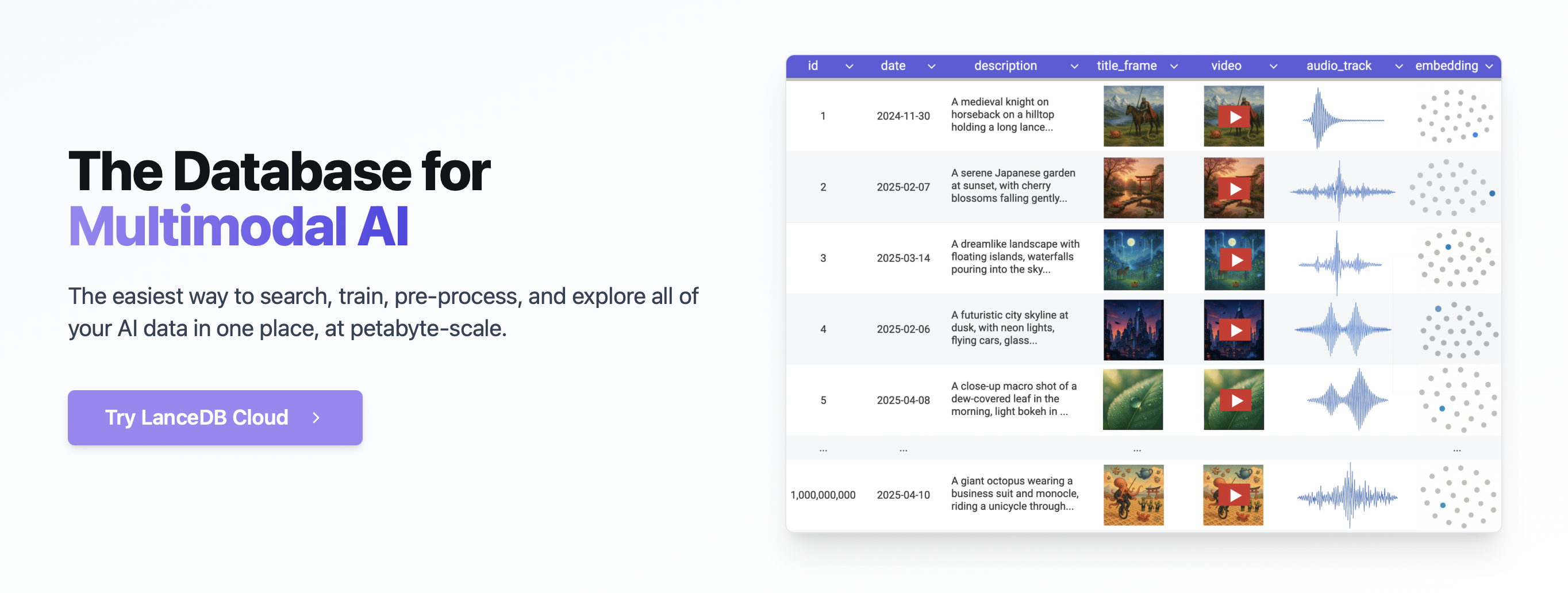
LanceDB is designed for fast, scalable, and production-ready vector search. It is built on top of the Lance columnar format. You can store, index, and search over petabytes of multimodal data and vectors with ease. LanceDB is a central location where developers can build, train and analyze their AI workloads.


Demo: Multimodal Search by Keyword, Vector or with SQL

LanceDB Multimodal Search

Star LanceDB to get updates!

Click here to see how fast we're growing!

Key Features:

  • Fast Vector Search: Search billions of vectors in milliseconds with state-of-the-art indexing.
  • Comprehensive Search: Support for vector similarity search, full-text search and SQL.
  • Multimodal Support: Store, query and filter vectors, metadata and multimodal data (text, images, videos, point clouds, and more).
  • Advanced Features: Zero-copy, automatic versioning, manage versions of your data without needing extra infrastructure. GPU support in building vector index.

Products:

  • Open Source & Local: 100% open source, runs locally or in your cloud. No vendor lock-in.
  • Cloud and Enterprise: Production-scale vector search with no servers to manage. Complete data sovereignty and security.

Ecosystem:

  • Columnar Storage: Built on the Lance columnar format for efficient storage and analytics.
  • Seamless Integration: Python, Node.js, Rust, and REST APIs for easy integration. Native Python and Javascript/Typescript support.
  • Rich Ecosystem: Integrations with LangChain 🦜🔗, LlamaIndex 🦙, Apache-Arrow, Pandas, Polars, DuckDB and more on the way.

How to Install:

Follow the Quickstart doc to set up LanceDB locally.

API & SDK: We also support Python, Typescript and Rust SDKs

Interface Documentation
Python SDK https://lancedb.github.io/lancedb/python/python/
Typescript SDK https://lancedb.github.io/lancedb/js/globals/
Rust SDK https://docs.rs/lancedb/latest/lancedb/index.html
REST API https://docs.lancedb.com/api-reference/rest

Join Us and Contribute

We welcome contributions from everyone! Whether you're a developer, researcher, or just someone who wants to help out.

If you have any suggestions or feature requests, please feel free to open an issue on GitHub or discuss it on our Discord server.

Check out the GitHub Issues if you would like to work on the features that are planned for the future. If you have any suggestions or feature requests, please feel free to open an issue on GitHub.

Contributors

Stay in Touch With Us


Website Blog Discord Twitter LinkedIn

Description
Languages
HTML 39.8%
Rust 28.9%
Python 23.1%
TypeScript 7.7%
Shell 0.3%
Other 0.1%