Running or debugging a Java main class of a project attached to the window failed to compile (its Maven dependencies were missing): launch preparation used the primary project's root, build model, settings and cache. Run/Debug/test launches now resolve the owning attached project (innermost root containing the module) and use its build model, Maven reactor, settings, classpath and launch-snapshot cache; older saved configurations resolve the same way.
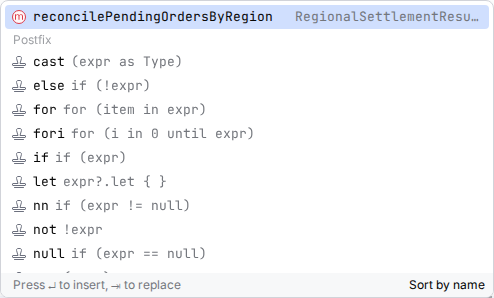
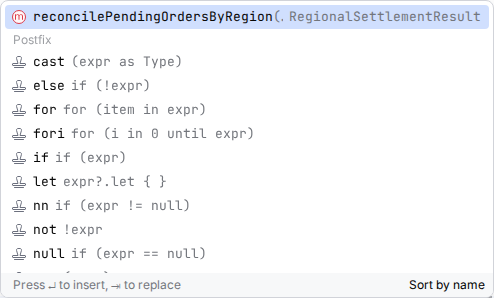
After expanding Java `fori`, the three occurrences of `i` were all editing selections, so arrow keys moved three carets. The shared snippet engine now selects only the first occurrence of each variable and mirrors edits to the others, for every live template and language and for LSP snippets with repeated placeholders; the Java-specific handling is gone.

Co-authored-by: jiejie1133 <116809768+jiejie1133@users.noreply.github.com>
Clicking a link to a heading in another file (e.g. [§5.2](b.md#52-状态机)) in the Markdown preview opened the file at the top. The destination now opens at the heading, in Preview Only and split mode, also when the file wasn't open yet (the preview scrolls once it has rendered). Markdown file-type aliases are honoured and a later link click wins over a slower earlier one.

Co-authored-by: fun90 <13536188+fun90@users.noreply.github.com>
Lombok-generated members (@SuperBuilder, @Data) put one override/implemented marker per generated method on the annotation line, filling the gutter. Markers of the same kind on a line now collapse into one icon with a combined tooltip; clicking it opens the target chooser (a single target still opens directly). Applies to all four inheritance marker kinds.
Select Opened File could not reveal a class opened from a dependency JAR that used a Maven classifier and was absent from External Libraries. The document knew its exact archive, but the Project view only searches registered archive roots.
External Libraries now adds the exact archive referenced by the active library document, labels it with its Maven coordinate when available, and removes the temporary entry once the build model lists the same archive.

Co-authored-by: kradme <17811095+kradme@users.noreply.github.com>
Copy Path/Reference… built a different submenu per entry point: the project view and the editor caret chooser list the contributed copy items (features/vcs: Path From Repository Root, GitHub Link), while the editor tab menu and the External Libraries menu hand-wrote theirs and silently dropped every contribution. Both hand-written submenus now append the same `copyPath` menu group, so all four entry points agree — and future contributions appear everywhere at once.

Co-authored-by: muutot <92625353+muutot@users.noreply.github.com>
With **Settings › Editor › General › Editor Tabs › Enable preview tab** on, a single click on a file in the Project view now opens it in the preview tab, and the next single click reuses that tab. Before, the click did nothing. The cause was two switches that weren't connected. The Project view checked its own "Enable Preview Tab" view option, which was off by default and only reachable from the view's ⋮ menu. The Settings checkbox was a separate setting, `editor.tabs.previewTab`, which was only read when a preview tab was created.
IntelliJ IDEA documents these as two ways into one setting, so this PR makes them one. The Project view reads `editor.tabs.previewTab` for single click and for Autoscroll to Source. Its ⋮ › Behavior › Enable Preview Tab item and the `project.option.previewTab` action (the id is unchanged) now write that setting. The old view option is removed from the saved Project view options when they load.
What existing users will see:
- Defaults (Settings on, view option off): single click now opens a preview tab. This is the fix. The editor setting already defaulted to on, so users who never changed anything get single-click preview after this change.
- Both on: no change.
- Both off: no change.

Co-authored-by: bertyhell <1710840+bertyhell@users.noreply.github.com>
In the Project view, copy a keyword, press ⌘F, then ⌘V: the app reported "No files on the clipboard" and the search box stayed empty, instead of pasting the keyword the user had copied to search with.
A tree's speed search is not a text field — its query is built from printable keydowns. So `⌘V` never reached the query: the keymap dispatcher ran `project.paste` on the selected folder, and the paste event that followed bubbled to the Project view's clipboard fallback, which runs the same action again.
The shared `Tree` now claims `⌘V` while a search is active (as it already claims `⌫` since #3226) and takes the clipboard text into its query: pasted text is flattened onto one line and the search jumps to the nearest match. With the search closed, or with a clipboard that holds no text, the view's Paste runs exactly as before.
Every tree with a speed search gets this — the Project view, the Database view, the Services tree and the GitHub changes tree all render `src/ui/Tree.tsx`.

Co-authored-by: aconeshana <52204454+aconeshana@users.noreply.github.com>
Drag-selecting in a long Find in Files query (or any text field) and moving the pointer past the field's left or right edge didn't scroll the text, so you couldn't select past what's visible. IntelliJ IDEA does scroll. WebKitGTK extends the selection in this case but never scrolls the field to follow it. Arrow keys do scroll. Now, while a drag that started in the field is past one of its edges, the field moves the selection end and the scroll position itself, faster the further out the pointer is. Once the pointer is back inside, WebKit's own selection takes over again. Both `Input` and `SearchField` get this.

Co-authored-by: bertyhell <1710840+bertyhell@users.noreply.github.com>
The Code Vision row above a declaration (usage count, author) cut off the top or bottom of its text, most visibly for Chinese labels like "10 个用法" / "无用法". The row was a fixed `height: 16px` with `overflow: hidden`, while its text is the editor font size minus 1px. At larger editor fonts, or with CJK fallback fonts that ink below the Latin metrics (Microsoft YaHei, Noto Sans CJK), the glyphs didn't fit.
The row now has `min-height: 16px`, and its items use `line-height: normal`, so the row grows to the ascent and descent of the fonts actually used. At the default font a Latin-only row is still exactly 16px. The line-end hint (Code Vision kinds set to "right") has the same 1em box with `overflow: hidden`. It keeps its size and position but now clips only horizontally.

Co-authored-by: bertyhell <1710840+bertyhell@users.noreply.github.com>
With a User filter on a merge-heavy history, the first page of the Git Log fanned the top merge out into dozens of dashed lanes, and the graph column pushed the commit subjects to the right. It went back to one line only after every match was loaded. The cause: `pruneFilteredEdges` (the #2670 fix) only judges a filtered connection when its target is on the loaded page. With the first 300 rows of the issue's repository, the merge kept 43 connections, 42 of them to rows that weren't loaded yet.
Now, while another kept connection of the commit already leads below the page, a filtered connection to an unloaded target waits until that target loads, and is then judged exactly like before. If no kept connection leads below the page, one filtered connection stays, so a row never looks like the end of its history. This is a heuristic: a connection that turns out to be needed (two unrelated side branches, both below the page) appears once its target loads. The sibling-branch test pins that behaviour. An exact answer on the first page would need the backend projection (`Visibility::parents`) to drop ancestors that another projected parent already reaches. This PR doesn't touch Rust; that could be a follow-up.
Go to Parent now pages until every unpruned connection of the commit is loaded, as it did before, so a merge still offers all its parents.

Co-authored-by: bertyhell <1710840+bertyhell@users.noreply.github.com>
Closes#4112 (its remaining half: #4347 stopped the terminal sliding sideways while composing, the
candidate window still opened at the far right of pi's input box).
xterm anchors the IME candidate window on its hidden helper textarea, and keeps that textarea on the
terminal cursor — on every render, on `compositionstart` and again on each `compositionupdate`. A
program that paints its own caret leaves the terminal cursor elsewhere: pi asks for a column past the
right edge of its input box (`ESC[21;411H` in a 206-column terminal, which xterm clamps) while it
Co-authored-by: H-TWINKLE <34811911+H-TWINKLE@users.noreply.github.com>
Claude Code can return an image from a tool call without including a Markdown image in its final reply. OpenIDEA discarded that image while normalizing and saving the tool result, so the conversation showed no preview.
Preserve inline tool images separately from truncated text and show them below the folded work summary. The existing image viewer opens the full preview; expanding the work does not duplicate it, and old conversations without an image field still load.

Co-authored-by: YannABC <9603157+YannABC@users.noreply.github.com>
The **File mask** menu in Find in Files now lists every language file type present in the project, most common first, after the recently used masks. Before, `refreshProjectMasks` kept only the 5 most common types, so in a project with six (rs, md, json, toml, yml, properties) the least common one, `*.properties`, could not be picked. The menu already scrolls and stays inside the window, so a long list stays usable.

Co-authored-by: bertyhell <1710840+bertyhell@users.noreply.github.com>
Backspacing through a closing tag such as `</div>` also emptied the opening tag, leaving `<>`. The first Backspace removes `>`. The parser still reads `</div` as the element's close tag, so every later Backspace in the name counted as a rename and was mirrored. Linked tag editing now only pairs two tags that both still end in `>`. A tag missing its `>` is being deleted, so nothing is mirrored into it or out of it. The same applies to an opening tag deleted before its children, in all the HTML-based modes and in JSX/TSX. XML does not use linked tags (`LINKED_TAG_LANGUAGES` in `prefs.ts`).

Co-authored-by: bertyhell <1710840+bertyhell@users.noreply.github.com>
The New menu had no built-in template for `.svelte` files. Add **Svelte Component** for Vite and Node.js projects, including SvelteKit workspace members. The template accepts SvelteKit filenames such as `+page.svelte`.

Co-authored-by: shohruh-genius <7658451+shohruh-genius@users.noreply.github.com>
The Git Log graph-equivalence test compares layouts for eight option combinations, each with five fragment configurations. Running all 40 comparisons in one Vitest case exceeded the five-second timeout on shared Linux runners. Give each option combination its own test for histories with and without refs. Each case still compares the complete layout with the dense reference implementation for all five fragment configurations and the same 2,400 commits.

Co-authored-by: faysou <893862+faysou@users.noreply.github.com>
Show History (and Add to VCS / the ignore actions) took the editor's file when the shortcut ran right after clicking a Project view row: the row publishes its selection on mousedown, but tree focus is a separate DOM event, so projectViewFocus was still false. File actions now use the Project view selection while the tree owns the context (its lead is set and the editor has no focus), the same rule External Tools use (shared projectViewContextLead helper).

Co-authored-by: akshathayadav378-boop <287247196+akshathayadav378-boop@users.noreply.github.com>
External Tools expanded $FilePath$ and the other file macros from the editor's file even while the Project view was the user's context. They now take the Project view's selected file while it is the context (no editor focus, not a virtual document); caret macros apply only when the editor shows that same file.

Co-authored-by: bertyhell <1710840+bertyhell@users.noreply.github.com>
Go to Hash/Branch/Tag reads refs from the repositories it searches (shown log tab, else the filtered ones, else every root) instead of an empty Repository filter, which offered only HEAD.
Move Statement on a case label in Go, JavaScript and Java moves the whole branch (stacked labels through its last line) past the neighbouring branch instead of only the label line.
In the Git Log Branches pane with several repositories, a branch every
repository has is listed once with no repository name. Hovering it now
lists each repository with the branch it tracks there.
The wheel now scrolls only the innermost scrollable container under the
pointer: a run of tool calls from its headers, a tool output from its text,
the conversation elsewhere. A nested container at its edge no longer hands
the rest of the gesture to the conversation, and a gesture stays with the
container it started in.

Opening or closing a section keeps its header where it was. Closing one near
the end leaves temporary room below the conversation that scrolling up or new
content takes back.
The Whole Task / Last Turn switch in the agent Changes pane was a full-width
segmented pill. It now uses the compact Tabs strip that tool window sub-views
use elsewhere.
Unified Diff shows original line numbers in the first column and modified line numbers in the second. Matching rows show both. Removed and inserted rows show the number for their own revision.

Line numbers stay beside the start of their rows when code wraps, and follow scrolling inside a large removed block. Matching rows keep their original numbers when empty lines are ignored. The column order also applies when the editable side is the Git index.
- Align the repository, checkout, branch, name, location and setup fields in one label-and-control grid. Use the standard dialog type size for labels and keep the worktree path preview beneath the Location field.
- Let the `.worktreeinclude` edit action wrap below its checkbox in narrow windows. With setup expanded, the standard dialog is about 118 logical pixels shorter, and the setup field fits without scrolling in a 440 × 520 window.
Limit the inline Find and Replace fields to three visible lines each. Longer text scrolls inside the fields, leaving more of the matched code on screen.
The Compose project dashboard listed only container chips, so resource usage meant opening each container, and the project's named volumes were only findable in the global Volumes group among anonymous hashes. It now shows a per-service table (status, CPU, memory, network and block I/O, PIDs) sampled with bounded concurrency and refreshed every 3 s without overlapping requests while the dashboard is visible (paused when the tool window or app is hidden; the container dashboard's stats use the same live sampling instead of a manual Refresh), plus a Volumes section with the project's named volumes that links to each Volume Overview and back.

Co-authored-by: dengliu <5108773+dengliu@users.noreply.github.com>
Docker Compose containers carry their Compose files and service name but had no way back to the source. Jump to Source (F4 / Cmd+Down, context menu, docker.jumpToSource) on a Compose container opens the Compose file at its service declaration and on a Compose project at the services section; the container dashboard's Command row has a button that lands on the service's command value (else entrypoint, across inline values, block scalars and sequences, later override files taking precedence), and the Compose project dashboard lists its Compose files as links. Missing or unreadable files show a notification.

Co-authored-by: dengliu <5108773+dengliu@users.noreply.github.com>
Property rows in the Docker dashboards aligned items on their baseline; an inline-block value's baseline is its last line, so a wrapped multi-line command painted its earlier lines upward over the rows above it. Rows now align at start with a minmax(0, 1fr) value column, and container/image commands render as a single-line preview (newline markers, copy button, no auto-ellipsis tooltip via data-no-tooltip) that expands into a bounded scrollable block with Entrypoint and Command arguments shown separately.

Co-authored-by: dengliu <5108773+dengliu@users.noreply.github.com>
Find in Files and Replace in Files show up to three lines in each query field. Longer text scrolls within its field. Closer spacing between the search and replacement fields gives matches and the source preview more room in short windows.
Git > Commit… from the Project view ignored the selection. It now passes the selected paths, and the commit interface (modal or not) opens with only the changes at or below them checked: tracked and unversioned files included, conflicts left out, the rest of the working tree still listed.

Co-authored-by: kradme <17811095+kradme@users.noreply.github.com>
When the editor font's glyph box is taller than the line height (e.g. 18px font at 18px line height), Find matches, occurrence highlights, in-place rename spans, matched brackets, search results and plugin range marks painted the full inline box into the rows above and below. They now share a 1lh-capped background (and a 1px-framed variant), as selection marks already were, keeping background-color / outline fallbacks for Safari before 16.4.

Co-authored-by: dengliu <5108773+dengliu@users.noreply.github.com>
Every streamed file triggered a Find tool window update that rebuilt the whole result tree and its lookup tables, so a search matching thousands of files grew quadratically and froze the IDE. The session now publishes streamed results at most every 50 ms (the first file still at once), and the tool window builds its tree incrementally: only new files get nodes, merged into the sorted result; a list that is not an extension of the previous one is rebuilt.

Co-authored-by: Mr0Bread <55754540+Mr0Bread@users.noreply.github.com>
The Memory Instances tree gives field values room beside long names. The panel title uses the workbench font. Field names and value previews that run out of space use ellipses and show the full text on hover, and the row's Show Referrers button stays in reach.
WebKit skips clearing the selection highlight inside a subtree whose rendering is skipped, so a kept-alive tab (an Agent conversation) hidden with content-visibility kept a stale highlight after switching back. Hiding a kept tab now clears a selection inside it while keeping it rendered (invisibly) for one frame via a shared useSelectionVisibility hook, and the agent stream keeps data-selection independent of visibility so off-screen rows clear too.

Co-authored-by: dengliu <5108773+dengliu@users.noreply.github.com>
Typing and Enter in a large TypeScript file got slower with its size. @lezer/common 1.5.6 gives each repeat group the look-ahead in effect where it ends, so groups above an edit stay reusable and an edit no longer re-parses the file up to the caret; decoratorRanges scans only subtrees not already known to hold no decorator; and Enter's one-line string check parses and highlights only the caret's line instead of the whole document.

Co-authored-by: Mr0Bread <55754540+Mr0Bread@users.noreply.github.com>
Make the Coverage table's Line and Branch columns adjustable. The divider next to Element gives space to the file tree, and the divider between the metrics redistributes space between them. Each column shows the full covered/total count when it has room. Compact columns keep the percentage visible and show the full count on hover.

Drag a divider or focus it and use the arrow keys. Double-click a divider to restore the default widths. The table remembers widths across reloads and fits them to smaller docks.
computeGraph kept its lanes in a dense array indexed by layout number, which grows with the log, and scanned every slot for each row, making each further page of Git Log quadratic in the loaded commits. Lanes are now kept sparsely so a row costs its live lanes, with identical output (checked against a reference implementation), and the graph is laid out again only when an option that shapes it changes.

Co-authored-by: Mr0Bread <55754540+Mr0Bread@users.noreply.github.com>
planRefresh and dropListings compared every loaded folder with every removed path or ignore-rule root. They now look up each folder and its ancestors in a set (insideAnyOf), with the same semantics as isSameOrInside.

Co-authored-by: Mr0Bread <55754540+Mr0Bread@users.noreply.github.com>
 l0ng-ai
 jiejie1133

 fun90andfun90

 langxpandkradme

 Muuandmuutot

 Bert Verhelstandbertyhell

 aconeshanaandaconeshana
 TWINKLE
 Yann

 faysouandfaysou

 Shohruh Ismoilovandshohruh-genius

 akshathayadav378-boopandakshathayadav378-boop

 Deng Liuanddengliu
 Mr0Bread