Bulwark: webmail for Stalwart Mail Server. Mail, calendar, contacts and files in one browser client.

latest release  docker: ghcr.io/bulwarkmail/webmail  license: AGPL v3  Discord members online

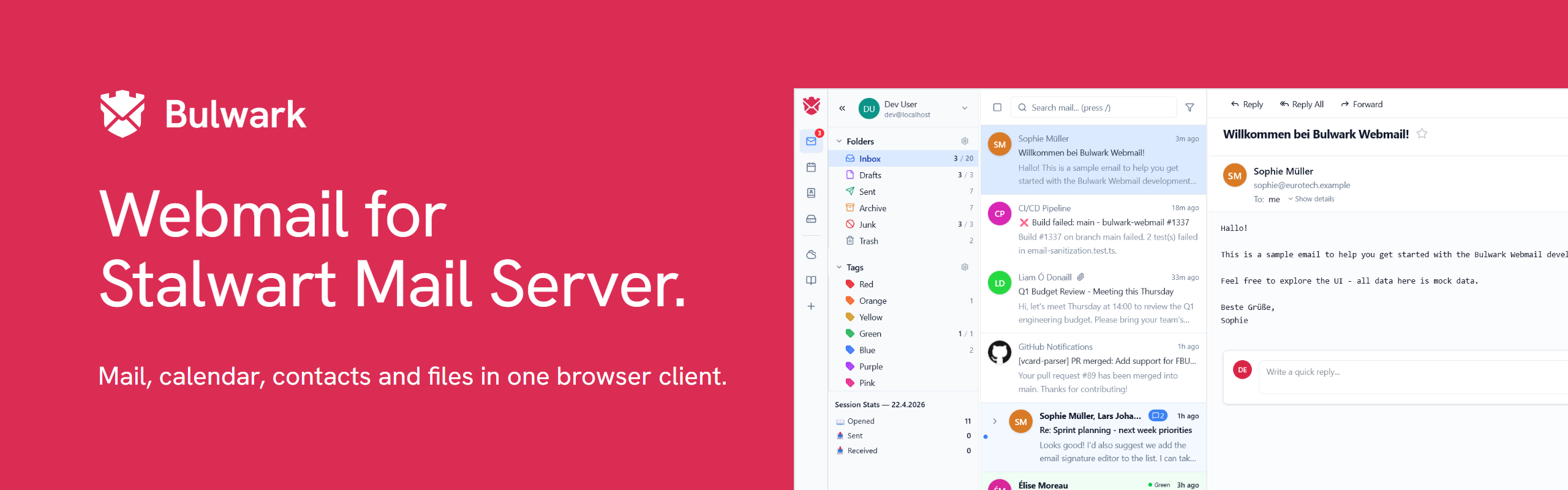
Bulwark Webmail is a self-hosted webmail client for [Stalwart Mail Server](https://stalw.art/), built with Next.js and the JMAP protocol. ## Screenshots Mail view
Calendar Contacts
Calendar – month, week, day, and agenda views with drag-to-reschedule, iMIP invitations, and CalDAV subscriptions. Contacts – multiple address books, groups, vCard import/export, and autocomplete in the composer.
Themes Plugins
Themes – bundled color themes or upload your own as ZIP bundles; admins can enforce presets. Plugins – extend the client with bundled or third-party plugins installed from a .zip file.
Light mode Settings
Light mode – full theme support, remapping HTML email colors by luminance so dark-on-dark text stays readable. Settings – appearance, identities, filters, templates, security, and more.
## What Bulwark includes Bulwark is a full webmail suite. It bundles the four apps most self-hosters end up wanting: - **Mail** – threading, unified inbox, cross-account "All accounts" views, full-text search, Sieve filters, S/MIME, templates - **Calendar** – month/week/day/agenda, recurring events, iMIP invitations, CalDAV subscriptions - **Contacts** – multiple address books, groups, vCard import/export - **Files** – Stalwart's JMAP FileNode storage with previews and folder upload They share one login, one settings store, and one admin dashboard. SSO, 2FA, multi-account, 27 languages, PWA install, themes, and plugins apply across all four. Full feature list: **[FEATURES.md](FEATURES.md)**. --- ## Quick start ### Docker ```bash docker run -d -p 3000:3000 ghcr.io/bulwarkmail/webmail:latest ``` Or with Docker Compose: ```bash docker compose up -d ``` On first launch, open `http://localhost:3000` and the setup wizard takes over. Installs that already define `JMAP_SERVER_URL` skip it and keep the env-managed flow under [Configuration](#configuration). ### From source ```bash git clone https://github.com/bulwarkmail/webmail.git cd webmail npm install npm run build && npm start # Then open http://localhost:3000 to run the setup wizard ``` ### Static Lite build Bulwark Lite is the same client exported as static files: no Node.js process, upload the folder to any static host (nginx, Caddy, Netlify, Cloudflare Pages, GitHub Pages, an S3 bucket). Mail, calendar, contacts and files talk to the JMAP server straight from the browser, so the only server-side requirement is CORS on the mail server (`http.permissive-cors = true` in Stalwart). Every release ships `bulwark-lite-.zip` (and `bulwark-lite-stalwart.zip`, see [Install on Stalwart](#install-on-stalwart)), and the **Build Static Lite** workflow can be dispatched with a fixed server URL, app name, sub-path mount, locale subset or the demo flag. To build locally: ```bash git worktree add ../bulwark-lite HEAD # disposable checkout: the build deletes server-only trees cd ../bulwark-lite && npm ci LITE_JMAP_SERVER_URL=https://mail.example.com npm run build:lite -- --in-place npm run lite:serve # http://localhost:4173/ ``` `out/` then holds one shell per locale and surface plus the deployer files: `config.json` (server URL, app name, login branding; editable without a rebuild), `policy.json`, `manifest.webmanifest`, `_redirects` and `_headers` (Netlify/Cloudflare), `nginx.conf.example`, `Caddyfile.example`, a `404.html` that replays deep links on hosts without rewrite rules, and `LITE-README.md` with the three-step setup. Build inputs: `LITE_JMAP_SERVER_URL`, `LITE_APP_NAME`, `LITE_ALLOW_CUSTOM_ENDPOINT`, `LITE_REMEMBER_ME`, `LITE_DEMO_MODE`, `LITE_LOCALES` (e.g. `en,de`), `NEXT_PUBLIC_BASE_PATH`. Lite keeps everything that runs in the browser (multi-account, password and TOTP login, "remember me" via Stalwart refresh tokens, themes, deep links, demo mode). Server-backed features are off: the admin console and setup wizard, plugins and sidebar apps, settings sync, OAuth/SSO, the account security tab, ICS URL subscriptions and CalDAV discovery, sender favicons, office editing, web push, the update banner, the "Default apps" protocol-handler registration. Password logins go through Stalwart's token endpoints in the browser (`/api/auth` + `/auth/token`, so those need CORS as well); without "remember me" the refresh token lives in sessionStorage and the session ends with the tab. `scripts/lite/verify.mjs` fails the build if a client chunk references a server endpoint that is not documented in `scripts/lite/lib.mjs`, and `npm run test:lite-smoke` drives a demo export with Playwright. #### Lite as a container `ghcr.io/bulwarkmail/webmail-lite` is the same export behind an unprivileged nginx (no Node.js at runtime, runs as uid 101, listens on 8080, IPv4 and IPv6). Releases are tagged like the main image (`latest`, `1.11.0`, `1.11`, `1`); `ghcr.io/bulwarkmail/webmail-lite-beta:latest` follows `main`. Configure it by mounting your own `config.json` (and, if you need it, `policy.json`) over the baked one: ```yaml services: webmail-lite: image: ghcr.io/bulwarkmail/webmail-lite:latest ports: - "8080:8080" environment: # connect-src of the Content-Security-Policy. Defaults to "*" because the # image cannot know your mail server; pin it once config.json does. - LITE_CSP_CONNECT_SRC=https://mail.example.com volumes: - ./config.json:/usr/share/nginx/html/config.json:ro # Optional hardening: nginx only writes to these two. read_only: true tmpfs: - /tmp - /etc/nginx/conf.d:uid=101,gid=101 restart: unless-stopped ``` ```json { "appName": "Example Mail", "jmapServerUrl": "https://mail.example.com", "allowCustomJmapEndpoint": false, "rememberMeEnabled": true } ``` The nginx config is generated from the same routing rules as `nginx.conf.example` (deep links below a surface fall back to that surface's shell, everything else is a real 404) and adds what a static host's `_headers` would: the Content-Security-Policy and the other security headers, immutable caching for `/_next/static/`, revalidation for the shells and `config.json`, gzip. Terminate TLS in the reverse proxy in front of it. The image serves from `/`, so give it a host of its own rather than a sub-path, and remember that the browser talks to the mail server directly: CORS as described above. To bake different defaults or a locale subset, build it yourself - the build args are the `LITE_*` inputs above: ```bash docker build -f Dockerfile.lite --build-arg LITE_LOCALES=en,de -t bulwark-lite . ``` #### Install on Stalwart Stalwart 0.16 can host the webmail itself as an `Application`: it downloads a zip, serves it under a path of its own HTTP listener, and the webmail talks to the same origin's JMAP, `/api/auth` and `/auth/token`, so there is no server URL to enter and no CORS to set up. Every release ships `bulwark-lite-stalwart.zip` for this (built with `npm run build:lite -- --target=stalwart`). An administrator creates the Application and then asks Stalwart to fetch it. Creating it alone mounts nothing: ```bash stalwart-cli create Application \ --field description='Bulwark Webmail' \ --field resourceUrl='https://github.com/bulwarkmail/webmail/releases/latest/download/bulwark-lite-stalwart.zip' \ --field 'urlPrefix={"/webmail":true}' stalwart-cli create Action/UpdateApps ``` The same in the web admin: **Settings > Web Applications**, create the entry, then run the "update applications" action (or restart Stalwart). Over JMAP, as an administrator: ```json { "using": ["urn:ietf:params:jmap:core", "urn:stalwart:jmap"], "methodCalls": [ ["x:Application/set", { "create": { "webmail": { "description": "Bulwark Webmail", "resourceUrl": "https://github.com/bulwarkmail/webmail/releases/latest/download/bulwark-lite-stalwart.zip", "urlPrefix": { "/webmail": true } } } }, "0"], ["x:Action/set", { "create": { "u": { "@type": "UpdateApps" } } }, "1"] ] } ``` Then open `https:///webmail/`. Notes: - **Permissions**: `sysApplicationCreate` (plus `sysApplicationGet`/`Query`/`Update`/`Destroy` to manage it) and `actionUpdateApps`. - **Prefix**: `urlPrefix` matches the first path segment only, and one bundle may be mounted under several prefixes; it reads its prefix at runtime. Stalwart routes these segments itself, so they cannot host an Application: `jmap`, `dav`, `.well-known`, `auth`, `api`, `scim`, `mail`, `calendar`, `autodiscover`, `login`, `device`, `metrics`, `healthz`, `logo`, `form`, `robots.txt`, and the web admin's `admin` and `account`. - **Updates**: Stalwart caches the zip for `autoUpdateFrequency` (default 90 days) and downloads `resourceUrl` again at the next restart or `UpdateApps` after that. `UpdateApps` always re-downloads, so it is also how to update right away. Open tabs switch to the new build on their next navigation (one full page load); files the app fetches without a content hash carry the build id, so Stalwart's year-long cache headers never pin an old build. - **Pinning**: use `https://github.com/bulwarkmail/webmail/releases/download//bulwark-lite-stalwart.zip` as `resourceUrl`. - **OAuth client**: login uses the Application's `oauthClientId`, or `bulwark-webmail` when it is empty. If client registration is required, register that id with the redirect URI `https:////` (one per prefix). - **Single sign-on**: accounts whose directory is an external OpenID provider cannot use the password form (Stalwart has no password to check). The app asks Stalwart who signs an address in and shows **Sign in with SSO** for them instead: authorization code with PKCE, redeemed in the browser. At the provider, register a public client (the `oauthClientId`, or `bulwark-webmail`) with the redirect URI `https:////oauth/callback` (no locale in it, so one per prefix) and allow CORS from the Stalwart host on its token endpoint, as Stalwart's own web admin requires. Setting `oauthClientId` also offers SSO next to the password form. - **Minimum version**: Stalwart 0.16.0 (0.16.19 for `oauthClientId`). - **Differences from the static-host zip**: one entry document boots every route (Stalwart has no rewrite rules), no `_redirects`/`_headers`/nginx/Caddy files and no `404.html`, `config.json` defaults to the serving Stalwart and hides the server field, and `manifest.json` replaces `manifest.webmanifest`. The bundle is read-only; to rename or rebrand it, run the **Build Static Lite** workflow (or the build above with `LITE_APP_NAME` etc.), host the resulting `bulwark-lite-stalwart.zip` yourself and point `resourceUrl` at it. ### Development ```bash cp .env.dev.example .env.local # Built-in mock JMAP server, no mail server needed npm run dev # Dev server npm run typecheck npm run lint npx vitest run # Unit tests npm run test:integration # Dockerized Stalwart + Playwright suite (see integration/README.md) ``` ## Configuration Most deployments are configured through the setup wizard on first launch, then the admin dashboard; those values live in the admin config directory rather than `.env.local`. Environment variables still work, and they suit read-only or immutable infrastructure better. An environment variable always wins over the admin-managed value, so setting `JMAP_SERVER_URL` hides that field from the wizard and locks it in the admin UI. Nearly all variables are evaluated at runtime, so Docker deployments can be reconfigured without rebuilding. The exceptions are the `NEXT_PUBLIC_*` ones noted below, which Next.js bakes in at build time. Edit `.env.local`: ```env # Optional – overrides whatever the wizard writes JMAP_SERVER_URL=https://mail.example.com APP_NAME=My Webmail ```
Server listen address ```env HOSTNAME=0.0.0.0 # Default; use "::" for IPv6 PORT=3000 ```
OAuth2 / OIDC ```env OAUTH_ENABLED=true OAUTH_ONLY=true # hide the username/password form entirely OAUTH_CLIENT_ID=webmail OAUTH_CLIENT_SECRET= # optional, for confidential clients OAUTH_CLIENT_SECRET_FILE= # path to a file containing the secret OAUTH_ISSUER_URL= # optional, for external IdPs OAUTH_AUTHORIZE_URL= # override only the user-facing authorize endpoint OAUTH_ALLOW_PRIVATE_ENDPOINTS= # allow discovery to resolve to RFC-1918 addresses OAUTH_SCOPES= # replace the requested scopes (space-separated) OAUTH_EXTRA_SCOPES= # append to the defaults instead of replacing them AUTO_SSO_ENABLED=true # skip the login form, go straight to the IdP ``` Endpoints are auto-discovered via `.well-known/oauth-authorization-server` or `.well-known/openid-configuration`. `OAUTH_ALLOW_PRIVATE_ENDPOINTS` is off by default as an SSRF guard. Enable it only for split-DNS deployments where the issuer's public hostname resolves to an internal IP.
Anonymous telemetry ```env BULWARK_TELEMETRY=on # opt-in; off by default TELEMETRY_DATA_DIR=./data/telemetry # instance id and consent; mount a volume ``` Off unless you turn it on, in the admin UI, the installer, or here. Heartbeats carry version, platform, bucketed account counts, and feature toggles. No email addresses, hostnames, or IPs. Setting the variable (to either value) locks the choice and disables the admin toggle.
Session & settings sync ```env SESSION_SECRET= # openssl rand -base64 32 SESSION_SECRET_FILE=/session-secret # path to a file containing the secret SETTINGS_SYNC_ENABLED=true SETTINGS_DATA_DIR=./data/settings # mount as a volume in Docker ``` Credentials are encrypted with AES-256-GCM and stored in an httpOnly cookie (30-day expiry). Settings sync stores per-account preferences encrypted at rest and requires `SESSION_SECRET`.
Multiple JMAP servers & custom endpoints ```env ALLOW_CUSTOM_JMAP_ENDPOINT=true JMAP_SERVERS=[{"id":"eu","label":"Europe","url":"https://eu.example.com","domains":["example.com"]},{"id":"us","label":"US","url":"https://us.example.com"}] JMAP_SERVER_AUTO_PICK_BY_DOMAIN=true ``` `ALLOW_CUSTOM_JMAP_ENDPOINT` shows a "JMAP Server" field on the login form. External servers must CORS-allow the webmail origin. `JMAP_SERVERS` offers a fixed list instead; each entry needs `id`, `label`, and `url`, and may carry `domains` and its own `oauth` block. With `JMAP_SERVER_AUTO_PICK_BY_DOMAIN`, the domain of the address the user types selects the server. The admin dashboard manages the same list — the env form is for stateless deployments.
Branding & PWA ```env APP_NAME=My Webmail APP_SHORT_NAME=Webmail APP_DESCRIPTION=Your personal mail FAVICON_URL=/branding/favicon.svg PWA_ICON_URL=/branding/icon.svg # falls back to FAVICON_URL PWA_THEME_COLOR=#3b82f6 PWA_BACKGROUND_COLOR=#ffffff APP_LOGO_LIGHT_URL=/branding/logo-light.svg APP_LOGO_DARK_URL=/branding/logo-dark.svg LOGIN_LOGO_LIGHT_URL=/branding/login-light.svg LOGIN_LOGO_DARK_URL=/branding/login-dark.svg LOGIN_COMPANY_NAME=My Company LOGIN_WEBSITE_URL=https://example.com LOGIN_IMPRINT_URL=https://example.com/imprint LOGIN_PRIVACY_POLICY_URL=https://example.com/privacy # Web push goes through a hosted relay, so no VAPID keys or Firebase project # of your own. Point this at your own relay to opt out. Build-time variable. NEXT_PUBLIC_PUSH_RELAY_URL=https://notifications.relay.bulwarkmail.org # Per-domain overrides (optional). When the webmail is served on multiple # hostnames, each host can override any subset of the branding fields above. # Match is on the request Host (or X-Forwarded-Host). Use "*.example.com" to # match any subdomain. Unset fields fall back to the global values. DOMAIN_BRANDING=[{"host":"maildomain1.com","loginCompanyName":"Company One","loginLogoLightUrl":"/branding/one.svg"},{"host":"maildomain2.com","loginCompanyName":"Company Two"}] ```
Extension directory ```env EXTENSION_DIRECTORY_URL=https://extensions.bulwarkmail.org PLUGIN_DEV_DIR=../my-plugins # load plugins from disk instead of ZIPs ``` `EXTENSION_DIRECTORY_URL` enables the admin marketplace for browsing and installing plugins and themes. `PLUGIN_DEV_DIR` is for plugin authors: each immediate subfolder is one plugin with a `manifest.json`, and an entrypoint under `src/` is bundled on demand with esbuild, so editing sources needs only a browser refresh. Sandboxed plugins that integrate provider-side labels can use the native `api.keywords` facade exposed by `@plugin-host`: ```js const api = require('@plugin-host'); const known = await api.keywords.list(); // settings:read const scan = await api.jmap.getKeywords(); // email:read const providerLabel = scan.labels .find((label) => label.id.startsWith('$label:')); if (providerLabel) { await api.keywords.add([{ // settings:write id: providerLabel.id.slice('$label:'.length), label: providerLabel.name, // color is optional; Bulwark picks a palette colour when omitted visibility: 'show', }]); } const current = await api.keywords.list(); // settings:read await api.keywords.reorder(current.map(({ id }) => id), { // settings:write caseSensitive: false, // default }); const counts = await api.keywords.refreshCounts(); // email:read // Complete replacement: keywords omitted here are removed from the message. await api.jmap.setKeywords('email-id', { // email:write '$seen': true, '$label:provider-label-id': true, }); await api.jmap.setKeyword('email-id', '$label:work'); // email:write await api.jmap.removeKeyword('email-id', '$label:work'); // email:write ``` `jmap.getKeywords()` is a narrow read-only facade rather than an arbitrary JMAP request API. When the JMAP server advertises `https://bulwarkmail.com/ns/jmap/keywords`, it returns all cached keywords with exact total/unread counts and provider-label metadata, including empty provider labels. On servers without the capability it falls back to a bounded scan of message keywords. `keywords.discover()` retains its original message-scan response for compatibility. `jmap.setKeywords()` replaces one message's complete keyword map via `Email/set`. Omitted keywords are removed, so extensions should use the existing `jmap.setKeyword()` and `jmap.removeKeyword()` methods for incremental edits. The existing `email.setKeyword()` and `email.removeKeyword()` names remain as compatibility aliases. `keywords.add()` is append-only and case-insensitive by id: it returns added and skipped definitions without overwriting the user's existing label name, colour, visibility, or order. `keywords.reorder()` accepts a complete permutation of the existing label ids and changes only their order; missing, unknown, or duplicate ids are rejected without changing settings. Matching is case-insensitive by default; pass `{ caseSensitive: true }` to require exact id casing. Keyword discovery reports whether its bounded scan was complete.
Stalwart integration & logging ```env STALWART_FEATURES=true # password change, Sieve filters, etc. LOG_FORMAT=text # "text" or "json" LOG_LEVEL=info # error | warn | info | debug ```
Admin data directories ```env ADMIN_CONFIG_DIR=./data/admin # operator-authored: config.json, policy.json, plugins/, themes/ ADMIN_STATE_DIR=./data/admin-state # runtime: audit log, login timestamps, setup token ADMIN_CONFIG_READONLY=true # enforce read-only mode at the app layer ``` The split lets you mount the config volume read-only after the setup wizard completes. Legacy installs that pre-date the split keep working through `ADMIN_DATA_DIR`.
Default UI locale The UI language follows each visitor's `Accept-Language` header and their stored preference. `NEXT_PUBLIC_DEFAULT_LOCALE` sets the fallback used when neither matches a supported locale (default `en`): ```env NEXT_PUBLIC_DEFAULT_LOCALE=de ``` Supported: `ar`, `ca`, `cs`, `da`, `de`, `en`, `es`, `fa`, `fr`, `he`, `hu`, `it`, `ja`, `ko`, `lv`, `nl`, `pl`, `pt`, `ro`, `ru`, `sk`, `tr`, `uk`, `zh`. An unsupported value falls back to `en`. Like `NEXT_PUBLIC_BASE_PATH`, this is read at **build time**. To use it with the published Docker image, build your own: ```bash docker build --build-arg NEXT_PUBLIC_DEFAULT_LOCALE=de -t bulwark-webmail . ```
Subpath / reverse proxy mount To serve the webmail at a subpath (e.g. `https://example.com/webmail`): ```env NEXT_PUBLIC_BASE_PATH=/webmail NEXT_PUBLIC_LOCALE_PREFIX=always # avoids next-intl rewrite loops ``` Unlike most other variables, `NEXT_PUBLIC_BASE_PATH` is read at **build time** because Next.js bakes it into emitted asset URLs. To use it with the published Docker image, build your own image with the variable set: ```bash docker build --build-arg NEXT_PUBLIC_BASE_PATH=/webmail -t bulwark-webmail . ``` Then point your reverse proxy at the container without stripping the prefix. The app expects requests under `/webmail/...` and serves every route (`/webmail/api/...`, `/webmail/_next/static/...`, `/webmail/sw.js`, and so on) accordingly.
## Keyboard shortcuts | Key | Action | | -------------------- | ----------------------- | | `j` `↓` / `k` `↑` | Navigate between emails | | `Enter` / `o` | Open email | | `Esc` | Close / deselect | | `x` | Expand / collapse thread | | `c` | Compose | | `r` / `R` `a` | Reply / Reply all | | `f` | Forward | | `s` | Star | | `e` | Archive | | `#` / `Del` | Delete | | `u` / `Shift`+`I` | Mark unread / read | | `!` | Toggle spam | | `Ctrl`+`A` | Select all | | `Shift`+`G` | Refresh | | `/` | Search | | `?` | Show all shortcuts | In the composer: `Ctrl/Cmd`+`Enter` sends, `Ctrl/Cmd`+`Shift`+`Enter` opens scheduled send, and `t` opens the template picker. ## Tech stack | | | | ------------- | ------------------------------------------------- | | **Framework** | [Next.js 16](https://nextjs.org/) with App Router, React 19 | | **Language** | TypeScript | | **Styling** | [Tailwind CSS v4](https://tailwindcss.com/) | | **State** | [Zustand](https://zustand-demo.pmnd.rs/) | | **Protocol** | Custom JMAP client (RFC 8620) | | **Editor** | [Tiptap](https://tiptap.dev/) | | **i18n** | [next-intl](https://next-intl-docs.vercel.app/) | | **Icons** | [Tabler Icons](https://tabler.io/icons) | | **Testing** | [Vitest](https://vitest.dev/) + [Playwright](https://playwright.dev/) | ## Why Stalwart? [Stalwart](https://github.com/stalwartlabs/mail-server) is a Rust mail server with native JMAP support – not IMAP/SMTP with JMAP bolted on. It handles JMAP, IMAP, SMTP, and ManageSieve in a single self-hosted binary with no third-party dependencies. ## Contributing See [CONTRIBUTING.md](CONTRIBUTING.md). ## License [GNU AGPL v3](LICENSE). This repository preserves the original MIT attribution for the fork lineage in [NOTICE](NOTICE). ## Acknowledgments Thanks to [root-fr/jmap-webmail](https://github.com/root-fr/jmap-webmail/) and [@ma2t](https://github.com/ma2t) for the groundwork this project builds upon.