mirror of
https://github.com/GreptimeTeam/greptimedb.git
synced 2025-12-23 06:30:05 +00:00
Compare commits
13 Commits
basic_with
...
transform-
| Author | SHA1 | Date | |
|---|---|---|---|

|
d4aa4159d4 | ||

|
960f6d821b | ||
|
|
9c5d044238 | ||
|
|
70c354eed6 | ||
|
|
23bf663d58 | ||
|
|
817648eac5 | ||
|
|
03b29439e2 | ||
|
|
712f4ca0ef | ||
|
|
60bacff57e | ||
|
|
6208772ba4 | ||
|
|
67184c0498 | ||
|
|
1dd908fdf7 | ||
|
|
8179b4798e |
@@ -3,12 +3,3 @@ linker = "aarch64-linux-gnu-gcc"
|
||||
|
||||
[alias]
|
||||
sqlness = "run --bin sqlness-runner --"
|
||||
|
||||
[unstable.git]
|
||||
shallow_index = true
|
||||
shallow_deps = true
|
||||
[unstable.gitoxide]
|
||||
fetch = true
|
||||
checkout = true
|
||||
list_files = true
|
||||
internal_use_git2 = false
|
||||
|
||||
15
.coderabbit.yaml
Normal file
15
.coderabbit.yaml
Normal file
@@ -0,0 +1,15 @@
|
||||
# yaml-language-server: $schema=https://coderabbit.ai/integrations/schema.v2.json
|
||||
language: "en-US"
|
||||
early_access: false
|
||||
reviews:
|
||||
profile: "chill"
|
||||
request_changes_workflow: false
|
||||
high_level_summary: true
|
||||
poem: true
|
||||
review_status: true
|
||||
collapse_walkthrough: false
|
||||
auto_review:
|
||||
enabled: false
|
||||
drafts: false
|
||||
chat:
|
||||
auto_reply: true
|
||||
2
.github/CODEOWNERS
vendored
2
.github/CODEOWNERS
vendored
@@ -4,7 +4,7 @@
|
||||
|
||||
* @GreptimeTeam/db-approver
|
||||
|
||||
## [Module] Database Engine
|
||||
## [Module] Databse Engine
|
||||
/src/index @zhongzc
|
||||
/src/mito2 @evenyag @v0y4g3r @waynexia
|
||||
/src/query @evenyag
|
||||
|
||||
@@ -41,14 +41,7 @@ runs:
|
||||
username: ${{ inputs.dockerhub-image-registry-username }}
|
||||
password: ${{ inputs.dockerhub-image-registry-token }}
|
||||
|
||||
- name: Set up qemu for multi-platform builds
|
||||
uses: docker/setup-qemu-action@v3
|
||||
with:
|
||||
platforms: linux/amd64,linux/arm64
|
||||
# The latest version will lead to segmentation fault.
|
||||
image: tonistiigi/binfmt:qemu-v7.0.0-28
|
||||
|
||||
- name: Build and push dev-builder-ubuntu image # Build image for amd64 and arm64 platform.
|
||||
- name: Build and push dev-builder-ubuntu image
|
||||
shell: bash
|
||||
if: ${{ inputs.build-dev-builder-ubuntu == 'true' }}
|
||||
run: |
|
||||
@@ -59,7 +52,7 @@ runs:
|
||||
IMAGE_NAMESPACE=${{ inputs.dockerhub-image-namespace }} \
|
||||
DEV_BUILDER_IMAGE_TAG=${{ inputs.version }}
|
||||
|
||||
- name: Build and push dev-builder-centos image # Only build image for amd64 platform.
|
||||
- name: Build and push dev-builder-centos image
|
||||
shell: bash
|
||||
if: ${{ inputs.build-dev-builder-centos == 'true' }}
|
||||
run: |
|
||||
@@ -76,7 +69,8 @@ runs:
|
||||
run: |
|
||||
make dev-builder \
|
||||
BASE_IMAGE=android \
|
||||
BUILDX_MULTI_PLATFORM_BUILD=amd64 \
|
||||
IMAGE_REGISTRY=${{ inputs.dockerhub-image-registry }} \
|
||||
IMAGE_NAMESPACE=${{ inputs.dockerhub-image-namespace }} \
|
||||
DEV_BUILDER_IMAGE_TAG=${{ inputs.version }}
|
||||
DEV_BUILDER_IMAGE_TAG=${{ inputs.version }} && \
|
||||
|
||||
docker push ${{ inputs.dockerhub-image-registry }}/${{ inputs.dockerhub-image-namespace }}/dev-builder-android:${{ inputs.version }}
|
||||
|
||||
@@ -54,7 +54,7 @@ runs:
|
||||
PROFILE_TARGET: ${{ inputs.cargo-profile == 'dev' && 'debug' || inputs.cargo-profile }}
|
||||
with:
|
||||
artifacts-dir: ${{ inputs.artifacts-dir }}
|
||||
target-files: ./target/$PROFILE_TARGET/greptime
|
||||
target-file: ./target/$PROFILE_TARGET/greptime
|
||||
version: ${{ inputs.version }}
|
||||
working-dir: ${{ inputs.working-dir }}
|
||||
|
||||
@@ -72,6 +72,6 @@ runs:
|
||||
if: ${{ inputs.build-android-artifacts == 'true' }}
|
||||
with:
|
||||
artifacts-dir: ${{ inputs.artifacts-dir }}
|
||||
target-files: ./target/aarch64-linux-android/release/greptime
|
||||
target-file: ./target/aarch64-linux-android/release/greptime
|
||||
version: ${{ inputs.version }}
|
||||
working-dir: ${{ inputs.working-dir }}
|
||||
|
||||
10
.github/actions/build-greptime-images/action.yml
vendored
10
.github/actions/build-greptime-images/action.yml
vendored
@@ -34,8 +34,8 @@ inputs:
|
||||
required: true
|
||||
push-latest-tag:
|
||||
description: Whether to push the latest tag
|
||||
required: true
|
||||
default: 'false'
|
||||
required: false
|
||||
default: 'true'
|
||||
runs:
|
||||
using: composite
|
||||
steps:
|
||||
@@ -47,11 +47,7 @@ runs:
|
||||
password: ${{ inputs.image-registry-password }}
|
||||
|
||||
- name: Set up qemu for multi-platform builds
|
||||
uses: docker/setup-qemu-action@v3
|
||||
with:
|
||||
platforms: linux/amd64,linux/arm64
|
||||
# The latest version will lead to segmentation fault.
|
||||
image: tonistiigi/binfmt:qemu-v7.0.0-28
|
||||
uses: docker/setup-qemu-action@v2
|
||||
|
||||
- name: Set up buildx
|
||||
uses: docker/setup-buildx-action@v2
|
||||
|
||||
8
.github/actions/build-images/action.yml
vendored
8
.github/actions/build-images/action.yml
vendored
@@ -22,8 +22,8 @@ inputs:
|
||||
required: true
|
||||
push-latest-tag:
|
||||
description: Whether to push the latest tag
|
||||
required: true
|
||||
default: 'false'
|
||||
required: false
|
||||
default: 'true'
|
||||
dev-mode:
|
||||
description: Enable dev mode, only build standard greptime
|
||||
required: false
|
||||
@@ -41,8 +41,8 @@ runs:
|
||||
image-name: ${{ inputs.image-name }}
|
||||
image-tag: ${{ inputs.version }}
|
||||
docker-file: docker/ci/ubuntu/Dockerfile
|
||||
amd64-artifact-name: greptime-linux-amd64-${{ inputs.version }}
|
||||
arm64-artifact-name: greptime-linux-arm64-${{ inputs.version }}
|
||||
amd64-artifact-name: greptime-linux-amd64-pyo3-${{ inputs.version }}
|
||||
arm64-artifact-name: greptime-linux-arm64-pyo3-${{ inputs.version }}
|
||||
platforms: linux/amd64,linux/arm64
|
||||
push-latest-tag: ${{ inputs.push-latest-tag }}
|
||||
|
||||
|
||||
15
.github/actions/build-linux-artifacts/action.yml
vendored
15
.github/actions/build-linux-artifacts/action.yml
vendored
@@ -48,7 +48,20 @@ runs:
|
||||
path: /tmp/greptime-*.log
|
||||
retention-days: 3
|
||||
|
||||
- name: Build greptime # Builds standard greptime binary
|
||||
- name: Build standard greptime
|
||||
uses: ./.github/actions/build-greptime-binary
|
||||
with:
|
||||
base-image: ubuntu
|
||||
features: pyo3_backend,servers/dashboard
|
||||
cargo-profile: ${{ inputs.cargo-profile }}
|
||||
artifacts-dir: greptime-linux-${{ inputs.arch }}-pyo3-${{ inputs.version }}
|
||||
version: ${{ inputs.version }}
|
||||
working-dir: ${{ inputs.working-dir }}
|
||||
image-registry: ${{ inputs.image-registry }}
|
||||
image-namespace: ${{ inputs.image-namespace }}
|
||||
|
||||
- name: Build greptime without pyo3
|
||||
if: ${{ inputs.dev-mode == 'false' }}
|
||||
uses: ./.github/actions/build-greptime-binary
|
||||
with:
|
||||
base-image: ubuntu
|
||||
|
||||
@@ -90,5 +90,5 @@ runs:
|
||||
uses: ./.github/actions/upload-artifacts
|
||||
with:
|
||||
artifacts-dir: ${{ inputs.artifacts-dir }}
|
||||
target-files: target/${{ inputs.arch }}/${{ inputs.cargo-profile }}/greptime
|
||||
target-file: target/${{ inputs.arch }}/${{ inputs.cargo-profile }}/greptime
|
||||
version: ${{ inputs.version }}
|
||||
|
||||
@@ -33,6 +33,15 @@ runs:
|
||||
- name: Rust Cache
|
||||
uses: Swatinem/rust-cache@v2
|
||||
|
||||
- name: Install Python
|
||||
uses: actions/setup-python@v5
|
||||
with:
|
||||
python-version: "3.10"
|
||||
|
||||
- name: Install PyArrow Package
|
||||
shell: pwsh
|
||||
run: pip install pyarrow numpy
|
||||
|
||||
- name: Install WSL distribution
|
||||
uses: Vampire/setup-wsl@v2
|
||||
with:
|
||||
@@ -47,6 +56,7 @@ runs:
|
||||
shell: pwsh
|
||||
run: make test sqlness-test
|
||||
env:
|
||||
RUSTUP_WINDOWS_PATH_ADD_BIN: 1 # Workaround for https://github.com/nextest-rs/nextest/issues/1493
|
||||
RUST_BACKTRACE: 1
|
||||
SQLNESS_OPTS: "--preserve-state"
|
||||
|
||||
@@ -66,5 +76,5 @@ runs:
|
||||
uses: ./.github/actions/upload-artifacts
|
||||
with:
|
||||
artifacts-dir: ${{ inputs.artifacts-dir }}
|
||||
target-files: target/${{ inputs.arch }}/${{ inputs.cargo-profile }}/greptime,target/${{ inputs.arch }}/${{ inputs.cargo-profile }}/greptime.pdb
|
||||
target-file: target/${{ inputs.arch }}/${{ inputs.cargo-profile }}/greptime
|
||||
version: ${{ inputs.version }}
|
||||
|
||||
@@ -9,8 +9,8 @@ runs:
|
||||
steps:
|
||||
# Download artifacts from previous jobs, the artifacts will be downloaded to:
|
||||
# ${WORKING_DIR}
|
||||
# |- greptime-darwin-amd64-v0.5.0/greptime-darwin-amd64-v0.5.0.tar.gz
|
||||
# |- greptime-darwin-amd64-v0.5.0.sha256sum/greptime-darwin-amd64-v0.5.0.sha256sum
|
||||
# |- greptime-darwin-amd64-pyo3-v0.5.0/greptime-darwin-amd64-pyo3-v0.5.0.tar.gz
|
||||
# |- greptime-darwin-amd64-pyo3-v0.5.0.sha256sum/greptime-darwin-amd64-pyo3-v0.5.0.sha256sum
|
||||
# |- greptime-darwin-amd64-v0.5.0/greptime-darwin-amd64-v0.5.0.tar.gz
|
||||
# |- greptime-darwin-amd64-v0.5.0.sha256sum/greptime-darwin-amd64-v0.5.0.sha256sum
|
||||
# ...
|
||||
|
||||
18
.github/actions/release-cn-artifacts/action.yaml
vendored
18
.github/actions/release-cn-artifacts/action.yaml
vendored
@@ -51,8 +51,8 @@ inputs:
|
||||
required: true
|
||||
upload-to-s3:
|
||||
description: Upload to S3
|
||||
required: true
|
||||
default: 'false'
|
||||
required: false
|
||||
default: 'true'
|
||||
artifacts-dir:
|
||||
description: Directory to store artifacts
|
||||
required: false
|
||||
@@ -64,11 +64,11 @@ inputs:
|
||||
upload-max-retry-times:
|
||||
description: Max retry times for uploading artifacts to S3
|
||||
required: false
|
||||
default: "30"
|
||||
default: "20"
|
||||
upload-retry-timeout:
|
||||
description: Timeout for uploading artifacts to S3
|
||||
required: false
|
||||
default: "120" # minutes
|
||||
default: "30" # minutes
|
||||
runs:
|
||||
using: composite
|
||||
steps:
|
||||
@@ -77,21 +77,13 @@ runs:
|
||||
with:
|
||||
path: ${{ inputs.artifacts-dir }}
|
||||
|
||||
- name: Install s5cmd
|
||||
shell: bash
|
||||
run: |
|
||||
wget https://github.com/peak/s5cmd/releases/download/v2.3.0/s5cmd_2.3.0_Linux-64bit.tar.gz
|
||||
tar -xzf s5cmd_2.3.0_Linux-64bit.tar.gz
|
||||
sudo mv s5cmd /usr/local/bin/
|
||||
sudo chmod +x /usr/local/bin/s5cmd
|
||||
|
||||
- name: Release artifacts to cn region
|
||||
uses: nick-invision/retry@v2
|
||||
if: ${{ inputs.upload-to-s3 == 'true' }}
|
||||
env:
|
||||
AWS_ACCESS_KEY_ID: ${{ inputs.aws-cn-access-key-id }}
|
||||
AWS_SECRET_ACCESS_KEY: ${{ inputs.aws-cn-secret-access-key }}
|
||||
AWS_REGION: ${{ inputs.aws-cn-region }}
|
||||
AWS_DEFAULT_REGION: ${{ inputs.aws-cn-region }}
|
||||
UPDATE_VERSION_INFO: ${{ inputs.update-version-info }}
|
||||
with:
|
||||
max_attempts: ${{ inputs.upload-max-retry-times }}
|
||||
|
||||
@@ -8,7 +8,7 @@ inputs:
|
||||
default: 2
|
||||
description: "Number of Datanode replicas"
|
||||
meta-replicas:
|
||||
default: 2
|
||||
default: 3
|
||||
description: "Number of Metasrv replicas"
|
||||
image-registry:
|
||||
default: "docker.io"
|
||||
@@ -58,8 +58,8 @@ runs:
|
||||
--set image.tag=${{ inputs.image-tag }} \
|
||||
--set base.podTemplate.main.resources.requests.cpu=50m \
|
||||
--set base.podTemplate.main.resources.requests.memory=256Mi \
|
||||
--set base.podTemplate.main.resources.limits.cpu=2000m \
|
||||
--set base.podTemplate.main.resources.limits.memory=3Gi \
|
||||
--set base.podTemplate.main.resources.limits.cpu=1000m \
|
||||
--set base.podTemplate.main.resources.limits.memory=2Gi \
|
||||
--set frontend.replicas=${{ inputs.frontend-replicas }} \
|
||||
--set datanode.replicas=${{ inputs.datanode-replicas }} \
|
||||
--set meta.replicas=${{ inputs.meta-replicas }} \
|
||||
|
||||
@@ -5,7 +5,7 @@ meta:
|
||||
|
||||
[datanode]
|
||||
[datanode.client]
|
||||
timeout = "120s"
|
||||
timeout = "60s"
|
||||
datanode:
|
||||
configData: |-
|
||||
[runtime]
|
||||
@@ -21,7 +21,7 @@ frontend:
|
||||
global_rt_size = 4
|
||||
|
||||
[meta_client]
|
||||
ddl_timeout = "120s"
|
||||
ddl_timeout = "60s"
|
||||
objectStorage:
|
||||
s3:
|
||||
bucket: default
|
||||
|
||||
@@ -5,7 +5,7 @@ meta:
|
||||
|
||||
[datanode]
|
||||
[datanode.client]
|
||||
timeout = "120s"
|
||||
timeout = "60s"
|
||||
datanode:
|
||||
configData: |-
|
||||
[runtime]
|
||||
@@ -17,7 +17,7 @@ frontend:
|
||||
global_rt_size = 4
|
||||
|
||||
[meta_client]
|
||||
ddl_timeout = "120s"
|
||||
ddl_timeout = "60s"
|
||||
objectStorage:
|
||||
s3:
|
||||
bucket: default
|
||||
|
||||
@@ -2,17 +2,16 @@ meta:
|
||||
configData: |-
|
||||
[runtime]
|
||||
global_rt_size = 4
|
||||
|
||||
|
||||
[wal]
|
||||
provider = "kafka"
|
||||
broker_endpoints = ["kafka.kafka-cluster.svc.cluster.local:9092"]
|
||||
num_topics = 3
|
||||
auto_prune_interval = "30s"
|
||||
trigger_flush_threshold = 100
|
||||
|
||||
|
||||
[datanode]
|
||||
[datanode.client]
|
||||
timeout = "120s"
|
||||
timeout = "60s"
|
||||
datanode:
|
||||
configData: |-
|
||||
[runtime]
|
||||
@@ -22,14 +21,14 @@ datanode:
|
||||
[wal]
|
||||
provider = "kafka"
|
||||
broker_endpoints = ["kafka.kafka-cluster.svc.cluster.local:9092"]
|
||||
overwrite_entry_start_id = true
|
||||
linger = "2ms"
|
||||
frontend:
|
||||
configData: |-
|
||||
[runtime]
|
||||
global_rt_size = 4
|
||||
|
||||
[meta_client]
|
||||
ddl_timeout = "120s"
|
||||
ddl_timeout = "60s"
|
||||
objectStorage:
|
||||
s3:
|
||||
bucket: default
|
||||
|
||||
@@ -18,8 +18,6 @@ runs:
|
||||
--set controller.replicaCount=${{ inputs.controller-replicas }} \
|
||||
--set controller.resources.requests.cpu=50m \
|
||||
--set controller.resources.requests.memory=128Mi \
|
||||
--set controller.resources.limits.cpu=2000m \
|
||||
--set controller.resources.limits.memory=2Gi \
|
||||
--set listeners.controller.protocol=PLAINTEXT \
|
||||
--set listeners.client.protocol=PLAINTEXT \
|
||||
--create-namespace \
|
||||
|
||||
2
.github/actions/start-runner/action.yml
vendored
2
.github/actions/start-runner/action.yml
vendored
@@ -56,7 +56,7 @@ runs:
|
||||
|
||||
- name: Start EC2 runner
|
||||
if: startsWith(inputs.runner, 'ec2')
|
||||
uses: machulav/ec2-github-runner@v2.3.8
|
||||
uses: machulav/ec2-github-runner@v2
|
||||
id: start-linux-arm64-ec2-runner
|
||||
with:
|
||||
mode: start
|
||||
|
||||
2
.github/actions/stop-runner/action.yml
vendored
2
.github/actions/stop-runner/action.yml
vendored
@@ -33,7 +33,7 @@ runs:
|
||||
|
||||
- name: Stop EC2 runner
|
||||
if: ${{ inputs.label && inputs.ec2-instance-id }}
|
||||
uses: machulav/ec2-github-runner@v2.3.8
|
||||
uses: machulav/ec2-github-runner@v2
|
||||
with:
|
||||
mode: stop
|
||||
label: ${{ inputs.label }}
|
||||
|
||||
20
.github/actions/upload-artifacts/action.yml
vendored
20
.github/actions/upload-artifacts/action.yml
vendored
@@ -4,8 +4,8 @@ inputs:
|
||||
artifacts-dir:
|
||||
description: Directory to store artifacts
|
||||
required: true
|
||||
target-files:
|
||||
description: The multiple target files to upload, separated by comma
|
||||
target-file:
|
||||
description: The path of the target artifact
|
||||
required: false
|
||||
version:
|
||||
description: Version of the artifact
|
||||
@@ -18,21 +18,17 @@ runs:
|
||||
using: composite
|
||||
steps:
|
||||
- name: Create artifacts directory
|
||||
if: ${{ inputs.target-files != '' }}
|
||||
if: ${{ inputs.target-file != '' }}
|
||||
working-directory: ${{ inputs.working-dir }}
|
||||
shell: bash
|
||||
run: |
|
||||
set -e
|
||||
mkdir -p ${{ inputs.artifacts-dir }}
|
||||
IFS=',' read -ra FILES <<< "${{ inputs.target-files }}"
|
||||
for file in "${FILES[@]}"; do
|
||||
cp "$file" ${{ inputs.artifacts-dir }}/
|
||||
done
|
||||
mkdir -p ${{ inputs.artifacts-dir }} && \
|
||||
cp ${{ inputs.target-file }} ${{ inputs.artifacts-dir }}
|
||||
|
||||
# The compressed artifacts will use the following layout:
|
||||
# greptime-linux-amd64-v0.3.0sha256sum
|
||||
# greptime-linux-amd64-v0.3.0.tar.gz
|
||||
# greptime-linux-amd64-v0.3.0
|
||||
# greptime-linux-amd64-pyo3-v0.3.0sha256sum
|
||||
# greptime-linux-amd64-pyo3-v0.3.0.tar.gz
|
||||
# greptime-linux-amd64-pyo3-v0.3.0
|
||||
# └── greptime
|
||||
- name: Compress artifacts and calculate checksum
|
||||
working-directory: ${{ inputs.working-dir }}
|
||||
|
||||
3
.github/cargo-blacklist.txt
vendored
3
.github/cargo-blacklist.txt
vendored
@@ -1,3 +0,0 @@
|
||||
native-tls
|
||||
openssl
|
||||
aws-lc-sys
|
||||
10
.github/pull_request_template.md
vendored
10
.github/pull_request_template.md
vendored
@@ -4,8 +4,7 @@ I hereby agree to the terms of the [GreptimeDB CLA](https://github.com/GreptimeT
|
||||
|
||||
## What's changed and what's your intention?
|
||||
|
||||
<!--
|
||||
__!!! DO NOT LEAVE THIS BLOCK EMPTY !!!__
|
||||
__!!! DO NOT LEAVE THIS BLOCK EMPTY !!!__
|
||||
|
||||
Please explain IN DETAIL what the changes are in this PR and why they are needed:
|
||||
|
||||
@@ -13,14 +12,9 @@ Please explain IN DETAIL what the changes are in this PR and why they are needed
|
||||
- How does this PR work? Need a brief introduction for the changed logic (optional)
|
||||
- Describe clearly one logical change and avoid lazy messages (optional)
|
||||
- Describe any limitations of the current code (optional)
|
||||
- Describe if this PR will break **API or data compatibility** (optional)
|
||||
-->
|
||||
|
||||
## PR Checklist
|
||||
Please convert it to a draft if some of the following conditions are not met.
|
||||
## Checklist
|
||||
|
||||
- [ ] I have written the necessary rustdoc comments.
|
||||
- [ ] I have added the necessary unit tests and integration tests.
|
||||
- [ ] This PR requires documentation updates.
|
||||
- [ ] API changes are backward compatible.
|
||||
- [ ] Schema or data changes are backward compatible.
|
||||
|
||||
14
.github/scripts/check-install-script.sh
vendored
14
.github/scripts/check-install-script.sh
vendored
@@ -1,14 +0,0 @@
|
||||
#!/bin/sh
|
||||
|
||||
set -e
|
||||
|
||||
# Get the latest version of github.com/GreptimeTeam/greptimedb
|
||||
VERSION=$(curl -s https://api.github.com/repos/GreptimeTeam/greptimedb/releases/latest | jq -r '.tag_name')
|
||||
|
||||
echo "Downloading the latest version: $VERSION"
|
||||
|
||||
# Download the install script
|
||||
curl -fsSL https://raw.githubusercontent.com/greptimeteam/greptimedb/main/scripts/install.sh | sh -s $VERSION
|
||||
|
||||
# Execute the `greptime` command
|
||||
./greptime --version
|
||||
29
.github/scripts/create-version.sh
vendored
29
.github/scripts/create-version.sh
vendored
@@ -8,25 +8,24 @@ set -e
|
||||
# - If it's a nightly build, the version is 'nightly-YYYYMMDD-$(git rev-parse --short HEAD)', like 'nightly-20230712-e5b243c'.
|
||||
# create_version ${GIHUB_EVENT_NAME} ${NEXT_RELEASE_VERSION} ${NIGHTLY_RELEASE_PREFIX}
|
||||
function create_version() {
|
||||
# Read from environment variables.
|
||||
# Read from envrionment variables.
|
||||
if [ -z "$GITHUB_EVENT_NAME" ]; then
|
||||
echo "GITHUB_EVENT_NAME is empty" >&2
|
||||
echo "GITHUB_EVENT_NAME is empty"
|
||||
exit 1
|
||||
fi
|
||||
|
||||
if [ -z "$NEXT_RELEASE_VERSION" ]; then
|
||||
echo "NEXT_RELEASE_VERSION is empty, use version from Cargo.toml" >&2
|
||||
# NOTE: Need a `v` prefix for the version string.
|
||||
export NEXT_RELEASE_VERSION=v$(grep '^version = ' Cargo.toml | cut -d '"' -f 2 | head -n 1)
|
||||
echo "NEXT_RELEASE_VERSION is empty"
|
||||
exit 1
|
||||
fi
|
||||
|
||||
if [ -z "$NIGHTLY_RELEASE_PREFIX" ]; then
|
||||
echo "NIGHTLY_RELEASE_PREFIX is empty" >&2
|
||||
echo "NIGHTLY_RELEASE_PREFIX is empty"
|
||||
exit 1
|
||||
fi
|
||||
|
||||
# Reuse $NEXT_RELEASE_VERSION to identify whether it's a nightly build.
|
||||
# It will be like 'nightly-20230808-7d0d8dc6'.
|
||||
# It will be like 'nigtly-20230808-7d0d8dc6'.
|
||||
if [ "$NEXT_RELEASE_VERSION" = nightly ]; then
|
||||
echo "$NIGHTLY_RELEASE_PREFIX-$(date "+%Y%m%d")-$(git rev-parse --short HEAD)"
|
||||
exit 0
|
||||
@@ -36,7 +35,7 @@ function create_version() {
|
||||
# It will be like 'dev-2023080819-f0e7216c'.
|
||||
if [ "$NEXT_RELEASE_VERSION" = dev ]; then
|
||||
if [ -z "$COMMIT_SHA" ]; then
|
||||
echo "COMMIT_SHA is empty in dev build" >&2
|
||||
echo "COMMIT_SHA is empty in dev build"
|
||||
exit 1
|
||||
fi
|
||||
echo "dev-$(date "+%Y%m%d-%s")-$(echo "$COMMIT_SHA" | cut -c1-8)"
|
||||
@@ -46,7 +45,7 @@ function create_version() {
|
||||
# Note: Only output 'version=xxx' to stdout when everything is ok, so that it can be used in GitHub Actions Outputs.
|
||||
if [ "$GITHUB_EVENT_NAME" = push ]; then
|
||||
if [ -z "$GITHUB_REF_NAME" ]; then
|
||||
echo "GITHUB_REF_NAME is empty in push event" >&2
|
||||
echo "GITHUB_REF_NAME is empty in push event"
|
||||
exit 1
|
||||
fi
|
||||
echo "$GITHUB_REF_NAME"
|
||||
@@ -55,15 +54,15 @@ function create_version() {
|
||||
elif [ "$GITHUB_EVENT_NAME" = schedule ]; then
|
||||
echo "$NEXT_RELEASE_VERSION-$NIGHTLY_RELEASE_PREFIX-$(date "+%Y%m%d")"
|
||||
else
|
||||
echo "Unsupported GITHUB_EVENT_NAME: $GITHUB_EVENT_NAME" >&2
|
||||
echo "Unsupported GITHUB_EVENT_NAME: $GITHUB_EVENT_NAME"
|
||||
exit 1
|
||||
fi
|
||||
}
|
||||
|
||||
# You can run as following examples:
|
||||
# GITHUB_EVENT_NAME=push NEXT_RELEASE_VERSION=v0.4.0 NIGHTLY_RELEASE_PREFIX=nightly GITHUB_REF_NAME=v0.3.0 ./create-version.sh
|
||||
# GITHUB_EVENT_NAME=workflow_dispatch NEXT_RELEASE_VERSION=v0.4.0 NIGHTLY_RELEASE_PREFIX=nightly ./create-version.sh
|
||||
# GITHUB_EVENT_NAME=schedule NEXT_RELEASE_VERSION=v0.4.0 NIGHTLY_RELEASE_PREFIX=nightly ./create-version.sh
|
||||
# GITHUB_EVENT_NAME=schedule NEXT_RELEASE_VERSION=nightly NIGHTLY_RELEASE_PREFIX=nightly ./create-version.sh
|
||||
# GITHUB_EVENT_NAME=workflow_dispatch COMMIT_SHA=f0e7216c4bb6acce9b29a21ec2d683be2e3f984a NEXT_RELEASE_VERSION=dev NIGHTLY_RELEASE_PREFIX=nightly ./create-version.sh
|
||||
# GITHUB_EVENT_NAME=push NEXT_RELEASE_VERSION=v0.4.0 NIGHTLY_RELEASE_PREFIX=nigtly GITHUB_REF_NAME=v0.3.0 ./create-version.sh
|
||||
# GITHUB_EVENT_NAME=workflow_dispatch NEXT_RELEASE_VERSION=v0.4.0 NIGHTLY_RELEASE_PREFIX=nigtly ./create-version.sh
|
||||
# GITHUB_EVENT_NAME=schedule NEXT_RELEASE_VERSION=v0.4.0 NIGHTLY_RELEASE_PREFIX=nigtly ./create-version.sh
|
||||
# GITHUB_EVENT_NAME=schedule NEXT_RELEASE_VERSION=nightly NIGHTLY_RELEASE_PREFIX=nigtly ./create-version.sh
|
||||
# GITHUB_EVENT_NAME=workflow_dispatch COMMIT_SHA=f0e7216c4bb6acce9b29a21ec2d683be2e3f984a NEXT_RELEASE_VERSION=dev NIGHTLY_RELEASE_PREFIX=nigtly ./create-version.sh
|
||||
create_version
|
||||
|
||||
2
.github/scripts/deploy-greptimedb.sh
vendored
2
.github/scripts/deploy-greptimedb.sh
vendored
@@ -10,7 +10,7 @@ GREPTIMEDB_IMAGE_TAG=${GREPTIMEDB_IMAGE_TAG:-latest}
|
||||
ETCD_CHART="oci://registry-1.docker.io/bitnamicharts/etcd"
|
||||
GREPTIME_CHART="https://greptimeteam.github.io/helm-charts/"
|
||||
|
||||
# Create a cluster with 1 control-plane node and 5 workers.
|
||||
# Ceate a cluster with 1 control-plane node and 5 workers.
|
||||
function create_kind_cluster() {
|
||||
cat <<EOF | kind create cluster --name "${CLUSTER}" --image kindest/node:"$KUBERNETES_VERSION" --config=-
|
||||
kind: Cluster
|
||||
|
||||
37
.github/scripts/update-dev-builder-version.sh
vendored
37
.github/scripts/update-dev-builder-version.sh
vendored
@@ -1,37 +0,0 @@
|
||||
#!/bin/bash
|
||||
|
||||
DEV_BUILDER_IMAGE_TAG=$1
|
||||
|
||||
update_dev_builder_version() {
|
||||
if [ -z "$DEV_BUILDER_IMAGE_TAG" ]; then
|
||||
echo "Error: Should specify the dev-builder image tag"
|
||||
exit 1
|
||||
fi
|
||||
|
||||
# Configure Git configs.
|
||||
git config --global user.email greptimedb-ci@greptime.com
|
||||
git config --global user.name greptimedb-ci
|
||||
|
||||
# Checkout a new branch.
|
||||
BRANCH_NAME="ci/update-dev-builder-$(date +%Y%m%d%H%M%S)"
|
||||
git checkout -b $BRANCH_NAME
|
||||
|
||||
# Update the dev-builder image tag in the Makefile.
|
||||
sed -i "s/DEV_BUILDER_IMAGE_TAG ?=.*/DEV_BUILDER_IMAGE_TAG ?= ${DEV_BUILDER_IMAGE_TAG}/g" Makefile
|
||||
|
||||
# Commit the changes.
|
||||
git add Makefile
|
||||
git commit -m "ci: update dev-builder image tag"
|
||||
git push origin $BRANCH_NAME
|
||||
|
||||
# Create a Pull Request.
|
||||
gh pr create \
|
||||
--title "ci: update dev-builder image tag" \
|
||||
--body "This PR updates the dev-builder image tag" \
|
||||
--base main \
|
||||
--head $BRANCH_NAME \
|
||||
--reviewer zyy17 \
|
||||
--reviewer daviderli614
|
||||
}
|
||||
|
||||
update_dev_builder_version
|
||||
46
.github/scripts/update-helm-charts-version.sh
vendored
46
.github/scripts/update-helm-charts-version.sh
vendored
@@ -1,46 +0,0 @@
|
||||
#!/bin/bash
|
||||
|
||||
set -e
|
||||
|
||||
VERSION=${VERSION}
|
||||
GITHUB_TOKEN=${GITHUB_TOKEN}
|
||||
|
||||
update_helm_charts_version() {
|
||||
# Configure Git configs.
|
||||
git config --global user.email update-helm-charts-version@greptime.com
|
||||
git config --global user.name update-helm-charts-version
|
||||
|
||||
# Clone helm-charts repository.
|
||||
git clone "https://x-access-token:${GITHUB_TOKEN}@github.com/GreptimeTeam/helm-charts.git"
|
||||
cd helm-charts
|
||||
|
||||
# Set default remote for gh CLI
|
||||
gh repo set-default GreptimeTeam/helm-charts
|
||||
|
||||
# Checkout a new branch.
|
||||
BRANCH_NAME="chore/greptimedb-${VERSION}"
|
||||
git checkout -b $BRANCH_NAME
|
||||
|
||||
# Update version.
|
||||
make update-version CHART=greptimedb-cluster VERSION=${VERSION}
|
||||
make update-version CHART=greptimedb-standalone VERSION=${VERSION}
|
||||
|
||||
# Update docs.
|
||||
make docs
|
||||
|
||||
# Commit the changes.
|
||||
git add .
|
||||
git commit -s -m "chore: Update GreptimeDB version to ${VERSION}"
|
||||
git push origin $BRANCH_NAME
|
||||
|
||||
# Create a Pull Request.
|
||||
gh pr create \
|
||||
--title "chore: Update GreptimeDB version to ${VERSION}" \
|
||||
--body "This PR updates the GreptimeDB version." \
|
||||
--base main \
|
||||
--head $BRANCH_NAME \
|
||||
--reviewer zyy17 \
|
||||
--reviewer daviderli614
|
||||
}
|
||||
|
||||
update_helm_charts_version
|
||||
@@ -1,42 +0,0 @@
|
||||
#!/bin/bash
|
||||
|
||||
set -e
|
||||
|
||||
VERSION=${VERSION}
|
||||
GITHUB_TOKEN=${GITHUB_TOKEN}
|
||||
|
||||
update_homebrew_greptime_version() {
|
||||
# Configure Git configs.
|
||||
git config --global user.email update-greptime-version@greptime.com
|
||||
git config --global user.name update-greptime-version
|
||||
|
||||
# Clone helm-charts repository.
|
||||
git clone "https://x-access-token:${GITHUB_TOKEN}@github.com/GreptimeTeam/homebrew-greptime.git"
|
||||
cd homebrew-greptime
|
||||
|
||||
# Set default remote for gh CLI
|
||||
gh repo set-default GreptimeTeam/homebrew-greptime
|
||||
|
||||
# Checkout a new branch.
|
||||
BRANCH_NAME="chore/greptimedb-${VERSION}"
|
||||
git checkout -b $BRANCH_NAME
|
||||
|
||||
# Update version.
|
||||
make update-greptime-version VERSION=${VERSION}
|
||||
|
||||
# Commit the changes.
|
||||
git add .
|
||||
git commit -s -m "chore: Update GreptimeDB version to ${VERSION}"
|
||||
git push origin $BRANCH_NAME
|
||||
|
||||
# Create a Pull Request.
|
||||
gh pr create \
|
||||
--title "chore: Update GreptimeDB version to ${VERSION}" \
|
||||
--body "This PR updates the GreptimeDB version." \
|
||||
--base main \
|
||||
--head $BRANCH_NAME \
|
||||
--reviewer zyy17 \
|
||||
--reviewer daviderli614
|
||||
}
|
||||
|
||||
update_homebrew_greptime_version
|
||||
16
.github/scripts/upload-artifacts-to-s3.sh
vendored
16
.github/scripts/upload-artifacts-to-s3.sh
vendored
@@ -27,13 +27,13 @@ function upload_artifacts() {
|
||||
# ├── latest-version.txt
|
||||
# ├── latest-nightly-version.txt
|
||||
# ├── v0.1.0
|
||||
# │ ├── greptime-darwin-amd64-v0.1.0.sha256sum
|
||||
# │ └── greptime-darwin-amd64-v0.1.0.tar.gz
|
||||
# │ ├── greptime-darwin-amd64-pyo3-v0.1.0.sha256sum
|
||||
# │ └── greptime-darwin-amd64-pyo3-v0.1.0.tar.gz
|
||||
# └── v0.2.0
|
||||
# ├── greptime-darwin-amd64-v0.2.0.sha256sum
|
||||
# └── greptime-darwin-amd64-v0.2.0.tar.gz
|
||||
# ├── greptime-darwin-amd64-pyo3-v0.2.0.sha256sum
|
||||
# └── greptime-darwin-amd64-pyo3-v0.2.0.tar.gz
|
||||
find "$ARTIFACTS_DIR" -type f \( -name "*.tar.gz" -o -name "*.sha256sum" \) | while IFS= read -r file; do
|
||||
s5cmd cp \
|
||||
aws s3 cp \
|
||||
"$file" "s3://$AWS_S3_BUCKET/$RELEASE_DIRS/$VERSION/$(basename "$file")"
|
||||
done
|
||||
}
|
||||
@@ -41,11 +41,11 @@ function upload_artifacts() {
|
||||
# Updates the latest version information in AWS S3 if UPDATE_VERSION_INFO is true.
|
||||
function update_version_info() {
|
||||
if [ "$UPDATE_VERSION_INFO" == "true" ]; then
|
||||
# If it's the official release(like v1.0.0, v1.0.1, v1.0.2, etc.), update latest-version.txt.
|
||||
# If it's the officail release(like v1.0.0, v1.0.1, v1.0.2, etc.), update latest-version.txt.
|
||||
if [[ "$VERSION" =~ ^v[0-9]+\.[0-9]+\.[0-9]+$ ]]; then
|
||||
echo "Updating latest-version.txt"
|
||||
echo "$VERSION" > latest-version.txt
|
||||
s5cmd cp \
|
||||
aws s3 cp \
|
||||
latest-version.txt "s3://$AWS_S3_BUCKET/$RELEASE_DIRS/latest-version.txt"
|
||||
fi
|
||||
|
||||
@@ -53,7 +53,7 @@ function update_version_info() {
|
||||
if [[ "$VERSION" == *"nightly"* ]]; then
|
||||
echo "Updating latest-nightly-version.txt"
|
||||
echo "$VERSION" > latest-nightly-version.txt
|
||||
s5cmd cp \
|
||||
aws s3 cp \
|
||||
latest-nightly-version.txt "s3://$AWS_S3_BUCKET/$RELEASE_DIRS/latest-nightly-version.txt"
|
||||
fi
|
||||
fi
|
||||
|
||||
4
.github/workflows/apidoc.yml
vendored
4
.github/workflows/apidoc.yml
vendored
@@ -14,11 +14,9 @@ name: Build API docs
|
||||
|
||||
jobs:
|
||||
apidoc:
|
||||
runs-on: ubuntu-latest
|
||||
runs-on: ubuntu-20.04
|
||||
steps:
|
||||
- uses: actions/checkout@v4
|
||||
with:
|
||||
persist-credentials: false
|
||||
- uses: arduino/setup-protoc@v3
|
||||
with:
|
||||
repo-token: ${{ secrets.GITHUB_TOKEN }}
|
||||
|
||||
35
.github/workflows/dependency-check.yml
vendored
35
.github/workflows/dependency-check.yml
vendored
@@ -1,35 +0,0 @@
|
||||
name: Check Dependencies
|
||||
|
||||
on:
|
||||
pull_request:
|
||||
branches:
|
||||
- main
|
||||
|
||||
jobs:
|
||||
check-dependencies:
|
||||
runs-on: ubuntu-latest
|
||||
|
||||
steps:
|
||||
- name: Checkout code
|
||||
uses: actions/checkout@v4
|
||||
with:
|
||||
persist-credentials: false
|
||||
|
||||
- name: Set up Rust
|
||||
uses: actions-rust-lang/setup-rust-toolchain@v1
|
||||
|
||||
- name: Run cargo tree
|
||||
run: cargo tree --prefix none > dependencies.txt
|
||||
|
||||
- name: Extract dependency names
|
||||
run: awk '{print $1}' dependencies.txt > dependency_names.txt
|
||||
|
||||
- name: Check for blacklisted crates
|
||||
run: |
|
||||
while read -r dep; do
|
||||
if grep -qFx "$dep" dependency_names.txt; then
|
||||
echo "Blacklisted crate '$dep' found in dependencies."
|
||||
exit 1
|
||||
fi
|
||||
done < .github/cargo-blacklist.txt
|
||||
echo "No blacklisted crates found."
|
||||
60
.github/workflows/dev-build.yml
vendored
60
.github/workflows/dev-build.yml
vendored
@@ -16,11 +16,11 @@ on:
|
||||
description: The runner uses to build linux-amd64 artifacts
|
||||
default: ec2-c6i.4xlarge-amd64
|
||||
options:
|
||||
- ubuntu-22.04
|
||||
- ubuntu-22.04-8-cores
|
||||
- ubuntu-22.04-16-cores
|
||||
- ubuntu-22.04-32-cores
|
||||
- ubuntu-22.04-64-cores
|
||||
- ubuntu-20.04
|
||||
- ubuntu-20.04-8-cores
|
||||
- ubuntu-20.04-16-cores
|
||||
- ubuntu-20.04-32-cores
|
||||
- ubuntu-20.04-64-cores
|
||||
- ec2-c6i.xlarge-amd64 # 4C8G
|
||||
- ec2-c6i.2xlarge-amd64 # 8C16G
|
||||
- ec2-c6i.4xlarge-amd64 # 16C32G
|
||||
@@ -55,11 +55,6 @@ on:
|
||||
description: Build and push images to DockerHub and ACR
|
||||
required: false
|
||||
default: true
|
||||
upload_artifacts_to_s3:
|
||||
type: boolean
|
||||
description: Whether upload artifacts to s3
|
||||
required: false
|
||||
default: false
|
||||
cargo_profile:
|
||||
type: choice
|
||||
description: The cargo profile to use in building GreptimeDB.
|
||||
@@ -81,14 +76,20 @@ env:
|
||||
|
||||
NIGHTLY_RELEASE_PREFIX: nightly
|
||||
|
||||
# Use the different image name to avoid conflict with the release images.
|
||||
IMAGE_NAME: greptimedb-dev
|
||||
|
||||
# The source code will check out in the following path: '${WORKING_DIR}/dev/greptime'.
|
||||
CHECKOUT_GREPTIMEDB_PATH: dev/greptimedb
|
||||
|
||||
permissions:
|
||||
issues: write
|
||||
|
||||
jobs:
|
||||
allocate-runners:
|
||||
name: Allocate runners
|
||||
if: ${{ github.repository == 'GreptimeTeam/greptimedb' }}
|
||||
runs-on: ubuntu-latest
|
||||
runs-on: ubuntu-20.04
|
||||
outputs:
|
||||
linux-amd64-runner: ${{ steps.start-linux-amd64-runner.outputs.label }}
|
||||
linux-arm64-runner: ${{ steps.start-linux-arm64-runner.outputs.label }}
|
||||
@@ -106,7 +107,6 @@ jobs:
|
||||
uses: actions/checkout@v4
|
||||
with:
|
||||
fetch-depth: 0
|
||||
persist-credentials: false
|
||||
|
||||
- name: Create version
|
||||
id: create-version
|
||||
@@ -161,7 +161,6 @@ jobs:
|
||||
uses: actions/checkout@v4
|
||||
with:
|
||||
fetch-depth: 0
|
||||
persist-credentials: false
|
||||
|
||||
- name: Checkout greptimedb
|
||||
uses: actions/checkout@v4
|
||||
@@ -169,7 +168,6 @@ jobs:
|
||||
repository: ${{ inputs.repository }}
|
||||
ref: ${{ inputs.commit }}
|
||||
path: ${{ env.CHECKOUT_GREPTIMEDB_PATH }}
|
||||
persist-credentials: true
|
||||
|
||||
- uses: ./.github/actions/build-linux-artifacts
|
||||
with:
|
||||
@@ -194,7 +192,6 @@ jobs:
|
||||
uses: actions/checkout@v4
|
||||
with:
|
||||
fetch-depth: 0
|
||||
persist-credentials: false
|
||||
|
||||
- name: Checkout greptimedb
|
||||
uses: actions/checkout@v4
|
||||
@@ -202,7 +199,6 @@ jobs:
|
||||
repository: ${{ inputs.repository }}
|
||||
ref: ${{ inputs.commit }}
|
||||
path: ${{ env.CHECKOUT_GREPTIMEDB_PATH }}
|
||||
persist-credentials: true
|
||||
|
||||
- uses: ./.github/actions/build-linux-artifacts
|
||||
with:
|
||||
@@ -223,34 +219,26 @@ jobs:
|
||||
build-linux-amd64-artifacts,
|
||||
build-linux-arm64-artifacts,
|
||||
]
|
||||
runs-on: ubuntu-latest
|
||||
runs-on: ubuntu-20.04
|
||||
outputs:
|
||||
build-result: ${{ steps.set-build-result.outputs.build-result }}
|
||||
steps:
|
||||
- uses: actions/checkout@v4
|
||||
with:
|
||||
fetch-depth: 0
|
||||
persist-credentials: false
|
||||
|
||||
- name: Build and push images to dockerhub
|
||||
uses: ./.github/actions/build-images
|
||||
with:
|
||||
image-registry: docker.io
|
||||
image-namespace: ${{ vars.IMAGE_NAMESPACE }}
|
||||
image-name: ${{ vars.DEV_BUILD_IMAGE_NAME }}
|
||||
image-name: ${{ env.IMAGE_NAME }}
|
||||
image-registry-username: ${{ secrets.DOCKERHUB_USERNAME }}
|
||||
image-registry-password: ${{ secrets.DOCKERHUB_TOKEN }}
|
||||
version: ${{ needs.allocate-runners.outputs.version }}
|
||||
push-latest-tag: false # Don't push the latest tag to registry.
|
||||
dev-mode: true # Only build the standard images.
|
||||
|
||||
- name: Echo Docker image tag to step summary
|
||||
run: |
|
||||
echo "## Docker Image Tag" >> $GITHUB_STEP_SUMMARY
|
||||
echo "Image Tag: \`${{ needs.allocate-runners.outputs.version }}\`" >> $GITHUB_STEP_SUMMARY
|
||||
echo "Full Image Name: \`docker.io/${{ vars.IMAGE_NAMESPACE }}/${{ vars.DEV_BUILD_IMAGE_NAME }}:${{ needs.allocate-runners.outputs.version }}\`" >> $GITHUB_STEP_SUMMARY
|
||||
echo "Pull Command: \`docker pull docker.io/${{ vars.IMAGE_NAMESPACE }}/${{ vars.DEV_BUILD_IMAGE_NAME }}:${{ needs.allocate-runners.outputs.version }}\`" >> $GITHUB_STEP_SUMMARY
|
||||
|
||||
- name: Set build result
|
||||
id: set-build-result
|
||||
run: |
|
||||
@@ -263,20 +251,19 @@ jobs:
|
||||
allocate-runners,
|
||||
release-images-to-dockerhub,
|
||||
]
|
||||
runs-on: ubuntu-latest
|
||||
runs-on: ubuntu-20.04
|
||||
continue-on-error: true
|
||||
steps:
|
||||
- uses: actions/checkout@v4
|
||||
with:
|
||||
fetch-depth: 0
|
||||
persist-credentials: false
|
||||
|
||||
- name: Release artifacts to CN region
|
||||
uses: ./.github/actions/release-cn-artifacts
|
||||
with:
|
||||
src-image-registry: docker.io
|
||||
src-image-namespace: ${{ vars.IMAGE_NAMESPACE }}
|
||||
src-image-name: ${{ vars.DEV_BUILD_IMAGE_NAME }}
|
||||
src-image-name: ${{ env.IMAGE_NAME }}
|
||||
dst-image-registry-username: ${{ secrets.ALICLOUD_USERNAME }}
|
||||
dst-image-registry-password: ${{ secrets.ALICLOUD_PASSWORD }}
|
||||
dst-image-registry: ${{ vars.ACR_IMAGE_REGISTRY }}
|
||||
@@ -286,7 +273,6 @@ jobs:
|
||||
aws-cn-access-key-id: ${{ secrets.AWS_CN_ACCESS_KEY_ID }}
|
||||
aws-cn-secret-access-key: ${{ secrets.AWS_CN_SECRET_ACCESS_KEY }}
|
||||
aws-cn-region: ${{ vars.AWS_RELEASE_BUCKET_REGION }}
|
||||
upload-to-s3: ${{ inputs.upload_artifacts_to_s3 }}
|
||||
dev-mode: true # Only build the standard images(exclude centos images).
|
||||
push-latest-tag: false # Don't push the latest tag to registry.
|
||||
update-version-info: false # Don't update the version info in S3.
|
||||
@@ -295,7 +281,7 @@ jobs:
|
||||
name: Stop linux-amd64 runner
|
||||
# Only run this job when the runner is allocated.
|
||||
if: ${{ always() }}
|
||||
runs-on: ubuntu-latest
|
||||
runs-on: ubuntu-20.04
|
||||
needs: [
|
||||
allocate-runners,
|
||||
build-linux-amd64-artifacts,
|
||||
@@ -305,7 +291,6 @@ jobs:
|
||||
uses: actions/checkout@v4
|
||||
with:
|
||||
fetch-depth: 0
|
||||
persist-credentials: false
|
||||
|
||||
- name: Stop EC2 runner
|
||||
uses: ./.github/actions/stop-runner
|
||||
@@ -321,7 +306,7 @@ jobs:
|
||||
name: Stop linux-arm64 runner
|
||||
# Only run this job when the runner is allocated.
|
||||
if: ${{ always() }}
|
||||
runs-on: ubuntu-latest
|
||||
runs-on: ubuntu-20.04
|
||||
needs: [
|
||||
allocate-runners,
|
||||
build-linux-arm64-artifacts,
|
||||
@@ -331,7 +316,6 @@ jobs:
|
||||
uses: actions/checkout@v4
|
||||
with:
|
||||
fetch-depth: 0
|
||||
persist-credentials: false
|
||||
|
||||
- name: Stop EC2 runner
|
||||
uses: ./.github/actions/stop-runner
|
||||
@@ -349,17 +333,11 @@ jobs:
|
||||
needs: [
|
||||
release-images-to-dockerhub
|
||||
]
|
||||
runs-on: ubuntu-latest
|
||||
permissions:
|
||||
issues: write
|
||||
|
||||
runs-on: ubuntu-20.04
|
||||
env:
|
||||
SLACK_WEBHOOK_URL: ${{ secrets.SLACK_WEBHOOK_URL_DEVELOP_CHANNEL }}
|
||||
steps:
|
||||
- uses: actions/checkout@v4
|
||||
with:
|
||||
fetch-depth: 0
|
||||
persist-credentials: false
|
||||
- uses: ./.github/actions/setup-cyborg
|
||||
- name: Report CI status
|
||||
id: report-ci-status
|
||||
|
||||
290
.github/workflows/develop.yml
vendored
290
.github/workflows/develop.yml
vendored
@@ -1,6 +1,4 @@
|
||||
on:
|
||||
schedule:
|
||||
- cron: "0 15 * * 1-5"
|
||||
merge_group:
|
||||
pull_request:
|
||||
types: [ opened, synchronize, reopened, ready_for_review ]
|
||||
@@ -12,6 +10,17 @@ on:
|
||||
- 'docker/**'
|
||||
- '.gitignore'
|
||||
- 'grafana/**'
|
||||
push:
|
||||
branches:
|
||||
- main
|
||||
paths-ignore:
|
||||
- 'docs/**'
|
||||
- 'config/**'
|
||||
- '**.md'
|
||||
- '.dockerignore'
|
||||
- 'docker/**'
|
||||
- '.gitignore'
|
||||
- 'grafana/**'
|
||||
workflow_dispatch:
|
||||
|
||||
name: CI
|
||||
@@ -22,13 +31,10 @@ concurrency:
|
||||
|
||||
jobs:
|
||||
check-typos-and-docs:
|
||||
if: ${{ github.repository == 'GreptimeTeam/greptimedb' }}
|
||||
name: Check typos and docs
|
||||
runs-on: ubuntu-latest
|
||||
runs-on: ubuntu-20.04
|
||||
steps:
|
||||
- uses: actions/checkout@v4
|
||||
with:
|
||||
persist-credentials: false
|
||||
- uses: crate-ci/typos@master
|
||||
- name: Check the config docs
|
||||
run: |
|
||||
@@ -37,27 +43,21 @@ jobs:
|
||||
|| (echo "'config/config.md' is not up-to-date, please run 'make config-docs'." && exit 1)
|
||||
|
||||
license-header-check:
|
||||
if: ${{ github.repository == 'GreptimeTeam/greptimedb' }}
|
||||
runs-on: ubuntu-latest
|
||||
runs-on: ubuntu-20.04
|
||||
name: Check License Header
|
||||
steps:
|
||||
- uses: actions/checkout@v4
|
||||
with:
|
||||
persist-credentials: false
|
||||
- uses: korandoru/hawkeye@v5
|
||||
|
||||
check:
|
||||
if: ${{ github.repository == 'GreptimeTeam/greptimedb' }}
|
||||
name: Check
|
||||
runs-on: ${{ matrix.os }}
|
||||
strategy:
|
||||
matrix:
|
||||
os: [ ubuntu-latest ]
|
||||
os: [ windows-2022, ubuntu-20.04 ]
|
||||
timeout-minutes: 60
|
||||
steps:
|
||||
- uses: actions/checkout@v4
|
||||
with:
|
||||
persist-credentials: false
|
||||
- uses: arduino/setup-protoc@v3
|
||||
with:
|
||||
repo-token: ${{ secrets.GITHUB_TOKEN }}
|
||||
@@ -68,38 +68,35 @@ jobs:
|
||||
# Shares across multiple jobs
|
||||
# Shares with `Clippy` job
|
||||
shared-key: "check-lint"
|
||||
cache-all-crates: "true"
|
||||
save-if: ${{ github.ref == 'refs/heads/main' }}
|
||||
- name: Run cargo check
|
||||
run: cargo check --locked --workspace --all-targets
|
||||
|
||||
toml:
|
||||
if: ${{ github.repository == 'GreptimeTeam/greptimedb' }}
|
||||
name: Toml Check
|
||||
runs-on: ubuntu-latest
|
||||
runs-on: ubuntu-20.04
|
||||
timeout-minutes: 60
|
||||
steps:
|
||||
- uses: actions/checkout@v4
|
||||
with:
|
||||
persist-credentials: false
|
||||
- uses: actions-rust-lang/setup-rust-toolchain@v1
|
||||
- name: Rust Cache
|
||||
uses: Swatinem/rust-cache@v2
|
||||
with:
|
||||
# Shares across multiple jobs
|
||||
shared-key: "check-toml"
|
||||
- name: Install taplo
|
||||
run: cargo +stable install taplo-cli --version ^0.9 --locked --force
|
||||
run: cargo +stable install taplo-cli --version ^0.9 --locked
|
||||
- name: Run taplo
|
||||
run: taplo format --check
|
||||
|
||||
build:
|
||||
if: ${{ github.repository == 'GreptimeTeam/greptimedb' }}
|
||||
name: Build GreptimeDB binaries
|
||||
runs-on: ${{ matrix.os }}
|
||||
strategy:
|
||||
matrix:
|
||||
os: [ ubuntu-latest ]
|
||||
os: [ ubuntu-20.04 ]
|
||||
timeout-minutes: 60
|
||||
steps:
|
||||
- uses: actions/checkout@v4
|
||||
with:
|
||||
persist-credentials: false
|
||||
- uses: arduino/setup-protoc@v3
|
||||
with:
|
||||
repo-token: ${{ secrets.GITHUB_TOKEN }}
|
||||
@@ -108,15 +105,13 @@ jobs:
|
||||
with:
|
||||
# Shares across multiple jobs
|
||||
shared-key: "build-binaries"
|
||||
cache-all-crates: "true"
|
||||
save-if: ${{ github.ref == 'refs/heads/main' }}
|
||||
- name: Install cargo-gc-bin
|
||||
shell: bash
|
||||
run: cargo install cargo-gc-bin --force
|
||||
run: cargo install cargo-gc-bin
|
||||
- name: Build greptime binaries
|
||||
shell: bash
|
||||
# `cargo gc` will invoke `cargo build` with specified args
|
||||
run: cargo gc -- --bin greptime --bin sqlness-runner --features "pg_kvbackend,mysql_kvbackend"
|
||||
run: cargo gc -- --bin greptime --bin sqlness-runner
|
||||
- name: Pack greptime binaries
|
||||
shell: bash
|
||||
run: |
|
||||
@@ -132,7 +127,6 @@ jobs:
|
||||
version: current
|
||||
|
||||
fuzztest:
|
||||
if: ${{ github.repository == 'GreptimeTeam/greptimedb' }}
|
||||
name: Fuzz Test
|
||||
needs: build
|
||||
runs-on: ubuntu-latest
|
||||
@@ -155,18 +149,21 @@ jobs:
|
||||
echo "Disk space after:"
|
||||
df -h
|
||||
- uses: actions/checkout@v4
|
||||
with:
|
||||
persist-credentials: false
|
||||
- uses: arduino/setup-protoc@v3
|
||||
with:
|
||||
repo-token: ${{ secrets.GITHUB_TOKEN }}
|
||||
- uses: actions-rust-lang/setup-rust-toolchain@v1
|
||||
- name: Rust Cache
|
||||
uses: Swatinem/rust-cache@v2
|
||||
with:
|
||||
# Shares across multiple jobs
|
||||
shared-key: "fuzz-test-targets"
|
||||
- name: Set Rust Fuzz
|
||||
shell: bash
|
||||
run: |
|
||||
sudo apt-get install -y libfuzzer-14-dev
|
||||
rustup install nightly
|
||||
cargo +nightly install cargo-fuzz cargo-gc-bin --force
|
||||
cargo +nightly install cargo-fuzz cargo-gc-bin
|
||||
- name: Download pre-built binaries
|
||||
uses: actions/download-artifact@v4
|
||||
with:
|
||||
@@ -189,13 +186,11 @@ jobs:
|
||||
max-total-time: 120
|
||||
|
||||
unstable-fuzztest:
|
||||
if: ${{ github.repository == 'GreptimeTeam/greptimedb' }}
|
||||
name: Unstable Fuzz Test
|
||||
needs: build-greptime-ci
|
||||
runs-on: ubuntu-latest
|
||||
timeout-minutes: 60
|
||||
strategy:
|
||||
fail-fast: false
|
||||
matrix:
|
||||
target: [ "unstable_fuzz_create_table_standalone" ]
|
||||
steps:
|
||||
@@ -212,23 +207,26 @@ jobs:
|
||||
echo "Disk space after:"
|
||||
df -h
|
||||
- uses: actions/checkout@v4
|
||||
with:
|
||||
persist-credentials: false
|
||||
- uses: arduino/setup-protoc@v3
|
||||
with:
|
||||
repo-token: ${{ secrets.GITHUB_TOKEN }}
|
||||
- uses: actions-rust-lang/setup-rust-toolchain@v1
|
||||
- name: Rust Cache
|
||||
uses: Swatinem/rust-cache@v2
|
||||
with:
|
||||
# Shares across multiple jobs
|
||||
shared-key: "fuzz-test-targets"
|
||||
- name: Set Rust Fuzz
|
||||
shell: bash
|
||||
run: |
|
||||
sudo apt update && sudo apt install -y libfuzzer-14-dev
|
||||
cargo install cargo-fuzz cargo-gc-bin --force
|
||||
- name: Download pre-built binary
|
||||
cargo install cargo-fuzz cargo-gc-bin
|
||||
- name: Download pre-built binariy
|
||||
uses: actions/download-artifact@v4
|
||||
with:
|
||||
name: bin
|
||||
path: .
|
||||
- name: Unzip binary
|
||||
- name: Unzip bianry
|
||||
run: |
|
||||
tar -xvf ./bin.tar.gz
|
||||
rm ./bin.tar.gz
|
||||
@@ -250,24 +248,16 @@ jobs:
|
||||
name: unstable-fuzz-logs
|
||||
path: /tmp/unstable-greptime/
|
||||
retention-days: 3
|
||||
- name: Describe pods
|
||||
if: failure()
|
||||
shell: bash
|
||||
run: |
|
||||
kubectl describe pod -n my-greptimedb
|
||||
|
||||
build-greptime-ci:
|
||||
if: ${{ github.repository == 'GreptimeTeam/greptimedb' }}
|
||||
name: Build GreptimeDB binary (profile-CI)
|
||||
runs-on: ${{ matrix.os }}
|
||||
strategy:
|
||||
matrix:
|
||||
os: [ ubuntu-latest ]
|
||||
os: [ ubuntu-20.04 ]
|
||||
timeout-minutes: 60
|
||||
steps:
|
||||
- uses: actions/checkout@v4
|
||||
with:
|
||||
persist-credentials: false
|
||||
- uses: arduino/setup-protoc@v3
|
||||
with:
|
||||
repo-token: ${{ secrets.GITHUB_TOKEN }}
|
||||
@@ -276,15 +266,20 @@ jobs:
|
||||
with:
|
||||
# Shares across multiple jobs
|
||||
shared-key: "build-greptime-ci"
|
||||
cache-all-crates: "true"
|
||||
save-if: ${{ github.ref == 'refs/heads/main' }}
|
||||
- name: Install cargo-gc-bin
|
||||
shell: bash
|
||||
run: cargo install cargo-gc-bin --force
|
||||
- name: Build greptime binary
|
||||
run: cargo install cargo-gc-bin
|
||||
- name: Check aws-lc-sys will not build
|
||||
shell: bash
|
||||
run: |
|
||||
if cargo tree -i aws-lc-sys -e features | grep -q aws-lc-sys; then
|
||||
echo "Found aws-lc-sys, which has compilation problems on older gcc versions. Please replace it with ring until its building experience improves."
|
||||
exit 1
|
||||
fi
|
||||
- name: Build greptime bianry
|
||||
shell: bash
|
||||
# `cargo gc` will invoke `cargo build` with specified args
|
||||
run: cargo gc --profile ci -- --bin greptime --features "pg_kvbackend,mysql_kvbackend"
|
||||
run: cargo gc --profile ci -- --bin greptime
|
||||
- name: Pack greptime binary
|
||||
shell: bash
|
||||
run: |
|
||||
@@ -299,13 +294,11 @@ jobs:
|
||||
version: current
|
||||
|
||||
distributed-fuzztest:
|
||||
if: ${{ github.repository == 'GreptimeTeam/greptimedb' }}
|
||||
name: Fuzz Test (Distributed, ${{ matrix.mode.name }}, ${{ matrix.target }})
|
||||
runs-on: ubuntu-latest
|
||||
needs: build-greptime-ci
|
||||
timeout-minutes: 60
|
||||
strategy:
|
||||
fail-fast: false
|
||||
matrix:
|
||||
target: [ "fuzz_create_table", "fuzz_alter_table", "fuzz_create_database", "fuzz_create_logical_table", "fuzz_alter_logical_table", "fuzz_insert", "fuzz_insert_logical_table" ]
|
||||
mode:
|
||||
@@ -327,29 +320,34 @@ jobs:
|
||||
echo "Disk space after:"
|
||||
df -h
|
||||
- uses: actions/checkout@v4
|
||||
with:
|
||||
persist-credentials: false
|
||||
- name: Setup Kind
|
||||
uses: ./.github/actions/setup-kind
|
||||
- if: matrix.mode.minio
|
||||
name: Setup Minio
|
||||
uses: ./.github/actions/setup-minio
|
||||
- if: matrix.mode.kafka
|
||||
name: Setup Kafka cluster
|
||||
name: Setup Kafka cluser
|
||||
uses: ./.github/actions/setup-kafka-cluster
|
||||
- name: Setup Etcd cluster
|
||||
- name: Setup Etcd cluser
|
||||
uses: ./.github/actions/setup-etcd-cluster
|
||||
- name: Setup Postgres cluser
|
||||
uses: ./.github/actions/setup-postgres-cluster
|
||||
# Prepares for fuzz tests
|
||||
- uses: arduino/setup-protoc@v3
|
||||
with:
|
||||
repo-token: ${{ secrets.GITHUB_TOKEN }}
|
||||
- uses: actions-rust-lang/setup-rust-toolchain@v1
|
||||
- name: Rust Cache
|
||||
uses: Swatinem/rust-cache@v2
|
||||
with:
|
||||
# Shares across multiple jobs
|
||||
shared-key: "fuzz-test-targets"
|
||||
- name: Set Rust Fuzz
|
||||
shell: bash
|
||||
run: |
|
||||
sudo apt-get install -y libfuzzer-14-dev
|
||||
rustup install nightly
|
||||
cargo +nightly install cargo-fuzz cargo-gc-bin --force
|
||||
cargo +nightly install cargo-fuzz cargo-gc-bin
|
||||
# Downloads ci image
|
||||
- name: Download pre-built binariy
|
||||
uses: actions/download-artifact@v4
|
||||
@@ -410,11 +408,6 @@ jobs:
|
||||
shell: bash
|
||||
run: |
|
||||
kubectl describe nodes
|
||||
- name: Describe pod
|
||||
if: failure()
|
||||
shell: bash
|
||||
run: |
|
||||
kubectl describe pod -n my-greptimedb
|
||||
- name: Export kind logs
|
||||
if: failure()
|
||||
shell: bash
|
||||
@@ -437,13 +430,11 @@ jobs:
|
||||
docker system prune -f
|
||||
|
||||
distributed-fuzztest-with-chaos:
|
||||
if: ${{ github.repository == 'GreptimeTeam/greptimedb' }}
|
||||
name: Fuzz Test with Chaos (Distributed, ${{ matrix.mode.name }}, ${{ matrix.target }})
|
||||
runs-on: ubuntu-latest
|
||||
needs: build-greptime-ci
|
||||
timeout-minutes: 60
|
||||
strategy:
|
||||
fail-fast: false
|
||||
matrix:
|
||||
target: ["fuzz_migrate_mito_regions", "fuzz_migrate_metric_regions", "fuzz_failover_mito_regions", "fuzz_failover_metric_regions"]
|
||||
mode:
|
||||
@@ -478,8 +469,6 @@ jobs:
|
||||
echo "Disk space after:"
|
||||
df -h
|
||||
- uses: actions/checkout@v4
|
||||
with:
|
||||
persist-credentials: false
|
||||
- name: Setup Kind
|
||||
uses: ./.github/actions/setup-kind
|
||||
- name: Setup Chaos Mesh
|
||||
@@ -488,21 +477,28 @@ jobs:
|
||||
name: Setup Minio
|
||||
uses: ./.github/actions/setup-minio
|
||||
- if: matrix.mode.kafka
|
||||
name: Setup Kafka cluster
|
||||
name: Setup Kafka cluser
|
||||
uses: ./.github/actions/setup-kafka-cluster
|
||||
- name: Setup Etcd cluster
|
||||
- name: Setup Etcd cluser
|
||||
uses: ./.github/actions/setup-etcd-cluster
|
||||
- name: Setup Postgres cluser
|
||||
uses: ./.github/actions/setup-postgres-cluster
|
||||
# Prepares for fuzz tests
|
||||
- uses: arduino/setup-protoc@v3
|
||||
with:
|
||||
repo-token: ${{ secrets.GITHUB_TOKEN }}
|
||||
- uses: actions-rust-lang/setup-rust-toolchain@v1
|
||||
- name: Rust Cache
|
||||
uses: Swatinem/rust-cache@v2
|
||||
with:
|
||||
# Shares across multiple jobs
|
||||
shared-key: "fuzz-test-targets"
|
||||
- name: Set Rust Fuzz
|
||||
shell: bash
|
||||
run: |
|
||||
sudo apt-get install -y libfuzzer-14-dev
|
||||
rustup install nightly
|
||||
cargo +nightly install cargo-fuzz cargo-gc-bin --force
|
||||
cargo +nightly install cargo-fuzz cargo-gc-bin
|
||||
# Downloads ci image
|
||||
- name: Download pre-built binariy
|
||||
uses: actions/download-artifact@v4
|
||||
@@ -564,11 +560,6 @@ jobs:
|
||||
shell: bash
|
||||
run: |
|
||||
kubectl describe nodes
|
||||
- name: Describe pods
|
||||
if: failure()
|
||||
shell: bash
|
||||
run: |
|
||||
kubectl describe pod -n my-greptimedb
|
||||
- name: Export kind logs
|
||||
if: failure()
|
||||
shell: bash
|
||||
@@ -591,14 +582,12 @@ jobs:
|
||||
docker system prune -f
|
||||
|
||||
sqlness:
|
||||
if: ${{ github.repository == 'GreptimeTeam/greptimedb' }}
|
||||
name: Sqlness Test (${{ matrix.mode.name }})
|
||||
needs: build
|
||||
runs-on: ${{ matrix.os }}
|
||||
strategy:
|
||||
fail-fast: false
|
||||
matrix:
|
||||
os: [ ubuntu-latest ]
|
||||
os: [ ubuntu-20.04 ]
|
||||
mode:
|
||||
- name: "Basic"
|
||||
opts: ""
|
||||
@@ -606,21 +595,13 @@ jobs:
|
||||
- name: "Remote WAL"
|
||||
opts: "-w kafka -k 127.0.0.1:9092"
|
||||
kafka: true
|
||||
- name: "PostgreSQL KvBackend"
|
||||
opts: "--setup-pg"
|
||||
kafka: false
|
||||
- name: "MySQL Kvbackend"
|
||||
opts: "--setup-mysql"
|
||||
kafka: false
|
||||
timeout-minutes: 60
|
||||
steps:
|
||||
- uses: actions/checkout@v4
|
||||
with:
|
||||
persist-credentials: false
|
||||
- if: matrix.mode.kafka
|
||||
name: Setup kafka server
|
||||
working-directory: tests-integration/fixtures
|
||||
run: docker compose up -d --wait kafka
|
||||
working-directory: tests-integration/fixtures/kafka
|
||||
run: docker compose -f docker-compose-standalone.yml up -d --wait
|
||||
- name: Download pre-built binaries
|
||||
uses: actions/download-artifact@v4
|
||||
with:
|
||||
@@ -639,32 +620,31 @@ jobs:
|
||||
retention-days: 3
|
||||
|
||||
fmt:
|
||||
if: ${{ github.repository == 'GreptimeTeam/greptimedb' }}
|
||||
name: Rustfmt
|
||||
runs-on: ubuntu-latest
|
||||
runs-on: ubuntu-20.04
|
||||
timeout-minutes: 60
|
||||
steps:
|
||||
- uses: actions/checkout@v4
|
||||
with:
|
||||
persist-credentials: false
|
||||
- uses: arduino/setup-protoc@v3
|
||||
with:
|
||||
repo-token: ${{ secrets.GITHUB_TOKEN }}
|
||||
- uses: actions-rust-lang/setup-rust-toolchain@v1
|
||||
with:
|
||||
components: rustfmt
|
||||
- name: Rust Cache
|
||||
uses: Swatinem/rust-cache@v2
|
||||
with:
|
||||
# Shares across multiple jobs
|
||||
shared-key: "check-rust-fmt"
|
||||
- name: Check format
|
||||
run: make fmt-check
|
||||
|
||||
clippy:
|
||||
if: ${{ github.repository == 'GreptimeTeam/greptimedb' }}
|
||||
name: Clippy
|
||||
runs-on: ubuntu-latest
|
||||
runs-on: ubuntu-20.04
|
||||
timeout-minutes: 60
|
||||
steps:
|
||||
- uses: actions/checkout@v4
|
||||
with:
|
||||
persist-credentials: false
|
||||
- uses: arduino/setup-protoc@v3
|
||||
with:
|
||||
repo-token: ${{ secrets.GITHUB_TOKEN }}
|
||||
@@ -677,108 +657,60 @@ jobs:
|
||||
# Shares across multiple jobs
|
||||
# Shares with `Check` job
|
||||
shared-key: "check-lint"
|
||||
cache-all-crates: "true"
|
||||
save-if: ${{ github.ref == 'refs/heads/main' }}
|
||||
- name: Run cargo clippy
|
||||
run: make clippy
|
||||
|
||||
conflict-check:
|
||||
if: ${{ github.repository == 'GreptimeTeam/greptimedb' }}
|
||||
name: Check for conflict
|
||||
runs-on: ubuntu-latest
|
||||
steps:
|
||||
- uses: actions/checkout@v4
|
||||
with:
|
||||
persist-credentials: false
|
||||
- name: Merge Conflict Finder
|
||||
uses: olivernybroe/action-conflict-finder@v4.0
|
||||
|
||||
test:
|
||||
if: ${{ github.repository == 'GreptimeTeam/greptimedb' && github.event_name != 'merge_group' }}
|
||||
runs-on: ubuntu-22.04-arm
|
||||
timeout-minutes: 60
|
||||
needs: [conflict-check, clippy, fmt]
|
||||
steps:
|
||||
- uses: actions/checkout@v4
|
||||
with:
|
||||
persist-credentials: false
|
||||
- uses: arduino/setup-protoc@v3
|
||||
with:
|
||||
repo-token: ${{ secrets.GITHUB_TOKEN }}
|
||||
- uses: rui314/setup-mold@v1
|
||||
- name: Install toolchain
|
||||
uses: actions-rust-lang/setup-rust-toolchain@v1
|
||||
with:
|
||||
cache: false
|
||||
- name: Rust Cache
|
||||
uses: Swatinem/rust-cache@v2
|
||||
with:
|
||||
# Shares cross multiple jobs
|
||||
shared-key: "coverage-test"
|
||||
cache-all-crates: "true"
|
||||
save-if: ${{ github.ref == 'refs/heads/main' }}
|
||||
- name: Install latest nextest release
|
||||
uses: taiki-e/install-action@nextest
|
||||
- name: Setup external services
|
||||
working-directory: tests-integration/fixtures
|
||||
run: docker compose up -d --wait
|
||||
- name: Run nextest cases
|
||||
run: cargo nextest run --workspace -F dashboard -F pg_kvbackend -F mysql_kvbackend
|
||||
env:
|
||||
CARGO_BUILD_RUSTFLAGS: "-C link-arg=-fuse-ld=mold"
|
||||
RUST_BACKTRACE: 1
|
||||
RUST_MIN_STACK: 8388608 # 8MB
|
||||
CARGO_INCREMENTAL: 0
|
||||
GT_S3_BUCKET: ${{ vars.AWS_CI_TEST_BUCKET }}
|
||||
GT_S3_ACCESS_KEY_ID: ${{ secrets.AWS_CI_TEST_ACCESS_KEY_ID }}
|
||||
GT_S3_ACCESS_KEY: ${{ secrets.AWS_CI_TEST_SECRET_ACCESS_KEY }}
|
||||
GT_S3_REGION: ${{ vars.AWS_CI_TEST_BUCKET_REGION }}
|
||||
GT_MINIO_BUCKET: greptime
|
||||
GT_MINIO_ACCESS_KEY_ID: superpower_ci_user
|
||||
GT_MINIO_ACCESS_KEY: superpower_password
|
||||
GT_MINIO_REGION: us-west-2
|
||||
GT_MINIO_ENDPOINT_URL: http://127.0.0.1:9000
|
||||
GT_ETCD_ENDPOINTS: http://127.0.0.1:2379
|
||||
GT_POSTGRES_ENDPOINTS: postgres://greptimedb:admin@127.0.0.1:5432/postgres
|
||||
GT_MYSQL_ENDPOINTS: mysql://greptimedb:admin@127.0.0.1:3306/mysql
|
||||
GT_KAFKA_ENDPOINTS: 127.0.0.1:9092
|
||||
GT_KAFKA_SASL_ENDPOINTS: 127.0.0.1:9093
|
||||
UNITTEST_LOG_DIR: "__unittest_logs"
|
||||
|
||||
coverage:
|
||||
if: ${{ github.repository == 'GreptimeTeam/greptimedb' && github.event_name == 'merge_group' }}
|
||||
runs-on: ubuntu-22.04-8-cores
|
||||
if: github.event.pull_request.draft == false
|
||||
runs-on: ubuntu-20.04-8-cores
|
||||
timeout-minutes: 60
|
||||
steps:
|
||||
- uses: actions/checkout@v4
|
||||
with:
|
||||
persist-credentials: false
|
||||
- uses: arduino/setup-protoc@v3
|
||||
with:
|
||||
repo-token: ${{ secrets.GITHUB_TOKEN }}
|
||||
- uses: rui314/setup-mold@v1
|
||||
- uses: KyleMayes/install-llvm-action@v1
|
||||
with:
|
||||
version: "14.0"
|
||||
- name: Install toolchain
|
||||
uses: actions-rust-lang/setup-rust-toolchain@v1
|
||||
with:
|
||||
components: llvm-tools
|
||||
cache: false
|
||||
components: llvm-tools-preview
|
||||
- name: Rust Cache
|
||||
uses: Swatinem/rust-cache@v2
|
||||
with:
|
||||
# Shares cross multiple jobs
|
||||
shared-key: "coverage-test"
|
||||
save-if: ${{ github.ref == 'refs/heads/main' }}
|
||||
- name: Docker Cache
|
||||
uses: ScribeMD/docker-cache@0.3.7
|
||||
with:
|
||||
key: docker-${{ runner.os }}-coverage
|
||||
- name: Install latest nextest release
|
||||
uses: taiki-e/install-action@nextest
|
||||
- name: Install cargo-llvm-cov
|
||||
uses: taiki-e/install-action@cargo-llvm-cov
|
||||
- name: Setup external services
|
||||
working-directory: tests-integration/fixtures
|
||||
run: docker compose up -d --wait
|
||||
- name: Install Python
|
||||
uses: actions/setup-python@v5
|
||||
with:
|
||||
python-version: '3.10'
|
||||
- name: Install PyArrow Package
|
||||
run: pip install pyarrow numpy
|
||||
- name: Setup etcd server
|
||||
working-directory: tests-integration/fixtures/etcd
|
||||
run: docker compose -f docker-compose-standalone.yml up -d --wait
|
||||
- name: Setup kafka server
|
||||
working-directory: tests-integration/fixtures/kafka
|
||||
run: docker compose -f docker-compose-standalone.yml up -d --wait
|
||||
- name: Setup minio
|
||||
working-directory: tests-integration/fixtures/minio
|
||||
run: docker compose -f docker-compose-standalone.yml up -d --wait
|
||||
- name: Setup postgres server
|
||||
working-directory: tests-integration/fixtures/postgres
|
||||
run: docker compose -f docker-compose-standalone.yml up -d --wait
|
||||
- name: Run nextest cases
|
||||
run: cargo llvm-cov nextest --workspace --lcov --output-path lcov.info -F dashboard -F pg_kvbackend -F mysql_kvbackend
|
||||
run: cargo llvm-cov nextest --workspace --lcov --output-path lcov.info -F pyo3_backend -F dashboard
|
||||
env:
|
||||
CARGO_BUILD_RUSTFLAGS: "-C link-arg=-fuse-ld=mold"
|
||||
CARGO_BUILD_RUSTFLAGS: "-C link-arg=-fuse-ld=lld"
|
||||
RUST_BACKTRACE: 1
|
||||
CARGO_INCREMENTAL: 0
|
||||
GT_S3_BUCKET: ${{ vars.AWS_CI_TEST_BUCKET }}
|
||||
@@ -792,7 +724,6 @@ jobs:
|
||||
GT_MINIO_ENDPOINT_URL: http://127.0.0.1:9000
|
||||
GT_ETCD_ENDPOINTS: http://127.0.0.1:2379
|
||||
GT_POSTGRES_ENDPOINTS: postgres://greptimedb:admin@127.0.0.1:5432/postgres
|
||||
GT_MYSQL_ENDPOINTS: mysql://greptimedb:admin@127.0.0.1:3306/mysql
|
||||
GT_KAFKA_ENDPOINTS: 127.0.0.1:9092
|
||||
GT_KAFKA_SASL_ENDPOINTS: 127.0.0.1:9093
|
||||
UNITTEST_LOG_DIR: "__unittest_logs"
|
||||
@@ -806,10 +737,9 @@ jobs:
|
||||
verbose: true
|
||||
|
||||
# compat:
|
||||
# if: ${{ github.repository == 'GreptimeTeam/greptimedb' }}
|
||||
# name: Compatibility Test
|
||||
# needs: build
|
||||
# runs-on: ubuntu-22.04
|
||||
# runs-on: ubuntu-20.04
|
||||
# timeout-minutes: 60
|
||||
# steps:
|
||||
# - uses: actions/checkout@v4
|
||||
|
||||
13
.github/workflows/docbot.yml
vendored
13
.github/workflows/docbot.yml
vendored
@@ -3,21 +3,16 @@ on:
|
||||
pull_request_target:
|
||||
types: [opened, edited]
|
||||
|
||||
concurrency:
|
||||
group: ${{ github.workflow }}-${{ github.head_ref || github.run_id }}
|
||||
cancel-in-progress: true
|
||||
permissions:
|
||||
pull-requests: write
|
||||
contents: read
|
||||
|
||||
jobs:
|
||||
docbot:
|
||||
runs-on: ubuntu-latest
|
||||
permissions:
|
||||
pull-requests: write
|
||||
contents: read
|
||||
runs-on: ubuntu-20.04
|
||||
timeout-minutes: 10
|
||||
steps:
|
||||
- uses: actions/checkout@v4
|
||||
with:
|
||||
persist-credentials: false
|
||||
- uses: ./.github/actions/setup-cyborg
|
||||
- name: Maybe Follow Up Docs Issue
|
||||
working-directory: cyborg
|
||||
|
||||
23
.github/workflows/docs.yml
vendored
23
.github/workflows/docs.yml
vendored
@@ -31,47 +31,38 @@ name: CI
|
||||
jobs:
|
||||
typos:
|
||||
name: Spell Check with Typos
|
||||
runs-on: ubuntu-latest
|
||||
runs-on: ubuntu-20.04
|
||||
steps:
|
||||
- uses: actions/checkout@v4
|
||||
with:
|
||||
persist-credentials: false
|
||||
- uses: crate-ci/typos@master
|
||||
|
||||
license-header-check:
|
||||
runs-on: ubuntu-latest
|
||||
runs-on: ubuntu-20.04
|
||||
name: Check License Header
|
||||
steps:
|
||||
- uses: actions/checkout@v4
|
||||
with:
|
||||
persist-credentials: false
|
||||
- uses: korandoru/hawkeye@v5
|
||||
|
||||
check:
|
||||
name: Check
|
||||
runs-on: ubuntu-latest
|
||||
runs-on: ubuntu-20.04
|
||||
steps:
|
||||
- run: 'echo "No action required"'
|
||||
|
||||
fmt:
|
||||
name: Rustfmt
|
||||
runs-on: ubuntu-latest
|
||||
runs-on: ubuntu-20.04
|
||||
steps:
|
||||
- run: 'echo "No action required"'
|
||||
|
||||
clippy:
|
||||
name: Clippy
|
||||
runs-on: ubuntu-latest
|
||||
runs-on: ubuntu-20.04
|
||||
steps:
|
||||
- run: 'echo "No action required"'
|
||||
|
||||
coverage:
|
||||
runs-on: ubuntu-latest
|
||||
steps:
|
||||
- run: 'echo "No action required"'
|
||||
|
||||
test:
|
||||
runs-on: ubuntu-latest
|
||||
runs-on: ubuntu-20.04
|
||||
steps:
|
||||
- run: 'echo "No action required"'
|
||||
|
||||
@@ -80,7 +71,7 @@ jobs:
|
||||
runs-on: ${{ matrix.os }}
|
||||
strategy:
|
||||
matrix:
|
||||
os: [ ubuntu-latest ]
|
||||
os: [ ubuntu-20.04 ]
|
||||
mode:
|
||||
- name: "Basic"
|
||||
- name: "Remote WAL"
|
||||
|
||||
26
.github/workflows/grafana.yml
vendored
26
.github/workflows/grafana.yml
vendored
@@ -1,26 +0,0 @@
|
||||
name: Check Grafana Panels
|
||||
|
||||
on:
|
||||
pull_request:
|
||||
branches:
|
||||
- main
|
||||
paths:
|
||||
- 'grafana/**' # Trigger only when files under the grafana/ directory change
|
||||
|
||||
jobs:
|
||||
check-panels:
|
||||
runs-on: ubuntu-latest
|
||||
|
||||
steps:
|
||||
# Check out the repository
|
||||
- name: Checkout repository
|
||||
uses: actions/checkout@v4
|
||||
|
||||
# Install jq (required for the script)
|
||||
- name: Install jq
|
||||
run: sudo apt-get install -y jq
|
||||
|
||||
# Make the check.sh script executable
|
||||
- name: Check grafana dashboards
|
||||
run: |
|
||||
make check-dashboards
|
||||
53
.github/workflows/nightly-build.yml
vendored
53
.github/workflows/nightly-build.yml
vendored
@@ -12,13 +12,13 @@ on:
|
||||
linux_amd64_runner:
|
||||
type: choice
|
||||
description: The runner uses to build linux-amd64 artifacts
|
||||
default: ec2-c6i.4xlarge-amd64
|
||||
default: ec2-c6i.2xlarge-amd64
|
||||
options:
|
||||
- ubuntu-22.04
|
||||
- ubuntu-22.04-8-cores
|
||||
- ubuntu-22.04-16-cores
|
||||
- ubuntu-22.04-32-cores
|
||||
- ubuntu-22.04-64-cores
|
||||
- ubuntu-20.04
|
||||
- ubuntu-20.04-8-cores
|
||||
- ubuntu-20.04-16-cores
|
||||
- ubuntu-20.04-32-cores
|
||||
- ubuntu-20.04-64-cores
|
||||
- ec2-c6i.xlarge-amd64 # 4C8G
|
||||
- ec2-c6i.2xlarge-amd64 # 8C16G
|
||||
- ec2-c6i.4xlarge-amd64 # 16C32G
|
||||
@@ -27,7 +27,7 @@ on:
|
||||
linux_arm64_runner:
|
||||
type: choice
|
||||
description: The runner uses to build linux-arm64 artifacts
|
||||
default: ec2-c6g.4xlarge-arm64
|
||||
default: ec2-c6g.2xlarge-arm64
|
||||
options:
|
||||
- ec2-c6g.xlarge-arm64 # 4C8G
|
||||
- ec2-c6g.2xlarge-arm64 # 8C16G
|
||||
@@ -66,11 +66,18 @@ env:
|
||||
|
||||
NIGHTLY_RELEASE_PREFIX: nightly
|
||||
|
||||
# Use the different image name to avoid conflict with the release images.
|
||||
# The DockerHub image will be greptime/greptimedb-nightly.
|
||||
IMAGE_NAME: greptimedb-nightly
|
||||
|
||||
permissions:
|
||||
issues: write
|
||||
|
||||
jobs:
|
||||
allocate-runners:
|
||||
name: Allocate runners
|
||||
if: ${{ github.repository == 'GreptimeTeam/greptimedb' }}
|
||||
runs-on: ubuntu-latest
|
||||
runs-on: ubuntu-20.04
|
||||
outputs:
|
||||
linux-amd64-runner: ${{ steps.start-linux-amd64-runner.outputs.label }}
|
||||
linux-arm64-runner: ${{ steps.start-linux-arm64-runner.outputs.label }}
|
||||
@@ -88,7 +95,6 @@ jobs:
|
||||
uses: actions/checkout@v4
|
||||
with:
|
||||
fetch-depth: 0
|
||||
persist-credentials: false
|
||||
|
||||
- name: Create version
|
||||
id: create-version
|
||||
@@ -141,7 +147,6 @@ jobs:
|
||||
- uses: actions/checkout@v4
|
||||
with:
|
||||
fetch-depth: 0
|
||||
persist-credentials: false
|
||||
|
||||
- uses: ./.github/actions/build-linux-artifacts
|
||||
with:
|
||||
@@ -163,7 +168,6 @@ jobs:
|
||||
- uses: actions/checkout@v4
|
||||
with:
|
||||
fetch-depth: 0
|
||||
persist-credentials: false
|
||||
|
||||
- uses: ./.github/actions/build-linux-artifacts
|
||||
with:
|
||||
@@ -182,25 +186,24 @@ jobs:
|
||||
build-linux-amd64-artifacts,
|
||||
build-linux-arm64-artifacts,
|
||||
]
|
||||
runs-on: ubuntu-latest
|
||||
runs-on: ubuntu-20.04
|
||||
outputs:
|
||||
nightly-build-result: ${{ steps.set-nightly-build-result.outputs.nightly-build-result }}
|
||||
steps:
|
||||
- uses: actions/checkout@v4
|
||||
with:
|
||||
fetch-depth: 0
|
||||
persist-credentials: false
|
||||
|
||||
- name: Build and push images to dockerhub
|
||||
uses: ./.github/actions/build-images
|
||||
with:
|
||||
image-registry: docker.io
|
||||
image-namespace: ${{ vars.IMAGE_NAMESPACE }}
|
||||
image-name: ${{ vars.NIGHTLY_BUILD_IMAGE_NAME }}
|
||||
image-name: ${{ env.IMAGE_NAME }}
|
||||
image-registry-username: ${{ secrets.DOCKERHUB_USERNAME }}
|
||||
image-registry-password: ${{ secrets.DOCKERHUB_TOKEN }}
|
||||
version: ${{ needs.allocate-runners.outputs.version }}
|
||||
push-latest-tag: false
|
||||
push-latest-tag: true
|
||||
|
||||
- name: Set nightly build result
|
||||
id: set-nightly-build-result
|
||||
@@ -214,7 +217,7 @@ jobs:
|
||||
allocate-runners,
|
||||
release-images-to-dockerhub,
|
||||
]
|
||||
runs-on: ubuntu-latest
|
||||
runs-on: ubuntu-20.04
|
||||
# When we push to ACR, it's easy to fail due to some unknown network issues.
|
||||
# However, we don't want to fail the whole workflow because of this.
|
||||
# The ACR have daily sync with DockerHub, so don't worry about the image not being updated.
|
||||
@@ -223,14 +226,13 @@ jobs:
|
||||
- uses: actions/checkout@v4
|
||||
with:
|
||||
fetch-depth: 0
|
||||
persist-credentials: false
|
||||
|
||||
- name: Release artifacts to CN region
|
||||
uses: ./.github/actions/release-cn-artifacts
|
||||
with:
|
||||
src-image-registry: docker.io
|
||||
src-image-namespace: ${{ vars.IMAGE_NAMESPACE }}
|
||||
src-image-name: ${{ vars.NIGHTLY_BUILD_IMAGE_NAME }}
|
||||
src-image-name: ${{ env.IMAGE_NAME }}
|
||||
dst-image-registry-username: ${{ secrets.ALICLOUD_USERNAME }}
|
||||
dst-image-registry-password: ${{ secrets.ALICLOUD_PASSWORD }}
|
||||
dst-image-registry: ${{ vars.ACR_IMAGE_REGISTRY }}
|
||||
@@ -240,16 +242,15 @@ jobs:
|
||||
aws-cn-access-key-id: ${{ secrets.AWS_CN_ACCESS_KEY_ID }}
|
||||
aws-cn-secret-access-key: ${{ secrets.AWS_CN_SECRET_ACCESS_KEY }}
|
||||
aws-cn-region: ${{ vars.AWS_RELEASE_BUCKET_REGION }}
|
||||
upload-to-s3: false
|
||||
dev-mode: false
|
||||
update-version-info: false # Don't update version info in S3.
|
||||
push-latest-tag: false
|
||||
push-latest-tag: true
|
||||
|
||||
stop-linux-amd64-runner: # It's always run as the last job in the workflow to make sure that the runner is released.
|
||||
name: Stop linux-amd64 runner
|
||||
# Only run this job when the runner is allocated.
|
||||
if: ${{ always() }}
|
||||
runs-on: ubuntu-latest
|
||||
runs-on: ubuntu-20.04
|
||||
needs: [
|
||||
allocate-runners,
|
||||
build-linux-amd64-artifacts,
|
||||
@@ -259,7 +260,6 @@ jobs:
|
||||
uses: actions/checkout@v4
|
||||
with:
|
||||
fetch-depth: 0
|
||||
persist-credentials: false
|
||||
|
||||
- name: Stop EC2 runner
|
||||
uses: ./.github/actions/stop-runner
|
||||
@@ -275,7 +275,7 @@ jobs:
|
||||
name: Stop linux-arm64 runner
|
||||
# Only run this job when the runner is allocated.
|
||||
if: ${{ always() }}
|
||||
runs-on: ubuntu-latest
|
||||
runs-on: ubuntu-20.04
|
||||
needs: [
|
||||
allocate-runners,
|
||||
build-linux-arm64-artifacts,
|
||||
@@ -285,7 +285,6 @@ jobs:
|
||||
uses: actions/checkout@v4
|
||||
with:
|
||||
fetch-depth: 0
|
||||
persist-credentials: false
|
||||
|
||||
- name: Stop EC2 runner
|
||||
uses: ./.github/actions/stop-runner
|
||||
@@ -303,15 +302,11 @@ jobs:
|
||||
needs: [
|
||||
release-images-to-dockerhub
|
||||
]
|
||||
runs-on: ubuntu-latest
|
||||
permissions:
|
||||
issues: write
|
||||
runs-on: ubuntu-20.04
|
||||
env:
|
||||
SLACK_WEBHOOK_URL: ${{ secrets.SLACK_WEBHOOK_URL_DEVELOP_CHANNEL }}
|
||||
steps:
|
||||
- uses: actions/checkout@v4
|
||||
with:
|
||||
persist-credentials: false
|
||||
- uses: ./.github/actions/setup-cyborg
|
||||
- name: Report CI status
|
||||
id: report-ci-status
|
||||
|
||||
51
.github/workflows/nightly-ci.yml
vendored
51
.github/workflows/nightly-ci.yml
vendored
@@ -1,6 +1,6 @@
|
||||
on:
|
||||
schedule:
|
||||
- cron: "0 23 * * 1-4"
|
||||
- cron: "0 23 * * 1-5"
|
||||
workflow_dispatch:
|
||||
|
||||
name: Nightly CI
|
||||
@@ -9,21 +9,19 @@ concurrency:
|
||||
group: ${{ github.workflow }}-${{ github.head_ref || github.run_id }}
|
||||
cancel-in-progress: true
|
||||
|
||||
permissions:
|
||||
issues: write
|
||||
|
||||
jobs:
|
||||
sqlness-test:
|
||||
name: Run sqlness test
|
||||
if: ${{ github.repository == 'GreptimeTeam/greptimedb' }}
|
||||
runs-on: ubuntu-latest
|
||||
runs-on: ubuntu-22.04
|
||||
steps:
|
||||
- name: Checkout
|
||||
uses: actions/checkout@v4
|
||||
with:
|
||||
fetch-depth: 0
|
||||
persist-credentials: false
|
||||
|
||||
- name: Check install.sh
|
||||
run: ./.github/scripts/check-install-script.sh
|
||||
|
||||
- name: Run sqlness test
|
||||
uses: ./.github/actions/sqlness-test
|
||||
with:
|
||||
@@ -44,14 +42,9 @@ jobs:
|
||||
name: Sqlness tests on Windows
|
||||
if: ${{ github.repository == 'GreptimeTeam/greptimedb' }}
|
||||
runs-on: windows-2022-8-cores
|
||||
permissions:
|
||||
issues: write
|
||||
timeout-minutes: 60
|
||||
steps:
|
||||
- uses: actions/checkout@v4
|
||||
with:
|
||||
fetch-depth: 0
|
||||
persist-credentials: false
|
||||
- uses: ./.github/actions/setup-cyborg
|
||||
- uses: arduino/setup-protoc@v3
|
||||
with:
|
||||
@@ -79,9 +72,6 @@ jobs:
|
||||
steps:
|
||||
- run: git config --global core.autocrlf false
|
||||
- uses: actions/checkout@v4
|
||||
with:
|
||||
fetch-depth: 0
|
||||
persist-credentials: false
|
||||
- uses: ./.github/actions/setup-cyborg
|
||||
- uses: arduino/setup-protoc@v3
|
||||
with:
|
||||
@@ -97,42 +87,34 @@ jobs:
|
||||
uses: Swatinem/rust-cache@v2
|
||||
- name: Install Cargo Nextest
|
||||
uses: taiki-e/install-action@nextest
|
||||
- name: Install Python
|
||||
uses: actions/setup-python@v5
|
||||
with:
|
||||
python-version: "3.10"
|
||||
- name: Install PyArrow Package
|
||||
run: pip install pyarrow numpy
|
||||
- name: Install WSL distribution
|
||||
uses: Vampire/setup-wsl@v2
|
||||
with:
|
||||
distribution: Ubuntu-22.04
|
||||
- name: Running tests
|
||||
run: cargo nextest run -F dashboard
|
||||
run: cargo nextest run -F pyo3_backend,dashboard
|
||||
env:
|
||||
CARGO_BUILD_RUSTFLAGS: "-C linker=lld-link"
|
||||
RUST_BACKTRACE: 1
|
||||
CARGO_INCREMENTAL: 0
|
||||
RUSTUP_WINDOWS_PATH_ADD_BIN: 1 # Workaround for https://github.com/nextest-rs/nextest/issues/1493
|
||||
GT_S3_BUCKET: ${{ vars.AWS_CI_TEST_BUCKET }}
|
||||
GT_S3_ACCESS_KEY_ID: ${{ secrets.AWS_CI_TEST_ACCESS_KEY_ID }}
|
||||
GT_S3_ACCESS_KEY: ${{ secrets.AWS_CI_TEST_SECRET_ACCESS_KEY }}
|
||||
GT_S3_REGION: ${{ vars.AWS_CI_TEST_BUCKET_REGION }}
|
||||
UNITTEST_LOG_DIR: "__unittest_logs"
|
||||
|
||||
cleanbuild-linux-nix:
|
||||
name: Run clean build on Linux
|
||||
runs-on: ubuntu-latest
|
||||
if: ${{ github.repository == 'GreptimeTeam/greptimedb' }}
|
||||
timeout-minutes: 45
|
||||
steps:
|
||||
- uses: actions/checkout@v4
|
||||
with:
|
||||
fetch-depth: 0
|
||||
persist-credentials: false
|
||||
- uses: cachix/install-nix-action@v31
|
||||
- run: nix develop --command cargo check --bin greptime
|
||||
env:
|
||||
CARGO_BUILD_RUSTFLAGS: "-C link-arg=-fuse-ld=mold"
|
||||
|
||||
check-status:
|
||||
name: Check status
|
||||
needs: [sqlness-test, sqlness-windows, test-on-windows]
|
||||
if: ${{ github.repository == 'GreptimeTeam/greptimedb' }}
|
||||
runs-on: ubuntu-latest
|
||||
runs-on: ubuntu-20.04
|
||||
outputs:
|
||||
check-result: ${{ steps.set-check-result.outputs.check-result }}
|
||||
steps:
|
||||
@@ -145,14 +127,11 @@ jobs:
|
||||
if: ${{ github.repository == 'GreptimeTeam/greptimedb' && always() }} # Not requiring successful dependent jobs, always run.
|
||||
name: Send notification to Greptime team
|
||||
needs: [check-status]
|
||||
runs-on: ubuntu-latest
|
||||
runs-on: ubuntu-20.04
|
||||
env:
|
||||
SLACK_WEBHOOK_URL: ${{ secrets.SLACK_WEBHOOK_URL_DEVELOP_CHANNEL }}
|
||||
steps:
|
||||
- uses: actions/checkout@v4
|
||||
with:
|
||||
fetch-depth: 0
|
||||
persist-credentials: false
|
||||
- uses: ./.github/actions/setup-cyborg
|
||||
- name: Report CI status
|
||||
id: report-ci-status
|
||||
|
||||
122
.github/workflows/release-dev-builder-images.yaml
vendored
122
.github/workflows/release-dev-builder-images.yaml
vendored
@@ -24,20 +24,12 @@ on:
|
||||
description: Release dev-builder-android image
|
||||
required: false
|
||||
default: false
|
||||
update_dev_builder_image_tag:
|
||||
type: boolean
|
||||
description: Update the DEV_BUILDER_IMAGE_TAG in Makefile and create a PR
|
||||
required: false
|
||||
default: false
|
||||
|
||||
jobs:
|
||||
release-dev-builder-images:
|
||||
name: Release dev builder images
|
||||
# The jobs are triggered by the following events:
|
||||
# 1. Manually triggered workflow_dispatch event
|
||||
# 2. Push event when the PR that modifies the `rust-toolchain.toml` or `docker/dev-builder/**` is merged to main
|
||||
if: ${{ github.event_name == 'push' || inputs.release_dev_builder_ubuntu_image || inputs.release_dev_builder_centos_image || inputs.release_dev_builder_android_image }}
|
||||
runs-on: ubuntu-latest
|
||||
if: ${{ inputs.release_dev_builder_ubuntu_image || inputs.release_dev_builder_centos_image || inputs.release_dev_builder_android_image }} # Only manually trigger this job.
|
||||
runs-on: ubuntu-20.04-16-cores
|
||||
outputs:
|
||||
version: ${{ steps.set-version.outputs.version }}
|
||||
steps:
|
||||
@@ -45,7 +37,6 @@ jobs:
|
||||
uses: actions/checkout@v4
|
||||
with:
|
||||
fetch-depth: 0
|
||||
persist-credentials: false
|
||||
|
||||
- name: Configure build image version
|
||||
id: set-version
|
||||
@@ -65,13 +56,13 @@ jobs:
|
||||
version: ${{ env.VERSION }}
|
||||
dockerhub-image-registry-username: ${{ secrets.DOCKERHUB_USERNAME }}
|
||||
dockerhub-image-registry-token: ${{ secrets.DOCKERHUB_TOKEN }}
|
||||
build-dev-builder-ubuntu: ${{ inputs.release_dev_builder_ubuntu_image || github.event_name == 'push' }}
|
||||
build-dev-builder-centos: ${{ inputs.release_dev_builder_centos_image || github.event_name == 'push' }}
|
||||
build-dev-builder-android: ${{ inputs.release_dev_builder_android_image || github.event_name == 'push' }}
|
||||
build-dev-builder-ubuntu: ${{ inputs.release_dev_builder_ubuntu_image }}
|
||||
build-dev-builder-centos: ${{ inputs.release_dev_builder_centos_image }}
|
||||
build-dev-builder-android: ${{ inputs.release_dev_builder_android_image }}
|
||||
|
||||
release-dev-builder-images-ecr:
|
||||
name: Release dev builder images to AWS ECR
|
||||
runs-on: ubuntu-latest
|
||||
runs-on: ubuntu-20.04
|
||||
needs: [
|
||||
release-dev-builder-images
|
||||
]
|
||||
@@ -93,70 +84,52 @@ jobs:
|
||||
|
||||
- name: Push dev-builder-ubuntu image
|
||||
shell: bash
|
||||
if: ${{ inputs.release_dev_builder_ubuntu_image || github.event_name == 'push' }}
|
||||
env:
|
||||
IMAGE_VERSION: ${{ needs.release-dev-builder-images.outputs.version }}
|
||||
IMAGE_NAMESPACE: ${{ vars.IMAGE_NAMESPACE }}
|
||||
ECR_IMAGE_REGISTRY: ${{ vars.ECR_IMAGE_REGISTRY }}
|
||||
ECR_IMAGE_NAMESPACE: ${{ vars.ECR_IMAGE_NAMESPACE }}
|
||||
if: ${{ inputs.release_dev_builder_ubuntu_image }}
|
||||
run: |
|
||||
docker run -v "${DOCKER_CONFIG:-$HOME/.docker}:/root/.docker:ro" \
|
||||
-e "REGISTRY_AUTH_FILE=/root/.docker/config.json" \
|
||||
quay.io/skopeo/stable:latest \
|
||||
copy -a docker://docker.io/$IMAGE_NAMESPACE/dev-builder-ubuntu:$IMAGE_VERSION \
|
||||
docker://$ECR_IMAGE_REGISTRY/$ECR_IMAGE_NAMESPACE/dev-builder-ubuntu:$IMAGE_VERSION
|
||||
copy -a docker://docker.io/${{ vars.IMAGE_NAMESPACE }}/dev-builder-ubuntu:${{ needs.release-dev-builder-images.outputs.version }} \
|
||||
docker://${{ vars.ECR_IMAGE_REGISTRY }}/${{ vars.ECR_IMAGE_NAMESPACE }}/dev-builder-ubuntu:${{ needs.release-dev-builder-images.outputs.version }}
|
||||
|
||||
docker run -v "${DOCKER_CONFIG:-$HOME/.docker}:/root/.docker:ro" \
|
||||
-e "REGISTRY_AUTH_FILE=/root/.docker/config.json" \
|
||||
quay.io/skopeo/stable:latest \
|
||||
copy -a docker://docker.io/$IMAGE_NAMESPACE/dev-builder-ubuntu:latest \
|
||||
docker://$ECR_IMAGE_REGISTRY/$ECR_IMAGE_NAMESPACE/dev-builder-ubuntu:latest
|
||||
|
||||
copy -a docker://docker.io/${{ vars.IMAGE_NAMESPACE }}/dev-builder-ubuntu:latest \
|
||||
docker://${{ vars.ECR_IMAGE_REGISTRY }}/${{ vars.ECR_IMAGE_NAMESPACE }}/dev-builder-ubuntu:latest
|
||||
- name: Push dev-builder-centos image
|
||||
shell: bash
|
||||
if: ${{ inputs.release_dev_builder_centos_image || github.event_name == 'push' }}
|
||||
env:
|
||||
IMAGE_VERSION: ${{ needs.release-dev-builder-images.outputs.version }}
|
||||
IMAGE_NAMESPACE: ${{ vars.IMAGE_NAMESPACE }}
|
||||
ECR_IMAGE_REGISTRY: ${{ vars.ECR_IMAGE_REGISTRY }}
|
||||
ECR_IMAGE_NAMESPACE: ${{ vars.ECR_IMAGE_NAMESPACE }}
|
||||
if: ${{ inputs.release_dev_builder_centos_image }}
|
||||
run: |
|
||||
docker run -v "${DOCKER_CONFIG:-$HOME/.docker}:/root/.docker:ro" \
|
||||
-e "REGISTRY_AUTH_FILE=/root/.docker/config.json" \
|
||||
quay.io/skopeo/stable:latest \
|
||||
copy -a docker://docker.io/$IMAGE_NAMESPACE/dev-builder-centos:$IMAGE_VERSION \
|
||||
docker://$ECR_IMAGE_REGISTRY/$ECR_IMAGE_NAMESPACE/dev-builder-centos:$IMAGE_VERSION
|
||||
copy -a docker://docker.io/${{ vars.IMAGE_NAMESPACE }}/dev-builder-centos:${{ needs.release-dev-builder-images.outputs.version }} \
|
||||
docker://${{ vars.ECR_IMAGE_REGISTRY }}/${{ vars.ECR_IMAGE_NAMESPACE }}/dev-builder-centos:${{ needs.release-dev-builder-images.outputs.version }}
|
||||
|
||||
docker run -v "${DOCKER_CONFIG:-$HOME/.docker}:/root/.docker:ro" \
|
||||
-e "REGISTRY_AUTH_FILE=/root/.docker/config.json" \
|
||||
quay.io/skopeo/stable:latest \
|
||||
copy -a docker://docker.io/$IMAGE_NAMESPACE/dev-builder-centos:latest \
|
||||
docker://$ECR_IMAGE_REGISTRY/$ECR_IMAGE_NAMESPACE/dev-builder-centos:latest
|
||||
|
||||
copy -a docker://docker.io/${{ vars.IMAGE_NAMESPACE }}/dev-builder-centos:latest \
|
||||
docker://${{ vars.ECR_IMAGE_REGISTRY }}/${{ vars.ECR_IMAGE_NAMESPACE }}/dev-builder-centos:latest
|
||||
- name: Push dev-builder-android image
|
||||
shell: bash
|
||||
if: ${{ inputs.release_dev_builder_android_image || github.event_name == 'push' }}
|
||||
env:
|
||||
IMAGE_VERSION: ${{ needs.release-dev-builder-images.outputs.version }}
|
||||
IMAGE_NAMESPACE: ${{ vars.IMAGE_NAMESPACE }}
|
||||
ECR_IMAGE_REGISTRY: ${{ vars.ECR_IMAGE_REGISTRY }}
|
||||
ECR_IMAGE_NAMESPACE: ${{ vars.ECR_IMAGE_NAMESPACE }}
|
||||
if: ${{ inputs.release_dev_builder_android_image }}
|
||||
run: |
|
||||
docker run -v "${DOCKER_CONFIG:-$HOME/.docker}:/root/.docker:ro" \
|
||||
-e "REGISTRY_AUTH_FILE=/root/.docker/config.json" \
|
||||
quay.io/skopeo/stable:latest \
|
||||
copy -a docker://docker.io/$IMAGE_NAMESPACE/dev-builder-android:$IMAGE_VERSION \
|
||||
docker://$ECR_IMAGE_REGISTRY/$ECR_IMAGE_NAMESPACE/dev-builder-android:$IMAGE_VERSION
|
||||
copy -a docker://docker.io/${{ vars.IMAGE_NAMESPACE }}/dev-builder-android:${{ needs.release-dev-builder-images.outputs.version }} \
|
||||
docker://${{ vars.ECR_IMAGE_REGISTRY }}/${{ vars.ECR_IMAGE_NAMESPACE }}/dev-builder-android:${{ needs.release-dev-builder-images.outputs.version }}
|
||||
|
||||
docker run -v "${DOCKER_CONFIG:-$HOME/.docker}:/root/.docker:ro" \
|
||||
-e "REGISTRY_AUTH_FILE=/root/.docker/config.json" \
|
||||
quay.io/skopeo/stable:latest \
|
||||
copy -a docker://docker.io/$IMAGE_NAMESPACE/dev-builder-android:latest \
|
||||
docker://$ECR_IMAGE_REGISTRY/$ECR_IMAGE_NAMESPACE/dev-builder-android:latest
|
||||
|
||||
copy -a docker://docker.io/${{ vars.IMAGE_NAMESPACE }}/dev-builder-android:latest \
|
||||
docker://${{ vars.ECR_IMAGE_REGISTRY }}/${{ vars.ECR_IMAGE_NAMESPACE }}/dev-builder-android:latest
|
||||
release-dev-builder-images-cn: # Note: Be careful issue: https://github.com/containers/skopeo/issues/1874 and we decide to use the latest stable skopeo container.
|
||||
name: Release dev builder images to CN region
|
||||
runs-on: ubuntu-latest
|
||||
runs-on: ubuntu-20.04
|
||||
needs: [
|
||||
release-dev-builder-images
|
||||
]
|
||||
@@ -170,63 +143,30 @@ jobs:
|
||||
|
||||
- name: Push dev-builder-ubuntu image
|
||||
shell: bash
|
||||
if: ${{ inputs.release_dev_builder_ubuntu_image || github.event_name == 'push' }}
|
||||
env:
|
||||
IMAGE_VERSION: ${{ needs.release-dev-builder-images.outputs.version }}
|
||||
IMAGE_NAMESPACE: ${{ vars.IMAGE_NAMESPACE }}
|
||||
ACR_IMAGE_REGISTRY: ${{ vars.ACR_IMAGE_REGISTRY }}
|
||||
if: ${{ inputs.release_dev_builder_ubuntu_image }}
|
||||
run: |
|
||||
docker run -v "${DOCKER_CONFIG:-$HOME/.docker}:/root/.docker:ro" \
|
||||
-e "REGISTRY_AUTH_FILE=/root/.docker/config.json" \
|
||||
quay.io/skopeo/stable:latest \
|
||||
copy -a docker://docker.io/$IMAGE_NAMESPACE/dev-builder-ubuntu:$IMAGE_VERSION \
|
||||
docker://$ACR_IMAGE_REGISTRY/$IMAGE_NAMESPACE/dev-builder-ubuntu:$IMAGE_VERSION
|
||||
copy -a docker://docker.io/${{ vars.IMAGE_NAMESPACE }}/dev-builder-ubuntu:${{ needs.release-dev-builder-images.outputs.version }} \
|
||||
docker://${{ vars.ACR_IMAGE_REGISTRY }}/${{ vars.IMAGE_NAMESPACE }}/dev-builder-ubuntu:${{ needs.release-dev-builder-images.outputs.version }}
|
||||
|
||||
- name: Push dev-builder-centos image
|
||||
shell: bash
|
||||
if: ${{ inputs.release_dev_builder_centos_image || github.event_name == 'push' }}
|
||||
env:
|
||||
IMAGE_VERSION: ${{ needs.release-dev-builder-images.outputs.version }}
|
||||
IMAGE_NAMESPACE: ${{ vars.IMAGE_NAMESPACE }}
|
||||
ACR_IMAGE_REGISTRY: ${{ vars.ACR_IMAGE_REGISTRY }}
|
||||
if: ${{ inputs.release_dev_builder_centos_image }}
|
||||
run: |
|
||||
docker run -v "${DOCKER_CONFIG:-$HOME/.docker}:/root/.docker:ro" \
|
||||
-e "REGISTRY_AUTH_FILE=/root/.docker/config.json" \
|
||||
quay.io/skopeo/stable:latest \
|
||||
copy -a docker://docker.io/$IMAGE_NAMESPACE/dev-builder-centos:$IMAGE_VERSION \
|
||||
docker://$ACR_IMAGE_REGISTRY/$IMAGE_NAMESPACE/dev-builder-centos:$IMAGE_VERSION
|
||||
copy -a docker://docker.io/${{ vars.IMAGE_NAMESPACE }}/dev-builder-centos:${{ needs.release-dev-builder-images.outputs.version }} \
|
||||
docker://${{ vars.ACR_IMAGE_REGISTRY }}/${{ vars.IMAGE_NAMESPACE }}/dev-builder-centos:${{ needs.release-dev-builder-images.outputs.version }}
|
||||
|
||||
- name: Push dev-builder-android image
|
||||
shell: bash
|
||||
if: ${{ inputs.release_dev_builder_android_image || github.event_name == 'push' }}
|
||||
env:
|
||||
IMAGE_VERSION: ${{ needs.release-dev-builder-images.outputs.version }}
|
||||
IMAGE_NAMESPACE: ${{ vars.IMAGE_NAMESPACE }}
|
||||
ACR_IMAGE_REGISTRY: ${{ vars.ACR_IMAGE_REGISTRY }}
|
||||
if: ${{ inputs.release_dev_builder_android_image }}
|
||||
run: |
|
||||
docker run -v "${DOCKER_CONFIG:-$HOME/.docker}:/root/.docker:ro" \
|
||||
-e "REGISTRY_AUTH_FILE=/root/.docker/config.json" \
|
||||
quay.io/skopeo/stable:latest \
|
||||
copy -a docker://docker.io/$IMAGE_NAMESPACE/dev-builder-android:$IMAGE_VERSION \
|
||||
docker://$ACR_IMAGE_REGISTRY/$IMAGE_NAMESPACE/dev-builder-android:$IMAGE_VERSION
|
||||
|
||||
update-dev-builder-image-tag:
|
||||
name: Update dev-builder image tag
|
||||
runs-on: ubuntu-latest
|
||||
permissions:
|
||||
contents: write
|
||||
pull-requests: write
|
||||
if: ${{ github.event_name == 'push' || inputs.update_dev_builder_image_tag }}
|
||||
needs: [
|
||||
release-dev-builder-images
|
||||
]
|
||||
steps:
|
||||
- name: Checkout repository
|
||||
uses: actions/checkout@v4
|
||||
|
||||
- name: Update dev-builder image tag
|
||||
shell: bash
|
||||
env:
|
||||
GITHUB_TOKEN: ${{ secrets.GITHUB_TOKEN }}
|
||||
run: |
|
||||
./.github/scripts/update-dev-builder-version.sh ${{ needs.release-dev-builder-images.outputs.version }}
|
||||
copy -a docker://docker.io/${{ vars.IMAGE_NAMESPACE }}/dev-builder-android:${{ needs.release-dev-builder-images.outputs.version }} \
|
||||
docker://${{ vars.ACR_IMAGE_REGISTRY }}/${{ vars.IMAGE_NAMESPACE }}/dev-builder-android:${{ needs.release-dev-builder-images.outputs.version }}
|
||||
|
||||
144
.github/workflows/release.yml
vendored
144
.github/workflows/release.yml
vendored
@@ -18,11 +18,11 @@ on:
|
||||
description: The runner uses to build linux-amd64 artifacts
|
||||
default: ec2-c6i.4xlarge-amd64
|
||||
options:
|
||||
- ubuntu-22.04
|
||||
- ubuntu-22.04-8-cores
|
||||
- ubuntu-22.04-16-cores
|
||||
- ubuntu-22.04-32-cores
|
||||
- ubuntu-22.04-64-cores
|
||||
- ubuntu-20.04
|
||||
- ubuntu-20.04-8-cores
|
||||
- ubuntu-20.04-16-cores
|
||||
- ubuntu-20.04-32-cores
|
||||
- ubuntu-20.04-64-cores
|
||||
- ec2-c6i.xlarge-amd64 # 4C8G
|
||||
- ec2-c6i.2xlarge-amd64 # 8C16G
|
||||
- ec2-c6i.4xlarge-amd64 # 16C32G
|
||||
@@ -31,7 +31,7 @@ on:
|
||||
linux_arm64_runner:
|
||||
type: choice
|
||||
description: The runner uses to build linux-arm64 artifacts
|
||||
default: ec2-c6g.8xlarge-arm64
|
||||
default: ec2-c6g.4xlarge-arm64
|
||||
options:
|
||||
- ubuntu-2204-32-cores-arm
|
||||
- ec2-c6g.xlarge-arm64 # 4C8G
|
||||
@@ -88,14 +88,21 @@ env:
|
||||
# Controls whether to run tests, include unit-test, integration-test and sqlness.
|
||||
DISABLE_RUN_TESTS: ${{ inputs.skip_test || vars.DEFAULT_SKIP_TEST }}
|
||||
|
||||
# The scheduled version is '${{ env.NEXT_RELEASE_VERSION }}-nightly-YYYYMMDD', like v0.2.0-nightly-20230313;
|
||||
# The scheduled version is '${{ env.NEXT_RELEASE_VERSION }}-nightly-YYYYMMDD', like v0.2.0-nigthly-20230313;
|
||||
NIGHTLY_RELEASE_PREFIX: nightly
|
||||
# Note: The NEXT_RELEASE_VERSION should be modified manually by every formal release.
|
||||
NEXT_RELEASE_VERSION: v0.10.0
|
||||
|
||||
# Permission reference: https://docs.github.com/en/actions/using-jobs/assigning-permissions-to-jobs
|
||||
permissions:
|
||||
issues: write # Allows the action to create issues for cyborg.
|
||||
contents: write # Allows the action to create a release.
|
||||
|
||||
jobs:
|
||||
allocate-runners:
|
||||
name: Allocate runners
|
||||
if: ${{ github.repository == 'GreptimeTeam/greptimedb' }}
|
||||
runs-on: ubuntu-latest
|
||||
runs-on: ubuntu-20.04
|
||||
outputs:
|
||||
linux-amd64-runner: ${{ steps.start-linux-amd64-runner.outputs.label }}
|
||||
linux-arm64-runner: ${{ steps.start-linux-arm64-runner.outputs.label }}
|
||||
@@ -115,7 +122,6 @@ jobs:
|
||||
uses: actions/checkout@v4
|
||||
with:
|
||||
fetch-depth: 0
|
||||
persist-credentials: false
|
||||
|
||||
- name: Check Rust toolchain version
|
||||
shell: bash
|
||||
@@ -124,7 +130,7 @@ jobs:
|
||||
|
||||
# The create-version will create a global variable named 'version' in the global workflows.
|
||||
# - If it's a tag push release, the version is the tag name(${{ github.ref_name }});
|
||||
# - If it's a scheduled release, the version is '${{ env.NEXT_RELEASE_VERSION }}-nightly-$buildTime', like v0.2.0-nightly-20230313;
|
||||
# - If it's a scheduled release, the version is '${{ env.NEXT_RELEASE_VERSION }}-nightly-$buildTime', like v0.2.0-nigthly-20230313;
|
||||
# - If it's a manual release, the version is '${{ env.NEXT_RELEASE_VERSION }}-<short-git-sha>-YYYYMMDDSS', like v0.2.0-e5b243c-2023071245;
|
||||
- name: Create version
|
||||
id: create-version
|
||||
@@ -133,6 +139,7 @@ jobs:
|
||||
env:
|
||||
GITHUB_EVENT_NAME: ${{ github.event_name }}
|
||||
GITHUB_REF_NAME: ${{ github.ref_name }}
|
||||
NEXT_RELEASE_VERSION: ${{ env.NEXT_RELEASE_VERSION }}
|
||||
NIGHTLY_RELEASE_PREFIX: ${{ env.NIGHTLY_RELEASE_PREFIX }}
|
||||
|
||||
- name: Allocate linux-amd64 runner
|
||||
@@ -174,7 +181,6 @@ jobs:
|
||||
- uses: actions/checkout@v4
|
||||
with:
|
||||
fetch-depth: 0
|
||||
persist-credentials: false
|
||||
|
||||
- uses: ./.github/actions/build-linux-artifacts
|
||||
with:
|
||||
@@ -196,7 +202,6 @@ jobs:
|
||||
- uses: actions/checkout@v4
|
||||
with:
|
||||
fetch-depth: 0
|
||||
persist-credentials: false
|
||||
|
||||
- uses: ./.github/actions/build-linux-artifacts
|
||||
with:
|
||||
@@ -217,10 +222,18 @@ jobs:
|
||||
arch: aarch64-apple-darwin
|
||||
features: servers/dashboard
|
||||
artifacts-dir-prefix: greptime-darwin-arm64
|
||||
- os: ${{ needs.allocate-runners.outputs.macos-runner }}
|
||||
arch: aarch64-apple-darwin
|
||||
features: pyo3_backend,servers/dashboard
|
||||
artifacts-dir-prefix: greptime-darwin-arm64-pyo3
|
||||
- os: ${{ needs.allocate-runners.outputs.macos-runner }}
|
||||
features: servers/dashboard
|
||||
arch: x86_64-apple-darwin
|
||||
artifacts-dir-prefix: greptime-darwin-amd64
|
||||
- os: ${{ needs.allocate-runners.outputs.macos-runner }}
|
||||
features: pyo3_backend,servers/dashboard
|
||||
arch: x86_64-apple-darwin
|
||||
artifacts-dir-prefix: greptime-darwin-amd64-pyo3
|
||||
runs-on: ${{ matrix.os }}
|
||||
outputs:
|
||||
build-macos-result: ${{ steps.set-build-macos-result.outputs.build-macos-result }}
|
||||
@@ -232,7 +245,6 @@ jobs:
|
||||
- uses: actions/checkout@v4
|
||||
with:
|
||||
fetch-depth: 0
|
||||
persist-credentials: false
|
||||
|
||||
- uses: ./.github/actions/build-macos-artifacts
|
||||
with:
|
||||
@@ -259,6 +271,10 @@ jobs:
|
||||
arch: x86_64-pc-windows-msvc
|
||||
features: servers/dashboard
|
||||
artifacts-dir-prefix: greptime-windows-amd64
|
||||
- os: ${{ needs.allocate-runners.outputs.windows-runner }}
|
||||
arch: x86_64-pc-windows-msvc
|
||||
features: pyo3_backend,servers/dashboard
|
||||
artifacts-dir-prefix: greptime-windows-amd64-pyo3
|
||||
runs-on: ${{ matrix.os }}
|
||||
outputs:
|
||||
build-windows-result: ${{ steps.set-build-windows-result.outputs.build-windows-result }}
|
||||
@@ -272,7 +288,6 @@ jobs:
|
||||
- uses: actions/checkout@v4
|
||||
with:
|
||||
fetch-depth: 0
|
||||
persist-credentials: false
|
||||
|
||||
- uses: ./.github/actions/build-windows-artifacts
|
||||
with:
|
||||
@@ -296,25 +311,22 @@ jobs:
|
||||
build-linux-amd64-artifacts,
|
||||
build-linux-arm64-artifacts,
|
||||
]
|
||||
runs-on: ubuntu-latest
|
||||
runs-on: ubuntu-2004-16-cores
|
||||
outputs:
|
||||
build-image-result: ${{ steps.set-build-image-result.outputs.build-image-result }}
|
||||
steps:
|
||||
- uses: actions/checkout@v4
|
||||
with:
|
||||
fetch-depth: 0
|
||||
persist-credentials: false
|
||||
|
||||
- name: Build and push images to dockerhub
|
||||
uses: ./.github/actions/build-images
|
||||
with:
|
||||
image-registry: docker.io
|
||||
image-namespace: ${{ vars.IMAGE_NAMESPACE }}
|
||||
image-name: ${{ vars.GREPTIMEDB_IMAGE_NAME }}
|
||||
image-registry-username: ${{ secrets.DOCKERHUB_USERNAME }}
|
||||
image-registry-password: ${{ secrets.DOCKERHUB_TOKEN }}
|
||||
version: ${{ needs.allocate-runners.outputs.version }}
|
||||
push-latest-tag: ${{ github.ref_type == 'tag' && !contains(github.ref_name, 'nightly') && github.event_name != 'schedule' }}
|
||||
|
||||
- name: Set build image result
|
||||
id: set-build-image-result
|
||||
@@ -332,7 +344,7 @@ jobs:
|
||||
build-windows-artifacts,
|
||||
release-images-to-dockerhub,
|
||||
]
|
||||
runs-on: ubuntu-latest
|
||||
runs-on: ubuntu-20.04
|
||||
# When we push to ACR, it's easy to fail due to some unknown network issues.
|
||||
# However, we don't want to fail the whole workflow because of this.
|
||||
# The ACR have daily sync with DockerHub, so don't worry about the image not being updated.
|
||||
@@ -341,14 +353,13 @@ jobs:
|
||||
- uses: actions/checkout@v4
|
||||
with:
|
||||
fetch-depth: 0
|
||||
persist-credentials: false
|
||||
|
||||
- name: Release artifacts to CN region
|
||||
uses: ./.github/actions/release-cn-artifacts
|
||||
with:
|
||||
src-image-registry: docker.io
|
||||
src-image-namespace: ${{ vars.IMAGE_NAMESPACE }}
|
||||
src-image-name: ${{ vars.GREPTIMEDB_IMAGE_NAME }}
|
||||
src-image-name: greptimedb
|
||||
dst-image-registry-username: ${{ secrets.ALICLOUD_USERNAME }}
|
||||
dst-image-registry-password: ${{ secrets.ALICLOUD_PASSWORD }}
|
||||
dst-image-registry: ${{ vars.ACR_IMAGE_REGISTRY }}
|
||||
@@ -359,9 +370,8 @@ jobs:
|
||||
aws-cn-secret-access-key: ${{ secrets.AWS_CN_SECRET_ACCESS_KEY }}
|
||||
aws-cn-region: ${{ vars.AWS_RELEASE_BUCKET_REGION }}
|
||||
dev-mode: false
|
||||
upload-to-s3: true
|
||||
update-version-info: true
|
||||
push-latest-tag: ${{ github.ref_type == 'tag' && !contains(github.ref_name, 'nightly') && github.event_name != 'schedule' }}
|
||||
push-latest-tag: true
|
||||
|
||||
publish-github-release:
|
||||
name: Create GitHub release and upload artifacts
|
||||
@@ -374,12 +384,11 @@ jobs:
|
||||
build-windows-artifacts,
|
||||
release-images-to-dockerhub,
|
||||
]
|
||||
runs-on: ubuntu-latest
|
||||
runs-on: ubuntu-20.04
|
||||
steps:
|
||||
- uses: actions/checkout@v4
|
||||
with:
|
||||
fetch-depth: 0
|
||||
persist-credentials: false
|
||||
|
||||
- name: Publish GitHub release
|
||||
uses: ./.github/actions/publish-github-release
|
||||
@@ -388,12 +397,12 @@ jobs:
|
||||
|
||||
### Stop runners ###
|
||||
# It's very necessary to split the job of releasing runners into 'stop-linux-amd64-runner' and 'stop-linux-arm64-runner'.
|
||||
# Because we can terminate the specified EC2 instance immediately after the job is finished without unnecessary waiting.
|
||||
# Because we can terminate the specified EC2 instance immediately after the job is finished without uncessary waiting.
|
||||
stop-linux-amd64-runner: # It's always run as the last job in the workflow to make sure that the runner is released.
|
||||
name: Stop linux-amd64 runner
|
||||
# Only run this job when the runner is allocated.
|
||||
if: ${{ always() }}
|
||||
runs-on: ubuntu-latest
|
||||
runs-on: ubuntu-20.04
|
||||
needs: [
|
||||
allocate-runners,
|
||||
build-linux-amd64-artifacts,
|
||||
@@ -403,7 +412,6 @@ jobs:
|
||||
uses: actions/checkout@v4
|
||||
with:
|
||||
fetch-depth: 0
|
||||
persist-credentials: false
|
||||
|
||||
- name: Stop EC2 runner
|
||||
uses: ./.github/actions/stop-runner
|
||||
@@ -419,7 +427,7 @@ jobs:
|
||||
name: Stop linux-arm64 runner
|
||||
# Only run this job when the runner is allocated.
|
||||
if: ${{ always() }}
|
||||
runs-on: ubuntu-latest
|
||||
runs-on: ubuntu-20.04
|
||||
needs: [
|
||||
allocate-runners,
|
||||
build-linux-arm64-artifacts,
|
||||
@@ -429,7 +437,6 @@ jobs:
|
||||
uses: actions/checkout@v4
|
||||
with:
|
||||
fetch-depth: 0
|
||||
persist-credentials: false
|
||||
|
||||
- name: Stop EC2 runner
|
||||
uses: ./.github/actions/stop-runner
|
||||
@@ -441,74 +448,6 @@ jobs:
|
||||
aws-region: ${{ vars.EC2_RUNNER_REGION }}
|
||||
github-token: ${{ secrets.GH_PERSONAL_ACCESS_TOKEN }}
|
||||
|
||||
bump-downstream-repo-versions:
|
||||
name: Bump downstream repo versions
|
||||
if: ${{ github.event_name == 'push' || github.event_name == 'schedule' }}
|
||||
needs: [allocate-runners, publish-github-release]
|
||||
runs-on: ubuntu-latest
|
||||
# Permission reference: https://docs.github.com/en/actions/using-jobs/assigning-permissions-to-jobs
|
||||
permissions:
|
||||
issues: write # Allows the action to create issues for cyborg.
|
||||
contents: write # Allows the action to create a release.
|
||||
steps:
|
||||
- uses: actions/checkout@v4
|
||||
with:
|
||||
fetch-depth: 0
|
||||
persist-credentials: false
|
||||
- uses: ./.github/actions/setup-cyborg
|
||||
- name: Bump downstream repo versions
|
||||
working-directory: cyborg
|
||||
run: pnpm tsx bin/bump-versions.ts
|
||||
env:
|
||||
TARGET_REPOS: website,docs,demo
|
||||
VERSION: ${{ needs.allocate-runners.outputs.version }}
|
||||
GITHUB_TOKEN: ${{ secrets.GITHUB_TOKEN }}
|
||||
WEBSITE_REPO_TOKEN: ${{ secrets.WEBSITE_REPO_TOKEN }}
|
||||
DOCS_REPO_TOKEN: ${{ secrets.DOCS_REPO_TOKEN }}
|
||||
DEMO_REPO_TOKEN: ${{ secrets.DEMO_REPO_TOKEN }}
|
||||
|
||||
bump-helm-charts-version:
|
||||
name: Bump helm charts version
|
||||
if: ${{ github.ref_type == 'tag' && !contains(github.ref_name, 'nightly') && github.event_name != 'schedule' }}
|
||||
needs: [allocate-runners, publish-github-release]
|
||||
runs-on: ubuntu-latest
|
||||
permissions:
|
||||
contents: write
|
||||
pull-requests: write
|
||||
steps:
|
||||
- name: Checkout repository
|
||||
uses: actions/checkout@v4
|
||||
with:
|
||||
fetch-depth: 0
|
||||
|
||||
- name: Bump helm charts version
|
||||
env:
|
||||
GITHUB_TOKEN: ${{ secrets.HELM_CHARTS_REPO_TOKEN }}
|
||||
VERSION: ${{ needs.allocate-runners.outputs.version }}
|
||||
run: |
|
||||
./.github/scripts/update-helm-charts-version.sh
|
||||
|
||||
bump-homebrew-greptime-version:
|
||||
name: Bump homebrew greptime version
|
||||
if: ${{ github.ref_type == 'tag' && !contains(github.ref_name, 'nightly') && github.event_name != 'schedule' }}
|
||||
needs: [allocate-runners, publish-github-release]
|
||||
runs-on: ubuntu-latest
|
||||
permissions:
|
||||
contents: write
|
||||
pull-requests: write
|
||||
steps:
|
||||
- name: Checkout repository
|
||||
uses: actions/checkout@v4
|
||||
with:
|
||||
fetch-depth: 0
|
||||
|
||||
- name: Bump homebrew greptime version
|
||||
env:
|
||||
GITHUB_TOKEN: ${{ secrets.HOMEBREW_GREPTIME_REPO_TOKEN }}
|
||||
VERSION: ${{ needs.allocate-runners.outputs.version }}
|
||||
run: |
|
||||
./.github/scripts/update-homebrew-greptme-version.sh
|
||||
|
||||
notification:
|
||||
if: ${{ github.repository == 'GreptimeTeam/greptimedb' && (github.event_name == 'push' || github.event_name == 'schedule') && always() }}
|
||||
name: Send notification to Greptime team
|
||||
@@ -517,18 +456,11 @@ jobs:
|
||||
build-macos-artifacts,
|
||||
build-windows-artifacts,
|
||||
]
|
||||
runs-on: ubuntu-latest
|
||||
# Permission reference: https://docs.github.com/en/actions/using-jobs/assigning-permissions-to-jobs
|
||||
permissions:
|
||||
issues: write # Allows the action to create issues for cyborg.
|
||||
contents: write # Allows the action to create a release.
|
||||
runs-on: ubuntu-20.04
|
||||
env:
|
||||
SLACK_WEBHOOK_URL: ${{ secrets.SLACK_WEBHOOK_URL_DEVELOP_CHANNEL }}
|
||||
steps:
|
||||
- uses: actions/checkout@v4
|
||||
with:
|
||||
fetch-depth: 0
|
||||
persist-credentials: false
|
||||
- uses: ./.github/actions/setup-cyborg
|
||||
- name: Report CI status
|
||||
id: report-ci-status
|
||||
|
||||
10
.github/workflows/schedule.yml
vendored
10
.github/workflows/schedule.yml
vendored
@@ -4,20 +4,18 @@ on:
|
||||
- cron: '4 2 * * *'
|
||||
workflow_dispatch:
|
||||
|
||||
permissions:
|
||||
contents: read
|
||||
issues: write
|
||||
pull-requests: write
|
||||
|
||||
jobs:
|
||||
maintenance:
|
||||
name: Periodic Maintenance
|
||||
runs-on: ubuntu-latest
|
||||
permissions:
|
||||
contents: read
|
||||
issues: write
|
||||
pull-requests: write
|
||||
if: ${{ github.repository == 'GreptimeTeam/greptimedb' }}
|
||||
steps:
|
||||
- uses: actions/checkout@v4
|
||||
with:
|
||||
persist-credentials: false
|
||||
- uses: ./.github/actions/setup-cyborg
|
||||
- name: Do Maintenance
|
||||
working-directory: cyborg
|
||||
|
||||
13
.github/workflows/semantic-pull-request.yml
vendored
13
.github/workflows/semantic-pull-request.yml
vendored
@@ -1,27 +1,18 @@
|
||||
name: "Semantic Pull Request"
|
||||
|
||||
on:
|
||||
pull_request:
|
||||
pull_request_target:
|
||||
types:
|
||||
- opened
|
||||
- reopened
|
||||
- edited
|
||||
|
||||
concurrency:
|
||||
group: ${{ github.workflow }}-${{ github.head_ref || github.run_id }}
|
||||
cancel-in-progress: true
|
||||
|
||||
jobs:
|
||||
check:
|
||||
runs-on: ubuntu-latest
|
||||
permissions:
|
||||
pull-requests: write # Add permissions to modify PRs
|
||||
issues: write
|
||||
runs-on: ubuntu-20.04
|
||||
timeout-minutes: 10
|
||||
steps:
|
||||
- uses: actions/checkout@v4
|
||||
with:
|
||||
persist-credentials: false
|
||||
- uses: ./.github/actions/setup-cyborg
|
||||
- name: Check Pull Request
|
||||
working-directory: cyborg
|
||||
|
||||
13
.gitignore
vendored
13
.gitignore
vendored
@@ -28,7 +28,6 @@ debug/
|
||||
# Logs
|
||||
**/__unittest_logs
|
||||
logs/
|
||||
!grafana/dashboards/logs/
|
||||
|
||||
# cpython's generated python byte code
|
||||
**/__pycache__/
|
||||
@@ -48,16 +47,6 @@ benchmarks/data
|
||||
|
||||
venv/
|
||||
|
||||
# Fuzz tests
|
||||
# Fuzz tests
|
||||
tests-fuzz/artifacts/
|
||||
tests-fuzz/corpus/
|
||||
|
||||
# Nix
|
||||
.direnv
|
||||
.envrc
|
||||
|
||||
## default data home
|
||||
greptimedb_data
|
||||
|
||||
# github
|
||||
!/.github
|
||||
@@ -17,6 +17,6 @@ repos:
|
||||
- id: fmt
|
||||
- id: clippy
|
||||
args: ["--workspace", "--all-targets", "--all-features", "--", "-D", "warnings"]
|
||||
stages: [pre-push]
|
||||
stages: [push]
|
||||
- id: cargo-check
|
||||
args: ["--workspace", "--all-targets", "--all-features"]
|
||||
|
||||
22
AUTHOR.md
22
AUTHOR.md
@@ -3,43 +3,41 @@
|
||||
## Individual Committers (in alphabetical order)
|
||||
|
||||
* [CookiePieWw](https://github.com/CookiePieWw)
|
||||
* [KKould](https://github.com/KKould)
|
||||
* [NiwakaDev](https://github.com/NiwakaDev)
|
||||
* [etolbakov](https://github.com/etolbakov)
|
||||
* [irenjj](https://github.com/irenjj)
|
||||
* [KKould](https://github.com/KKould)
|
||||
* [Lanqing Yang](https://github.com/lyang24)
|
||||
* [NiwakaDev](https://github.com/NiwakaDev)
|
||||
* [tisonkun](https://github.com/tisonkun)
|
||||
|
||||
|
||||
## Team Members (in alphabetical order)
|
||||
|
||||
* [Breeze-P](https://github.com/Breeze-P)
|
||||
* [GrepTime](https://github.com/GrepTime)
|
||||
* [MichaelScofield](https://github.com/MichaelScofield)
|
||||
* [Wenjie0329](https://github.com/Wenjie0329)
|
||||
* [WenyXu](https://github.com/WenyXu)
|
||||
* [ZonaHex](https://github.com/ZonaHex)
|
||||
* [apdong2022](https://github.com/apdong2022)
|
||||
* [beryl678](https://github.com/beryl678)
|
||||
* [Breeze-P](https://github.com/Breeze-P)
|
||||
* [daviderli614](https://github.com/daviderli614)
|
||||
* [discord9](https://github.com/discord9)
|
||||
* [evenyag](https://github.com/evenyag)
|
||||
* [fengjiachun](https://github.com/fengjiachun)
|
||||
* [fengys1996](https://github.com/fengys1996)
|
||||
* [GrepTime](https://github.com/GrepTime)
|
||||
* [holalengyu](https://github.com/holalengyu)
|
||||
* [killme2008](https://github.com/killme2008)
|
||||
* [MichaelScofield](https://github.com/MichaelScofield)
|
||||
* [nicecui](https://github.com/nicecui)
|
||||
* [paomian](https://github.com/paomian)
|
||||
* [shuiyisong](https://github.com/shuiyisong)
|
||||
* [sunchanglong](https://github.com/sunchanglong)
|
||||
* [sunng87](https://github.com/sunng87)
|
||||
* [tisonkun](https://github.com/tisonkun)
|
||||
* [v0y4g3r](https://github.com/v0y4g3r)
|
||||
* [waynexia](https://github.com/waynexia)
|
||||
* [Wenjie0329](https://github.com/Wenjie0329)
|
||||
* [WenyXu](https://github.com/WenyXu)
|
||||
* [xtang](https://github.com/xtang)
|
||||
* [zhaoyingnan01](https://github.com/zhaoyingnan01)
|
||||
* [zhongzc](https://github.com/zhongzc)
|
||||
* [ZonaHex](https://github.com/ZonaHex)
|
||||
* [zyy17](https://github.com/zyy17)
|
||||
|
||||
## All Contributors
|
||||
|
||||
To see the full list of contributors, please visit our [Contributors page](https://github.com/GreptimeTeam/greptimedb/graphs/contributors)
|
||||
[](https://github.com/GreptimeTeam/greptimedb/graphs/contributors)
|
||||
|
||||
@@ -108,7 +108,7 @@ of what you were trying to do and what went wrong. You can also reach for help i
|
||||
The core team will be thrilled if you would like to participate in any way you like. When you are stuck, try to ask for help by filing an issue, with a detailed description of what you were trying to do and what went wrong. If you have any questions or if you would like to get involved in our community, please check out:
|
||||
|
||||
- [GreptimeDB Community Slack](https://greptime.com/slack)
|
||||
- [GreptimeDB GitHub Discussions](https://github.com/GreptimeTeam/greptimedb/discussions)
|
||||
- [GreptimeDB Github Discussions](https://github.com/GreptimeTeam/greptimedb/discussions)
|
||||
|
||||
Also, see some extra GreptimeDB content:
|
||||
|
||||
|
||||
7646
Cargo.lock
generated
7646
Cargo.lock
generated
File diff suppressed because it is too large
Load Diff
164
Cargo.toml
164
Cargo.toml
@@ -2,26 +2,23 @@
|
||||
members = [
|
||||
"src/api",
|
||||
"src/auth",
|
||||
"src/cache",
|
||||
"src/catalog",
|
||||
"src/cli",
|
||||
"src/cache",
|
||||
"src/client",
|
||||
"src/cmd",
|
||||
"src/common/base",
|
||||
"src/common/catalog",
|
||||
"src/common/config",
|
||||
"src/common/datasource",
|
||||
"src/common/decimal",
|
||||
"src/common/error",
|
||||
"src/common/frontend",
|
||||
"src/common/function",
|
||||
"src/common/macro",
|
||||
"src/common/greptimedb-telemetry",
|
||||
"src/common/grpc",
|
||||
"src/common/grpc-expr",
|
||||
"src/common/macro",
|
||||
"src/common/mem-prof",
|
||||
"src/common/meta",
|
||||
"src/common/options",
|
||||
"src/common/plugins",
|
||||
"src/common/pprof",
|
||||
"src/common/procedure",
|
||||
@@ -29,22 +26,18 @@ members = [
|
||||
"src/common/query",
|
||||
"src/common/recordbatch",
|
||||
"src/common/runtime",
|
||||
"src/common/session",
|
||||
"src/common/stat",
|
||||
"src/common/substrait",
|
||||
"src/common/telemetry",
|
||||
"src/common/test-util",
|
||||
"src/common/time",
|
||||
"src/common/decimal",
|
||||
"src/common/version",
|
||||
"src/common/wal",
|
||||
"src/common/workload",
|
||||
"src/datanode",
|
||||
"src/datatypes",
|
||||
"src/file-engine",
|
||||
"src/flow",
|
||||
"src/frontend",
|
||||
"src/index",
|
||||
"src/log-query",
|
||||
"src/log-store",
|
||||
"src/meta-client",
|
||||
"src/meta-srv",
|
||||
@@ -58,11 +51,13 @@ members = [
|
||||
"src/promql",
|
||||
"src/puffin",
|
||||
"src/query",
|
||||
"src/script",
|
||||
"src/servers",
|
||||
"src/session",
|
||||
"src/sql",
|
||||
"src/store-api",
|
||||
"src/table",
|
||||
"src/index",
|
||||
"tests-fuzz",
|
||||
"tests-integration",
|
||||
"tests/runner",
|
||||
@@ -70,91 +65,75 @@ members = [
|
||||
resolver = "2"
|
||||
|
||||
[workspace.package]
|
||||
version = "0.15.0"
|
||||
version = "0.9.5"
|
||||
edition = "2021"
|
||||
license = "Apache-2.0"
|
||||
|
||||
[workspace.lints]
|
||||
clippy.print_stdout = "warn"
|
||||
clippy.print_stderr = "warn"
|
||||
clippy.dbg_macro = "warn"
|
||||
clippy.implicit_clone = "warn"
|
||||
clippy.result_large_err = "allow"
|
||||
clippy.large_enum_variant = "allow"
|
||||
clippy.doc_overindented_list_items = "allow"
|
||||
clippy.uninlined_format_args = "allow"
|
||||
clippy.readonly_write_lock = "allow"
|
||||
rust.unknown_lints = "deny"
|
||||
# Remove this after https://github.com/PyO3/pyo3/issues/4094
|
||||
rust.non_local_definitions = "allow"
|
||||
rust.unexpected_cfgs = { level = "warn", check-cfg = ['cfg(tokio_unstable)'] }
|
||||
|
||||
[workspace.dependencies]
|
||||
# DO_NOT_REMOVE_THIS: BEGIN_OF_EXTERNAL_DEPENDENCIES
|
||||
# We turn off default-features for some dependencies here so the workspaces which inherit them can
|
||||
# selectively turn them on if needed, since we can override default-features = true (from false)
|
||||
# for the inherited dependency but cannot do the reverse (override from true to false).
|
||||
#
|
||||
# See for more detaiils: https://github.com/rust-lang/cargo/issues/11329
|
||||
ahash = { version = "0.8", features = ["compile-time-rng"] }
|
||||
aquamarine = "0.6"
|
||||
arrow = { version = "54.2", features = ["prettyprint"] }
|
||||
arrow-array = { version = "54.2", default-features = false, features = ["chrono-tz"] }
|
||||
arrow-flight = "54.2"
|
||||
arrow-ipc = { version = "54.2", default-features = false, features = ["lz4", "zstd"] }
|
||||
arrow-schema = { version = "54.2", features = ["serde"] }
|
||||
aquamarine = "0.3"
|
||||
arrow = { version = "51.0.0", features = ["prettyprint"] }
|
||||
arrow-array = { version = "51.0.0", default-features = false, features = ["chrono-tz"] }
|
||||
arrow-flight = "51.0"
|
||||
arrow-ipc = { version = "51.0.0", default-features = false, features = ["lz4", "zstd"] }
|
||||
arrow-schema = { version = "51.0", features = ["serde"] }
|
||||
async-stream = "0.3"
|
||||
async-trait = "0.1"
|
||||
# Remember to update axum-extra, axum-macros when updating axum
|
||||
axum = "0.8"
|
||||
axum-extra = "0.10"
|
||||
axum-macros = "0.5"
|
||||
backon = "1"
|
||||
base64 = "0.22"
|
||||
axum = { version = "0.6", features = ["headers"] }
|
||||
base64 = "0.21"
|
||||
bigdecimal = "0.4.2"
|
||||
bitflags = "2.4.1"
|
||||
bytemuck = "1.12"
|
||||
bytes = { version = "1.7", features = ["serde"] }
|
||||
chrono = { version = "0.4", features = ["serde"] }
|
||||
chrono-tz = "0.10.1"
|
||||
clap = { version = "4.4", features = ["derive"] }
|
||||
config = "0.13.0"
|
||||
crossbeam-utils = "0.8"
|
||||
dashmap = "6.1"
|
||||
datafusion = { git = "https://github.com/waynexia/arrow-datafusion.git", rev = "12c0381babd52c681043957e9d6ee083a03f7646" }
|
||||
datafusion-common = { git = "https://github.com/waynexia/arrow-datafusion.git", rev = "12c0381babd52c681043957e9d6ee083a03f7646" }
|
||||
datafusion-expr = { git = "https://github.com/waynexia/arrow-datafusion.git", rev = "12c0381babd52c681043957e9d6ee083a03f7646" }
|
||||
datafusion-functions = { git = "https://github.com/waynexia/arrow-datafusion.git", rev = "12c0381babd52c681043957e9d6ee083a03f7646" }
|
||||
datafusion-optimizer = { git = "https://github.com/waynexia/arrow-datafusion.git", rev = "12c0381babd52c681043957e9d6ee083a03f7646" }
|
||||
datafusion-physical-expr = { git = "https://github.com/waynexia/arrow-datafusion.git", rev = "12c0381babd52c681043957e9d6ee083a03f7646" }
|
||||
datafusion-physical-plan = { git = "https://github.com/waynexia/arrow-datafusion.git", rev = "12c0381babd52c681043957e9d6ee083a03f7646" }
|
||||
datafusion-sql = { git = "https://github.com/waynexia/arrow-datafusion.git", rev = "12c0381babd52c681043957e9d6ee083a03f7646" }
|
||||
datafusion-substrait = { git = "https://github.com/waynexia/arrow-datafusion.git", rev = "12c0381babd52c681043957e9d6ee083a03f7646" }
|
||||
deadpool = "0.12"
|
||||
deadpool-postgres = "0.14"
|
||||
derive_builder = "0.20"
|
||||
dashmap = "5.4"
|
||||
datafusion = { git = "https://github.com/waynexia/arrow-datafusion.git", rev = "7823ef2f63663907edab46af0d51359900f608d6" }
|
||||
datafusion-common = { git = "https://github.com/waynexia/arrow-datafusion.git", rev = "7823ef2f63663907edab46af0d51359900f608d6" }
|
||||
datafusion-expr = { git = "https://github.com/waynexia/arrow-datafusion.git", rev = "7823ef2f63663907edab46af0d51359900f608d6" }
|
||||
datafusion-functions = { git = "https://github.com/waynexia/arrow-datafusion.git", rev = "7823ef2f63663907edab46af0d51359900f608d6" }
|
||||
datafusion-optimizer = { git = "https://github.com/waynexia/arrow-datafusion.git", rev = "7823ef2f63663907edab46af0d51359900f608d6" }
|
||||
datafusion-physical-expr = { git = "https://github.com/waynexia/arrow-datafusion.git", rev = "7823ef2f63663907edab46af0d51359900f608d6" }
|
||||
datafusion-physical-plan = { git = "https://github.com/waynexia/arrow-datafusion.git", rev = "7823ef2f63663907edab46af0d51359900f608d6" }
|
||||
datafusion-sql = { git = "https://github.com/waynexia/arrow-datafusion.git", rev = "7823ef2f63663907edab46af0d51359900f608d6" }
|
||||
datafusion-substrait = { git = "https://github.com/waynexia/arrow-datafusion.git", rev = "7823ef2f63663907edab46af0d51359900f608d6" }
|
||||
derive_builder = "0.12"
|
||||
dotenv = "0.15"
|
||||
etcd-client = "0.14"
|
||||
etcd-client = { version = "0.13" }
|
||||
fst = "0.4.7"
|
||||
futures = "0.3"
|
||||
futures-util = "0.3"
|
||||
greptime-proto = { git = "https://github.com/GreptimeTeam/greptime-proto.git", rev = "454c52634c3bac27de10bf0d85d5533eed1cf03f" }
|
||||
hex = "0.4"
|
||||
http = "1"
|
||||
greptime-proto = { git = "https://github.com/GreptimeTeam/greptime-proto.git", rev = "255f87a3318ace3f88a67f76995a0e14910983f4" }
|
||||
humantime = "2.1"
|
||||
humantime-serde = "1.1"
|
||||
hyper = "1.1"
|
||||
hyper-util = "0.1"
|
||||
itertools = "0.14"
|
||||
jsonb = { git = "https://github.com/databendlabs/jsonb.git", rev = "8c8d2fc294a39f3ff08909d60f718639cfba3875", default-features = false }
|
||||
itertools = "0.10"
|
||||
jsonb = { git = "https://github.com/databendlabs/jsonb.git", rev = "46ad50fc71cf75afbf98eec455f7892a6387c1fc", default-features = false }
|
||||
lazy_static = "1.4"
|
||||
local-ip-address = "0.6"
|
||||
loki-proto = { git = "https://github.com/GreptimeTeam/loki-proto.git", rev = "1434ecf23a2654025d86188fb5205e7a74b225d3" }
|
||||
meter-core = { git = "https://github.com/GreptimeTeam/greptime-meter.git", rev = "5618e779cf2bb4755b499c630fba4c35e91898cb" }
|
||||
mockall = "0.13"
|
||||
meter-core = { git = "https://github.com/GreptimeTeam/greptime-meter.git", rev = "a10facb353b41460eeb98578868ebf19c2084fac" }
|
||||
mockall = "0.11.4"
|
||||
moka = "0.12"
|
||||
nalgebra = "0.33"
|
||||
nix = { version = "0.30.1", default-features = false, features = ["event", "fs", "process"] }
|
||||
notify = "8.0"
|
||||
notify = "6.1"
|
||||
num_cpus = "1.16"
|
||||
object_store_opendal = "0.50"
|
||||
once_cell = "1.18"
|
||||
opentelemetry-proto = { version = "0.27", features = [
|
||||
opentelemetry-proto = { version = "0.5", features = [
|
||||
"gen-tonic",
|
||||
"metrics",
|
||||
"trace",
|
||||
@@ -162,76 +141,63 @@ opentelemetry-proto = { version = "0.27", features = [
|
||||
"logs",
|
||||
] }
|
||||
parking_lot = "0.12"
|
||||
parquet = { version = "54.2", default-features = false, features = ["arrow", "async", "object_store"] }
|
||||
parquet = { version = "51.0.0", default-features = false, features = ["arrow", "async", "object_store"] }
|
||||
paste = "1.0"
|
||||
pin-project = "1.0"
|
||||
prometheus = { version = "0.13.3", features = ["process"] }
|
||||
promql-parser = { git = "https://github.com/GreptimeTeam/promql-parser.git", rev = "0410e8b459dda7cb222ce9596f8bf3971bd07bd2", features = [
|
||||
"ser",
|
||||
] }
|
||||
prost = { version = "0.13", features = ["no-recursion-limit"] }
|
||||
promql-parser = { version = "0.4.3", features = ["ser"] }
|
||||
prost = "0.12"
|
||||
raft-engine = { version = "0.4.1", default-features = false }
|
||||
rand = "0.9"
|
||||
ratelimit = "0.10"
|
||||
rand = "0.8"
|
||||
ratelimit = "0.9"
|
||||
regex = "1.8"
|
||||
regex-automata = "0.4"
|
||||
regex-automata = { version = "0.4" }
|
||||
reqwest = { version = "0.12", default-features = false, features = [
|
||||
"json",
|
||||
"rustls-tls-native-roots",
|
||||
"stream",
|
||||
"multipart",
|
||||
] }
|
||||
rskafka = { git = "https://github.com/influxdata/rskafka.git", rev = "8dbd01ed809f5a791833a594e85b144e36e45820", features = [
|
||||
rskafka = { git = "https://github.com/influxdata/rskafka.git", rev = "75535b5ad9bae4a5dbb582c82e44dfd81ec10105", features = [
|
||||
"transport-tls",
|
||||
] }
|
||||
rstest = "0.25"
|
||||
rstest = "0.21"
|
||||
rstest_reuse = "0.7"
|
||||
rust_decimal = "1.33"
|
||||
rustc-hash = "2.0"
|
||||
# It is worth noting that we should try to avoid using aws-lc-rs until it can be compiled on various platforms.
|
||||
rustls = { version = "0.23.25", default-features = false }
|
||||
schemars = "0.8"
|
||||
serde = { version = "1.0", features = ["derive"] }
|
||||
serde_json = { version = "1.0", features = ["float_roundtrip"] }
|
||||
serde_with = "3"
|
||||
shadow-rs = "1.1"
|
||||
simd-json = "0.15"
|
||||
shadow-rs = "0.35"
|
||||
similar-asserts = "1.6.0"
|
||||
smallvec = { version = "1", features = ["serde"] }
|
||||
snafu = "0.8"
|
||||
sqlparser = { git = "https://github.com/GreptimeTeam/sqlparser-rs.git", rev = "0cf6c04490d59435ee965edd2078e8855bd8471e", features = [
|
||||
sysinfo = "0.30"
|
||||
# on branch v0.44.x
|
||||
sqlparser = { git = "https://github.com/GreptimeTeam/sqlparser-rs.git", rev = "54a267ac89c09b11c0c88934690530807185d3e7", features = [
|
||||
"visitor",
|
||||
"serde",
|
||||
] } # branch = "v0.54.x"
|
||||
sqlx = { version = "0.8", features = [
|
||||
"runtime-tokio-rustls",
|
||||
"mysql",
|
||||
"postgres",
|
||||
"chrono",
|
||||
] }
|
||||
strum = { version = "0.27", features = ["derive"] }
|
||||
sysinfo = "0.33"
|
||||
strum = { version = "0.25", features = ["derive"] }
|
||||
tempfile = "3"
|
||||
tokio = { version = "1.40", features = ["full"] }
|
||||
tokio-postgres = "0.7"
|
||||
tokio-rustls = { version = "0.26.2", default-features = false }
|
||||
tokio-stream = "0.1"
|
||||
tokio-stream = { version = "0.1" }
|
||||
tokio-util = { version = "0.7", features = ["io-util", "compat"] }
|
||||
toml = "0.8.8"
|
||||
tonic = { version = "0.12", features = ["tls", "gzip", "zstd"] }
|
||||
tower = "0.5"
|
||||
tonic = { version = "0.11", features = ["tls", "gzip", "zstd"] }
|
||||
tower = { version = "0.4" }
|
||||
tracing-appender = "0.2"
|
||||
tracing-subscriber = { version = "0.3", features = ["env-filter", "json", "fmt"] }
|
||||
typetag = "0.2"
|
||||
uuid = { version = "1.7", features = ["serde", "v4", "fast-rng"] }
|
||||
zstd = "0.13"
|
||||
# DO_NOT_REMOVE_THIS: END_OF_EXTERNAL_DEPENDENCIES
|
||||
|
||||
## workspaces members
|
||||
api = { path = "src/api" }
|
||||
auth = { path = "src/auth" }
|
||||
cache = { path = "src/cache" }
|
||||
catalog = { path = "src/catalog" }
|
||||
cli = { path = "src/cli" }
|
||||
client = { path = "src/client" }
|
||||
cmd = { path = "src/cmd", default-features = false }
|
||||
common-base = { path = "src/common/base" }
|
||||
@@ -248,7 +214,6 @@ common-grpc-expr = { path = "src/common/grpc-expr" }
|
||||
common-macro = { path = "src/common/macro" }
|
||||
common-mem-prof = { path = "src/common/mem-prof" }
|
||||
common-meta = { path = "src/common/meta" }
|
||||
common-options = { path = "src/common/options" }
|
||||
common-plugins = { path = "src/common/plugins" }
|
||||
common-pprof = { path = "src/common/pprof" }
|
||||
common-procedure = { path = "src/common/procedure" }
|
||||
@@ -256,20 +221,17 @@ common-procedure-test = { path = "src/common/procedure-test" }
|
||||
common-query = { path = "src/common/query" }
|
||||
common-recordbatch = { path = "src/common/recordbatch" }
|
||||
common-runtime = { path = "src/common/runtime" }
|
||||
common-session = { path = "src/common/session" }
|
||||
common-telemetry = { path = "src/common/telemetry" }
|
||||
common-test-util = { path = "src/common/test-util" }
|
||||
common-time = { path = "src/common/time" }
|
||||
common-version = { path = "src/common/version" }
|
||||
common-wal = { path = "src/common/wal" }
|
||||
common-workload = { path = "src/common/workload" }
|
||||
datanode = { path = "src/datanode" }
|
||||
datatypes = { path = "src/datatypes" }
|
||||
file-engine = { path = "src/file-engine" }
|
||||
flow = { path = "src/flow" }
|
||||
frontend = { path = "src/frontend", default-features = false }
|
||||
index = { path = "src/index" }
|
||||
log-query = { path = "src/log-query" }
|
||||
log-store = { path = "src/log-store" }
|
||||
meta-client = { path = "src/meta-client" }
|
||||
meta-srv = { path = "src/meta-srv" }
|
||||
@@ -277,26 +239,32 @@ metric-engine = { path = "src/metric-engine" }
|
||||
mito2 = { path = "src/mito2" }
|
||||
object-store = { path = "src/object-store" }
|
||||
operator = { path = "src/operator" }
|
||||
otel-arrow-rust = { git = "https://github.com/open-telemetry/otel-arrow", rev = "5d551412d2a12e689cde4d84c14ef29e36784e51", features = [
|
||||
"server",
|
||||
] }
|
||||
partition = { path = "src/partition" }
|
||||
pipeline = { path = "src/pipeline" }
|
||||
plugins = { path = "src/plugins" }
|
||||
promql = { path = "src/promql" }
|
||||
puffin = { path = "src/puffin" }
|
||||
query = { path = "src/query" }
|
||||
script = { path = "src/script" }
|
||||
servers = { path = "src/servers" }
|
||||
session = { path = "src/session" }
|
||||
sql = { path = "src/sql" }
|
||||
stat = { path = "src/common/stat" }
|
||||
store-api = { path = "src/store-api" }
|
||||
substrait = { path = "src/common/substrait" }
|
||||
table = { path = "src/table" }
|
||||
|
||||
[patch.crates-io]
|
||||
# change all rustls dependencies to use our fork to default to `ring` to make it "just work"
|
||||
hyper-rustls = { git = "https://github.com/GreptimeTeam/hyper-rustls" }
|
||||
rustls = { git = "https://github.com/GreptimeTeam/rustls" }
|
||||
tokio-rustls = { git = "https://github.com/GreptimeTeam/tokio-rustls" }
|
||||
# This is commented, since we are not using aws-lc-sys, if we need to use it, we need to uncomment this line or use a release after this commit, or it wouldn't compile with gcc < 8.1
|
||||
# see https://github.com/aws/aws-lc-rs/pull/526
|
||||
# aws-lc-sys = { git ="https://github.com/aws/aws-lc-rs", rev = "556558441e3494af4b156ae95ebc07ebc2fd38aa" }
|
||||
|
||||
[workspace.dependencies.meter-macros]
|
||||
git = "https://github.com/GreptimeTeam/greptime-meter.git"
|
||||
rev = "5618e779cf2bb4755b499c630fba4c35e91898cb"
|
||||
rev = "a10facb353b41460eeb98578868ebf19c2084fac"
|
||||
|
||||
[profile.release]
|
||||
debug = 1
|
||||
|
||||
@@ -1,6 +1,3 @@
|
||||
[target.aarch64-unknown-linux-gnu]
|
||||
image = "ghcr.io/cross-rs/aarch64-unknown-linux-gnu:0.2.5"
|
||||
|
||||
[build]
|
||||
pre-build = [
|
||||
"dpkg --add-architecture $CROSS_DEB_ARCH",
|
||||
@@ -8,8 +5,3 @@ pre-build = [
|
||||
"curl -LO https://github.com/protocolbuffers/protobuf/releases/download/v3.15.8/protoc-3.15.8-linux-x86_64.zip && unzip protoc-3.15.8-linux-x86_64.zip -d /usr/",
|
||||
"chmod a+x /usr/bin/protoc && chmod -R a+rx /usr/include/google",
|
||||
]
|
||||
|
||||
[build.env]
|
||||
passthrough = [
|
||||
"JEMALLOC_SYS_WITH_LG_PAGE",
|
||||
]
|
||||
|
||||
24
Makefile
24
Makefile
@@ -8,7 +8,7 @@ CARGO_BUILD_OPTS := --locked
|
||||
IMAGE_REGISTRY ?= docker.io
|
||||
IMAGE_NAMESPACE ?= greptime
|
||||
IMAGE_TAG ?= latest
|
||||
DEV_BUILDER_IMAGE_TAG ?= 2025-05-19-b2377d4b-20250520045554
|
||||
DEV_BUILDER_IMAGE_TAG ?= 2024-10-19-a5c00e85-20241024184445
|
||||
BUILDX_MULTI_PLATFORM_BUILD ?= false
|
||||
BUILDX_BUILDER_NAME ?= gtbuilder
|
||||
BASE_IMAGE ?= ubuntu
|
||||
@@ -32,10 +32,6 @@ ifneq ($(strip $(BUILD_JOBS)),)
|
||||
NEXTEST_OPTS += --build-jobs=${BUILD_JOBS}
|
||||
endif
|
||||
|
||||
ifneq ($(strip $(BUILD_JOBS)),)
|
||||
SQLNESS_OPTS += --jobs ${BUILD_JOBS}
|
||||
endif
|
||||
|
||||
ifneq ($(strip $(CARGO_PROFILE)),)
|
||||
CARGO_BUILD_OPTS += --profile ${CARGO_PROFILE}
|
||||
endif
|
||||
@@ -64,8 +60,6 @@ ifeq ($(BUILDX_MULTI_PLATFORM_BUILD), all)
|
||||
BUILDX_MULTI_PLATFORM_BUILD_OPTS := --platform linux/amd64,linux/arm64 --push
|
||||
else ifeq ($(BUILDX_MULTI_PLATFORM_BUILD), amd64)
|
||||
BUILDX_MULTI_PLATFORM_BUILD_OPTS := --platform linux/amd64 --push
|
||||
else ifeq ($(BUILDX_MULTI_PLATFORM_BUILD), arm64)
|
||||
BUILDX_MULTI_PLATFORM_BUILD_OPTS := --platform linux/arm64 --push
|
||||
else
|
||||
BUILDX_MULTI_PLATFORM_BUILD_OPTS := -o type=docker
|
||||
endif
|
||||
@@ -171,14 +165,15 @@ nextest: ## Install nextest tools.
|
||||
sqlness-test: ## Run sqlness test.
|
||||
cargo sqlness ${SQLNESS_OPTS}
|
||||
|
||||
# Run fuzz test ${FUZZ_TARGET}.
|
||||
RUNS ?= 1
|
||||
FUZZ_TARGET ?= fuzz_alter_table
|
||||
.PHONY: fuzz
|
||||
fuzz: ## Run fuzz test ${FUZZ_TARGET}.
|
||||
fuzz:
|
||||
cargo fuzz run ${FUZZ_TARGET} --fuzz-dir tests-fuzz -D -s none -- -runs=${RUNS}
|
||||
|
||||
.PHONY: fuzz-ls
|
||||
fuzz-ls: ## List all fuzz targets.
|
||||
fuzz-ls:
|
||||
cargo fuzz list --fuzz-dir tests-fuzz
|
||||
|
||||
.PHONY: check
|
||||
@@ -197,7 +192,6 @@ fix-clippy: ## Fix clippy violations.
|
||||
fmt-check: ## Check code format.
|
||||
cargo fmt --all -- --check
|
||||
python3 scripts/check-snafu.py
|
||||
python3 scripts/check-super-imports.py
|
||||
|
||||
.PHONY: start-etcd
|
||||
start-etcd: ## Start single node etcd for testing purpose.
|
||||
@@ -222,16 +216,6 @@ start-cluster: ## Start the greptimedb cluster with etcd by using docker compose
|
||||
stop-cluster: ## Stop the greptimedb cluster that created by docker compose.
|
||||
docker compose -f ./docker/docker-compose/cluster-with-etcd.yaml stop
|
||||
|
||||
##@ Grafana
|
||||
|
||||
.PHONY: check-dashboards
|
||||
check-dashboards: ## Check the Grafana dashboards.
|
||||
@./grafana/scripts/check.sh
|
||||
|
||||
.PHONY: dashboards
|
||||
dashboards: ## Generate the Grafana dashboards for standalone mode and intermediate dashboards.
|
||||
@./grafana/scripts/gen-dashboards.sh
|
||||
|
||||
##@ Docs
|
||||
config-docs: ## Generate configuration documentation from toml files.
|
||||
docker run --rm \
|
||||
|
||||
206
README.md
206
README.md
@@ -6,16 +6,14 @@
|
||||
</picture>
|
||||
</p>
|
||||
|
||||
<h2 align="center">Real-Time & Cloud-Native Observability Database<br/>for metrics, logs, and traces</h2>
|
||||
|
||||
> Delivers sub-second querying at PB scale and exceptional cost efficiency from edge to cloud.
|
||||
<h2 align="center">Unified Time Series Database for Metrics, Logs, and Events</h2>
|
||||
|
||||
<div align="center">
|
||||
<h3 align="center">
|
||||
<a href="https://greptime.com/product/cloud">GreptimeCloud</a> |
|
||||
<a href="https://docs.greptime.com/">User Guide</a> |
|
||||
<a href="https://greptimedb.rs/">API Docs</a> |
|
||||
<a href="https://github.com/GreptimeTeam/greptimedb/issues/5446">Roadmap 2025</a>
|
||||
<a href="https://github.com/GreptimeTeam/greptimedb/issues/3412">Roadmap 2024</a>
|
||||
</h4>
|
||||
|
||||
<a href="https://github.com/GreptimeTeam/greptimedb/releases/latest">
|
||||
@@ -50,168 +48,152 @@
|
||||
</a>
|
||||
</div>
|
||||
|
||||
- [Introduction](#introduction)
|
||||
- [⭐ Key Features](#features)
|
||||
- [Quick Comparison](#quick-comparison)
|
||||
- [Architecture](#architecture)
|
||||
- [Try GreptimeDB](#try-greptimedb)
|
||||
- [Getting Started](#getting-started)
|
||||
- [Build From Source](#build-from-source)
|
||||
- [Tools & Extensions](#tools--extensions)
|
||||
- [Project Status](#project-status)
|
||||
- [Community](#community)
|
||||
- [License](#license)
|
||||
- [Commercial Support](#commercial-support)
|
||||
- [Contributing](#contributing)
|
||||
- [Acknowledgement](#acknowledgement)
|
||||
|
||||
## Introduction
|
||||
|
||||
**GreptimeDB** is an open-source, cloud-native database purpose-built for the unified collection and analysis of observability data (metrics, logs, and traces). Whether you’re operating on the edge, in the cloud, or across hybrid environments, GreptimeDB empowers real-time insights at massive scale — all in one system.
|
||||
**GreptimeDB** is an open-source unified time-series database for **Metrics**, **Logs**, and **Events** (also **Traces** in plan). You can gain real-time insights from Edge to Cloud at any scale.
|
||||
|
||||
## Features
|
||||
## Why GreptimeDB
|
||||
|
||||
| Feature | Description |
|
||||
| --------- | ----------- |
|
||||
| [Unified Observability Data](https://docs.greptime.com/user-guide/concepts/why-greptimedb) | Store metrics, logs, and traces as timestamped, contextual wide events. Query via [SQL](https://docs.greptime.com/user-guide/query-data/sql), [PromQL](https://docs.greptime.com/user-guide/query-data/promql), and [streaming](https://docs.greptime.com/user-guide/flow-computation/overview). |
|
||||
| [High Performance & Cost Effective](https://docs.greptime.com/user-guide/manage-data/data-index) | Written in Rust, with a distributed query engine, [rich indexing](https://docs.greptime.com/user-guide/manage-data/data-index), and optimized columnar storage, delivering sub-second responses at PB scale. |
|
||||
| [Cloud-Native Architecture](https://docs.greptime.com/user-guide/concepts/architecture) | Designed for [Kubernetes](https://docs.greptime.com/user-guide/deployments/deploy-on-kubernetes/greptimedb-operator-management), with compute/storage separation, native object storage (AWS S3, Azure Blob, etc.) and seamless cross-cloud access. |
|
||||
| [Developer-Friendly](https://docs.greptime.com/user-guide/protocols/overview) | Access via SQL/PromQL interfaces, REST API, MySQL/PostgreSQL protocols, and popular ingestion [protocols](https://docs.greptime.com/user-guide/protocols/overview). |
|
||||
| [Flexible Deployment](https://docs.greptime.com/user-guide/deployments/overview) | Deploy anywhere: edge (including ARM/[Android](https://docs.greptime.com/user-guide/deployments/run-on-android)) or cloud, with unified APIs and efficient data sync. |
|
||||
Our core developers have been building time-series data platforms for years. Based on our best-practices, GreptimeDB is born to give you:
|
||||
|
||||
Learn more in [Why GreptimeDB](https://docs.greptime.com/user-guide/concepts/why-greptimedb) and [Observability 2.0 and the Database for It](https://greptime.com/blogs/2025-04-25-greptimedb-observability2-new-database).
|
||||
* **Unified all kinds of time series**
|
||||
|
||||
## Quick Comparison
|
||||
GreptimeDB treats all time series as contextual events with timestamp, and thus unifies the processing of metrics, logs, and events. It supports analyzing metrics, logs, and events with SQL and PromQL, and doing streaming with continuous aggregation.
|
||||
|
||||
| Feature | GreptimeDB | Traditional TSDB | Log Stores |
|
||||
|----------------------------------|-----------------------|--------------------|-----------------|
|
||||
| Data Types | Metrics, Logs, Traces | Metrics only | Logs only |
|
||||
| Query Language | SQL, PromQL, Streaming| Custom/PromQL | Custom/DSL |
|
||||
| Deployment | Edge + Cloud | Cloud/On-prem | Mostly central |
|
||||
| Indexing & Performance | PB-Scale, Sub-second | Varies | Varies |
|
||||
| Integration | REST, SQL, Common protocols | Varies | Varies |
|
||||
* **Cloud-Edge collaboration**
|
||||
|
||||
**Performance:**
|
||||
* [GreptimeDB tops JSONBench's billion-record cold run test!](https://greptime.com/blogs/2025-03-18-jsonbench-greptimedb-performance)
|
||||
* [TSBS Benchmark](https://github.com/GreptimeTeam/greptimedb/tree/main/docs/benchmarks/tsbs)
|
||||
GreptimeDB can be deployed on ARM architecture-compatible Android/Linux systems as well as cloud environments from various vendors. Both sides run the same software, providing identical APIs and control planes, so your application can run at the edge or on the cloud without modification, and data synchronization also becomes extremely easy and efficient.
|
||||
|
||||
Read [more benchmark reports](https://docs.greptime.com/user-guide/concepts/features-that-you-concern#how-is-greptimedbs-performance-compared-to-other-solutions).
|
||||
* **Cloud-native distributed database**
|
||||
|
||||
## Architecture
|
||||
By leveraging object storage (S3 and others), separating compute and storage, scaling stateless compute nodes arbitrarily, GreptimeDB implements seamless scalability. It also supports cross-cloud deployment with a built-in unified data access layer over different object storages.
|
||||
|
||||
* Read the [architecture](https://docs.greptime.com/contributor-guide/overview/#architecture) document.
|
||||
* [DeepWiki](https://deepwiki.com/GreptimeTeam/greptimedb/1-overview) provides an in-depth look at GreptimeDB:
|
||||
<img alt="GreptimeDB System Overview" src="docs/architecture.png">
|
||||
* **Performance and Cost-effective**
|
||||
|
||||
Flexible indexing capabilities and distributed, parallel-processing query engine, tackling high cardinality issues down. Optimized columnar layout for handling time-series data; compacted, compressed, and stored on various storage backends, particularly cloud object storage with 50x cost efficiency.
|
||||
|
||||
* **Compatible with InfluxDB, Prometheus and more protocols**
|
||||
|
||||
Widely adopted database protocols and APIs, including MySQL, PostgreSQL, and Prometheus Remote Storage, etc. [Read more](https://docs.greptime.com/user-guide/protocols/overview).
|
||||
|
||||
## Try GreptimeDB
|
||||
|
||||
### 1. [Live Demo](https://greptime.com/playground)
|
||||
### 1. [GreptimePlay](https://greptime.com/playground)
|
||||
|
||||
Experience GreptimeDB directly in your browser.
|
||||
Try out the features of GreptimeDB right from your browser.
|
||||
|
||||
### 2. [GreptimeCloud](https://console.greptime.cloud/)
|
||||
|
||||
Start instantly with a free cluster.
|
||||
|
||||
### 3. Docker (Local Quickstart)
|
||||
### 3. Docker Image
|
||||
|
||||
To install GreptimeDB locally, the recommended way is via Docker:
|
||||
|
||||
```shell
|
||||
docker pull greptime/greptimedb
|
||||
```
|
||||
|
||||
```shell
|
||||
docker run -p 127.0.0.1:4000-4003:4000-4003 \
|
||||
-v "$(pwd)/greptimedb_data:/greptimedb_data" \
|
||||
--name greptime --rm \
|
||||
greptime/greptimedb:latest standalone start \
|
||||
--http-addr 0.0.0.0:4000 \
|
||||
--rpc-bind-addr 0.0.0.0:4001 \
|
||||
--mysql-addr 0.0.0.0:4002 \
|
||||
--postgres-addr 0.0.0.0:4003
|
||||
```
|
||||
Dashboard: [http://localhost:4000/dashboard](http://localhost:4000/dashboard)
|
||||
[Full Install Guide](https://docs.greptime.com/getting-started/installation/overview)
|
||||
Start a GreptimeDB container with:
|
||||
|
||||
**Troubleshooting:**
|
||||
* Cannot connect to the database? Ensure that ports `4000`, `4001`, `4002`, and `4003` are not blocked by a firewall or used by other services.
|
||||
* Failed to start? Check the container logs with `docker logs greptime` for further details.
|
||||
```shell
|
||||
docker run --rm --name greptime --net=host greptime/greptimedb standalone start
|
||||
```
|
||||
|
||||
Read more about [Installation](https://docs.greptime.com/getting-started/installation/overview) on docs.
|
||||
|
||||
## Getting Started
|
||||
|
||||
- [Quickstart](https://docs.greptime.com/getting-started/quick-start)
|
||||
- [User Guide](https://docs.greptime.com/user-guide/overview)
|
||||
- [Demo Scenes](https://github.com/GreptimeTeam/demo-scene)
|
||||
- [FAQ](https://docs.greptime.com/faq-and-others/faq)
|
||||
* [Quickstart](https://docs.greptime.com/getting-started/quick-start)
|
||||
* [User Guide](https://docs.greptime.com/user-guide/overview)
|
||||
* [Demos](https://github.com/GreptimeTeam/demo-scene)
|
||||
* [FAQ](https://docs.greptime.com/faq-and-others/faq)
|
||||
|
||||
## Build From Source
|
||||
## Build
|
||||
|
||||
Check the prerequisite:
|
||||
|
||||
**Prerequisites:**
|
||||
* [Rust toolchain](https://www.rust-lang.org/tools/install) (nightly)
|
||||
* [Protobuf compiler](https://grpc.io/docs/protoc-installation/) (>= 3.15)
|
||||
* C/C++ building essentials, including `gcc`/`g++`/`autoconf` and glibc library (eg. `libc6-dev` on Ubuntu and `glibc-devel` on Fedora)
|
||||
* Python toolchain (optional): Required only if using some test scripts.
|
||||
* Python toolchain (optional): Required only if built with PyO3 backend. More detail for compiling with PyO3 can be found in its [documentation](https://pyo3.rs/v0.18.1/building_and_distribution#configuring-the-python-version).
|
||||
|
||||
**Build and Run:**
|
||||
```bash
|
||||
Build GreptimeDB binary:
|
||||
|
||||
```shell
|
||||
make
|
||||
```
|
||||
|
||||
Run a standalone server:
|
||||
|
||||
```shell
|
||||
cargo run -- standalone start
|
||||
```
|
||||
|
||||
## Tools & Extensions
|
||||
## Extension
|
||||
|
||||
- **Kubernetes:** [GreptimeDB Operator](https://github.com/GrepTimeTeam/greptimedb-operator)
|
||||
- **Helm Charts:** [Greptime Helm Charts](https://github.com/GreptimeTeam/helm-charts)
|
||||
- **Dashboard:** [Web UI](https://github.com/GreptimeTeam/dashboard)
|
||||
- **SDKs/Ingester:** [Go](https://github.com/GreptimeTeam/greptimedb-ingester-go), [Java](https://github.com/GreptimeTeam/greptimedb-ingester-java), [C++](https://github.com/GreptimeTeam/greptimedb-ingester-cpp), [Erlang](https://github.com/GreptimeTeam/greptimedb-ingester-erl), [Rust](https://github.com/GreptimeTeam/greptimedb-ingester-rust), [JS](https://github.com/GreptimeTeam/greptimedb-ingester-js)
|
||||
- **Grafana**: [Official Dashboard](https://github.com/GreptimeTeam/greptimedb/blob/main/grafana/README.md)
|
||||
### Dashboard
|
||||
|
||||
- [The dashboard UI for GreptimeDB](https://github.com/GreptimeTeam/dashboard)
|
||||
|
||||
### SDK
|
||||
|
||||
- [GreptimeDB Go Ingester](https://github.com/GreptimeTeam/greptimedb-ingester-go)
|
||||
- [GreptimeDB Java Ingester](https://github.com/GreptimeTeam/greptimedb-ingester-java)
|
||||
- [GreptimeDB C++ Ingester](https://github.com/GreptimeTeam/greptimedb-ingester-cpp)
|
||||
- [GreptimeDB Erlang Ingester](https://github.com/GreptimeTeam/greptimedb-ingester-erl)
|
||||
- [GreptimeDB Rust Ingester](https://github.com/GreptimeTeam/greptimedb-ingester-rust)
|
||||
- [GreptimeDB JavaScript Ingester](https://github.com/GreptimeTeam/greptimedb-ingester-js)
|
||||
|
||||
### Grafana Dashboard
|
||||
|
||||
Our official Grafana dashboard is available at [grafana](grafana/README.md) directory.
|
||||
|
||||
## Project Status
|
||||
|
||||
> **Status:** Beta.
|
||||
> **GA (v1.0):** Targeted for mid 2025.
|
||||
The current version has not yet reached the standards for General Availability.
|
||||
According to our Greptime 2024 Roadmap, we aim to achieve a production-level version with the release of v1.0 by the end of 2024. [Join Us](https://github.com/GreptimeTeam/greptimedb/issues/3412)
|
||||
|
||||
- Being used in production by early adopters
|
||||
- Stable, actively maintained, with regular releases ([version info](https://docs.greptime.com/nightly/reference/about-greptimedb-version))
|
||||
- Suitable for evaluation and pilot deployments
|
||||
|
||||
For production use, we recommend using the latest stable release.
|
||||
[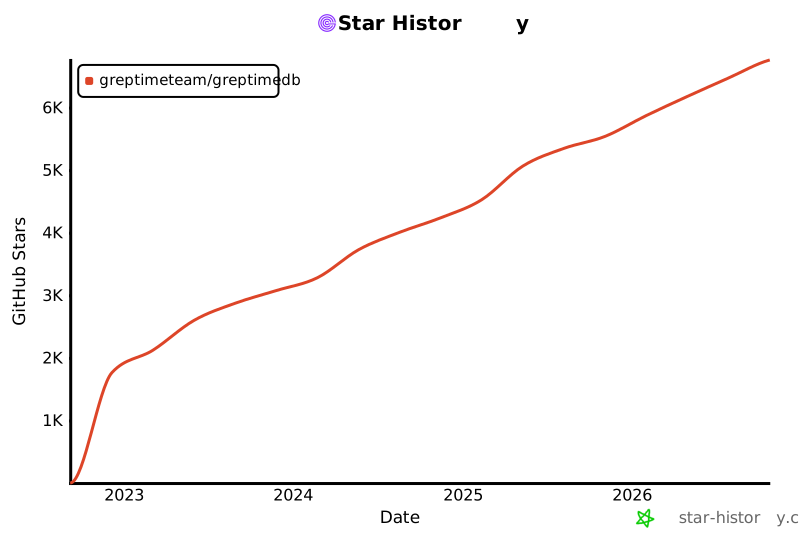](https://www.star-history.com/#GreptimeTeam/GreptimeDB&Date)
|
||||
|
||||
If you find this project useful, a ⭐ would mean a lot to us!
|
||||
<img alt="Known Users" src="https://greptime.com/logo/img/users.png"/>
|
||||
We welcome you to test and use GreptimeDB. Some users have already adopted it in their production environments. If you're interested in trying it out, please use the latest stable release available.
|
||||
|
||||
## Community
|
||||
|
||||
We invite you to engage and contribute!
|
||||
Our core team is thrilled to see you participate in any ways you like. When you are stuck, try to
|
||||
ask for help by filling an issue with a detailed description of what you were trying to do
|
||||
and what went wrong. If you have any questions or if you would like to get involved in our
|
||||
community, please check out:
|
||||
|
||||
- [Slack](https://greptime.com/slack)
|
||||
- [Discussions](https://github.com/GreptimeTeam/greptimedb/discussions)
|
||||
- [Official Website](https://greptime.com/)
|
||||
- [Blog](https://greptime.com/blogs/)
|
||||
- [LinkedIn](https://www.linkedin.com/company/greptime/)
|
||||
- [Twitter](https://twitter.com/greptime)
|
||||
- GreptimeDB Community on [Slack](https://greptime.com/slack)
|
||||
- GreptimeDB [GitHub Discussions forum](https://github.com/GreptimeTeam/greptimedb/discussions)
|
||||
- Greptime official [website](https://greptime.com)
|
||||
|
||||
In addition, you may:
|
||||
|
||||
- View our official [Blog](https://greptime.com/blogs/)
|
||||
- Connect us with [Linkedin](https://www.linkedin.com/company/greptime/)
|
||||
- Follow us on [Twitter](https://twitter.com/greptime)
|
||||
|
||||
## Commerial Support
|
||||
|
||||
If you are running GreptimeDB OSS in your organization, we offer additional
|
||||
enterprise addons, installation service, training and consulting. [Contact
|
||||
us](https://greptime.com/contactus) and we will reach out to you with more
|
||||
detail of our commerial license.
|
||||
|
||||
## License
|
||||
|
||||
GreptimeDB is licensed under the [Apache License 2.0](https://apache.org/licenses/LICENSE-2.0.txt).
|
||||
|
||||
## Commercial Support
|
||||
|
||||
Running GreptimeDB in your organization?
|
||||
We offer enterprise add-ons, services, training, and consulting.
|
||||
[Contact us](https://greptime.com/contactus) for details.
|
||||
GreptimeDB uses the [Apache License 2.0](https://apache.org/licenses/LICENSE-2.0.txt) to strike a balance between
|
||||
open contributions and allowing you to use the software however you want.
|
||||
|
||||
## Contributing
|
||||
|
||||
- Read our [Contribution Guidelines](https://github.com/GreptimeTeam/greptimedb/blob/main/CONTRIBUTING.md).
|
||||
- Explore [Internal Concepts](https://docs.greptime.com/contributor-guide/overview.html) and [DeepWiki](https://deepwiki.com/GreptimeTeam/greptimedb).
|
||||
- Pick up a [good first issue](https://github.com/GreptimeTeam/greptimedb/issues?q=is%3Aissue+is%3Aopen+label%3A%22good+first+issue%22) and join the #contributors [Slack](https://greptime.com/slack) channel.
|
||||
Please refer to [contribution guidelines](CONTRIBUTING.md) and [internal concepts docs](https://docs.greptime.com/contributor-guide/overview.html) for more information.
|
||||
|
||||
## Acknowledgement
|
||||
|
||||
Special thanks to all contributors! See [AUTHORS.md](https://github.com/GreptimeTeam/greptimedb/blob/main/AUTHOR.md).
|
||||
Special thanks to all the contributors who have propelled GreptimeDB forward. For a complete list of contributors, please refer to [AUTHOR.md](AUTHOR.md).
|
||||
|
||||
- Uses [Apache Arrow™](https://arrow.apache.org/) (memory model)
|
||||
- [Apache Parquet™](https://parquet.apache.org/) (file storage)
|
||||
- [Apache Arrow DataFusion™](https://arrow.apache.org/datafusion/) (query engine)
|
||||
- [Apache OpenDAL™](https://opendal.apache.org/) (data access abstraction)
|
||||
- GreptimeDB uses [Apache Arrow™](https://arrow.apache.org/) as the memory model and [Apache Parquet™](https://parquet.apache.org/) as the persistent file format.
|
||||
- GreptimeDB's query engine is powered by [Apache Arrow DataFusion™](https://arrow.apache.org/datafusion/).
|
||||
- [Apache OpenDAL™](https://opendal.apache.org) gives GreptimeDB a very general and elegant data access abstraction layer.
|
||||
- GreptimeDB's meta service is based on [etcd](https://etcd.io/).
|
||||
- GreptimeDB uses [RustPython](https://github.com/RustPython/RustPython) for experimental embedded python scripting.
|
||||
|
||||
255
config/config.md
255
config/config.md
@@ -12,24 +12,21 @@
|
||||
|
||||
| Key | Type | Default | Descriptions |
|
||||
| --- | -----| ------- | ----------- |
|
||||
| `mode` | String | `standalone` | The running mode of the datanode. It can be `standalone` or `distributed`. |
|
||||
| `enable_telemetry` | Bool | `true` | Enable telemetry to collect anonymous usage data. |
|
||||
| `default_timezone` | String | Unset | The default timezone of the server. |
|
||||
| `init_regions_in_background` | Bool | `false` | Initialize all regions in the background during the startup.<br/>By default, it provides services after all regions have been initialized. |
|
||||
| `init_regions_parallelism` | Integer | `16` | Parallelism of initializing regions. |
|
||||
| `max_concurrent_queries` | Integer | `0` | The maximum current queries allowed to be executed. Zero means unlimited. |
|
||||
| `enable_telemetry` | Bool | `true` | Enable telemetry to collect anonymous usage data. Enabled by default. |
|
||||
| `max_in_flight_write_bytes` | String | Unset | The maximum in-flight write bytes. |
|
||||
| `runtime` | -- | -- | The runtime options. |
|
||||
| `runtime.global_rt_size` | Integer | `8` | The number of threads to execute the runtime for global read operations. |
|
||||
| `runtime.compact_rt_size` | Integer | `4` | The number of threads to execute the runtime for global write operations. |
|
||||
| `http` | -- | -- | The HTTP server options. |
|
||||
| `http.addr` | String | `127.0.0.1:4000` | The address to bind the HTTP server. |
|
||||
| `http.timeout` | String | `0s` | HTTP request timeout. Set to 0 to disable timeout. |
|
||||
| `http.timeout` | String | `30s` | HTTP request timeout. Set to 0 to disable timeout. |
|
||||
| `http.body_limit` | String | `64MB` | HTTP request body limit.<br/>The following units are supported: `B`, `KB`, `KiB`, `MB`, `MiB`, `GB`, `GiB`, `TB`, `TiB`, `PB`, `PiB`.<br/>Set to 0 to disable limit. |
|
||||
| `http.enable_cors` | Bool | `true` | HTTP CORS support, it's turned on by default<br/>This allows browser to access http APIs without CORS restrictions |
|
||||
| `http.cors_allowed_origins` | Array | Unset | Customize allowed origins for HTTP CORS. |
|
||||
| `http.prom_validation_mode` | String | `strict` | Whether to enable validation for Prometheus remote write requests.<br/>Available options:<br/>- strict: deny invalid UTF-8 strings (default).<br/>- lossy: allow invalid UTF-8 strings, replace invalid characters with REPLACEMENT_CHARACTER(U+FFFD).<br/>- unchecked: do not valid strings. |
|
||||
| `grpc` | -- | -- | The gRPC server options. |
|
||||
| `grpc.bind_addr` | String | `127.0.0.1:4001` | The address to bind the gRPC server. |
|
||||
| `grpc.addr` | String | `127.0.0.1:4001` | The address to bind the gRPC server. |
|
||||
| `grpc.runtime_size` | Integer | `8` | The number of server worker threads. |
|
||||
| `grpc.tls` | -- | -- | gRPC server TLS options, see `mysql.tls` section. |
|
||||
| `grpc.tls.mode` | String | `disable` | TLS mode. |
|
||||
@@ -40,7 +37,6 @@
|
||||
| `mysql.enable` | Bool | `true` | Whether to enable. |
|
||||
| `mysql.addr` | String | `127.0.0.1:4002` | The addr to bind the MySQL server. |
|
||||
| `mysql.runtime_size` | Integer | `2` | The number of server worker threads. |
|
||||
| `mysql.keep_alive` | String | `0s` | Server-side keep-alive time.<br/>Set to 0 (default) to disable. |
|
||||
| `mysql.tls` | -- | -- | -- |
|
||||
| `mysql.tls.mode` | String | `disable` | TLS mode, refer to https://www.postgresql.org/docs/current/libpq-ssl.html<br/>- `disable` (default value)<br/>- `prefer`<br/>- `require`<br/>- `verify-ca`<br/>- `verify-full` |
|
||||
| `mysql.tls.cert_path` | String | Unset | Certificate file path. |
|
||||
@@ -50,7 +46,6 @@
|
||||
| `postgres.enable` | Bool | `true` | Whether to enable |
|
||||
| `postgres.addr` | String | `127.0.0.1:4003` | The addr to bind the PostgresSQL server. |
|
||||
| `postgres.runtime_size` | Integer | `2` | The number of server worker threads. |
|
||||
| `postgres.keep_alive` | String | `0s` | Server-side keep-alive time.<br/>Set to 0 (default) to disable. |
|
||||
| `postgres.tls` | -- | -- | PostgresSQL server TLS options, see `mysql.tls` section. |
|
||||
| `postgres.tls.mode` | String | `disable` | TLS mode. |
|
||||
| `postgres.tls.cert_path` | String | Unset | Certificate file path. |
|
||||
@@ -60,17 +55,15 @@
|
||||
| `opentsdb.enable` | Bool | `true` | Whether to enable OpenTSDB put in HTTP API. |
|
||||
| `influxdb` | -- | -- | InfluxDB protocol options. |
|
||||
| `influxdb.enable` | Bool | `true` | Whether to enable InfluxDB protocol in HTTP API. |
|
||||
| `jaeger` | -- | -- | Jaeger protocol options. |
|
||||
| `jaeger.enable` | Bool | `true` | Whether to enable Jaeger protocol in HTTP API. |
|
||||
| `prom_store` | -- | -- | Prometheus remote storage options |
|
||||
| `prom_store.enable` | Bool | `true` | Whether to enable Prometheus remote write and read in HTTP API. |
|
||||
| `prom_store.with_metric_engine` | Bool | `true` | Whether to store the data from Prometheus remote write in metric engine. |
|
||||
| `wal` | -- | -- | The WAL options. |
|
||||
| `wal.provider` | String | `raft_engine` | The provider of the WAL.<br/>- `raft_engine`: the wal is stored in the local file system by raft-engine.<br/>- `kafka`: it's remote wal that data is stored in Kafka. |
|
||||
| `wal.dir` | String | Unset | The directory to store the WAL files.<br/>**It's only used when the provider is `raft_engine`**. |
|
||||
| `wal.file_size` | String | `128MB` | The size of the WAL segment file.<br/>**It's only used when the provider is `raft_engine`**. |
|
||||
| `wal.purge_threshold` | String | `1GB` | The threshold of the WAL size to trigger a purge.<br/>**It's only used when the provider is `raft_engine`**. |
|
||||
| `wal.purge_interval` | String | `1m` | The interval to trigger a purge.<br/>**It's only used when the provider is `raft_engine`**. |
|
||||
| `wal.file_size` | String | `256MB` | The size of the WAL segment file.<br/>**It's only used when the provider is `raft_engine`**. |
|
||||
| `wal.purge_threshold` | String | `4GB` | The threshold of the WAL size to trigger a flush.<br/>**It's only used when the provider is `raft_engine`**. |
|
||||
| `wal.purge_interval` | String | `10m` | The interval to trigger a flush.<br/>**It's only used when the provider is `raft_engine`**. |
|
||||
| `wal.read_batch_size` | Integer | `128` | The read batch size.<br/>**It's only used when the provider is `raft_engine`**. |
|
||||
| `wal.sync_write` | Bool | `false` | Whether to use sync write.<br/>**It's only used when the provider is `raft_engine`**. |
|
||||
| `wal.enable_log_recycle` | Bool | `true` | Whether to reuse logically truncated log files.<br/>**It's only used when the provider is `raft_engine`**. |
|
||||
@@ -86,24 +79,22 @@
|
||||
| `wal.create_topic_timeout` | String | `30s` | Above which a topic creation operation will be cancelled.<br/>**It's only used when the provider is `kafka`**. |
|
||||
| `wal.max_batch_bytes` | String | `1MB` | The max size of a single producer batch.<br/>Warning: Kafka has a default limit of 1MB per message in a topic.<br/>**It's only used when the provider is `kafka`**. |
|
||||
| `wal.consumer_wait_timeout` | String | `100ms` | The consumer wait timeout.<br/>**It's only used when the provider is `kafka`**. |
|
||||
| `wal.backoff_init` | String | `500ms` | The initial backoff delay.<br/>**It's only used when the provider is `kafka`**. |
|
||||
| `wal.backoff_max` | String | `10s` | The maximum backoff delay.<br/>**It's only used when the provider is `kafka`**. |
|
||||
| `wal.backoff_base` | Integer | `2` | The exponential backoff rate, i.e. next backoff = base * current backoff.<br/>**It's only used when the provider is `kafka`**. |
|
||||
| `wal.backoff_deadline` | String | `5mins` | The deadline of retries.<br/>**It's only used when the provider is `kafka`**. |
|
||||
| `wal.overwrite_entry_start_id` | Bool | `false` | Ignore missing entries during read WAL.<br/>**It's only used when the provider is `kafka`**.<br/><br/>This option ensures that when Kafka messages are deleted, the system<br/>can still successfully replay memtable data without throwing an<br/>out-of-range error.<br/>However, enabling this option might lead to unexpected data loss,<br/>as the system will skip over missing entries instead of treating<br/>them as critical errors. |
|
||||
| `metadata_store` | -- | -- | Metadata storage options. |
|
||||
| `metadata_store.file_size` | String | `64MB` | The size of the metadata store log file. |
|
||||
| `metadata_store.purge_threshold` | String | `256MB` | The threshold of the metadata store size to trigger a purge. |
|
||||
| `metadata_store.purge_interval` | String | `1m` | The interval of the metadata store to trigger a purge. |
|
||||
| `metadata_store.file_size` | String | `256MB` | Kv file size in bytes. |
|
||||
| `metadata_store.purge_threshold` | String | `4GB` | Kv purge threshold. |
|
||||
| `procedure` | -- | -- | Procedure storage options. |
|
||||
| `procedure.max_retry_times` | Integer | `3` | Procedure max retry time. |
|
||||
| `procedure.retry_delay` | String | `500ms` | Initial retry delay of procedures, increases exponentially |
|
||||
| `procedure.max_running_procedures` | Integer | `128` | Max running procedures.<br/>The maximum number of procedures that can be running at the same time.<br/>If the number of running procedures exceeds this limit, the procedure will be rejected. |
|
||||
| `flow` | -- | -- | flow engine options. |
|
||||
| `flow.num_workers` | Integer | `0` | The number of flow worker in flownode.<br/>Not setting(or set to 0) this value will use the number of CPU cores divided by 2. |
|
||||
| `query` | -- | -- | The query engine options. |
|
||||
| `query.parallelism` | Integer | `0` | Parallelism of the query engine.<br/>Default to 0, which means the number of CPU cores. |
|
||||
| `storage` | -- | -- | The data storage options. |
|
||||
| `storage.data_home` | String | `./greptimedb_data` | The working home directory. |
|
||||
| `storage.data_home` | String | `/tmp/greptimedb/` | The working home directory. |
|
||||
| `storage.type` | String | `File` | The storage type used to store the data.<br/>- `File`: the data is stored in the local file system.<br/>- `S3`: the data is stored in the S3 object storage.<br/>- `Gcs`: the data is stored in the Google Cloud Storage.<br/>- `Azblob`: the data is stored in the Azure Blob Storage.<br/>- `Oss`: the data is stored in the Aliyun OSS. |
|
||||
| `storage.cache_path` | String | Unset | Read cache configuration for object storage such as 'S3' etc, it's configured by default when using object storage. It is recommended to configure it when using object storage for better performance.<br/>A local file directory, defaults to `{data_home}`. An empty string means disabling. |
|
||||
| `storage.cache_capacity` | String | Unset | The local file cache capacity in bytes. If your disk space is sufficient, it is recommended to set it larger. |
|
||||
| `storage.cache_path` | String | Unset | Cache configuration for object storage such as 'S3' etc.<br/>The local file cache directory. |
|
||||
| `storage.cache_capacity` | String | Unset | The local file cache capacity in bytes. |
|
||||
| `storage.bucket` | String | Unset | The S3 bucket name.<br/>**It's only used when the storage type is `S3`, `Oss` and `Gcs`**. |
|
||||
| `storage.root` | String | Unset | The S3 data will be stored in the specified prefix, for example, `s3://${bucket}/${root}`.<br/>**It's only used when the storage type is `S3`, `Oss` and `Azblob`**. |
|
||||
| `storage.access_key_id` | String | Unset | The access key id of the aws account.<br/>It's **highly recommended** to use AWS IAM roles instead of hardcoding the access key id and secret key.<br/>**It's only used when the storage type is `S3` and `Oss`**. |
|
||||
@@ -118,11 +109,6 @@
|
||||
| `storage.sas_token` | String | Unset | The sas token of the azure account.<br/>**It's only used when the storage type is `Azblob`**. |
|
||||
| `storage.endpoint` | String | Unset | The endpoint of the S3 service.<br/>**It's only used when the storage type is `S3`, `Oss`, `Gcs` and `Azblob`**. |
|
||||
| `storage.region` | String | Unset | The region of the S3 service.<br/>**It's only used when the storage type is `S3`, `Oss`, `Gcs` and `Azblob`**. |
|
||||
| `storage.http_client` | -- | -- | The http client options to the storage.<br/>**It's only used when the storage type is `S3`, `Oss`, `Gcs` and `Azblob`**. |
|
||||
| `storage.http_client.pool_max_idle_per_host` | Integer | `1024` | The maximum idle connection per host allowed in the pool. |
|
||||
| `storage.http_client.connect_timeout` | String | `30s` | The timeout for only the connect phase of a http client. |
|
||||
| `storage.http_client.timeout` | String | `30s` | The total request timeout, applied from when the request starts connecting until the response body has finished.<br/>Also considered a total deadline. |
|
||||
| `storage.http_client.pool_idle_timeout` | String | `90s` | The timeout for idle sockets being kept-alive. |
|
||||
| `[[region_engine]]` | -- | -- | The region engine options. You can configure multiple region engines. |
|
||||
| `region_engine.mito` | -- | -- | The Mito engine options. |
|
||||
| `region_engine.mito.num_workers` | Integer | `8` | Number of region workers. |
|
||||
@@ -140,48 +126,39 @@
|
||||
| `region_engine.mito.vector_cache_size` | String | Auto | Cache size for vectors and arrow arrays. Setting it to 0 to disable the cache.<br/>If not set, it's default to 1/16 of OS memory with a max limitation of 512MB. |
|
||||
| `region_engine.mito.page_cache_size` | String | Auto | Cache size for pages of SST row groups. Setting it to 0 to disable the cache.<br/>If not set, it's default to 1/8 of OS memory. |
|
||||
| `region_engine.mito.selector_result_cache_size` | String | Auto | Cache size for time series selector (e.g. `last_value()`). Setting it to 0 to disable the cache.<br/>If not set, it's default to 1/16 of OS memory with a max limitation of 512MB. |
|
||||
| `region_engine.mito.enable_write_cache` | Bool | `false` | Whether to enable the write cache, it's enabled by default when using object storage. It is recommended to enable it when using object storage for better performance. |
|
||||
| `region_engine.mito.write_cache_path` | String | `""` | File system path for write cache, defaults to `{data_home}`. |
|
||||
| `region_engine.mito.write_cache_size` | String | `5GiB` | Capacity for write cache. If your disk space is sufficient, it is recommended to set it larger. |
|
||||
| `region_engine.mito.write_cache_ttl` | String | Unset | TTL for write cache. |
|
||||
| `region_engine.mito.enable_experimental_write_cache` | Bool | `false` | Whether to enable the experimental write cache. |
|
||||
| `region_engine.mito.experimental_write_cache_path` | String | `""` | File system path for write cache, defaults to `{data_home}/write_cache`. |
|
||||
| `region_engine.mito.experimental_write_cache_size` | String | `512MB` | Capacity for write cache. |
|
||||
| `region_engine.mito.experimental_write_cache_ttl` | String | Unset | TTL for write cache. |
|
||||
| `region_engine.mito.sst_write_buffer_size` | String | `8MB` | Buffer size for SST writing. |
|
||||
| `region_engine.mito.scan_parallelism` | Integer | `0` | Parallelism to scan a region (default: 1/4 of cpu cores).<br/>- `0`: using the default value (1/4 of cpu cores).<br/>- `1`: scan in current thread.<br/>- `n`: scan in parallelism n. |
|
||||
| `region_engine.mito.parallel_scan_channel_size` | Integer | `32` | Capacity of the channel to send data from parallel scan tasks to the main task. |
|
||||
| `region_engine.mito.allow_stale_entries` | Bool | `false` | Whether to allow stale WAL entries read during replay. |
|
||||
| `region_engine.mito.min_compaction_interval` | String | `0m` | Minimum time interval between two compactions.<br/>To align with the old behavior, the default value is 0 (no restrictions). |
|
||||
| `region_engine.mito.index` | -- | -- | The options for index in Mito engine. |
|
||||
| `region_engine.mito.index.aux_path` | String | `""` | Auxiliary directory path for the index in filesystem, used to store intermediate files for<br/>creating the index and staging files for searching the index, defaults to `{data_home}/index_intermediate`.<br/>The default name for this directory is `index_intermediate` for backward compatibility.<br/><br/>This path contains two subdirectories:<br/>- `__intm`: for storing intermediate files used during creating index.<br/>- `staging`: for storing staging files used during searching index. |
|
||||
| `region_engine.mito.index.staging_size` | String | `2GB` | The max capacity of the staging directory. |
|
||||
| `region_engine.mito.index.staging_ttl` | String | `7d` | The TTL of the staging directory.<br/>Defaults to 7 days.<br/>Setting it to "0s" to disable TTL. |
|
||||
| `region_engine.mito.index.metadata_cache_size` | String | `64MiB` | Cache size for inverted index metadata. |
|
||||
| `region_engine.mito.index.content_cache_size` | String | `128MiB` | Cache size for inverted index content. |
|
||||
| `region_engine.mito.index.content_cache_page_size` | String | `64KiB` | Page size for inverted index content cache. |
|
||||
| `region_engine.mito.index.result_cache_size` | String | `128MiB` | Cache size for index result. |
|
||||
| `region_engine.mito.inverted_index` | -- | -- | The options for inverted index in Mito engine. |
|
||||
| `region_engine.mito.inverted_index.create_on_flush` | String | `auto` | Whether to create the index on flush.<br/>- `auto`: automatically (default)<br/>- `disable`: never |
|
||||
| `region_engine.mito.inverted_index.create_on_compaction` | String | `auto` | Whether to create the index on compaction.<br/>- `auto`: automatically (default)<br/>- `disable`: never |
|
||||
| `region_engine.mito.inverted_index.apply_on_query` | String | `auto` | Whether to apply the index on query<br/>- `auto`: automatically (default)<br/>- `disable`: never |
|
||||
| `region_engine.mito.inverted_index.mem_threshold_on_create` | String | `auto` | Memory threshold for performing an external sort during index creation.<br/>- `auto`: automatically determine the threshold based on the system memory size (default)<br/>- `unlimited`: no memory limit<br/>- `[size]` e.g. `64MB`: fixed memory threshold |
|
||||
| `region_engine.mito.inverted_index.intermediate_path` | String | `""` | Deprecated, use `region_engine.mito.index.aux_path` instead. |
|
||||
| `region_engine.mito.inverted_index.metadata_cache_size` | String | `64MiB` | Cache size for inverted index metadata. |
|
||||
| `region_engine.mito.inverted_index.content_cache_size` | String | `128MiB` | Cache size for inverted index content. |
|
||||
| `region_engine.mito.fulltext_index` | -- | -- | The options for full-text index in Mito engine. |
|
||||
| `region_engine.mito.fulltext_index.create_on_flush` | String | `auto` | Whether to create the index on flush.<br/>- `auto`: automatically (default)<br/>- `disable`: never |
|
||||
| `region_engine.mito.fulltext_index.create_on_compaction` | String | `auto` | Whether to create the index on compaction.<br/>- `auto`: automatically (default)<br/>- `disable`: never |
|
||||
| `region_engine.mito.fulltext_index.apply_on_query` | String | `auto` | Whether to apply the index on query<br/>- `auto`: automatically (default)<br/>- `disable`: never |
|
||||
| `region_engine.mito.fulltext_index.mem_threshold_on_create` | String | `auto` | Memory threshold for index creation.<br/>- `auto`: automatically determine the threshold based on the system memory size (default)<br/>- `unlimited`: no memory limit<br/>- `[size]` e.g. `64MB`: fixed memory threshold |
|
||||
| `region_engine.mito.bloom_filter_index` | -- | -- | The options for bloom filter in Mito engine. |
|
||||
| `region_engine.mito.bloom_filter_index.create_on_flush` | String | `auto` | Whether to create the bloom filter on flush.<br/>- `auto`: automatically (default)<br/>- `disable`: never |
|
||||
| `region_engine.mito.bloom_filter_index.create_on_compaction` | String | `auto` | Whether to create the bloom filter on compaction.<br/>- `auto`: automatically (default)<br/>- `disable`: never |
|
||||
| `region_engine.mito.bloom_filter_index.apply_on_query` | String | `auto` | Whether to apply the bloom filter on query<br/>- `auto`: automatically (default)<br/>- `disable`: never |
|
||||
| `region_engine.mito.bloom_filter_index.mem_threshold_on_create` | String | `auto` | Memory threshold for bloom filter creation.<br/>- `auto`: automatically determine the threshold based on the system memory size (default)<br/>- `unlimited`: no memory limit<br/>- `[size]` e.g. `64MB`: fixed memory threshold |
|
||||
| `region_engine.mito.memtable` | -- | -- | -- |
|
||||
| `region_engine.mito.memtable.type` | String | `time_series` | Memtable type.<br/>- `time_series`: time-series memtable<br/>- `partition_tree`: partition tree memtable (experimental) |
|
||||
| `region_engine.mito.memtable.index_max_keys_per_shard` | Integer | `8192` | The max number of keys in one shard.<br/>Only available for `partition_tree` memtable. |
|
||||
| `region_engine.mito.memtable.data_freeze_threshold` | Integer | `32768` | The max rows of data inside the actively writing buffer in one shard.<br/>Only available for `partition_tree` memtable. |
|
||||
| `region_engine.mito.memtable.fork_dictionary_bytes` | String | `1GiB` | Max dictionary bytes.<br/>Only available for `partition_tree` memtable. |
|
||||
| `region_engine.file` | -- | -- | Enable the file engine. |
|
||||
| `region_engine.metric` | -- | -- | Metric engine options. |
|
||||
| `region_engine.metric.experimental_sparse_primary_key_encoding` | Bool | `false` | Whether to enable the experimental sparse primary key encoding. |
|
||||
| `logging` | -- | -- | The logging options. |
|
||||
| `logging.dir` | String | `./greptimedb_data/logs` | The directory to store the log files. If set to empty, logs will not be written to files. |
|
||||
| `logging.dir` | String | `/tmp/greptimedb/logs` | The directory to store the log files. If set to empty, logs will not be written to files. |
|
||||
| `logging.level` | String | Unset | The log level. Can be `info`/`debug`/`warn`/`error`. |
|
||||
| `logging.enable_otlp_tracing` | Bool | `false` | Enable OTLP tracing. |
|
||||
| `logging.otlp_endpoint` | String | `http://localhost:4317` | The OTLP tracing endpoint. |
|
||||
@@ -190,18 +167,17 @@
|
||||
| `logging.max_log_files` | Integer | `720` | The maximum amount of log files. |
|
||||
| `logging.tracing_sample_ratio` | -- | -- | The percentage of tracing will be sampled and exported.<br/>Valid range `[0, 1]`, 1 means all traces are sampled, 0 means all traces are not sampled, the default value is 1.<br/>ratio > 1 are treated as 1. Fractions < 0 are treated as 0 |
|
||||
| `logging.tracing_sample_ratio.default_ratio` | Float | `1.0` | -- |
|
||||
| `slow_query` | -- | -- | The slow query log options. |
|
||||
| `slow_query.enable` | Bool | `false` | Whether to enable slow query log. |
|
||||
| `slow_query.record_type` | String | Unset | The record type of slow queries. It can be `system_table` or `log`. |
|
||||
| `slow_query.threshold` | String | Unset | The threshold of slow query. |
|
||||
| `slow_query.sample_ratio` | Float | Unset | The sampling ratio of slow query log. The value should be in the range of (0, 1]. |
|
||||
| `export_metrics` | -- | -- | The standalone can export its metrics and send to Prometheus compatible service (e.g. `greptimedb`) from remote-write API.<br/>This is only used for `greptimedb` to export its own metrics internally. It's different from prometheus scrape. |
|
||||
| `logging.slow_query` | -- | -- | The slow query log options. |
|
||||
| `logging.slow_query.enable` | Bool | `false` | Whether to enable slow query log. |
|
||||
| `logging.slow_query.threshold` | String | Unset | The threshold of slow query. |
|
||||
| `logging.slow_query.sample_ratio` | Float | Unset | The sampling ratio of slow query log. The value should be in the range of (0, 1]. |
|
||||
| `export_metrics` | -- | -- | The datanode can export its metrics and send to Prometheus compatible service (e.g. send to `greptimedb` itself) from remote-write API.<br/>This is only used for `greptimedb` to export its own metrics internally. It's different from prometheus scrape. |
|
||||
| `export_metrics.enable` | Bool | `false` | whether enable export metrics. |
|
||||
| `export_metrics.write_interval` | String | `30s` | The interval of export metrics. |
|
||||
| `export_metrics.self_import` | -- | -- | For `standalone` mode, `self_import` is recommended to collect metrics generated by itself<br/>You must create the database before enabling it. |
|
||||
| `export_metrics.self_import.db` | String | Unset | -- |
|
||||
| `export_metrics.remote_write` | -- | -- | -- |
|
||||
| `export_metrics.remote_write.url` | String | `""` | The prometheus remote write endpoint that the metrics send to. The url example can be: `http://127.0.0.1:4000/v1/prometheus/write?db=greptime_metrics`. |
|
||||
| `export_metrics.remote_write.url` | String | `""` | The url the metrics send to. The url example can be: `http://127.0.0.1:4000/v1/prometheus/write?db=greptime_metrics`. |
|
||||
| `export_metrics.remote_write.headers` | InlineTable | -- | HTTP headers of Prometheus remote-write carry. |
|
||||
| `tracing` | -- | -- | The tracing options. Only effect when compiled with `tokio-console` feature. |
|
||||
| `tracing.tokio_console_addr` | String | Unset | The tokio console address. |
|
||||
@@ -214,7 +190,6 @@
|
||||
| Key | Type | Default | Descriptions |
|
||||
| --- | -----| ------- | ----------- |
|
||||
| `default_timezone` | String | Unset | The default timezone of the server. |
|
||||
| `max_in_flight_write_bytes` | String | Unset | The maximum in-flight write bytes. |
|
||||
| `runtime` | -- | -- | The runtime options. |
|
||||
| `runtime.global_rt_size` | Integer | `8` | The number of threads to execute the runtime for global read operations. |
|
||||
| `runtime.compact_rt_size` | Integer | `4` | The number of threads to execute the runtime for global write operations. |
|
||||
@@ -223,16 +198,12 @@
|
||||
| `heartbeat.retry_interval` | String | `3s` | Interval for retrying to send heartbeat messages to the metasrv. |
|
||||
| `http` | -- | -- | The HTTP server options. |
|
||||
| `http.addr` | String | `127.0.0.1:4000` | The address to bind the HTTP server. |
|
||||
| `http.timeout` | String | `0s` | HTTP request timeout. Set to 0 to disable timeout. |
|
||||
| `http.timeout` | String | `30s` | HTTP request timeout. Set to 0 to disable timeout. |
|
||||
| `http.body_limit` | String | `64MB` | HTTP request body limit.<br/>The following units are supported: `B`, `KB`, `KiB`, `MB`, `MiB`, `GB`, `GiB`, `TB`, `TiB`, `PB`, `PiB`.<br/>Set to 0 to disable limit. |
|
||||
| `http.enable_cors` | Bool | `true` | HTTP CORS support, it's turned on by default<br/>This allows browser to access http APIs without CORS restrictions |
|
||||
| `http.cors_allowed_origins` | Array | Unset | Customize allowed origins for HTTP CORS. |
|
||||
| `http.prom_validation_mode` | String | `strict` | Whether to enable validation for Prometheus remote write requests.<br/>Available options:<br/>- strict: deny invalid UTF-8 strings (default).<br/>- lossy: allow invalid UTF-8 strings, replace invalid characters with REPLACEMENT_CHARACTER(U+FFFD).<br/>- unchecked: do not valid strings. |
|
||||
| `grpc` | -- | -- | The gRPC server options. |
|
||||
| `grpc.bind_addr` | String | `127.0.0.1:4001` | The address to bind the gRPC server. |
|
||||
| `grpc.server_addr` | String | `127.0.0.1:4001` | The address advertised to the metasrv, and used for connections from outside the host.<br/>If left empty or unset, the server will automatically use the IP address of the first network interface<br/>on the host, with the same port number as the one specified in `grpc.bind_addr`. |
|
||||
| `grpc.addr` | String | `127.0.0.1:4001` | The address to bind the gRPC server. |
|
||||
| `grpc.hostname` | String | `127.0.0.1` | The hostname advertised to the metasrv,<br/>and used for connections from outside the host |
|
||||
| `grpc.runtime_size` | Integer | `8` | The number of server worker threads. |
|
||||
| `grpc.flight_compression` | String | `arrow_ipc` | Compression mode for frontend side Arrow IPC service. Available options:<br/>- `none`: disable all compression<br/>- `transport`: only enable gRPC transport compression (zstd)<br/>- `arrow_ipc`: only enable Arrow IPC compression (lz4)<br/>- `all`: enable all compression. |
|
||||
| `grpc.tls` | -- | -- | gRPC server TLS options, see `mysql.tls` section. |
|
||||
| `grpc.tls.mode` | String | `disable` | TLS mode. |
|
||||
| `grpc.tls.cert_path` | String | Unset | Certificate file path. |
|
||||
@@ -242,7 +213,6 @@
|
||||
| `mysql.enable` | Bool | `true` | Whether to enable. |
|
||||
| `mysql.addr` | String | `127.0.0.1:4002` | The addr to bind the MySQL server. |
|
||||
| `mysql.runtime_size` | Integer | `2` | The number of server worker threads. |
|
||||
| `mysql.keep_alive` | String | `0s` | Server-side keep-alive time.<br/>Set to 0 (default) to disable. |
|
||||
| `mysql.tls` | -- | -- | -- |
|
||||
| `mysql.tls.mode` | String | `disable` | TLS mode, refer to https://www.postgresql.org/docs/current/libpq-ssl.html<br/>- `disable` (default value)<br/>- `prefer`<br/>- `require`<br/>- `verify-ca`<br/>- `verify-full` |
|
||||
| `mysql.tls.cert_path` | String | Unset | Certificate file path. |
|
||||
@@ -252,7 +222,6 @@
|
||||
| `postgres.enable` | Bool | `true` | Whether to enable |
|
||||
| `postgres.addr` | String | `127.0.0.1:4003` | The addr to bind the PostgresSQL server. |
|
||||
| `postgres.runtime_size` | Integer | `2` | The number of server worker threads. |
|
||||
| `postgres.keep_alive` | String | `0s` | Server-side keep-alive time.<br/>Set to 0 (default) to disable. |
|
||||
| `postgres.tls` | -- | -- | PostgresSQL server TLS options, see `mysql.tls` section. |
|
||||
| `postgres.tls.mode` | String | `disable` | TLS mode. |
|
||||
| `postgres.tls.cert_path` | String | Unset | Certificate file path. |
|
||||
@@ -262,8 +231,6 @@
|
||||
| `opentsdb.enable` | Bool | `true` | Whether to enable OpenTSDB put in HTTP API. |
|
||||
| `influxdb` | -- | -- | InfluxDB protocol options. |
|
||||
| `influxdb.enable` | Bool | `true` | Whether to enable InfluxDB protocol in HTTP API. |
|
||||
| `jaeger` | -- | -- | Jaeger protocol options. |
|
||||
| `jaeger.enable` | Bool | `true` | Whether to enable Jaeger protocol in HTTP API. |
|
||||
| `prom_store` | -- | -- | Prometheus remote storage options |
|
||||
| `prom_store.enable` | Bool | `true` | Whether to enable Prometheus remote write and read in HTTP API. |
|
||||
| `prom_store.with_metric_engine` | Bool | `true` | Whether to store the data from Prometheus remote write in metric engine. |
|
||||
@@ -277,14 +244,12 @@
|
||||
| `meta_client.metadata_cache_max_capacity` | Integer | `100000` | The configuration about the cache of the metadata. |
|
||||
| `meta_client.metadata_cache_ttl` | String | `10m` | TTL of the metadata cache. |
|
||||
| `meta_client.metadata_cache_tti` | String | `5m` | -- |
|
||||
| `query` | -- | -- | The query engine options. |
|
||||
| `query.parallelism` | Integer | `0` | Parallelism of the query engine.<br/>Default to 0, which means the number of CPU cores. |
|
||||
| `datanode` | -- | -- | Datanode options. |
|
||||
| `datanode.client` | -- | -- | Datanode client options. |
|
||||
| `datanode.client.connect_timeout` | String | `10s` | -- |
|
||||
| `datanode.client.tcp_nodelay` | Bool | `true` | -- |
|
||||
| `logging` | -- | -- | The logging options. |
|
||||
| `logging.dir` | String | `./greptimedb_data/logs` | The directory to store the log files. If set to empty, logs will not be written to files. |
|
||||
| `logging.dir` | String | `/tmp/greptimedb/logs` | The directory to store the log files. If set to empty, logs will not be written to files. |
|
||||
| `logging.level` | String | Unset | The log level. Can be `info`/`debug`/`warn`/`error`. |
|
||||
| `logging.enable_otlp_tracing` | Bool | `false` | Enable OTLP tracing. |
|
||||
| `logging.otlp_endpoint` | String | `http://localhost:4317` | The OTLP tracing endpoint. |
|
||||
@@ -293,17 +258,17 @@
|
||||
| `logging.max_log_files` | Integer | `720` | The maximum amount of log files. |
|
||||
| `logging.tracing_sample_ratio` | -- | -- | The percentage of tracing will be sampled and exported.<br/>Valid range `[0, 1]`, 1 means all traces are sampled, 0 means all traces are not sampled, the default value is 1.<br/>ratio > 1 are treated as 1. Fractions < 0 are treated as 0 |
|
||||
| `logging.tracing_sample_ratio.default_ratio` | Float | `1.0` | -- |
|
||||
| `slow_query` | -- | -- | The slow query log options. |
|
||||
| `slow_query.enable` | Bool | `true` | Whether to enable slow query log. |
|
||||
| `slow_query.record_type` | String | `system_table` | The record type of slow queries. It can be `system_table` or `log`.<br/>If `system_table` is selected, the slow queries will be recorded in a system table `greptime_private.slow_queries`.<br/>If `log` is selected, the slow queries will be logged in a log file `greptimedb-slow-queries.*`. |
|
||||
| `slow_query.threshold` | String | `30s` | The threshold of slow query. It can be human readable time string, for example: `10s`, `100ms`, `1s`. |
|
||||
| `slow_query.sample_ratio` | Float | `1.0` | The sampling ratio of slow query log. The value should be in the range of (0, 1]. For example, `0.1` means 10% of the slow queries will be logged and `1.0` means all slow queries will be logged. |
|
||||
| `slow_query.ttl` | String | `30d` | The TTL of the `slow_queries` system table. Default is `30d` when `record_type` is `system_table`. |
|
||||
| `export_metrics` | -- | -- | The frontend can export its metrics and send to Prometheus compatible service (e.g. `greptimedb` itself) from remote-write API.<br/>This is only used for `greptimedb` to export its own metrics internally. It's different from prometheus scrape. |
|
||||
| `logging.slow_query` | -- | -- | The slow query log options. |
|
||||
| `logging.slow_query.enable` | Bool | `false` | Whether to enable slow query log. |
|
||||
| `logging.slow_query.threshold` | String | Unset | The threshold of slow query. |
|
||||
| `logging.slow_query.sample_ratio` | Float | Unset | The sampling ratio of slow query log. The value should be in the range of (0, 1]. |
|
||||
| `export_metrics` | -- | -- | The datanode can export its metrics and send to Prometheus compatible service (e.g. send to `greptimedb` itself) from remote-write API.<br/>This is only used for `greptimedb` to export its own metrics internally. It's different from prometheus scrape. |
|
||||
| `export_metrics.enable` | Bool | `false` | whether enable export metrics. |
|
||||
| `export_metrics.write_interval` | String | `30s` | The interval of export metrics. |
|
||||
| `export_metrics.self_import` | -- | -- | For `standalone` mode, `self_import` is recommend to collect metrics generated by itself<br/>You must create the database before enabling it. |
|
||||
| `export_metrics.self_import.db` | String | Unset | -- |
|
||||
| `export_metrics.remote_write` | -- | -- | -- |
|
||||
| `export_metrics.remote_write.url` | String | `""` | The prometheus remote write endpoint that the metrics send to. The url example can be: `http://127.0.0.1:4000/v1/prometheus/write?db=greptime_metrics`. |
|
||||
| `export_metrics.remote_write.url` | String | `""` | The url the metrics send to. The url example can be: `http://127.0.0.1:4000/v1/prometheus/write?db=greptime_metrics`. |
|
||||
| `export_metrics.remote_write.headers` | InlineTable | -- | HTTP headers of Prometheus remote-write carry. |
|
||||
| `tracing` | -- | -- | The tracing options. Only effect when compiled with `tokio-console` feature. |
|
||||
| `tracing.tokio_console_addr` | String | Unset | The tokio console address. |
|
||||
@@ -313,36 +278,23 @@
|
||||
|
||||
| Key | Type | Default | Descriptions |
|
||||
| --- | -----| ------- | ----------- |
|
||||
| `data_home` | String | `./greptimedb_data` | The working home directory. |
|
||||
| `store_addrs` | Array | -- | Store server address default to etcd store.<br/>For postgres store, the format is:<br/>"password=password dbname=postgres user=postgres host=localhost port=5432"<br/>For etcd store, the format is:<br/>"127.0.0.1:2379" |
|
||||
| `store_key_prefix` | String | `""` | If it's not empty, the metasrv will store all data with this key prefix. |
|
||||
| `backend` | String | `etcd_store` | The datastore for meta server.<br/>Available values:<br/>- `etcd_store` (default value)<br/>- `memory_store`<br/>- `postgres_store`<br/>- `mysql_store` |
|
||||
| `meta_table_name` | String | `greptime_metakv` | Table name in RDS to store metadata. Effect when using a RDS kvbackend.<br/>**Only used when backend is `postgres_store`.** |
|
||||
| `meta_election_lock_id` | Integer | `1` | Advisory lock id in PostgreSQL for election. Effect when using PostgreSQL as kvbackend<br/>Only used when backend is `postgres_store`. |
|
||||
| `data_home` | String | `/tmp/metasrv/` | The working home directory. |
|
||||
| `bind_addr` | String | `127.0.0.1:3002` | The bind address of metasrv. |
|
||||
| `server_addr` | String | `127.0.0.1:3002` | The communication server address for frontend and datanode to connect to metasrv, "127.0.0.1:3002" by default for localhost. |
|
||||
| `store_addr` | String | `127.0.0.1:2379` | Store server address default to etcd store. |
|
||||
| `selector` | String | `round_robin` | Datanode selector type.<br/>- `round_robin` (default value)<br/>- `lease_based`<br/>- `load_based`<br/>For details, please see "https://docs.greptime.com/developer-guide/metasrv/selector". |
|
||||
| `use_memory_store` | Bool | `false` | Store data in memory. |
|
||||
| `enable_telemetry` | Bool | `true` | Whether to enable greptimedb telemetry. |
|
||||
| `store_key_prefix` | String | `""` | If it's not empty, the metasrv will store all data with this key prefix. |
|
||||
| `enable_region_failover` | Bool | `false` | Whether to enable region failover.<br/>This feature is only available on GreptimeDB running on cluster mode and<br/>- Using Remote WAL<br/>- Using shared storage (e.g., s3). |
|
||||
| `allow_region_failover_on_local_wal` | Bool | `false` | Whether to allow region failover on local WAL.<br/>**This option is not recommended to be set to true, because it may lead to data loss during failover.** |
|
||||
| `node_max_idle_time` | String | `24hours` | Max allowed idle time before removing node info from metasrv memory. |
|
||||
| `enable_telemetry` | Bool | `true` | Whether to enable greptimedb telemetry. Enabled by default. |
|
||||
| `backend` | String | `EtcdStore` | The datastore for meta server. |
|
||||
| `runtime` | -- | -- | The runtime options. |
|
||||
| `runtime.global_rt_size` | Integer | `8` | The number of threads to execute the runtime for global read operations. |
|
||||
| `runtime.compact_rt_size` | Integer | `4` | The number of threads to execute the runtime for global write operations. |
|
||||
| `grpc` | -- | -- | The gRPC server options. |
|
||||
| `grpc.bind_addr` | String | `127.0.0.1:3002` | The address to bind the gRPC server. |
|
||||
| `grpc.server_addr` | String | `127.0.0.1:3002` | The communication server address for the frontend and datanode to connect to metasrv.<br/>If left empty or unset, the server will automatically use the IP address of the first network interface<br/>on the host, with the same port number as the one specified in `bind_addr`. |
|
||||
| `grpc.runtime_size` | Integer | `8` | The number of server worker threads. |
|
||||
| `grpc.max_recv_message_size` | String | `512MB` | The maximum receive message size for gRPC server. |
|
||||
| `grpc.max_send_message_size` | String | `512MB` | The maximum send message size for gRPC server. |
|
||||
| `http` | -- | -- | The HTTP server options. |
|
||||
| `http.addr` | String | `127.0.0.1:4000` | The address to bind the HTTP server. |
|
||||
| `http.timeout` | String | `0s` | HTTP request timeout. Set to 0 to disable timeout. |
|
||||
| `http.body_limit` | String | `64MB` | HTTP request body limit.<br/>The following units are supported: `B`, `KB`, `KiB`, `MB`, `MiB`, `GB`, `GiB`, `TB`, `TiB`, `PB`, `PiB`.<br/>Set to 0 to disable limit. |
|
||||
| `procedure` | -- | -- | Procedure storage options. |
|
||||
| `procedure.max_retry_times` | Integer | `12` | Procedure max retry time. |
|
||||
| `procedure.retry_delay` | String | `500ms` | Initial retry delay of procedures, increases exponentially |
|
||||
| `procedure.max_metadata_value_size` | String | `1500KiB` | Auto split large value<br/>GreptimeDB procedure uses etcd as the default metadata storage backend.<br/>The etcd the maximum size of any request is 1.5 MiB<br/>1500KiB = 1536KiB (1.5MiB) - 36KiB (reserved size of key)<br/>Comments out the `max_metadata_value_size`, for don't split large value (no limit). |
|
||||
| `procedure.max_running_procedures` | Integer | `128` | Max running procedures.<br/>The maximum number of procedures that can be running at the same time.<br/>If the number of running procedures exceeds this limit, the procedure will be rejected. |
|
||||
| `failure_detector` | -- | -- | -- |
|
||||
| `failure_detector.threshold` | Float | `8.0` | The threshold value used by the failure detector to determine failure conditions. |
|
||||
| `failure_detector.min_std_deviation` | String | `100ms` | The minimum standard deviation of the heartbeat intervals, used to calculate acceptable variations. |
|
||||
@@ -357,16 +309,17 @@
|
||||
| `wal.provider` | String | `raft_engine` | -- |
|
||||
| `wal.broker_endpoints` | Array | -- | The broker endpoints of the Kafka cluster. |
|
||||
| `wal.auto_create_topics` | Bool | `true` | Automatically create topics for WAL.<br/>Set to `true` to automatically create topics for WAL.<br/>Otherwise, use topics named `topic_name_prefix_[0..num_topics)` |
|
||||
| `wal.auto_prune_interval` | String | `0s` | Interval of automatically WAL pruning.<br/>Set to `0s` to disable automatically WAL pruning which delete unused remote WAL entries periodically. |
|
||||
| `wal.trigger_flush_threshold` | Integer | `0` | The threshold to trigger a flush operation of a region in automatically WAL pruning.<br/>Metasrv will send a flush request to flush the region when:<br/>`trigger_flush_threshold` + `prunable_entry_id` < `max_prunable_entry_id`<br/>where:<br/>- `prunable_entry_id` is the maximum entry id that can be pruned of the region.<br/>- `max_prunable_entry_id` is the maximum prunable entry id among all regions in the same topic.<br/>Set to `0` to disable the flush operation. |
|
||||
| `wal.auto_prune_parallelism` | Integer | `10` | Concurrent task limit for automatically WAL pruning. |
|
||||
| `wal.num_topics` | Integer | `64` | Number of topics. |
|
||||
| `wal.selector_type` | String | `round_robin` | Topic selector type.<br/>Available selector types:<br/>- `round_robin` (default) |
|
||||
| `wal.topic_name_prefix` | String | `greptimedb_wal_topic` | A Kafka topic is constructed by concatenating `topic_name_prefix` and `topic_id`.<br/>Only accepts strings that match the following regular expression pattern:<br/>[a-zA-Z_:-][a-zA-Z0-9_:\-\.@#]*<br/>i.g., greptimedb_wal_topic_0, greptimedb_wal_topic_1. |
|
||||
| `wal.topic_name_prefix` | String | `greptimedb_wal_topic` | A Kafka topic is constructed by concatenating `topic_name_prefix` and `topic_id`.<br/>i.g., greptimedb_wal_topic_0, greptimedb_wal_topic_1. |
|
||||
| `wal.replication_factor` | Integer | `1` | Expected number of replicas of each partition. |
|
||||
| `wal.create_topic_timeout` | String | `30s` | Above which a topic creation operation will be cancelled. |
|
||||
| `wal.backoff_init` | String | `500ms` | The initial backoff for kafka clients. |
|
||||
| `wal.backoff_max` | String | `10s` | The maximum backoff for kafka clients. |
|
||||
| `wal.backoff_base` | Integer | `2` | Exponential backoff rate, i.e. next backoff = base * current backoff. |
|
||||
| `wal.backoff_deadline` | String | `5mins` | Stop reconnecting if the total wait time reaches the deadline. If this config is missing, the reconnecting won't terminate. |
|
||||
| `logging` | -- | -- | The logging options. |
|
||||
| `logging.dir` | String | `./greptimedb_data/logs` | The directory to store the log files. If set to empty, logs will not be written to files. |
|
||||
| `logging.dir` | String | `/tmp/greptimedb/logs` | The directory to store the log files. If set to empty, logs will not be written to files. |
|
||||
| `logging.level` | String | Unset | The log level. Can be `info`/`debug`/`warn`/`error`. |
|
||||
| `logging.enable_otlp_tracing` | Bool | `false` | Enable OTLP tracing. |
|
||||
| `logging.otlp_endpoint` | String | `http://localhost:4317` | The OTLP tracing endpoint. |
|
||||
@@ -375,11 +328,17 @@
|
||||
| `logging.max_log_files` | Integer | `720` | The maximum amount of log files. |
|
||||
| `logging.tracing_sample_ratio` | -- | -- | The percentage of tracing will be sampled and exported.<br/>Valid range `[0, 1]`, 1 means all traces are sampled, 0 means all traces are not sampled, the default value is 1.<br/>ratio > 1 are treated as 1. Fractions < 0 are treated as 0 |
|
||||
| `logging.tracing_sample_ratio.default_ratio` | Float | `1.0` | -- |
|
||||
| `export_metrics` | -- | -- | The metasrv can export its metrics and send to Prometheus compatible service (e.g. `greptimedb` itself) from remote-write API.<br/>This is only used for `greptimedb` to export its own metrics internally. It's different from prometheus scrape. |
|
||||
| `logging.slow_query` | -- | -- | The slow query log options. |
|
||||
| `logging.slow_query.enable` | Bool | `false` | Whether to enable slow query log. |
|
||||
| `logging.slow_query.threshold` | String | Unset | The threshold of slow query. |
|
||||
| `logging.slow_query.sample_ratio` | Float | Unset | The sampling ratio of slow query log. The value should be in the range of (0, 1]. |
|
||||
| `export_metrics` | -- | -- | The datanode can export its metrics and send to Prometheus compatible service (e.g. send to `greptimedb` itself) from remote-write API.<br/>This is only used for `greptimedb` to export its own metrics internally. It's different from prometheus scrape. |
|
||||
| `export_metrics.enable` | Bool | `false` | whether enable export metrics. |
|
||||
| `export_metrics.write_interval` | String | `30s` | The interval of export metrics. |
|
||||
| `export_metrics.self_import` | -- | -- | For `standalone` mode, `self_import` is recommend to collect metrics generated by itself<br/>You must create the database before enabling it. |
|
||||
| `export_metrics.self_import.db` | String | Unset | -- |
|
||||
| `export_metrics.remote_write` | -- | -- | -- |
|
||||
| `export_metrics.remote_write.url` | String | `""` | The prometheus remote write endpoint that the metrics send to. The url example can be: `http://127.0.0.1:4000/v1/prometheus/write?db=greptime_metrics`. |
|
||||
| `export_metrics.remote_write.url` | String | `""` | The url the metrics send to. The url example can be: `http://127.0.0.1:4000/v1/prometheus/write?db=greptime_metrics`. |
|
||||
| `export_metrics.remote_write.headers` | InlineTable | -- | HTTP headers of Prometheus remote-write carry. |
|
||||
| `tracing` | -- | -- | The tracing options. Only effect when compiled with `tokio-console` feature. |
|
||||
| `tracing.tokio_console_addr` | String | Unset | The tokio console address. |
|
||||
@@ -389,23 +348,28 @@
|
||||
|
||||
| Key | Type | Default | Descriptions |
|
||||
| --- | -----| ------- | ----------- |
|
||||
| `mode` | String | `standalone` | The running mode of the datanode. It can be `standalone` or `distributed`. |
|
||||
| `node_id` | Integer | Unset | The datanode identifier and should be unique in the cluster. |
|
||||
| `require_lease_before_startup` | Bool | `false` | Start services after regions have obtained leases.<br/>It will block the datanode start if it can't receive leases in the heartbeat from metasrv. |
|
||||
| `init_regions_in_background` | Bool | `false` | Initialize all regions in the background during the startup.<br/>By default, it provides services after all regions have been initialized. |
|
||||
| `enable_telemetry` | Bool | `true` | Enable telemetry to collect anonymous usage data. |
|
||||
| `init_regions_parallelism` | Integer | `16` | Parallelism of initializing regions. |
|
||||
| `max_concurrent_queries` | Integer | `0` | The maximum current queries allowed to be executed. Zero means unlimited. |
|
||||
| `enable_telemetry` | Bool | `true` | Enable telemetry to collect anonymous usage data. Enabled by default. |
|
||||
| `rpc_addr` | String | Unset | Deprecated, use `grpc.addr` instead. |
|
||||
| `rpc_hostname` | String | Unset | Deprecated, use `grpc.hostname` instead. |
|
||||
| `rpc_runtime_size` | Integer | Unset | Deprecated, use `grpc.runtime_size` instead. |
|
||||
| `rpc_max_recv_message_size` | String | Unset | Deprecated, use `grpc.rpc_max_recv_message_size` instead. |
|
||||
| `rpc_max_send_message_size` | String | Unset | Deprecated, use `grpc.rpc_max_send_message_size` instead. |
|
||||
| `http` | -- | -- | The HTTP server options. |
|
||||
| `http.addr` | String | `127.0.0.1:4000` | The address to bind the HTTP server. |
|
||||
| `http.timeout` | String | `0s` | HTTP request timeout. Set to 0 to disable timeout. |
|
||||
| `http.timeout` | String | `30s` | HTTP request timeout. Set to 0 to disable timeout. |
|
||||
| `http.body_limit` | String | `64MB` | HTTP request body limit.<br/>The following units are supported: `B`, `KB`, `KiB`, `MB`, `MiB`, `GB`, `GiB`, `TB`, `TiB`, `PB`, `PiB`.<br/>Set to 0 to disable limit. |
|
||||
| `grpc` | -- | -- | The gRPC server options. |
|
||||
| `grpc.bind_addr` | String | `127.0.0.1:3001` | The address to bind the gRPC server. |
|
||||
| `grpc.server_addr` | String | `127.0.0.1:3001` | The address advertised to the metasrv, and used for connections from outside the host.<br/>If left empty or unset, the server will automatically use the IP address of the first network interface<br/>on the host, with the same port number as the one specified in `grpc.bind_addr`. |
|
||||
| `grpc.addr` | String | `127.0.0.1:3001` | The address to bind the gRPC server. |
|
||||
| `grpc.hostname` | String | `127.0.0.1` | The hostname advertised to the metasrv,<br/>and used for connections from outside the host |
|
||||
| `grpc.runtime_size` | Integer | `8` | The number of server worker threads. |
|
||||
| `grpc.max_recv_message_size` | String | `512MB` | The maximum receive message size for gRPC server. |
|
||||
| `grpc.max_send_message_size` | String | `512MB` | The maximum send message size for gRPC server. |
|
||||
| `grpc.flight_compression` | String | `arrow_ipc` | Compression mode for datanode side Arrow IPC service. Available options:<br/>- `none`: disable all compression<br/>- `transport`: only enable gRPC transport compression (zstd)<br/>- `arrow_ipc`: only enable Arrow IPC compression (lz4)<br/>- `all`: enable all compression. |
|
||||
| `grpc.tls` | -- | -- | gRPC server TLS options, see `mysql.tls` section. |
|
||||
| `grpc.tls.mode` | String | `disable` | TLS mode. |
|
||||
| `grpc.tls.cert_path` | String | Unset | Certificate file path. |
|
||||
@@ -430,9 +394,9 @@
|
||||
| `wal` | -- | -- | The WAL options. |
|
||||
| `wal.provider` | String | `raft_engine` | The provider of the WAL.<br/>- `raft_engine`: the wal is stored in the local file system by raft-engine.<br/>- `kafka`: it's remote wal that data is stored in Kafka. |
|
||||
| `wal.dir` | String | Unset | The directory to store the WAL files.<br/>**It's only used when the provider is `raft_engine`**. |
|
||||
| `wal.file_size` | String | `128MB` | The size of the WAL segment file.<br/>**It's only used when the provider is `raft_engine`**. |
|
||||
| `wal.purge_threshold` | String | `1GB` | The threshold of the WAL size to trigger a flush.<br/>**It's only used when the provider is `raft_engine`**. |
|
||||
| `wal.purge_interval` | String | `1m` | The interval to trigger a flush.<br/>**It's only used when the provider is `raft_engine`**. |
|
||||
| `wal.file_size` | String | `256MB` | The size of the WAL segment file.<br/>**It's only used when the provider is `raft_engine`**. |
|
||||
| `wal.purge_threshold` | String | `4GB` | The threshold of the WAL size to trigger a flush.<br/>**It's only used when the provider is `raft_engine`**. |
|
||||
| `wal.purge_interval` | String | `10m` | The interval to trigger a flush.<br/>**It's only used when the provider is `raft_engine`**. |
|
||||
| `wal.read_batch_size` | Integer | `128` | The read batch size.<br/>**It's only used when the provider is `raft_engine`**. |
|
||||
| `wal.sync_write` | Bool | `false` | Whether to use sync write.<br/>**It's only used when the provider is `raft_engine`**. |
|
||||
| `wal.enable_log_recycle` | Bool | `true` | Whether to reuse logically truncated log files.<br/>**It's only used when the provider is `raft_engine`**. |
|
||||
@@ -442,16 +406,18 @@
|
||||
| `wal.broker_endpoints` | Array | -- | The Kafka broker endpoints.<br/>**It's only used when the provider is `kafka`**. |
|
||||
| `wal.max_batch_bytes` | String | `1MB` | The max size of a single producer batch.<br/>Warning: Kafka has a default limit of 1MB per message in a topic.<br/>**It's only used when the provider is `kafka`**. |
|
||||
| `wal.consumer_wait_timeout` | String | `100ms` | The consumer wait timeout.<br/>**It's only used when the provider is `kafka`**. |
|
||||
| `wal.backoff_init` | String | `500ms` | The initial backoff delay.<br/>**It's only used when the provider is `kafka`**. |
|
||||
| `wal.backoff_max` | String | `10s` | The maximum backoff delay.<br/>**It's only used when the provider is `kafka`**. |
|
||||
| `wal.backoff_base` | Integer | `2` | The exponential backoff rate, i.e. next backoff = base * current backoff.<br/>**It's only used when the provider is `kafka`**. |
|
||||
| `wal.backoff_deadline` | String | `5mins` | The deadline of retries.<br/>**It's only used when the provider is `kafka`**. |
|
||||
| `wal.create_index` | Bool | `true` | Whether to enable WAL index creation.<br/>**It's only used when the provider is `kafka`**. |
|
||||
| `wal.dump_index_interval` | String | `60s` | The interval for dumping WAL indexes.<br/>**It's only used when the provider is `kafka`**. |
|
||||
| `wal.overwrite_entry_start_id` | Bool | `false` | Ignore missing entries during read WAL.<br/>**It's only used when the provider is `kafka`**.<br/><br/>This option ensures that when Kafka messages are deleted, the system<br/>can still successfully replay memtable data without throwing an<br/>out-of-range error.<br/>However, enabling this option might lead to unexpected data loss,<br/>as the system will skip over missing entries instead of treating<br/>them as critical errors. |
|
||||
| `query` | -- | -- | The query engine options. |
|
||||
| `query.parallelism` | Integer | `0` | Parallelism of the query engine.<br/>Default to 0, which means the number of CPU cores. |
|
||||
| `storage` | -- | -- | The data storage options. |
|
||||
| `storage.data_home` | String | `./greptimedb_data` | The working home directory. |
|
||||
| `storage.data_home` | String | `/tmp/greptimedb/` | The working home directory. |
|
||||
| `storage.type` | String | `File` | The storage type used to store the data.<br/>- `File`: the data is stored in the local file system.<br/>- `S3`: the data is stored in the S3 object storage.<br/>- `Gcs`: the data is stored in the Google Cloud Storage.<br/>- `Azblob`: the data is stored in the Azure Blob Storage.<br/>- `Oss`: the data is stored in the Aliyun OSS. |
|
||||
| `storage.cache_path` | String | Unset | Read cache configuration for object storage such as 'S3' etc, it's configured by default when using object storage. It is recommended to configure it when using object storage for better performance.<br/>A local file directory, defaults to `{data_home}`. An empty string means disabling. |
|
||||
| `storage.cache_capacity` | String | Unset | The local file cache capacity in bytes. If your disk space is sufficient, it is recommended to set it larger. |
|
||||
| `storage.cache_path` | String | Unset | Cache configuration for object storage such as 'S3' etc.<br/>The local file cache directory. |
|
||||
| `storage.cache_capacity` | String | Unset | The local file cache capacity in bytes. |
|
||||
| `storage.bucket` | String | Unset | The S3 bucket name.<br/>**It's only used when the storage type is `S3`, `Oss` and `Gcs`**. |
|
||||
| `storage.root` | String | Unset | The S3 data will be stored in the specified prefix, for example, `s3://${bucket}/${root}`.<br/>**It's only used when the storage type is `S3`, `Oss` and `Azblob`**. |
|
||||
| `storage.access_key_id` | String | Unset | The access key id of the aws account.<br/>It's **highly recommended** to use AWS IAM roles instead of hardcoding the access key id and secret key.<br/>**It's only used when the storage type is `S3` and `Oss`**. |
|
||||
@@ -466,11 +432,6 @@
|
||||
| `storage.sas_token` | String | Unset | The sas token of the azure account.<br/>**It's only used when the storage type is `Azblob`**. |
|
||||
| `storage.endpoint` | String | Unset | The endpoint of the S3 service.<br/>**It's only used when the storage type is `S3`, `Oss`, `Gcs` and `Azblob`**. |
|
||||
| `storage.region` | String | Unset | The region of the S3 service.<br/>**It's only used when the storage type is `S3`, `Oss`, `Gcs` and `Azblob`**. |
|
||||
| `storage.http_client` | -- | -- | The http client options to the storage.<br/>**It's only used when the storage type is `S3`, `Oss`, `Gcs` and `Azblob`**. |
|
||||
| `storage.http_client.pool_max_idle_per_host` | Integer | `1024` | The maximum idle connection per host allowed in the pool. |
|
||||
| `storage.http_client.connect_timeout` | String | `30s` | The timeout for only the connect phase of a http client. |
|
||||
| `storage.http_client.timeout` | String | `30s` | The total request timeout, applied from when the request starts connecting until the response body has finished.<br/>Also considered a total deadline. |
|
||||
| `storage.http_client.pool_idle_timeout` | String | `90s` | The timeout for idle sockets being kept-alive. |
|
||||
| `[[region_engine]]` | -- | -- | The region engine options. You can configure multiple region engines. |
|
||||
| `region_engine.mito` | -- | -- | The Mito engine options. |
|
||||
| `region_engine.mito.num_workers` | Integer | `8` | Number of region workers. |
|
||||
@@ -488,22 +449,18 @@
|
||||
| `region_engine.mito.vector_cache_size` | String | Auto | Cache size for vectors and arrow arrays. Setting it to 0 to disable the cache.<br/>If not set, it's default to 1/16 of OS memory with a max limitation of 512MB. |
|
||||
| `region_engine.mito.page_cache_size` | String | Auto | Cache size for pages of SST row groups. Setting it to 0 to disable the cache.<br/>If not set, it's default to 1/8 of OS memory. |
|
||||
| `region_engine.mito.selector_result_cache_size` | String | Auto | Cache size for time series selector (e.g. `last_value()`). Setting it to 0 to disable the cache.<br/>If not set, it's default to 1/16 of OS memory with a max limitation of 512MB. |
|
||||
| `region_engine.mito.enable_write_cache` | Bool | `false` | Whether to enable the write cache, it's enabled by default when using object storage. It is recommended to enable it when using object storage for better performance. |
|
||||
| `region_engine.mito.write_cache_path` | String | `""` | File system path for write cache, defaults to `{data_home}`. |
|
||||
| `region_engine.mito.write_cache_size` | String | `5GiB` | Capacity for write cache. If your disk space is sufficient, it is recommended to set it larger. |
|
||||
| `region_engine.mito.write_cache_ttl` | String | Unset | TTL for write cache. |
|
||||
| `region_engine.mito.enable_experimental_write_cache` | Bool | `false` | Whether to enable the experimental write cache. |
|
||||
| `region_engine.mito.experimental_write_cache_path` | String | `""` | File system path for write cache, defaults to `{data_home}/write_cache`. |
|
||||
| `region_engine.mito.experimental_write_cache_size` | String | `512MB` | Capacity for write cache. |
|
||||
| `region_engine.mito.experimental_write_cache_ttl` | String | Unset | TTL for write cache. |
|
||||
| `region_engine.mito.sst_write_buffer_size` | String | `8MB` | Buffer size for SST writing. |
|
||||
| `region_engine.mito.scan_parallelism` | Integer | `0` | Parallelism to scan a region (default: 1/4 of cpu cores).<br/>- `0`: using the default value (1/4 of cpu cores).<br/>- `1`: scan in current thread.<br/>- `n`: scan in parallelism n. |
|
||||
| `region_engine.mito.parallel_scan_channel_size` | Integer | `32` | Capacity of the channel to send data from parallel scan tasks to the main task. |
|
||||
| `region_engine.mito.allow_stale_entries` | Bool | `false` | Whether to allow stale WAL entries read during replay. |
|
||||
| `region_engine.mito.min_compaction_interval` | String | `0m` | Minimum time interval between two compactions.<br/>To align with the old behavior, the default value is 0 (no restrictions). |
|
||||
| `region_engine.mito.index` | -- | -- | The options for index in Mito engine. |
|
||||
| `region_engine.mito.index.aux_path` | String | `""` | Auxiliary directory path for the index in filesystem, used to store intermediate files for<br/>creating the index and staging files for searching the index, defaults to `{data_home}/index_intermediate`.<br/>The default name for this directory is `index_intermediate` for backward compatibility.<br/><br/>This path contains two subdirectories:<br/>- `__intm`: for storing intermediate files used during creating index.<br/>- `staging`: for storing staging files used during searching index. |
|
||||
| `region_engine.mito.index.staging_size` | String | `2GB` | The max capacity of the staging directory. |
|
||||
| `region_engine.mito.index.staging_ttl` | String | `7d` | The TTL of the staging directory.<br/>Defaults to 7 days.<br/>Setting it to "0s" to disable TTL. |
|
||||
| `region_engine.mito.index.metadata_cache_size` | String | `64MiB` | Cache size for inverted index metadata. |
|
||||
| `region_engine.mito.index.content_cache_size` | String | `128MiB` | Cache size for inverted index content. |
|
||||
| `region_engine.mito.index.content_cache_page_size` | String | `64KiB` | Page size for inverted index content cache. |
|
||||
| `region_engine.mito.index.result_cache_size` | String | `128MiB` | Cache size for index result. |
|
||||
| `region_engine.mito.inverted_index` | -- | -- | The options for inverted index in Mito engine. |
|
||||
| `region_engine.mito.inverted_index.create_on_flush` | String | `auto` | Whether to create the index on flush.<br/>- `auto`: automatically (default)<br/>- `disable`: never |
|
||||
| `region_engine.mito.inverted_index.create_on_compaction` | String | `auto` | Whether to create the index on compaction.<br/>- `auto`: automatically (default)<br/>- `disable`: never |
|
||||
@@ -515,21 +472,14 @@
|
||||
| `region_engine.mito.fulltext_index.create_on_compaction` | String | `auto` | Whether to create the index on compaction.<br/>- `auto`: automatically (default)<br/>- `disable`: never |
|
||||
| `region_engine.mito.fulltext_index.apply_on_query` | String | `auto` | Whether to apply the index on query<br/>- `auto`: automatically (default)<br/>- `disable`: never |
|
||||
| `region_engine.mito.fulltext_index.mem_threshold_on_create` | String | `auto` | Memory threshold for index creation.<br/>- `auto`: automatically determine the threshold based on the system memory size (default)<br/>- `unlimited`: no memory limit<br/>- `[size]` e.g. `64MB`: fixed memory threshold |
|
||||
| `region_engine.mito.bloom_filter_index` | -- | -- | The options for bloom filter index in Mito engine. |
|
||||
| `region_engine.mito.bloom_filter_index.create_on_flush` | String | `auto` | Whether to create the index on flush.<br/>- `auto`: automatically (default)<br/>- `disable`: never |
|
||||
| `region_engine.mito.bloom_filter_index.create_on_compaction` | String | `auto` | Whether to create the index on compaction.<br/>- `auto`: automatically (default)<br/>- `disable`: never |
|
||||
| `region_engine.mito.bloom_filter_index.apply_on_query` | String | `auto` | Whether to apply the index on query<br/>- `auto`: automatically (default)<br/>- `disable`: never |
|
||||
| `region_engine.mito.bloom_filter_index.mem_threshold_on_create` | String | `auto` | Memory threshold for the index creation.<br/>- `auto`: automatically determine the threshold based on the system memory size (default)<br/>- `unlimited`: no memory limit<br/>- `[size]` e.g. `64MB`: fixed memory threshold |
|
||||
| `region_engine.mito.memtable` | -- | -- | -- |
|
||||
| `region_engine.mito.memtable.type` | String | `time_series` | Memtable type.<br/>- `time_series`: time-series memtable<br/>- `partition_tree`: partition tree memtable (experimental) |
|
||||
| `region_engine.mito.memtable.index_max_keys_per_shard` | Integer | `8192` | The max number of keys in one shard.<br/>Only available for `partition_tree` memtable. |
|
||||
| `region_engine.mito.memtable.data_freeze_threshold` | Integer | `32768` | The max rows of data inside the actively writing buffer in one shard.<br/>Only available for `partition_tree` memtable. |
|
||||
| `region_engine.mito.memtable.fork_dictionary_bytes` | String | `1GiB` | Max dictionary bytes.<br/>Only available for `partition_tree` memtable. |
|
||||
| `region_engine.file` | -- | -- | Enable the file engine. |
|
||||
| `region_engine.metric` | -- | -- | Metric engine options. |
|
||||
| `region_engine.metric.experimental_sparse_primary_key_encoding` | Bool | `false` | Whether to enable the experimental sparse primary key encoding. |
|
||||
| `logging` | -- | -- | The logging options. |
|
||||
| `logging.dir` | String | `./greptimedb_data/logs` | The directory to store the log files. If set to empty, logs will not be written to files. |
|
||||
| `logging.dir` | String | `/tmp/greptimedb/logs` | The directory to store the log files. If set to empty, logs will not be written to files. |
|
||||
| `logging.level` | String | Unset | The log level. Can be `info`/`debug`/`warn`/`error`. |
|
||||
| `logging.enable_otlp_tracing` | Bool | `false` | Enable OTLP tracing. |
|
||||
| `logging.otlp_endpoint` | String | `http://localhost:4317` | The OTLP tracing endpoint. |
|
||||
@@ -538,11 +488,17 @@
|
||||
| `logging.max_log_files` | Integer | `720` | The maximum amount of log files. |
|
||||
| `logging.tracing_sample_ratio` | -- | -- | The percentage of tracing will be sampled and exported.<br/>Valid range `[0, 1]`, 1 means all traces are sampled, 0 means all traces are not sampled, the default value is 1.<br/>ratio > 1 are treated as 1. Fractions < 0 are treated as 0 |
|
||||
| `logging.tracing_sample_ratio.default_ratio` | Float | `1.0` | -- |
|
||||
| `export_metrics` | -- | -- | The datanode can export its metrics and send to Prometheus compatible service (e.g. `greptimedb` itself) from remote-write API.<br/>This is only used for `greptimedb` to export its own metrics internally. It's different from prometheus scrape. |
|
||||
| `logging.slow_query` | -- | -- | The slow query log options. |
|
||||
| `logging.slow_query.enable` | Bool | `false` | Whether to enable slow query log. |
|
||||
| `logging.slow_query.threshold` | String | Unset | The threshold of slow query. |
|
||||
| `logging.slow_query.sample_ratio` | Float | Unset | The sampling ratio of slow query log. The value should be in the range of (0, 1]. |
|
||||
| `export_metrics` | -- | -- | The datanode can export its metrics and send to Prometheus compatible service (e.g. send to `greptimedb` itself) from remote-write API.<br/>This is only used for `greptimedb` to export its own metrics internally. It's different from prometheus scrape. |
|
||||
| `export_metrics.enable` | Bool | `false` | whether enable export metrics. |
|
||||
| `export_metrics.write_interval` | String | `30s` | The interval of export metrics. |
|
||||
| `export_metrics.self_import` | -- | -- | For `standalone` mode, `self_import` is recommend to collect metrics generated by itself<br/>You must create the database before enabling it. |
|
||||
| `export_metrics.self_import.db` | String | Unset | -- |
|
||||
| `export_metrics.remote_write` | -- | -- | -- |
|
||||
| `export_metrics.remote_write.url` | String | `""` | The prometheus remote write endpoint that the metrics send to. The url example can be: `http://127.0.0.1:4000/v1/prometheus/write?db=greptime_metrics`. |
|
||||
| `export_metrics.remote_write.url` | String | `""` | The url the metrics send to. The url example can be: `http://127.0.0.1:4000/v1/prometheus/write?db=greptime_metrics`. |
|
||||
| `export_metrics.remote_write.headers` | InlineTable | -- | HTTP headers of Prometheus remote-write carry. |
|
||||
| `tracing` | -- | -- | The tracing options. Only effect when compiled with `tokio-console` feature. |
|
||||
| `tracing.tokio_console_addr` | String | Unset | The tokio console address. |
|
||||
@@ -552,19 +508,14 @@
|
||||
|
||||
| Key | Type | Default | Descriptions |
|
||||
| --- | -----| ------- | ----------- |
|
||||
| `mode` | String | `distributed` | The running mode of the flownode. It can be `standalone` or `distributed`. |
|
||||
| `node_id` | Integer | Unset | The flownode identifier and should be unique in the cluster. |
|
||||
| `flow` | -- | -- | flow engine options. |
|
||||
| `flow.num_workers` | Integer | `0` | The number of flow worker in flownode.<br/>Not setting(or set to 0) this value will use the number of CPU cores divided by 2. |
|
||||
| `grpc` | -- | -- | The gRPC server options. |
|
||||
| `grpc.bind_addr` | String | `127.0.0.1:6800` | The address to bind the gRPC server. |
|
||||
| `grpc.server_addr` | String | `127.0.0.1:6800` | The address advertised to the metasrv,<br/>and used for connections from outside the host |
|
||||
| `grpc.addr` | String | `127.0.0.1:6800` | The address to bind the gRPC server. |
|
||||
| `grpc.hostname` | String | `127.0.0.1` | The hostname advertised to the metasrv,<br/>and used for connections from outside the host |
|
||||
| `grpc.runtime_size` | Integer | `2` | The number of server worker threads. |
|
||||
| `grpc.max_recv_message_size` | String | `512MB` | The maximum receive message size for gRPC server. |
|
||||
| `grpc.max_send_message_size` | String | `512MB` | The maximum send message size for gRPC server. |
|
||||
| `http` | -- | -- | The HTTP server options. |
|
||||
| `http.addr` | String | `127.0.0.1:4000` | The address to bind the HTTP server. |
|
||||
| `http.timeout` | String | `0s` | HTTP request timeout. Set to 0 to disable timeout. |
|
||||
| `http.body_limit` | String | `64MB` | HTTP request body limit.<br/>The following units are supported: `B`, `KB`, `KiB`, `MB`, `MiB`, `GB`, `GiB`, `TB`, `TiB`, `PB`, `PiB`.<br/>Set to 0 to disable limit. |
|
||||
| `meta_client` | -- | -- | The metasrv client options. |
|
||||
| `meta_client.metasrv_addrs` | Array | -- | The addresses of the metasrv. |
|
||||
| `meta_client.timeout` | String | `3s` | Operation timeout. |
|
||||
@@ -579,7 +530,7 @@
|
||||
| `heartbeat.interval` | String | `3s` | Interval for sending heartbeat messages to the metasrv. |
|
||||
| `heartbeat.retry_interval` | String | `3s` | Interval for retrying to send heartbeat messages to the metasrv. |
|
||||
| `logging` | -- | -- | The logging options. |
|
||||
| `logging.dir` | String | `./greptimedb_data/logs` | The directory to store the log files. If set to empty, logs will not be written to files. |
|
||||
| `logging.dir` | String | `/tmp/greptimedb/logs` | The directory to store the log files. If set to empty, logs will not be written to files. |
|
||||
| `logging.level` | String | Unset | The log level. Can be `info`/`debug`/`warn`/`error`. |
|
||||
| `logging.enable_otlp_tracing` | Bool | `false` | Enable OTLP tracing. |
|
||||
| `logging.otlp_endpoint` | String | `http://localhost:4317` | The OTLP tracing endpoint. |
|
||||
@@ -588,5 +539,9 @@
|
||||
| `logging.max_log_files` | Integer | `720` | The maximum amount of log files. |
|
||||
| `logging.tracing_sample_ratio` | -- | -- | The percentage of tracing will be sampled and exported.<br/>Valid range `[0, 1]`, 1 means all traces are sampled, 0 means all traces are not sampled, the default value is 1.<br/>ratio > 1 are treated as 1. Fractions < 0 are treated as 0 |
|
||||
| `logging.tracing_sample_ratio.default_ratio` | Float | `1.0` | -- |
|
||||
| `logging.slow_query` | -- | -- | The slow query log options. |
|
||||
| `logging.slow_query.enable` | Bool | `false` | Whether to enable slow query log. |
|
||||
| `logging.slow_query.threshold` | String | Unset | The threshold of slow query. |
|
||||
| `logging.slow_query.sample_ratio` | Float | Unset | The sampling ratio of slow query log. The value should be in the range of (0, 1]. |
|
||||
| `tracing` | -- | -- | The tracing options. Only effect when compiled with `tokio-console` feature. |
|
||||
| `tracing.tokio_console_addr` | String | Unset | The tokio console address. |
|
||||
|
||||
@@ -1,3 +1,6 @@
|
||||
## The running mode of the datanode. It can be `standalone` or `distributed`.
|
||||
mode = "standalone"
|
||||
|
||||
## The datanode identifier and should be unique in the cluster.
|
||||
## @toml2docs:none-default
|
||||
node_id = 42
|
||||
@@ -10,21 +13,42 @@ require_lease_before_startup = false
|
||||
## By default, it provides services after all regions have been initialized.
|
||||
init_regions_in_background = false
|
||||
|
||||
## Enable telemetry to collect anonymous usage data.
|
||||
enable_telemetry = true
|
||||
|
||||
## Parallelism of initializing regions.
|
||||
init_regions_parallelism = 16
|
||||
|
||||
## The maximum current queries allowed to be executed. Zero means unlimited.
|
||||
max_concurrent_queries = 0
|
||||
|
||||
## Enable telemetry to collect anonymous usage data. Enabled by default.
|
||||
#+ enable_telemetry = true
|
||||
## Deprecated, use `grpc.addr` instead.
|
||||
## @toml2docs:none-default
|
||||
rpc_addr = "127.0.0.1:3001"
|
||||
|
||||
## Deprecated, use `grpc.hostname` instead.
|
||||
## @toml2docs:none-default
|
||||
rpc_hostname = "127.0.0.1"
|
||||
|
||||
## Deprecated, use `grpc.runtime_size` instead.
|
||||
## @toml2docs:none-default
|
||||
rpc_runtime_size = 8
|
||||
|
||||
## Deprecated, use `grpc.rpc_max_recv_message_size` instead.
|
||||
## @toml2docs:none-default
|
||||
rpc_max_recv_message_size = "512MB"
|
||||
|
||||
## Deprecated, use `grpc.rpc_max_send_message_size` instead.
|
||||
## @toml2docs:none-default
|
||||
rpc_max_send_message_size = "512MB"
|
||||
|
||||
|
||||
## The HTTP server options.
|
||||
[http]
|
||||
## The address to bind the HTTP server.
|
||||
addr = "127.0.0.1:4000"
|
||||
## HTTP request timeout. Set to 0 to disable timeout.
|
||||
timeout = "0s"
|
||||
timeout = "30s"
|
||||
## HTTP request body limit.
|
||||
## The following units are supported: `B`, `KB`, `KiB`, `MB`, `MiB`, `GB`, `GiB`, `TB`, `TiB`, `PB`, `PiB`.
|
||||
## Set to 0 to disable limit.
|
||||
@@ -33,24 +57,16 @@ body_limit = "64MB"
|
||||
## The gRPC server options.
|
||||
[grpc]
|
||||
## The address to bind the gRPC server.
|
||||
bind_addr = "127.0.0.1:3001"
|
||||
## The address advertised to the metasrv, and used for connections from outside the host.
|
||||
## If left empty or unset, the server will automatically use the IP address of the first network interface
|
||||
## on the host, with the same port number as the one specified in `grpc.bind_addr`.
|
||||
server_addr = "127.0.0.1:3001"
|
||||
addr = "127.0.0.1:3001"
|
||||
## The hostname advertised to the metasrv,
|
||||
## and used for connections from outside the host
|
||||
hostname = "127.0.0.1"
|
||||
## The number of server worker threads.
|
||||
runtime_size = 8
|
||||
## The maximum receive message size for gRPC server.
|
||||
max_recv_message_size = "512MB"
|
||||
## The maximum send message size for gRPC server.
|
||||
max_send_message_size = "512MB"
|
||||
## Compression mode for datanode side Arrow IPC service. Available options:
|
||||
## - `none`: disable all compression
|
||||
## - `transport`: only enable gRPC transport compression (zstd)
|
||||
## - `arrow_ipc`: only enable Arrow IPC compression (lz4)
|
||||
## - `all`: enable all compression.
|
||||
## Default to `none`
|
||||
flight_compression = "arrow_ipc"
|
||||
|
||||
## gRPC server TLS options, see `mysql.tls` section.
|
||||
[grpc.tls]
|
||||
@@ -123,19 +139,19 @@ provider = "raft_engine"
|
||||
## The directory to store the WAL files.
|
||||
## **It's only used when the provider is `raft_engine`**.
|
||||
## @toml2docs:none-default
|
||||
dir = "./greptimedb_data/wal"
|
||||
dir = "/tmp/greptimedb/wal"
|
||||
|
||||
## The size of the WAL segment file.
|
||||
## **It's only used when the provider is `raft_engine`**.
|
||||
file_size = "128MB"
|
||||
file_size = "256MB"
|
||||
|
||||
## The threshold of the WAL size to trigger a flush.
|
||||
## **It's only used when the provider is `raft_engine`**.
|
||||
purge_threshold = "1GB"
|
||||
purge_threshold = "4GB"
|
||||
|
||||
## The interval to trigger a flush.
|
||||
## **It's only used when the provider is `raft_engine`**.
|
||||
purge_interval = "1m"
|
||||
purge_interval = "10m"
|
||||
|
||||
## The read batch size.
|
||||
## **It's only used when the provider is `raft_engine`**.
|
||||
@@ -173,6 +189,22 @@ max_batch_bytes = "1MB"
|
||||
## **It's only used when the provider is `kafka`**.
|
||||
consumer_wait_timeout = "100ms"
|
||||
|
||||
## The initial backoff delay.
|
||||
## **It's only used when the provider is `kafka`**.
|
||||
backoff_init = "500ms"
|
||||
|
||||
## The maximum backoff delay.
|
||||
## **It's only used when the provider is `kafka`**.
|
||||
backoff_max = "10s"
|
||||
|
||||
## The exponential backoff rate, i.e. next backoff = base * current backoff.
|
||||
## **It's only used when the provider is `kafka`**.
|
||||
backoff_base = 2
|
||||
|
||||
## The deadline of retries.
|
||||
## **It's only used when the provider is `kafka`**.
|
||||
backoff_deadline = "5mins"
|
||||
|
||||
## Whether to enable WAL index creation.
|
||||
## **It's only used when the provider is `kafka`**.
|
||||
create_index = true
|
||||
@@ -219,7 +251,6 @@ overwrite_entry_start_id = false
|
||||
# secret_access_key = "123456"
|
||||
# endpoint = "https://s3.amazonaws.com"
|
||||
# region = "us-west-2"
|
||||
# enable_virtual_host_style = false
|
||||
|
||||
# Example of using Oss as the storage.
|
||||
# [storage]
|
||||
@@ -250,16 +281,10 @@ overwrite_entry_start_id = false
|
||||
# credential = "base64-credential"
|
||||
# endpoint = "https://storage.googleapis.com"
|
||||
|
||||
## The query engine options.
|
||||
[query]
|
||||
## Parallelism of the query engine.
|
||||
## Default to 0, which means the number of CPU cores.
|
||||
parallelism = 0
|
||||
|
||||
## The data storage options.
|
||||
[storage]
|
||||
## The working home directory.
|
||||
data_home = "./greptimedb_data"
|
||||
data_home = "/tmp/greptimedb/"
|
||||
|
||||
## The storage type used to store the data.
|
||||
## - `File`: the data is stored in the local file system.
|
||||
@@ -269,14 +294,14 @@ data_home = "./greptimedb_data"
|
||||
## - `Oss`: the data is stored in the Aliyun OSS.
|
||||
type = "File"
|
||||
|
||||
## Read cache configuration for object storage such as 'S3' etc, it's configured by default when using object storage. It is recommended to configure it when using object storage for better performance.
|
||||
## A local file directory, defaults to `{data_home}`. An empty string means disabling.
|
||||
## Cache configuration for object storage such as 'S3' etc.
|
||||
## The local file cache directory.
|
||||
## @toml2docs:none-default
|
||||
#+ cache_path = ""
|
||||
cache_path = "/path/local_cache"
|
||||
|
||||
## The local file cache capacity in bytes. If your disk space is sufficient, it is recommended to set it larger.
|
||||
## The local file cache capacity in bytes.
|
||||
## @toml2docs:none-default
|
||||
cache_capacity = "5GiB"
|
||||
cache_capacity = "256MB"
|
||||
|
||||
## The S3 bucket name.
|
||||
## **It's only used when the storage type is `S3`, `Oss` and `Gcs`**.
|
||||
@@ -350,23 +375,6 @@ endpoint = "https://s3.amazonaws.com"
|
||||
## @toml2docs:none-default
|
||||
region = "us-west-2"
|
||||
|
||||
## The http client options to the storage.
|
||||
## **It's only used when the storage type is `S3`, `Oss`, `Gcs` and `Azblob`**.
|
||||
[storage.http_client]
|
||||
|
||||
## The maximum idle connection per host allowed in the pool.
|
||||
pool_max_idle_per_host = 1024
|
||||
|
||||
## The timeout for only the connect phase of a http client.
|
||||
connect_timeout = "30s"
|
||||
|
||||
## The total request timeout, applied from when the request starts connecting until the response body has finished.
|
||||
## Also considered a total deadline.
|
||||
timeout = "30s"
|
||||
|
||||
## The timeout for idle sockets being kept-alive.
|
||||
pool_idle_timeout = "90s"
|
||||
|
||||
# Custom storage options
|
||||
# [[storage.providers]]
|
||||
# name = "S3"
|
||||
@@ -451,22 +459,28 @@ auto_flush_interval = "1h"
|
||||
## @toml2docs:none-default="Auto"
|
||||
#+ selector_result_cache_size = "512MB"
|
||||
|
||||
## Whether to enable the write cache, it's enabled by default when using object storage. It is recommended to enable it when using object storage for better performance.
|
||||
enable_write_cache = false
|
||||
## Whether to enable the experimental write cache.
|
||||
enable_experimental_write_cache = false
|
||||
|
||||
## File system path for write cache, defaults to `{data_home}`.
|
||||
write_cache_path = ""
|
||||
## File system path for write cache, defaults to `{data_home}/write_cache`.
|
||||
experimental_write_cache_path = ""
|
||||
|
||||
## Capacity for write cache. If your disk space is sufficient, it is recommended to set it larger.
|
||||
write_cache_size = "5GiB"
|
||||
## Capacity for write cache.
|
||||
experimental_write_cache_size = "512MB"
|
||||
|
||||
## TTL for write cache.
|
||||
## @toml2docs:none-default
|
||||
write_cache_ttl = "8h"
|
||||
experimental_write_cache_ttl = "8h"
|
||||
|
||||
## Buffer size for SST writing.
|
||||
sst_write_buffer_size = "8MB"
|
||||
|
||||
## Parallelism to scan a region (default: 1/4 of cpu cores).
|
||||
## - `0`: using the default value (1/4 of cpu cores).
|
||||
## - `1`: scan in current thread.
|
||||
## - `n`: scan in parallelism n.
|
||||
scan_parallelism = 0
|
||||
|
||||
## Capacity of the channel to send data from parallel scan tasks to the main task.
|
||||
parallel_scan_channel_size = 32
|
||||
|
||||
@@ -492,23 +506,6 @@ aux_path = ""
|
||||
## The max capacity of the staging directory.
|
||||
staging_size = "2GB"
|
||||
|
||||
## The TTL of the staging directory.
|
||||
## Defaults to 7 days.
|
||||
## Setting it to "0s" to disable TTL.
|
||||
staging_ttl = "7d"
|
||||
|
||||
## Cache size for inverted index metadata.
|
||||
metadata_cache_size = "64MiB"
|
||||
|
||||
## Cache size for inverted index content.
|
||||
content_cache_size = "128MiB"
|
||||
|
||||
## Page size for inverted index content cache.
|
||||
content_cache_page_size = "64KiB"
|
||||
|
||||
## Cache size for index result.
|
||||
result_cache_size = "128MiB"
|
||||
|
||||
## The options for inverted index in Mito engine.
|
||||
[region_engine.mito.inverted_index]
|
||||
|
||||
@@ -560,30 +557,6 @@ apply_on_query = "auto"
|
||||
## - `[size]` e.g. `64MB`: fixed memory threshold
|
||||
mem_threshold_on_create = "auto"
|
||||
|
||||
## The options for bloom filter index in Mito engine.
|
||||
[region_engine.mito.bloom_filter_index]
|
||||
|
||||
## Whether to create the index on flush.
|
||||
## - `auto`: automatically (default)
|
||||
## - `disable`: never
|
||||
create_on_flush = "auto"
|
||||
|
||||
## Whether to create the index on compaction.
|
||||
## - `auto`: automatically (default)
|
||||
## - `disable`: never
|
||||
create_on_compaction = "auto"
|
||||
|
||||
## Whether to apply the index on query
|
||||
## - `auto`: automatically (default)
|
||||
## - `disable`: never
|
||||
apply_on_query = "auto"
|
||||
|
||||
## Memory threshold for the index creation.
|
||||
## - `auto`: automatically determine the threshold based on the system memory size (default)
|
||||
## - `unlimited`: no memory limit
|
||||
## - `[size]` e.g. `64MB`: fixed memory threshold
|
||||
mem_threshold_on_create = "auto"
|
||||
|
||||
[region_engine.mito.memtable]
|
||||
## Memtable type.
|
||||
## - `time_series`: time-series memtable
|
||||
@@ -606,16 +579,10 @@ fork_dictionary_bytes = "1GiB"
|
||||
## Enable the file engine.
|
||||
[region_engine.file]
|
||||
|
||||
[[region_engine]]
|
||||
## Metric engine options.
|
||||
[region_engine.metric]
|
||||
## Whether to enable the experimental sparse primary key encoding.
|
||||
experimental_sparse_primary_key_encoding = false
|
||||
|
||||
## The logging options.
|
||||
[logging]
|
||||
## The directory to store the log files. If set to empty, logs will not be written to files.
|
||||
dir = "./greptimedb_data/logs"
|
||||
dir = "/tmp/greptimedb/logs"
|
||||
|
||||
## The log level. Can be `info`/`debug`/`warn`/`error`.
|
||||
## @toml2docs:none-default
|
||||
@@ -642,16 +609,37 @@ max_log_files = 720
|
||||
[logging.tracing_sample_ratio]
|
||||
default_ratio = 1.0
|
||||
|
||||
## The datanode can export its metrics and send to Prometheus compatible service (e.g. `greptimedb` itself) from remote-write API.
|
||||
## The slow query log options.
|
||||
[logging.slow_query]
|
||||
## Whether to enable slow query log.
|
||||
enable = false
|
||||
|
||||
## The threshold of slow query.
|
||||
## @toml2docs:none-default
|
||||
threshold = "10s"
|
||||
|
||||
## The sampling ratio of slow query log. The value should be in the range of (0, 1].
|
||||
## @toml2docs:none-default
|
||||
sample_ratio = 1.0
|
||||
|
||||
## The datanode can export its metrics and send to Prometheus compatible service (e.g. send to `greptimedb` itself) from remote-write API.
|
||||
## This is only used for `greptimedb` to export its own metrics internally. It's different from prometheus scrape.
|
||||
[export_metrics]
|
||||
|
||||
## whether enable export metrics.
|
||||
enable = false
|
||||
|
||||
## The interval of export metrics.
|
||||
write_interval = "30s"
|
||||
|
||||
## For `standalone` mode, `self_import` is recommend to collect metrics generated by itself
|
||||
## You must create the database before enabling it.
|
||||
[export_metrics.self_import]
|
||||
## @toml2docs:none-default
|
||||
db = "greptime_metrics"
|
||||
|
||||
[export_metrics.remote_write]
|
||||
## The prometheus remote write endpoint that the metrics send to. The url example can be: `http://127.0.0.1:4000/v1/prometheus/write?db=greptime_metrics`.
|
||||
## The url the metrics send to. The url example can be: `http://127.0.0.1:4000/v1/prometheus/write?db=greptime_metrics`.
|
||||
url = ""
|
||||
|
||||
## HTTP headers of Prometheus remote-write carry.
|
||||
|
||||
@@ -1,20 +1,17 @@
|
||||
## The running mode of the flownode. It can be `standalone` or `distributed`.
|
||||
mode = "distributed"
|
||||
|
||||
## The flownode identifier and should be unique in the cluster.
|
||||
## @toml2docs:none-default
|
||||
node_id = 14
|
||||
|
||||
## flow engine options.
|
||||
[flow]
|
||||
## The number of flow worker in flownode.
|
||||
## Not setting(or set to 0) this value will use the number of CPU cores divided by 2.
|
||||
#+num_workers=0
|
||||
|
||||
## The gRPC server options.
|
||||
[grpc]
|
||||
## The address to bind the gRPC server.
|
||||
bind_addr = "127.0.0.1:6800"
|
||||
## The address advertised to the metasrv,
|
||||
addr = "127.0.0.1:6800"
|
||||
## The hostname advertised to the metasrv,
|
||||
## and used for connections from outside the host
|
||||
server_addr = "127.0.0.1:6800"
|
||||
hostname = "127.0.0.1"
|
||||
## The number of server worker threads.
|
||||
runtime_size = 2
|
||||
## The maximum receive message size for gRPC server.
|
||||
@@ -22,16 +19,6 @@ max_recv_message_size = "512MB"
|
||||
## The maximum send message size for gRPC server.
|
||||
max_send_message_size = "512MB"
|
||||
|
||||
## The HTTP server options.
|
||||
[http]
|
||||
## The address to bind the HTTP server.
|
||||
addr = "127.0.0.1:4000"
|
||||
## HTTP request timeout. Set to 0 to disable timeout.
|
||||
timeout = "0s"
|
||||
## HTTP request body limit.
|
||||
## The following units are supported: `B`, `KB`, `KiB`, `MB`, `MiB`, `GB`, `GiB`, `TB`, `TiB`, `PB`, `PiB`.
|
||||
## Set to 0 to disable limit.
|
||||
body_limit = "64MB"
|
||||
|
||||
## The metasrv client options.
|
||||
[meta_client]
|
||||
@@ -73,7 +60,7 @@ retry_interval = "3s"
|
||||
## The logging options.
|
||||
[logging]
|
||||
## The directory to store the log files. If set to empty, logs will not be written to files.
|
||||
dir = "./greptimedb_data/logs"
|
||||
dir = "/tmp/greptimedb/logs"
|
||||
|
||||
## The log level. Can be `info`/`debug`/`warn`/`error`.
|
||||
## @toml2docs:none-default
|
||||
@@ -100,8 +87,22 @@ max_log_files = 720
|
||||
[logging.tracing_sample_ratio]
|
||||
default_ratio = 1.0
|
||||
|
||||
## The slow query log options.
|
||||
[logging.slow_query]
|
||||
## Whether to enable slow query log.
|
||||
enable = false
|
||||
|
||||
## The threshold of slow query.
|
||||
## @toml2docs:none-default
|
||||
threshold = "10s"
|
||||
|
||||
## The sampling ratio of slow query log. The value should be in the range of (0, 1].
|
||||
## @toml2docs:none-default
|
||||
sample_ratio = 1.0
|
||||
|
||||
## The tracing options. Only effect when compiled with `tokio-console` feature.
|
||||
#+ [tracing]
|
||||
## The tokio console address.
|
||||
## @toml2docs:none-default
|
||||
#+ tokio_console_addr = "127.0.0.1"
|
||||
|
||||
|
||||
@@ -2,10 +2,6 @@
|
||||
## @toml2docs:none-default
|
||||
default_timezone = "UTC"
|
||||
|
||||
## The maximum in-flight write bytes.
|
||||
## @toml2docs:none-default
|
||||
#+ max_in_flight_write_bytes = "500MB"
|
||||
|
||||
## The runtime options.
|
||||
#+ [runtime]
|
||||
## The number of threads to execute the runtime for global read operations.
|
||||
@@ -26,41 +22,21 @@ retry_interval = "3s"
|
||||
## The address to bind the HTTP server.
|
||||
addr = "127.0.0.1:4000"
|
||||
## HTTP request timeout. Set to 0 to disable timeout.
|
||||
timeout = "0s"
|
||||
timeout = "30s"
|
||||
## HTTP request body limit.
|
||||
## The following units are supported: `B`, `KB`, `KiB`, `MB`, `MiB`, `GB`, `GiB`, `TB`, `TiB`, `PB`, `PiB`.
|
||||
## Set to 0 to disable limit.
|
||||
body_limit = "64MB"
|
||||
## HTTP CORS support, it's turned on by default
|
||||
## This allows browser to access http APIs without CORS restrictions
|
||||
enable_cors = true
|
||||
## Customize allowed origins for HTTP CORS.
|
||||
## @toml2docs:none-default
|
||||
cors_allowed_origins = ["https://example.com"]
|
||||
## Whether to enable validation for Prometheus remote write requests.
|
||||
## Available options:
|
||||
## - strict: deny invalid UTF-8 strings (default).
|
||||
## - lossy: allow invalid UTF-8 strings, replace invalid characters with REPLACEMENT_CHARACTER(U+FFFD).
|
||||
## - unchecked: do not valid strings.
|
||||
prom_validation_mode = "strict"
|
||||
|
||||
## The gRPC server options.
|
||||
[grpc]
|
||||
## The address to bind the gRPC server.
|
||||
bind_addr = "127.0.0.1:4001"
|
||||
## The address advertised to the metasrv, and used for connections from outside the host.
|
||||
## If left empty or unset, the server will automatically use the IP address of the first network interface
|
||||
## on the host, with the same port number as the one specified in `grpc.bind_addr`.
|
||||
server_addr = "127.0.0.1:4001"
|
||||
addr = "127.0.0.1:4001"
|
||||
## The hostname advertised to the metasrv,
|
||||
## and used for connections from outside the host
|
||||
hostname = "127.0.0.1"
|
||||
## The number of server worker threads.
|
||||
runtime_size = 8
|
||||
## Compression mode for frontend side Arrow IPC service. Available options:
|
||||
## - `none`: disable all compression
|
||||
## - `transport`: only enable gRPC transport compression (zstd)
|
||||
## - `arrow_ipc`: only enable Arrow IPC compression (lz4)
|
||||
## - `all`: enable all compression.
|
||||
## Default to `none`
|
||||
flight_compression = "arrow_ipc"
|
||||
|
||||
## gRPC server TLS options, see `mysql.tls` section.
|
||||
[grpc.tls]
|
||||
@@ -87,9 +63,6 @@ enable = true
|
||||
addr = "127.0.0.1:4002"
|
||||
## The number of server worker threads.
|
||||
runtime_size = 2
|
||||
## Server-side keep-alive time.
|
||||
## Set to 0 (default) to disable.
|
||||
keep_alive = "0s"
|
||||
|
||||
# MySQL server TLS options.
|
||||
[mysql.tls]
|
||||
@@ -121,9 +94,6 @@ enable = true
|
||||
addr = "127.0.0.1:4003"
|
||||
## The number of server worker threads.
|
||||
runtime_size = 2
|
||||
## Server-side keep-alive time.
|
||||
## Set to 0 (default) to disable.
|
||||
keep_alive = "0s"
|
||||
|
||||
## PostgresSQL server TLS options, see `mysql.tls` section.
|
||||
[postgres.tls]
|
||||
@@ -151,11 +121,6 @@ enable = true
|
||||
## Whether to enable InfluxDB protocol in HTTP API.
|
||||
enable = true
|
||||
|
||||
## Jaeger protocol options.
|
||||
[jaeger]
|
||||
## Whether to enable Jaeger protocol in HTTP API.
|
||||
enable = true
|
||||
|
||||
## Prometheus remote storage options
|
||||
[prom_store]
|
||||
## Whether to enable Prometheus remote write and read in HTTP API.
|
||||
@@ -192,12 +157,6 @@ metadata_cache_ttl = "10m"
|
||||
# TTI of the metadata cache.
|
||||
metadata_cache_tti = "5m"
|
||||
|
||||
## The query engine options.
|
||||
[query]
|
||||
## Parallelism of the query engine.
|
||||
## Default to 0, which means the number of CPU cores.
|
||||
parallelism = 0
|
||||
|
||||
## Datanode options.
|
||||
[datanode]
|
||||
## Datanode client options.
|
||||
@@ -208,7 +167,7 @@ tcp_nodelay = true
|
||||
## The logging options.
|
||||
[logging]
|
||||
## The directory to store the log files. If set to empty, logs will not be written to files.
|
||||
dir = "./greptimedb_data/logs"
|
||||
dir = "/tmp/greptimedb/logs"
|
||||
|
||||
## The log level. Can be `info`/`debug`/`warn`/`error`.
|
||||
## @toml2docs:none-default
|
||||
@@ -236,34 +195,36 @@ max_log_files = 720
|
||||
default_ratio = 1.0
|
||||
|
||||
## The slow query log options.
|
||||
[slow_query]
|
||||
[logging.slow_query]
|
||||
## Whether to enable slow query log.
|
||||
enable = true
|
||||
enable = false
|
||||
|
||||
## The record type of slow queries. It can be `system_table` or `log`.
|
||||
## If `system_table` is selected, the slow queries will be recorded in a system table `greptime_private.slow_queries`.
|
||||
## If `log` is selected, the slow queries will be logged in a log file `greptimedb-slow-queries.*`.
|
||||
record_type = "system_table"
|
||||
## The threshold of slow query.
|
||||
## @toml2docs:none-default
|
||||
threshold = "10s"
|
||||
|
||||
## The threshold of slow query. It can be human readable time string, for example: `10s`, `100ms`, `1s`.
|
||||
threshold = "30s"
|
||||
|
||||
## The sampling ratio of slow query log. The value should be in the range of (0, 1]. For example, `0.1` means 10% of the slow queries will be logged and `1.0` means all slow queries will be logged.
|
||||
## The sampling ratio of slow query log. The value should be in the range of (0, 1].
|
||||
## @toml2docs:none-default
|
||||
sample_ratio = 1.0
|
||||
|
||||
## The TTL of the `slow_queries` system table. Default is `30d` when `record_type` is `system_table`.
|
||||
ttl = "30d"
|
||||
|
||||
## The frontend can export its metrics and send to Prometheus compatible service (e.g. `greptimedb` itself) from remote-write API.
|
||||
## The datanode can export its metrics and send to Prometheus compatible service (e.g. send to `greptimedb` itself) from remote-write API.
|
||||
## This is only used for `greptimedb` to export its own metrics internally. It's different from prometheus scrape.
|
||||
[export_metrics]
|
||||
|
||||
## whether enable export metrics.
|
||||
enable = false
|
||||
|
||||
## The interval of export metrics.
|
||||
write_interval = "30s"
|
||||
|
||||
## For `standalone` mode, `self_import` is recommend to collect metrics generated by itself
|
||||
## You must create the database before enabling it.
|
||||
[export_metrics.self_import]
|
||||
## @toml2docs:none-default
|
||||
db = "greptime_metrics"
|
||||
|
||||
[export_metrics.remote_write]
|
||||
## The prometheus remote write endpoint that the metrics send to. The url example can be: `http://127.0.0.1:4000/v1/prometheus/write?db=greptime_metrics`.
|
||||
## The url the metrics send to. The url example can be: `http://127.0.0.1:4000/v1/prometheus/write?db=greptime_metrics`.
|
||||
url = ""
|
||||
|
||||
## HTTP headers of Prometheus remote-write carry.
|
||||
|
||||
@@ -1,31 +1,14 @@
|
||||
## The working home directory.
|
||||
data_home = "./greptimedb_data"
|
||||
data_home = "/tmp/metasrv/"
|
||||
|
||||
## The bind address of metasrv.
|
||||
bind_addr = "127.0.0.1:3002"
|
||||
|
||||
## The communication server address for frontend and datanode to connect to metasrv, "127.0.0.1:3002" by default for localhost.
|
||||
server_addr = "127.0.0.1:3002"
|
||||
|
||||
## Store server address default to etcd store.
|
||||
## For postgres store, the format is:
|
||||
## "password=password dbname=postgres user=postgres host=localhost port=5432"
|
||||
## For etcd store, the format is:
|
||||
## "127.0.0.1:2379"
|
||||
store_addrs = ["127.0.0.1:2379"]
|
||||
|
||||
## If it's not empty, the metasrv will store all data with this key prefix.
|
||||
store_key_prefix = ""
|
||||
|
||||
## The datastore for meta server.
|
||||
## Available values:
|
||||
## - `etcd_store` (default value)
|
||||
## - `memory_store`
|
||||
## - `postgres_store`
|
||||
## - `mysql_store`
|
||||
backend = "etcd_store"
|
||||
|
||||
## Table name in RDS to store metadata. Effect when using a RDS kvbackend.
|
||||
## **Only used when backend is `postgres_store`.**
|
||||
meta_table_name = "greptime_metakv"
|
||||
|
||||
## Advisory lock id in PostgreSQL for election. Effect when using PostgreSQL as kvbackend
|
||||
## Only used when backend is `postgres_store`.
|
||||
meta_election_lock_id = 1
|
||||
store_addr = "127.0.0.1:2379"
|
||||
|
||||
## Datanode selector type.
|
||||
## - `round_robin` (default value)
|
||||
@@ -37,21 +20,20 @@ selector = "round_robin"
|
||||
## Store data in memory.
|
||||
use_memory_store = false
|
||||
|
||||
## Whether to enable greptimedb telemetry.
|
||||
enable_telemetry = true
|
||||
|
||||
## If it's not empty, the metasrv will store all data with this key prefix.
|
||||
store_key_prefix = ""
|
||||
|
||||
## Whether to enable region failover.
|
||||
## This feature is only available on GreptimeDB running on cluster mode and
|
||||
## - Using Remote WAL
|
||||
## - Using shared storage (e.g., s3).
|
||||
enable_region_failover = false
|
||||
|
||||
## Whether to allow region failover on local WAL.
|
||||
## **This option is not recommended to be set to true, because it may lead to data loss during failover.**
|
||||
allow_region_failover_on_local_wal = false
|
||||
|
||||
## Max allowed idle time before removing node info from metasrv memory.
|
||||
node_max_idle_time = "24hours"
|
||||
|
||||
## Whether to enable greptimedb telemetry. Enabled by default.
|
||||
#+ enable_telemetry = true
|
||||
## The datastore for meta server.
|
||||
backend = "EtcdStore"
|
||||
|
||||
## The runtime options.
|
||||
#+ [runtime]
|
||||
@@ -60,32 +42,6 @@ node_max_idle_time = "24hours"
|
||||
## The number of threads to execute the runtime for global write operations.
|
||||
#+ compact_rt_size = 4
|
||||
|
||||
## The gRPC server options.
|
||||
[grpc]
|
||||
## The address to bind the gRPC server.
|
||||
bind_addr = "127.0.0.1:3002"
|
||||
## The communication server address for the frontend and datanode to connect to metasrv.
|
||||
## If left empty or unset, the server will automatically use the IP address of the first network interface
|
||||
## on the host, with the same port number as the one specified in `bind_addr`.
|
||||
server_addr = "127.0.0.1:3002"
|
||||
## The number of server worker threads.
|
||||
runtime_size = 8
|
||||
## The maximum receive message size for gRPC server.
|
||||
max_recv_message_size = "512MB"
|
||||
## The maximum send message size for gRPC server.
|
||||
max_send_message_size = "512MB"
|
||||
|
||||
## The HTTP server options.
|
||||
[http]
|
||||
## The address to bind the HTTP server.
|
||||
addr = "127.0.0.1:4000"
|
||||
## HTTP request timeout. Set to 0 to disable timeout.
|
||||
timeout = "0s"
|
||||
## HTTP request body limit.
|
||||
## The following units are supported: `B`, `KB`, `KiB`, `MB`, `MiB`, `GB`, `GiB`, `TB`, `TiB`, `PB`, `PiB`.
|
||||
## Set to 0 to disable limit.
|
||||
body_limit = "64MB"
|
||||
|
||||
## Procedure storage options.
|
||||
[procedure]
|
||||
|
||||
@@ -102,11 +58,6 @@ retry_delay = "500ms"
|
||||
## Comments out the `max_metadata_value_size`, for don't split large value (no limit).
|
||||
max_metadata_value_size = "1500KiB"
|
||||
|
||||
## Max running procedures.
|
||||
## The maximum number of procedures that can be running at the same time.
|
||||
## If the number of running procedures exceeds this limit, the procedure will be rejected.
|
||||
max_running_procedures = 128
|
||||
|
||||
# Failure detectors options.
|
||||
[failure_detector]
|
||||
|
||||
@@ -153,22 +104,6 @@ broker_endpoints = ["127.0.0.1:9092"]
|
||||
## Otherwise, use topics named `topic_name_prefix_[0..num_topics)`
|
||||
auto_create_topics = true
|
||||
|
||||
## Interval of automatically WAL pruning.
|
||||
## Set to `0s` to disable automatically WAL pruning which delete unused remote WAL entries periodically.
|
||||
auto_prune_interval = "0s"
|
||||
|
||||
## The threshold to trigger a flush operation of a region in automatically WAL pruning.
|
||||
## Metasrv will send a flush request to flush the region when:
|
||||
## `trigger_flush_threshold` + `prunable_entry_id` < `max_prunable_entry_id`
|
||||
## where:
|
||||
## - `prunable_entry_id` is the maximum entry id that can be pruned of the region.
|
||||
## - `max_prunable_entry_id` is the maximum prunable entry id among all regions in the same topic.
|
||||
## Set to `0` to disable the flush operation.
|
||||
trigger_flush_threshold = 0
|
||||
|
||||
## Concurrent task limit for automatically WAL pruning.
|
||||
auto_prune_parallelism = 10
|
||||
|
||||
## Number of topics.
|
||||
num_topics = 64
|
||||
|
||||
@@ -178,8 +113,6 @@ num_topics = 64
|
||||
selector_type = "round_robin"
|
||||
|
||||
## A Kafka topic is constructed by concatenating `topic_name_prefix` and `topic_id`.
|
||||
## Only accepts strings that match the following regular expression pattern:
|
||||
## [a-zA-Z_:-][a-zA-Z0-9_:\-\.@#]*
|
||||
## i.g., greptimedb_wal_topic_0, greptimedb_wal_topic_1.
|
||||
topic_name_prefix = "greptimedb_wal_topic"
|
||||
|
||||
@@ -188,6 +121,17 @@ replication_factor = 1
|
||||
|
||||
## Above which a topic creation operation will be cancelled.
|
||||
create_topic_timeout = "30s"
|
||||
## The initial backoff for kafka clients.
|
||||
backoff_init = "500ms"
|
||||
|
||||
## The maximum backoff for kafka clients.
|
||||
backoff_max = "10s"
|
||||
|
||||
## Exponential backoff rate, i.e. next backoff = base * current backoff.
|
||||
backoff_base = 2
|
||||
|
||||
## Stop reconnecting if the total wait time reaches the deadline. If this config is missing, the reconnecting won't terminate.
|
||||
backoff_deadline = "5mins"
|
||||
|
||||
# The Kafka SASL configuration.
|
||||
# **It's only used when the provider is `kafka`**.
|
||||
@@ -210,7 +154,7 @@ create_topic_timeout = "30s"
|
||||
## The logging options.
|
||||
[logging]
|
||||
## The directory to store the log files. If set to empty, logs will not be written to files.
|
||||
dir = "./greptimedb_data/logs"
|
||||
dir = "/tmp/greptimedb/logs"
|
||||
|
||||
## The log level. Can be `info`/`debug`/`warn`/`error`.
|
||||
## @toml2docs:none-default
|
||||
@@ -237,16 +181,37 @@ max_log_files = 720
|
||||
[logging.tracing_sample_ratio]
|
||||
default_ratio = 1.0
|
||||
|
||||
## The metasrv can export its metrics and send to Prometheus compatible service (e.g. `greptimedb` itself) from remote-write API.
|
||||
## The slow query log options.
|
||||
[logging.slow_query]
|
||||
## Whether to enable slow query log.
|
||||
enable = false
|
||||
|
||||
## The threshold of slow query.
|
||||
## @toml2docs:none-default
|
||||
threshold = "10s"
|
||||
|
||||
## The sampling ratio of slow query log. The value should be in the range of (0, 1].
|
||||
## @toml2docs:none-default
|
||||
sample_ratio = 1.0
|
||||
|
||||
## The datanode can export its metrics and send to Prometheus compatible service (e.g. send to `greptimedb` itself) from remote-write API.
|
||||
## This is only used for `greptimedb` to export its own metrics internally. It's different from prometheus scrape.
|
||||
[export_metrics]
|
||||
|
||||
## whether enable export metrics.
|
||||
enable = false
|
||||
|
||||
## The interval of export metrics.
|
||||
write_interval = "30s"
|
||||
|
||||
## For `standalone` mode, `self_import` is recommend to collect metrics generated by itself
|
||||
## You must create the database before enabling it.
|
||||
[export_metrics.self_import]
|
||||
## @toml2docs:none-default
|
||||
db = "greptime_metrics"
|
||||
|
||||
[export_metrics.remote_write]
|
||||
## The prometheus remote write endpoint that the metrics send to. The url example can be: `http://127.0.0.1:4000/v1/prometheus/write?db=greptime_metrics`.
|
||||
## The url the metrics send to. The url example can be: `http://127.0.0.1:4000/v1/prometheus/write?db=greptime_metrics`.
|
||||
url = ""
|
||||
|
||||
## HTTP headers of Prometheus remote-write carry.
|
||||
|
||||
@@ -1,3 +1,9 @@
|
||||
## The running mode of the datanode. It can be `standalone` or `distributed`.
|
||||
mode = "standalone"
|
||||
|
||||
## Enable telemetry to collect anonymous usage data.
|
||||
enable_telemetry = true
|
||||
|
||||
## The default timezone of the server.
|
||||
## @toml2docs:none-default
|
||||
default_timezone = "UTC"
|
||||
@@ -12,13 +18,6 @@ init_regions_parallelism = 16
|
||||
## The maximum current queries allowed to be executed. Zero means unlimited.
|
||||
max_concurrent_queries = 0
|
||||
|
||||
## Enable telemetry to collect anonymous usage data. Enabled by default.
|
||||
#+ enable_telemetry = true
|
||||
|
||||
## The maximum in-flight write bytes.
|
||||
## @toml2docs:none-default
|
||||
#+ max_in_flight_write_bytes = "500MB"
|
||||
|
||||
## The runtime options.
|
||||
#+ [runtime]
|
||||
## The number of threads to execute the runtime for global read operations.
|
||||
@@ -31,29 +30,16 @@ max_concurrent_queries = 0
|
||||
## The address to bind the HTTP server.
|
||||
addr = "127.0.0.1:4000"
|
||||
## HTTP request timeout. Set to 0 to disable timeout.
|
||||
timeout = "0s"
|
||||
timeout = "30s"
|
||||
## HTTP request body limit.
|
||||
## The following units are supported: `B`, `KB`, `KiB`, `MB`, `MiB`, `GB`, `GiB`, `TB`, `TiB`, `PB`, `PiB`.
|
||||
## Set to 0 to disable limit.
|
||||
body_limit = "64MB"
|
||||
## HTTP CORS support, it's turned on by default
|
||||
## This allows browser to access http APIs without CORS restrictions
|
||||
enable_cors = true
|
||||
## Customize allowed origins for HTTP CORS.
|
||||
## @toml2docs:none-default
|
||||
cors_allowed_origins = ["https://example.com"]
|
||||
|
||||
## Whether to enable validation for Prometheus remote write requests.
|
||||
## Available options:
|
||||
## - strict: deny invalid UTF-8 strings (default).
|
||||
## - lossy: allow invalid UTF-8 strings, replace invalid characters with REPLACEMENT_CHARACTER(U+FFFD).
|
||||
## - unchecked: do not valid strings.
|
||||
prom_validation_mode = "strict"
|
||||
|
||||
## The gRPC server options.
|
||||
[grpc]
|
||||
## The address to bind the gRPC server.
|
||||
bind_addr = "127.0.0.1:4001"
|
||||
addr = "127.0.0.1:4001"
|
||||
## The number of server worker threads.
|
||||
runtime_size = 8
|
||||
|
||||
@@ -82,9 +68,6 @@ enable = true
|
||||
addr = "127.0.0.1:4002"
|
||||
## The number of server worker threads.
|
||||
runtime_size = 2
|
||||
## Server-side keep-alive time.
|
||||
## Set to 0 (default) to disable.
|
||||
keep_alive = "0s"
|
||||
|
||||
# MySQL server TLS options.
|
||||
[mysql.tls]
|
||||
@@ -116,9 +99,6 @@ enable = true
|
||||
addr = "127.0.0.1:4003"
|
||||
## The number of server worker threads.
|
||||
runtime_size = 2
|
||||
## Server-side keep-alive time.
|
||||
## Set to 0 (default) to disable.
|
||||
keep_alive = "0s"
|
||||
|
||||
## PostgresSQL server TLS options, see `mysql.tls` section.
|
||||
[postgres.tls]
|
||||
@@ -146,11 +126,6 @@ enable = true
|
||||
## Whether to enable InfluxDB protocol in HTTP API.
|
||||
enable = true
|
||||
|
||||
## Jaeger protocol options.
|
||||
[jaeger]
|
||||
## Whether to enable Jaeger protocol in HTTP API.
|
||||
enable = true
|
||||
|
||||
## Prometheus remote storage options
|
||||
[prom_store]
|
||||
## Whether to enable Prometheus remote write and read in HTTP API.
|
||||
@@ -168,19 +143,19 @@ provider = "raft_engine"
|
||||
## The directory to store the WAL files.
|
||||
## **It's only used when the provider is `raft_engine`**.
|
||||
## @toml2docs:none-default
|
||||
dir = "./greptimedb_data/wal"
|
||||
dir = "/tmp/greptimedb/wal"
|
||||
|
||||
## The size of the WAL segment file.
|
||||
## **It's only used when the provider is `raft_engine`**.
|
||||
file_size = "128MB"
|
||||
file_size = "256MB"
|
||||
|
||||
## The threshold of the WAL size to trigger a purge.
|
||||
## The threshold of the WAL size to trigger a flush.
|
||||
## **It's only used when the provider is `raft_engine`**.
|
||||
purge_threshold = "1GB"
|
||||
purge_threshold = "4GB"
|
||||
|
||||
## The interval to trigger a purge.
|
||||
## The interval to trigger a flush.
|
||||
## **It's only used when the provider is `raft_engine`**.
|
||||
purge_interval = "1m"
|
||||
purge_interval = "10m"
|
||||
|
||||
## The read batch size.
|
||||
## **It's only used when the provider is `raft_engine`**.
|
||||
@@ -246,6 +221,22 @@ max_batch_bytes = "1MB"
|
||||
## **It's only used when the provider is `kafka`**.
|
||||
consumer_wait_timeout = "100ms"
|
||||
|
||||
## The initial backoff delay.
|
||||
## **It's only used when the provider is `kafka`**.
|
||||
backoff_init = "500ms"
|
||||
|
||||
## The maximum backoff delay.
|
||||
## **It's only used when the provider is `kafka`**.
|
||||
backoff_max = "10s"
|
||||
|
||||
## The exponential backoff rate, i.e. next backoff = base * current backoff.
|
||||
## **It's only used when the provider is `kafka`**.
|
||||
backoff_base = 2
|
||||
|
||||
## The deadline of retries.
|
||||
## **It's only used when the provider is `kafka`**.
|
||||
backoff_deadline = "5mins"
|
||||
|
||||
## Ignore missing entries during read WAL.
|
||||
## **It's only used when the provider is `kafka`**.
|
||||
##
|
||||
@@ -277,12 +268,10 @@ overwrite_entry_start_id = false
|
||||
|
||||
## Metadata storage options.
|
||||
[metadata_store]
|
||||
## The size of the metadata store log file.
|
||||
file_size = "64MB"
|
||||
## The threshold of the metadata store size to trigger a purge.
|
||||
purge_threshold = "256MB"
|
||||
## The interval of the metadata store to trigger a purge.
|
||||
purge_interval = "1m"
|
||||
## Kv file size in bytes.
|
||||
file_size = "256MB"
|
||||
## Kv purge threshold.
|
||||
purge_threshold = "4GB"
|
||||
|
||||
## Procedure storage options.
|
||||
[procedure]
|
||||
@@ -290,16 +279,6 @@ purge_interval = "1m"
|
||||
max_retry_times = 3
|
||||
## Initial retry delay of procedures, increases exponentially
|
||||
retry_delay = "500ms"
|
||||
## Max running procedures.
|
||||
## The maximum number of procedures that can be running at the same time.
|
||||
## If the number of running procedures exceeds this limit, the procedure will be rejected.
|
||||
max_running_procedures = 128
|
||||
|
||||
## flow engine options.
|
||||
[flow]
|
||||
## The number of flow worker in flownode.
|
||||
## Not setting(or set to 0) this value will use the number of CPU cores divided by 2.
|
||||
#+num_workers=0
|
||||
|
||||
# Example of using S3 as the storage.
|
||||
# [storage]
|
||||
@@ -310,7 +289,6 @@ max_running_procedures = 128
|
||||
# secret_access_key = "123456"
|
||||
# endpoint = "https://s3.amazonaws.com"
|
||||
# region = "us-west-2"
|
||||
# enable_virtual_host_style = false
|
||||
|
||||
# Example of using Oss as the storage.
|
||||
# [storage]
|
||||
@@ -341,16 +319,10 @@ max_running_procedures = 128
|
||||
# credential = "base64-credential"
|
||||
# endpoint = "https://storage.googleapis.com"
|
||||
|
||||
## The query engine options.
|
||||
[query]
|
||||
## Parallelism of the query engine.
|
||||
## Default to 0, which means the number of CPU cores.
|
||||
parallelism = 0
|
||||
|
||||
## The data storage options.
|
||||
[storage]
|
||||
## The working home directory.
|
||||
data_home = "./greptimedb_data"
|
||||
data_home = "/tmp/greptimedb/"
|
||||
|
||||
## The storage type used to store the data.
|
||||
## - `File`: the data is stored in the local file system.
|
||||
@@ -360,14 +332,14 @@ data_home = "./greptimedb_data"
|
||||
## - `Oss`: the data is stored in the Aliyun OSS.
|
||||
type = "File"
|
||||
|
||||
## Read cache configuration for object storage such as 'S3' etc, it's configured by default when using object storage. It is recommended to configure it when using object storage for better performance.
|
||||
## A local file directory, defaults to `{data_home}`. An empty string means disabling.
|
||||
## Cache configuration for object storage such as 'S3' etc.
|
||||
## The local file cache directory.
|
||||
## @toml2docs:none-default
|
||||
#+ cache_path = ""
|
||||
cache_path = "/path/local_cache"
|
||||
|
||||
## The local file cache capacity in bytes. If your disk space is sufficient, it is recommended to set it larger.
|
||||
## The local file cache capacity in bytes.
|
||||
## @toml2docs:none-default
|
||||
cache_capacity = "5GiB"
|
||||
cache_capacity = "256MB"
|
||||
|
||||
## The S3 bucket name.
|
||||
## **It's only used when the storage type is `S3`, `Oss` and `Gcs`**.
|
||||
@@ -441,23 +413,6 @@ endpoint = "https://s3.amazonaws.com"
|
||||
## @toml2docs:none-default
|
||||
region = "us-west-2"
|
||||
|
||||
## The http client options to the storage.
|
||||
## **It's only used when the storage type is `S3`, `Oss`, `Gcs` and `Azblob`**.
|
||||
[storage.http_client]
|
||||
|
||||
## The maximum idle connection per host allowed in the pool.
|
||||
pool_max_idle_per_host = 1024
|
||||
|
||||
## The timeout for only the connect phase of a http client.
|
||||
connect_timeout = "30s"
|
||||
|
||||
## The total request timeout, applied from when the request starts connecting until the response body has finished.
|
||||
## Also considered a total deadline.
|
||||
timeout = "30s"
|
||||
|
||||
## The timeout for idle sockets being kept-alive.
|
||||
pool_idle_timeout = "90s"
|
||||
|
||||
# Custom storage options
|
||||
# [[storage.providers]]
|
||||
# name = "S3"
|
||||
@@ -542,22 +497,28 @@ auto_flush_interval = "1h"
|
||||
## @toml2docs:none-default="Auto"
|
||||
#+ selector_result_cache_size = "512MB"
|
||||
|
||||
## Whether to enable the write cache, it's enabled by default when using object storage. It is recommended to enable it when using object storage for better performance.
|
||||
enable_write_cache = false
|
||||
## Whether to enable the experimental write cache.
|
||||
enable_experimental_write_cache = false
|
||||
|
||||
## File system path for write cache, defaults to `{data_home}`.
|
||||
write_cache_path = ""
|
||||
## File system path for write cache, defaults to `{data_home}/write_cache`.
|
||||
experimental_write_cache_path = ""
|
||||
|
||||
## Capacity for write cache. If your disk space is sufficient, it is recommended to set it larger.
|
||||
write_cache_size = "5GiB"
|
||||
## Capacity for write cache.
|
||||
experimental_write_cache_size = "512MB"
|
||||
|
||||
## TTL for write cache.
|
||||
## @toml2docs:none-default
|
||||
write_cache_ttl = "8h"
|
||||
experimental_write_cache_ttl = "8h"
|
||||
|
||||
## Buffer size for SST writing.
|
||||
sst_write_buffer_size = "8MB"
|
||||
|
||||
## Parallelism to scan a region (default: 1/4 of cpu cores).
|
||||
## - `0`: using the default value (1/4 of cpu cores).
|
||||
## - `1`: scan in current thread.
|
||||
## - `n`: scan in parallelism n.
|
||||
scan_parallelism = 0
|
||||
|
||||
## Capacity of the channel to send data from parallel scan tasks to the main task.
|
||||
parallel_scan_channel_size = 32
|
||||
|
||||
@@ -583,23 +544,6 @@ aux_path = ""
|
||||
## The max capacity of the staging directory.
|
||||
staging_size = "2GB"
|
||||
|
||||
## The TTL of the staging directory.
|
||||
## Defaults to 7 days.
|
||||
## Setting it to "0s" to disable TTL.
|
||||
staging_ttl = "7d"
|
||||
|
||||
## Cache size for inverted index metadata.
|
||||
metadata_cache_size = "64MiB"
|
||||
|
||||
## Cache size for inverted index content.
|
||||
content_cache_size = "128MiB"
|
||||
|
||||
## Page size for inverted index content cache.
|
||||
content_cache_page_size = "64KiB"
|
||||
|
||||
## Cache size for index result.
|
||||
result_cache_size = "128MiB"
|
||||
|
||||
## The options for inverted index in Mito engine.
|
||||
[region_engine.mito.inverted_index]
|
||||
|
||||
@@ -627,6 +571,12 @@ mem_threshold_on_create = "auto"
|
||||
## Deprecated, use `region_engine.mito.index.aux_path` instead.
|
||||
intermediate_path = ""
|
||||
|
||||
## Cache size for inverted index metadata.
|
||||
metadata_cache_size = "64MiB"
|
||||
|
||||
## Cache size for inverted index content.
|
||||
content_cache_size = "128MiB"
|
||||
|
||||
## The options for full-text index in Mito engine.
|
||||
[region_engine.mito.fulltext_index]
|
||||
|
||||
@@ -651,30 +601,6 @@ apply_on_query = "auto"
|
||||
## - `[size]` e.g. `64MB`: fixed memory threshold
|
||||
mem_threshold_on_create = "auto"
|
||||
|
||||
## The options for bloom filter in Mito engine.
|
||||
[region_engine.mito.bloom_filter_index]
|
||||
|
||||
## Whether to create the bloom filter on flush.
|
||||
## - `auto`: automatically (default)
|
||||
## - `disable`: never
|
||||
create_on_flush = "auto"
|
||||
|
||||
## Whether to create the bloom filter on compaction.
|
||||
## - `auto`: automatically (default)
|
||||
## - `disable`: never
|
||||
create_on_compaction = "auto"
|
||||
|
||||
## Whether to apply the bloom filter on query
|
||||
## - `auto`: automatically (default)
|
||||
## - `disable`: never
|
||||
apply_on_query = "auto"
|
||||
|
||||
## Memory threshold for bloom filter creation.
|
||||
## - `auto`: automatically determine the threshold based on the system memory size (default)
|
||||
## - `unlimited`: no memory limit
|
||||
## - `[size]` e.g. `64MB`: fixed memory threshold
|
||||
mem_threshold_on_create = "auto"
|
||||
|
||||
[region_engine.mito.memtable]
|
||||
## Memtable type.
|
||||
## - `time_series`: time-series memtable
|
||||
@@ -697,16 +623,10 @@ fork_dictionary_bytes = "1GiB"
|
||||
## Enable the file engine.
|
||||
[region_engine.file]
|
||||
|
||||
[[region_engine]]
|
||||
## Metric engine options.
|
||||
[region_engine.metric]
|
||||
## Whether to enable the experimental sparse primary key encoding.
|
||||
experimental_sparse_primary_key_encoding = false
|
||||
|
||||
## The logging options.
|
||||
[logging]
|
||||
## The directory to store the log files. If set to empty, logs will not be written to files.
|
||||
dir = "./greptimedb_data/logs"
|
||||
dir = "/tmp/greptimedb/logs"
|
||||
|
||||
## The log level. Can be `info`/`debug`/`warn`/`error`.
|
||||
## @toml2docs:none-default
|
||||
@@ -734,27 +654,25 @@ max_log_files = 720
|
||||
default_ratio = 1.0
|
||||
|
||||
## The slow query log options.
|
||||
[slow_query]
|
||||
[logging.slow_query]
|
||||
## Whether to enable slow query log.
|
||||
#+ enable = false
|
||||
|
||||
## The record type of slow queries. It can be `system_table` or `log`.
|
||||
## @toml2docs:none-default
|
||||
#+ record_type = "system_table"
|
||||
enable = false
|
||||
|
||||
## The threshold of slow query.
|
||||
## @toml2docs:none-default
|
||||
#+ threshold = "10s"
|
||||
threshold = "10s"
|
||||
|
||||
## The sampling ratio of slow query log. The value should be in the range of (0, 1].
|
||||
## @toml2docs:none-default
|
||||
#+ sample_ratio = 1.0
|
||||
sample_ratio = 1.0
|
||||
|
||||
## The standalone can export its metrics and send to Prometheus compatible service (e.g. `greptimedb`) from remote-write API.
|
||||
## The datanode can export its metrics and send to Prometheus compatible service (e.g. send to `greptimedb` itself) from remote-write API.
|
||||
## This is only used for `greptimedb` to export its own metrics internally. It's different from prometheus scrape.
|
||||
[export_metrics]
|
||||
|
||||
## whether enable export metrics.
|
||||
enable = false
|
||||
|
||||
## The interval of export metrics.
|
||||
write_interval = "30s"
|
||||
|
||||
@@ -765,7 +683,7 @@ write_interval = "30s"
|
||||
db = "greptime_metrics"
|
||||
|
||||
[export_metrics.remote_write]
|
||||
## The prometheus remote write endpoint that the metrics send to. The url example can be: `http://127.0.0.1:4000/v1/prometheus/write?db=greptime_metrics`.
|
||||
## The url the metrics send to. The url example can be: `http://127.0.0.1:4000/v1/prometheus/write?db=greptime_metrics`.
|
||||
url = ""
|
||||
|
||||
## HTTP headers of Prometheus remote-write carry.
|
||||
|
||||
@@ -1,156 +0,0 @@
|
||||
/*
|
||||
* Copyright 2023 Greptime Team
|
||||
*
|
||||
* Licensed under the Apache License, Version 2.0 (the "License");
|
||||
* you may not use this file except in compliance with the License.
|
||||
* You may obtain a copy of the License at
|
||||
*
|
||||
* http://www.apache.org/licenses/LICENSE-2.0
|
||||
*
|
||||
* Unless required by applicable law or agreed to in writing, software
|
||||
* distributed under the License is distributed on an "AS IS" BASIS,
|
||||
* WITHOUT WARRANTIES OR CONDITIONS OF ANY KIND, either express or implied.
|
||||
* See the License for the specific language governing permissions and
|
||||
* limitations under the License.
|
||||
*/
|
||||
|
||||
import * as core from "@actions/core";
|
||||
import {obtainClient} from "@/common";
|
||||
|
||||
interface RepoConfig {
|
||||
tokenEnv: string;
|
||||
repo: string;
|
||||
workflowLogic: (version: string) => [string, string] | null;
|
||||
}
|
||||
|
||||
const REPO_CONFIGS: Record<string, RepoConfig> = {
|
||||
website: {
|
||||
tokenEnv: "WEBSITE_REPO_TOKEN",
|
||||
repo: "website",
|
||||
workflowLogic: (version: string) => {
|
||||
// Skip nightly versions for website
|
||||
if (version.includes('nightly')) {
|
||||
console.log('Nightly version detected for website, skipping workflow trigger.');
|
||||
return null;
|
||||
}
|
||||
return ['bump-patch-version.yml', version];
|
||||
}
|
||||
},
|
||||
demo: {
|
||||
tokenEnv: "DEMO_REPO_TOKEN",
|
||||
repo: "demo-scene",
|
||||
workflowLogic: (version: string) => {
|
||||
// Skip nightly versions for demo
|
||||
if (version.includes('nightly')) {
|
||||
console.log('Nightly version detected for demo, skipping workflow trigger.');
|
||||
return null;
|
||||
}
|
||||
return ['bump-patch-version.yml', version];
|
||||
}
|
||||
},
|
||||
docs: {
|
||||
tokenEnv: "DOCS_REPO_TOKEN",
|
||||
repo: "docs",
|
||||
workflowLogic: (version: string) => {
|
||||
// Check if it's a nightly version
|
||||
if (version.includes('nightly')) {
|
||||
return ['bump-nightly-version.yml', version];
|
||||
}
|
||||
|
||||
const parts = version.split('.');
|
||||
if (parts.length !== 3) {
|
||||
throw new Error('Invalid version format');
|
||||
}
|
||||
|
||||
// If patch version (last number) is 0, it's a major version
|
||||
// Return only major.minor version
|
||||
if (parts[2] === '0') {
|
||||
return ['bump-version.yml', `${parts[0]}.${parts[1]}`];
|
||||
}
|
||||
|
||||
// Otherwise it's a patch version, use full version
|
||||
return ['bump-patch-version.yml', version];
|
||||
}
|
||||
}
|
||||
};
|
||||
|
||||
async function triggerWorkflow(repoConfig: RepoConfig, workflowId: string, version: string) {
|
||||
const client = obtainClient(repoConfig.tokenEnv);
|
||||
try {
|
||||
await client.rest.actions.createWorkflowDispatch({
|
||||
owner: "GreptimeTeam",
|
||||
repo: repoConfig.repo,
|
||||
workflow_id: workflowId,
|
||||
ref: "main",
|
||||
inputs: {
|
||||
version,
|
||||
},
|
||||
});
|
||||
console.log(`Successfully triggered ${workflowId} workflow for ${repoConfig.repo} with version ${version}`);
|
||||
} catch (error) {
|
||||
core.setFailed(`Failed to trigger workflow for ${repoConfig.repo}: ${error.message}`);
|
||||
throw error;
|
||||
}
|
||||
}
|
||||
|
||||
async function processRepo(repoName: string, version: string) {
|
||||
const repoConfig = REPO_CONFIGS[repoName];
|
||||
if (!repoConfig) {
|
||||
throw new Error(`Unknown repository: ${repoName}`);
|
||||
}
|
||||
|
||||
try {
|
||||
const workflowResult = repoConfig.workflowLogic(version);
|
||||
if (workflowResult === null) {
|
||||
// Skip this repo (e.g., nightly version for website)
|
||||
return;
|
||||
}
|
||||
|
||||
const [workflowId, apiVersion] = workflowResult;
|
||||
await triggerWorkflow(repoConfig, workflowId, apiVersion);
|
||||
} catch (error) {
|
||||
core.setFailed(`Error processing ${repoName} with version ${version}: ${error.message}`);
|
||||
throw error;
|
||||
}
|
||||
}
|
||||
|
||||
async function main() {
|
||||
const version = process.env.VERSION;
|
||||
if (!version) {
|
||||
core.setFailed("VERSION environment variable is required");
|
||||
process.exit(1);
|
||||
}
|
||||
|
||||
// Remove 'v' prefix if exists
|
||||
const cleanVersion = version.startsWith('v') ? version.slice(1) : version;
|
||||
|
||||
// Get target repositories from environment variable
|
||||
// Default to both if not specified
|
||||
const targetRepos = process.env.TARGET_REPOS?.split(',').map(repo => repo.trim()) || ['website', 'docs'];
|
||||
|
||||
console.log(`Processing version ${cleanVersion} for repositories: ${targetRepos.join(', ')}`);
|
||||
|
||||
const errors: string[] = [];
|
||||
|
||||
// Process each repository
|
||||
for (const repo of targetRepos) {
|
||||
try {
|
||||
await processRepo(repo, cleanVersion);
|
||||
} catch (error) {
|
||||
errors.push(`${repo}: ${error.message}`);
|
||||
}
|
||||
}
|
||||
|
||||
if (errors.length > 0) {
|
||||
core.setFailed(`Failed to process some repositories: ${errors.join('; ')}`);
|
||||
process.exit(1);
|
||||
}
|
||||
|
||||
console.log('All repositories processed successfully');
|
||||
}
|
||||
|
||||
// Execute main function
|
||||
main().catch((error) => {
|
||||
core.setFailed(`Unexpected error: ${error.message}`);
|
||||
process.exit(1);
|
||||
});
|
||||
@@ -13,6 +13,8 @@ RUN yum install -y epel-release \
|
||||
openssl \
|
||||
openssl-devel \
|
||||
centos-release-scl \
|
||||
rh-python38 \
|
||||
rh-python38-python-devel \
|
||||
which
|
||||
|
||||
# Install protoc
|
||||
@@ -22,7 +24,7 @@ RUN unzip protoc-3.15.8-linux-x86_64.zip -d /usr/local/
|
||||
# Install Rust
|
||||
SHELL ["/bin/bash", "-c"]
|
||||
RUN curl --proto '=https' --tlsv1.2 -sSf https://sh.rustup.rs | sh -s -- --no-modify-path --default-toolchain none -y
|
||||
ENV PATH /usr/local/bin:/root/.cargo/bin/:$PATH
|
||||
ENV PATH /opt/rh/rh-python38/root/usr/bin:/usr/local/bin:/root/.cargo/bin/:$PATH
|
||||
|
||||
# Build the project in release mode.
|
||||
RUN --mount=target=.,rw \
|
||||
@@ -41,6 +43,8 @@ RUN yum install -y epel-release \
|
||||
openssl \
|
||||
openssl-devel \
|
||||
centos-release-scl \
|
||||
rh-python38 \
|
||||
rh-python38-python-devel \
|
||||
which
|
||||
|
||||
WORKDIR /greptime
|
||||
|
||||
@@ -1,4 +1,4 @@
|
||||
FROM ubuntu:22.04 as builder
|
||||
FROM ubuntu:20.04 as builder
|
||||
|
||||
ARG CARGO_PROFILE
|
||||
ARG FEATURES
|
||||
@@ -7,8 +7,10 @@ ARG OUTPUT_DIR
|
||||
ENV LANG en_US.utf8
|
||||
WORKDIR /greptimedb
|
||||
|
||||
# Add PPA for Python 3.10.
|
||||
RUN apt-get update && \
|
||||
DEBIAN_FRONTEND=noninteractive apt-get install -y software-properties-common
|
||||
DEBIAN_FRONTEND=noninteractive apt-get install -y software-properties-common && \
|
||||
add-apt-repository ppa:deadsnakes/ppa -y
|
||||
|
||||
# Install dependencies.
|
||||
RUN --mount=type=cache,target=/var/cache/apt \
|
||||
@@ -18,7 +20,10 @@ RUN --mount=type=cache,target=/var/cache/apt \
|
||||
curl \
|
||||
git \
|
||||
build-essential \
|
||||
pkg-config
|
||||
pkg-config \
|
||||
python3.10 \
|
||||
python3.10-dev \
|
||||
python3-pip
|
||||
|
||||
# Install Rust.
|
||||
SHELL ["/bin/bash", "-c"]
|
||||
@@ -41,8 +46,15 @@ ARG OUTPUT_DIR
|
||||
|
||||
RUN apt-get update && DEBIAN_FRONTEND=noninteractive apt-get \
|
||||
-y install ca-certificates \
|
||||
python3.10 \
|
||||
python3.10-dev \
|
||||
python3-pip \
|
||||
curl
|
||||
|
||||
COPY ./docker/python/requirements.txt /etc/greptime/requirements.txt
|
||||
|
||||
RUN python3 -m pip install -r /etc/greptime/requirements.txt
|
||||
|
||||
WORKDIR /greptime
|
||||
COPY --from=builder /out/target/${OUTPUT_DIR}/greptime /greptime/bin/
|
||||
ENV PATH /greptime/bin/:$PATH
|
||||
|
||||
@@ -7,7 +7,9 @@ RUN sed -i s/^#.*baseurl=http/baseurl=http/g /etc/yum.repos.d/*.repo
|
||||
RUN yum install -y epel-release \
|
||||
openssl \
|
||||
openssl-devel \
|
||||
centos-release-scl
|
||||
centos-release-scl \
|
||||
rh-python38 \
|
||||
rh-python38-python-devel
|
||||
|
||||
ARG TARGETARCH
|
||||
|
||||
|
||||
@@ -8,8 +8,15 @@ ARG TARGET_BIN=greptime
|
||||
|
||||
RUN apt-get update && DEBIAN_FRONTEND=noninteractive apt-get install -y \
|
||||
ca-certificates \
|
||||
python3.10 \
|
||||
python3.10-dev \
|
||||
python3-pip \
|
||||
curl
|
||||
|
||||
COPY $DOCKER_BUILD_ROOT/docker/python/requirements.txt /etc/greptime/requirements.txt
|
||||
|
||||
RUN python3 -m pip install -r /etc/greptime/requirements.txt
|
||||
|
||||
ARG TARGETARCH
|
||||
|
||||
ADD $TARGETARCH/$TARGET_BIN /greptime/bin/
|
||||
|
||||
@@ -1,4 +1,4 @@
|
||||
FROM ubuntu:latest
|
||||
FROM ubuntu:22.04
|
||||
|
||||
# The binary name of GreptimeDB executable.
|
||||
# Defaults to "greptime", but sometimes in other projects it might be different.
|
||||
|
||||
@@ -9,20 +9,16 @@ RUN cp ${NDK_ROOT}/toolchains/llvm/prebuilt/linux-x86_64/lib64/clang/14.0.7/lib/
|
||||
# Install dependencies.
|
||||
RUN apt-get update && apt-get install -y \
|
||||
libssl-dev \
|
||||
protobuf-compiler \
|
||||
curl \
|
||||
git \
|
||||
unzip \
|
||||
build-essential \
|
||||
pkg-config
|
||||
|
||||
# Install protoc
|
||||
ARG PROTOBUF_VERSION=29.3
|
||||
|
||||
RUN curl -OL https://github.com/protocolbuffers/protobuf/releases/download/v${PROTOBUF_VERSION}/protoc-${PROTOBUF_VERSION}-linux-x86_64.zip && \
|
||||
unzip protoc-${PROTOBUF_VERSION}-linux-x86_64.zip -d protoc3;
|
||||
|
||||
RUN mv protoc3/bin/* /usr/local/bin/
|
||||
RUN mv protoc3/include/* /usr/local/include/
|
||||
pkg-config \
|
||||
python3 \
|
||||
python3-dev \
|
||||
python3-pip \
|
||||
&& pip3 install --upgrade pip \
|
||||
&& pip3 install pyarrow
|
||||
|
||||
# Trust workdir
|
||||
RUN git config --global --add safe.directory /greptimedb
|
||||
|
||||
@@ -12,21 +12,18 @@ RUN yum install -y epel-release \
|
||||
openssl \
|
||||
openssl-devel \
|
||||
centos-release-scl \
|
||||
rh-python38 \
|
||||
rh-python38-python-devel \
|
||||
which
|
||||
|
||||
# Install protoc
|
||||
ARG PROTOBUF_VERSION=29.3
|
||||
|
||||
RUN curl -OL https://github.com/protocolbuffers/protobuf/releases/download/v${PROTOBUF_VERSION}/protoc-${PROTOBUF_VERSION}-linux-x86_64.zip && \
|
||||
unzip protoc-${PROTOBUF_VERSION}-linux-x86_64.zip -d protoc3;
|
||||
|
||||
RUN mv protoc3/bin/* /usr/local/bin/
|
||||
RUN mv protoc3/include/* /usr/local/include/
|
||||
RUN curl -LO https://github.com/protocolbuffers/protobuf/releases/download/v3.15.8/protoc-3.15.8-linux-x86_64.zip
|
||||
RUN unzip protoc-3.15.8-linux-x86_64.zip -d /usr/local/
|
||||
|
||||
# Install Rust
|
||||
SHELL ["/bin/bash", "-c"]
|
||||
RUN curl --proto '=https' --tlsv1.2 -sSf https://sh.rustup.rs | sh -s -- --no-modify-path --default-toolchain none -y
|
||||
ENV PATH /usr/local/bin:/root/.cargo/bin/:$PATH
|
||||
ENV PATH /opt/rh/rh-python38/root/usr/bin:/usr/local/bin:/root/.cargo/bin/:$PATH
|
||||
|
||||
# Install Rust toolchains.
|
||||
ARG RUST_TOOLCHAIN
|
||||
|
||||
@@ -1,4 +1,4 @@
|
||||
FROM ubuntu:22.04
|
||||
FROM ubuntu:20.04
|
||||
|
||||
# The root path under which contains all the dependencies to build this Dockerfile.
|
||||
ARG DOCKER_BUILD_ROOT=.
|
||||
@@ -6,34 +6,38 @@ ARG DOCKER_BUILD_ROOT=.
|
||||
ENV LANG en_US.utf8
|
||||
WORKDIR /greptimedb
|
||||
|
||||
# Add PPA for Python 3.10.
|
||||
RUN apt-get update && \
|
||||
DEBIAN_FRONTEND=noninteractive apt-get install -y software-properties-common
|
||||
DEBIAN_FRONTEND=noninteractive apt-get install -y software-properties-common && \
|
||||
add-apt-repository ppa:deadsnakes/ppa -y
|
||||
|
||||
# Install dependencies.
|
||||
RUN apt-get update && DEBIAN_FRONTEND=noninteractive apt-get install -y \
|
||||
libssl-dev \
|
||||
tzdata \
|
||||
protobuf-compiler \
|
||||
curl \
|
||||
unzip \
|
||||
ca-certificates \
|
||||
git \
|
||||
build-essential \
|
||||
pkg-config
|
||||
pkg-config \
|
||||
python3.10 \
|
||||
python3.10-dev
|
||||
|
||||
ARG TARGETPLATFORM
|
||||
RUN echo "target platform: $TARGETPLATFORM"
|
||||
# https://github.com/GreptimeTeam/greptimedb/actions/runs/10935485852/job/30357457188#step:3:7106
|
||||
# `aws-lc-sys` require gcc >= 10.3.0 to work, hence alias to use gcc-10
|
||||
RUN apt-get remove -y gcc-9 g++-9 cpp-9 && \
|
||||
apt-get install -y gcc-10 g++-10 cpp-10 make cmake && \
|
||||
ln -sf /usr/bin/gcc-10 /usr/bin/gcc && ln -sf /usr/bin/g++-10 /usr/bin/g++ && \
|
||||
ln -sf /usr/bin/gcc-10 /usr/bin/cc && \
|
||||
ln -sf /usr/bin/g++-10 /usr/bin/cpp && ln -sf /usr/bin/g++-10 /usr/bin/c++ && \
|
||||
cc --version && gcc --version && g++ --version && cpp --version && c++ --version
|
||||
|
||||
ARG PROTOBUF_VERSION=29.3
|
||||
|
||||
# Install protobuf, because the one in the apt is too old (v3.12).
|
||||
RUN if [ "$TARGETPLATFORM" = "linux/arm64" ]; then \
|
||||
curl -OL https://github.com/protocolbuffers/protobuf/releases/download/v${PROTOBUF_VERSION}/protoc-${PROTOBUF_VERSION}-linux-aarch_64.zip && \
|
||||
unzip protoc-${PROTOBUF_VERSION}-linux-aarch_64.zip -d protoc3; \
|
||||
elif [ "$TARGETPLATFORM" = "linux/amd64" ]; then \
|
||||
curl -OL https://github.com/protocolbuffers/protobuf/releases/download/v${PROTOBUF_VERSION}/protoc-${PROTOBUF_VERSION}-linux-x86_64.zip && \
|
||||
unzip protoc-${PROTOBUF_VERSION}-linux-x86_64.zip -d protoc3; \
|
||||
fi
|
||||
RUN mv protoc3/bin/* /usr/local/bin/
|
||||
RUN mv protoc3/include/* /usr/local/include/
|
||||
# Remove Python 3.8 and install pip.
|
||||
RUN apt-get -y purge python3.8 && \
|
||||
apt-get -y autoremove && \
|
||||
ln -s /usr/bin/python3.10 /usr/bin/python3 && \
|
||||
curl -sS https://bootstrap.pypa.io/get-pip.py | python3.10
|
||||
|
||||
# Silence all `safe.directory` warnings, to avoid the "detect dubious repository" error when building with submodules.
|
||||
# Disabling the safe directory check here won't pose extra security issues, because in our usage for this dev build
|
||||
@@ -41,11 +45,15 @@ RUN mv protoc3/include/* /usr/local/include/
|
||||
# and the repositories are pulled from trusted sources (still us, of course). Doing so does not violate the intention
|
||||
# of the Git's addition to the "safe.directory" at the first place (see the commit message here:
|
||||
# https://github.com/git/git/commit/8959555cee7ec045958f9b6dd62e541affb7e7d9).
|
||||
# There's also another solution to this, that we add the desired submodules to the safe directory, instead of using
|
||||
# There's also another solution to this, that we add the desired submodules to the safe directory, instead of using
|
||||
# wildcard here. However, that requires the git's config files and the submodules all owned by the very same user.
|
||||
# It's troublesome to do this since the dev build runs in Docker, which is under user "root"; while outside the Docker,
|
||||
# it can be a different user that have prepared the submodules.
|
||||
RUN git config --global --add safe.directory '*'
|
||||
RUN git config --global --add safe.directory *
|
||||
|
||||
# Install Python dependencies.
|
||||
COPY $DOCKER_BUILD_ROOT/docker/python/requirements.txt /etc/greptime/requirements.txt
|
||||
RUN python3 -m pip install -r /etc/greptime/requirements.txt
|
||||
|
||||
# Install Rust.
|
||||
SHELL ["/bin/bash", "-c"]
|
||||
|
||||
51
docker/dev-builder/ubuntu/Dockerfile-18.10
Normal file
51
docker/dev-builder/ubuntu/Dockerfile-18.10
Normal file
@@ -0,0 +1,51 @@
|
||||
# Use the legacy glibc 2.28.
|
||||
FROM ubuntu:18.10
|
||||
|
||||
ENV LANG en_US.utf8
|
||||
WORKDIR /greptimedb
|
||||
|
||||
# Use old-releases.ubuntu.com to avoid 404s: https://help.ubuntu.com/community/EOLUpgrades.
|
||||
RUN echo "deb http://old-releases.ubuntu.com/ubuntu/ cosmic main restricted universe multiverse\n\
|
||||
deb http://old-releases.ubuntu.com/ubuntu/ cosmic-updates main restricted universe multiverse\n\
|
||||
deb http://old-releases.ubuntu.com/ubuntu/ cosmic-security main restricted universe multiverse" > /etc/apt/sources.list
|
||||
|
||||
# Install dependencies.
|
||||
RUN apt-get update && DEBIAN_FRONTEND=noninteractive apt-get install -y \
|
||||
libssl-dev \
|
||||
tzdata \
|
||||
curl \
|
||||
ca-certificates \
|
||||
git \
|
||||
build-essential \
|
||||
unzip \
|
||||
pkg-config
|
||||
|
||||
# Install protoc.
|
||||
ENV PROTOC_VERSION=25.1
|
||||
RUN if [ "$(uname -m)" = "x86_64" ]; then \
|
||||
PROTOC_ZIP=protoc-${PROTOC_VERSION}-linux-x86_64.zip; \
|
||||
elif [ "$(uname -m)" = "aarch64" ]; then \
|
||||
PROTOC_ZIP=protoc-${PROTOC_VERSION}-linux-aarch_64.zip; \
|
||||
else \
|
||||
echo "Unsupported architecture"; exit 1; \
|
||||
fi && \
|
||||
curl -OL https://github.com/protocolbuffers/protobuf/releases/download/v${PROTOC_VERSION}/${PROTOC_ZIP} && \
|
||||
unzip -o ${PROTOC_ZIP} -d /usr/local bin/protoc && \
|
||||
unzip -o ${PROTOC_ZIP} -d /usr/local 'include/*' && \
|
||||
rm -f ${PROTOC_ZIP}
|
||||
|
||||
# Install Rust.
|
||||
SHELL ["/bin/bash", "-c"]
|
||||
RUN curl --proto '=https' --tlsv1.2 -sSf https://sh.rustup.rs | sh -s -- --no-modify-path --default-toolchain none -y
|
||||
ENV PATH /root/.cargo/bin/:$PATH
|
||||
|
||||
# Install Rust toolchains.
|
||||
ARG RUST_TOOLCHAIN
|
||||
RUN rustup toolchain install ${RUST_TOOLCHAIN}
|
||||
|
||||
# Install cargo-binstall with a specific version to adapt the current rust toolchain.
|
||||
# Note: if we use the latest version, we may encounter the following `use of unstable library feature 'io_error_downcast'` error.
|
||||
RUN cargo install cargo-binstall --version 1.6.6 --locked
|
||||
|
||||
# Install nextest.
|
||||
RUN cargo binstall cargo-nextest --no-confirm
|
||||
@@ -1,66 +0,0 @@
|
||||
FROM ubuntu:20.04
|
||||
|
||||
# The root path under which contains all the dependencies to build this Dockerfile.
|
||||
ARG DOCKER_BUILD_ROOT=.
|
||||
|
||||
ENV LANG en_US.utf8
|
||||
WORKDIR /greptimedb
|
||||
|
||||
RUN apt-get update && \
|
||||
DEBIAN_FRONTEND=noninteractive apt-get install -y software-properties-common
|
||||
# Install dependencies.
|
||||
RUN apt-get update && DEBIAN_FRONTEND=noninteractive apt-get install -y \
|
||||
libssl-dev \
|
||||
tzdata \
|
||||
curl \
|
||||
unzip \
|
||||
ca-certificates \
|
||||
git \
|
||||
build-essential \
|
||||
pkg-config
|
||||
|
||||
ARG TARGETPLATFORM
|
||||
RUN echo "target platform: $TARGETPLATFORM"
|
||||
|
||||
ARG PROTOBUF_VERSION=29.3
|
||||
|
||||
# Install protobuf, because the one in the apt is too old (v3.12).
|
||||
RUN if [ "$TARGETPLATFORM" = "linux/arm64" ]; then \
|
||||
curl -OL https://github.com/protocolbuffers/protobuf/releases/download/v${PROTOBUF_VERSION}/protoc-${PROTOBUF_VERSION}-linux-aarch_64.zip && \
|
||||
unzip protoc-${PROTOBUF_VERSION}-linux-aarch_64.zip -d protoc3; \
|
||||
elif [ "$TARGETPLATFORM" = "linux/amd64" ]; then \
|
||||
curl -OL https://github.com/protocolbuffers/protobuf/releases/download/v${PROTOBUF_VERSION}/protoc-${PROTOBUF_VERSION}-linux-x86_64.zip && \
|
||||
unzip protoc-${PROTOBUF_VERSION}-linux-x86_64.zip -d protoc3; \
|
||||
fi
|
||||
RUN mv protoc3/bin/* /usr/local/bin/
|
||||
RUN mv protoc3/include/* /usr/local/include/
|
||||
|
||||
# Silence all `safe.directory` warnings, to avoid the "detect dubious repository" error when building with submodules.
|
||||
# Disabling the safe directory check here won't pose extra security issues, because in our usage for this dev build
|
||||
# image, we use it solely on our own environment (that github action's VM, or ECS created dynamically by ourselves),
|
||||
# and the repositories are pulled from trusted sources (still us, of course). Doing so does not violate the intention
|
||||
# of the Git's addition to the "safe.directory" at the first place (see the commit message here:
|
||||
# https://github.com/git/git/commit/8959555cee7ec045958f9b6dd62e541affb7e7d9).
|
||||
# There's also another solution to this, that we add the desired submodules to the safe directory, instead of using
|
||||
# wildcard here. However, that requires the git's config files and the submodules all owned by the very same user.
|
||||
# It's troublesome to do this since the dev build runs in Docker, which is under user "root"; while outside the Docker,
|
||||
# it can be a different user that have prepared the submodules.
|
||||
RUN git config --global --add safe.directory '*'
|
||||
|
||||
# Install Rust.
|
||||
SHELL ["/bin/bash", "-c"]
|
||||
RUN curl --proto '=https' --tlsv1.2 -sSf https://sh.rustup.rs | sh -s -- --no-modify-path --default-toolchain none -y
|
||||
ENV PATH /root/.cargo/bin/:$PATH
|
||||
|
||||
# Install Rust toolchains.
|
||||
ARG RUST_TOOLCHAIN
|
||||
RUN rustup toolchain install ${RUST_TOOLCHAIN}
|
||||
|
||||
# Install cargo-binstall with a specific version to adapt the current rust toolchain.
|
||||
# Note: if we use the latest version, we may encounter the following `use of unstable library feature 'io_error_downcast'` error.
|
||||
# compile from source take too long, so we use the precompiled binary instead
|
||||
COPY $DOCKER_BUILD_ROOT/docker/dev-builder/binstall/pull_binstall.sh /usr/local/bin/pull_binstall.sh
|
||||
RUN chmod +x /usr/local/bin/pull_binstall.sh && /usr/local/bin/pull_binstall.sh
|
||||
|
||||
# Install nextest.
|
||||
RUN cargo binstall cargo-nextest --no-confirm
|
||||
@@ -25,7 +25,7 @@ services:
|
||||
- --initial-cluster-state=new
|
||||
- *etcd_initial_cluster_token
|
||||
volumes:
|
||||
- ./greptimedb-cluster-docker-compose/etcd0:/var/lib/etcd
|
||||
- /tmp/greptimedb-cluster-docker-compose/etcd0:/var/lib/etcd
|
||||
healthcheck:
|
||||
test: [ "CMD", "etcdctl", "--endpoints=http://etcd0:2379", "endpoint", "health" ]
|
||||
interval: 5s
|
||||
@@ -39,16 +39,14 @@ services:
|
||||
container_name: metasrv
|
||||
ports:
|
||||
- 3002:3002
|
||||
- 3000:3000
|
||||
command:
|
||||
- metasrv
|
||||
- start
|
||||
- --rpc-bind-addr=0.0.0.0:3002
|
||||
- --rpc-server-addr=metasrv:3002
|
||||
- --bind-addr=0.0.0.0:3002
|
||||
- --server-addr=metasrv:3002
|
||||
- --store-addrs=etcd0:2379
|
||||
- --http-addr=0.0.0.0:3000
|
||||
healthcheck:
|
||||
test: [ "CMD", "curl", "-f", "http://metasrv:3000/health" ]
|
||||
test: [ "CMD", "curl", "-f", "http://metasrv:3002/health" ]
|
||||
interval: 5s
|
||||
timeout: 3s
|
||||
retries: 5
|
||||
@@ -68,18 +66,17 @@ services:
|
||||
- datanode
|
||||
- start
|
||||
- --node-id=0
|
||||
- --data-home=/greptimedb_data
|
||||
- --rpc-bind-addr=0.0.0.0:3001
|
||||
- --rpc-server-addr=datanode0:3001
|
||||
- --rpc-addr=0.0.0.0:3001
|
||||
- --rpc-hostname=datanode0:3001
|
||||
- --metasrv-addrs=metasrv:3002
|
||||
- --http-addr=0.0.0.0:5000
|
||||
volumes:
|
||||
- ./greptimedb-cluster-docker-compose/datanode0:/greptimedb_data
|
||||
- /tmp/greptimedb-cluster-docker-compose/datanode0:/tmp/greptimedb
|
||||
healthcheck:
|
||||
test: [ "CMD", "curl", "-fv", "http://datanode0:5000/health" ]
|
||||
test: [ "CMD", "curl", "-f", "http://datanode0:5000/health" ]
|
||||
interval: 5s
|
||||
timeout: 3s
|
||||
retries: 10
|
||||
retries: 5
|
||||
depends_on:
|
||||
metasrv:
|
||||
condition: service_healthy
|
||||
@@ -99,7 +96,7 @@ services:
|
||||
- start
|
||||
- --metasrv-addrs=metasrv:3002
|
||||
- --http-addr=0.0.0.0:4000
|
||||
- --rpc-bind-addr=0.0.0.0:4001
|
||||
- --rpc-addr=0.0.0.0:4001
|
||||
- --mysql-addr=0.0.0.0:4002
|
||||
- --postgres-addr=0.0.0.0:4003
|
||||
healthcheck:
|
||||
@@ -118,23 +115,16 @@ services:
|
||||
container_name: flownode0
|
||||
ports:
|
||||
- 4004:4004
|
||||
- 4005:4005
|
||||
command:
|
||||
- flownode
|
||||
- start
|
||||
- --node-id=0
|
||||
- --metasrv-addrs=metasrv:3002
|
||||
- --rpc-bind-addr=0.0.0.0:4004
|
||||
- --rpc-server-addr=flownode0:4004
|
||||
- --http-addr=0.0.0.0:4005
|
||||
- --rpc-addr=0.0.0.0:4004
|
||||
- --rpc-hostname=flownode0:4004
|
||||
depends_on:
|
||||
frontend0:
|
||||
condition: service_healthy
|
||||
healthcheck:
|
||||
test: [ "CMD", "curl", "-f", "http://flownode0:4005/health" ]
|
||||
interval: 5s
|
||||
timeout: 3s
|
||||
retries: 5
|
||||
networks:
|
||||
- greptimedb
|
||||
|
||||
|
||||
5
docker/python/requirements.txt
Normal file
5
docker/python/requirements.txt
Normal file
@@ -0,0 +1,5 @@
|
||||
numpy>=1.24.2
|
||||
pandas>=1.5.3
|
||||
pyarrow>=11.0.0
|
||||
requests>=2.28.2
|
||||
scipy>=1.10.1
|
||||

Binary file not shown.
|
Before Width: | Height: | Size: 173 KiB |
@@ -1,40 +0,0 @@
|
||||
# TSBS benchmark - v0.12.0
|
||||
|
||||
## Environment
|
||||
|
||||
### Amazon EC2
|
||||
|
||||
| | |
|
||||
|---------|-------------------------|
|
||||
| Machine | c5d.2xlarge |
|
||||
| CPU | 8 core |
|
||||
| Memory | 16GB |
|
||||
| Disk | 100GB (GP3) |
|
||||
| OS | Ubuntu Server 24.04 LTS |
|
||||
|
||||
## Write performance
|
||||
|
||||
| Environment | Ingest rate (rows/s) |
|
||||
|-----------------|----------------------|
|
||||
| EC2 c5d.2xlarge | 326839.28 |
|
||||
|
||||
## Query performance
|
||||
|
||||
| Query type | EC2 c5d.2xlarge (ms) |
|
||||
|-----------------------|----------------------|
|
||||
| cpu-max-all-1 | 12.46 |
|
||||
| cpu-max-all-8 | 24.20 |
|
||||
| double-groupby-1 | 673.08 |
|
||||
| double-groupby-5 | 963.99 |
|
||||
| double-groupby-all | 1330.05 |
|
||||
| groupby-orderby-limit | 952.46 |
|
||||
| high-cpu-1 | 5.08 |
|
||||
| high-cpu-all | 4638.57 |
|
||||
| lastpoint | 591.02 |
|
||||
| single-groupby-1-1-1 | 4.06 |
|
||||
| single-groupby-1-1-12 | 4.73 |
|
||||
| single-groupby-1-8-1 | 8.23 |
|
||||
| single-groupby-5-1-1 | 4.61 |
|
||||
| single-groupby-5-1-12 | 5.61 |
|
||||
| single-groupby-5-8-1 | 9.74 |
|
||||
|
||||
@@ -4,13 +4,13 @@
|
||||
|
||||
example:
|
||||
```bash
|
||||
curl --data "trace,flow=debug" 127.0.0.1:4000/debug/log_level
|
||||
curl --data "trace;flow=debug" 127.0.0.1:4000/debug/log_level
|
||||
```
|
||||
And database will reply with something like:
|
||||
```bash
|
||||
Log Level changed from Some("info") to "trace,flow=debug"%
|
||||
Log Level changed from Some("info") to "trace;flow=debug"%
|
||||
```
|
||||
|
||||
The data is a string in the format of `global_level,module1=level1,module2=level2,...` that follows the same rule of `RUST_LOG`.
|
||||
The data is a string in the format of `global_level;module1=level1;module2=level2;...` that follow the same rule of `RUST_LOG`.
|
||||
|
||||
The module is the module name of the log, and the level is the log level. The log level can be one of the following: `trace`, `debug`, `info`, `warn`, `error`, `off`(case insensitive).
|
||||
@@ -14,7 +14,7 @@ impl SqlQueryHandler for Instance {
|
||||
```
|
||||
|
||||
Normally, when a SQL query arrives at GreptimeDB, the `do_query` method will be called. After some parsing work, the SQL
|
||||
will be fed into `StatementExecutor`:
|
||||
will be feed into `StatementExecutor`:
|
||||
|
||||
```rust
|
||||
// in Frontend Instance:
|
||||
@@ -27,7 +27,7 @@ an example.
|
||||
|
||||
Now, what if the statements should be handled differently for GreptimeDB Standalone and Cluster? You can see there's
|
||||
a `SqlStatementExecutor` field in `StatementExecutor`. Each GreptimeDB Standalone and Cluster has its own implementation
|
||||
of `SqlStatementExecutor`. If you are going to implement the statements differently in the two modes (
|
||||
of `SqlStatementExecutor`. If you are going to implement the statements differently in the two mode (
|
||||
like `CREATE TABLE`), you have to implement them in their own `SqlStatementExecutor`s.
|
||||
|
||||
Summarize as the diagram below:
|
||||
|
||||
@@ -3,7 +3,7 @@
|
||||
## HTTP API
|
||||
Sample at 99 Hertz, for 5 seconds, output report in [protobuf format](https://github.com/google/pprof/blob/master/proto/profile.proto).
|
||||
```bash
|
||||
curl -X POST -s '0:4000/debug/prof/cpu' > /tmp/pprof.out
|
||||
curl -s '0:4000/debug/prof/cpu' > /tmp/pprof.out
|
||||
```
|
||||
|
||||
Then you can use `pprof` command with the protobuf file.
|
||||
@@ -13,10 +13,10 @@ go tool pprof -top /tmp/pprof.out
|
||||
|
||||
Sample at 99 Hertz, for 60 seconds, output report in flamegraph format.
|
||||
```bash
|
||||
curl -X POST -s '0:4000/debug/prof/cpu?seconds=60&output=flamegraph' > /tmp/pprof.svg
|
||||
curl -s '0:4000/debug/prof/cpu?seconds=60&output=flamegraph' > /tmp/pprof.svg
|
||||
```
|
||||
|
||||
Sample at 49 Hertz, for 10 seconds, output report in text format.
|
||||
```bash
|
||||
curl -X POST -s '0:4000/debug/prof/cpu?seconds=10&frequency=49&output=text' > /tmp/pprof.txt
|
||||
curl -s '0:4000/debug/prof/cpu?seconds=10&frequency=49&output=text' > /tmp/pprof.txt
|
||||
```
|
||||
|
||||
@@ -1,19 +1,9 @@
|
||||
# Profile memory usage of GreptimeDB
|
||||
|
||||
This crate provides an easy approach to dump memory profiling info. A set of ready to use scripts is provided in [docs/how-to/memory-profile-scripts](./memory-profile-scripts/scripts).
|
||||
This crate provides an easy approach to dump memory profiling info.
|
||||
|
||||
## Prerequisites
|
||||
### jemalloc
|
||||
jeprof is already compiled in the target directory of GreptimeDB. You can find the binary and use it.
|
||||
```
|
||||
# find jeprof binary
|
||||
find . -name 'jeprof'
|
||||
# add executable permission
|
||||
chmod +x <path_to_jeprof>
|
||||
```
|
||||
The path is usually under `./target/${PROFILE}/build/tikv-jemalloc-sys-${HASH}/out/build/bin/jeprof`.
|
||||
The default version of jemalloc installed from the package manager may not have the `--collapsed` option.
|
||||
You may need to check the whether the `jeprof` version is >= `5.3.0` if you want to install it from the package manager.
|
||||
```bash
|
||||
# for macOS
|
||||
brew install jemalloc
|
||||
@@ -33,21 +23,13 @@ curl https://raw.githubusercontent.com/brendangregg/FlameGraph/master/flamegraph
|
||||
Start GreptimeDB instance with environment variables:
|
||||
|
||||
```bash
|
||||
# for Linux
|
||||
MALLOC_CONF=prof:true ./target/debug/greptime standalone start
|
||||
|
||||
# for macOS
|
||||
_RJEM_MALLOC_CONF=prof:true ./target/debug/greptime standalone start
|
||||
MALLOC_CONF=prof:true,lg_prof_interval:28 ./target/debug/greptime standalone start
|
||||
```
|
||||
|
||||
Dump memory profiling data through HTTP API:
|
||||
|
||||
```bash
|
||||
curl -X POST localhost:4000/debug/prof/mem > greptime.hprof
|
||||
# or output flamegraph directly
|
||||
curl -X POST "localhost:4000/debug/prof/mem?output=flamegraph" > greptime.svg
|
||||
# or output pprof format
|
||||
curl -X POST "localhost:4000/debug/prof/mem?output=proto" > greptime.pprof
|
||||
curl localhost:4000/debug/prof/mem > greptime.hprof
|
||||
```
|
||||
|
||||
You can periodically dump profiling data and compare them to find the delta memory usage.
|
||||
|
||||
@@ -1,8 +1,8 @@
|
||||
Currently, our query engine is based on DataFusion, so all aggregate function is executed by DataFusion, through its UDAF interface. You can find DataFusion's UDAF example [here](https://github.com/apache/arrow-datafusion/blob/arrow2/datafusion-examples/examples/simple_udaf.rs). Basically, we provide the same way as DataFusion to write aggregate functions: both are centered in a struct called "Accumulator" to accumulates states along the way in aggregation.
|
||||
|
||||
However, DataFusion's UDAF implementation has a huge restriction, that it requires user to provide a concrete "Accumulator". Take `Median` aggregate function for example, to aggregate a `u32` datatype column, you have to write a `MedianU32`, and use `SELECT MEDIANU32(x)` in SQL. `MedianU32` cannot be used to aggregate a `i32` datatype column. Or, there's another way: you can use a special type that can hold all kinds of data (like our `Value` enum or Arrow's `ScalarValue`), and `match` all the way up to do aggregate calculations. It might work, though rather tedious. (But I think it's DataFusion's preferred way to write UDAF.)
|
||||
However, DataFusion's UDAF implementation has a huge restriction, that it requires user to provide a concrete "Accumulator". Take `Median` aggregate function for example, to aggregate a `u32` datatype column, you have to write a `MedianU32`, and use `SELECT MEDIANU32(x)` in SQL. `MedianU32` cannot be used to aggregate a `i32` datatype column. Or, there's another way: you can use a special type that can hold all kinds of data (like our `Value` enum or Arrow's `ScalarValue`), and `match` all the way up to do aggregate calculations. It might work, though rather tedious. (But I think it's DataFusion's prefer way to write UDAF.)
|
||||
|
||||
So is there a way we can make an aggregate function that automatically match the input data's type? For example, a `Median` aggregator that can work on both `u32` column and `i32`? The answer is yes until we find a way to bypass DataFusion's restriction, a restriction that DataFusion simply doesn't pass the input data's type when creating an Accumulator.
|
||||
So is there a way we can make an aggregate function that automatically match the input data's type? For example, a `Median` aggregator that can work on both `u32` column and `i32`? The answer is yes until we found a way to bypassing DataFusion's restriction, a restriction that DataFusion simply don't pass the input data's type when creating an Accumulator.
|
||||
|
||||
> There's an example in `my_sum_udaf_example.rs`, take that as quick start.
|
||||
|
||||
@@ -16,7 +16,7 @@ You must first define a struct that will be used to create your accumulator. For
|
||||
struct MySumAccumulatorCreator {}
|
||||
```
|
||||
|
||||
Attribute macro `#[as_aggr_func_creator]` and derive macro `#[derive(Debug, AggrFuncTypeStore)]` must both be annotated on the struct. They work together to provide a storage of aggregate function's input data types, which are needed for creating generic accumulator later.
|
||||
Attribute macro `#[as_aggr_func_creator]` and derive macro `#[derive(Debug, AggrFuncTypeStore)]` must both annotated on the struct. They work together to provide a storage of aggregate function's input data types, which are needed for creating generic accumulator later.
|
||||
|
||||
> Note that the `as_aggr_func_creator` macro will add fields to the struct, so the struct cannot be defined as an empty struct without field like `struct Foo;`, neither as a new type like `struct Foo(bar)`.
|
||||
|
||||
@@ -32,11 +32,11 @@ pub trait AggregateFunctionCreator: Send + Sync + Debug {
|
||||
|
||||
You can use input data's type in methods that return output type and state types (just invoke `input_types()`).
|
||||
|
||||
The output type is aggregate function's output data's type. For example, `SUM` aggregate function's output type is `u64` for a `u32` datatype column. The state types are accumulator's internal states' types. Take `AVG` aggregate function on a `i32` column as example, its state types are `i64` (for sum) and `u64` (for count).
|
||||
The output type is aggregate function's output data's type. For example, `SUM` aggregate function's output type is `u64` for a `u32` datatype column. The state types are accumulator's internal states' types. Take `AVG` aggregate function on a `i32` column as example, it's state types are `i64` (for sum) and `u64` (for count).
|
||||
|
||||
The `creator` function is where you define how an accumulator (that will be used in DataFusion) is created. You define "how" to create the accumulator (instead of "what" to create), using the input data's type as arguments. With input datatype known, you can create accumulator generically.
|
||||
|
||||
# 2. Impl `Accumulator` trait for your accumulator.
|
||||
# 2. Impl `Accumulator` trait for you accumulator.
|
||||
|
||||
The accumulator is where you store the aggregate calculation states and evaluate a result. You must impl `Accumulator` trait for it. The trait's definition is:
|
||||
|
||||
@@ -49,7 +49,7 @@ pub trait Accumulator: Send + Sync + Debug {
|
||||
}
|
||||
```
|
||||
|
||||
The DataFusion basically executes aggregate like this:
|
||||
The DataFusion basically execute aggregate like this:
|
||||
|
||||
1. Partitioning all input data for aggregate. Create an accumulator for each part.
|
||||
2. Call `update_batch` on each accumulator with partitioned data, to let you update your aggregate calculation.
|
||||
@@ -57,16 +57,16 @@ The DataFusion basically executes aggregate like this:
|
||||
4. Call `merge_batch` to merge all accumulator's internal state to one.
|
||||
5. Execute `evaluate` on the chosen one to get the final calculation result.
|
||||
|
||||
Once you know the meaning of each method, you can easily write your accumulator. You can refer to `Median` accumulator or `SUM` accumulator defined in file `my_sum_udaf_example.rs` for more details.
|
||||
Once you know the meaning of each method, you can easily write your accumulator. You can refer to `Median` accumulator or `SUM` accumulator defined in file `my_sum_udaf_example.rs` for more details.
|
||||
|
||||
# 3. Register your aggregate function to our query engine.
|
||||
|
||||
You can call `register_aggregate_function` method in query engine to register your aggregate function. To do that, you have to new an instance of struct `AggregateFunctionMeta`. The struct has three fields, first is the name of your aggregate function's name. The function name is case-sensitive due to DataFusion's restriction. We strongly recommend using lowercase for your name. If you have to use uppercase name, wrap your aggregate function with quotation marks. For example, if you define an aggregate function named "my_aggr", you can use "`SELECT MY_AGGR(x)`"; if you define "my_AGGR", you have to use "`SELECT "my_AGGR"(x)`".
|
||||
|
||||
The second field is arg_counts ,the count of the arguments. Like accumulator `percentile`, calculating the p_number of the column. We need to input the value of column and the value of p to calculate, and so the count of the arguments is two.
|
||||
The second field is arg_counts ,the count of the arguments. Like accumulator `percentile`, calculating the p_number of the column. We need to input the value of column and the value of p to cacalate, and so the count of the arguments is two.
|
||||
|
||||
The third field is a function about how to create your accumulator creator that you defined in step 1 above. Create creator, that's a bit intertwined, but it is how we make DataFusion use a newly created aggregate function each time it executes a SQL, preventing the stored input types from affecting each other. The key detail can be starting looking at our `DfContextProviderAdapter` struct's `get_aggregate_meta` method.
|
||||
|
||||
# (Optional) 4. Make your aggregate function automatically registered.
|
||||
|
||||
If you've written a great aggregate function that wants to let everyone use it, you can make it automatically register to our query engine at start time. It's quick and simple, just refer to the `AggregateFunctions::register` function in `common/function/src/scalars/aggregate/mod.rs`.
|
||||
If you've written a great aggregate function that want to let everyone use it, you can make it automatically registered to our query engine at start time. It's quick simple, just refer to the `AggregateFunctions::register` function in `common/function/src/scalars/aggregate/mod.rs`.
|
||||
|
||||
@@ -3,7 +3,7 @@
|
||||
This document introduces how to write fuzz tests in GreptimeDB.
|
||||
|
||||
## What is a fuzz test
|
||||
Fuzz test is tool that leverages deterministic random generation to assist in finding bugs. The goal of fuzz tests is to identify inputs generated by the fuzzer that cause system panics, crashes, or unexpected behaviors to occur. And we are using the [cargo-fuzz](https://github.com/rust-fuzz/cargo-fuzz) to run our fuzz test targets.
|
||||
Fuzz test is tool that leverage deterministic random generation to assist in finding bugs. The goal of fuzz tests is to identify inputs generated by the fuzzer that cause system panics, crashes, or unexpected behaviors to occur. And we are using the [cargo-fuzz](https://github.com/rust-fuzz/cargo-fuzz) to run our fuzz test targets.
|
||||
|
||||
## Why we need them
|
||||
- Find bugs by leveraging random generation
|
||||
@@ -13,7 +13,7 @@ Fuzz test is tool that leverages deterministic random generation to assist in fi
|
||||
All fuzz test-related resources are located in the `/tests-fuzz` directory.
|
||||
There are two types of resources: (1) fundamental components and (2) test targets.
|
||||
|
||||
### Fundamental components
|
||||
### Fundamental components
|
||||
They are located in the `/tests-fuzz/src` directory. The fundamental components define how to generate SQLs (including dialects for different protocols) and validate execution results (e.g., column attribute validation), etc.
|
||||
|
||||
### Test targets
|
||||
@@ -21,25 +21,25 @@ They are located in the `/tests-fuzz/targets` directory, with each file represen
|
||||
|
||||
Figure 1 illustrates the fundamental components of the fuzz test provide the ability to generate random SQLs. It utilizes a Random Number Generator (Rng) to generate the Intermediate Representation (IR), then employs a DialectTranslator to produce specified dialects for different protocols. Finally, the fuzz tests send the generated SQL via the specified protocol and verify that the execution results meet expectations.
|
||||
```
|
||||
Rng
|
||||
|
|
||||
|
|
||||
v
|
||||
ExprGenerator
|
||||
|
|
||||
|
|
||||
v
|
||||
Intermediate representation (IR)
|
||||
|
|
||||
|
|
||||
+----------------------+----------------------+
|
||||
| | |
|
||||
v v v
|
||||
Rng
|
||||
|
|
||||
|
|
||||
v
|
||||
ExprGenerator
|
||||
|
|
||||
|
|
||||
v
|
||||
Intermediate representation (IR)
|
||||
|
|
||||
|
|
||||
+----------------------+----------------------+
|
||||
| | |
|
||||
v v v
|
||||
MySQLTranslator PostgreSQLTranslator OtherDialectTranslator
|
||||
| | |
|
||||
| | |
|
||||
v v v
|
||||
SQL(MySQL Dialect) ..... .....
|
||||
| | |
|
||||
| | |
|
||||
v v v
|
||||
SQL(MySQL Dialect) ..... .....
|
||||
|
|
||||
|
|
||||
v
|
||||
@@ -133,4 +133,4 @@ fuzz_target!(|input: FuzzInput| {
|
||||
cargo fuzz run <fuzz-target> --fuzz-dir tests-fuzz
|
||||
```
|
||||
|
||||
For more details, please refer to this [document](/tests-fuzz/README.md).
|
||||
For more details, please refer to this [document](/tests-fuzz/README.md).
|
||||
@@ -1,52 +0,0 @@
|
||||
# Memory Analysis Process
|
||||
This section will guide you through the process of analyzing memory usage for greptimedb.
|
||||
|
||||
1. Get the `jeprof` tool script, see the next section("Getting the `jeprof` tool") for details.
|
||||
|
||||
2. After starting `greptimedb`(with env var `MALLOC_CONF=prof:true`), execute the `dump.sh` script with the PID of the `greptimedb` process as an argument. This continuously monitors memory usage and captures profiles when exceeding thresholds (e.g. +20MB within 10 minutes). Outputs `greptime-{timestamp}.gprof` files.
|
||||
|
||||
3. With 2-3 gprof files, run `gen_flamegraph.sh` in the same environment to generate flame graphs showing memory allocation call stacks.
|
||||
|
||||
4. **NOTE:** The `gen_flamegraph.sh` script requires `jeprof` and optionally `flamegraph.pl` to be in the current directory. If needed to gen flamegraph now, run the `get_flamegraph_tool.sh` script, which downloads the flame graph generation tool `flamegraph.pl` to the current directory.
|
||||
The usage of `gen_flamegraph.sh` is:
|
||||
|
||||
`Usage: ./gen_flamegraph.sh <binary_path> <gprof_directory>`
|
||||
where `<binary_path>` is the path to the greptimedb binary, `<gprof_directory>` is the directory containing the gprof files(the directory `dump.sh` is dumping profiles to).
|
||||
Example call: `./gen_flamegraph.sh ./greptime .`
|
||||
|
||||
Generating the flame graph might take a few minutes. The generated flame graphs are located in the `<gprof_directory>/flamegraphs` directory. Or if no `flamegraph.pl` is found, it will only contain `.collapse` files which is also fine.
|
||||
5. You can send the generated flame graphs(the entire folder of `<gprof_directory>/flamegraphs`) to developers for further analysis.
|
||||
|
||||
|
||||
## Getting the `jeprof` tool
|
||||
there are three ways to get `jeprof`, list in here from simple to complex, using any one of those methods is ok, as long as it's the same environment as the `greptimedb` will be running on:
|
||||
1. If you are compiling greptimedb from source, then `jeprof` is already produced during compilation. After running `cargo build`, execute `find_compiled_jeprof.sh`. This will copy `jeprof` to the current directory.
|
||||
2. Or, if you have the Rust toolchain installed locally, simply follow these commands:
|
||||
```bash
|
||||
cargo new get_jeprof
|
||||
cd get_jeprof
|
||||
```
|
||||
Then add this line to `Cargo.toml`:
|
||||
```toml
|
||||
[dependencies]
|
||||
tikv-jemalloc-ctl = { version = "0.6", features = ["use_std", "stats"] }
|
||||
```
|
||||
then run:
|
||||
```bash
|
||||
cargo build
|
||||
```
|
||||
after that the `jeprof` tool is produced. Now run `find_compiled_jeprof.sh` in current directory, it will copy the `jeprof` tool to the current directory.
|
||||
|
||||
3. compile jemalloc from source
|
||||
you can first clone this repo, and checkout to this commit:
|
||||
```bash
|
||||
git clone https://github.com/tikv/jemalloc.git
|
||||
cd jemalloc
|
||||
git checkout e13ca993e8ccb9ba9847cc330696e02839f328f7
|
||||
```
|
||||
then run:
|
||||
```bash
|
||||
./configure
|
||||
make
|
||||
```
|
||||
and `jeprof` is in `.bin/` directory. Copy it to the current directory.
|
||||
@@ -1,78 +0,0 @@
|
||||
#!/bin/bash
|
||||
|
||||
# Monitors greptime process memory usage every 10 minutes
|
||||
# Triggers memory profile capture via `curl -X POST localhost:4000/debug/prof/mem > greptime-{timestamp}.gprof`
|
||||
# when memory increases by more than 20MB since last check
|
||||
# Generated profiles can be analyzed using flame graphs as described in `how-to-profile-memory.md`
|
||||
# (jeprof is compiled with the database - see documentation)
|
||||
# Alternative: Share binaries + profiles for analysis (Docker images preferred)
|
||||
|
||||
# Threshold in Kilobytes (20 MB)
|
||||
threshold_kb=$((20 * 1024))
|
||||
sleep_interval=$((10 * 60))
|
||||
|
||||
# Variable to store the last measured memory usage in KB
|
||||
last_mem_kb=0
|
||||
|
||||
echo "Starting memory monitoring for 'greptime' process..."
|
||||
|
||||
while true; do
|
||||
|
||||
# Check if PID is provided as an argument
|
||||
if [ -z "$1" ]; then
|
||||
echo "$(date): PID must be provided as a command-line argument."
|
||||
exit 1
|
||||
fi
|
||||
|
||||
pid="$1"
|
||||
|
||||
# Validate that the PID is a number
|
||||
if ! [[ "$pid" =~ ^[0-9]+$ ]]; then
|
||||
echo "$(date): Invalid PID: '$pid'. PID must be a number."
|
||||
exit 1
|
||||
fi
|
||||
|
||||
# Get the current Resident Set Size (RSS) in Kilobytes
|
||||
current_mem_kb=$(ps -o rss= -p "$pid")
|
||||
|
||||
# Check if ps command was successful and returned a number
|
||||
if ! [[ "$current_mem_kb" =~ ^[0-9]+$ ]]; then
|
||||
echo "$(date): Failed to get memory usage for PID $pid. Skipping check."
|
||||
# Keep last_mem_kb to avoid false positives if the process briefly becomes unreadable.
|
||||
continue
|
||||
fi
|
||||
|
||||
echo "$(date): Current memory usage for PID $pid: ${current_mem_kb} KB"
|
||||
|
||||
# Compare with the last measurement
|
||||
# if it's the first run, also do a baseline dump just to make sure we can dump
|
||||
|
||||
diff_kb=$((current_mem_kb - last_mem_kb))
|
||||
echo "$(date): Memory usage change since last check: ${diff_kb} KB"
|
||||
|
||||
if [ "$diff_kb" -gt "$threshold_kb" ]; then
|
||||
echo "$(date): Memory increase (${diff_kb} KB) exceeded threshold (${threshold_kb} KB). Dumping profile..."
|
||||
timestamp=$(date +%Y%m%d%H%M%S)
|
||||
profile_file="greptime-${timestamp}.gprof"
|
||||
# Execute curl and capture output to file
|
||||
if curl -sf -X POST localhost:4000/debug/prof/mem > "$profile_file"; then
|
||||
echo "$(date): Memory profile saved to $profile_file"
|
||||
else
|
||||
echo "$(date): Failed to dump memory profile (curl exit code: $?)."
|
||||
# Remove the potentially empty/failed profile file
|
||||
rm -f "$profile_file"
|
||||
fi
|
||||
else
|
||||
echo "$(date): Memory increase (${diff_kb} KB) is within the threshold (${threshold_kb} KB)."
|
||||
fi
|
||||
|
||||
|
||||
# Update the last memory usage
|
||||
last_mem_kb=$current_mem_kb
|
||||
|
||||
# Wait for 5 minutes
|
||||
echo "$(date): Sleeping for $sleep_interval seconds..."
|
||||
sleep $sleep_interval
|
||||
done
|
||||
|
||||
echo "Memory monitoring script stopped." # This line might not be reached in normal operation
|
||||
@@ -1,15 +0,0 @@
|
||||
#!/bin/bash
|
||||
|
||||
# Locates compiled jeprof binary (memory analysis tool) after cargo build
|
||||
# Copies it to current directory from target/ build directories
|
||||
|
||||
JPROF_PATH=$(find . -name 'jeprof' -print -quit)
|
||||
if [ -n "$JPROF_PATH" ]; then
|
||||
echo "Found jeprof at $JPROF_PATH"
|
||||
cp "$JPROF_PATH" .
|
||||
chmod +x jeprof
|
||||
echo "Copied jeprof to current directory and made it executable."
|
||||
else
|
||||
echo "jeprof not found"
|
||||
exit 1
|
||||
fi
|
||||
@@ -1,89 +0,0 @@
|
||||
#!/bin/bash
|
||||
|
||||
# Generate flame graphs from a series of `.gprof` files
|
||||
# First argument: Path to the binary executable
|
||||
# Second argument: Path to directory containing gprof files
|
||||
# Requires `jeprof` and `flamegraph.pl` in current directory
|
||||
# What this script essentially does is:
|
||||
# ./jeprof <binary> <gprof> --collapse | ./flamegraph.pl > <output>
|
||||
# For differential analysis between consecutive profiles:
|
||||
# ./jeprof <binary> --base <gprof1> <gprof2> --collapse | ./flamegraph.pl > <output_diff>
|
||||
|
||||
set -e # Exit immediately if a command exits with a non-zero status.
|
||||
|
||||
# Check for required tools
|
||||
if [ ! -f "./jeprof" ]; then
|
||||
echo "Error: jeprof not found in the current directory."
|
||||
exit 1
|
||||
fi
|
||||
|
||||
if [ ! -f "./flamegraph.pl" ]; then
|
||||
echo "Error: flamegraph.pl not found in the current directory."
|
||||
exit 1
|
||||
fi
|
||||
|
||||
# Check arguments
|
||||
if [ "$#" -ne 2 ]; then
|
||||
echo "Usage: $0 <binary_path> <gprof_directory>"
|
||||
exit 1
|
||||
fi
|
||||
|
||||
BINARY_PATH=$1
|
||||
GPROF_DIR=$2
|
||||
OUTPUT_DIR="${GPROF_DIR}/flamegraphs" # Store outputs in a subdirectory
|
||||
|
||||
if [ ! -f "$BINARY_PATH" ]; then
|
||||
echo "Error: Binary file not found at $BINARY_PATH"
|
||||
exit 1
|
||||
fi
|
||||
|
||||
if [ ! -d "$GPROF_DIR" ]; then
|
||||
echo "Error: gprof directory not found at $GPROF_DIR"
|
||||
exit 1
|
||||
fi
|
||||
|
||||
mkdir -p "$OUTPUT_DIR"
|
||||
echo "Generating flamegraphs in $OUTPUT_DIR"
|
||||
|
||||
# Find and sort gprof files
|
||||
# Use find + sort -V for natural sort of version numbers if present in filenames
|
||||
# Use null-terminated strings for safety with find/xargs/sort
|
||||
mapfile -d $'\0' gprof_files < <(find "$GPROF_DIR" -maxdepth 1 -name '*.gprof' -print0 | sort -zV)
|
||||
|
||||
if [ ${#gprof_files[@]} -eq 0 ]; then
|
||||
echo "No .gprof files found in $GPROF_DIR"
|
||||
exit 0
|
||||
fi
|
||||
|
||||
prev_gprof=""
|
||||
|
||||
# Generate flamegraphs
|
||||
for gprof_file in "${gprof_files[@]}"; do
|
||||
# Skip empty entries if any
|
||||
if [ -z "$gprof_file" ]; then
|
||||
continue
|
||||
fi
|
||||
|
||||
filename=$(basename "$gprof_file" .gprof)
|
||||
output_collapse="${OUTPUT_DIR}/${filename}.collapse"
|
||||
output_svg="${OUTPUT_DIR}/${filename}.svg"
|
||||
echo "Generating collapse file for $gprof_file -> $output_collapse"
|
||||
./jeprof "$BINARY_PATH" "$gprof_file" --collapse > "$output_collapse"
|
||||
echo "Generating flamegraph for $gprof_file -> $output_svg"
|
||||
./flamegraph.pl "$output_collapse" > "$output_svg" || true
|
||||
|
||||
# Generate diff flamegraph if not the first file
|
||||
if [ -n "$prev_gprof" ]; then
|
||||
prev_filename=$(basename "$prev_gprof" .gprof)
|
||||
diff_output_collapse="${OUTPUT_DIR}/${prev_filename}_vs_${filename}_diff.collapse"
|
||||
diff_output_svg="${OUTPUT_DIR}/${prev_filename}_vs_${filename}_diff.svg"
|
||||
echo "Generating diff collapse file for $prev_gprof vs $gprof_file -> $diff_output_collapse"
|
||||
./jeprof "$BINARY_PATH" --base "$prev_gprof" "$gprof_file" --collapse > "$diff_output_collapse"
|
||||
echo "Generating diff flamegraph for $prev_gprof vs $gprof_file -> $diff_output_svg"
|
||||
./flamegraph.pl "$diff_output_collapse" > "$diff_output_svg" || true
|
||||
fi
|
||||
|
||||
prev_gprof="$gprof_file"
|
||||
done
|
||||
|
||||
echo "Flamegraph generation complete."
|
||||
@@ -1,44 +0,0 @@
|
||||
#!/bin/bash
|
||||
|
||||
# Generate flame graphs from .collapse files
|
||||
# Argument: Path to directory containing collapse files
|
||||
# Requires `flamegraph.pl` in current directory
|
||||
|
||||
# Check if flamegraph.pl exists
|
||||
if [ ! -f "./flamegraph.pl" ]; then
|
||||
echo "Error: flamegraph.pl not found in the current directory."
|
||||
exit 1
|
||||
fi
|
||||
|
||||
# Check if directory argument is provided
|
||||
if [ -z "$1" ]; then
|
||||
echo "Usage: $0 <collapse_directory>"
|
||||
exit 1
|
||||
fi
|
||||
|
||||
COLLAPSE_DIR=$1
|
||||
|
||||
# Check if the provided argument is a directory
|
||||
if [ ! -d "$COLLAPSE_DIR" ]; then
|
||||
echo "Error: '$COLLAPSE_DIR' is not a valid directory."
|
||||
exit 1
|
||||
fi
|
||||
|
||||
echo "Generating flame graphs from collapse files in '$COLLAPSE_DIR'..."
|
||||
|
||||
# Find and process each .collapse file
|
||||
find "$COLLAPSE_DIR" -maxdepth 1 -name "*.collapse" -print0 | while IFS= read -r -d $'\0' collapse_file; do
|
||||
if [ -f "$collapse_file" ]; then
|
||||
# Construct the output SVG filename
|
||||
svg_file="${collapse_file%.collapse}.svg"
|
||||
echo "Generating $svg_file from $collapse_file..."
|
||||
./flamegraph.pl "$collapse_file" > "$svg_file"
|
||||
if [ $? -ne 0 ]; then
|
||||
echo "Error generating flame graph for $collapse_file"
|
||||
else
|
||||
echo "Successfully generated $svg_file"
|
||||
fi
|
||||
fi
|
||||
done
|
||||
|
||||
echo "Flame graph generation complete."
|
||||
@@ -1,6 +0,0 @@
|
||||
#!/bin/bash
|
||||
|
||||
# Download flamegraph.pl to current directory - this is the flame graph generation tool script
|
||||
|
||||
curl https://raw.githubusercontent.com/brendangregg/FlameGraph/master/flamegraph.pl > ./flamegraph.pl
|
||||
chmod +x ./flamegraph.pl
|
||||

Binary file not shown.
|
Before Width: | Height: | Size: 25 KiB After Width: | Height: | Size: 36 KiB |
BIN
docs/logo-text-padding.png
Normal file → Executable file
BIN
docs/logo-text-padding.png
Normal file → Executable file

Binary file not shown.
|
Before Width: | Height: | Size: 21 KiB After Width: | Height: | Size: 25 KiB |
@@ -1,77 +0,0 @@
|
||||
---
|
||||
Feature Name: Remote WAL Purge
|
||||
Tracking Issue: https://github.com/GreptimeTeam/greptimedb/issues/5474
|
||||
Date: 2025-02-06
|
||||
Author: "Yuhan Wang <profsyb@gmail.com>"
|
||||
---
|
||||
|
||||
# Summary
|
||||
|
||||
This RFC proposes a method for purging remote WAL in the database.
|
||||
|
||||
# Motivation
|
||||
|
||||
Currently only local wal entries are purged when flushing, while remote wal does nothing.
|
||||
|
||||
# Details
|
||||
|
||||
```mermaid
|
||||
sequenceDiagram
|
||||
Region0->>Kafka: Last entry id of the topic in use
|
||||
Region0->>WALPruner: Heartbeat with last entry id
|
||||
WALPruner->>+WALPruner: Time Loop
|
||||
WALPruner->>+ProcedureManager: Submit purge procedure
|
||||
ProcedureManager->>Region0: Flush request
|
||||
ProcedureManager->>Kafka: Prune WAL entries
|
||||
Region0->>Region0: Flush
|
||||
```
|
||||
|
||||
## Steps
|
||||
|
||||
### Before purge
|
||||
|
||||
Before purging remote WAL, metasrv needs to know:
|
||||
|
||||
1. `last_entry_id` of each region.
|
||||
2. `kafka_topic_last_entry_id` which is the last entry id of the topic in use. Can be lazily updated and needed when region has empty memtable.
|
||||
3. Kafka topics that each region uses.
|
||||
|
||||
The states are maintained through:
|
||||
1. Heartbeat: Datanode sends `last_entry_id` to metasrv in heartbeat. As for regions with empty memtable, `last_entry_id` should equals to `kafka_topic_last_entry_id`.
|
||||
2. Metasrv maintains a topic-region map to know which region uses which topic.
|
||||
|
||||
`kafka_topic_last_entry_id` will be maintained by the region itself. Region will update the value after `k` heartbeats if the memtable is empty.
|
||||
|
||||
### Purge procedure
|
||||
|
||||
We can better handle locks utilizing current procedure. It's quite similar to the region migration procedure.
|
||||
|
||||
After a period of time, metasrv will submit a purge procedure to ProcedureManager. The purge will apply to all topics.
|
||||
|
||||
The procedure is divided into following stages:
|
||||
|
||||
1. Preparation:
|
||||
- Retrieve `last_entry_id` of each region kvbackend.
|
||||
- Choose regions that have a relatively small `last_entry_id` as candidate regions, which means we need to send a flush request to these regions.
|
||||
2. Communication:
|
||||
- Send flush requests to candidate regions.
|
||||
3. Purge:
|
||||
- Choose proper entry id to delete for each topic. The entry should be the smallest `last_entry_id - 1` among all regions.
|
||||
- Delete legacy entries in Kafka.
|
||||
- Store the `last_purged_entry_id` in kvbackend. It should be locked to prevent other regions from replaying the purged entries.
|
||||
|
||||
### After purge
|
||||
|
||||
After purge, there may be some regions that have `last_entry_id` smaller than the entry we just deleted. It's legal since we only delete the entries that are not needed anymore.
|
||||
|
||||
When restarting a region, it should query the `last_purged_entry_id` from metasrv and replay from `min(last_entry_id, last_purged_entry_id)`.
|
||||
|
||||
### Error handling
|
||||
|
||||
No persisted states are needed since all states are maintained in kvbackend.
|
||||
|
||||
Retry when failed to retrieving metadata from kvbackend.
|
||||
|
||||
# Alternatives
|
||||
|
||||
Purge time can depend on the size of the WAL entries instead of a fixed period of time, which may be more efficient.
|
||||
100
flake.lock
generated
100
flake.lock
generated
@@ -1,100 +0,0 @@
|
||||
{
|
||||
"nodes": {
|
||||
"fenix": {
|
||||
"inputs": {
|
||||
"nixpkgs": [
|
||||
"nixpkgs"
|
||||
],
|
||||
"rust-analyzer-src": "rust-analyzer-src"
|
||||
},
|
||||
"locked": {
|
||||
"lastModified": 1745735608,
|
||||
"narHash": "sha256-L0jzm815XBFfF2wCFmR+M1CF+beIEFj6SxlqVKF59Ec=",
|
||||
"owner": "nix-community",
|
||||
"repo": "fenix",
|
||||
"rev": "c39a78eba6ed2a022cc3218db90d485077101496",
|
||||
"type": "github"
|
||||
},
|
||||
"original": {
|
||||
"owner": "nix-community",
|
||||
"repo": "fenix",
|
||||
"type": "github"
|
||||
}
|
||||
},
|
||||
"flake-utils": {
|
||||
"inputs": {
|
||||
"systems": "systems"
|
||||
},
|
||||
"locked": {
|
||||
"lastModified": 1731533236,
|
||||
"narHash": "sha256-l0KFg5HjrsfsO/JpG+r7fRrqm12kzFHyUHqHCVpMMbI=",
|
||||
"owner": "numtide",
|
||||
"repo": "flake-utils",
|
||||
"rev": "11707dc2f618dd54ca8739b309ec4fc024de578b",
|
||||
"type": "github"
|
||||
},
|
||||
"original": {
|
||||
"owner": "numtide",
|
||||
"repo": "flake-utils",
|
||||
"type": "github"
|
||||
}
|
||||
},
|
||||
"nixpkgs": {
|
||||
"locked": {
|
||||
"lastModified": 1748162331,
|
||||
"narHash": "sha256-rqc2RKYTxP3tbjA+PB3VMRQNnjesrT0pEofXQTrMsS8=",
|
||||
"owner": "NixOS",
|
||||
"repo": "nixpkgs",
|
||||
"rev": "7c43f080a7f28b2774f3b3f43234ca11661bf334",
|
||||
"type": "github"
|
||||
},
|
||||
"original": {
|
||||
"owner": "NixOS",
|
||||
"ref": "nixos-25.05",
|
||||
"repo": "nixpkgs",
|
||||
"type": "github"
|
||||
}
|
||||
},
|
||||
"root": {
|
||||
"inputs": {
|
||||
"fenix": "fenix",
|
||||
"flake-utils": "flake-utils",
|
||||
"nixpkgs": "nixpkgs"
|
||||
}
|
||||
},
|
||||
"rust-analyzer-src": {
|
||||
"flake": false,
|
||||
"locked": {
|
||||
"lastModified": 1745694049,
|
||||
"narHash": "sha256-fxvRYH/tS7hGQeg9zCVh5RBcSWT+JGJet7RA8Ss+rC0=",
|
||||
"owner": "rust-lang",
|
||||
"repo": "rust-analyzer",
|
||||
"rev": "d8887c0758bbd2d5f752d5bd405d4491e90e7ed6",
|
||||
"type": "github"
|
||||
},
|
||||
"original": {
|
||||
"owner": "rust-lang",
|
||||
"ref": "nightly",
|
||||
"repo": "rust-analyzer",
|
||||
"type": "github"
|
||||
}
|
||||
},
|
||||
"systems": {
|
||||
"locked": {
|
||||
"lastModified": 1681028828,
|
||||
"narHash": "sha256-Vy1rq5AaRuLzOxct8nz4T6wlgyUR7zLU309k9mBC768=",
|
||||
"owner": "nix-systems",
|
||||
"repo": "default",
|
||||
"rev": "da67096a3b9bf56a91d16901293e51ba5b49a27e",
|
||||
"type": "github"
|
||||
},
|
||||
"original": {
|
||||
"owner": "nix-systems",
|
||||
"repo": "default",
|
||||
"type": "github"
|
||||
}
|
||||
}
|
||||
},
|
||||
"root": "root",
|
||||
"version": 7
|
||||
}
|
||||
57
flake.nix
57
flake.nix
@@ -1,57 +0,0 @@
|
||||
{
|
||||
description = "Development environment flake";
|
||||
|
||||
inputs = {
|
||||
nixpkgs.url = "github:NixOS/nixpkgs/nixos-25.05";
|
||||
fenix = {
|
||||
url = "github:nix-community/fenix";
|
||||
inputs.nixpkgs.follows = "nixpkgs";
|
||||
};
|
||||
flake-utils.url = "github:numtide/flake-utils";
|
||||
};
|
||||
|
||||
outputs = { self, nixpkgs, fenix, flake-utils }:
|
||||
flake-utils.lib.eachDefaultSystem (system:
|
||||
let
|
||||
pkgs = nixpkgs.legacyPackages.${system};
|
||||
buildInputs = with pkgs; [
|
||||
libgit2
|
||||
libz
|
||||
];
|
||||
lib = nixpkgs.lib;
|
||||
rustToolchain = fenix.packages.${system}.fromToolchainName {
|
||||
name = (lib.importTOML ./rust-toolchain.toml).toolchain.channel;
|
||||
sha256 = "sha256-tJJr8oqX3YD+ohhPK7jlt/7kvKBnBqJVjYtoFr520d4=";
|
||||
};
|
||||
in
|
||||
{
|
||||
devShells.default = pkgs.mkShell {
|
||||
nativeBuildInputs = with pkgs; [
|
||||
pkg-config
|
||||
git
|
||||
clang
|
||||
gcc
|
||||
protobuf
|
||||
gnumake
|
||||
mold
|
||||
(rustToolchain.withComponents [
|
||||
"cargo"
|
||||
"clippy"
|
||||
"rust-src"
|
||||
"rustc"
|
||||
"rustfmt"
|
||||
"rust-analyzer"
|
||||
"llvm-tools"
|
||||
])
|
||||
cargo-nextest
|
||||
cargo-llvm-cov
|
||||
taplo
|
||||
curl
|
||||
gnuplot ## for cargo bench
|
||||
];
|
||||
|
||||
LD_LIBRARY_PATH = pkgs.lib.makeLibraryPath buildInputs;
|
||||
NIX_HARDENING_ENABLE = "";
|
||||
};
|
||||
});
|
||||
}
|
||||
@@ -1,122 +1,54 @@
|
||||
# Grafana dashboards for GreptimeDB
|
||||
Grafana dashboard for GreptimeDB
|
||||
--------------------------------
|
||||
|
||||
## Overview
|
||||
GreptimeDB's official Grafana dashboard.
|
||||
|
||||
This repository contains Grafana dashboards for visualizing metrics and logs of GreptimeDB instances running in either cluster or standalone mode. **The Grafana version should be greater than 9.0**.
|
||||
Status notify: we are still working on this config. It's expected to change frequently in the recent days. Please feel free to submit your feedback and/or contribution to this dashboard 🤗
|
||||
|
||||
We highly recommend using the self-monitoring feature provided by [GreptimeDB Operator](https://github.com/GrepTimeTeam/greptimedb-operator) to automatically collect metrics and logs from your GreptimeDB instances and store them in a dedicated GreptimeDB instance.
|
||||
# How to use
|
||||
|
||||
- **Metrics Dashboards**
|
||||
## `greptimedb.json`
|
||||
|
||||
- `dashboards/metrics/cluster/dashboard.json`: The Grafana dashboard for the GreptimeDB cluster. Read the [dashboard.md](./dashboards/metrics/cluster/dashboard.md) for more details.
|
||||
|
||||
- `dashboards/metrics/standalone/dashboard.json`: The Grafana dashboard for the standalone GreptimeDB instance. **It's generated from the `cluster/dashboard.json` by removing the instance filter through the `make dashboards` command**. Read the [dashboard.md](./dashboards/metrics/standalone/dashboard.md) for more details.
|
||||
Open Grafana Dashboard page, choose `New` -> `Import`. And upload `greptimedb.json` file.
|
||||
|
||||
- **Logs Dashboard**
|
||||
## `greptimedb-cluster.json`
|
||||
|
||||
The `dashboards/logs/dashboard.json` provides a comprehensive Grafana dashboard for visualizing GreptimeDB logs. To utilize this dashboard effectively, you need to collect logs in JSON format from your GreptimeDB instances and store them in a dedicated GreptimeDB instance.
|
||||
This cluster dashboard provides a comprehensive view of incoming requests, response statuses, and internal activities such as flush and compaction, with a layered structure from frontend to datanode. Designed with a focus on alert functionality, its primary aim is to highlight any anomalies in metrics, allowing users to quickly pinpoint the cause of errors.
|
||||
|
||||
For proper integration, the logs table must adhere to the following schema design with the table name `_gt_logs`:
|
||||
We use Prometheus to scrape off metrics from nodes in GreptimeDB cluster, Grafana to visualize the diagram. Any compatible stack should work too.
|
||||
|
||||
```sql
|
||||
CREATE TABLE IF NOT EXISTS `_gt_logs` (
|
||||
`pod_ip` STRING NULL,
|
||||
`namespace` STRING NULL,
|
||||
`cluster` STRING NULL,
|
||||
`file` STRING NULL,
|
||||
`module_path` STRING NULL,
|
||||
`level` STRING NULL,
|
||||
`target` STRING NULL,
|
||||
`role` STRING NULL,
|
||||
`pod` STRING NULL SKIPPING INDEX WITH(granularity = '10240', type = 'BLOOM'),
|
||||
`message` STRING NULL FULLTEXT INDEX WITH(analyzer = 'English', backend = 'bloom', case_sensitive = 'false'),
|
||||
`err` STRING NULL FULLTEXT INDEX WITH(analyzer = 'English', backend = 'bloom', case_sensitive = 'false'),
|
||||
`timestamp` TIMESTAMP(9) NOT NULL,
|
||||
TIME INDEX (`timestamp`),
|
||||
PRIMARY KEY (`level`, `target`, `role`)
|
||||
)
|
||||
ENGINE=mito
|
||||
WITH (
|
||||
append_mode = 'true'
|
||||
)
|
||||
```
|
||||
__Note__: This dashboard is still in an early stage of development. Any issue or advice on improvement is welcomed.
|
||||
|
||||
## Development
|
||||
### Configuration
|
||||
|
||||
As GreptimeDB evolves rapidly, metrics may change over time. We welcome your feedback and contributions to improve these dashboards 🤗
|
||||
Please ensure the following configuration before importing the dashboard into Grafana.
|
||||
|
||||
To modify the metrics dashboards, simply edit the `dashboards/metrics/cluster/dashboard.json` file and run the `make dashboards` command. This will automatically generate the updated `dashboards/metrics/standalone/dashboard.json` and other related files.
|
||||
__1. Prometheus scrape config__
|
||||
|
||||
For easier dashboard maintenance, we utilize the [`dac`](https://github.com/zyy17/dac) tool to generate human-readable intermediate dashboards and documentation:
|
||||
Configure Prometheus to scrape the cluster.
|
||||
|
||||
- `dashboards/metrics/cluster/dashboard.yaml`: The intermediate dashboard file for the GreptimeDB cluster.
|
||||
- `dashboards/metrics/standalone/dashboard.yaml`: The intermediate dashboard file for standalone GreptimeDB instances.
|
||||
```yml
|
||||
# example config
|
||||
# only to indicate how to assign labels to each target
|
||||
# modify yours accordingly
|
||||
scrape_configs:
|
||||
- job_name: metasrv
|
||||
static_configs:
|
||||
- targets: ['<metasrv-ip>:<port>']
|
||||
|
||||
## Data Sources
|
||||
- job_name: datanode
|
||||
static_configs:
|
||||
- targets: ['<datanode0-ip>:<port>', '<datanode1-ip>:<port>', '<datanode2-ip>:<port>']
|
||||
|
||||
The following data sources are used to fetch metrics and logs:
|
||||
|
||||
- **`${metrics}`**: Prometheus data source for providing the GreptimeDB metrics.
|
||||
- **`${logs}`**: MySQL data source for providing the GreptimeDB logs.
|
||||
- **`${information_schema}`**: MySQL data source for providing the information schema of the current instance and used for the `overview` panel. It is the MySQL port of the current monitored instance.
|
||||
|
||||
## Instance Filters
|
||||
|
||||
To deploy the dashboards for multiple scenarios (K8s, bare metal, etc.), we prefer to use the `instance` label when filtering instances.
|
||||
|
||||
Additionally, we recommend including the `pod` label in the legend to make it easier to identify each instance, even though this field will be empty in bare metal scenarios.
|
||||
|
||||
For example, the following query is recommended:
|
||||
|
||||
```promql
|
||||
sum(process_resident_memory_bytes{instance=~"$datanode"}) by (instance, pod)
|
||||
- job_name: frontend
|
||||
static_configs:
|
||||
- targets: ['<frontend-ip>:<port>']
|
||||
```
|
||||
|
||||
And the legend will be like: `[{{instance}}]-[{{ pod }}]`.
|
||||
__2. Grafana config__
|
||||
|
||||
## Deployment
|
||||
Create a Prometheus data source in Grafana before using this dashboard. We use `datasource` as a variable in Grafana dashboard so that multiple environments are supported.
|
||||
|
||||
### (Recommended) Helm Chart
|
||||
### Usage
|
||||
|
||||
If you use the [Helm Chart](https://github.com/GreptimeTeam/helm-charts) to deploy a GreptimeDB cluster, you can enable self-monitoring by setting the following values in your Helm chart:
|
||||
|
||||
- `monitoring.enabled=true`: Deploys a standalone GreptimeDB instance dedicated to monitoring the cluster;
|
||||
- `grafana.enabled=true`: Deploys Grafana and automatically imports the monitoring dashboard;
|
||||
|
||||
The standalone GreptimeDB instance will collect metrics from your cluster, and the dashboard will be available in the Grafana UI. For detailed deployment instructions, please refer to our [Kubernetes deployment guide](https://docs.greptime.com/nightly/user-guide/deployments/deploy-on-kubernetes/getting-started).
|
||||
|
||||
### Self-host Prometheus and import dashboards manually
|
||||
|
||||
1. **Configure Prometheus to scrape the cluster**
|
||||
|
||||
The following is an example configuration(**Please modify it according to your actual situation**):
|
||||
|
||||
```yml
|
||||
# example config
|
||||
# only to indicate how to assign labels to each target
|
||||
# modify yours accordingly
|
||||
scrape_configs:
|
||||
- job_name: metasrv
|
||||
static_configs:
|
||||
- targets: ['<metasrv-ip>:<port>']
|
||||
|
||||
- job_name: datanode
|
||||
static_configs:
|
||||
- targets: ['<datanode0-ip>:<port>', '<datanode1-ip>:<port>', '<datanode2-ip>:<port>']
|
||||
|
||||
- job_name: frontend
|
||||
static_configs:
|
||||
- targets: ['<frontend-ip>:<port>']
|
||||
```
|
||||
|
||||
2. **Configure the data sources in Grafana**
|
||||
|
||||
You need to add two data sources in Grafana:
|
||||
|
||||
- Prometheus: It is the Prometheus instance that scrapes the GreptimeDB metrics.
|
||||
- Information Schema: It is the MySQL port of the current monitored instance. The dashboard will use this datasource to show the information schema of the current instance.
|
||||
|
||||
3. **Import the dashboards based on your deployment scenario**
|
||||
|
||||
- **Cluster**: Import the `dashboards/metrics/cluster/dashboard.json` dashboard.
|
||||
- **Standalone**: Import the `dashboards/metrics/standalone/dashboard.json` dashboard.
|
||||
Use `datasource` or `instance` on the upper-left corner to filter data from certain node.
|
||||
|
||||
@@ -1,292 +0,0 @@
|
||||
{
|
||||
"annotations": {
|
||||
"list": [
|
||||
{
|
||||
"builtIn": 1,
|
||||
"datasource": {
|
||||
"type": "grafana",
|
||||
"uid": "-- Grafana --"
|
||||
},
|
||||
"enable": true,
|
||||
"hide": true,
|
||||
"iconColor": "rgba(0, 211, 255, 1)",
|
||||
"name": "Annotations & Alerts",
|
||||
"type": "dashboard"
|
||||
}
|
||||
]
|
||||
},
|
||||
"editable": true,
|
||||
"fiscalYearStartMonth": 0,
|
||||
"graphTooltip": 0,
|
||||
"id": 12,
|
||||
"links": [],
|
||||
"panels": [
|
||||
{
|
||||
"datasource": {
|
||||
"default": false,
|
||||
"type": "mysql",
|
||||
"uid": "${datasource}"
|
||||
},
|
||||
"fieldConfig": {
|
||||
"defaults": {},
|
||||
"overrides": []
|
||||
},
|
||||
"gridPos": {
|
||||
"h": 20,
|
||||
"w": 24,
|
||||
"x": 0,
|
||||
"y": 0
|
||||
},
|
||||
"id": 1,
|
||||
"options": {
|
||||
"dedupStrategy": "none",
|
||||
"enableInfiniteScrolling": true,
|
||||
"enableLogDetails": true,
|
||||
"prettifyLogMessage": false,
|
||||
"showCommonLabels": false,
|
||||
"showLabels": false,
|
||||
"showTime": true,
|
||||
"sortOrder": "Descending",
|
||||
"wrapLogMessage": false
|
||||
},
|
||||
"pluginVersion": "11.6.0",
|
||||
"targets": [
|
||||
{
|
||||
"dataset": "greptime_private",
|
||||
"datasource": {
|
||||
"type": "mysql",
|
||||
"uid": "${datasource}"
|
||||
},
|
||||
"editorMode": "code",
|
||||
"format": "table",
|
||||
"rawQuery": true,
|
||||
"rawSql": "SELECT `timestamp`, CONCAT('[', `level`, ']', ' ', '<', `target`, '>', ' ', `message`),\n `role`,\n `pod`,\n `pod_ip`,\n `namespace`,\n `cluster`,\n `err`,\n `file`,\n `module_path`\nFROM\n `_gt_logs`\nWHERE\n (\n \"$level\" = \"'all'\"\n OR `level` IN ($level)\n ) \n AND (\n \"$role\" = \"'all'\"\n OR `role` IN ($role)\n )\n AND (\n \"$pod\" = \"\"\n OR `pod` = '$pod'\n )\n AND (\n \"$target\" = \"\"\n OR `target` = '$target'\n )\n AND (\n \"$search\" = \"\"\n OR matches_term(`message`, '$search')\n )\n AND (\n \"$exclude\" = \"\"\n OR NOT matches_term(`message`, '$exclude')\n )\n AND $__timeFilter(`timestamp`)\nORDER BY `timestamp` DESC\nLIMIT $limit;\n",
|
||||
"refId": "A",
|
||||
"sql": {
|
||||
"columns": [
|
||||
{
|
||||
"parameters": [],
|
||||
"type": "function"
|
||||
}
|
||||
],
|
||||
"groupBy": [
|
||||
{
|
||||
"property": {
|
||||
"type": "string"
|
||||
},
|
||||
"type": "groupBy"
|
||||
}
|
||||
],
|
||||
"limit": 50
|
||||
}
|
||||
}
|
||||
],
|
||||
"title": "Logs",
|
||||
"type": "logs"
|
||||
}
|
||||
],
|
||||
"preload": false,
|
||||
"refresh": "",
|
||||
"schemaVersion": 41,
|
||||
"tags": [],
|
||||
"templating": {
|
||||
"list": [
|
||||
{
|
||||
"current": {
|
||||
"text": "logs",
|
||||
"value": "P98F38F12DB221A8C"
|
||||
},
|
||||
"includeAll": false,
|
||||
"name": "datasource",
|
||||
"options": [],
|
||||
"query": "mysql",
|
||||
"refresh": 1,
|
||||
"regex": "",
|
||||
"type": "datasource"
|
||||
},
|
||||
{
|
||||
"allValue": "'all'",
|
||||
"current": {
|
||||
"text": [
|
||||
"$__all"
|
||||
],
|
||||
"value": [
|
||||
"$__all"
|
||||
]
|
||||
},
|
||||
"includeAll": true,
|
||||
"label": "level",
|
||||
"multi": true,
|
||||
"name": "level",
|
||||
"options": [
|
||||
{
|
||||
"selected": false,
|
||||
"text": "INFO",
|
||||
"value": "INFO"
|
||||
},
|
||||
{
|
||||
"selected": false,
|
||||
"text": "ERROR",
|
||||
"value": "ERROR"
|
||||
},
|
||||
{
|
||||
"selected": false,
|
||||
"text": "WARN",
|
||||
"value": "WARN"
|
||||
},
|
||||
{
|
||||
"selected": false,
|
||||
"text": "DEBUG",
|
||||
"value": "DEBUG"
|
||||
},
|
||||
{
|
||||
"selected": false,
|
||||
"text": "TRACE",
|
||||
"value": "TRACE"
|
||||
}
|
||||
],
|
||||
"query": "INFO,ERROR,WARN,DEBUG,TRACE",
|
||||
"type": "custom"
|
||||
},
|
||||
{
|
||||
"allValue": "'all'",
|
||||
"current": {
|
||||
"text": [
|
||||
"$__all"
|
||||
],
|
||||
"value": [
|
||||
"$__all"
|
||||
]
|
||||
},
|
||||
"includeAll": true,
|
||||
"label": "role",
|
||||
"multi": true,
|
||||
"name": "role",
|
||||
"options": [
|
||||
{
|
||||
"selected": false,
|
||||
"text": "datanode",
|
||||
"value": "datanode"
|
||||
},
|
||||
{
|
||||
"selected": false,
|
||||
"text": "frontend",
|
||||
"value": "frontend"
|
||||
},
|
||||
{
|
||||
"selected": false,
|
||||
"text": "meta",
|
||||
"value": "meta"
|
||||
}
|
||||
],
|
||||
"query": "datanode,frontend,meta",
|
||||
"type": "custom"
|
||||
},
|
||||
{
|
||||
"current": {
|
||||
"text": "",
|
||||
"value": ""
|
||||
},
|
||||
"label": "pod",
|
||||
"name": "pod",
|
||||
"options": [
|
||||
{
|
||||
"selected": true,
|
||||
"text": "",
|
||||
"value": ""
|
||||
}
|
||||
],
|
||||
"query": "",
|
||||
"type": "textbox"
|
||||
},
|
||||
{
|
||||
"current": {
|
||||
"text": "",
|
||||
"value": ""
|
||||
},
|
||||
"label": "target",
|
||||
"name": "target",
|
||||
"options": [
|
||||
{
|
||||
"selected": true,
|
||||
"text": "",
|
||||
"value": ""
|
||||
}
|
||||
],
|
||||
"query": "",
|
||||
"type": "textbox"
|
||||
},
|
||||
{
|
||||
"current": {
|
||||
"text": "",
|
||||
"value": ""
|
||||
},
|
||||
"label": "search",
|
||||
"name": "search",
|
||||
"options": [
|
||||
{
|
||||
"selected": true,
|
||||
"text": "",
|
||||
"value": ""
|
||||
}
|
||||
],
|
||||
"query": "",
|
||||
"type": "textbox"
|
||||
},
|
||||
{
|
||||
"current": {
|
||||
"text": "",
|
||||
"value": ""
|
||||
},
|
||||
"label": "exclude",
|
||||
"name": "exclude",
|
||||
"options": [
|
||||
{
|
||||
"selected": true,
|
||||
"text": "",
|
||||
"value": ""
|
||||
}
|
||||
],
|
||||
"query": "",
|
||||
"type": "textbox"
|
||||
},
|
||||
{
|
||||
"current": {
|
||||
"text": "2000",
|
||||
"value": "2000"
|
||||
},
|
||||
"includeAll": false,
|
||||
"label": "limit",
|
||||
"name": "limit",
|
||||
"options": [
|
||||
{
|
||||
"selected": true,
|
||||
"text": "2000",
|
||||
"value": "2000"
|
||||
},
|
||||
{
|
||||
"selected": false,
|
||||
"text": "5000",
|
||||
"value": "5000"
|
||||
},
|
||||
{
|
||||
"selected": false,
|
||||
"text": "8000",
|
||||
"value": "8000"
|
||||
}
|
||||
],
|
||||
"query": "2000,5000,8000",
|
||||
"type": "custom"
|
||||
}
|
||||
]
|
||||
},
|
||||
"time": {
|
||||
"from": "now-6h",
|
||||
"to": "now"
|
||||
},
|
||||
"timepicker": {},
|
||||
"timezone": "browser",
|
||||
"title": "GreptimeDB Logs",
|
||||
"uid": "edx5veo4rd3wge2",
|
||||
"version": 1
|
||||
}
|
||||
File diff suppressed because it is too large
Load Diff
@@ -1,111 +0,0 @@
|
||||
# Overview
|
||||
| Title | Query | Type | Description | Datasource | Unit | Legend Format |
|
||||
| --- | --- | --- | --- | --- | --- | --- |
|
||||
| Uptime | `time() - process_start_time_seconds` | `stat` | The start time of GreptimeDB. | `prometheus` | `s` | `__auto` |
|
||||
| Version | `SELECT pkg_version FROM information_schema.build_info` | `stat` | GreptimeDB version. | `mysql` | -- | -- |
|
||||
| Total Ingestion Rate | `sum(rate(greptime_table_operator_ingest_rows[$__rate_interval]))` | `stat` | Total ingestion rate. | `prometheus` | `rowsps` | `__auto` |
|
||||
| Total Storage Size | `select SUM(disk_size) from information_schema.region_statistics;` | `stat` | Total number of data file size. | `mysql` | `decbytes` | -- |
|
||||
| Total Rows | `select SUM(region_rows) from information_schema.region_statistics;` | `stat` | Total number of data rows in the cluster. Calculated by sum of rows from each region. | `mysql` | `sishort` | -- |
|
||||
| Deployment | `SELECT count(*) as datanode FROM information_schema.cluster_info WHERE peer_type = 'DATANODE';`<br/>`SELECT count(*) as frontend FROM information_schema.cluster_info WHERE peer_type = 'FRONTEND';`<br/>`SELECT count(*) as metasrv FROM information_schema.cluster_info WHERE peer_type = 'METASRV';`<br/>`SELECT count(*) as flownode FROM information_schema.cluster_info WHERE peer_type = 'FLOWNODE';` | `stat` | The deployment topology of GreptimeDB. | `mysql` | -- | -- |
|
||||
| Database Resources | `SELECT COUNT(*) as databases FROM information_schema.schemata WHERE schema_name NOT IN ('greptime_private', 'information_schema')`<br/>`SELECT COUNT(*) as tables FROM information_schema.tables WHERE table_schema != 'information_schema'`<br/>`SELECT COUNT(region_id) as regions FROM information_schema.region_peers`<br/>`SELECT COUNT(*) as flows FROM information_schema.flows` | `stat` | The number of the key resources in GreptimeDB. | `mysql` | -- | -- |
|
||||
| Data Size | `SELECT SUM(memtable_size) * 0.42825 as WAL FROM information_schema.region_statistics;`<br/>`SELECT SUM(index_size) as index FROM information_schema.region_statistics;`<br/>`SELECT SUM(manifest_size) as manifest FROM information_schema.region_statistics;` | `stat` | The data size of wal/index/manifest in the GreptimeDB. | `mysql` | `decbytes` | -- |
|
||||
# Ingestion
|
||||
| Title | Query | Type | Description | Datasource | Unit | Legend Format |
|
||||
| --- | --- | --- | --- | --- | --- | --- |
|
||||
| Total Ingestion Rate | `sum(rate(greptime_table_operator_ingest_rows{instance=~"$frontend"}[$__rate_interval]))` | `timeseries` | Total ingestion rate.<br/><br/>Here we listed 3 primary protocols:<br/><br/>- Prometheus remote write<br/>- Greptime's gRPC API (when using our ingest SDK)<br/>- Log ingestion http API<br/> | `prometheus` | `rowsps` | `ingestion` |
|
||||
| Ingestion Rate by Type | `sum(rate(greptime_servers_http_logs_ingestion_counter[$__rate_interval]))`<br/>`sum(rate(greptime_servers_prometheus_remote_write_samples[$__rate_interval]))` | `timeseries` | Total ingestion rate.<br/><br/>Here we listed 3 primary protocols:<br/><br/>- Prometheus remote write<br/>- Greptime's gRPC API (when using our ingest SDK)<br/>- Log ingestion http API<br/> | `prometheus` | `rowsps` | `http-logs` |
|
||||
# Queries
|
||||
| Title | Query | Type | Description | Datasource | Unit | Legend Format |
|
||||
| --- | --- | --- | --- | --- | --- | --- |
|
||||
| Total Query Rate | `sum (rate(greptime_servers_mysql_query_elapsed_count{instance=~"$frontend"}[$__rate_interval]))`<br/>`sum (rate(greptime_servers_postgres_query_elapsed_count{instance=~"$frontend"}[$__rate_interval]))`<br/>`sum (rate(greptime_servers_http_promql_elapsed_counte{instance=~"$frontend"}[$__rate_interval]))` | `timeseries` | Total rate of query API calls by protocol. This metric is collected from frontends.<br/><br/>Here we listed 3 main protocols:<br/>- MySQL<br/>- Postgres<br/>- Prometheus API<br/><br/>Note that there are some other minor query APIs like /sql are not included | `prometheus` | `reqps` | `mysql` |
|
||||
# Resources
|
||||
| Title | Query | Type | Description | Datasource | Unit | Legend Format |
|
||||
| --- | --- | --- | --- | --- | --- | --- |
|
||||
| Datanode Memory per Instance | `sum(process_resident_memory_bytes{instance=~"$datanode"}) by (instance, pod)` | `timeseries` | Current memory usage by instance | `prometheus` | `decbytes` | `[{{instance}}]-[{{ pod }}]` |
|
||||
| Datanode CPU Usage per Instance | `sum(rate(process_cpu_seconds_total{instance=~"$datanode"}[$__rate_interval]) * 1000) by (instance, pod)` | `timeseries` | Current cpu usage by instance | `prometheus` | `none` | `[{{ instance }}]-[{{ pod }}]` |
|
||||
| Frontend Memory per Instance | `sum(process_resident_memory_bytes{instance=~"$frontend"}) by (instance, pod)` | `timeseries` | Current memory usage by instance | `prometheus` | `decbytes` | `[{{ instance }}]-[{{ pod }}]` |
|
||||
| Frontend CPU Usage per Instance | `sum(rate(process_cpu_seconds_total{instance=~"$frontend"}[$__rate_interval]) * 1000) by (instance, pod)` | `timeseries` | Current cpu usage by instance | `prometheus` | `none` | `[{{ instance }}]-[{{ pod }}]-cpu` |
|
||||
| Metasrv Memory per Instance | `sum(process_resident_memory_bytes{instance=~"$metasrv"}) by (instance, pod)` | `timeseries` | Current memory usage by instance | `prometheus` | `decbytes` | `[{{ instance }}]-[{{ pod }}]-resident` |
|
||||
| Metasrv CPU Usage per Instance | `sum(rate(process_cpu_seconds_total{instance=~"$metasrv"}[$__rate_interval]) * 1000) by (instance, pod)` | `timeseries` | Current cpu usage by instance | `prometheus` | `none` | `[{{ instance }}]-[{{ pod }}]` |
|
||||
| Flownode Memory per Instance | `sum(process_resident_memory_bytes{instance=~"$flownode"}) by (instance, pod)` | `timeseries` | Current memory usage by instance | `prometheus` | `decbytes` | `[{{ instance }}]-[{{ pod }}]` |
|
||||
| Flownode CPU Usage per Instance | `sum(rate(process_cpu_seconds_total{instance=~"$flownode"}[$__rate_interval]) * 1000) by (instance, pod)` | `timeseries` | Current cpu usage by instance | `prometheus` | `none` | `[{{ instance }}]-[{{ pod }}]` |
|
||||
# Frontend Requests
|
||||
| Title | Query | Type | Description | Datasource | Unit | Legend Format |
|
||||
| --- | --- | --- | --- | --- | --- | --- |
|
||||
| HTTP QPS per Instance | `sum by(instance, pod, path, method, code) (rate(greptime_servers_http_requests_elapsed_count{instance=~"$frontend",path!~"/health\|/metrics"}[$__rate_interval]))` | `timeseries` | HTTP QPS per Instance. | `prometheus` | `reqps` | `[{{instance}}]-[{{pod}}]-[{{path}}]-[{{method}}]-[{{code}}]` |
|
||||
| HTTP P99 per Instance | `histogram_quantile(0.99, sum by(instance, pod, le, path, method, code) (rate(greptime_servers_http_requests_elapsed_bucket{instance=~"$frontend",path!~"/health\|/metrics"}[$__rate_interval])))` | `timeseries` | HTTP P99 per Instance. | `prometheus` | `s` | `[{{instance}}]-[{{pod}}]-[{{path}}]-[{{method}}]-[{{code}}]-p99` |
|
||||
| gRPC QPS per Instance | `sum by(instance, pod, path, code) (rate(greptime_servers_grpc_requests_elapsed_count{instance=~"$frontend"}[$__rate_interval]))` | `timeseries` | gRPC QPS per Instance. | `prometheus` | `reqps` | `[{{instance}}]-[{{pod}}]-[{{path}}]-[{{code}}]` |
|
||||
| gRPC P99 per Instance | `histogram_quantile(0.99, sum by(instance, pod, le, path, code) (rate(greptime_servers_grpc_requests_elapsed_bucket{instance=~"$frontend"}[$__rate_interval])))` | `timeseries` | gRPC P99 per Instance. | `prometheus` | `s` | `[{{instance}}]-[{{pod}}]-[{{path}}]-[{{method}}]-[{{code}}]-p99` |
|
||||
| MySQL QPS per Instance | `sum by(pod, instance)(rate(greptime_servers_mysql_query_elapsed_count{instance=~"$frontend"}[$__rate_interval]))` | `timeseries` | MySQL QPS per Instance. | `prometheus` | `reqps` | `[{{instance}}]-[{{pod}}]` |
|
||||
| MySQL P99 per Instance | `histogram_quantile(0.99, sum by(pod, instance, le) (rate(greptime_servers_mysql_query_elapsed_bucket{instance=~"$frontend"}[$__rate_interval])))` | `timeseries` | MySQL P99 per Instance. | `prometheus` | `s` | `[{{ instance }}]-[{{ pod }}]-p99` |
|
||||
| PostgreSQL QPS per Instance | `sum by(pod, instance)(rate(greptime_servers_postgres_query_elapsed_count{instance=~"$frontend"}[$__rate_interval]))` | `timeseries` | PostgreSQL QPS per Instance. | `prometheus` | `reqps` | `[{{instance}}]-[{{pod}}]` |
|
||||
| PostgreSQL P99 per Instance | `histogram_quantile(0.99, sum by(pod,instance,le) (rate(greptime_servers_postgres_query_elapsed_bucket{instance=~"$frontend"}[$__rate_interval])))` | `timeseries` | PostgreSQL P99 per Instance. | `prometheus` | `s` | `[{{instance}}]-[{{pod}}]-p99` |
|
||||
# Frontend to Datanode
|
||||
| Title | Query | Type | Description | Datasource | Unit | Legend Format |
|
||||
| --- | --- | --- | --- | --- | --- | --- |
|
||||
| Ingest Rows per Instance | `sum by(instance, pod)(rate(greptime_table_operator_ingest_rows{instance=~"$frontend"}[$__rate_interval]))` | `timeseries` | Ingestion rate by row as in each frontend | `prometheus` | `rowsps` | `[{{instance}}]-[{{pod}}]` |
|
||||
| Region Call QPS per Instance | `sum by(instance, pod, request_type) (rate(greptime_grpc_region_request_count{instance=~"$frontend"}[$__rate_interval]))` | `timeseries` | Region Call QPS per Instance. | `prometheus` | `ops` | `[{{instance}}]-[{{pod}}]-[{{request_type}}]` |
|
||||
| Region Call P99 per Instance | `histogram_quantile(0.99, sum by(instance, pod, le, request_type) (rate(greptime_grpc_region_request_bucket{instance=~"$frontend"}[$__rate_interval])))` | `timeseries` | Region Call P99 per Instance. | `prometheus` | `s` | `[{{instance}}]-[{{pod}}]-[{{request_type}}]` |
|
||||
| Frontend Handle Bulk Insert Elapsed Time | `sum by(instance, pod, stage) (rate(greptime_table_operator_handle_bulk_insert_sum[$__rate_interval]))/sum by(instance, pod, stage) (rate(greptime_table_operator_handle_bulk_insert_count[$__rate_interval]))`<br/>`histogram_quantile(0.99, sum by(instance, pod, stage, le) (rate(greptime_table_operator_handle_bulk_insert_bucket[$__rate_interval])))` | `timeseries` | Per-stage time for frontend to handle bulk insert requests | `prometheus` | `s` | `[{{instance}}]-[{{pod}}]-[{{stage}}]-AVG` |
|
||||
# Mito Engine
|
||||
| Title | Query | Type | Description | Datasource | Unit | Legend Format |
|
||||
| --- | --- | --- | --- | --- | --- | --- |
|
||||
| Request OPS per Instance | `sum by(instance, pod, type) (rate(greptime_mito_handle_request_elapsed_count{instance=~"$datanode"}[$__rate_interval]))` | `timeseries` | Request QPS per Instance. | `prometheus` | `ops` | `[{{instance}}]-[{{pod}}]-[{{type}}]` |
|
||||
| Request P99 per Instance | `histogram_quantile(0.99, sum by(instance, pod, le, type) (rate(greptime_mito_handle_request_elapsed_bucket{instance=~"$datanode"}[$__rate_interval])))` | `timeseries` | Request P99 per Instance. | `prometheus` | `s` | `[{{instance}}]-[{{pod}}]-[{{type}}]` |
|
||||
| Write Buffer per Instance | `greptime_mito_write_buffer_bytes{instance=~"$datanode"}` | `timeseries` | Write Buffer per Instance. | `prometheus` | `decbytes` | `[{{instance}}]-[{{pod}}]` |
|
||||
| Write Rows per Instance | `sum by (instance, pod) (rate(greptime_mito_write_rows_total{instance=~"$datanode"}[$__rate_interval]))` | `timeseries` | Ingestion size by row counts. | `prometheus` | `rowsps` | `[{{instance}}]-[{{pod}}]` |
|
||||
| Flush OPS per Instance | `sum by(instance, pod, reason) (rate(greptime_mito_flush_requests_total{instance=~"$datanode"}[$__rate_interval]))` | `timeseries` | Flush QPS per Instance. | `prometheus` | `ops` | `[{{instance}}]-[{{pod}}]-[{{reason}}]` |
|
||||
| Write Stall per Instance | `sum by(instance, pod) (greptime_mito_write_stall_total{instance=~"$datanode"})` | `timeseries` | Write Stall per Instance. | `prometheus` | -- | `[{{instance}}]-[{{pod}}]` |
|
||||
| Read Stage OPS per Instance | `sum by(instance, pod) (rate(greptime_mito_read_stage_elapsed_count{instance=~"$datanode", stage="total"}[$__rate_interval]))` | `timeseries` | Read Stage OPS per Instance. | `prometheus` | `ops` | `[{{instance}}]-[{{pod}}]` |
|
||||
| Read Stage P99 per Instance | `histogram_quantile(0.99, sum by(instance, pod, le, stage) (rate(greptime_mito_read_stage_elapsed_bucket{instance=~"$datanode"}[$__rate_interval])))` | `timeseries` | Read Stage P99 per Instance. | `prometheus` | `s` | `[{{instance}}]-[{{pod}}]-[{{stage}}]` |
|
||||
| Write Stage P99 per Instance | `histogram_quantile(0.99, sum by(instance, pod, le, stage) (rate(greptime_mito_write_stage_elapsed_bucket{instance=~"$datanode"}[$__rate_interval])))` | `timeseries` | Write Stage P99 per Instance. | `prometheus` | `s` | `[{{instance}}]-[{{pod}}]-[{{stage}}]` |
|
||||
| Compaction OPS per Instance | `sum by(instance, pod) (rate(greptime_mito_compaction_total_elapsed_count{instance=~"$datanode"}[$__rate_interval]))` | `timeseries` | Compaction OPS per Instance. | `prometheus` | `ops` | `[{{ instance }}]-[{{pod}}]` |
|
||||
| Compaction Elapsed Time per Instance by Stage | `histogram_quantile(0.99, sum by(instance, pod, le, stage) (rate(greptime_mito_compaction_stage_elapsed_bucket{instance=~"$datanode"}[$__rate_interval])))`<br/>`sum by(instance, pod, stage) (rate(greptime_mito_compaction_stage_elapsed_sum{instance=~"$datanode"}[$__rate_interval]))/sum by(instance, pod, stage) (rate(greptime_mito_compaction_stage_elapsed_count{instance=~"$datanode"}[$__rate_interval]))` | `timeseries` | Compaction latency by stage | `prometheus` | `s` | `[{{instance}}]-[{{pod}}]-[{{stage}}]-p99` |
|
||||
| Compaction P99 per Instance | `histogram_quantile(0.99, sum by(instance, pod, le,stage) (rate(greptime_mito_compaction_total_elapsed_bucket{instance=~"$datanode"}[$__rate_interval])))` | `timeseries` | Compaction P99 per Instance. | `prometheus` | `s` | `[{{instance}}]-[{{pod}}]-[{{stage}}]-compaction` |
|
||||
| WAL write size | `histogram_quantile(0.95, sum by(le,instance, pod) (rate(raft_engine_write_size_bucket[$__rate_interval])))`<br/>`histogram_quantile(0.99, sum by(le,instance,pod) (rate(raft_engine_write_size_bucket[$__rate_interval])))`<br/>`sum by (instance, pod)(rate(raft_engine_write_size_sum[$__rate_interval]))` | `timeseries` | Write-ahead logs write size as bytes. This chart includes stats of p95 and p99 size by instance, total WAL write rate. | `prometheus` | `bytes` | `[{{instance}}]-[{{pod}}]-req-size-p95` |
|
||||
| Cached Bytes per Instance | `greptime_mito_cache_bytes{instance=~"$datanode"}` | `timeseries` | Cached Bytes per Instance. | `prometheus` | `decbytes` | `[{{instance}}]-[{{pod}}]-[{{type}}]` |
|
||||
| Inflight Compaction | `greptime_mito_inflight_compaction_count` | `timeseries` | Ongoing compaction task count | `prometheus` | `none` | `[{{instance}}]-[{{pod}}]` |
|
||||
| WAL sync duration seconds | `histogram_quantile(0.99, sum by(le, type, node, instance, pod) (rate(raft_engine_sync_log_duration_seconds_bucket[$__rate_interval])))` | `timeseries` | Raft engine (local disk) log store sync latency, p99 | `prometheus` | `s` | `[{{instance}}]-[{{pod}}]-p99` |
|
||||
| Log Store op duration seconds | `histogram_quantile(0.99, sum by(le,logstore,optype,instance, pod) (rate(greptime_logstore_op_elapsed_bucket[$__rate_interval])))` | `timeseries` | Write-ahead log operations latency at p99 | `prometheus` | `s` | `[{{instance}}]-[{{pod}}]-[{{logstore}}]-[{{optype}}]-p99` |
|
||||
| Inflight Flush | `greptime_mito_inflight_flush_count` | `timeseries` | Ongoing flush task count | `prometheus` | `none` | `[{{instance}}]-[{{pod}}]` |
|
||||
| Compaction Input/Output Bytes | `sum by(instance, pod) (greptime_mito_compaction_input_bytes)`<br/>`sum by(instance, pod) (greptime_mito_compaction_output_bytes)` | `timeseries` | Compaction oinput output bytes | `prometheus` | `bytes` | `[{{instance}}]-[{{pod}}]-input` |
|
||||
| Region Worker Handle Bulk Insert Requests | `histogram_quantile(0.95, sum by(le,instance, stage, pod) (rate(greptime_region_worker_handle_write_bucket[$__rate_interval])))`<br/>`sum by(instance, stage, pod) (rate(greptime_region_worker_handle_write_sum[$__rate_interval]))/sum by(instance, stage, pod) (rate(greptime_region_worker_handle_write_count[$__rate_interval]))` | `timeseries` | Per-stage elapsed time for region worker to handle bulk insert region requests. | `prometheus` | `s` | `[{{instance}}]-[{{pod}}]-[{{stage}}]-P95` |
|
||||
| Region Worker Convert Requests | `histogram_quantile(0.95, sum by(le, instance, stage, pod) (rate(greptime_datanode_convert_region_request_bucket[$__rate_interval])))`<br/>`sum by(le,instance, stage, pod) (rate(greptime_datanode_convert_region_request_sum[$__rate_interval]))/sum by(le,instance, stage, pod) (rate(greptime_datanode_convert_region_request_count[$__rate_interval]))` | `timeseries` | Per-stage elapsed time for region worker to decode requests. | `prometheus` | `s` | `[{{instance}}]-[{{pod}}]-[{{stage}}]-P95` |
|
||||
# OpenDAL
|
||||
| Title | Query | Type | Description | Datasource | Unit | Legend Format |
|
||||
| --- | --- | --- | --- | --- | --- | --- |
|
||||
| QPS per Instance | `sum by(instance, pod, scheme, operation) (rate(opendal_operation_duration_seconds_count{instance=~"$datanode"}[$__rate_interval]))` | `timeseries` | QPS per Instance. | `prometheus` | `ops` | `[{{instance}}]-[{{pod}}]-[{{scheme}}]-[{{operation}}]` |
|
||||
| Read QPS per Instance | `sum by(instance, pod, scheme) (rate(opendal_operation_duration_seconds_count{instance=~"$datanode", operation="read"}[$__rate_interval]))` | `timeseries` | Read QPS per Instance. | `prometheus` | `ops` | `[{{instance}}]-[{{pod}}]-[{{scheme}}]` |
|
||||
| Read P99 per Instance | `histogram_quantile(0.99, sum by(instance, pod, le, scheme) (rate(opendal_operation_duration_seconds_bucket{instance=~"$datanode",operation="read"}[$__rate_interval])))` | `timeseries` | Read P99 per Instance. | `prometheus` | `s` | `[{{instance}}]-[{{pod}}]-{{scheme}}` |
|
||||
| Write QPS per Instance | `sum by(instance, pod, scheme) (rate(opendal_operation_duration_seconds_count{instance=~"$datanode", operation="write"}[$__rate_interval]))` | `timeseries` | Write QPS per Instance. | `prometheus` | `ops` | `[{{instance}}]-[{{pod}}]-{{scheme}}` |
|
||||
| Write P99 per Instance | `histogram_quantile(0.99, sum by(instance, pod, le, scheme) (rate(opendal_operation_duration_seconds_bucket{instance=~"$datanode", operation="write"}[$__rate_interval])))` | `timeseries` | Write P99 per Instance. | `prometheus` | `s` | `[{{instance}}]-[{{pod}}]-[{{scheme}}]` |
|
||||
| List QPS per Instance | `sum by(instance, pod, scheme) (rate(opendal_operation_duration_seconds_count{instance=~"$datanode", operation="list"}[$__rate_interval]))` | `timeseries` | List QPS per Instance. | `prometheus` | `ops` | `[{{instance}}]-[{{pod}}]-[{{scheme}}]` |
|
||||
| List P99 per Instance | `histogram_quantile(0.99, sum by(instance, pod, le, scheme) (rate(opendal_operation_duration_seconds_bucket{instance=~"$datanode", operation="list"}[$__rate_interval])))` | `timeseries` | List P99 per Instance. | `prometheus` | `s` | `[{{instance}}]-[{{pod}}]-[{{scheme}}]` |
|
||||
| Other Requests per Instance | `sum by(instance, pod, scheme, operation) (rate(opendal_operation_duration_seconds_count{instance=~"$datanode",operation!~"read\|write\|list\|stat"}[$__rate_interval]))` | `timeseries` | Other Requests per Instance. | `prometheus` | `ops` | `[{{instance}}]-[{{pod}}]-[{{scheme}}]-[{{operation}}]` |
|
||||
| Other Request P99 per Instance | `histogram_quantile(0.99, sum by(instance, pod, le, scheme, operation) (rate(opendal_operation_duration_seconds_bucket{instance=~"$datanode", operation!~"read\|write\|list"}[$__rate_interval])))` | `timeseries` | Other Request P99 per Instance. | `prometheus` | `s` | `[{{instance}}]-[{{pod}}]-[{{scheme}}]-[{{operation}}]` |
|
||||
| Opendal traffic | `sum by(instance, pod, scheme, operation) (rate(opendal_operation_bytes_sum{instance=~"$datanode"}[$__rate_interval]))` | `timeseries` | Total traffic as in bytes by instance and operation | `prometheus` | `decbytes` | `[{{instance}}]-[{{pod}}]-[{{scheme}}]-[{{operation}}]` |
|
||||
| OpenDAL errors per Instance | `sum by(instance, pod, scheme, operation, error) (rate(opendal_operation_errors_total{instance=~"$datanode", error!="NotFound"}[$__rate_interval]))` | `timeseries` | OpenDAL error counts per Instance. | `prometheus` | -- | `[{{instance}}]-[{{pod}}]-[{{scheme}}]-[{{operation}}]-[{{error}}]` |
|
||||
# Metasrv
|
||||
| Title | Query | Type | Description | Datasource | Unit | Legend Format |
|
||||
| --- | --- | --- | --- | --- | --- | --- |
|
||||
| Region migration datanode | `greptime_meta_region_migration_stat{datanode_type="src"}`<br/>`greptime_meta_region_migration_stat{datanode_type="desc"}` | `status-history` | Counter of region migration by source and destination | `prometheus` | -- | `from-datanode-{{datanode_id}}` |
|
||||
| Region migration error | `greptime_meta_region_migration_error` | `timeseries` | Counter of region migration error | `prometheus` | `none` | `{{pod}}-{{state}}-{{error_type}}` |
|
||||
| Datanode load | `greptime_datanode_load` | `timeseries` | Gauge of load information of each datanode, collected via heartbeat between datanode and metasrv. This information is for metasrv to schedule workloads. | `prometheus` | `binBps` | `Datanode-{{datanode_id}}-writeload` |
|
||||
| Rate of SQL Executions (RDS) | `rate(greptime_meta_rds_pg_sql_execute_elapsed_ms_count[$__rate_interval])` | `timeseries` | Displays the rate of SQL executions processed by the Meta service using the RDS backend. | `prometheus` | `none` | `{{pod}} {{op}} {{type}} {{result}} ` |
|
||||
| SQL Execution Latency (RDS) | `histogram_quantile(0.90, sum by(pod, op, type, result, le) (rate(greptime_meta_rds_pg_sql_execute_elapsed_ms_bucket[$__rate_interval])))` | `timeseries` | Measures the response time of SQL executions via the RDS backend. | `prometheus` | `ms` | `{{pod}} {{op}} {{type}} {{result}} p90` |
|
||||
| Handler Execution Latency | `histogram_quantile(0.90, sum by(pod, le, name) (
|
||||
rate(greptime_meta_handler_execute_bucket[$__rate_interval])
|
||||
))` | `timeseries` | Shows latency of Meta handlers by pod and handler name, useful for monitoring handler performance and detecting latency spikes.<br/> | `prometheus` | `s` | `{{pod}} {{name}} p90` |
|
||||
| Heartbeat Packet Size | `histogram_quantile(0.9, sum by(pod, le) (greptime_meta_heartbeat_stat_memory_size_bucket))` | `timeseries` | Shows p90 heartbeat message sizes, helping track network usage and identify anomalies in heartbeat payload.<br/> | `prometheus` | `bytes` | `{{pod}}` |
|
||||
| Meta Heartbeat Receive Rate | `rate(greptime_meta_heartbeat_rate[$__rate_interval])` | `timeseries` | Gauge of load information of each datanode, collected via heartbeat between datanode and metasrv. This information is for metasrv to schedule workloads. | `prometheus` | `s` | `{{pod}}` |
|
||||
| Meta KV Ops Latency | `histogram_quantile(0.99, sum by(pod, le, op, target) (greptime_meta_kv_request_elapsed_bucket))` | `timeseries` | Gauge of load information of each datanode, collected via heartbeat between datanode and metasrv. This information is for metasrv to schedule workloads. | `prometheus` | `s` | `{{pod}}-{{op}} p99` |
|
||||
| Rate of meta KV Ops | `rate(greptime_meta_kv_request_elapsed_count[$__rate_interval])` | `timeseries` | Gauge of load information of each datanode, collected via heartbeat between datanode and metasrv. This information is for metasrv to schedule workloads. | `prometheus` | `none` | `{{pod}}-{{op}} p99` |
|
||||
| DDL Latency | `histogram_quantile(0.9, sum by(le, pod, step) (greptime_meta_procedure_create_tables_bucket))`<br/>`histogram_quantile(0.9, sum by(le, pod, step) (greptime_meta_procedure_create_table))`<br/>`histogram_quantile(0.9, sum by(le, pod, step) (greptime_meta_procedure_create_view))`<br/>`histogram_quantile(0.9, sum by(le, pod, step) (greptime_meta_procedure_create_flow))`<br/>`histogram_quantile(0.9, sum by(le, pod, step) (greptime_meta_procedure_drop_table))`<br/>`histogram_quantile(0.9, sum by(le, pod, step) (greptime_meta_procedure_alter_table))` | `timeseries` | Gauge of load information of each datanode, collected via heartbeat between datanode and metasrv. This information is for metasrv to schedule workloads. | `prometheus` | `s` | `CreateLogicalTables-{{step}} p90` |
|
||||
# Flownode
|
||||
| Title | Query | Type | Description | Datasource | Unit | Legend Format |
|
||||
| --- | --- | --- | --- | --- | --- | --- |
|
||||
| Flow Ingest / Output Rate | `sum by(instance, pod, direction) (rate(greptime_flow_processed_rows[$__rate_interval]))` | `timeseries` | Flow Ingest / Output Rate. | `prometheus` | -- | `[{{pod}}]-[{{instance}}]-[{{direction}}]` |
|
||||
| Flow Ingest Latency | `histogram_quantile(0.95, sum(rate(greptime_flow_insert_elapsed_bucket[$__rate_interval])) by (le, instance, pod))`<br/>`histogram_quantile(0.99, sum(rate(greptime_flow_insert_elapsed_bucket[$__rate_interval])) by (le, instance, pod))` | `timeseries` | Flow Ingest Latency. | `prometheus` | -- | `[{{instance}}]-[{{pod}}]-p95` |
|
||||
| Flow Operation Latency | `histogram_quantile(0.95, sum(rate(greptime_flow_processing_time_bucket[$__rate_interval])) by (le,instance,pod,type))`<br/>`histogram_quantile(0.99, sum(rate(greptime_flow_processing_time_bucket[$__rate_interval])) by (le,instance,pod,type))` | `timeseries` | Flow Operation Latency. | `prometheus` | -- | `[{{instance}}]-[{{pod}}]-[{{type}}]-p95` |
|
||||
| Flow Buffer Size per Instance | `greptime_flow_input_buf_size` | `timeseries` | Flow Buffer Size per Instance. | `prometheus` | -- | `[{{instance}}]-[{{pod}]` |
|
||||
| Flow Processing Error per Instance | `sum by(instance,pod,code) (rate(greptime_flow_errors[$__rate_interval]))` | `timeseries` | Flow Processing Error per Instance. | `prometheus` | -- | `[{{instance}}]-[{{pod}}]-[{{code}}]` |
|
||||
@@ -1,943 +0,0 @@
|
||||
groups:
|
||||
- title: Overview
|
||||
panels:
|
||||
- title: Uptime
|
||||
type: stat
|
||||
description: The start time of GreptimeDB.
|
||||
unit: s
|
||||
queries:
|
||||
- expr: time() - process_start_time_seconds
|
||||
datasource:
|
||||
type: prometheus
|
||||
uid: ${metrics}
|
||||
legendFormat: __auto
|
||||
- title: Version
|
||||
type: stat
|
||||
description: GreptimeDB version.
|
||||
queries:
|
||||
- expr: SELECT pkg_version FROM information_schema.build_info
|
||||
datasource:
|
||||
type: mysql
|
||||
uid: ${information_schema}
|
||||
- title: Total Ingestion Rate
|
||||
type: stat
|
||||
description: Total ingestion rate.
|
||||
unit: rowsps
|
||||
queries:
|
||||
- expr: sum(rate(greptime_table_operator_ingest_rows[$__rate_interval]))
|
||||
datasource:
|
||||
type: prometheus
|
||||
uid: ${metrics}
|
||||
legendFormat: __auto
|
||||
- title: Total Storage Size
|
||||
type: stat
|
||||
description: Total number of data file size.
|
||||
unit: decbytes
|
||||
queries:
|
||||
- expr: select SUM(disk_size) from information_schema.region_statistics;
|
||||
datasource:
|
||||
type: mysql
|
||||
uid: ${information_schema}
|
||||
- title: Total Rows
|
||||
type: stat
|
||||
description: Total number of data rows in the cluster. Calculated by sum of rows from each region.
|
||||
unit: sishort
|
||||
queries:
|
||||
- expr: select SUM(region_rows) from information_schema.region_statistics;
|
||||
datasource:
|
||||
type: mysql
|
||||
uid: ${information_schema}
|
||||
- title: Deployment
|
||||
type: stat
|
||||
description: The deployment topology of GreptimeDB.
|
||||
queries:
|
||||
- expr: SELECT count(*) as datanode FROM information_schema.cluster_info WHERE peer_type = 'DATANODE';
|
||||
datasource:
|
||||
type: mysql
|
||||
uid: ${information_schema}
|
||||
- expr: SELECT count(*) as frontend FROM information_schema.cluster_info WHERE peer_type = 'FRONTEND';
|
||||
datasource:
|
||||
type: mysql
|
||||
uid: ${information_schema}
|
||||
- expr: SELECT count(*) as metasrv FROM information_schema.cluster_info WHERE peer_type = 'METASRV';
|
||||
datasource:
|
||||
type: mysql
|
||||
uid: ${information_schema}
|
||||
- expr: SELECT count(*) as flownode FROM information_schema.cluster_info WHERE peer_type = 'FLOWNODE';
|
||||
datasource:
|
||||
type: mysql
|
||||
uid: ${information_schema}
|
||||
- title: Database Resources
|
||||
type: stat
|
||||
description: The number of the key resources in GreptimeDB.
|
||||
queries:
|
||||
- expr: SELECT COUNT(*) as databases FROM information_schema.schemata WHERE schema_name NOT IN ('greptime_private', 'information_schema')
|
||||
datasource:
|
||||
type: mysql
|
||||
uid: ${information_schema}
|
||||
- expr: SELECT COUNT(*) as tables FROM information_schema.tables WHERE table_schema != 'information_schema'
|
||||
datasource:
|
||||
type: mysql
|
||||
uid: ${information_schema}
|
||||
- expr: SELECT COUNT(region_id) as regions FROM information_schema.region_peers
|
||||
datasource:
|
||||
type: mysql
|
||||
uid: ${information_schema}
|
||||
- expr: SELECT COUNT(*) as flows FROM information_schema.flows
|
||||
datasource:
|
||||
type: mysql
|
||||
uid: ${information_schema}
|
||||
- title: Data Size
|
||||
type: stat
|
||||
description: The data size of wal/index/manifest in the GreptimeDB.
|
||||
unit: decbytes
|
||||
queries:
|
||||
- expr: SELECT SUM(memtable_size) * 0.42825 as WAL FROM information_schema.region_statistics;
|
||||
datasource:
|
||||
type: mysql
|
||||
uid: ${information_schema}
|
||||
- expr: SELECT SUM(index_size) as index FROM information_schema.region_statistics;
|
||||
datasource:
|
||||
type: mysql
|
||||
uid: ${information_schema}
|
||||
- expr: SELECT SUM(manifest_size) as manifest FROM information_schema.region_statistics;
|
||||
datasource:
|
||||
type: mysql
|
||||
uid: ${information_schema}
|
||||
- title: Ingestion
|
||||
panels:
|
||||
- title: Total Ingestion Rate
|
||||
type: timeseries
|
||||
description: |
|
||||
Total ingestion rate.
|
||||
|
||||
Here we listed 3 primary protocols:
|
||||
|
||||
- Prometheus remote write
|
||||
- Greptime's gRPC API (when using our ingest SDK)
|
||||
- Log ingestion http API
|
||||
unit: rowsps
|
||||
queries:
|
||||
- expr: sum(rate(greptime_table_operator_ingest_rows{instance=~"$frontend"}[$__rate_interval]))
|
||||
datasource:
|
||||
type: prometheus
|
||||
uid: ${metrics}
|
||||
legendFormat: ingestion
|
||||
- title: Ingestion Rate by Type
|
||||
type: timeseries
|
||||
description: |
|
||||
Total ingestion rate.
|
||||
|
||||
Here we listed 3 primary protocols:
|
||||
|
||||
- Prometheus remote write
|
||||
- Greptime's gRPC API (when using our ingest SDK)
|
||||
- Log ingestion http API
|
||||
unit: rowsps
|
||||
queries:
|
||||
- expr: sum(rate(greptime_servers_http_logs_ingestion_counter[$__rate_interval]))
|
||||
datasource:
|
||||
type: prometheus
|
||||
uid: ${metrics}
|
||||
legendFormat: http-logs
|
||||
- expr: sum(rate(greptime_servers_prometheus_remote_write_samples[$__rate_interval]))
|
||||
datasource:
|
||||
type: prometheus
|
||||
uid: ${metrics}
|
||||
legendFormat: prometheus-remote-write
|
||||
- title: Queries
|
||||
panels:
|
||||
- title: Total Query Rate
|
||||
type: timeseries
|
||||
description: |-
|
||||
Total rate of query API calls by protocol. This metric is collected from frontends.
|
||||
|
||||
Here we listed 3 main protocols:
|
||||
- MySQL
|
||||
- Postgres
|
||||
- Prometheus API
|
||||
|
||||
Note that there are some other minor query APIs like /sql are not included
|
||||
unit: reqps
|
||||
queries:
|
||||
- expr: sum (rate(greptime_servers_mysql_query_elapsed_count{instance=~"$frontend"}[$__rate_interval]))
|
||||
datasource:
|
||||
type: prometheus
|
||||
uid: ${metrics}
|
||||
legendFormat: mysql
|
||||
- expr: sum (rate(greptime_servers_postgres_query_elapsed_count{instance=~"$frontend"}[$__rate_interval]))
|
||||
datasource:
|
||||
type: prometheus
|
||||
uid: ${metrics}
|
||||
legendFormat: pg
|
||||
- expr: sum (rate(greptime_servers_http_promql_elapsed_counte{instance=~"$frontend"}[$__rate_interval]))
|
||||
datasource:
|
||||
type: prometheus
|
||||
uid: ${metrics}
|
||||
legendFormat: promql
|
||||
- title: Resources
|
||||
panels:
|
||||
- title: Datanode Memory per Instance
|
||||
type: timeseries
|
||||
description: Current memory usage by instance
|
||||
unit: decbytes
|
||||
queries:
|
||||
- expr: sum(process_resident_memory_bytes{instance=~"$datanode"}) by (instance, pod)
|
||||
datasource:
|
||||
type: prometheus
|
||||
uid: ${metrics}
|
||||
legendFormat: '[{{instance}}]-[{{ pod }}]'
|
||||
- title: Datanode CPU Usage per Instance
|
||||
type: timeseries
|
||||
description: Current cpu usage by instance
|
||||
unit: none
|
||||
queries:
|
||||
- expr: sum(rate(process_cpu_seconds_total{instance=~"$datanode"}[$__rate_interval]) * 1000) by (instance, pod)
|
||||
datasource:
|
||||
type: prometheus
|
||||
uid: ${metrics}
|
||||
legendFormat: '[{{ instance }}]-[{{ pod }}]'
|
||||
- title: Frontend Memory per Instance
|
||||
type: timeseries
|
||||
description: Current memory usage by instance
|
||||
unit: decbytes
|
||||
queries:
|
||||
- expr: sum(process_resident_memory_bytes{instance=~"$frontend"}) by (instance, pod)
|
||||
datasource:
|
||||
type: prometheus
|
||||
uid: ${metrics}
|
||||
legendFormat: '[{{ instance }}]-[{{ pod }}]'
|
||||
- title: Frontend CPU Usage per Instance
|
||||
type: timeseries
|
||||
description: Current cpu usage by instance
|
||||
unit: none
|
||||
queries:
|
||||
- expr: sum(rate(process_cpu_seconds_total{instance=~"$frontend"}[$__rate_interval]) * 1000) by (instance, pod)
|
||||
datasource:
|
||||
type: prometheus
|
||||
uid: ${metrics}
|
||||
legendFormat: '[{{ instance }}]-[{{ pod }}]-cpu'
|
||||
- title: Metasrv Memory per Instance
|
||||
type: timeseries
|
||||
description: Current memory usage by instance
|
||||
unit: decbytes
|
||||
queries:
|
||||
- expr: sum(process_resident_memory_bytes{instance=~"$metasrv"}) by (instance, pod)
|
||||
datasource:
|
||||
type: prometheus
|
||||
uid: ${metrics}
|
||||
legendFormat: '[{{ instance }}]-[{{ pod }}]-resident'
|
||||
- title: Metasrv CPU Usage per Instance
|
||||
type: timeseries
|
||||
description: Current cpu usage by instance
|
||||
unit: none
|
||||
queries:
|
||||
- expr: sum(rate(process_cpu_seconds_total{instance=~"$metasrv"}[$__rate_interval]) * 1000) by (instance, pod)
|
||||
datasource:
|
||||
type: prometheus
|
||||
uid: ${metrics}
|
||||
legendFormat: '[{{ instance }}]-[{{ pod }}]'
|
||||
- title: Flownode Memory per Instance
|
||||
type: timeseries
|
||||
description: Current memory usage by instance
|
||||
unit: decbytes
|
||||
queries:
|
||||
- expr: sum(process_resident_memory_bytes{instance=~"$flownode"}) by (instance, pod)
|
||||
datasource:
|
||||
type: prometheus
|
||||
uid: ${metrics}
|
||||
legendFormat: '[{{ instance }}]-[{{ pod }}]'
|
||||
- title: Flownode CPU Usage per Instance
|
||||
type: timeseries
|
||||
description: Current cpu usage by instance
|
||||
unit: none
|
||||
queries:
|
||||
- expr: sum(rate(process_cpu_seconds_total{instance=~"$flownode"}[$__rate_interval]) * 1000) by (instance, pod)
|
||||
datasource:
|
||||
type: prometheus
|
||||
uid: ${metrics}
|
||||
legendFormat: '[{{ instance }}]-[{{ pod }}]'
|
||||
- title: Frontend Requests
|
||||
panels:
|
||||
- title: HTTP QPS per Instance
|
||||
type: timeseries
|
||||
description: HTTP QPS per Instance.
|
||||
unit: reqps
|
||||
queries:
|
||||
- expr: sum by(instance, pod, path, method, code) (rate(greptime_servers_http_requests_elapsed_count{instance=~"$frontend",path!~"/health|/metrics"}[$__rate_interval]))
|
||||
datasource:
|
||||
type: prometheus
|
||||
uid: ${metrics}
|
||||
legendFormat: '[{{instance}}]-[{{pod}}]-[{{path}}]-[{{method}}]-[{{code}}]'
|
||||
- title: HTTP P99 per Instance
|
||||
type: timeseries
|
||||
description: HTTP P99 per Instance.
|
||||
unit: s
|
||||
queries:
|
||||
- expr: histogram_quantile(0.99, sum by(instance, pod, le, path, method, code) (rate(greptime_servers_http_requests_elapsed_bucket{instance=~"$frontend",path!~"/health|/metrics"}[$__rate_interval])))
|
||||
datasource:
|
||||
type: prometheus
|
||||
uid: ${metrics}
|
||||
legendFormat: '[{{instance}}]-[{{pod}}]-[{{path}}]-[{{method}}]-[{{code}}]-p99'
|
||||
- title: gRPC QPS per Instance
|
||||
type: timeseries
|
||||
description: gRPC QPS per Instance.
|
||||
unit: reqps
|
||||
queries:
|
||||
- expr: sum by(instance, pod, path, code) (rate(greptime_servers_grpc_requests_elapsed_count{instance=~"$frontend"}[$__rate_interval]))
|
||||
datasource:
|
||||
type: prometheus
|
||||
uid: ${metrics}
|
||||
legendFormat: '[{{instance}}]-[{{pod}}]-[{{path}}]-[{{code}}]'
|
||||
- title: gRPC P99 per Instance
|
||||
type: timeseries
|
||||
description: gRPC P99 per Instance.
|
||||
unit: s
|
||||
queries:
|
||||
- expr: histogram_quantile(0.99, sum by(instance, pod, le, path, code) (rate(greptime_servers_grpc_requests_elapsed_bucket{instance=~"$frontend"}[$__rate_interval])))
|
||||
datasource:
|
||||
type: prometheus
|
||||
uid: ${metrics}
|
||||
legendFormat: '[{{instance}}]-[{{pod}}]-[{{path}}]-[{{method}}]-[{{code}}]-p99'
|
||||
- title: MySQL QPS per Instance
|
||||
type: timeseries
|
||||
description: MySQL QPS per Instance.
|
||||
unit: reqps
|
||||
queries:
|
||||
- expr: sum by(pod, instance)(rate(greptime_servers_mysql_query_elapsed_count{instance=~"$frontend"}[$__rate_interval]))
|
||||
datasource:
|
||||
type: prometheus
|
||||
uid: ${metrics}
|
||||
legendFormat: '[{{instance}}]-[{{pod}}]'
|
||||
- title: MySQL P99 per Instance
|
||||
type: timeseries
|
||||
description: MySQL P99 per Instance.
|
||||
unit: s
|
||||
queries:
|
||||
- expr: histogram_quantile(0.99, sum by(pod, instance, le) (rate(greptime_servers_mysql_query_elapsed_bucket{instance=~"$frontend"}[$__rate_interval])))
|
||||
datasource:
|
||||
type: prometheus
|
||||
uid: ${metrics}
|
||||
legendFormat: '[{{ instance }}]-[{{ pod }}]-p99'
|
||||
- title: PostgreSQL QPS per Instance
|
||||
type: timeseries
|
||||
description: PostgreSQL QPS per Instance.
|
||||
unit: reqps
|
||||
queries:
|
||||
- expr: sum by(pod, instance)(rate(greptime_servers_postgres_query_elapsed_count{instance=~"$frontend"}[$__rate_interval]))
|
||||
datasource:
|
||||
type: prometheus
|
||||
uid: ${metrics}
|
||||
legendFormat: '[{{instance}}]-[{{pod}}]'
|
||||
- title: PostgreSQL P99 per Instance
|
||||
type: timeseries
|
||||
description: PostgreSQL P99 per Instance.
|
||||
unit: s
|
||||
queries:
|
||||
- expr: histogram_quantile(0.99, sum by(pod,instance,le) (rate(greptime_servers_postgres_query_elapsed_bucket{instance=~"$frontend"}[$__rate_interval])))
|
||||
datasource:
|
||||
type: prometheus
|
||||
uid: ${metrics}
|
||||
legendFormat: '[{{instance}}]-[{{pod}}]-p99'
|
||||
- title: Frontend to Datanode
|
||||
panels:
|
||||
- title: Ingest Rows per Instance
|
||||
type: timeseries
|
||||
description: Ingestion rate by row as in each frontend
|
||||
unit: rowsps
|
||||
queries:
|
||||
- expr: sum by(instance, pod)(rate(greptime_table_operator_ingest_rows{instance=~"$frontend"}[$__rate_interval]))
|
||||
datasource:
|
||||
type: prometheus
|
||||
uid: ${metrics}
|
||||
legendFormat: '[{{instance}}]-[{{pod}}]'
|
||||
- title: Region Call QPS per Instance
|
||||
type: timeseries
|
||||
description: Region Call QPS per Instance.
|
||||
unit: ops
|
||||
queries:
|
||||
- expr: sum by(instance, pod, request_type) (rate(greptime_grpc_region_request_count{instance=~"$frontend"}[$__rate_interval]))
|
||||
datasource:
|
||||
type: prometheus
|
||||
uid: ${metrics}
|
||||
legendFormat: '[{{instance}}]-[{{pod}}]-[{{request_type}}]'
|
||||
- title: Region Call P99 per Instance
|
||||
type: timeseries
|
||||
description: Region Call P99 per Instance.
|
||||
unit: s
|
||||
queries:
|
||||
- expr: histogram_quantile(0.99, sum by(instance, pod, le, request_type) (rate(greptime_grpc_region_request_bucket{instance=~"$frontend"}[$__rate_interval])))
|
||||
datasource:
|
||||
type: prometheus
|
||||
uid: ${metrics}
|
||||
legendFormat: '[{{instance}}]-[{{pod}}]-[{{request_type}}]'
|
||||
- title: 'Frontend Handle Bulk Insert Elapsed Time '
|
||||
type: timeseries
|
||||
description: Per-stage time for frontend to handle bulk insert requests
|
||||
unit: s
|
||||
queries:
|
||||
- expr: sum by(instance, pod, stage) (rate(greptime_table_operator_handle_bulk_insert_sum[$__rate_interval]))/sum by(instance, pod, stage) (rate(greptime_table_operator_handle_bulk_insert_count[$__rate_interval]))
|
||||
datasource:
|
||||
type: prometheus
|
||||
uid: ${metrics}
|
||||
legendFormat: '[{{instance}}]-[{{pod}}]-[{{stage}}]-AVG'
|
||||
- expr: histogram_quantile(0.99, sum by(instance, pod, stage, le) (rate(greptime_table_operator_handle_bulk_insert_bucket[$__rate_interval])))
|
||||
datasource:
|
||||
type: prometheus
|
||||
uid: ${metrics}
|
||||
legendFormat: '[{{instance}}]-[{{pod}}]-[{{stage}}]-P95'
|
||||
- title: Mito Engine
|
||||
panels:
|
||||
- title: Request OPS per Instance
|
||||
type: timeseries
|
||||
description: Request QPS per Instance.
|
||||
unit: ops
|
||||
queries:
|
||||
- expr: sum by(instance, pod, type) (rate(greptime_mito_handle_request_elapsed_count{instance=~"$datanode"}[$__rate_interval]))
|
||||
datasource:
|
||||
type: prometheus
|
||||
uid: ${metrics}
|
||||
legendFormat: '[{{instance}}]-[{{pod}}]-[{{type}}]'
|
||||
- title: Request P99 per Instance
|
||||
type: timeseries
|
||||
description: Request P99 per Instance.
|
||||
unit: s
|
||||
queries:
|
||||
- expr: histogram_quantile(0.99, sum by(instance, pod, le, type) (rate(greptime_mito_handle_request_elapsed_bucket{instance=~"$datanode"}[$__rate_interval])))
|
||||
datasource:
|
||||
type: prometheus
|
||||
uid: ${metrics}
|
||||
legendFormat: '[{{instance}}]-[{{pod}}]-[{{type}}]'
|
||||
- title: Write Buffer per Instance
|
||||
type: timeseries
|
||||
description: Write Buffer per Instance.
|
||||
unit: decbytes
|
||||
queries:
|
||||
- expr: greptime_mito_write_buffer_bytes{instance=~"$datanode"}
|
||||
datasource:
|
||||
type: prometheus
|
||||
uid: ${metrics}
|
||||
legendFormat: '[{{instance}}]-[{{pod}}]'
|
||||
- title: Write Rows per Instance
|
||||
type: timeseries
|
||||
description: Ingestion size by row counts.
|
||||
unit: rowsps
|
||||
queries:
|
||||
- expr: sum by (instance, pod) (rate(greptime_mito_write_rows_total{instance=~"$datanode"}[$__rate_interval]))
|
||||
datasource:
|
||||
type: prometheus
|
||||
uid: ${metrics}
|
||||
legendFormat: '[{{instance}}]-[{{pod}}]'
|
||||
- title: Flush OPS per Instance
|
||||
type: timeseries
|
||||
description: Flush QPS per Instance.
|
||||
unit: ops
|
||||
queries:
|
||||
- expr: sum by(instance, pod, reason) (rate(greptime_mito_flush_requests_total{instance=~"$datanode"}[$__rate_interval]))
|
||||
datasource:
|
||||
type: prometheus
|
||||
uid: ${metrics}
|
||||
legendFormat: '[{{instance}}]-[{{pod}}]-[{{reason}}]'
|
||||
- title: Write Stall per Instance
|
||||
type: timeseries
|
||||
description: Write Stall per Instance.
|
||||
queries:
|
||||
- expr: sum by(instance, pod) (greptime_mito_write_stall_total{instance=~"$datanode"})
|
||||
datasource:
|
||||
type: prometheus
|
||||
uid: ${metrics}
|
||||
legendFormat: '[{{instance}}]-[{{pod}}]'
|
||||
- title: Read Stage OPS per Instance
|
||||
type: timeseries
|
||||
description: Read Stage OPS per Instance.
|
||||
unit: ops
|
||||
queries:
|
||||
- expr: sum by(instance, pod) (rate(greptime_mito_read_stage_elapsed_count{instance=~"$datanode", stage="total"}[$__rate_interval]))
|
||||
datasource:
|
||||
type: prometheus
|
||||
uid: ${metrics}
|
||||
legendFormat: '[{{instance}}]-[{{pod}}]'
|
||||
- title: Read Stage P99 per Instance
|
||||
type: timeseries
|
||||
description: Read Stage P99 per Instance.
|
||||
unit: s
|
||||
queries:
|
||||
- expr: histogram_quantile(0.99, sum by(instance, pod, le, stage) (rate(greptime_mito_read_stage_elapsed_bucket{instance=~"$datanode"}[$__rate_interval])))
|
||||
datasource:
|
||||
type: prometheus
|
||||
uid: ${metrics}
|
||||
legendFormat: '[{{instance}}]-[{{pod}}]-[{{stage}}]'
|
||||
- title: Write Stage P99 per Instance
|
||||
type: timeseries
|
||||
description: Write Stage P99 per Instance.
|
||||
unit: s
|
||||
queries:
|
||||
- expr: histogram_quantile(0.99, sum by(instance, pod, le, stage) (rate(greptime_mito_write_stage_elapsed_bucket{instance=~"$datanode"}[$__rate_interval])))
|
||||
datasource:
|
||||
type: prometheus
|
||||
uid: ${metrics}
|
||||
legendFormat: '[{{instance}}]-[{{pod}}]-[{{stage}}]'
|
||||
- title: Compaction OPS per Instance
|
||||
type: timeseries
|
||||
description: Compaction OPS per Instance.
|
||||
unit: ops
|
||||
queries:
|
||||
- expr: sum by(instance, pod) (rate(greptime_mito_compaction_total_elapsed_count{instance=~"$datanode"}[$__rate_interval]))
|
||||
datasource:
|
||||
type: prometheus
|
||||
uid: ${metrics}
|
||||
legendFormat: '[{{ instance }}]-[{{pod}}]'
|
||||
- title: Compaction Elapsed Time per Instance by Stage
|
||||
type: timeseries
|
||||
description: Compaction latency by stage
|
||||
unit: s
|
||||
queries:
|
||||
- expr: histogram_quantile(0.99, sum by(instance, pod, le, stage) (rate(greptime_mito_compaction_stage_elapsed_bucket{instance=~"$datanode"}[$__rate_interval])))
|
||||
datasource:
|
||||
type: prometheus
|
||||
uid: ${metrics}
|
||||
legendFormat: '[{{instance}}]-[{{pod}}]-[{{stage}}]-p99'
|
||||
- expr: sum by(instance, pod, stage) (rate(greptime_mito_compaction_stage_elapsed_sum{instance=~"$datanode"}[$__rate_interval]))/sum by(instance, pod, stage) (rate(greptime_mito_compaction_stage_elapsed_count{instance=~"$datanode"}[$__rate_interval]))
|
||||
datasource:
|
||||
type: prometheus
|
||||
uid: ${metrics}
|
||||
legendFormat: '[{{instance}}]-[{{pod}}]-[{{stage}}]-avg'
|
||||
- title: Compaction P99 per Instance
|
||||
type: timeseries
|
||||
description: Compaction P99 per Instance.
|
||||
unit: s
|
||||
queries:
|
||||
- expr: histogram_quantile(0.99, sum by(instance, pod, le,stage) (rate(greptime_mito_compaction_total_elapsed_bucket{instance=~"$datanode"}[$__rate_interval])))
|
||||
datasource:
|
||||
type: prometheus
|
||||
uid: ${metrics}
|
||||
legendFormat: '[{{instance}}]-[{{pod}}]-[{{stage}}]-compaction'
|
||||
- title: WAL write size
|
||||
type: timeseries
|
||||
description: Write-ahead logs write size as bytes. This chart includes stats of p95 and p99 size by instance, total WAL write rate.
|
||||
unit: bytes
|
||||
queries:
|
||||
- expr: histogram_quantile(0.95, sum by(le,instance, pod) (rate(raft_engine_write_size_bucket[$__rate_interval])))
|
||||
datasource:
|
||||
type: prometheus
|
||||
uid: ${metrics}
|
||||
legendFormat: '[{{instance}}]-[{{pod}}]-req-size-p95'
|
||||
- expr: histogram_quantile(0.99, sum by(le,instance,pod) (rate(raft_engine_write_size_bucket[$__rate_interval])))
|
||||
datasource:
|
||||
type: prometheus
|
||||
uid: ${metrics}
|
||||
legendFormat: '[{{instance}}]-[{{pod}}]-req-size-p99'
|
||||
- expr: sum by (instance, pod)(rate(raft_engine_write_size_sum[$__rate_interval]))
|
||||
datasource:
|
||||
type: prometheus
|
||||
uid: ${metrics}
|
||||
legendFormat: '[{{instance}}]-[{{pod}}]-throughput'
|
||||
- title: Cached Bytes per Instance
|
||||
type: timeseries
|
||||
description: Cached Bytes per Instance.
|
||||
unit: decbytes
|
||||
queries:
|
||||
- expr: greptime_mito_cache_bytes{instance=~"$datanode"}
|
||||
datasource:
|
||||
type: prometheus
|
||||
uid: ${metrics}
|
||||
legendFormat: '[{{instance}}]-[{{pod}}]-[{{type}}]'
|
||||
- title: Inflight Compaction
|
||||
type: timeseries
|
||||
description: Ongoing compaction task count
|
||||
unit: none
|
||||
queries:
|
||||
- expr: greptime_mito_inflight_compaction_count
|
||||
datasource:
|
||||
type: prometheus
|
||||
uid: ${metrics}
|
||||
legendFormat: '[{{instance}}]-[{{pod}}]'
|
||||
- title: WAL sync duration seconds
|
||||
type: timeseries
|
||||
description: Raft engine (local disk) log store sync latency, p99
|
||||
unit: s
|
||||
queries:
|
||||
- expr: histogram_quantile(0.99, sum by(le, type, node, instance, pod) (rate(raft_engine_sync_log_duration_seconds_bucket[$__rate_interval])))
|
||||
datasource:
|
||||
type: prometheus
|
||||
uid: ${metrics}
|
||||
legendFormat: '[{{instance}}]-[{{pod}}]-p99'
|
||||
- title: Log Store op duration seconds
|
||||
type: timeseries
|
||||
description: Write-ahead log operations latency at p99
|
||||
unit: s
|
||||
queries:
|
||||
- expr: histogram_quantile(0.99, sum by(le,logstore,optype,instance, pod) (rate(greptime_logstore_op_elapsed_bucket[$__rate_interval])))
|
||||
datasource:
|
||||
type: prometheus
|
||||
uid: ${metrics}
|
||||
legendFormat: '[{{instance}}]-[{{pod}}]-[{{logstore}}]-[{{optype}}]-p99'
|
||||
- title: Inflight Flush
|
||||
type: timeseries
|
||||
description: Ongoing flush task count
|
||||
unit: none
|
||||
queries:
|
||||
- expr: greptime_mito_inflight_flush_count
|
||||
datasource:
|
||||
type: prometheus
|
||||
uid: ${metrics}
|
||||
legendFormat: '[{{instance}}]-[{{pod}}]'
|
||||
- title: Compaction Input/Output Bytes
|
||||
type: timeseries
|
||||
description: Compaction oinput output bytes
|
||||
unit: bytes
|
||||
queries:
|
||||
- expr: sum by(instance, pod) (greptime_mito_compaction_input_bytes)
|
||||
datasource:
|
||||
type: prometheus
|
||||
uid: ${metrics}
|
||||
legendFormat: '[{{instance}}]-[{{pod}}]-input'
|
||||
- expr: sum by(instance, pod) (greptime_mito_compaction_output_bytes)
|
||||
datasource:
|
||||
type: prometheus
|
||||
uid: ${metrics}
|
||||
legendFormat: '[{{instance}}]-[{{pod}}]-output'
|
||||
- title: Region Worker Handle Bulk Insert Requests
|
||||
type: timeseries
|
||||
description: Per-stage elapsed time for region worker to handle bulk insert region requests.
|
||||
unit: s
|
||||
queries:
|
||||
- expr: histogram_quantile(0.95, sum by(le,instance, stage, pod) (rate(greptime_region_worker_handle_write_bucket[$__rate_interval])))
|
||||
datasource:
|
||||
type: prometheus
|
||||
uid: ${metrics}
|
||||
legendFormat: '[{{instance}}]-[{{pod}}]-[{{stage}}]-P95'
|
||||
- expr: sum by(instance, stage, pod) (rate(greptime_region_worker_handle_write_sum[$__rate_interval]))/sum by(instance, stage, pod) (rate(greptime_region_worker_handle_write_count[$__rate_interval]))
|
||||
datasource:
|
||||
type: prometheus
|
||||
uid: ${metrics}
|
||||
legendFormat: '[{{instance}}]-[{{pod}}]-[{{stage}}]-AVG'
|
||||
- title: Region Worker Convert Requests
|
||||
type: timeseries
|
||||
description: Per-stage elapsed time for region worker to decode requests.
|
||||
unit: s
|
||||
queries:
|
||||
- expr: histogram_quantile(0.95, sum by(le, instance, stage, pod) (rate(greptime_datanode_convert_region_request_bucket[$__rate_interval])))
|
||||
datasource:
|
||||
type: prometheus
|
||||
uid: ${metrics}
|
||||
legendFormat: '[{{instance}}]-[{{pod}}]-[{{stage}}]-P95'
|
||||
- expr: sum by(le,instance, stage, pod) (rate(greptime_datanode_convert_region_request_sum[$__rate_interval]))/sum by(le,instance, stage, pod) (rate(greptime_datanode_convert_region_request_count[$__rate_interval]))
|
||||
datasource:
|
||||
type: prometheus
|
||||
uid: ${metrics}
|
||||
legendFormat: '[{{instance}}]-[{{pod}}]-[{{stage}}]-AVG'
|
||||
- title: OpenDAL
|
||||
panels:
|
||||
- title: QPS per Instance
|
||||
type: timeseries
|
||||
description: QPS per Instance.
|
||||
unit: ops
|
||||
queries:
|
||||
- expr: sum by(instance, pod, scheme, operation) (rate(opendal_operation_duration_seconds_count{instance=~"$datanode"}[$__rate_interval]))
|
||||
datasource:
|
||||
type: prometheus
|
||||
uid: ${metrics}
|
||||
legendFormat: '[{{instance}}]-[{{pod}}]-[{{scheme}}]-[{{operation}}]'
|
||||
- title: Read QPS per Instance
|
||||
type: timeseries
|
||||
description: Read QPS per Instance.
|
||||
unit: ops
|
||||
queries:
|
||||
- expr: sum by(instance, pod, scheme) (rate(opendal_operation_duration_seconds_count{instance=~"$datanode", operation="read"}[$__rate_interval]))
|
||||
datasource:
|
||||
type: prometheus
|
||||
uid: ${metrics}
|
||||
legendFormat: '[{{instance}}]-[{{pod}}]-[{{scheme}}]'
|
||||
- title: Read P99 per Instance
|
||||
type: timeseries
|
||||
description: Read P99 per Instance.
|
||||
unit: s
|
||||
queries:
|
||||
- expr: histogram_quantile(0.99, sum by(instance, pod, le, scheme) (rate(opendal_operation_duration_seconds_bucket{instance=~"$datanode",operation="read"}[$__rate_interval])))
|
||||
datasource:
|
||||
type: prometheus
|
||||
uid: ${metrics}
|
||||
legendFormat: '[{{instance}}]-[{{pod}}]-{{scheme}}'
|
||||
- title: Write QPS per Instance
|
||||
type: timeseries
|
||||
description: Write QPS per Instance.
|
||||
unit: ops
|
||||
queries:
|
||||
- expr: sum by(instance, pod, scheme) (rate(opendal_operation_duration_seconds_count{instance=~"$datanode", operation="write"}[$__rate_interval]))
|
||||
datasource:
|
||||
type: prometheus
|
||||
uid: ${metrics}
|
||||
legendFormat: '[{{instance}}]-[{{pod}}]-{{scheme}}'
|
||||
- title: Write P99 per Instance
|
||||
type: timeseries
|
||||
description: Write P99 per Instance.
|
||||
unit: s
|
||||
queries:
|
||||
- expr: histogram_quantile(0.99, sum by(instance, pod, le, scheme) (rate(opendal_operation_duration_seconds_bucket{instance=~"$datanode", operation="write"}[$__rate_interval])))
|
||||
datasource:
|
||||
type: prometheus
|
||||
uid: ${metrics}
|
||||
legendFormat: '[{{instance}}]-[{{pod}}]-[{{scheme}}]'
|
||||
- title: List QPS per Instance
|
||||
type: timeseries
|
||||
description: List QPS per Instance.
|
||||
unit: ops
|
||||
queries:
|
||||
- expr: sum by(instance, pod, scheme) (rate(opendal_operation_duration_seconds_count{instance=~"$datanode", operation="list"}[$__rate_interval]))
|
||||
datasource:
|
||||
type: prometheus
|
||||
uid: ${metrics}
|
||||
legendFormat: '[{{instance}}]-[{{pod}}]-[{{scheme}}]'
|
||||
- title: List P99 per Instance
|
||||
type: timeseries
|
||||
description: List P99 per Instance.
|
||||
unit: s
|
||||
queries:
|
||||
- expr: histogram_quantile(0.99, sum by(instance, pod, le, scheme) (rate(opendal_operation_duration_seconds_bucket{instance=~"$datanode", operation="list"}[$__rate_interval])))
|
||||
datasource:
|
||||
type: prometheus
|
||||
uid: ${metrics}
|
||||
legendFormat: '[{{instance}}]-[{{pod}}]-[{{scheme}}]'
|
||||
- title: Other Requests per Instance
|
||||
type: timeseries
|
||||
description: Other Requests per Instance.
|
||||
unit: ops
|
||||
queries:
|
||||
- expr: sum by(instance, pod, scheme, operation) (rate(opendal_operation_duration_seconds_count{instance=~"$datanode",operation!~"read|write|list|stat"}[$__rate_interval]))
|
||||
datasource:
|
||||
type: prometheus
|
||||
uid: ${metrics}
|
||||
legendFormat: '[{{instance}}]-[{{pod}}]-[{{scheme}}]-[{{operation}}]'
|
||||
- title: Other Request P99 per Instance
|
||||
type: timeseries
|
||||
description: Other Request P99 per Instance.
|
||||
unit: s
|
||||
queries:
|
||||
- expr: histogram_quantile(0.99, sum by(instance, pod, le, scheme, operation) (rate(opendal_operation_duration_seconds_bucket{instance=~"$datanode", operation!~"read|write|list"}[$__rate_interval])))
|
||||
datasource:
|
||||
type: prometheus
|
||||
uid: ${metrics}
|
||||
legendFormat: '[{{instance}}]-[{{pod}}]-[{{scheme}}]-[{{operation}}]'
|
||||
- title: Opendal traffic
|
||||
type: timeseries
|
||||
description: Total traffic as in bytes by instance and operation
|
||||
unit: decbytes
|
||||
queries:
|
||||
- expr: sum by(instance, pod, scheme, operation) (rate(opendal_operation_bytes_sum{instance=~"$datanode"}[$__rate_interval]))
|
||||
datasource:
|
||||
type: prometheus
|
||||
uid: ${metrics}
|
||||
legendFormat: '[{{instance}}]-[{{pod}}]-[{{scheme}}]-[{{operation}}]'
|
||||
- title: OpenDAL errors per Instance
|
||||
type: timeseries
|
||||
description: OpenDAL error counts per Instance.
|
||||
queries:
|
||||
- expr: sum by(instance, pod, scheme, operation, error) (rate(opendal_operation_errors_total{instance=~"$datanode", error!="NotFound"}[$__rate_interval]))
|
||||
datasource:
|
||||
type: prometheus
|
||||
uid: ${metrics}
|
||||
legendFormat: '[{{instance}}]-[{{pod}}]-[{{scheme}}]-[{{operation}}]-[{{error}}]'
|
||||
- title: Metasrv
|
||||
panels:
|
||||
- title: Region migration datanode
|
||||
type: status-history
|
||||
description: Counter of region migration by source and destination
|
||||
queries:
|
||||
- expr: greptime_meta_region_migration_stat{datanode_type="src"}
|
||||
datasource:
|
||||
type: prometheus
|
||||
uid: ${metrics}
|
||||
legendFormat: from-datanode-{{datanode_id}}
|
||||
- expr: greptime_meta_region_migration_stat{datanode_type="desc"}
|
||||
datasource:
|
||||
type: prometheus
|
||||
uid: ${metrics}
|
||||
legendFormat: to-datanode-{{datanode_id}}
|
||||
- title: Region migration error
|
||||
type: timeseries
|
||||
description: Counter of region migration error
|
||||
unit: none
|
||||
queries:
|
||||
- expr: greptime_meta_region_migration_error
|
||||
datasource:
|
||||
type: prometheus
|
||||
uid: ${metrics}
|
||||
legendFormat: '{{pod}}-{{state}}-{{error_type}}'
|
||||
- title: Datanode load
|
||||
type: timeseries
|
||||
description: Gauge of load information of each datanode, collected via heartbeat between datanode and metasrv. This information is for metasrv to schedule workloads.
|
||||
unit: binBps
|
||||
queries:
|
||||
- expr: greptime_datanode_load
|
||||
datasource:
|
||||
type: prometheus
|
||||
uid: ${metrics}
|
||||
legendFormat: Datanode-{{datanode_id}}-writeload
|
||||
- title: Rate of SQL Executions (RDS)
|
||||
type: timeseries
|
||||
description: Displays the rate of SQL executions processed by the Meta service using the RDS backend.
|
||||
unit: none
|
||||
queries:
|
||||
- expr: rate(greptime_meta_rds_pg_sql_execute_elapsed_ms_count[$__rate_interval])
|
||||
datasource:
|
||||
type: prometheus
|
||||
uid: ${metrics}
|
||||
legendFormat: '{{pod}} {{op}} {{type}} {{result}} '
|
||||
- title: SQL Execution Latency (RDS)
|
||||
type: timeseries
|
||||
description: 'Measures the response time of SQL executions via the RDS backend. '
|
||||
unit: ms
|
||||
queries:
|
||||
- expr: histogram_quantile(0.90, sum by(pod, op, type, result, le) (rate(greptime_meta_rds_pg_sql_execute_elapsed_ms_bucket[$__rate_interval])))
|
||||
datasource:
|
||||
type: prometheus
|
||||
uid: ${metrics}
|
||||
legendFormat: '{{pod}} {{op}} {{type}} {{result}} p90'
|
||||
- title: Handler Execution Latency
|
||||
type: timeseries
|
||||
description: |
|
||||
Shows latency of Meta handlers by pod and handler name, useful for monitoring handler performance and detecting latency spikes.
|
||||
unit: s
|
||||
queries:
|
||||
- expr: |-
|
||||
histogram_quantile(0.90, sum by(pod, le, name) (
|
||||
rate(greptime_meta_handler_execute_bucket[$__rate_interval])
|
||||
))
|
||||
datasource:
|
||||
type: prometheus
|
||||
uid: ${metrics}
|
||||
legendFormat: '{{pod}} {{name}} p90'
|
||||
- title: Heartbeat Packet Size
|
||||
type: timeseries
|
||||
description: |
|
||||
Shows p90 heartbeat message sizes, helping track network usage and identify anomalies in heartbeat payload.
|
||||
unit: bytes
|
||||
queries:
|
||||
- expr: histogram_quantile(0.9, sum by(pod, le) (greptime_meta_heartbeat_stat_memory_size_bucket))
|
||||
datasource:
|
||||
type: prometheus
|
||||
uid: ${metrics}
|
||||
legendFormat: '{{pod}}'
|
||||
- title: Meta Heartbeat Receive Rate
|
||||
type: timeseries
|
||||
description: Gauge of load information of each datanode, collected via heartbeat between datanode and metasrv. This information is for metasrv to schedule workloads.
|
||||
unit: s
|
||||
queries:
|
||||
- expr: rate(greptime_meta_heartbeat_rate[$__rate_interval])
|
||||
datasource:
|
||||
type: prometheus
|
||||
uid: ${metrics}
|
||||
legendFormat: '{{pod}}'
|
||||
- title: Meta KV Ops Latency
|
||||
type: timeseries
|
||||
description: Gauge of load information of each datanode, collected via heartbeat between datanode and metasrv. This information is for metasrv to schedule workloads.
|
||||
unit: s
|
||||
queries:
|
||||
- expr: histogram_quantile(0.99, sum by(pod, le, op, target) (greptime_meta_kv_request_elapsed_bucket))
|
||||
datasource:
|
||||
type: prometheus
|
||||
uid: ${metrics}
|
||||
legendFormat: '{{pod}}-{{op}} p99'
|
||||
- title: Rate of meta KV Ops
|
||||
type: timeseries
|
||||
description: Gauge of load information of each datanode, collected via heartbeat between datanode and metasrv. This information is for metasrv to schedule workloads.
|
||||
unit: none
|
||||
queries:
|
||||
- expr: rate(greptime_meta_kv_request_elapsed_count[$__rate_interval])
|
||||
datasource:
|
||||
type: prometheus
|
||||
uid: ${metrics}
|
||||
legendFormat: '{{pod}}-{{op}} p99'
|
||||
- title: DDL Latency
|
||||
type: timeseries
|
||||
description: Gauge of load information of each datanode, collected via heartbeat between datanode and metasrv. This information is for metasrv to schedule workloads.
|
||||
unit: s
|
||||
queries:
|
||||
- expr: histogram_quantile(0.9, sum by(le, pod, step) (greptime_meta_procedure_create_tables_bucket))
|
||||
datasource:
|
||||
type: prometheus
|
||||
uid: ${metrics}
|
||||
legendFormat: CreateLogicalTables-{{step}} p90
|
||||
- expr: histogram_quantile(0.9, sum by(le, pod, step) (greptime_meta_procedure_create_table))
|
||||
datasource:
|
||||
type: prometheus
|
||||
uid: ${metrics}
|
||||
legendFormat: CreateTable-{{step}} p90
|
||||
- expr: histogram_quantile(0.9, sum by(le, pod, step) (greptime_meta_procedure_create_view))
|
||||
datasource:
|
||||
type: prometheus
|
||||
uid: ${metrics}
|
||||
legendFormat: CreateView-{{step}} p90
|
||||
- expr: histogram_quantile(0.9, sum by(le, pod, step) (greptime_meta_procedure_create_flow))
|
||||
datasource:
|
||||
type: prometheus
|
||||
uid: ${metrics}
|
||||
legendFormat: CreateFlow-{{step}} p90
|
||||
- expr: histogram_quantile(0.9, sum by(le, pod, step) (greptime_meta_procedure_drop_table))
|
||||
datasource:
|
||||
type: prometheus
|
||||
uid: ${metrics}
|
||||
legendFormat: DropTable-{{step}} p90
|
||||
- expr: histogram_quantile(0.9, sum by(le, pod, step) (greptime_meta_procedure_alter_table))
|
||||
datasource:
|
||||
type: prometheus
|
||||
uid: ${metrics}
|
||||
legendFormat: AlterTable-{{step}} p90
|
||||
- title: Flownode
|
||||
panels:
|
||||
- title: Flow Ingest / Output Rate
|
||||
type: timeseries
|
||||
description: Flow Ingest / Output Rate.
|
||||
queries:
|
||||
- expr: sum by(instance, pod, direction) (rate(greptime_flow_processed_rows[$__rate_interval]))
|
||||
datasource:
|
||||
type: prometheus
|
||||
uid: ${metrics}
|
||||
legendFormat: '[{{pod}}]-[{{instance}}]-[{{direction}}]'
|
||||
- title: Flow Ingest Latency
|
||||
type: timeseries
|
||||
description: Flow Ingest Latency.
|
||||
queries:
|
||||
- expr: histogram_quantile(0.95, sum(rate(greptime_flow_insert_elapsed_bucket[$__rate_interval])) by (le, instance, pod))
|
||||
datasource:
|
||||
type: prometheus
|
||||
uid: ${metrics}
|
||||
legendFormat: '[{{instance}}]-[{{pod}}]-p95'
|
||||
- expr: histogram_quantile(0.99, sum(rate(greptime_flow_insert_elapsed_bucket[$__rate_interval])) by (le, instance, pod))
|
||||
datasource:
|
||||
type: prometheus
|
||||
uid: ${metrics}
|
||||
legendFormat: '[{{instance}}]-[{{pod}}]-p99'
|
||||
- title: Flow Operation Latency
|
||||
type: timeseries
|
||||
description: Flow Operation Latency.
|
||||
queries:
|
||||
- expr: histogram_quantile(0.95, sum(rate(greptime_flow_processing_time_bucket[$__rate_interval])) by (le,instance,pod,type))
|
||||
datasource:
|
||||
type: prometheus
|
||||
uid: ${metrics}
|
||||
legendFormat: '[{{instance}}]-[{{pod}}]-[{{type}}]-p95'
|
||||
- expr: histogram_quantile(0.99, sum(rate(greptime_flow_processing_time_bucket[$__rate_interval])) by (le,instance,pod,type))
|
||||
datasource:
|
||||
type: prometheus
|
||||
uid: ${metrics}
|
||||
legendFormat: '[{{instance}}]-[{{pod}}]-[{{type}}]-p99'
|
||||
- title: Flow Buffer Size per Instance
|
||||
type: timeseries
|
||||
description: Flow Buffer Size per Instance.
|
||||
queries:
|
||||
- expr: greptime_flow_input_buf_size
|
||||
datasource:
|
||||
type: prometheus
|
||||
uid: ${metrics}
|
||||
legendFormat: '[{{instance}}]-[{{pod}]'
|
||||
- title: Flow Processing Error per Instance
|
||||
type: timeseries
|
||||
description: Flow Processing Error per Instance.
|
||||
queries:
|
||||
- expr: sum by(instance,pod,code) (rate(greptime_flow_errors[$__rate_interval]))
|
||||
datasource:
|
||||
type: prometheus
|
||||
uid: ${metrics}
|
||||
legendFormat: '[{{instance}}]-[{{pod}}]-[{{code}}]'
|
||||
File diff suppressed because it is too large
Load Diff
@@ -1,111 +0,0 @@
|
||||
# Overview
|
||||
| Title | Query | Type | Description | Datasource | Unit | Legend Format |
|
||||
| --- | --- | --- | --- | --- | --- | --- |
|
||||
| Uptime | `time() - process_start_time_seconds` | `stat` | The start time of GreptimeDB. | `prometheus` | `s` | `__auto` |
|
||||
| Version | `SELECT pkg_version FROM information_schema.build_info` | `stat` | GreptimeDB version. | `mysql` | -- | -- |
|
||||
| Total Ingestion Rate | `sum(rate(greptime_table_operator_ingest_rows[$__rate_interval]))` | `stat` | Total ingestion rate. | `prometheus` | `rowsps` | `__auto` |
|
||||
| Total Storage Size | `select SUM(disk_size) from information_schema.region_statistics;` | `stat` | Total number of data file size. | `mysql` | `decbytes` | -- |
|
||||
| Total Rows | `select SUM(region_rows) from information_schema.region_statistics;` | `stat` | Total number of data rows in the cluster. Calculated by sum of rows from each region. | `mysql` | `sishort` | -- |
|
||||
| Deployment | `SELECT count(*) as datanode FROM information_schema.cluster_info WHERE peer_type = 'DATANODE';`<br/>`SELECT count(*) as frontend FROM information_schema.cluster_info WHERE peer_type = 'FRONTEND';`<br/>`SELECT count(*) as metasrv FROM information_schema.cluster_info WHERE peer_type = 'METASRV';`<br/>`SELECT count(*) as flownode FROM information_schema.cluster_info WHERE peer_type = 'FLOWNODE';` | `stat` | The deployment topology of GreptimeDB. | `mysql` | -- | -- |
|
||||
| Database Resources | `SELECT COUNT(*) as databases FROM information_schema.schemata WHERE schema_name NOT IN ('greptime_private', 'information_schema')`<br/>`SELECT COUNT(*) as tables FROM information_schema.tables WHERE table_schema != 'information_schema'`<br/>`SELECT COUNT(region_id) as regions FROM information_schema.region_peers`<br/>`SELECT COUNT(*) as flows FROM information_schema.flows` | `stat` | The number of the key resources in GreptimeDB. | `mysql` | -- | -- |
|
||||
| Data Size | `SELECT SUM(memtable_size) * 0.42825 as WAL FROM information_schema.region_statistics;`<br/>`SELECT SUM(index_size) as index FROM information_schema.region_statistics;`<br/>`SELECT SUM(manifest_size) as manifest FROM information_schema.region_statistics;` | `stat` | The data size of wal/index/manifest in the GreptimeDB. | `mysql` | `decbytes` | -- |
|
||||
# Ingestion
|
||||
| Title | Query | Type | Description | Datasource | Unit | Legend Format |
|
||||
| --- | --- | --- | --- | --- | --- | --- |
|
||||
| Total Ingestion Rate | `sum(rate(greptime_table_operator_ingest_rows{}[$__rate_interval]))` | `timeseries` | Total ingestion rate.<br/><br/>Here we listed 3 primary protocols:<br/><br/>- Prometheus remote write<br/>- Greptime's gRPC API (when using our ingest SDK)<br/>- Log ingestion http API<br/> | `prometheus` | `rowsps` | `ingestion` |
|
||||
| Ingestion Rate by Type | `sum(rate(greptime_servers_http_logs_ingestion_counter[$__rate_interval]))`<br/>`sum(rate(greptime_servers_prometheus_remote_write_samples[$__rate_interval]))` | `timeseries` | Total ingestion rate.<br/><br/>Here we listed 3 primary protocols:<br/><br/>- Prometheus remote write<br/>- Greptime's gRPC API (when using our ingest SDK)<br/>- Log ingestion http API<br/> | `prometheus` | `rowsps` | `http-logs` |
|
||||
# Queries
|
||||
| Title | Query | Type | Description | Datasource | Unit | Legend Format |
|
||||
| --- | --- | --- | --- | --- | --- | --- |
|
||||
| Total Query Rate | `sum (rate(greptime_servers_mysql_query_elapsed_count{}[$__rate_interval]))`<br/>`sum (rate(greptime_servers_postgres_query_elapsed_count{}[$__rate_interval]))`<br/>`sum (rate(greptime_servers_http_promql_elapsed_counte{}[$__rate_interval]))` | `timeseries` | Total rate of query API calls by protocol. This metric is collected from frontends.<br/><br/>Here we listed 3 main protocols:<br/>- MySQL<br/>- Postgres<br/>- Prometheus API<br/><br/>Note that there are some other minor query APIs like /sql are not included | `prometheus` | `reqps` | `mysql` |
|
||||
# Resources
|
||||
| Title | Query | Type | Description | Datasource | Unit | Legend Format |
|
||||
| --- | --- | --- | --- | --- | --- | --- |
|
||||
| Datanode Memory per Instance | `sum(process_resident_memory_bytes{}) by (instance, pod)` | `timeseries` | Current memory usage by instance | `prometheus` | `decbytes` | `[{{instance}}]-[{{ pod }}]` |
|
||||
| Datanode CPU Usage per Instance | `sum(rate(process_cpu_seconds_total{}[$__rate_interval]) * 1000) by (instance, pod)` | `timeseries` | Current cpu usage by instance | `prometheus` | `none` | `[{{ instance }}]-[{{ pod }}]` |
|
||||
| Frontend Memory per Instance | `sum(process_resident_memory_bytes{}) by (instance, pod)` | `timeseries` | Current memory usage by instance | `prometheus` | `decbytes` | `[{{ instance }}]-[{{ pod }}]` |
|
||||
| Frontend CPU Usage per Instance | `sum(rate(process_cpu_seconds_total{}[$__rate_interval]) * 1000) by (instance, pod)` | `timeseries` | Current cpu usage by instance | `prometheus` | `none` | `[{{ instance }}]-[{{ pod }}]-cpu` |
|
||||
| Metasrv Memory per Instance | `sum(process_resident_memory_bytes{}) by (instance, pod)` | `timeseries` | Current memory usage by instance | `prometheus` | `decbytes` | `[{{ instance }}]-[{{ pod }}]-resident` |
|
||||
| Metasrv CPU Usage per Instance | `sum(rate(process_cpu_seconds_total{}[$__rate_interval]) * 1000) by (instance, pod)` | `timeseries` | Current cpu usage by instance | `prometheus` | `none` | `[{{ instance }}]-[{{ pod }}]` |
|
||||
| Flownode Memory per Instance | `sum(process_resident_memory_bytes{}) by (instance, pod)` | `timeseries` | Current memory usage by instance | `prometheus` | `decbytes` | `[{{ instance }}]-[{{ pod }}]` |
|
||||
| Flownode CPU Usage per Instance | `sum(rate(process_cpu_seconds_total{}[$__rate_interval]) * 1000) by (instance, pod)` | `timeseries` | Current cpu usage by instance | `prometheus` | `none` | `[{{ instance }}]-[{{ pod }}]` |
|
||||
# Frontend Requests
|
||||
| Title | Query | Type | Description | Datasource | Unit | Legend Format |
|
||||
| --- | --- | --- | --- | --- | --- | --- |
|
||||
| HTTP QPS per Instance | `sum by(instance, pod, path, method, code) (rate(greptime_servers_http_requests_elapsed_count{path!~"/health\|/metrics"}[$__rate_interval]))` | `timeseries` | HTTP QPS per Instance. | `prometheus` | `reqps` | `[{{instance}}]-[{{pod}}]-[{{path}}]-[{{method}}]-[{{code}}]` |
|
||||
| HTTP P99 per Instance | `histogram_quantile(0.99, sum by(instance, pod, le, path, method, code) (rate(greptime_servers_http_requests_elapsed_bucket{path!~"/health\|/metrics"}[$__rate_interval])))` | `timeseries` | HTTP P99 per Instance. | `prometheus` | `s` | `[{{instance}}]-[{{pod}}]-[{{path}}]-[{{method}}]-[{{code}}]-p99` |
|
||||
| gRPC QPS per Instance | `sum by(instance, pod, path, code) (rate(greptime_servers_grpc_requests_elapsed_count{}[$__rate_interval]))` | `timeseries` | gRPC QPS per Instance. | `prometheus` | `reqps` | `[{{instance}}]-[{{pod}}]-[{{path}}]-[{{code}}]` |
|
||||
| gRPC P99 per Instance | `histogram_quantile(0.99, sum by(instance, pod, le, path, code) (rate(greptime_servers_grpc_requests_elapsed_bucket{}[$__rate_interval])))` | `timeseries` | gRPC P99 per Instance. | `prometheus` | `s` | `[{{instance}}]-[{{pod}}]-[{{path}}]-[{{method}}]-[{{code}}]-p99` |
|
||||
| MySQL QPS per Instance | `sum by(pod, instance)(rate(greptime_servers_mysql_query_elapsed_count{}[$__rate_interval]))` | `timeseries` | MySQL QPS per Instance. | `prometheus` | `reqps` | `[{{instance}}]-[{{pod}}]` |
|
||||
| MySQL P99 per Instance | `histogram_quantile(0.99, sum by(pod, instance, le) (rate(greptime_servers_mysql_query_elapsed_bucket{}[$__rate_interval])))` | `timeseries` | MySQL P99 per Instance. | `prometheus` | `s` | `[{{ instance }}]-[{{ pod }}]-p99` |
|
||||
| PostgreSQL QPS per Instance | `sum by(pod, instance)(rate(greptime_servers_postgres_query_elapsed_count{}[$__rate_interval]))` | `timeseries` | PostgreSQL QPS per Instance. | `prometheus` | `reqps` | `[{{instance}}]-[{{pod}}]` |
|
||||
| PostgreSQL P99 per Instance | `histogram_quantile(0.99, sum by(pod,instance,le) (rate(greptime_servers_postgres_query_elapsed_bucket{}[$__rate_interval])))` | `timeseries` | PostgreSQL P99 per Instance. | `prometheus` | `s` | `[{{instance}}]-[{{pod}}]-p99` |
|
||||
# Frontend to Datanode
|
||||
| Title | Query | Type | Description | Datasource | Unit | Legend Format |
|
||||
| --- | --- | --- | --- | --- | --- | --- |
|
||||
| Ingest Rows per Instance | `sum by(instance, pod)(rate(greptime_table_operator_ingest_rows{}[$__rate_interval]))` | `timeseries` | Ingestion rate by row as in each frontend | `prometheus` | `rowsps` | `[{{instance}}]-[{{pod}}]` |
|
||||
| Region Call QPS per Instance | `sum by(instance, pod, request_type) (rate(greptime_grpc_region_request_count{}[$__rate_interval]))` | `timeseries` | Region Call QPS per Instance. | `prometheus` | `ops` | `[{{instance}}]-[{{pod}}]-[{{request_type}}]` |
|
||||
| Region Call P99 per Instance | `histogram_quantile(0.99, sum by(instance, pod, le, request_type) (rate(greptime_grpc_region_request_bucket{}[$__rate_interval])))` | `timeseries` | Region Call P99 per Instance. | `prometheus` | `s` | `[{{instance}}]-[{{pod}}]-[{{request_type}}]` |
|
||||
| Frontend Handle Bulk Insert Elapsed Time | `sum by(instance, pod, stage) (rate(greptime_table_operator_handle_bulk_insert_sum[$__rate_interval]))/sum by(instance, pod, stage) (rate(greptime_table_operator_handle_bulk_insert_count[$__rate_interval]))`<br/>`histogram_quantile(0.99, sum by(instance, pod, stage, le) (rate(greptime_table_operator_handle_bulk_insert_bucket[$__rate_interval])))` | `timeseries` | Per-stage time for frontend to handle bulk insert requests | `prometheus` | `s` | `[{{instance}}]-[{{pod}}]-[{{stage}}]-AVG` |
|
||||
# Mito Engine
|
||||
| Title | Query | Type | Description | Datasource | Unit | Legend Format |
|
||||
| --- | --- | --- | --- | --- | --- | --- |
|
||||
| Request OPS per Instance | `sum by(instance, pod, type) (rate(greptime_mito_handle_request_elapsed_count{}[$__rate_interval]))` | `timeseries` | Request QPS per Instance. | `prometheus` | `ops` | `[{{instance}}]-[{{pod}}]-[{{type}}]` |
|
||||
| Request P99 per Instance | `histogram_quantile(0.99, sum by(instance, pod, le, type) (rate(greptime_mito_handle_request_elapsed_bucket{}[$__rate_interval])))` | `timeseries` | Request P99 per Instance. | `prometheus` | `s` | `[{{instance}}]-[{{pod}}]-[{{type}}]` |
|
||||
| Write Buffer per Instance | `greptime_mito_write_buffer_bytes{}` | `timeseries` | Write Buffer per Instance. | `prometheus` | `decbytes` | `[{{instance}}]-[{{pod}}]` |
|
||||
| Write Rows per Instance | `sum by (instance, pod) (rate(greptime_mito_write_rows_total{}[$__rate_interval]))` | `timeseries` | Ingestion size by row counts. | `prometheus` | `rowsps` | `[{{instance}}]-[{{pod}}]` |
|
||||
| Flush OPS per Instance | `sum by(instance, pod, reason) (rate(greptime_mito_flush_requests_total{}[$__rate_interval]))` | `timeseries` | Flush QPS per Instance. | `prometheus` | `ops` | `[{{instance}}]-[{{pod}}]-[{{reason}}]` |
|
||||
| Write Stall per Instance | `sum by(instance, pod) (greptime_mito_write_stall_total{})` | `timeseries` | Write Stall per Instance. | `prometheus` | -- | `[{{instance}}]-[{{pod}}]` |
|
||||
| Read Stage OPS per Instance | `sum by(instance, pod) (rate(greptime_mito_read_stage_elapsed_count{ stage="total"}[$__rate_interval]))` | `timeseries` | Read Stage OPS per Instance. | `prometheus` | `ops` | `[{{instance}}]-[{{pod}}]` |
|
||||
| Read Stage P99 per Instance | `histogram_quantile(0.99, sum by(instance, pod, le, stage) (rate(greptime_mito_read_stage_elapsed_bucket{}[$__rate_interval])))` | `timeseries` | Read Stage P99 per Instance. | `prometheus` | `s` | `[{{instance}}]-[{{pod}}]-[{{stage}}]` |
|
||||
| Write Stage P99 per Instance | `histogram_quantile(0.99, sum by(instance, pod, le, stage) (rate(greptime_mito_write_stage_elapsed_bucket{}[$__rate_interval])))` | `timeseries` | Write Stage P99 per Instance. | `prometheus` | `s` | `[{{instance}}]-[{{pod}}]-[{{stage}}]` |
|
||||
| Compaction OPS per Instance | `sum by(instance, pod) (rate(greptime_mito_compaction_total_elapsed_count{}[$__rate_interval]))` | `timeseries` | Compaction OPS per Instance. | `prometheus` | `ops` | `[{{ instance }}]-[{{pod}}]` |
|
||||
| Compaction Elapsed Time per Instance by Stage | `histogram_quantile(0.99, sum by(instance, pod, le, stage) (rate(greptime_mito_compaction_stage_elapsed_bucket{}[$__rate_interval])))`<br/>`sum by(instance, pod, stage) (rate(greptime_mito_compaction_stage_elapsed_sum{}[$__rate_interval]))/sum by(instance, pod, stage) (rate(greptime_mito_compaction_stage_elapsed_count{}[$__rate_interval]))` | `timeseries` | Compaction latency by stage | `prometheus` | `s` | `[{{instance}}]-[{{pod}}]-[{{stage}}]-p99` |
|
||||
| Compaction P99 per Instance | `histogram_quantile(0.99, sum by(instance, pod, le,stage) (rate(greptime_mito_compaction_total_elapsed_bucket{}[$__rate_interval])))` | `timeseries` | Compaction P99 per Instance. | `prometheus` | `s` | `[{{instance}}]-[{{pod}}]-[{{stage}}]-compaction` |
|
||||
| WAL write size | `histogram_quantile(0.95, sum by(le,instance, pod) (rate(raft_engine_write_size_bucket[$__rate_interval])))`<br/>`histogram_quantile(0.99, sum by(le,instance,pod) (rate(raft_engine_write_size_bucket[$__rate_interval])))`<br/>`sum by (instance, pod)(rate(raft_engine_write_size_sum[$__rate_interval]))` | `timeseries` | Write-ahead logs write size as bytes. This chart includes stats of p95 and p99 size by instance, total WAL write rate. | `prometheus` | `bytes` | `[{{instance}}]-[{{pod}}]-req-size-p95` |
|
||||
| Cached Bytes per Instance | `greptime_mito_cache_bytes{}` | `timeseries` | Cached Bytes per Instance. | `prometheus` | `decbytes` | `[{{instance}}]-[{{pod}}]-[{{type}}]` |
|
||||
| Inflight Compaction | `greptime_mito_inflight_compaction_count` | `timeseries` | Ongoing compaction task count | `prometheus` | `none` | `[{{instance}}]-[{{pod}}]` |
|
||||
| WAL sync duration seconds | `histogram_quantile(0.99, sum by(le, type, node, instance, pod) (rate(raft_engine_sync_log_duration_seconds_bucket[$__rate_interval])))` | `timeseries` | Raft engine (local disk) log store sync latency, p99 | `prometheus` | `s` | `[{{instance}}]-[{{pod}}]-p99` |
|
||||
| Log Store op duration seconds | `histogram_quantile(0.99, sum by(le,logstore,optype,instance, pod) (rate(greptime_logstore_op_elapsed_bucket[$__rate_interval])))` | `timeseries` | Write-ahead log operations latency at p99 | `prometheus` | `s` | `[{{instance}}]-[{{pod}}]-[{{logstore}}]-[{{optype}}]-p99` |
|
||||
| Inflight Flush | `greptime_mito_inflight_flush_count` | `timeseries` | Ongoing flush task count | `prometheus` | `none` | `[{{instance}}]-[{{pod}}]` |
|
||||
| Compaction Input/Output Bytes | `sum by(instance, pod) (greptime_mito_compaction_input_bytes)`<br/>`sum by(instance, pod) (greptime_mito_compaction_output_bytes)` | `timeseries` | Compaction oinput output bytes | `prometheus` | `bytes` | `[{{instance}}]-[{{pod}}]-input` |
|
||||
| Region Worker Handle Bulk Insert Requests | `histogram_quantile(0.95, sum by(le,instance, stage, pod) (rate(greptime_region_worker_handle_write_bucket[$__rate_interval])))`<br/>`sum by(instance, stage, pod) (rate(greptime_region_worker_handle_write_sum[$__rate_interval]))/sum by(instance, stage, pod) (rate(greptime_region_worker_handle_write_count[$__rate_interval]))` | `timeseries` | Per-stage elapsed time for region worker to handle bulk insert region requests. | `prometheus` | `s` | `[{{instance}}]-[{{pod}}]-[{{stage}}]-P95` |
|
||||
| Region Worker Convert Requests | `histogram_quantile(0.95, sum by(le, instance, stage, pod) (rate(greptime_datanode_convert_region_request_bucket[$__rate_interval])))`<br/>`sum by(le,instance, stage, pod) (rate(greptime_datanode_convert_region_request_sum[$__rate_interval]))/sum by(le,instance, stage, pod) (rate(greptime_datanode_convert_region_request_count[$__rate_interval]))` | `timeseries` | Per-stage elapsed time for region worker to decode requests. | `prometheus` | `s` | `[{{instance}}]-[{{pod}}]-[{{stage}}]-P95` |
|
||||
# OpenDAL
|
||||
| Title | Query | Type | Description | Datasource | Unit | Legend Format |
|
||||
| --- | --- | --- | --- | --- | --- | --- |
|
||||
| QPS per Instance | `sum by(instance, pod, scheme, operation) (rate(opendal_operation_duration_seconds_count{}[$__rate_interval]))` | `timeseries` | QPS per Instance. | `prometheus` | `ops` | `[{{instance}}]-[{{pod}}]-[{{scheme}}]-[{{operation}}]` |
|
||||
| Read QPS per Instance | `sum by(instance, pod, scheme) (rate(opendal_operation_duration_seconds_count{ operation="read"}[$__rate_interval]))` | `timeseries` | Read QPS per Instance. | `prometheus` | `ops` | `[{{instance}}]-[{{pod}}]-[{{scheme}}]` |
|
||||
| Read P99 per Instance | `histogram_quantile(0.99, sum by(instance, pod, le, scheme) (rate(opendal_operation_duration_seconds_bucket{operation="read"}[$__rate_interval])))` | `timeseries` | Read P99 per Instance. | `prometheus` | `s` | `[{{instance}}]-[{{pod}}]-{{scheme}}` |
|
||||
| Write QPS per Instance | `sum by(instance, pod, scheme) (rate(opendal_operation_duration_seconds_count{ operation="write"}[$__rate_interval]))` | `timeseries` | Write QPS per Instance. | `prometheus` | `ops` | `[{{instance}}]-[{{pod}}]-{{scheme}}` |
|
||||
| Write P99 per Instance | `histogram_quantile(0.99, sum by(instance, pod, le, scheme) (rate(opendal_operation_duration_seconds_bucket{ operation="write"}[$__rate_interval])))` | `timeseries` | Write P99 per Instance. | `prometheus` | `s` | `[{{instance}}]-[{{pod}}]-[{{scheme}}]` |
|
||||
| List QPS per Instance | `sum by(instance, pod, scheme) (rate(opendal_operation_duration_seconds_count{ operation="list"}[$__rate_interval]))` | `timeseries` | List QPS per Instance. | `prometheus` | `ops` | `[{{instance}}]-[{{pod}}]-[{{scheme}}]` |
|
||||
| List P99 per Instance | `histogram_quantile(0.99, sum by(instance, pod, le, scheme) (rate(opendal_operation_duration_seconds_bucket{ operation="list"}[$__rate_interval])))` | `timeseries` | List P99 per Instance. | `prometheus` | `s` | `[{{instance}}]-[{{pod}}]-[{{scheme}}]` |
|
||||
| Other Requests per Instance | `sum by(instance, pod, scheme, operation) (rate(opendal_operation_duration_seconds_count{operation!~"read\|write\|list\|stat"}[$__rate_interval]))` | `timeseries` | Other Requests per Instance. | `prometheus` | `ops` | `[{{instance}}]-[{{pod}}]-[{{scheme}}]-[{{operation}}]` |
|
||||
| Other Request P99 per Instance | `histogram_quantile(0.99, sum by(instance, pod, le, scheme, operation) (rate(opendal_operation_duration_seconds_bucket{ operation!~"read\|write\|list"}[$__rate_interval])))` | `timeseries` | Other Request P99 per Instance. | `prometheus` | `s` | `[{{instance}}]-[{{pod}}]-[{{scheme}}]-[{{operation}}]` |
|
||||
| Opendal traffic | `sum by(instance, pod, scheme, operation) (rate(opendal_operation_bytes_sum{}[$__rate_interval]))` | `timeseries` | Total traffic as in bytes by instance and operation | `prometheus` | `decbytes` | `[{{instance}}]-[{{pod}}]-[{{scheme}}]-[{{operation}}]` |
|
||||
| OpenDAL errors per Instance | `sum by(instance, pod, scheme, operation, error) (rate(opendal_operation_errors_total{ error!="NotFound"}[$__rate_interval]))` | `timeseries` | OpenDAL error counts per Instance. | `prometheus` | -- | `[{{instance}}]-[{{pod}}]-[{{scheme}}]-[{{operation}}]-[{{error}}]` |
|
||||
# Metasrv
|
||||
| Title | Query | Type | Description | Datasource | Unit | Legend Format |
|
||||
| --- | --- | --- | --- | --- | --- | --- |
|
||||
| Region migration datanode | `greptime_meta_region_migration_stat{datanode_type="src"}`<br/>`greptime_meta_region_migration_stat{datanode_type="desc"}` | `status-history` | Counter of region migration by source and destination | `prometheus` | -- | `from-datanode-{{datanode_id}}` |
|
||||
| Region migration error | `greptime_meta_region_migration_error` | `timeseries` | Counter of region migration error | `prometheus` | `none` | `{{pod}}-{{state}}-{{error_type}}` |
|
||||
| Datanode load | `greptime_datanode_load` | `timeseries` | Gauge of load information of each datanode, collected via heartbeat between datanode and metasrv. This information is for metasrv to schedule workloads. | `prometheus` | `binBps` | `Datanode-{{datanode_id}}-writeload` |
|
||||
| Rate of SQL Executions (RDS) | `rate(greptime_meta_rds_pg_sql_execute_elapsed_ms_count[$__rate_interval])` | `timeseries` | Displays the rate of SQL executions processed by the Meta service using the RDS backend. | `prometheus` | `none` | `{{pod}} {{op}} {{type}} {{result}} ` |
|
||||
| SQL Execution Latency (RDS) | `histogram_quantile(0.90, sum by(pod, op, type, result, le) (rate(greptime_meta_rds_pg_sql_execute_elapsed_ms_bucket[$__rate_interval])))` | `timeseries` | Measures the response time of SQL executions via the RDS backend. | `prometheus` | `ms` | `{{pod}} {{op}} {{type}} {{result}} p90` |
|
||||
| Handler Execution Latency | `histogram_quantile(0.90, sum by(pod, le, name) (
|
||||
rate(greptime_meta_handler_execute_bucket[$__rate_interval])
|
||||
))` | `timeseries` | Shows latency of Meta handlers by pod and handler name, useful for monitoring handler performance and detecting latency spikes.<br/> | `prometheus` | `s` | `{{pod}} {{name}} p90` |
|
||||
| Heartbeat Packet Size | `histogram_quantile(0.9, sum by(pod, le) (greptime_meta_heartbeat_stat_memory_size_bucket))` | `timeseries` | Shows p90 heartbeat message sizes, helping track network usage and identify anomalies in heartbeat payload.<br/> | `prometheus` | `bytes` | `{{pod}}` |
|
||||
| Meta Heartbeat Receive Rate | `rate(greptime_meta_heartbeat_rate[$__rate_interval])` | `timeseries` | Gauge of load information of each datanode, collected via heartbeat between datanode and metasrv. This information is for metasrv to schedule workloads. | `prometheus` | `s` | `{{pod}}` |
|
||||
| Meta KV Ops Latency | `histogram_quantile(0.99, sum by(pod, le, op, target) (greptime_meta_kv_request_elapsed_bucket))` | `timeseries` | Gauge of load information of each datanode, collected via heartbeat between datanode and metasrv. This information is for metasrv to schedule workloads. | `prometheus` | `s` | `{{pod}}-{{op}} p99` |
|
||||
| Rate of meta KV Ops | `rate(greptime_meta_kv_request_elapsed_count[$__rate_interval])` | `timeseries` | Gauge of load information of each datanode, collected via heartbeat between datanode and metasrv. This information is for metasrv to schedule workloads. | `prometheus` | `none` | `{{pod}}-{{op}} p99` |
|
||||
| DDL Latency | `histogram_quantile(0.9, sum by(le, pod, step) (greptime_meta_procedure_create_tables_bucket))`<br/>`histogram_quantile(0.9, sum by(le, pod, step) (greptime_meta_procedure_create_table))`<br/>`histogram_quantile(0.9, sum by(le, pod, step) (greptime_meta_procedure_create_view))`<br/>`histogram_quantile(0.9, sum by(le, pod, step) (greptime_meta_procedure_create_flow))`<br/>`histogram_quantile(0.9, sum by(le, pod, step) (greptime_meta_procedure_drop_table))`<br/>`histogram_quantile(0.9, sum by(le, pod, step) (greptime_meta_procedure_alter_table))` | `timeseries` | Gauge of load information of each datanode, collected via heartbeat between datanode and metasrv. This information is for metasrv to schedule workloads. | `prometheus` | `s` | `CreateLogicalTables-{{step}} p90` |
|
||||
# Flownode
|
||||
| Title | Query | Type | Description | Datasource | Unit | Legend Format |
|
||||
| --- | --- | --- | --- | --- | --- | --- |
|
||||
| Flow Ingest / Output Rate | `sum by(instance, pod, direction) (rate(greptime_flow_processed_rows[$__rate_interval]))` | `timeseries` | Flow Ingest / Output Rate. | `prometheus` | -- | `[{{pod}}]-[{{instance}}]-[{{direction}}]` |
|
||||
| Flow Ingest Latency | `histogram_quantile(0.95, sum(rate(greptime_flow_insert_elapsed_bucket[$__rate_interval])) by (le, instance, pod))`<br/>`histogram_quantile(0.99, sum(rate(greptime_flow_insert_elapsed_bucket[$__rate_interval])) by (le, instance, pod))` | `timeseries` | Flow Ingest Latency. | `prometheus` | -- | `[{{instance}}]-[{{pod}}]-p95` |
|
||||
| Flow Operation Latency | `histogram_quantile(0.95, sum(rate(greptime_flow_processing_time_bucket[$__rate_interval])) by (le,instance,pod,type))`<br/>`histogram_quantile(0.99, sum(rate(greptime_flow_processing_time_bucket[$__rate_interval])) by (le,instance,pod,type))` | `timeseries` | Flow Operation Latency. | `prometheus` | -- | `[{{instance}}]-[{{pod}}]-[{{type}}]-p95` |
|
||||
| Flow Buffer Size per Instance | `greptime_flow_input_buf_size` | `timeseries` | Flow Buffer Size per Instance. | `prometheus` | -- | `[{{instance}}]-[{{pod}]` |
|
||||
| Flow Processing Error per Instance | `sum by(instance,pod,code) (rate(greptime_flow_errors[$__rate_interval]))` | `timeseries` | Flow Processing Error per Instance. | `prometheus` | -- | `[{{instance}}]-[{{pod}}]-[{{code}}]` |
|
||||
@@ -1,943 +0,0 @@
|
||||
groups:
|
||||
- title: Overview
|
||||
panels:
|
||||
- title: Uptime
|
||||
type: stat
|
||||
description: The start time of GreptimeDB.
|
||||
unit: s
|
||||
queries:
|
||||
- expr: time() - process_start_time_seconds
|
||||
datasource:
|
||||
type: prometheus
|
||||
uid: ${metrics}
|
||||
legendFormat: __auto
|
||||
- title: Version
|
||||
type: stat
|
||||
description: GreptimeDB version.
|
||||
queries:
|
||||
- expr: SELECT pkg_version FROM information_schema.build_info
|
||||
datasource:
|
||||
type: mysql
|
||||
uid: ${information_schema}
|
||||
- title: Total Ingestion Rate
|
||||
type: stat
|
||||
description: Total ingestion rate.
|
||||
unit: rowsps
|
||||
queries:
|
||||
- expr: sum(rate(greptime_table_operator_ingest_rows[$__rate_interval]))
|
||||
datasource:
|
||||
type: prometheus
|
||||
uid: ${metrics}
|
||||
legendFormat: __auto
|
||||
- title: Total Storage Size
|
||||
type: stat
|
||||
description: Total number of data file size.
|
||||
unit: decbytes
|
||||
queries:
|
||||
- expr: select SUM(disk_size) from information_schema.region_statistics;
|
||||
datasource:
|
||||
type: mysql
|
||||
uid: ${information_schema}
|
||||
- title: Total Rows
|
||||
type: stat
|
||||
description: Total number of data rows in the cluster. Calculated by sum of rows from each region.
|
||||
unit: sishort
|
||||
queries:
|
||||
- expr: select SUM(region_rows) from information_schema.region_statistics;
|
||||
datasource:
|
||||
type: mysql
|
||||
uid: ${information_schema}
|
||||
- title: Deployment
|
||||
type: stat
|
||||
description: The deployment topology of GreptimeDB.
|
||||
queries:
|
||||
- expr: SELECT count(*) as datanode FROM information_schema.cluster_info WHERE peer_type = 'DATANODE';
|
||||
datasource:
|
||||
type: mysql
|
||||
uid: ${information_schema}
|
||||
- expr: SELECT count(*) as frontend FROM information_schema.cluster_info WHERE peer_type = 'FRONTEND';
|
||||
datasource:
|
||||
type: mysql
|
||||
uid: ${information_schema}
|
||||
- expr: SELECT count(*) as metasrv FROM information_schema.cluster_info WHERE peer_type = 'METASRV';
|
||||
datasource:
|
||||
type: mysql
|
||||
uid: ${information_schema}
|
||||
- expr: SELECT count(*) as flownode FROM information_schema.cluster_info WHERE peer_type = 'FLOWNODE';
|
||||
datasource:
|
||||
type: mysql
|
||||
uid: ${information_schema}
|
||||
- title: Database Resources
|
||||
type: stat
|
||||
description: The number of the key resources in GreptimeDB.
|
||||
queries:
|
||||
- expr: SELECT COUNT(*) as databases FROM information_schema.schemata WHERE schema_name NOT IN ('greptime_private', 'information_schema')
|
||||
datasource:
|
||||
type: mysql
|
||||
uid: ${information_schema}
|
||||
- expr: SELECT COUNT(*) as tables FROM information_schema.tables WHERE table_schema != 'information_schema'
|
||||
datasource:
|
||||
type: mysql
|
||||
uid: ${information_schema}
|
||||
- expr: SELECT COUNT(region_id) as regions FROM information_schema.region_peers
|
||||
datasource:
|
||||
type: mysql
|
||||
uid: ${information_schema}
|
||||
- expr: SELECT COUNT(*) as flows FROM information_schema.flows
|
||||
datasource:
|
||||
type: mysql
|
||||
uid: ${information_schema}
|
||||
- title: Data Size
|
||||
type: stat
|
||||
description: The data size of wal/index/manifest in the GreptimeDB.
|
||||
unit: decbytes
|
||||
queries:
|
||||
- expr: SELECT SUM(memtable_size) * 0.42825 as WAL FROM information_schema.region_statistics;
|
||||
datasource:
|
||||
type: mysql
|
||||
uid: ${information_schema}
|
||||
- expr: SELECT SUM(index_size) as index FROM information_schema.region_statistics;
|
||||
datasource:
|
||||
type: mysql
|
||||
uid: ${information_schema}
|
||||
- expr: SELECT SUM(manifest_size) as manifest FROM information_schema.region_statistics;
|
||||
datasource:
|
||||
type: mysql
|
||||
uid: ${information_schema}
|
||||
- title: Ingestion
|
||||
panels:
|
||||
- title: Total Ingestion Rate
|
||||
type: timeseries
|
||||
description: |
|
||||
Total ingestion rate.
|
||||
|
||||
Here we listed 3 primary protocols:
|
||||
|
||||
- Prometheus remote write
|
||||
- Greptime's gRPC API (when using our ingest SDK)
|
||||
- Log ingestion http API
|
||||
unit: rowsps
|
||||
queries:
|
||||
- expr: sum(rate(greptime_table_operator_ingest_rows{}[$__rate_interval]))
|
||||
datasource:
|
||||
type: prometheus
|
||||
uid: ${metrics}
|
||||
legendFormat: ingestion
|
||||
- title: Ingestion Rate by Type
|
||||
type: timeseries
|
||||
description: |
|
||||
Total ingestion rate.
|
||||
|
||||
Here we listed 3 primary protocols:
|
||||
|
||||
- Prometheus remote write
|
||||
- Greptime's gRPC API (when using our ingest SDK)
|
||||
- Log ingestion http API
|
||||
unit: rowsps
|
||||
queries:
|
||||
- expr: sum(rate(greptime_servers_http_logs_ingestion_counter[$__rate_interval]))
|
||||
datasource:
|
||||
type: prometheus
|
||||
uid: ${metrics}
|
||||
legendFormat: http-logs
|
||||
- expr: sum(rate(greptime_servers_prometheus_remote_write_samples[$__rate_interval]))
|
||||
datasource:
|
||||
type: prometheus
|
||||
uid: ${metrics}
|
||||
legendFormat: prometheus-remote-write
|
||||
- title: Queries
|
||||
panels:
|
||||
- title: Total Query Rate
|
||||
type: timeseries
|
||||
description: |-
|
||||
Total rate of query API calls by protocol. This metric is collected from frontends.
|
||||
|
||||
Here we listed 3 main protocols:
|
||||
- MySQL
|
||||
- Postgres
|
||||
- Prometheus API
|
||||
|
||||
Note that there are some other minor query APIs like /sql are not included
|
||||
unit: reqps
|
||||
queries:
|
||||
- expr: sum (rate(greptime_servers_mysql_query_elapsed_count{}[$__rate_interval]))
|
||||
datasource:
|
||||
type: prometheus
|
||||
uid: ${metrics}
|
||||
legendFormat: mysql
|
||||
- expr: sum (rate(greptime_servers_postgres_query_elapsed_count{}[$__rate_interval]))
|
||||
datasource:
|
||||
type: prometheus
|
||||
uid: ${metrics}
|
||||
legendFormat: pg
|
||||
- expr: sum (rate(greptime_servers_http_promql_elapsed_counte{}[$__rate_interval]))
|
||||
datasource:
|
||||
type: prometheus
|
||||
uid: ${metrics}
|
||||
legendFormat: promql
|
||||
- title: Resources
|
||||
panels:
|
||||
- title: Datanode Memory per Instance
|
||||
type: timeseries
|
||||
description: Current memory usage by instance
|
||||
unit: decbytes
|
||||
queries:
|
||||
- expr: sum(process_resident_memory_bytes{}) by (instance, pod)
|
||||
datasource:
|
||||
type: prometheus
|
||||
uid: ${metrics}
|
||||
legendFormat: '[{{instance}}]-[{{ pod }}]'
|
||||
- title: Datanode CPU Usage per Instance
|
||||
type: timeseries
|
||||
description: Current cpu usage by instance
|
||||
unit: none
|
||||
queries:
|
||||
- expr: sum(rate(process_cpu_seconds_total{}[$__rate_interval]) * 1000) by (instance, pod)
|
||||
datasource:
|
||||
type: prometheus
|
||||
uid: ${metrics}
|
||||
legendFormat: '[{{ instance }}]-[{{ pod }}]'
|
||||
- title: Frontend Memory per Instance
|
||||
type: timeseries
|
||||
description: Current memory usage by instance
|
||||
unit: decbytes
|
||||
queries:
|
||||
- expr: sum(process_resident_memory_bytes{}) by (instance, pod)
|
||||
datasource:
|
||||
type: prometheus
|
||||
uid: ${metrics}
|
||||
legendFormat: '[{{ instance }}]-[{{ pod }}]'
|
||||
- title: Frontend CPU Usage per Instance
|
||||
type: timeseries
|
||||
description: Current cpu usage by instance
|
||||
unit: none
|
||||
queries:
|
||||
- expr: sum(rate(process_cpu_seconds_total{}[$__rate_interval]) * 1000) by (instance, pod)
|
||||
datasource:
|
||||
type: prometheus
|
||||
uid: ${metrics}
|
||||
legendFormat: '[{{ instance }}]-[{{ pod }}]-cpu'
|
||||
- title: Metasrv Memory per Instance
|
||||
type: timeseries
|
||||
description: Current memory usage by instance
|
||||
unit: decbytes
|
||||
queries:
|
||||
- expr: sum(process_resident_memory_bytes{}) by (instance, pod)
|
||||
datasource:
|
||||
type: prometheus
|
||||
uid: ${metrics}
|
||||
legendFormat: '[{{ instance }}]-[{{ pod }}]-resident'
|
||||
- title: Metasrv CPU Usage per Instance
|
||||
type: timeseries
|
||||
description: Current cpu usage by instance
|
||||
unit: none
|
||||
queries:
|
||||
- expr: sum(rate(process_cpu_seconds_total{}[$__rate_interval]) * 1000) by (instance, pod)
|
||||
datasource:
|
||||
type: prometheus
|
||||
uid: ${metrics}
|
||||
legendFormat: '[{{ instance }}]-[{{ pod }}]'
|
||||
- title: Flownode Memory per Instance
|
||||
type: timeseries
|
||||
description: Current memory usage by instance
|
||||
unit: decbytes
|
||||
queries:
|
||||
- expr: sum(process_resident_memory_bytes{}) by (instance, pod)
|
||||
datasource:
|
||||
type: prometheus
|
||||
uid: ${metrics}
|
||||
legendFormat: '[{{ instance }}]-[{{ pod }}]'
|
||||
- title: Flownode CPU Usage per Instance
|
||||
type: timeseries
|
||||
description: Current cpu usage by instance
|
||||
unit: none
|
||||
queries:
|
||||
- expr: sum(rate(process_cpu_seconds_total{}[$__rate_interval]) * 1000) by (instance, pod)
|
||||
datasource:
|
||||
type: prometheus
|
||||
uid: ${metrics}
|
||||
legendFormat: '[{{ instance }}]-[{{ pod }}]'
|
||||
- title: Frontend Requests
|
||||
panels:
|
||||
- title: HTTP QPS per Instance
|
||||
type: timeseries
|
||||
description: HTTP QPS per Instance.
|
||||
unit: reqps
|
||||
queries:
|
||||
- expr: sum by(instance, pod, path, method, code) (rate(greptime_servers_http_requests_elapsed_count{path!~"/health|/metrics"}[$__rate_interval]))
|
||||
datasource:
|
||||
type: prometheus
|
||||
uid: ${metrics}
|
||||
legendFormat: '[{{instance}}]-[{{pod}}]-[{{path}}]-[{{method}}]-[{{code}}]'
|
||||
- title: HTTP P99 per Instance
|
||||
type: timeseries
|
||||
description: HTTP P99 per Instance.
|
||||
unit: s
|
||||
queries:
|
||||
- expr: histogram_quantile(0.99, sum by(instance, pod, le, path, method, code) (rate(greptime_servers_http_requests_elapsed_bucket{path!~"/health|/metrics"}[$__rate_interval])))
|
||||
datasource:
|
||||
type: prometheus
|
||||
uid: ${metrics}
|
||||
legendFormat: '[{{instance}}]-[{{pod}}]-[{{path}}]-[{{method}}]-[{{code}}]-p99'
|
||||
- title: gRPC QPS per Instance
|
||||
type: timeseries
|
||||
description: gRPC QPS per Instance.
|
||||
unit: reqps
|
||||
queries:
|
||||
- expr: sum by(instance, pod, path, code) (rate(greptime_servers_grpc_requests_elapsed_count{}[$__rate_interval]))
|
||||
datasource:
|
||||
type: prometheus
|
||||
uid: ${metrics}
|
||||
legendFormat: '[{{instance}}]-[{{pod}}]-[{{path}}]-[{{code}}]'
|
||||
- title: gRPC P99 per Instance
|
||||
type: timeseries
|
||||
description: gRPC P99 per Instance.
|
||||
unit: s
|
||||
queries:
|
||||
- expr: histogram_quantile(0.99, sum by(instance, pod, le, path, code) (rate(greptime_servers_grpc_requests_elapsed_bucket{}[$__rate_interval])))
|
||||
datasource:
|
||||
type: prometheus
|
||||
uid: ${metrics}
|
||||
legendFormat: '[{{instance}}]-[{{pod}}]-[{{path}}]-[{{method}}]-[{{code}}]-p99'
|
||||
- title: MySQL QPS per Instance
|
||||
type: timeseries
|
||||
description: MySQL QPS per Instance.
|
||||
unit: reqps
|
||||
queries:
|
||||
- expr: sum by(pod, instance)(rate(greptime_servers_mysql_query_elapsed_count{}[$__rate_interval]))
|
||||
datasource:
|
||||
type: prometheus
|
||||
uid: ${metrics}
|
||||
legendFormat: '[{{instance}}]-[{{pod}}]'
|
||||
- title: MySQL P99 per Instance
|
||||
type: timeseries
|
||||
description: MySQL P99 per Instance.
|
||||
unit: s
|
||||
queries:
|
||||
- expr: histogram_quantile(0.99, sum by(pod, instance, le) (rate(greptime_servers_mysql_query_elapsed_bucket{}[$__rate_interval])))
|
||||
datasource:
|
||||
type: prometheus
|
||||
uid: ${metrics}
|
||||
legendFormat: '[{{ instance }}]-[{{ pod }}]-p99'
|
||||
- title: PostgreSQL QPS per Instance
|
||||
type: timeseries
|
||||
description: PostgreSQL QPS per Instance.
|
||||
unit: reqps
|
||||
queries:
|
||||
- expr: sum by(pod, instance)(rate(greptime_servers_postgres_query_elapsed_count{}[$__rate_interval]))
|
||||
datasource:
|
||||
type: prometheus
|
||||
uid: ${metrics}
|
||||
legendFormat: '[{{instance}}]-[{{pod}}]'
|
||||
- title: PostgreSQL P99 per Instance
|
||||
type: timeseries
|
||||
description: PostgreSQL P99 per Instance.
|
||||
unit: s
|
||||
queries:
|
||||
- expr: histogram_quantile(0.99, sum by(pod,instance,le) (rate(greptime_servers_postgres_query_elapsed_bucket{}[$__rate_interval])))
|
||||
datasource:
|
||||
type: prometheus
|
||||
uid: ${metrics}
|
||||
legendFormat: '[{{instance}}]-[{{pod}}]-p99'
|
||||
- title: Frontend to Datanode
|
||||
panels:
|
||||
- title: Ingest Rows per Instance
|
||||
type: timeseries
|
||||
description: Ingestion rate by row as in each frontend
|
||||
unit: rowsps
|
||||
queries:
|
||||
- expr: sum by(instance, pod)(rate(greptime_table_operator_ingest_rows{}[$__rate_interval]))
|
||||
datasource:
|
||||
type: prometheus
|
||||
uid: ${metrics}
|
||||
legendFormat: '[{{instance}}]-[{{pod}}]'
|
||||
- title: Region Call QPS per Instance
|
||||
type: timeseries
|
||||
description: Region Call QPS per Instance.
|
||||
unit: ops
|
||||
queries:
|
||||
- expr: sum by(instance, pod, request_type) (rate(greptime_grpc_region_request_count{}[$__rate_interval]))
|
||||
datasource:
|
||||
type: prometheus
|
||||
uid: ${metrics}
|
||||
legendFormat: '[{{instance}}]-[{{pod}}]-[{{request_type}}]'
|
||||
- title: Region Call P99 per Instance
|
||||
type: timeseries
|
||||
description: Region Call P99 per Instance.
|
||||
unit: s
|
||||
queries:
|
||||
- expr: histogram_quantile(0.99, sum by(instance, pod, le, request_type) (rate(greptime_grpc_region_request_bucket{}[$__rate_interval])))
|
||||
datasource:
|
||||
type: prometheus
|
||||
uid: ${metrics}
|
||||
legendFormat: '[{{instance}}]-[{{pod}}]-[{{request_type}}]'
|
||||
- title: 'Frontend Handle Bulk Insert Elapsed Time '
|
||||
type: timeseries
|
||||
description: Per-stage time for frontend to handle bulk insert requests
|
||||
unit: s
|
||||
queries:
|
||||
- expr: sum by(instance, pod, stage) (rate(greptime_table_operator_handle_bulk_insert_sum[$__rate_interval]))/sum by(instance, pod, stage) (rate(greptime_table_operator_handle_bulk_insert_count[$__rate_interval]))
|
||||
datasource:
|
||||
type: prometheus
|
||||
uid: ${metrics}
|
||||
legendFormat: '[{{instance}}]-[{{pod}}]-[{{stage}}]-AVG'
|
||||
- expr: histogram_quantile(0.99, sum by(instance, pod, stage, le) (rate(greptime_table_operator_handle_bulk_insert_bucket[$__rate_interval])))
|
||||
datasource:
|
||||
type: prometheus
|
||||
uid: ${metrics}
|
||||
legendFormat: '[{{instance}}]-[{{pod}}]-[{{stage}}]-P95'
|
||||
- title: Mito Engine
|
||||
panels:
|
||||
- title: Request OPS per Instance
|
||||
type: timeseries
|
||||
description: Request QPS per Instance.
|
||||
unit: ops
|
||||
queries:
|
||||
- expr: sum by(instance, pod, type) (rate(greptime_mito_handle_request_elapsed_count{}[$__rate_interval]))
|
||||
datasource:
|
||||
type: prometheus
|
||||
uid: ${metrics}
|
||||
legendFormat: '[{{instance}}]-[{{pod}}]-[{{type}}]'
|
||||
- title: Request P99 per Instance
|
||||
type: timeseries
|
||||
description: Request P99 per Instance.
|
||||
unit: s
|
||||
queries:
|
||||
- expr: histogram_quantile(0.99, sum by(instance, pod, le, type) (rate(greptime_mito_handle_request_elapsed_bucket{}[$__rate_interval])))
|
||||
datasource:
|
||||
type: prometheus
|
||||
uid: ${metrics}
|
||||
legendFormat: '[{{instance}}]-[{{pod}}]-[{{type}}]'
|
||||
- title: Write Buffer per Instance
|
||||
type: timeseries
|
||||
description: Write Buffer per Instance.
|
||||
unit: decbytes
|
||||
queries:
|
||||
- expr: greptime_mito_write_buffer_bytes{}
|
||||
datasource:
|
||||
type: prometheus
|
||||
uid: ${metrics}
|
||||
legendFormat: '[{{instance}}]-[{{pod}}]'
|
||||
- title: Write Rows per Instance
|
||||
type: timeseries
|
||||
description: Ingestion size by row counts.
|
||||
unit: rowsps
|
||||
queries:
|
||||
- expr: sum by (instance, pod) (rate(greptime_mito_write_rows_total{}[$__rate_interval]))
|
||||
datasource:
|
||||
type: prometheus
|
||||
uid: ${metrics}
|
||||
legendFormat: '[{{instance}}]-[{{pod}}]'
|
||||
- title: Flush OPS per Instance
|
||||
type: timeseries
|
||||
description: Flush QPS per Instance.
|
||||
unit: ops
|
||||
queries:
|
||||
- expr: sum by(instance, pod, reason) (rate(greptime_mito_flush_requests_total{}[$__rate_interval]))
|
||||
datasource:
|
||||
type: prometheus
|
||||
uid: ${metrics}
|
||||
legendFormat: '[{{instance}}]-[{{pod}}]-[{{reason}}]'
|
||||
- title: Write Stall per Instance
|
||||
type: timeseries
|
||||
description: Write Stall per Instance.
|
||||
queries:
|
||||
- expr: sum by(instance, pod) (greptime_mito_write_stall_total{})
|
||||
datasource:
|
||||
type: prometheus
|
||||
uid: ${metrics}
|
||||
legendFormat: '[{{instance}}]-[{{pod}}]'
|
||||
- title: Read Stage OPS per Instance
|
||||
type: timeseries
|
||||
description: Read Stage OPS per Instance.
|
||||
unit: ops
|
||||
queries:
|
||||
- expr: sum by(instance, pod) (rate(greptime_mito_read_stage_elapsed_count{ stage="total"}[$__rate_interval]))
|
||||
datasource:
|
||||
type: prometheus
|
||||
uid: ${metrics}
|
||||
legendFormat: '[{{instance}}]-[{{pod}}]'
|
||||
- title: Read Stage P99 per Instance
|
||||
type: timeseries
|
||||
description: Read Stage P99 per Instance.
|
||||
unit: s
|
||||
queries:
|
||||
- expr: histogram_quantile(0.99, sum by(instance, pod, le, stage) (rate(greptime_mito_read_stage_elapsed_bucket{}[$__rate_interval])))
|
||||
datasource:
|
||||
type: prometheus
|
||||
uid: ${metrics}
|
||||
legendFormat: '[{{instance}}]-[{{pod}}]-[{{stage}}]'
|
||||
- title: Write Stage P99 per Instance
|
||||
type: timeseries
|
||||
description: Write Stage P99 per Instance.
|
||||
unit: s
|
||||
queries:
|
||||
- expr: histogram_quantile(0.99, sum by(instance, pod, le, stage) (rate(greptime_mito_write_stage_elapsed_bucket{}[$__rate_interval])))
|
||||
datasource:
|
||||
type: prometheus
|
||||
uid: ${metrics}
|
||||
legendFormat: '[{{instance}}]-[{{pod}}]-[{{stage}}]'
|
||||
- title: Compaction OPS per Instance
|
||||
type: timeseries
|
||||
description: Compaction OPS per Instance.
|
||||
unit: ops
|
||||
queries:
|
||||
- expr: sum by(instance, pod) (rate(greptime_mito_compaction_total_elapsed_count{}[$__rate_interval]))
|
||||
datasource:
|
||||
type: prometheus
|
||||
uid: ${metrics}
|
||||
legendFormat: '[{{ instance }}]-[{{pod}}]'
|
||||
- title: Compaction Elapsed Time per Instance by Stage
|
||||
type: timeseries
|
||||
description: Compaction latency by stage
|
||||
unit: s
|
||||
queries:
|
||||
- expr: histogram_quantile(0.99, sum by(instance, pod, le, stage) (rate(greptime_mito_compaction_stage_elapsed_bucket{}[$__rate_interval])))
|
||||
datasource:
|
||||
type: prometheus
|
||||
uid: ${metrics}
|
||||
legendFormat: '[{{instance}}]-[{{pod}}]-[{{stage}}]-p99'
|
||||
- expr: sum by(instance, pod, stage) (rate(greptime_mito_compaction_stage_elapsed_sum{}[$__rate_interval]))/sum by(instance, pod, stage) (rate(greptime_mito_compaction_stage_elapsed_count{}[$__rate_interval]))
|
||||
datasource:
|
||||
type: prometheus
|
||||
uid: ${metrics}
|
||||
legendFormat: '[{{instance}}]-[{{pod}}]-[{{stage}}]-avg'
|
||||
- title: Compaction P99 per Instance
|
||||
type: timeseries
|
||||
description: Compaction P99 per Instance.
|
||||
unit: s
|
||||
queries:
|
||||
- expr: histogram_quantile(0.99, sum by(instance, pod, le,stage) (rate(greptime_mito_compaction_total_elapsed_bucket{}[$__rate_interval])))
|
||||
datasource:
|
||||
type: prometheus
|
||||
uid: ${metrics}
|
||||
legendFormat: '[{{instance}}]-[{{pod}}]-[{{stage}}]-compaction'
|
||||
- title: WAL write size
|
||||
type: timeseries
|
||||
description: Write-ahead logs write size as bytes. This chart includes stats of p95 and p99 size by instance, total WAL write rate.
|
||||
unit: bytes
|
||||
queries:
|
||||
- expr: histogram_quantile(0.95, sum by(le,instance, pod) (rate(raft_engine_write_size_bucket[$__rate_interval])))
|
||||
datasource:
|
||||
type: prometheus
|
||||
uid: ${metrics}
|
||||
legendFormat: '[{{instance}}]-[{{pod}}]-req-size-p95'
|
||||
- expr: histogram_quantile(0.99, sum by(le,instance,pod) (rate(raft_engine_write_size_bucket[$__rate_interval])))
|
||||
datasource:
|
||||
type: prometheus
|
||||
uid: ${metrics}
|
||||
legendFormat: '[{{instance}}]-[{{pod}}]-req-size-p99'
|
||||
- expr: sum by (instance, pod)(rate(raft_engine_write_size_sum[$__rate_interval]))
|
||||
datasource:
|
||||
type: prometheus
|
||||
uid: ${metrics}
|
||||
legendFormat: '[{{instance}}]-[{{pod}}]-throughput'
|
||||
- title: Cached Bytes per Instance
|
||||
type: timeseries
|
||||
description: Cached Bytes per Instance.
|
||||
unit: decbytes
|
||||
queries:
|
||||
- expr: greptime_mito_cache_bytes{}
|
||||
datasource:
|
||||
type: prometheus
|
||||
uid: ${metrics}
|
||||
legendFormat: '[{{instance}}]-[{{pod}}]-[{{type}}]'
|
||||
- title: Inflight Compaction
|
||||
type: timeseries
|
||||
description: Ongoing compaction task count
|
||||
unit: none
|
||||
queries:
|
||||
- expr: greptime_mito_inflight_compaction_count
|
||||
datasource:
|
||||
type: prometheus
|
||||
uid: ${metrics}
|
||||
legendFormat: '[{{instance}}]-[{{pod}}]'
|
||||
- title: WAL sync duration seconds
|
||||
type: timeseries
|
||||
description: Raft engine (local disk) log store sync latency, p99
|
||||
unit: s
|
||||
queries:
|
||||
- expr: histogram_quantile(0.99, sum by(le, type, node, instance, pod) (rate(raft_engine_sync_log_duration_seconds_bucket[$__rate_interval])))
|
||||
datasource:
|
||||
type: prometheus
|
||||
uid: ${metrics}
|
||||
legendFormat: '[{{instance}}]-[{{pod}}]-p99'
|
||||
- title: Log Store op duration seconds
|
||||
type: timeseries
|
||||
description: Write-ahead log operations latency at p99
|
||||
unit: s
|
||||
queries:
|
||||
- expr: histogram_quantile(0.99, sum by(le,logstore,optype,instance, pod) (rate(greptime_logstore_op_elapsed_bucket[$__rate_interval])))
|
||||
datasource:
|
||||
type: prometheus
|
||||
uid: ${metrics}
|
||||
legendFormat: '[{{instance}}]-[{{pod}}]-[{{logstore}}]-[{{optype}}]-p99'
|
||||
- title: Inflight Flush
|
||||
type: timeseries
|
||||
description: Ongoing flush task count
|
||||
unit: none
|
||||
queries:
|
||||
- expr: greptime_mito_inflight_flush_count
|
||||
datasource:
|
||||
type: prometheus
|
||||
uid: ${metrics}
|
||||
legendFormat: '[{{instance}}]-[{{pod}}]'
|
||||
- title: Compaction Input/Output Bytes
|
||||
type: timeseries
|
||||
description: Compaction oinput output bytes
|
||||
unit: bytes
|
||||
queries:
|
||||
- expr: sum by(instance, pod) (greptime_mito_compaction_input_bytes)
|
||||
datasource:
|
||||
type: prometheus
|
||||
uid: ${metrics}
|
||||
legendFormat: '[{{instance}}]-[{{pod}}]-input'
|
||||
- expr: sum by(instance, pod) (greptime_mito_compaction_output_bytes)
|
||||
datasource:
|
||||
type: prometheus
|
||||
uid: ${metrics}
|
||||
legendFormat: '[{{instance}}]-[{{pod}}]-output'
|
||||
- title: Region Worker Handle Bulk Insert Requests
|
||||
type: timeseries
|
||||
description: Per-stage elapsed time for region worker to handle bulk insert region requests.
|
||||
unit: s
|
||||
queries:
|
||||
- expr: histogram_quantile(0.95, sum by(le,instance, stage, pod) (rate(greptime_region_worker_handle_write_bucket[$__rate_interval])))
|
||||
datasource:
|
||||
type: prometheus
|
||||
uid: ${metrics}
|
||||
legendFormat: '[{{instance}}]-[{{pod}}]-[{{stage}}]-P95'
|
||||
- expr: sum by(instance, stage, pod) (rate(greptime_region_worker_handle_write_sum[$__rate_interval]))/sum by(instance, stage, pod) (rate(greptime_region_worker_handle_write_count[$__rate_interval]))
|
||||
datasource:
|
||||
type: prometheus
|
||||
uid: ${metrics}
|
||||
legendFormat: '[{{instance}}]-[{{pod}}]-[{{stage}}]-AVG'
|
||||
- title: Region Worker Convert Requests
|
||||
type: timeseries
|
||||
description: Per-stage elapsed time for region worker to decode requests.
|
||||
unit: s
|
||||
queries:
|
||||
- expr: histogram_quantile(0.95, sum by(le, instance, stage, pod) (rate(greptime_datanode_convert_region_request_bucket[$__rate_interval])))
|
||||
datasource:
|
||||
type: prometheus
|
||||
uid: ${metrics}
|
||||
legendFormat: '[{{instance}}]-[{{pod}}]-[{{stage}}]-P95'
|
||||
- expr: sum by(le,instance, stage, pod) (rate(greptime_datanode_convert_region_request_sum[$__rate_interval]))/sum by(le,instance, stage, pod) (rate(greptime_datanode_convert_region_request_count[$__rate_interval]))
|
||||
datasource:
|
||||
type: prometheus
|
||||
uid: ${metrics}
|
||||
legendFormat: '[{{instance}}]-[{{pod}}]-[{{stage}}]-AVG'
|
||||
- title: OpenDAL
|
||||
panels:
|
||||
- title: QPS per Instance
|
||||
type: timeseries
|
||||
description: QPS per Instance.
|
||||
unit: ops
|
||||
queries:
|
||||
- expr: sum by(instance, pod, scheme, operation) (rate(opendal_operation_duration_seconds_count{}[$__rate_interval]))
|
||||
datasource:
|
||||
type: prometheus
|
||||
uid: ${metrics}
|
||||
legendFormat: '[{{instance}}]-[{{pod}}]-[{{scheme}}]-[{{operation}}]'
|
||||
- title: Read QPS per Instance
|
||||
type: timeseries
|
||||
description: Read QPS per Instance.
|
||||
unit: ops
|
||||
queries:
|
||||
- expr: sum by(instance, pod, scheme) (rate(opendal_operation_duration_seconds_count{ operation="read"}[$__rate_interval]))
|
||||
datasource:
|
||||
type: prometheus
|
||||
uid: ${metrics}
|
||||
legendFormat: '[{{instance}}]-[{{pod}}]-[{{scheme}}]'
|
||||
- title: Read P99 per Instance
|
||||
type: timeseries
|
||||
description: Read P99 per Instance.
|
||||
unit: s
|
||||
queries:
|
||||
- expr: histogram_quantile(0.99, sum by(instance, pod, le, scheme) (rate(opendal_operation_duration_seconds_bucket{operation="read"}[$__rate_interval])))
|
||||
datasource:
|
||||
type: prometheus
|
||||
uid: ${metrics}
|
||||
legendFormat: '[{{instance}}]-[{{pod}}]-{{scheme}}'
|
||||
- title: Write QPS per Instance
|
||||
type: timeseries
|
||||
description: Write QPS per Instance.
|
||||
unit: ops
|
||||
queries:
|
||||
- expr: sum by(instance, pod, scheme) (rate(opendal_operation_duration_seconds_count{ operation="write"}[$__rate_interval]))
|
||||
datasource:
|
||||
type: prometheus
|
||||
uid: ${metrics}
|
||||
legendFormat: '[{{instance}}]-[{{pod}}]-{{scheme}}'
|
||||
- title: Write P99 per Instance
|
||||
type: timeseries
|
||||
description: Write P99 per Instance.
|
||||
unit: s
|
||||
queries:
|
||||
- expr: histogram_quantile(0.99, sum by(instance, pod, le, scheme) (rate(opendal_operation_duration_seconds_bucket{ operation="write"}[$__rate_interval])))
|
||||
datasource:
|
||||
type: prometheus
|
||||
uid: ${metrics}
|
||||
legendFormat: '[{{instance}}]-[{{pod}}]-[{{scheme}}]'
|
||||
- title: List QPS per Instance
|
||||
type: timeseries
|
||||
description: List QPS per Instance.
|
||||
unit: ops
|
||||
queries:
|
||||
- expr: sum by(instance, pod, scheme) (rate(opendal_operation_duration_seconds_count{ operation="list"}[$__rate_interval]))
|
||||
datasource:
|
||||
type: prometheus
|
||||
uid: ${metrics}
|
||||
legendFormat: '[{{instance}}]-[{{pod}}]-[{{scheme}}]'
|
||||
- title: List P99 per Instance
|
||||
type: timeseries
|
||||
description: List P99 per Instance.
|
||||
unit: s
|
||||
queries:
|
||||
- expr: histogram_quantile(0.99, sum by(instance, pod, le, scheme) (rate(opendal_operation_duration_seconds_bucket{ operation="list"}[$__rate_interval])))
|
||||
datasource:
|
||||
type: prometheus
|
||||
uid: ${metrics}
|
||||
legendFormat: '[{{instance}}]-[{{pod}}]-[{{scheme}}]'
|
||||
- title: Other Requests per Instance
|
||||
type: timeseries
|
||||
description: Other Requests per Instance.
|
||||
unit: ops
|
||||
queries:
|
||||
- expr: sum by(instance, pod, scheme, operation) (rate(opendal_operation_duration_seconds_count{operation!~"read|write|list|stat"}[$__rate_interval]))
|
||||
datasource:
|
||||
type: prometheus
|
||||
uid: ${metrics}
|
||||
legendFormat: '[{{instance}}]-[{{pod}}]-[{{scheme}}]-[{{operation}}]'
|
||||
- title: Other Request P99 per Instance
|
||||
type: timeseries
|
||||
description: Other Request P99 per Instance.
|
||||
unit: s
|
||||
queries:
|
||||
- expr: histogram_quantile(0.99, sum by(instance, pod, le, scheme, operation) (rate(opendal_operation_duration_seconds_bucket{ operation!~"read|write|list"}[$__rate_interval])))
|
||||
datasource:
|
||||
type: prometheus
|
||||
uid: ${metrics}
|
||||
legendFormat: '[{{instance}}]-[{{pod}}]-[{{scheme}}]-[{{operation}}]'
|
||||
- title: Opendal traffic
|
||||
type: timeseries
|
||||
description: Total traffic as in bytes by instance and operation
|
||||
unit: decbytes
|
||||
queries:
|
||||
- expr: sum by(instance, pod, scheme, operation) (rate(opendal_operation_bytes_sum{}[$__rate_interval]))
|
||||
datasource:
|
||||
type: prometheus
|
||||
uid: ${metrics}
|
||||
legendFormat: '[{{instance}}]-[{{pod}}]-[{{scheme}}]-[{{operation}}]'
|
||||
- title: OpenDAL errors per Instance
|
||||
type: timeseries
|
||||
description: OpenDAL error counts per Instance.
|
||||
queries:
|
||||
- expr: sum by(instance, pod, scheme, operation, error) (rate(opendal_operation_errors_total{ error!="NotFound"}[$__rate_interval]))
|
||||
datasource:
|
||||
type: prometheus
|
||||
uid: ${metrics}
|
||||
legendFormat: '[{{instance}}]-[{{pod}}]-[{{scheme}}]-[{{operation}}]-[{{error}}]'
|
||||
- title: Metasrv
|
||||
panels:
|
||||
- title: Region migration datanode
|
||||
type: status-history
|
||||
description: Counter of region migration by source and destination
|
||||
queries:
|
||||
- expr: greptime_meta_region_migration_stat{datanode_type="src"}
|
||||
datasource:
|
||||
type: prometheus
|
||||
uid: ${metrics}
|
||||
legendFormat: from-datanode-{{datanode_id}}
|
||||
- expr: greptime_meta_region_migration_stat{datanode_type="desc"}
|
||||
datasource:
|
||||
type: prometheus
|
||||
uid: ${metrics}
|
||||
legendFormat: to-datanode-{{datanode_id}}
|
||||
- title: Region migration error
|
||||
type: timeseries
|
||||
description: Counter of region migration error
|
||||
unit: none
|
||||
queries:
|
||||
- expr: greptime_meta_region_migration_error
|
||||
datasource:
|
||||
type: prometheus
|
||||
uid: ${metrics}
|
||||
legendFormat: '{{pod}}-{{state}}-{{error_type}}'
|
||||
- title: Datanode load
|
||||
type: timeseries
|
||||
description: Gauge of load information of each datanode, collected via heartbeat between datanode and metasrv. This information is for metasrv to schedule workloads.
|
||||
unit: binBps
|
||||
queries:
|
||||
- expr: greptime_datanode_load
|
||||
datasource:
|
||||
type: prometheus
|
||||
uid: ${metrics}
|
||||
legendFormat: Datanode-{{datanode_id}}-writeload
|
||||
- title: Rate of SQL Executions (RDS)
|
||||
type: timeseries
|
||||
description: Displays the rate of SQL executions processed by the Meta service using the RDS backend.
|
||||
unit: none
|
||||
queries:
|
||||
- expr: rate(greptime_meta_rds_pg_sql_execute_elapsed_ms_count[$__rate_interval])
|
||||
datasource:
|
||||
type: prometheus
|
||||
uid: ${metrics}
|
||||
legendFormat: '{{pod}} {{op}} {{type}} {{result}} '
|
||||
- title: SQL Execution Latency (RDS)
|
||||
type: timeseries
|
||||
description: 'Measures the response time of SQL executions via the RDS backend. '
|
||||
unit: ms
|
||||
queries:
|
||||
- expr: histogram_quantile(0.90, sum by(pod, op, type, result, le) (rate(greptime_meta_rds_pg_sql_execute_elapsed_ms_bucket[$__rate_interval])))
|
||||
datasource:
|
||||
type: prometheus
|
||||
uid: ${metrics}
|
||||
legendFormat: '{{pod}} {{op}} {{type}} {{result}} p90'
|
||||
- title: Handler Execution Latency
|
||||
type: timeseries
|
||||
description: |
|
||||
Shows latency of Meta handlers by pod and handler name, useful for monitoring handler performance and detecting latency spikes.
|
||||
unit: s
|
||||
queries:
|
||||
- expr: |-
|
||||
histogram_quantile(0.90, sum by(pod, le, name) (
|
||||
rate(greptime_meta_handler_execute_bucket[$__rate_interval])
|
||||
))
|
||||
datasource:
|
||||
type: prometheus
|
||||
uid: ${metrics}
|
||||
legendFormat: '{{pod}} {{name}} p90'
|
||||
- title: Heartbeat Packet Size
|
||||
type: timeseries
|
||||
description: |
|
||||
Shows p90 heartbeat message sizes, helping track network usage and identify anomalies in heartbeat payload.
|
||||
unit: bytes
|
||||
queries:
|
||||
- expr: histogram_quantile(0.9, sum by(pod, le) (greptime_meta_heartbeat_stat_memory_size_bucket))
|
||||
datasource:
|
||||
type: prometheus
|
||||
uid: ${metrics}
|
||||
legendFormat: '{{pod}}'
|
||||
- title: Meta Heartbeat Receive Rate
|
||||
type: timeseries
|
||||
description: Gauge of load information of each datanode, collected via heartbeat between datanode and metasrv. This information is for metasrv to schedule workloads.
|
||||
unit: s
|
||||
queries:
|
||||
- expr: rate(greptime_meta_heartbeat_rate[$__rate_interval])
|
||||
datasource:
|
||||
type: prometheus
|
||||
uid: ${metrics}
|
||||
legendFormat: '{{pod}}'
|
||||
- title: Meta KV Ops Latency
|
||||
type: timeseries
|
||||
description: Gauge of load information of each datanode, collected via heartbeat between datanode and metasrv. This information is for metasrv to schedule workloads.
|
||||
unit: s
|
||||
queries:
|
||||
- expr: histogram_quantile(0.99, sum by(pod, le, op, target) (greptime_meta_kv_request_elapsed_bucket))
|
||||
datasource:
|
||||
type: prometheus
|
||||
uid: ${metrics}
|
||||
legendFormat: '{{pod}}-{{op}} p99'
|
||||
- title: Rate of meta KV Ops
|
||||
type: timeseries
|
||||
description: Gauge of load information of each datanode, collected via heartbeat between datanode and metasrv. This information is for metasrv to schedule workloads.
|
||||
unit: none
|
||||
queries:
|
||||
- expr: rate(greptime_meta_kv_request_elapsed_count[$__rate_interval])
|
||||
datasource:
|
||||
type: prometheus
|
||||
uid: ${metrics}
|
||||
legendFormat: '{{pod}}-{{op}} p99'
|
||||
- title: DDL Latency
|
||||
type: timeseries
|
||||
description: Gauge of load information of each datanode, collected via heartbeat between datanode and metasrv. This information is for metasrv to schedule workloads.
|
||||
unit: s
|
||||
queries:
|
||||
- expr: histogram_quantile(0.9, sum by(le, pod, step) (greptime_meta_procedure_create_tables_bucket))
|
||||
datasource:
|
||||
type: prometheus
|
||||
uid: ${metrics}
|
||||
legendFormat: CreateLogicalTables-{{step}} p90
|
||||
- expr: histogram_quantile(0.9, sum by(le, pod, step) (greptime_meta_procedure_create_table))
|
||||
datasource:
|
||||
type: prometheus
|
||||
uid: ${metrics}
|
||||
legendFormat: CreateTable-{{step}} p90
|
||||
- expr: histogram_quantile(0.9, sum by(le, pod, step) (greptime_meta_procedure_create_view))
|
||||
datasource:
|
||||
type: prometheus
|
||||
uid: ${metrics}
|
||||
legendFormat: CreateView-{{step}} p90
|
||||
- expr: histogram_quantile(0.9, sum by(le, pod, step) (greptime_meta_procedure_create_flow))
|
||||
datasource:
|
||||
type: prometheus
|
||||
uid: ${metrics}
|
||||
legendFormat: CreateFlow-{{step}} p90
|
||||
- expr: histogram_quantile(0.9, sum by(le, pod, step) (greptime_meta_procedure_drop_table))
|
||||
datasource:
|
||||
type: prometheus
|
||||
uid: ${metrics}
|
||||
legendFormat: DropTable-{{step}} p90
|
||||
- expr: histogram_quantile(0.9, sum by(le, pod, step) (greptime_meta_procedure_alter_table))
|
||||
datasource:
|
||||
type: prometheus
|
||||
uid: ${metrics}
|
||||
legendFormat: AlterTable-{{step}} p90
|
||||
- title: Flownode
|
||||
panels:
|
||||
- title: Flow Ingest / Output Rate
|
||||
type: timeseries
|
||||
description: Flow Ingest / Output Rate.
|
||||
queries:
|
||||
- expr: sum by(instance, pod, direction) (rate(greptime_flow_processed_rows[$__rate_interval]))
|
||||
datasource:
|
||||
type: prometheus
|
||||
uid: ${metrics}
|
||||
legendFormat: '[{{pod}}]-[{{instance}}]-[{{direction}}]'
|
||||
- title: Flow Ingest Latency
|
||||
type: timeseries
|
||||
description: Flow Ingest Latency.
|
||||
queries:
|
||||
- expr: histogram_quantile(0.95, sum(rate(greptime_flow_insert_elapsed_bucket[$__rate_interval])) by (le, instance, pod))
|
||||
datasource:
|
||||
type: prometheus
|
||||
uid: ${metrics}
|
||||
legendFormat: '[{{instance}}]-[{{pod}}]-p95'
|
||||
- expr: histogram_quantile(0.99, sum(rate(greptime_flow_insert_elapsed_bucket[$__rate_interval])) by (le, instance, pod))
|
||||
datasource:
|
||||
type: prometheus
|
||||
uid: ${metrics}
|
||||
legendFormat: '[{{instance}}]-[{{pod}}]-p99'
|
||||
- title: Flow Operation Latency
|
||||
type: timeseries
|
||||
description: Flow Operation Latency.
|
||||
queries:
|
||||
- expr: histogram_quantile(0.95, sum(rate(greptime_flow_processing_time_bucket[$__rate_interval])) by (le,instance,pod,type))
|
||||
datasource:
|
||||
type: prometheus
|
||||
uid: ${metrics}
|
||||
legendFormat: '[{{instance}}]-[{{pod}}]-[{{type}}]-p95'
|
||||
- expr: histogram_quantile(0.99, sum(rate(greptime_flow_processing_time_bucket[$__rate_interval])) by (le,instance,pod,type))
|
||||
datasource:
|
||||
type: prometheus
|
||||
uid: ${metrics}
|
||||
legendFormat: '[{{instance}}]-[{{pod}}]-[{{type}}]-p99'
|
||||
- title: Flow Buffer Size per Instance
|
||||
type: timeseries
|
||||
description: Flow Buffer Size per Instance.
|
||||
queries:
|
||||
- expr: greptime_flow_input_buf_size
|
||||
datasource:
|
||||
type: prometheus
|
||||
uid: ${metrics}
|
||||
legendFormat: '[{{instance}}]-[{{pod}]'
|
||||
- title: Flow Processing Error per Instance
|
||||
type: timeseries
|
||||
description: Flow Processing Error per Instance.
|
||||
queries:
|
||||
- expr: sum by(instance,pod,code) (rate(greptime_flow_errors[$__rate_interval]))
|
||||
datasource:
|
||||
type: prometheus
|
||||
uid: ${metrics}
|
||||
legendFormat: '[{{instance}}]-[{{pod}}]-[{{code}}]'
|
||||
4682
grafana/greptimedb-cluster.json
Normal file
4682
grafana/greptimedb-cluster.json
Normal file
File diff suppressed because it is too large
Load Diff
3400
grafana/greptimedb.json
Normal file
3400
grafana/greptimedb.json
Normal file
File diff suppressed because it is too large
Load Diff
@@ -1,54 +0,0 @@
|
||||
#!/usr/bin/env bash
|
||||
|
||||
DASHBOARD_DIR=${1:-grafana/dashboards/metrics}
|
||||
|
||||
check_dashboard_description() {
|
||||
for dashboard in $(find $DASHBOARD_DIR -name "*.json"); do
|
||||
echo "Checking $dashboard description"
|
||||
|
||||
# Use jq to check for panels with empty or missing descriptions
|
||||
invalid_panels=$(cat $dashboard | jq -r '
|
||||
.panels[]
|
||||
| select((.type == "stats" or .type == "timeseries") and (.description == "" or .description == null))')
|
||||
|
||||
# Check if any invalid panels were found
|
||||
if [[ -n "$invalid_panels" ]]; then
|
||||
echo "Error: The following panels have empty or missing descriptions:"
|
||||
echo "$invalid_panels"
|
||||
exit 1
|
||||
else
|
||||
echo "All panels with type 'stats' or 'timeseries' have valid descriptions."
|
||||
fi
|
||||
done
|
||||
}
|
||||
|
||||
check_dashboards_generation() {
|
||||
./grafana/scripts/gen-dashboards.sh
|
||||
|
||||
if [[ -n "$(git diff --name-only grafana/dashboards/metrics)" ]]; then
|
||||
echo "Error: The dashboards are not generated correctly. You should execute the `make dashboards` command."
|
||||
exit 1
|
||||
fi
|
||||
}
|
||||
|
||||
check_datasource() {
|
||||
for dashboard in $(find $DASHBOARD_DIR -name "*.json"); do
|
||||
echo "Checking $dashboard datasource"
|
||||
jq -r '.panels[] | select(.type != "row") | .targets[] | [.datasource.type, .datasource.uid] | @tsv' $dashboard | while read -r type uid; do
|
||||
# if the datasource is prometheus, check if the uid is ${metrics}
|
||||
if [[ "$type" == "prometheus" && "$uid" != "\${metrics}" ]]; then
|
||||
echo "Error: The datasource uid of $dashboard is not valid. It should be \${metrics}, got $uid"
|
||||
exit 1
|
||||
fi
|
||||
# if the datasource is mysql, check if the uid is ${information_schema}
|
||||
if [[ "$type" == "mysql" && "$uid" != "\${information_schema}" ]]; then
|
||||
echo "Error: The datasource uid of $dashboard is not valid. It should be \${information_schema}, got $uid"
|
||||
exit 1
|
||||
fi
|
||||
done
|
||||
done
|
||||
}
|
||||
|
||||
check_dashboards_generation
|
||||
check_dashboard_description
|
||||
check_datasource
|
||||
Some files were not shown because too many files have changed in this diff Show More
Reference in New Issue
Block a user