Optimize Imports in Python came only from the Ruff language server, which starts only below a Ruff configuration, so in other projects it said "Optimize imports is not available" and the Optimize imports options on save, before commit and in Code Cleanup did nothing. When no server offers `source.organizeImports` for a Python file, the IDE now runs `ruff check --extend-select I --fixable I,F401 --fix --exit-zero` on the unsaved text and offers the result as the organize-imports action, for the editor and for the MCP tools' organize-imports step alike. Imports are sorted; unused ones are removed where the project's Ruff rules check F401 (Ruff's defaults do; an `ignore` or `select` without it keeps them). It reads the project's Ruff settings or the configured Ruff configuration directory. Ruff comes from the file's project environment first (`.venv/bin/ruff`), as the Ruff language server does, then the IDE's copy and `PATH`. Without Ruff the action is disabled with "Install Ruff to optimize imports in Python files". Projects with a Ruff configuration keep using the Ruff server, which only sorts.
The first commit (Ruff from the project environment for Reformat Code too) answers a review comment on #5372, which was merged before it landed there.

Co-authored-by: wildcatDownstairs <26499420+wildcatDownstairs@users.noreply.github.com>
The .NET entry of File › New Project had no way to create a solution or pick the SDK. It now has:
- **Create solution** (on by default) and **Solution name** (defaults to the project name). As in Visual Studio, the folder gets `<Solution>.sln`/`.slnx` at the top and the project in its own subfolder (`dotnet new sln`, then `dotnet sln add`). Unchecked, the layout is the same as before: the project at the top, no solution.
- **SDK version** lists the SDKs from `dotnet --list-sdks`, 8.0 and later, newest first. Older ones are left out because Blazor Web App and the templates' current options need SDK 8. The chosen one is pinned with `dotnet new globaljson --sdk-version … --roll-forward latestFeature`, which runs before `dotnet new <template>`. Without a roll-forward policy, `global.json` defaults to `latestPatch`: the project would then fail to build on a machine with only another feature band of the same .NET version, such as a teammate's or this one after an SDK update. `dotnet new` resolves the SDK through `global.json`, so the template also targets the pinned SDK's framework (10.0.401 gives `net10.0` on a machine whose default SDK is 11). **Automatic** writes no `global.json`.
How it is built: a new `dotnet` SDK kind in `ide-sdk` (detection runs in `sdk_detect`'s `spawn_blocking`), SDK field options that submit the version instead of the home (`version = true`) and leave out SDKs below a `min`, and `if-set` on generator steps (it already existed for arguments), so the pinning step runs only when a version is chosen. The New Project dialog now detects SDKs for any SDK field kind, not only `jdk`.
Edge cases: an empty or invalid solution name marks the field and disables Create. A solution name equal to the project name gives `App/App.slnx` + `App/App/App.csproj`. The generator now requires SDK 8.0 or later through `dotnet --version`, and a version command that exits with an error no longer counts as a version. So a missing `dotnet`, or a runtime-only install (no SDK), shows "dotnet is not installed" with the install hint and disables Create. An SDK 7 default shows that 8.0 or later is needed.

Co-authored-by: wildcatDownstairs <26499420+wildcatDownstairs@users.noreply.github.com>
`HostApi` (`crates/ide-plugin/src/runtime.rs`) had 66 methods with default bodies (`Err(... unavailable on this host)`, `Ok(Vec::new())`, `let _ = (...)`). Its only implementor, `PluginApi`, overrides all of them, so those bodies could never run. They had to be kept in sync with real behaviour and let a forgotten override compile silently. They are now required methods (doc comments kept, signatures unchanged). No behaviour change.
`HostApi::project_of(&self, path)` is the one default that stays: `PluginApi` does not override it and it is live (`wit_host.rs` calls it, and the `project-of` guest fixtures exercise it). `PluginApi`'s own `project_of(window)` belongs to a different trait.

Co-authored-by: Mr0Bread <55754540+Mr0Bread@users.noreply.github.com>
`ide_heap::testing` (~430 lines of `.hprof` fixture builders) and `ide_index::bench_support` (`SyntheticIndex`) were `#[doc(hidden)] pub mod`s, so they were compiled into the desktop app and `openidea-server` and were part of the public API of both crates. Only tests and benches use them. They are now behind a `testing` feature (`ide-heap`) and a `bench-support` feature (`ide-index`), plus `cfg(test)` for in-crate tests. This follows what `ide-ssh` already does. `bench-support` is named for what it holds: a bench-only builder, not shared test fixtures.

Co-authored-by: Mr0Bread <55754540+Mr0Bread@users.noreply.github.com>
Removes ten `pub` Rust items that nothing references: not in production code, tests, benches, macros, strings, docs or `cfg`-gated code. They only widen public APIs and have to be kept up to date. No user-visible change.
Removed: `ExtensionRegistry::point_ids`, `Project::with_backend`, `diagnostics_store::RecordSinkFactory`, `ide_android::platform_tools_dir`, `ide_db::sql::ORACLE_SYSTEM_SCHEMAS`, `ide_run::go::package_sources`, `ide_build::maven::ALL_PHASES`, and `has_providers` / `has_views` / `has_hover_actions` on the plugin runtime. Two knock-on cleanups: the `PathBuf` import in `go.rs` became unused (removed), and the doc comment of `package_sources` (about Go's own build-file selection and `-find`) moved onto `package_info`, which it also describes.

Co-authored-by: Mr0Bread <55754540+Mr0Bread@users.noreply.github.com>
Removes 25 Cargo dependency declarations that no code uses (found by `cargo shear`, each re-checked by hand): 11 unused internal crates in `src-tauri` (all still reach the app through `ide-host`), 12 unused deps in nine `crates/*` manifests, and the `anyhow` and `dashmap` entries in the root `[workspace.dependencies]` that no member uses. This shrinks the manifests and `Cargo.lock` edges. Only `Cargo.toml` files and `Cargo.lock` change; no Rust source is touched.
Removed:
- `ide-analysis`: `tracing`, `tree-sitter`
- `ide-android`: dev-dependency `tempfile` (the empty `[dev-dependencies]` header went with it)
- `ide-coverage`: `tracing`
- `ide-http`: `tracing`

Co-authored-by: Mr0Bread <55754540+Mr0Bread@users.noreply.github.com>
"Add Python Interpreter" has a new **Hatch Environment** type. It lists the environments the project defines (`hatch env show --json`, without Hatch's internal `hatch-*` ones), runs `hatch env create <env>` with the chosen base interpreter as `HATCH_PYTHON`, and the result becomes the project interpreter. Hatch keeps an environment that already exists, whatever `HATCH_PYTHON` says. So if it was built on another Python version, nothing is changed and the dialog says so, rather than reporting it as created. The project's Hatch environments are also detected, with their own icon: `default` is listed as `Python 3.13 (Hatch: <project>)` and the others as `Python 3.13 (Hatch: <project>:<env>)`. The `default` one is the project interpreter when none is configured (after a `.venv` or pixi environment in the project, before the mise/asdf pin).
Until now Hatch was only a run wrapper (`hatch run`), and its data directory was not searched, so its environments never appeared. Detection does not start hatch:
- Hatch keeps environments at `<data>/env/virtual/<project name>/<project id>/<env>`, where the id is the first 8 characters of the URL-safe base64 SHA-256 of the project path.
- On Windows and macOS Hatch case-folds the path first (`ß` becomes `ss`); the IDE does the same for the letters a path is likely to hold.
- The project is the nearest folder, the opened one or above, with a `pyproject.toml` or `setup.py`, as for Hatch.
- The data directory is `HATCH_DATA_DIR` or the platform default.

Co-authored-by: wildcatDownstairs <26499420+wildcatDownstairs@users.noreply.github.com>
Settings › Python › Dependencies listed installed packages with their versions only, so finding out what can be upgraded meant running `pip list --outdated` in a terminal. The page now has a **Latest** column: once the installed list is shown, it asks the interpreter's package manager for newer releases in the background (`pip list --outdated --format json`, or `uv pip list --outdated` for uv environments) and marks the packages that can be upgraded.
Asking pip instead of the PyPI JSON API gives the newest release this interpreter can install, from the index pip is configured to use, in one command.

Co-authored-by: wildcatDownstairs <26499420+wildcatDownstairs@users.noreply.github.com>
There was no Rearrange Code for any language. **Rearrange Code** (Code menu, Find Action, IdeaVim's `RearrangeCode`) now orders the methods of every Python class in the file, nested ones included, as one undo step: `__new__` / `__init__` / `__post_init__`, other dunder methods, public, `_protected`, then `__private` methods, each group in its original order. The docstring and class attributes before the first method stay put; a method moves with its decorators and the comment lines directly above it; definitions sharing a name (a property and its setter, `@overload` stubs) move together in their order. Blank lines between methods stay where they were.
A class is left unchanged when moving could change it: other statements among its methods (`alias = method`, a nested class), standalone comments or `# region` / `# fmt: off` markers among them, or a decorator, default value or annotation that names another of its methods (`@_retry`, `@_visit.register`, `cb=_default`). Files with syntax errors are not rearranged.
The order is computed from one tree-sitter parse in `ide-language` (`Syntax::rearranged`); comments come from the syntax tree, so a `#` line inside a string is not taken for one. A language-neutral `doc_rearrange` command returns UTF-16 edits, so other languages can add an arrangement later. Backend errors are reported like formatting errors. There is no settings page yet.

Co-authored-by: wildcatDownstairs <26499420+wildcatDownstairs@users.noreply.github.com>
The Copy button in the top-right corner of a Markdown code block (agent replies) gave no sign that a click did anything: it copied silently and looked the same. After a successful copy it now shows a check in the success colour for two seconds and its label reads "Copied", then goes back to "Copy Code". Reply-level copy already behaves this way (`ReplyActions`).

Co-authored-by: Mr0Bread <55754540+Mr0Bread@users.noreply.github.com>
Starting an Agent Task with a pasted Markdown block named the tab "```text". The task title is the first non-empty line of the prompt (`title_of`), which for a pasted block is the opening code fence. The same title also names the worktree branch.
`title_of` now skips lines that open a code fence (``` or ~~~) and uses the first line after them.

Co-authored-by: Mr0Bread <55754540+Mr0Bread@users.noreply.github.com>
While an agent streams, the visible session did work proportional to the whole conversation for every chunk: every earlier turn's reply and fold re-rendered, and the Composer re-read every tool output to rebuild the session assets. In a 170-turn conversation (2212 entries) that cost 12 ms per chunk in the stream and 7 ms in the composer; now it is 3 ms and 1 ms. Visible output, folding, turn numbers and reply actions are unchanged.
Root cause: the stream rebuilds its derived data for each chunk, and the props that carry it are new objects each time, so `memo` never held.
- `Entry:agent` (`session/messages.tsx`): `reply` (a fresh `ReplyTurn` from `replyTurns`) and `time` (a fresh `ReplyTimes` from `replyTimes`) for every earlier agent message.
- `TurnFold` (`session/ProcessRows.tsx`, rendered from `session/Stream.tsx`): a fresh `row`, the whole `entries` array, and fresh `children` elements. It was not memoized at all.
- `ProcessRun`: fresh `row` and `thinking` map each chunk.
- `extractSessionAssets` (`sessionAssetsModel.ts`, called from `SessionAssets.tsx`): re-parsed every tool entry's output each time `entries` changed.

Co-authored-by: Mr0Bread <55754540+Mr0Bread@users.noreply.github.com>
After start-up, the workbench window loaded the code of every lazy view in the background, one chunk at a time, whether or not the user ever opened it: 122 extra chunks, +2.1 MB of JS and +3.0 MB of JS heap, plus ~300 ms of task time in the main window. `lazyComponent` / `lazyWhen` now take `{ prefetch: true }`, and `prefetchLazyComponents` loads only the components that set it. Everything else loads when it is first rendered, as it always could. Only the main workbench window prefetches (`mountWindowRoot(..., { prefetchLazy: true })`); auxiliary windows never did.
Opted in (what most sessions open early, where a blank first frame would show): Terminal tool window, Agents tool window + task and new-task editors, Commit and Git tool windows, the Settings dialog shell (not its pages), Search Everywhere / Find in Files / Recent files / File structure overlays, the markdown preview editor, the project switcher popup. Left on demand: all database, debugger, plugins, notebook, logcat, remote/deployment, github, python-console, web, build-tools, templates views, all settings pages (they already preload on page reveal via `preloadBuiltinPage`), edit-configurations, merge/compare/local-history editors, Run and Find tool windows (their stripes only appear on use, so the view mounts as it appears).

Co-authored-by: Mr0Bread <55754540+Mr0Bread@users.noreply.github.com>
A kept-alive agent session tab (up to 5 per pane) that sits behind another tab kept rendering every streamed chunk like a visible one: the whole conversation re-rendered, the composer re-scanned all tool output (`extractSessionAssets`), and the reply's smooth-text reveal kept running its ~60 Hz `requestAnimationFrame` repaint. Up to 4 hidden tabs paid this on every chunk of a running task.
Now a hidden session stops reading conversation entries from the store (`useAgentsWhileShown` in `SessionEditor.tsx`) and the reveal is not live while hidden (`reveal.ts`). Shown again, it takes the latest entries in one render and paints unseen text whole instead of pacing it in. Visible tabs and docked sessions are unchanged.
```text
chunk -> store.entries
  visible tab:  TaskSession -> Stream, SessionComposer      (as before)
  hidden tab:   TaskSession keeps the entries it had, nothing re-renders

Co-authored-by: Mr0Bread <55754540+Mr0Bread@users.noreply.github.com>
Every cancellable git read (`run_cancellable`, `run_bounded`, saved-credential transport, and GnuPG via `capture_command`) waited for the process to exit by calling `try_wait` and then sleeping a fixed 20 ms. A command that finishes in a few milliseconds therefore cost about 10 ms more on average than the same command through `wait_with_output`, and every git call made while opening or refreshing the Git tool window pays it. The wait now blocks on the output readers' completion (a channel that disconnects when both pipes reach EOF), so it wakes the moment the child closes its pipes, then polls `try_wait` with a 0.1 ms backoff capped at 20 ms for the reaping. Cancellation and output-limit checks still run at least every 20 ms, as before.

Co-authored-by: Mr0Bread <55754540+Mr0Bread@users.noreply.github.com>
Settings → Python → All Interpreters gets **Show Paths for Selected Interpreter** (toolbar and context menu). The dialog lists the interpreter's own `sys.path` (queried from the interpreter on a blocking thread, cancellable, with a reload button) and lets you add and remove folders outside the project. Until now there was no way to see `sys.path` or to put such a folder on the import path short of setting `PYTHONPATH` by hand in every run configuration.
Added folders are saved per interpreter in the global settings layer (`languages.python.interpreterPaths`, keyed by the interpreter's executable, like the interpreter list itself), so they apply to every project that uses the interpreter, as in PyCharm. They follow the interpreter that is actually used: basedpyright / Pyright get them as `extraPaths` for the interpreter that server analyses with, and run, debug, tests and the Python Console get them on `PYTHONPATH` for the interpreter the launch names (else the one of the project or workspace member it runs in), so Run and Debug of the same file agree. They are listed under External Libraries unless they are inside or around the project's own folders, which stay editable.
A folder that no longer exists is marked **Missing**, one `PYTHONPATH` cannot hold (not absolute, or with its separator in the name) is marked **Invalid**; neither is passed on. Duplicates and folders already on `sys.path` are not added. Removing an interpreter from the list drops its folders.
Not in this PR: removing the interpreter's own entries (PyCharm's excluded paths); ty, pyrefly, pylsp and notebook kernels don't get the folders. Docker / Compose run targets are not rows of this list, so they have no paths dialog.

Co-authored-by: wildcatDownstairs <26499420+wildcatDownstairs@users.noreply.github.com>
"Add Python Interpreter" has a new **Pipenv Environment** type. It runs `pipenv --python <base>` in the project, which writes a `Pipfile` (importing `requirements.txt` if there is one) when the project has none. With **Install packages from Pipfile** checked, it then runs `pipenv install --dev`. The result becomes the project interpreter. If the project already has a Pipenv environment, it is reused and `--python` is not passed, because pipenv replaces an environment built on another Python without asking. When the versions differ, nothing is changed and the dialog says so. The project's Pipenv environment is also detected: it is listed as `Python 3.13 (Pipenv: <project>)` with the Pipfile icon, and it is the project interpreter when none is configured (after a `.venv` or pixi environment in the project, before the mise/asdf pin).
Until now Pipenv was only a run wrapper (`pipenv run`). Its environments were listed as plain virtualenvs named after their folder (`shop-Kpos5yRM`) and were never tied to their project. Detection does not start pipenv, which takes about a second. It looks for the `Pipfile` the way pipenv does, in the opened folder or one above it, and computes the folder name pipenv gives that project's environment: the folder name, `-`, and 8 characters of the URL-safe base64 SHA-256 of the `Pipfile` path. It looks for that name in `WORKON_HOME`, `~/.virtualenvs` and `$XDG_DATA_HOME/virtualenvs`, after the project's own `.venv`. An environment found elsewhere in the list is labelled as Pipenv's only if its `.project` names a folder with a `Pipfile` and its name matches. `ide-sdk` now depends on `sha2` and `base64`; both were already in `Cargo.lock`.

Co-authored-by: wildcatDownstairs <26499420+wildcatDownstairs@users.noreply.github.com>
After a SNAPSHOT dependency was republished and the project reloaded, navigating into it still showed the old sources: SNAPSHOT file names never change, the cached sources jar was reused as long as it existed, and open library editors kept their text. A sources jar older than its binary jar is now stale and replaced atomically; Maven reload waits for jdtls to finish importing, refreshes stale cached SNAPSHOT sources before reattaching archives, and refreshes open library editors. First-time source downloads still follow the Maven setting.
basedpyright shows inferred types as inlay hints, and each hint carries the `textEdits` that insert it, including the import it needs (`from typing import Any`). The IDE dropped those edits, so an inferred type could not become an annotation. Inlay hints now keep `textEdits` over IPC, and Alt+Enter in Python offers PyCharm's:
- **Add type annotation ': int'** on an unannotated `name = value` assignment in a function or at module level (not in class bodies, where it would turn a dataclass/NamedTuple attribute into a field, nor for `global`/`nonlocal` names);
- **Add return type annotation '-> str'** on a function header;
- **Add type hints for function 'f'** on a function header: the return type plus the types of defaulted parameters (`limit: int = 10`), taken from hover and kept only when they name builtins, which need no import.
Annotations Python evaluates (signatures, module variables) use `X | Y` or `list[X]` only when `requires-python` allows them (3.10 / 3.9) or the file has `from __future__ import annotations`; a local variable's annotation is never evaluated. The intention asks the server for the hints itself, so it works with type hints turned off in Settings; a variable the server shows no hint for falls back to its hover type under the same builtin rule.

Co-authored-by: wildcatDownstairs <26499420+wildcatDownstairs@users.noreply.github.com>
Alt+Enter on a Python `%`-format expression said "No intentions available". It now offers PyCharm's **Convert to f-string literal** and **Replace with str.format() call**; on a `str.format()` call it offers **Convert to f-string literal**. Neither basedpyright nor Ruff offers these (Ruff's UP031/UP032 only report when a project enables pyupgrade rules, and the fix is not a quick fix).
`%` conversions `s r a d i u f e g x o` with flags, widths and precisions map to the equivalent format specs (`%5s` → `{x!s:>5}`, `%-8.3e` → `{x:<8.3e}`); `%d` keeps its truncation as `{int(x)}` unless the value is an int literal or `len()`/`int()`/`ord()` (`%05d` % `len(a)` → `{len(a):05d}`); `%(key)s` works with a dict literal; `%%` and literal braces are escaped, and `\N{NAME}` escapes are kept as they are. `.format()` fields support auto and manual numbering, keywords, `.attr` / `[0]` accessors, `!r` and specs. The conversion is not offered when it could change behaviour or produce invalid code: bytes, `*`/`**` arguments, `%c`, `*` widths, a precision on an integer conversion, nested format specs, a wrong argument count, an argument that would be dropped or evaluated twice, an argument containing the string's quote, a backslash or `#` (f-strings before Python 3.12), or, for `.format()`, a key that is a Python keyword. As in PyCharm, a single `%` operand that is not a tuple literal is taken as one value.

Co-authored-by: wildcatDownstairs <26499420+wildcatDownstairs@users.noreply.github.com>
Follow-up to #4481: hovering a coloured project tab made the custom colour disappear. The hover rule layered the opaque `--bg-hover` surface on top of the tint (`linear-gradient(var(--bg-hover), var(--bg-hover)), var(--tab-tint-mix)`), so while the pointer was over the tab only the plain grey hover surface remained.
The hover rule now mixes the project colour into the hover surface instead, mirroring how the selected rule mixes into `--bg-island`:
```css
.item[data-tinted]:hover {
  background: color-mix(in srgb, var(--project-color) 12%, var(--bg-hover));
}

Co-authored-by: happut <2594794+happut@users.noreply.github.com>
A new project's first terminal can end up with the wrong size. While the shell is starting, the terminal may resize, for example when the font finishes loading. That new size never reaches the shell. Full-screen programs such as vim then draw at the old width and the text looks broken. This fix sends the current size once the shell is ready.

Co-authored-by: zhzhsx <1379025+zhzhsx@users.noreply.github.com>
In an SSH or WSL window, Export Test Results passed a path picked in the desktop's Save dialog to the project host. Project-side pickers (Export Test Results, Save As, patch and Git dialogs, Maven/Gradle linking, scopes, coverage and Java sources, database source files, deployment destinations, tool and plugin paths) now browse the project host, with overwrite confirmation kept; flows whose files belong to the desktop (keymap and color scheme import/export, database and ACP imports, Clone) read and write through the desktop process. Follow-up to #5439.
Interface methods could show no "is implemented" marker: the gutter cached the empty implementation results jdtls gave before the Maven import put the implementations on the classpath, and nothing invalidated them. When jdtls reports the project status after an import (generated sources attached first), the backend now emits an inheritance refresh next to the semantic-token refresh, and the gutter drops its cached markers and asks again. Covers implemented/overridden markers on interfaces, abstract classes and concrete overrides.
Pasting an image into a terminal or a Markdown file, or saving bytes from the UI, sent the data as a JSON array of numbers (3.6x the size), which Tauri and the remote server parse into a serde_json::Value first (~50x the bytes in memory: a 20 MB image took ~2.2 GB peak heap and 640 ms). Binary command arguments (fs_create_file_bytes, term_store_image) now travel as base64 text (IpcBytes): the same 20 MB takes ~112 MB and 32 ms. Native image drops reuse the base64 they already have.

Co-authored-by: Mr0Bread <55754540+Mr0Bread@users.noreply.github.com>
A Java launch that delegates to Maven could snapshot a dependency module's target/classes while an external mvn was rewriting it, then reuse that incomplete snapshot on every later launch (NoClassDefFoundError until the cache was cleared). A snapshot is now reused only while the live module outputs still match it (paths, sizes and modification times of the output tree, read from metadata only); output directories that appear after capture also invalidate it.

Co-authored-by: bertyhell <1710840+bertyhell@users.noreply.github.com>
In a remote (SSH/WSL) window, Generate Request in HTTP Client failed with Permission denied: the scratches folder was resolved on the desktop and its path sent to the remote host. Scratches and generated HTTP requests now live in the data directory of the host that writes them (created on demand, rechecked on later calls), and remote IPC routing is installed before session listeners run.

Co-authored-by: bertyhell <1710840+bertyhell@users.noreply.github.com>
After one exchange, a new session's empty prompt box showed a horizontal scrollbar and a vertical thumb (visible with always-on scrollbars): the CodeMirror scroller kept a fixed height slightly taller than its content and allowed horizontal overflow. The scroller now sizes to its wrapped text, never scrolls horizontally, and scrolls vertically only past its 280 px limit.
Running or debugging a Java main class of a project attached to the window failed to compile (its Maven dependencies were missing): launch preparation used the primary project's root, build model, settings and cache. Run/Debug/test launches now resolve the owning attached project (innermost root containing the module) and use its build model, Maven reactor, settings, classpath and launch-snapshot cache; older saved configurations resolve the same way.
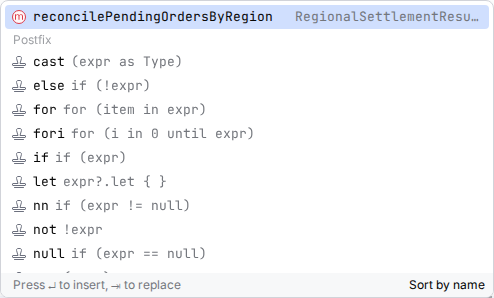
After expanding Java `fori`, the three occurrences of `i` were all editing selections, so arrow keys moved three carets. The shared snippet engine now selects only the first occurrence of each variable and mirrors edits to the others, for every live template and language and for LSP snippets with repeated placeholders; the Java-specific handling is gone.

Co-authored-by: jiejie1133 <116809768+jiejie1133@users.noreply.github.com>
Clicking a link to a heading in another file (e.g. [§5.2](b.md#52-状态机)) in the Markdown preview opened the file at the top. The destination now opens at the heading, in Preview Only and split mode, also when the file wasn't open yet (the preview scrolls once it has rendered). Markdown file-type aliases are honoured and a later link click wins over a slower earlier one.

Co-authored-by: fun90 <13536188+fun90@users.noreply.github.com>
Lombok-generated members (@SuperBuilder, @Data) put one override/implemented marker per generated method on the annotation line, filling the gutter. Markers of the same kind on a line now collapse into one icon with a combined tooltip; clicking it opens the target chooser (a single target still opens directly). Applies to all four inheritance marker kinds.
Select Opened File could not reveal a class opened from a dependency JAR that used a Maven classifier and was absent from External Libraries. The document knew its exact archive, but the Project view only searches registered archive roots.
External Libraries now adds the exact archive referenced by the active library document, labels it with its Maven coordinate when available, and removes the temporary entry once the build model lists the same archive.

Co-authored-by: kradme <17811095+kradme@users.noreply.github.com>
Copy Path/Reference… built a different submenu per entry point: the project view and the editor caret chooser list the contributed copy items (features/vcs: Path From Repository Root, GitHub Link), while the editor tab menu and the External Libraries menu hand-wrote theirs and silently dropped every contribution. Both hand-written submenus now append the same `copyPath` menu group, so all four entry points agree — and future contributions appear everywhere at once.

Co-authored-by: muutot <92625353+muutot@users.noreply.github.com>
With **Settings › Editor › General › Editor Tabs › Enable preview tab** on, a single click on a file in the Project view now opens it in the preview tab, and the next single click reuses that tab. Before, the click did nothing. The cause was two switches that weren't connected. The Project view checked its own "Enable Preview Tab" view option, which was off by default and only reachable from the view's ⋮ menu. The Settings checkbox was a separate setting, `editor.tabs.previewTab`, which was only read when a preview tab was created.
IntelliJ IDEA documents these as two ways into one setting, so this PR makes them one. The Project view reads `editor.tabs.previewTab` for single click and for Autoscroll to Source. Its ⋮ › Behavior › Enable Preview Tab item and the `project.option.previewTab` action (the id is unchanged) now write that setting. The old view option is removed from the saved Project view options when they load.
What existing users will see:
- Defaults (Settings on, view option off): single click now opens a preview tab. This is the fix. The editor setting already defaulted to on, so users who never changed anything get single-click preview after this change.
- Both on: no change.
- Both off: no change.

Co-authored-by: bertyhell <1710840+bertyhell@users.noreply.github.com>
In the Project view, copy a keyword, press ⌘F, then ⌘V: the app reported "No files on the clipboard" and the search box stayed empty, instead of pasting the keyword the user had copied to search with.
A tree's speed search is not a text field — its query is built from printable keydowns. So `⌘V` never reached the query: the keymap dispatcher ran `project.paste` on the selected folder, and the paste event that followed bubbled to the Project view's clipboard fallback, which runs the same action again.
The shared `Tree` now claims `⌘V` while a search is active (as it already claims `⌫` since #3226) and takes the clipboard text into its query: pasted text is flattened onto one line and the search jumps to the nearest match. With the search closed, or with a clipboard that holds no text, the view's Paste runs exactly as before.
Every tree with a speed search gets this — the Project view, the Database view, the Services tree and the GitHub changes tree all render `src/ui/Tree.tsx`.

Co-authored-by: aconeshana <52204454+aconeshana@users.noreply.github.com>
Drag-selecting in a long Find in Files query (or any text field) and moving the pointer past the field's left or right edge didn't scroll the text, so you couldn't select past what's visible. IntelliJ IDEA does scroll. WebKitGTK extends the selection in this case but never scrolls the field to follow it. Arrow keys do scroll. Now, while a drag that started in the field is past one of its edges, the field moves the selection end and the scroll position itself, faster the further out the pointer is. Once the pointer is back inside, WebKit's own selection takes over again. Both `Input` and `SearchField` get this.

Co-authored-by: bertyhell <1710840+bertyhell@users.noreply.github.com>
The Code Vision row above a declaration (usage count, author) cut off the top or bottom of its text, most visibly for Chinese labels like "10 个用法" / "无用法". The row was a fixed `height: 16px` with `overflow: hidden`, while its text is the editor font size minus 1px. At larger editor fonts, or with CJK fallback fonts that ink below the Latin metrics (Microsoft YaHei, Noto Sans CJK), the glyphs didn't fit.
The row now has `min-height: 16px`, and its items use `line-height: normal`, so the row grows to the ascent and descent of the fonts actually used. At the default font a Latin-only row is still exactly 16px. The line-end hint (Code Vision kinds set to "right") has the same 1em box with `overflow: hidden`. It keeps its size and position but now clips only horizontally.

Co-authored-by: bertyhell <1710840+bertyhell@users.noreply.github.com>
A Git Log page costs a fixed ~15 ms in a repository with 248 refs (the 100k-commit fixture), even for a one-row page. Every page listed and peeled all refs twice (once for the decorations, once more for the view cache key via `log_refs`), at ~25 µs per ref. The decorations are now cached until `HEAD`, `packed-refs` or a directory under `refs/` changes, and the cache key uses a change counter instead of the full ref map. A warm page no longer reads any ref.
The cost scales with the number of refs, not commits: the audit's 10k/100k fixtures have 50/248 refs, which is why it looked proportional to the commit count. A repository with thousands of remote branches pays correspondingly more.

Co-authored-by: Mr0Bread <55754540+Mr0Bread@users.noreply.github.com>
With a User filter on a merge-heavy history, the first page of the Git Log fanned the top merge out into dozens of dashed lanes, and the graph column pushed the commit subjects to the right. It went back to one line only after every match was loaded. The cause: `pruneFilteredEdges` (the #2670 fix) only judges a filtered connection when its target is on the loaded page. With the first 300 rows of the issue's repository, the merge kept 43 connections, 42 of them to rows that weren't loaded yet.
Now, while another kept connection of the commit already leads below the page, a filtered connection to an unloaded target waits until that target loads, and is then judged exactly like before. If no kept connection leads below the page, one filtered connection stays, so a row never looks like the end of its history. This is a heuristic: a connection that turns out to be needed (two unrelated side branches, both below the page) appears once its target loads. The sibling-branch test pins that behaviour. An exact answer on the first page would need the backend projection (`Visibility::parents`) to drop ancestors that another projected parent already reaches. This PR doesn't touch Rust; that could be a follow-up.
Go to Parent now pages until every unpruned connection of the commit is loaded, as it did before, so a merge still offers all its parents.

Co-authored-by: bertyhell <1710840+bertyhell@users.noreply.github.com>
Closes#4112 (its remaining half: #4347 stopped the terminal sliding sideways while composing, the
candidate window still opened at the far right of pi's input box).
xterm anchors the IME candidate window on its hidden helper textarea, and keeps that textarea on the
terminal cursor — on every render, on `compositionstart` and again on each `compositionupdate`. A
program that paints its own caret leaves the terminal cursor elsewhere: pi asks for a column past the
right edge of its input box (`ESC[21;411H` in a 206-column terminal, which xterm clamps) while it
Co-authored-by: H-TWINKLE <34811911+H-TWINKLE@users.noreply.github.com>
Claude Code can return an image from a tool call without including a Markdown image in its final reply. OpenIDEA discarded that image while normalizing and saving the tool result, so the conversation showed no preview.
Preserve inline tool images separately from truncated text and show them below the folded work summary. The existing image viewer opens the full preview; expanding the work does not duplicate it, and old conversations without an image field still load.

Co-authored-by: YannABC <9603157+YannABC@users.noreply.github.com>
After a compaction the context meter kept the pre-compaction usage until the next request. compact_boundary now sets the usage to post_tokens; without it the driver asks Claude Code (get_context_usage).

Co-authored-by: bertyhell <1710840+bertyhell@users.noreply.github.com>
The **File mask** menu in Find in Files now lists every language file type present in the project, most common first, after the recently used masks. Before, `refreshProjectMasks` kept only the 5 most common types, so in a project with six (rs, md, json, toml, yml, properties) the least common one, `*.properties`, could not be picked. The menu already scrolls and stays inside the window, so a long list stays usable.

Co-authored-by: bertyhell <1710840+bertyhell@users.noreply.github.com>
Backspacing through a closing tag such as `</div>` also emptied the opening tag, leaving `<>`. The first Backspace removes `>`. The parser still reads `</div` as the element's close tag, so every later Backspace in the name counted as a rename and was mirrored. Linked tag editing now only pairs two tags that both still end in `>`. A tag missing its `>` is being deleted, so nothing is mirrored into it or out of it. The same applies to an opening tag deleted before its children, in all the HTML-based modes and in JSX/TSX. XML does not use linked tags (`LINKED_TAG_LANGUAGES` in `prefs.ts`).

Co-authored-by: bertyhell <1710840+bertyhell@users.noreply.github.com>
The New menu had no built-in template for `.svelte` files. Add **Svelte Component** for Vite and Node.js projects, including SvelteKit workspace members. The template accepts SvelteKit filenames such as `+page.svelte`.

Co-authored-by: shohruh-genius <7658451+shohruh-genius@users.noreply.github.com>

 Muuandmuutot

 LU XIANGRUIandwildcatDownstairs
 Mr0Bread
 l0ng-ai

 wangfeiandhapput

 zhzhsxandzhzhsx

 Bert Verhelstandbertyhell
 jiejie1133

 fun90andfun90

 langxpandkradme

 aconeshanaandaconeshana
 TWINKLE
 Yann

 faysouandfaysou

 Shohruh Ismoilovandshohruh-genius