 Linus Rath
022b83c005
Linus Rath
022b83c005
Plugins that talk to Nextcloud, Paperless or an AI provider used to need
the password or key in their own settings, readable by the plugin and
stored in the browser. A plugin can now declare credentials in its
manifest and send requests "with credential X" through the server:

- `credentials` in the manifest: admin scope (secret and server from the
  admin config) or user scope (the user connects an account; the server
  address is fixed or chosen by the user)
- `/api/plugin-secrets`: the user's connected accounts, encrypted per
  mail account under `PLUGIN_SECRETS_DIR`; listing never returns secrets
- `/api/plugin-proxy`: adds the secret and forwards only to the
  credential's own origin, through the SSRF guard unless the admin set
  the server up or listed it in `PLUGIN_PROXY_PRIVATE_ORIGINS`; no
  redirects or WebDAV moves to other servers, streamed bodies capped at
  512 MB up and 2 GB down, 300 requests a minute per plugin, 8 at once
  per user, and one audit line per request without paths or bodies
- a capture mode that stores a secret from a sign-in response (Nextcloud
  Login Flow v2) and removes it from what the plugin gets back


Website · Documentation · Live demo · Releases · Discord
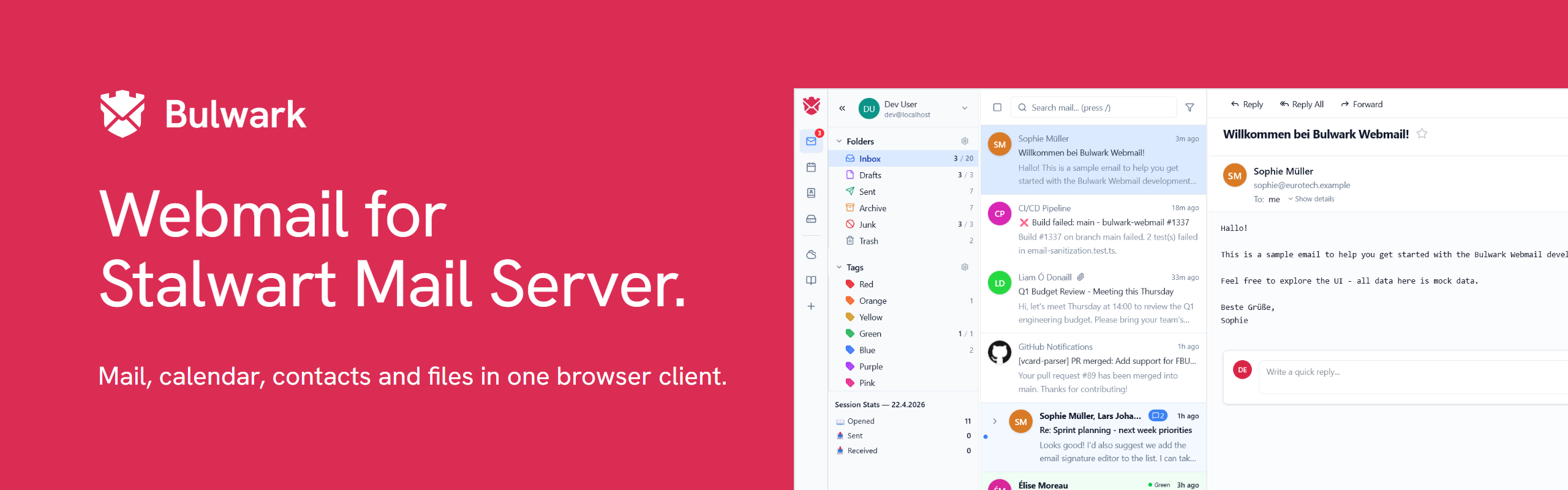
Bulwark Webmail is a self-hosted webmail client for Stalwart Mail Server. It talks to Stalwart over JMAP and puts mail, calendar, contacts and files behind one login, with one set of settings and one admin dashboard.

Contents
- Screenshots
- Features
- Quick start
- Other ways to install
- Configuration
- Documentation
- Development
- Use of AI
- Community and support
- License
Screenshots


Calendar week view · Contact details with recent mail and upcoming events


Composer with identities and formatting · Light and dark themes
Features
- Mail: threading, unified inbox, cross-account views, full-text search, Sieve filters, S/MIME, templates, scheduled send
- Calendar: month, week, day and agenda views, recurring events, iMIP invitations, CalDAV subscriptions
- Contacts: several address books, groups, vCard import and export
- Files: Stalwart's JMAP file storage, with previews, sharing and folder upload
All four share single sign-on and 2FA, multiple accounts, 27 languages, PWA install and web push, themes, plugins and keyboard shortcuts. The full list is on the All features page.
There are two editions. The full edition runs as a Node.js server and adds the admin dashboard, OAuth, plugins and settings sync. Bulwark Lite is the same client as static files, served by any web host or by Stalwart itself.
Quick start
docker run -d -p 3000:3000 ghcr.io/bulwarkmail/webmail:latest
Then open http://localhost:3000. A setup wizard asks for your Stalwart server and an admin password. The installation guide has the details, and Stalwart setup covers the mail server side.
Other ways to install
| Method | Guide |
|---|---|
| Docker Compose | Compose |
| Behind a reverse proxy or on a sub-path | Reverse proxy |
| From source, without Docker | Manual install |
| Lite on any static host | Static hosting |
| Lite as a container | Container image |
| Lite served by Stalwart | Install on Stalwart |
Updating explains how to move to a new version.
Container images and release files from 1.12.0 on come with a signed build provenance attestation. To check that one was built by this repository's workflows, run gh attestation verify oci://ghcr.io/bulwarkmail/webmail:<version> --owner bulwarkmail for an image, or gh attestation verify <file> --repo bulwarkmail/webmail for a downloaded file. Release files also have a .sha256 next to them.
Configuration
Most installs are set up in the wizard on first launch and changed later in the admin dashboard. You can also use environment variables, which fit read-only or immutable deployments better. When both set the same key, the value saved in the admin config wins, so an environment variable only fills in what the admin config leaves unset.
JMAP_SERVER_URL=https://mail.example.com
APP_NAME=My Webmail
| Topic | Guide |
|---|---|
| Overview, config files and precedence | Configuration |
| Every variable | Environment reference |
| OAuth2 / OIDC and single sign-on | Authentication, Embedded SSO |
| Several JMAP servers, custom endpoints | Multi-server deployments, Custom endpoints |
| Branding, logos, per-domain branding | Customization |
| Anonymous telemetry (off by default) | Anonymous usage stats |
Documentation
All documentation is at bulwarkmail.org/docs:
- Getting started: Introduction, Installation, Editions, Bulwark Lite, Demo mode
- Deployment: Docker, Manual install, Static hosting, Install on Stalwart, Updating
- Guides: Admin dashboard, Account security, Impersonation, Plugins, Marketplace, Troubleshooting
- Extensions: Introduction, manifest.json, Publishing
- Development: Architecture, Contributing
- Legal: Privacy
The pages are Markdown files in the website repository. Send corrections there.
Development
git clone https://github.com/bulwarkmail/webmail.git
cd webmail
npm install
cp .env.dev.example .env.local   # built-in mock JMAP server, no mail server needed
npm run dev
npm run typecheck
npm run lint
npx vitest run             # unit tests
npm run test:integration   # Stalwart in Docker + Playwright
The contributing guide covers tests, translations, code style and pull requests. Architecture explains how the code is organized.
The stack: Next.js 16 and React 19, TypeScript, Tailwind CSS v4, Zustand, Tiptap, next-intl, Tabler Icons, and our own JMAP client (RFC 8620). Tests run on Vitest and Playwright.
Use of AI
AI tools are part of how Bulwark is developed. A change is held to the same standard whether a person or a tool wrote it: it has to be understood, reviewed and pass the checks and tests before it is merged.
Bulwark itself has no AI features and doesn't send your mail, contacts, calendar or files to an AI service. If your Stalwart server classifies spam with an LLM, Bulwark shows the verdict, but the classification happens on your server.
Contributors can use AI tools too, as long as they use capable, current models and not small or outdated ones. The contributing guide explains what we expect.
Community and support
- Questions: check Troubleshooting, then ask on Discord.
- Bugs and feature requests: open a GitHub issue.
- Security vulnerabilities: report them privately to dev@bulwarkmail.org or through a security advisory, never in a public issue.
- Release notes: CHANGELOG.md and the GitHub releases.
License
GNU AGPL v3 only, with an additional permission to distribute apps built from this code through app stores such as the Apple App Store and Google Play. The permission is provisional until every earlier contributor has agreed to it (consent request); contributions made since 30 September 2026 are already covered. This repository preserves the original MIT attribution for the fork lineage in NOTICE.
Acknowledgments
Thanks to root-fr/jmap-webmail and @ma2t for the groundwork this project builds upon.